
K7 Total Security 2026
4.2Editor score
Affordable Annual Subscription
Ransomware Protection
Webcam Blocker
Compare the best laptop protection software of 2026 to secure your device against threats, malware, and identity theft with our detailed expert review and
Laptop protection software is essential for safeguarding your digital life against evolving cyber threats. Modern suites combine antivirus, identity monitoring, and secure connections to protect personal data effectively.
We evaluated top-rated solutions based on threat detection, system impact, and user-friendly features. Our analysis covers comprehensive security tools designed for laptops, tablets, and multiple devices across different operating systems.
Each pick highlights key strengths like cloud backup, VPN access, or scam protection. Note that subscription terms and pricing may change, so verify current details before purchasing to ensure the best fit for your needs.
4.2Editor score

4.2Editor score

4.3Editor score
This side-by-side comparison highlights key specs for each solution to help you choose the right level of protection for your specific laptop and privacy requirements.



McAfee Total Protection 2027 stands out as a robust suite for securing laptops against diverse cyber threats. It combines antivirus, identity monitoring, and secure connections into one seamless package for users seeking comprehensive safety.
We may earn a commission when you buy through this link, at no additional cost to you.
The threat detection system stays ahead of suspicious links and risky sites automatically. Its identity monitoring watches for exposed info and tells you exactly what steps to take next, ensuring you are never caught off guard by breaches.
While the auto-renewal ensures continuous protection, users must remember to manage settings if they prefer manual control. Additionally, a payment method is required at activation, though you won't be charged immediately until the subscription term begins.
This solution is ideal for individuals protecting multiple devices who value clear alerts and simplified guidance. With 24/7 customer support and instant digital code delivery, it balances powerful security with user-friendly accessibility effectively.
Suspicious links, risky sites, and scams are caught automatically before they reach your device to keep you safe online.
Personal info protection watches for your exposed data and notifies you so you can take immediate action to secure your identity.
We may earn a commission when you buy through this link, at no additional cost to you.
K7 Total Security offers essential antivirus and internet security at an accessible price point for single users. It safeguards your laptop against viruses, malware, and online threats without requiring a CD for installation.
We may earn a commission when you buy through this link, at no additional cost to you.
The software includes specific protections like ransomware guard to prevent file encryption by malicious apps. Its webcam protection feature blocks unauthorized access, adding a crucial layer of privacy for everyday computing tasks and video calls.
While it focuses on a single user, this makes it a cost-effective choice for individuals rather than families or larger households. The 2-hour email delivery ensures you get your activation code quickly after purchase to start protecting your device immediately.
Buyers looking for straightforward security basics will find this package reliable. It maintains privacy and security while keeping costs low, though those needing multi-device coverage may need to look at broader subscription options instead.
Photos and files are protected from ransomware and untrusted apps that attempt to change, delete, or encrypt your data on Windows.
Prevents unauthorized applications and hackers from spying on you by blocking access to your webcam effectively during use.
We may earn a commission when you buy through this link, at no additional cost to you.
McAfee+ Premium 2027 provides unmatched flexibility by protecting an unlimited number of devices under one subscription. This is perfect for households with many laptops, phones, and tablets that need consistent security coverage without extra costs.
We may earn a commission when you buy through this link, at no additional cost to you.
It goes beyond standard antivirus by including personal data scans to find your info on sites selling it. The social privacy manager helps fix privacy settings buried in social accounts, giving you control over what you share online.
The auto-renewal ensures you never lapse in protection, but users should be aware of the renewal price and cancellation policies. A payment method is required at activation, yet billing happens only after the prepaid term begins.
If you manage a digital ecosystem with multiple users or devices, this premium tier offers comprehensive value. Its blend of scam protection, identity monitoring, and web protection in one place simplifies security management significantly.
Take your info off the market by finding personal information on sites selling it and guiding you on how to remove it.
Decide what you share as McAfee finds the privacy settings buried in your social accounts and fixes them for better security.
We may earn a commission when you buy through this link, at no additional cost to you.
This version of McAfee Total Protection is tailored for small families or individuals with three devices to secure. It delivers award-winning antivirus along with identity monitoring and a powerful VPN for all your connected gadgets.
We may earn a commission when you buy through this link, at no additional cost to you.
The ID monitoring feature scans email addresses, IDs, and phone numbers for breach signs. If your information appears online, you are notified immediately so you can take action to secure your accounts and identity effectively.
Banking and shopping anywhere securely is supported by unlimited VPN protection when connecting to public Wi-Fi. Storing complex passwords becomes easy with the included password manager that generates and keeps your credentials safe from threats.
For households needing reliable internet security across a few main devices, this plan balances cost and features well. The instant code download ensures you can activate protection on your devices quickly after purchase.
Protect your online privacy automatically when connecting to public Wi-Fi with unlimited VPN included in this protection suite.
Secure your accounts by generating and storing complex passwords with a built-in password manager included in this subscription.
We may earn a commission when you buy through this link, at no additional cost to you.
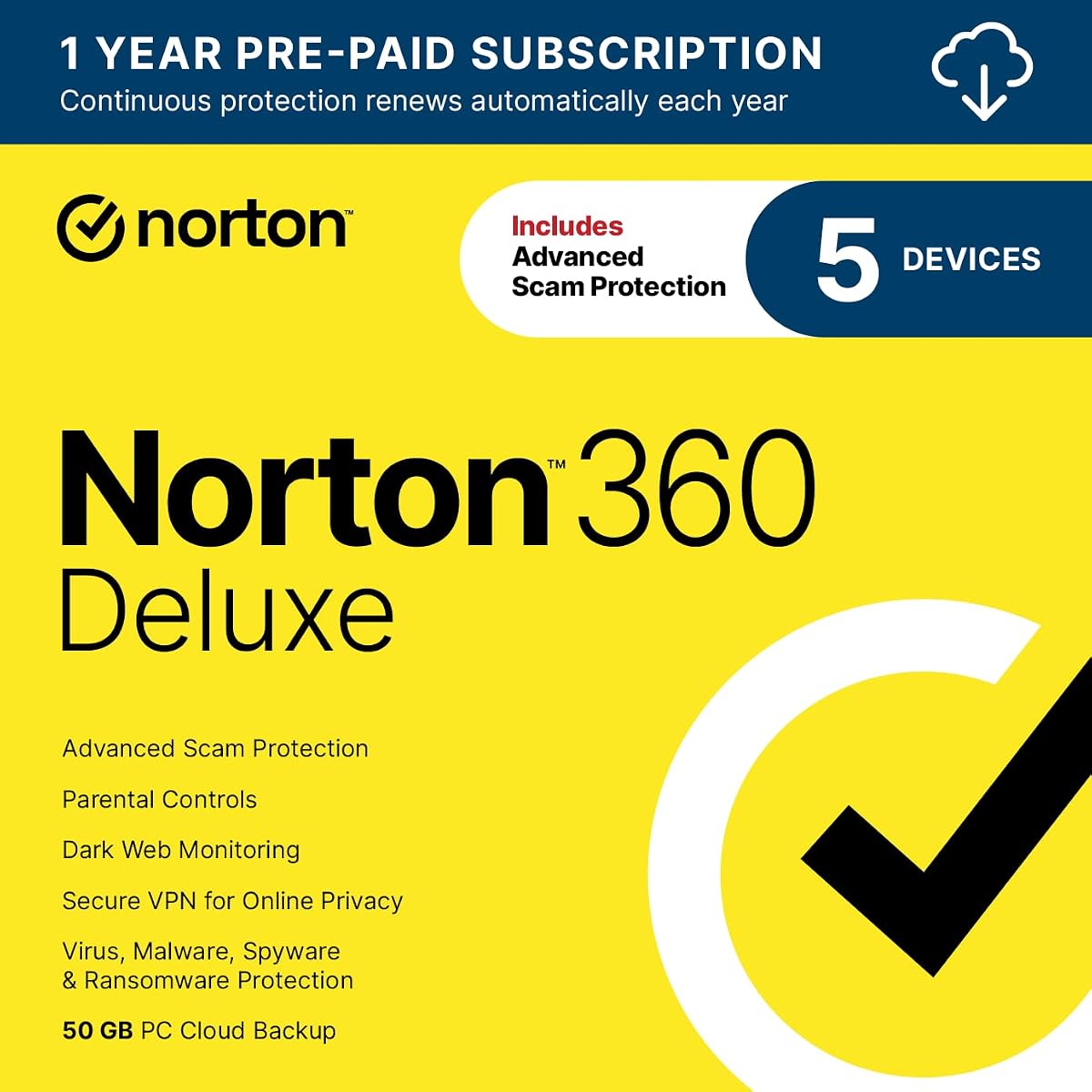
Norton 360 Deluxe offers ongoing protection for 5 PCs, Macs, or mobile devices with fast VPN speeds and ample cloud storage. Its top-performing VPN provides faster speeds and more server locations for privacy across all devices including Smart TVs.
We may earn a commission when you buy through this link, at no additional cost to you.
Advanced scam protection is powered by a built-in Genie AI assistant to help you spot hidden scams online. Real-time protection shields against existing and emerging malware threats without slowing down your device performance or productivity significantly.
The dark web monitoring searches forums for your information and notifies you if it is found. The 50GB secure PC cloud backup helps prevent loss of photos and files due to ransomware or hardware failures.
While the introductory price is attractive, renewals may be at a higher rate later. This package suits users valuing both security and cloud backup for their critical files across multiple platforms.
With the built-in Genie AI assistant, you'll never wonder if a message or email is suspicious again when browsing or checking mail.
Help prevent loss of photos and files due to ransomware or hard drive failures with 50GB secure PC cloud backup included.
We may earn a commission when you buy through this link, at no additional cost to you.
ASURION 2 Year Laptop Protection Plan focuses on physical and accidental damage rather than software threats. It covers drops, spills, and cracked screens from day one with no additional cost for parts, labor, and shipping.
We may earn a commission when you buy through this link, at no additional cost to you.
Malfunctions are covered after the manufacturer's warranty ends, providing peace of mind for the laptop's lifespan. Real experts are available 24/7 to help with setup, connectivity issues, and troubleshooting to keep your device running smoothly.
The easy claims process allows filings online or by phone with most approved within minutes. If the product cannot be repaired, an Amazon e-gift card for the purchase price or a replacement is provided to the customer.
This plan is essential for protecting your hardware investment against accidents. Just remember to purchase it within 30 days of the laptop to ensure eligibility and full coverage under the terms.
Drops, spills and cracked screens due to normal use are covered from day one for complete hardware protection.
If we can't repair it, we'll send you an Amazon e-gift card for the purchase price of your covered product or replace it.
We may earn a commission when you buy through this link, at no additional cost to you.
This McAfee Total Protection 2027 version offers a balance of features and cost for users with three devices. It includes threat detection, personal info protection, and secure connections to ensure safety on public Wi-Fi.
We may earn a commission when you buy through this link, at no additional cost to you.
Adaptive protection tunes alerts to you and detection keeps up as threats change. Guided action ensures you know what matters and what to do next through clear alerts and simple guidance for easy steps.
The subscription includes scam protection, identity monitoring, VPN, web protection, and antivirus working together in one place. 24/7 customer support is available by phone or chat for any assistance needed during usage.
Users should note the auto-renewal policy before purchasing. This plan is suitable for those wanting standard protection across three devices without needing the unlimited capacity of premium tiers.
Alerts tuned to you and detection that keeps up as threats change to provide personalized security coverage.
Know what matters and what to do next with clear alerts and simple guidance to take action easily.
We may earn a commission when you buy through this link, at no additional cost to you.
Bitdefender Total Security 2026 provides speed-optimized cross-platform protection for Windows, Mac, iOS, and Android devices. It organizes your digital life safety with world-class antivirus and cyber protection for multiple operating systems effectively.
We may earn a commission when you buy through this link, at no additional cost to you.
Advanced threat defense includes real-time data protection and multi-layer malware and ransomware protection. Features like webcam protection, anti-tracker, and parental controls help secure your devices from various online and physical privacy risks.
Safe online banking is supported by a unique dedicated browser to secure your transactions. The package includes 200MB per day of Bitdefender VPN to add extra privacy layers to your browsing habits daily.
While activation involves a mailed code, this eco-friendly packaging avoids bulky discs. It is a strong choice for mixed device environments needing reliable and efficient security tools without compromising performance.
World-class antivirus security and cyber protection for Windows, Mac OS, iOS, and Android to organize your digital life safely.
Secure your online transactions with a unique dedicated browser that keeps your financial data safe from threats.
We may earn a commission when you buy through this link, at no additional cost to you.
Norton 360 Deluxe 3 Device version provides ongoing protection for three PCs, Macs, or mobile devices with instant download and easy setup. Its top-performing VPN offers faster speeds and greater connection control across all your devices including Smart TVs.
We may earn a commission when you buy through this link, at no additional cost to you.
Advanced scam protection uses a built-in Genie AI assistant to help spot hidden scams online. Real-time protection guards against malware and viruses without slowing down your device performance during daily usage tasks.
The dark web monitoring scans forums for your information to notify you if it is found. Secure PC cloud backup offers 25GB to help prevent loss of photos and files due to ransomware or hardware failures.
Users should note that the special first-year price is introductory. This plan works well for smaller households needing both security and backup features without requiring coverage for more than three devices.
With the built-in Genie AI assistant, you'll never wonder if a message or email is suspicious again when checking mail.
Help prevent loss of photos and files due to ransomware or hard drive failures with 25GB secure PC cloud backup included.
We may earn a commission when you buy through this link, at no additional cost to you.
Norton 360 Premium extends protection to 10 PCs, Macs, or mobile devices with instant download. Its top-performing VPN ensures privacy across all your devices with faster speeds and more server locations for seamless browsing.
We may earn a commission when you buy through this link, at no additional cost to you.
Advanced scam protection uses a built-in Genie AI assistant to help spot hidden scams online. Real-time protection shields against emerging threats without slowing down device performance for productivity and daily tasks.
The dark web monitoring searches forums for your information and notifies you if found. Secure PC cloud backup offers 75GB to help prevent loss of photos and files due to ransomware or hard drive failures.
This option is ideal for larger families needing coverage for many gadgets. The introductory pricing applies for the first year but renewals occur annually at current rates.
Download instantly and install protection for 10 PCs, Macs, iOS or Android devices in minutes for broad coverage.
Help prevent loss of photos and files due to ransomware or hard drive failures with 75GB secure PC cloud backup.
We may earn a commission when you buy through this link, at no additional cost to you.
Selecting the right laptop protection software depends on your device count, security needs, and budget. Here are key factors to consider before making a decision.
Most suites limit the number of devices they protect, typically ranging from 3 to 10 or unlimited. Determine how many laptops, phones, and tablets you need to secure to choose a plan that fits your ecosystem.
Ensure the subscription covers all your active devices to avoid additional costs or gaps in protection.
Look for solutions that combine antivirus, anti-ransomware, and anti-phishing capabilities. Advanced suites also include web protection to block malicious links and suspicious downloads automatically.
Prioritize software with real-time scanning to detect emerging malware before it infects your system.
Many modern protection packages include identity monitoring to watch for leaked personal info online. This alerts you if your email, phone number, or ID appears on breach sites so you can act quickly.
Choose plans with robust monitoring to safeguard your identity against theft and fraud risks.
VPNs encrypt your internet traffic to protect privacy on public Wi-Fi. Ensure the plan includes unlimited or sufficient daily VPN data for your browsing habits.
A built-in VPN simplifies security by avoiding separate subscriptions for privacy tools.
Cloud backup helps recover photos and files lost to ransomware or hardware failures. Verify the storage capacity offered, which can range from 25GB to 100GB depending on the plan.
Select a solution with enough space to back up critical documents and media safely.
Most software subscriptions auto-renew annually. Check the introductory pricing and future renewal rates to avoid surprise charges.
Understand the cancellation process to ensure flexibility if your needs change.
Intuitive dashboards with guided alerts make security management easier. Also consider if the vendor offers 24/7 support for quick issue resolution.
Prioritize software that balances powerful features with easy navigation.
Downloadable codes allow instant activation while physical mail delays setup. Choose digital delivery for faster protection start times.
Ensure the installation process is straightforward for non-technical users.
Install the software immediately after purchasing by downloading the activation code and following the setup prompts. Ensure your laptop is connected to the internet to complete registration and updates.
Enable all available features like real-time scanning, firewall, and identity monitoring through the dashboard. Review settings to tailor alerts and VPN preferences to your daily usage habits.
Schedule regular scans and check for updates frequently to maintain optimal protection. Keep your subscription active by renewing before expiration to avoid lapses in security coverage.
While Windows Defender provides basic security, dedicated suites offer stronger identity monitoring and VPN protection. They also include additional layers like anti-ransomware and advanced scam detection for comprehensive safety.
Identity monitoring scans the dark web and other sources for your exposed personal information. If it finds your data, it alerts you to change passwords and secure accounts before fraud occurs.
Yes, most top-tier protection plans cover multiple devices including laptops, phones, and tablets. Check the device limit per plan to ensure all your gadgets are protected under one account.
Most suites include malware removal tools to clean infections automatically. Additionally, features like cloud backup help recover any files lost during the infection process.
Yes, the VPN included with most subscriptions is free for use during the term. However, data caps may apply on certain plans, so check if unlimited usage is supported.
Yes, you can cancel anytime via your account page on the vendor's website. However, ensure you cancel before the renewal period to avoid being charged for the next term.
The top picks for laptop protection software in 2026 offer robust tools ranging from budget-friendly K7 to unlimited McAfee+ Premium. Each solution brings unique strengths like cloud backup, identity monitoring, or multi-device support.
Prioritize plans that match your device count and essential features like VPN access or dark web monitoring. Balancing comprehensive security with usability ensures your data stays safe without complexity.
Remember that prices and renewal rates may vary over time. Always verify current terms and details before purchasing to ensure the best value and coverage for your laptop.