
Canon PIXMA TR4720
3.8Editor score
Wireless connectivity
Built-in fax capability
Compact home design
This guide compares ten affordable fax machines for home and office use focusing on reliability speed and cost efficiency to help you find the right budget
Finding a reliable fax machine on a budget can be challenging in today's digital landscape. Many businesses still require faxing for legal and medical documents. This guide helps you navigate options that balance cost with essential functionality.
We evaluated ten real products based on user ratings specifications and feature sets. Our focus was on machines that deliver consistent performance without breaking the bank. Each entry offers a unique mix of fax capabilities and additional office tools.
Each pick shows key strengths and potential limitations for different user needs. Prices and availability change frequently so check current listings before buying. Use this guide to match a machine to your specific workflow requirements and budget constraints.
3.8Editor score

4.0Editor score

4.0Editor score
This side-by-side comparison highlights key specifications and capabilities across all ten selected fax machines. Review each model's core features to determine which fits your specific office or home workspace needs best.




The Brother FAX-575 stands out as a robust solution for those needing reliable faxing with added phone and copy functions. It holds a strong rating from users who value its consistent performance and straightforward operation in a home office setting.
We may earn a commission when you buy through this link, at no additional cost to you.
Its standout qualities include a generous 512 KB memory that can store up to 25 pages which reduces the need to reprint documents if the line is busy. The 9,600 BPS modem ensures transmissions complete in about 15 seconds per page making it efficient for small businesses with frequent document needs.
Honest trade-offs involve the requirement for thermal paper which may be less convenient than plain paper options for some users. Additionally the price point sits higher than entry-level models but the added functionality of phone and copying justifies the investment for many buyers.
This machine is ideal for small office professionals who need a dedicated device that handles multiple tasks without taking up excessive space. If you prioritize memory capacity and speed over absolute lowest cost this model offers a balanced combination of features for reliable faxing.
Storing up to 25 pages in memory ensures you never lose a document due to paper jams or busy lines during transmission.
The 9,600 BPS modem speed minimizes wait times allowing you to send critical documents quickly without frustrating delays.
We may earn a commission when you buy through this link, at no additional cost to you.
This renewed version of the Brother FAX-575 offers the same core capabilities as the new model at a more accessible price point. Users appreciate the functional reliability and the ability to send faxes and make copies without investing in brand new hardware.
We may earn a commission when you buy through this link, at no additional cost to you.
It retains the 512 KB memory and fast 15 second transmission time which are critical for maintaining workflow efficiency. The inclusion of phone and copy features makes it a versatile all-in-one device suitable for small workspaces where budget constraints are a priority.
Trade-offs primarily revolve around the uncertainty of wear and tear on a renewed unit. While many function perfectly the condition can vary and warranties might be more limited compared to buying directly from the manufacturer.
Buyers looking for a cost effective way to get essential faxing capabilities should consider this option if they are comfortable with pre owned electronics. It works well for occasional use where the primary goal is affordability without sacrificing basic fax performance.
Purchasing a renewed unit allows you to access higher end features without the premium price tag associated with new models.
Even as a renewed item it maintains the essential memory and speed specs needed for consistent daily faxing tasks.
We may earn a commission when you buy through this link, at no additional cost to you.
The Sharp UXB20 is an inkjet fax machine that offers unique versatility compared to thermal or laser alternatives. It is designed for users who want the flexibility of inkjet printing while maintaining dedicated faxing capabilities in a single device.
We may earn a commission when you buy through this link, at no additional cost to you.
Key strengths include 449 KB of memory and an out of paper memory capacity that stores 24 pages ensuring no documents are lost. The 30 speed dial presets and caller ID detection enhance usability for frequent fax users who need quick access to contacts.
Honest trade-offs involve ink costs which can add up over time compared to thermal paper options and a lower overall user rating indicating potential reliability issues. The multi-copy function supports up to 99 copies which is useful for batch processing documents.
This machine suits small offices that need color printing or document flexibility alongside standard faxing. If you prioritize versatility and have moderate fax volume the inkjet format may offer long term value despite higher consumable costs.
Store up to 24 pages even if the machine runs out of paper so no incoming faxes are lost during busy periods.
Inkjet technology allows for more versatile printing beyond plain text faxes giving you options for varied document needs.
We may earn a commission when you buy through this link, at no additional cost to you.
The Canon PIXMA TR4720 is an affordable all-in-one printer that includes built-in fax functionality making it a top choice for tight budgets. It combines printing scanning copying and faxing into a compact unit suitable for home offices with space constraints.
We may earn a commission when you buy through this link, at no additional cost to you.
Key strengths include easy setup through the Canon PRINT app and a front paper tray that loads quickly with 100 sheet capacity. The auto document feeder simplifies sending multi-page documents and mobile printing adds convenience for users who work from smartphones.
Honest trade-offs involve reliance on ink cartridges which may need frequent replacement and a paper capacity lower than dedicated fax machines. However the price point and feature density make it a compelling option for those needing versatile office functions without large upfront investment.
This model is ideal for home users or light business use where faxing is occasional but other printing needs are frequent. If you prioritize low entry cost and modern connectivity this printer fax combo delivers solid value for everyday document tasks.
Setup is straightforward via the mobile app allowing you to start faxing and printing quickly without technical hurdles.
The ADF lets you send multiple pages automatically saving time and effort compared to manually feeding each sheet.
We may earn a commission when you buy through this link, at no additional cost to you.
The HP DeskJet 2955 is a versatile wireless all-in-one that excels at basic printing needs with AI optimization to reduce waste. While faxing capability is less prominent than on dedicated models it offers modern features like HP AI and Instant Ink trials for home users.
We may earn a commission when you buy through this link, at no additional cost to you.
Its standout qualities include intuitive control panel and wireless printing via dual-band Wi-Fi that resolves connection issues automatically. The included 3 month trial of Instant Ink helps manage costs initially and the sustainable design uses significant recycled plastics.
Honest trade-offs involve the lack of explicit built-in fax functionality in some configurations and a smaller paper tray compared to office units. Print speed is moderate but sufficient for everyday documents and the AI removes unwanted content for cleaner output.
This printer works best for users who prioritize smart printing features and low initial costs over dedicated fax functions. If you need a compact home solution with modern connectivity this model offers excellent convenience and value for general document tasks.
HP AI ensures precise print formatting by removing unnecessary content reducing wasted pages and improving professional look.
Made with 70 percent recycled plastics it supports eco friendly practices without compromising print quality or reliability.
We may earn a commission when you buy through this link, at no additional cost to you.
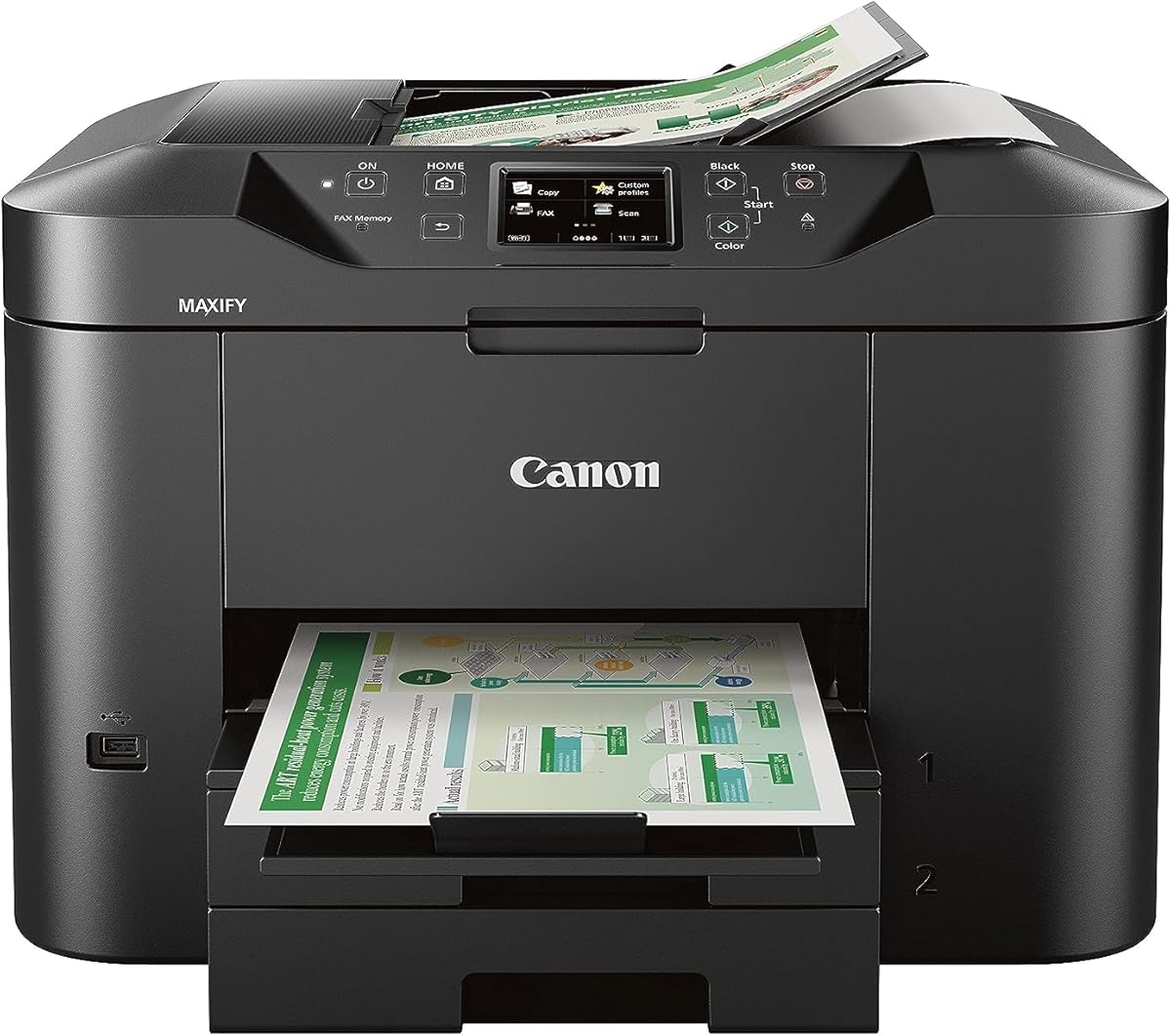
The Canon MAXIFY MB2720 is designed for home business needs with a robust duty cycle and large paper capacity. It delivers laser-sharp text that resists smudging and is built to handle high-volume jobs without frequent paper reloading.
We may earn a commission when you buy through this link, at no additional cost to you.
Key strengths include two paper cassettes combining for 500 sheets and a 20,000 page duty cycle ensuring long-term reliability. The Canon PRINT app allows scanning copying and printing from mobile devices while US-based support provides peace of mind.
Honest trade-offs involve a larger footprint and higher cost compared to basic models which may not suit very small spaces. However the performance and durability justify the investment for users with consistent document processing demands.
This printer is ideal for home businesses with steady document volume requiring sharp text and minimal downtime. If you need a reliable workhorse that handles heavy jobs efficiently this model offers professional-grade features at a competitive price.
Two cassettes provide 500 sheets total so you can print large jobs without stopping to reload paper frequently.
Built for 20,000 pages the device withstands daily heavy use making it suitable for busy business environments.
We may earn a commission when you buy through this link, at no additional cost to you.
The Canon PIXMA TR8620a is a premium all-in-one that combines faxing with voice assistant support and smart ink management. It stands out for its convenience features like Alexa integration and automatic 2-sided printing which reduce manual effort.
We may earn a commission when you buy through this link, at no additional cost to you.
Key strengths include Smart Reorders via Alexa that notify when ink is low and place orders automatically ensuring you never run out. The 200 sheet capacity and 15 ipm speed deliver efficient performance for both home and office environments.
Honest trade-offs involve a higher price point and more complex setup compared to simpler models. However the convenience of voice control and duplex printing offers significant value for users who prioritize modern workflow optimization.
This model suits tech-savvy users who want seamless integration with smart home devices and robust fax capabilities. If you value hands-free operation and efficient paper usage this premium printer provides exceptional convenience and productivity benefits.
Connect with Alexa to discover your printer and get notifications or orders managed through voice commands easily.
Automatic reordering ensures you always have ink available without manual tracking or surprise shortages affecting your work.
We may earn a commission when you buy through this link, at no additional cost to you.
The Brother IntelliFAX-2840 is a dedicated laser fax machine known for speed and reliability in plain paper printing. It is designed for users who need fast fax transmission and high-quality text output without additional multifunction features.
We may earn a commission when you buy through this link, at no additional cost to you.
Key strengths include a 21 ppm print speed and laser technology that produces sharp durable text resistant to fading. The resolution ensures clear document transmission which is critical for business and legal requirements where legibility matters.
Honest trade-offs include lack of network support and a larger device footprint compared to compact inkjet models. However the dedicated nature ensures consistent fax performance and simplicity in operation for users focused solely on transmitting documents.
This machine is ideal for office environments prioritizing speed and document quality over wireless connectivity or printing versatility. If you need a reliable standalone fax unit for high-volume plain paper faxing this model delivers consistent professional results.
Laser technology ensures text remains sharp and smudge resistant making your documents look professional and readable.
With 21 ppm speed you can send documents quickly reducing downtime and improving overall workflow efficiency.
We may earn a commission when you buy through this link, at no additional cost to you.
This renewed Brother IntelliFax 575 offers thermal transfer faxing at a budget-friendly price with Energy Star efficiency. It is designed for basic faxing and copying tasks suitable for environments where paper cost and simplicity are priority considerations.
We may earn a commission when you buy through this link, at no additional cost to you.
Key strengths include 50 sheet input capacity and 10 sheet ADF allowing for moderate batch processing without manual feeding. The thermal transfer technology is Energy Star rated reducing power consumption while delivering acceptable output for standard document needs.
Honest trade-offs involve the need for thermal paper which can fade over time and shorter longevity of thermal rollers. However the renewed price point and simple operation make it a practical option for low-volume faxing needs.
This machine works best for light users who need a simple and affordable fax device without complex features. If you prioritize low upfront cost and minimal maintenance this thermal fax provides essential functionality at a budget-conscious price.
Energy Star rating ensures reduced power usage helping you save on electricity while maintaining reliable fax performance.
Minimal controls and straightforward design make it easy for anyone to operate without training or technical knowledge.
We may earn a commission when you buy through this link, at no additional cost to you.
The Panasonic KX-FHD331 is a basic plain paper fax machine offering essential features at a budget price. It is designed for users who need straightforward document transmission without extra connectivity or smart features.
We may earn a commission when you buy through this link, at no additional cost to you.
Key strengths include caller ID compatibility and an answering machine interface that integrates with your existing phone setup. The 9.6 Kbps modem speed is adequate for standard transmissions and the plain paper support avoids special media costs.
Honest trade-offs involve a lower user rating and basic feature set lacking advanced memory or network capabilities. However the exchange program and simple operation make it accessible for users prioritizing simplicity and low cost.
This model suits users who need a no-fuss fax solution for occasional use in a small office or home. If you value plain paper convenience and basic caller ID support this budget-friendly option meets fundamental faxing requirements.
Uses standard plain paper which is easier to store and less prone to fading compared to thermal paper.
Compatible with caller ID helps you track incoming faxes and manage communications more effectively.
We may earn a commission when you buy through this link, at no additional cost to you.
Selecting a budget-friendly fax machine involves balancing essential features with cost. This guide breaks down key factors to help you make an informed decision.
Transmission speed determines how quickly your documents are sent over the phone line. Faster modems reduce wait time and improve efficiency especially if you send multiple pages daily. Look for speeds of 9,600 BPS or higher for reliable performance.
Prioritize models with at least 9,600 BPS to ensure quick transfers without frustrating delays.
Memory capacity allows the machine to store documents when paper runs out or the line is busy. Higher memory ensures no fax is lost during interruptions which is critical for business continuity. Check if the device offers memory for both sending and receiving.
Choose a unit with enough memory to hold at least 20 pages to avoid data loss during busy periods.
Paper type impacts long-term operating costs and convenience. Thermal paper rolls are often cheaper upfront but can fade over time while plain paper offers better longevity. Consider which medium aligns with your need for document retention.
Opt for plain paper if you need permanent records and avoid thermal paper if document fading is a concern.
Connectivity options determine how easily the machine integrates with your existing workflow. Wireless capabilities allow remote faxing from smartphones or computers adding flexibility to your office setup. Evaluate if you need phone lines Ethernet or Wi-Fi connections.
Select a model with connectivity that matches your office network to ensure seamless integration and use.
Multifunction features combine faxing with printing scanning and copying to save space and money. All-in-one units are ideal if you need multiple office tasks without separate devices. However dedicated fax machines may offer better performance for high-volume faxing.
Prioritize multifunction units if you need versatile office tools and dedicated models if faxing is your primary need.
Duty cycle indicates the number of pages a machine can handle per month without issues. A higher cycle ensures reliability for high-volume environments while lower cycles suit occasional use. Match the duty cycle to your expected monthly workload.
Choose a machine with a duty cycle that exceeds your average monthly page volume to prevent wear and tear.
Warranty support provides peace of mind and protection against manufacturing defects. Longer warranties reduce financial risk if the machine fails early. Review terms carefully as renewed products may have different coverage than new units.
Ensure the warranty covers essential components and offers reliable customer support for troubleshooting issues.
Operating costs include ink toner or paper expenses over time which can significantly impact your budget. Laser machines may cost more upfront but save money per page. Compare consumable prices before purchase to understand true long-term value.
Calculate total cost of ownership including consumables to ensure the machine fits your budget constraints.
To use your fax machine start by loading the correct paper type into the tray and ensuring it is properly aligned. Connect the device to a functioning telephone line or network if supported by the model. Follow the on-screen prompts to input recipient numbers and send documents.
Regular maintenance includes keeping the glass scanner clean and checking rollers for debris that may cause jams. Replace ink or toner cartridges when notified by the machine to avoid quality issues. Store the device in a dry place away from direct sunlight to prolong lifespan.
For digital models update firmware regularly to ensure security and compatibility with modern systems. Keep a record of sent faxes and confirm transmissions to avoid lost documents. If issues arise consult the user manual or contact customer support for guidance.
Most traditional fax machines require a dedicated analog phone line to transmit documents. Some modern models offer internet faxing over VoIP which eliminates the need for a physical line. Check your device specifications to confirm compatible connection types before purchase.
Budget fax machines often handle standard letter and legal size documents. Larger formats may require models with wider trays or manual feed options. Verify paper size compatibility in the specs to ensure your document needs are met.
Thermal paper faxes use heat-sensitive paper that is cheaper but fades over time. Plain paper faxes use standard office paper which offers better durability and longevity. Choose based on whether you need permanent records or simple transmission.
Wireless fax machines are reliable for home office use if your network is stable. They offer convenience by allowing remote sending and receiving. Ensure your router supports the required protocol to avoid connection drops.
Assess the machine by comparing features like memory speed and duty cycle against its price. Higher value comes from reliable performance and lower operating costs over time. Read user reviews to gauge long-term satisfaction and durability.
Most all-in-one fax machines allow scanning to email or computer without sending a fax. Dedicated fax units may not have this capability. Check if the model supports scanning functionality if you need document digitization.
Many modern machines store the document in memory to resend once paper is reloaded. If memory is unavailable the transmission may fail and you must retry. Models with ample memory reduce this risk for seamless operation.
They require regular cleaning of rollers and glass to ensure clear copies and prevent jams. Using recommended paper types reduces wear on internal components. Follow the manufacturer schedule for updates and cleaning to maintain performance.
We reviewed ten fax machines balancing affordability with essential features like memory speed and connectivity. Top picks include the Canon PIXMA TR4720 for budget versatility and the Brother FAX-575 for reliability.
Prioritize features that match your workflow such as paper type and memory capacity to ensure long-term satisfaction. Avoid overly complex models if simplicity is your primary goal to reduce operational friction.
Prices and availability change regularly so check current listings to confirm details before purchase. Use this guide to select a machine that fits your needs and budget constraints effectively.