
havit HV-F2056 Laptop Cooling Pad
4.4Editor score
Ultra-portable slim design
Three ultra-quiet cooling fans
Extra USB ports included
Gaming laptops from MSI often push thermal limits during intense sessions. A dedicated cooling fan helps maintain performance and extends device life effectively. Choosing the right accessory ensures your hardware runs cool under heavy loads.
We evaluated ten top-rated models based on airflow capacity, noise levels, and build quality. Our analysis focuses on compatibility with MSI Raider and Vector series laptops specifically. Each option offers unique features to suit different user needs and budgets.
Every pick below highlights key strengths and potential trade-offs for informed decisions. Note that product availability and pricing may vary over time. Check current listings for the most up-to-date offers before purchasing today.
4.4Editor score

4.4Editor score

5.0Editor score
As an Amazon Associate we earn from qualifying purchases.
This side-by-side comparison outlines the core specifications and unique selling points of each top contender. Use this table to quickly identify which model aligns best with your specific laptop dimensions and cooling requirements.


The Razer Laptop Cooling Pad Adaptive Smart offers intelligent thermal management for gaming laptops. With a 4.4 rating, it stands out for its ability to adjust fan speeds automatically based on system load. This ensures efficient cooling without constant manual intervention.
We may earn a commission when you buy through this link, at no additional cost to you.
Its airtight pressure chamber works with a 140mm brushless fan to target airflow precisely. This design significantly reduces CPU and GPU temperatures during intense tasks. Users can also customize fan curves via Razer Synapse for optimal noise or performance balance.
While the price is higher than basic pads, the features justify the investment for serious gamers. The sealed design minimizes air leakage but may require specific positioning for best results. Overall it delivers consistent performance across various laptop sizes.
This model is ideal for users who value automation and premium build quality. It suits MSI Blade owners or anyone wanting seamless integration with Razer ecosystem software. For reliable cooling without hassle, this is a top recommendation.
The pad monitors system load to adjust speeds automatically. This keeps temperatures stable without loud noise during light tasks.
Foam seals create an airtight chamber for focused cooling. This ensures maximum air pressure reaches the laptop intake vents effectively.
We may earn a commission when you buy through this link, at no additional cost to you.
The havit HV-F2056 provides solid cooling performance at an accessible price point. Rated 4.4 stars, it features three ultra-quiet fans that maintain a noise-free environment. Its slim profile makes it easy to transport between locations comfortably.
We may earn a commission when you buy through this link, at no additional cost to you.
Ergonomics are well addressed with two adjustable height settings for better posture. The metal mesh surface offers a stable platform for laptops up to 17 inches. An extra USB port allows connecting peripherals without using up laptop ports.
While it lacks advanced features like RGB or smart controls, it delivers essential cooling effectively. The build quality is durable enough for daily use without issues. This makes it a practical choice for students or casual gamers.
Buy this if you need a reliable portable solution without overspending. It suits MSI laptops in the 15.6 to 17 inch range well. For basic thermal relief and ergonomic benefits, this pad is highly recommended.
Three fans run at low noise levels to avoid distractions. Ideal for focused work or quiet gaming sessions without noise disruption.
Adjustable height settings help reduce neck strain during use. Promotes better posture for extended work or gaming periods comfortably.
We may earn a commission when you buy through this link, at no additional cost to you.
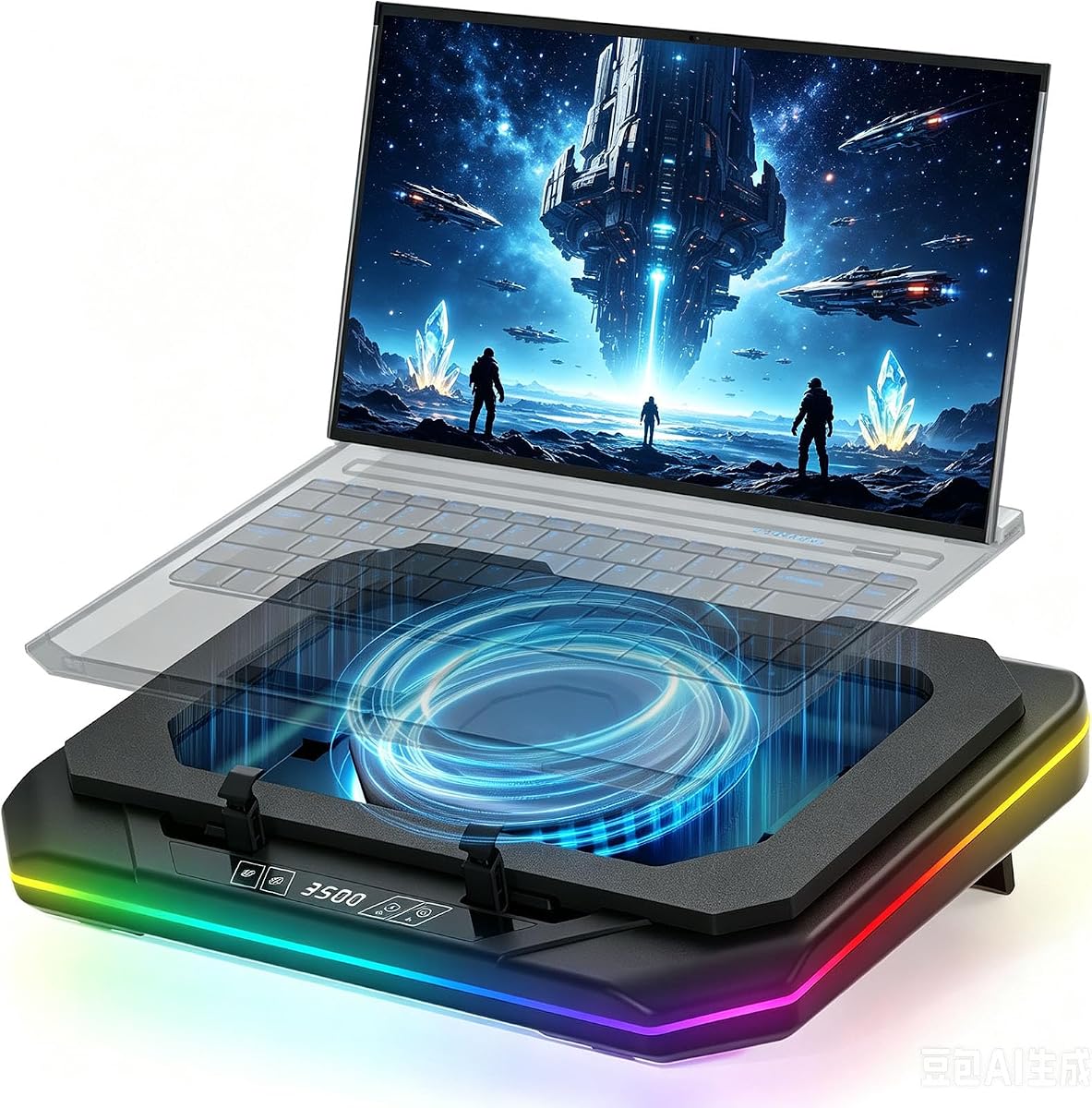
This cooling pad is engineered specifically for MSI Raider series laptops to maximize thermal output. With a perfect 5.0 rating, it features a powerful turbofan capable of reducing temperatures significantly. The sealed wind pressure design ensures air reaches key intake points efficiently.
We may earn a commission when you buy through this link, at no additional cost to you.
Its appearance matches high-end gaming setups with RGB lighting and a sleek build. The pad includes retractable side panels and foldable footrests for versatility across laptop sizes. A built-in USB hub adds practical connectivity for external devices during use.
Noise levels can reach 60 dB at maximum speed which may be noticeable in quiet rooms. However the cooling performance justifies this trade-off for intensive gaming sessions. Users can lower speed for quieter operation when needed.
Select this model for top-tier cooling tailored to MSI hardware needs. It suits users who prioritize performance and aesthetics in their setup. For intense gaming or content creation on Raider laptops, this is a standout choice.
The design traps air to force it into laptop intakes. This targeted approach reduces temperatures by up to 40 degrees effectively.
Six adjustable lighting modes enhance the gaming atmosphere. Memory settings allow you to save preferred lighting effects easily.
We may earn a commission when you buy through this link, at no additional cost to you.
Designed specifically for MSI Vector and Creator laptops, this pad ensures optimal thermal management. The turbofan delivers high-speed airflow to handle demanding workloads effectively. Users report significant temperature drops within minutes of use.
We may earn a commission when you buy through this link, at no additional cost to you.
The aesthetic appeal matches modern gaming rigs with customizable RGB lighting. A USB hub provides extra ports for keyboards, mice, or drives. Dust filtration protects internal components from debris over time.
High-speed operation can generate noise similar to normal conversation levels. Adjusting fan speed allows balancing cooling with acoustic comfort when needed. Build quality supports heavy gaming laptops securely without wobbling.
Ideal for MSI Vector owners seeking tailored cooling solutions. It also works well for other 15 to 18 inch laptops. For performance and style in one package, this option stands out.
Tailored for MSI Vector series to match intake layouts. Ensures efficient airflow directly where it is needed most.
Three USB data ports expand connection options. Easily attach peripherals without consuming laptop USB slots.
We may earn a commission when you buy through this link, at no additional cost to you.
This Kootek pad features five fans for broad coverage across laptop bases. Rated 4.4, it operates quietly to maintain focus during work or play. The dual USB hub allows connecting multiple peripherals conveniently.
We may earn a commission when you buy through this link, at no additional cost to you.
Six adjustable height settings provide ergonomic flexibility for various desk setups. Stopper bars keep laptops secure during use to prevent sliding. The blue LED lighting adds a subtle visual touch without distraction.
Fan control is managed via physical switches which offer simplicity but less precision. Users must choose between combinations of fans for balance. This design suits those who prefer straightforward controls over software apps.
Great for general use across different laptop brands and sizes. Fits MSI models well from 12 to 17 inches. For versatile cooling with multiple fan options, this is a solid pick.
Multiple fans distribute airflow evenly across the laptop. Prevents hot spots and ensures consistent cooling across the base.
Six height levels customize viewing angles for comfort. Reduces neck strain during long work or gaming sessions.
We may earn a commission when you buy through this link, at no additional cost to you.
The ChillCore pad stands out with nine fans for maximum airflow potential. An LCD display shows real-time fan speed for easy monitoring. Ten RGB modes create a dynamic gaming atmosphere matching PC setups.
We may earn a commission when you buy through this link, at no additional cost to you.
Eight height adjustments allow precise ergonomic positioning for user comfort. Capacitor components reduce noise effectively even at higher settings. The touch buttons simplify control for lights and fan speed without apps.
Its larger size fits up to 19.3 inch laptops well. However this requires more desk space than compact options. Ensure adequate room before purchasing for optimal use.
Best for users wanting high airflow and vibrant lighting. Suits large gaming laptops needing serious cooling power. For visual appeal and performance, this pad delivers strong results.
Readout shows current fan speed intuitively. Helps adjust cooling power without guessing via manual settings.
Nine cores ensure efficient heat dissipation. Designed to handle intense workloads without thermal throttling issues.
We may earn a commission when you buy through this link, at no additional cost to you.
This llano model features AI temperature control via Myth.cool software for automated adjustments. A 5.5-inch turbo fan pushes air at high speed to cool intakes efficiently. Lab tests confirm temperature reductions of up to 22 degrees quickly.
We may earn a commission when you buy through this link, at no additional cost to you.
The 36W adapter ensures robust cooling without draining the laptop battery. Three USB 3.0 ports connect high-speed devices like drives and keyboards. Removable dust filters make maintenance simple without tools.
Software integration offers precise control but requires initial download. Users who prefer manual knobs can use the built-in scroller instead. Build quality supports large gaming laptops stably.
Ideal for tech-savvy users wanting intelligent thermal management. Fits 15.6 to 19 inch laptops perfectly. For software-driven automation and strong performance, this is a top contender.
Smart modes auto-adjust fan speed to workload. Reduces manual tweaking and keeps temps stable automatically.
36W wall adapter supplies dedicated power. Ensures fans run at full speed without laptop battery drain.
We may earn a commission when you buy through this link, at no additional cost to you.
The llano V12 offers rapid cooling with a 5.5-inch turbo booster fan. It reduces temperatures by up to 44 degrees in just 90 seconds. A scroll wheel provides precise airflow adjustments without needing software.
We may earn a commission when you buy through this link, at no additional cost to you.
Three USB 2.0 ports create a central workstation hub for peripherals. Touch-mute buttons minimize distractions while controlling RGB lighting. Memory functions remember preferred settings for quick access.
High power output ensures consistent performance even under heavy loads. The chassis design supports heavy-duty laptops securely. Dust filtration helps extend overall lifespan effectively.
Great for users needing balanced cooling and connectivity. Supports laptops up to 19 inches well. For reliable performance and intuitive control, this pad is highly recommended.
Instant airflow adjustments via physical scroll wheel. Simplifies control without navigating software menus manually.
Remembers last lighting choice for convenience. Reduces repeated selections when powering on the device.
We may earn a commission when you buy through this link, at no additional cost to you.
This pad balances powerful cooling with whisper-quiet operation down to 35 dBA. A patented air-guide design directs airflow efficiently at lower speeds. The sealed memory foam option adapts for gaming laptops or ultrabooks.
We may earn a commission when you buy through this link, at no additional cost to you.
Multiple adjustable angles improve posture and typing comfort. A spring-loaded bracket grips laptops securely without manual clamping. RGB modes add visual flair with touch LED panel controls.
Runs on USB-C power which offers portability but may need a separate charger for turbo mode. The slim design makes it easy to move between locations. Fits laptops from 12 to 19 inches well.
Ideal for noise-sensitive users needing portable cooling. Suits MSI laptops and MacBooks effectively. For silent operation and ergonomic support, this is a great pick.
Operates as low as 35 dBA for quiet use. Perfect for shared spaces or quiet study environments.
Auto-grips laptops to prevent sliding. Ensures stability without manual locking mechanisms.
We may earn a commission when you buy through this link, at no additional cost to you.
This llano cooler supports laptops from 15 to 21 inches effectively. A 5.5-inch turbo fan ensures rapid cooling for large gaming units. An LED display tracks fan speed in real-time for monitoring.
We may earn a commission when you buy through this link, at no additional cost to you.
Touch-sensitive buttons allow instant adjustments to balance noise and cooling. A built-in mouse pad saves desk space for large setups. Non-slip baffles keep laptops secure on any surface.
Height adjustments help reduce neck strain during long sessions. The package includes extra dust filters for convenience. Build quality supports heavy gaming hardware reliably.
Best for users with large 21 inch laptops needing serious cooling. Fits MSI Titan or similar models well. For compatibility and performance, this pad is a strong choice.
Designed for massive gaming laptops up to 21 inches. Supports larger footprints without stability or cooling issues.
Built-in pad saves desk space for gaming. Adds convenience without needing separate accessories.
We may earn a commission when you buy through this link, at no additional cost to you.
Selecting the right cooling fan requires understanding your laptop size, thermal needs, and desk space. This guide breaks down key factors to consider for an informed purchase.
Ensure the cooling pad matches your MSI laptop dimensions. Models ranging from 12 to 21 inches need specific base sizes. Check manufacturer specs to confirm fit before buying.
Always verify width and length compatibility to avoid overhang.
More fans often mean better coverage but higher noise. Single turbo fans offer powerful direct airflow for sealed intakes. Balance fan count with your noise tolerance.
Prioritize high CFM ratings for maximum heat removal.
Check decibel ratings especially for shared spaces. Turbo fans can reach 60 dB under load. Lower noise is key for quiet environments.
Look for capacitor noise-reduction features if quiet is priority.
Adjustable height settings reduce neck strain. Tilt angles improve typing comfort during sessions. Look for stable footrests for safety.
Multiple angle options ensure better posture during use.
Extra USB ports expand connectivity for peripherals. Data transfer support matters for external drives. Ensure ports match your USB-C or USB-A needs.
Check if ports support charging or data transfer only.
Metal mesh surfaces offer stability for heavy laptops. Plastic designs may be lighter but less durable. Dust filters protect internals from debris.
Dust filtration ensures long-term performance and safety.
USB-powered pads save outlets but limit fan power. Wall adapters provide stronger cooling for turbo fans. Consider desk outlet availability.
Wall adapters deliver full fan performance without drain.
RGB lighting matches gaming setups but may distract. Customizable modes add personal flair. Look for memory settings to save preferences.
RGB enhances ambiance without impacting cooling performance.
Place the pad on a flat surface and plug it into a USB port or adapter. Ensure the laptop sits securely on the base with vents aligned to fans. Turn on the fans before starting heavy tasks for pre-cooling.
Clean the dust filters regularly to maintain airflow efficiency. Remove the mesh and brush off debris every few weeks. Check fan blades for any stuck dust or hair.
Adjust fan speeds based on your workload needs. Lower speeds save energy and reduce noise for light tasks. Use maximum power during intense gaming or rendering sessions.
Yes, cooling fans significantly lower CPU and GPU temperatures when vents align. Data shows drops of up to 40 degrees in some models. Proper alignment ensures maximum efficiency and thermal relief.
Most pads work with other laptops too since they offer universal ventilation. Ensure base size matches your device dimensions. Some models adapt seals for ultrabooks effectively.
Check your laptop model size like 15.6 or 17 inches. Manufacturers list compatible ranges. Measure base width to confirm it fits without overhang issues.
Only slightly when connected via USB power. Using a wall adapter eliminates battery drain. Check adapter requirements in product details.
Portable pads are lightweight and foldable for transport. Ensure you have access to USB power. Check weight limits for carry-on bags.
Adjust speed to lower settings or switch modes. Some models offer quiet presets. Position the pad to direct noise away from your space.
Inspect filters monthly for clogs. Clean or replace annually depending on dust levels. Ensure proper fit after cleaning for airflow.
Most offer standard USB 2.0/3.0 speeds. Check specs for data transfer rates needed for external drives. Ensure they support your specific device needs.
The top picks include the Razer for smart control, havit for budget needs, and MSI-specific pads for performance. Each model offers unique benefits to suit different priorities and setups.
Prioritize noise levels and compatibility for long-term satisfaction. Ergonomic features add comfort to extended gaming sessions effectively. Balance performance with your daily usage scenarios.
Check current pricing and availability as deals change frequently. Read user reviews for real-world insights on cooling results. Choose the pad that best aligns with your specific laptop model.