
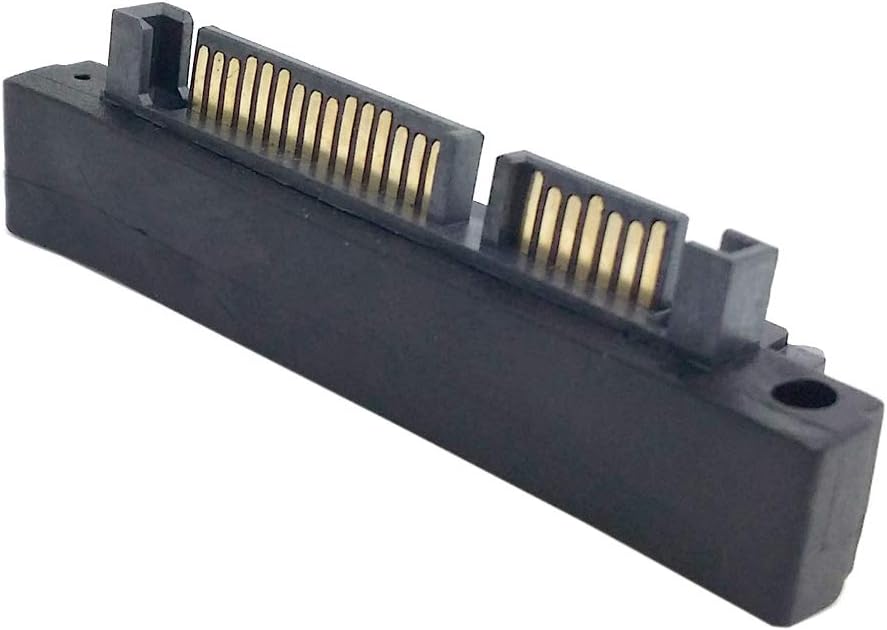
chenyang SATA Male to Female 90 Degree
4.4Editor score
Affordable single adapter pack
Supports 5V and 12V power
Fits 2.5 or 3.5 drives
Building a modern PC often involves tight spaces where standard cables struggle to fit. A 90 Degree SATA Adapter solves this by changing connection angles for cleaner layouts and better airflow.
We evaluated ten highly rated adapters based on build quality, compatibility, and user feedback. Our list covers various angles and configurations to suit different motherboard and drive setups.
Each pick highlights specific strengths and ideal use cases for your system. Prices and availability change frequently so please verify details on the product page before purchasing.
4.4Editor score

4.6Editor score

5.0Editor score
As an Amazon Associate we earn from qualifying purchases.
The following table provides a quick side by side look at the key specifications and features for each of the ten adapters we reviewed to help you compare them easily.




The CERRXIAN 90 Degree SATA Adapter ranks as our top pick due to its reliable performance and practical up angled design. It receives strong marks from users for solving tight space issues in desktop cases.
We may earn a commission when you buy through this link, at no additional cost to you.
This adapter maintains full SATA III compliance ensuring data speeds up to 6 Gbps are preserved. The up angled orientation allows vertical interfaces to face inward reducing cable strain significantly.
While it does not pass through power requiring separate power connections this limitation is standard for data only adapters. The two pack value makes it a versatile choice for multi drive setups.
Buyers looking for a reliable way to route SATA cables in cramped cases will find this adapter essential. Its build quality and clear directionality make it a safe choice for upgrades.
The up angled design redirects cables horizontally away from the motherboard preventing sharp bends.
Compliance with SATA III standards ensures your SSD or HDD runs at full potential.
We may earn a commission when you buy through this link, at no additional cost to you.
This adapter features a unique dual female design allowing one SATA cable to connect to two drives. It is highly rated for users needing to maximize drive capacity in smaller cases.
We may earn a commission when you buy through this link, at no additional cost to you.
The right angle design helps manage cables in low profile cases where space is extremely limited. It maintains high speed data transfer ensuring no bottleneck occurs between the drives and motherboard.
Users should note that power must be managed carefully as this adapter focuses on data connections. The dual port design is specific to data and may not fit every power supply configuration.
It is an excellent solution for enthusiasts building compact storage arrays or RAID systems. The two pack option provides flexibility for multiple installs without needing extra adapters.
The dual female ports allow a single data line to serve two drives efficiently.
Designed to fit in tight cases where standard straight adapters might fail.
We may earn a commission when you buy through this link, at no additional cost to you.
This adapter stands out for its affordability while still offering essential features for data and power. It is a solid choice for budget builds needing a simple angle change for SATA connections.
We may earn a commission when you buy through this link, at no additional cost to you.
The up angled design works well for drives mounted in vertical slots or tight chassis areas. It transfers both data and power signals ensuring your drive gets everything it needs without extra cables.
While it lacks advanced packaging or a warranty the price reflects its straightforward utility. Users report it fits 2.5 and 3.5 inch drives without any issues.
For anyone building a budget PC or repairing an older machine this adapter provides reliable functionality. It is a practical tool to have in your toolkit for unexpected connection challenges.
You get full data and power pass through at a very competitive price point.
Works seamlessly with both standard 3.5 and compact 2.5 inch drives.
We may earn a commission when you buy through this link, at no additional cost to you.
This adapter is designed with a down angled orientation to help clear obstacles near the motherboard. It supports both power and data transfer making it a complete solution for drive installation.
We may earn a commission when you buy through this link, at no additional cost to you.
The 22 pin connector ensures compatibility with standard SATA power and data interfaces. This allows it to work with almost any modern drive and motherboard combination effectively.
While the down angle is specific to your case layout it provides significant clearance for thick cables. Users appreciate that it does not limit power delivery like some data only adapters.
If you need to route a cable downwards to avoid a heatsink or other component this adapter is ideal. It combines robust construction with essential utility for difficult installs.
The downward bend helps navigate around bulky motherboard components easily.
Transfers both 12V and 5V power alongside data signals in one unit.
We may earn a commission when you buy through this link, at no additional cost to you.
This adapter offers a reliable right angled connection for SATA data lines. It is rated highly for its sturdy build and ability to maintain a secure connection even in moving environments.
We may earn a commission when you buy through this link, at no additional cost to you.
The black finish matches most internal PC aesthetics keeping the build looking clean. It works well as an extension to move the port further out from the motherboard.
Since it handles data only users must ensure power is provided separately for the drive. This is a common trade off for adapters focused on precise alignment and fit.
It is a great choice for users who need a simple extension without extra bulk. The high rating suggests consistent quality across batches making it a safe pick.
The right angled design ensures a tight fit that resists accidental unplugging.
The black casing helps blend into the internals of standard desktop cases.
We may earn a commission when you buy through this link, at no additional cost to you.
This pack provides both up and down angled adapters to handle different installation challenges. It is particularly useful for cases with restricted height where standard cables cannot turn properly.
We may earn a commission when you buy through this link, at no additional cost to you.
The dual angle option gives flexibility to route cables either up or down based on your specific setup. Users find this versatility helpful for fixing tricky drive placements.
As a data only adapter it requires separate power management for the drive. However the included pair ensures you have options for multiple drives or future changes.
It is an excellent option for builders working with small form factor cases. The price and included quantity make it a great value for comprehensive cable management.
Getting both up and down adapters in one pack covers most routing needs.
Designed specifically to overcome tight vertical clearances in compact cases.
We may earn a commission when you buy through this link, at no additional cost to you.
This adapter features a specific down angled design to help route cables away from obstructive components. It supports both data and power signals making it a practical choice for many builds.
We may earn a commission when you buy through this link, at no additional cost to you.
The down angle helps reduce stress on the drive connector by providing a smoother cable path. Users appreciate the compatibility with standard 2.5 and 3.5 inch drive sizes.
It is sold as a single unit so you may need to buy multiple if you have several drives. Despite this the quality and functionality are solid for the price point.
If your motherboard ports are near the bottom or blocked by fans this adapter helps. It provides a straightforward fix for cable routing issues without complex tools.
The downward bend directs cables away from components like fans or heatsinks.
It passes through both power and data signals for a complete connection.
We may earn a commission when you buy through this link, at no additional cost to you.
This adapter stands out with a perfect rating and premium features like gold plated contacts. It is designed to ensure maximum reliability and signal integrity for high performance drives.
We may earn a commission when you buy through this link, at no additional cost to you.
The RoHS compliant materials mean it is built with environmentally safe components. The design is optimized for tight spaces while maintaining high speed data transfer rates.
Users note that the gold plating reduces corrosion over time ensuring long term stability. It is a choice for those who prioritize quality and performance over minimal cost.
If you want the most reliable adapter for a critical system this is an excellent pick. The premium build justifies the price for anyone valuing long term stability.
Gold plating prevents oxidation and ensures consistent data signal transmission.
RoHS compliance ensures safe manufacturing practices and long term safety.
We may earn a commission when you buy through this link, at no additional cost to you.
This value pack provides four adapters with a mix of up and down angles. It is a practical option for users who need to route multiple drives in different directions.
We may earn a commission when you buy through this link, at no additional cost to you.
The compact design allows for neat cable management without adding bulk to the build. Users appreciate the convenience of having both angle types available in one purchase.
While user ratings are not yet available the price suggests a competitive offering. It is suitable for general use where premium features are not the main priority.
For server builds or extensive storage arrays this pack saves time and money. It ensures you have enough adapters to handle complex cable routing scenarios efficiently.
Getting four units allows you to manage multiple drive connections easily.
Having both up and down adapters in one pack covers most needs.
We may earn a commission when you buy through this link, at no additional cost to you.
This adapter pack features down angled connectors ideal for low profile cases. It supports full SATA III speeds ensuring your storage devices run at their top capabilities.
We may earn a commission when you buy through this link, at no additional cost to you.
The inclusion of two units makes it a convenient choice for dual drive setups. Users report that the down angle helps avoid conflicts with tall motherboard components.
While it does not pass power the data performance is consistent and reliable. The design is straightforward making it easy to install even for beginners.
If you need a reliable extension for downward routing this pack offers great value. It solves common clearance issues in compact builds without expensive upgrades.
The down angle helps clear tall motherboard headers in compact cases.
Getting two adapters in one pack makes it cost effective for multiple drives.
We may earn a commission when you buy through this link, at no additional cost to you.
Choosing the right adapter involves understanding your case layout and connection requirements. This guide outlines key factors to consider before making your decision.
The most important factor is the direction the adapter bends. Decide if you need an up angled or down angled adapter based on your motherboard port location and drive position.
Always check your case diagram to see which way the cable needs to turn before purchasing the adapter.
Some adapters pass through both data and power signals while others handle data only. Ensure you choose an adapter that matches your drive requirements and cable setup.
If the adapter does not support power you must provide a separate power cable to the drive.
Standard SATA adapters use 7 pin connectors for data and 15 pin for power. Ensure the adapter matches your drive ports exactly to avoid damage or loose connections.
Verify that the connector pin count aligns with your existing SATA cable ends.
Most modern adapters support SATA III standards allowing speeds up to 6 Gbps. Check that the adapter is backward compatible with your motherboard ports if using older hardware.
Look for explicit mentions of SATA III compliance in the product description.
Durable plastic or metal housing ensures the adapter lasts and maintains a secure connection. Gold plated contacts can prevent corrosion and improve signal integrity over time.
Read user reviews to confirm the adapter fits tightly and does not loosen easily.
Some adapters are sold as single units while others come in packs. If you need to connect multiple drives consider a pack to save money and ensure matching parts.
Buying multiple adapters at once is usually more cost effective than buying them separately.
The physical size of the adapter can matter in tight cases. Compact adapters reduce the risk of colliding with other components like RAM or heatsinks.
Measure the available space around your drive ports to ensure the adapter fits.
Most adapters are plug and play requiring no tools. However ensure the adapter does not block access to nearby screws or ports.
Choose an adapter that simplifies your cable routing rather than complicating it.
Start by identifying where your drive connects to the motherboard and determine the best cable path. Look for any obstructions like cables or components that might block a straight connection.
Insert the adapter into the motherboard port or drive port carefully aligning the pins. Gently push until it clicks into place ensuring a secure fit before running the cable.
Route the cable smoothly avoiding sharp bends beyond the adapter to prevent damage. Check connections periodically to ensure they remain tight and free from dust or debris.
A 90 Degree SATA Adapter is used to change the direction of a SATA cable connection. This helps manage cables in tight spaces where a straight cable would not fit or would cause strain.
Yes most 90 Degree SATA Adapters support data transfer up to 6 Gbps. Ensure the adapter matches the SATA version of your motherboard to avoid speed limitations.
Some adapters combine both power and data but many are data only. Check the product details to confirm if the adapter supports power pass through.
No they do not affect performance as long as they are SATA III compliant. A high quality adapter ensures stable connections without speed bottlenecks.
Yes these adapters work with both SSDs and HDDs. They are compatible with standard 2.5 and 3.5 inch SATA drives used in most desktop systems.
Simply plug the adapter into the port and then connect the SATA cable to the other end. Ensure it fits firmly to avoid loose connections that could cause errors.
Up angled adapters bend the cable upwards while down angled bend it downwards. Choose based on where your motherboard ports are located to avoid cable interference.
No tools are required as these adapters are designed for plug and play installation. They fit into standard SATA ports without any modification or hardware tools.
We reviewed ten top rated adapters to help you find the right solution for your setup. Whether you need a simple single unit or a value pack our picks cover various needs.
Prioritize the correct angle and build quality to ensure long term reliability in your case. A well chosen adapter improves airflow and reduces cable strain significantly.
Remember to check current availability and details before purchasing as specs may vary. Use the links provided to find the best fit for your specific build today.