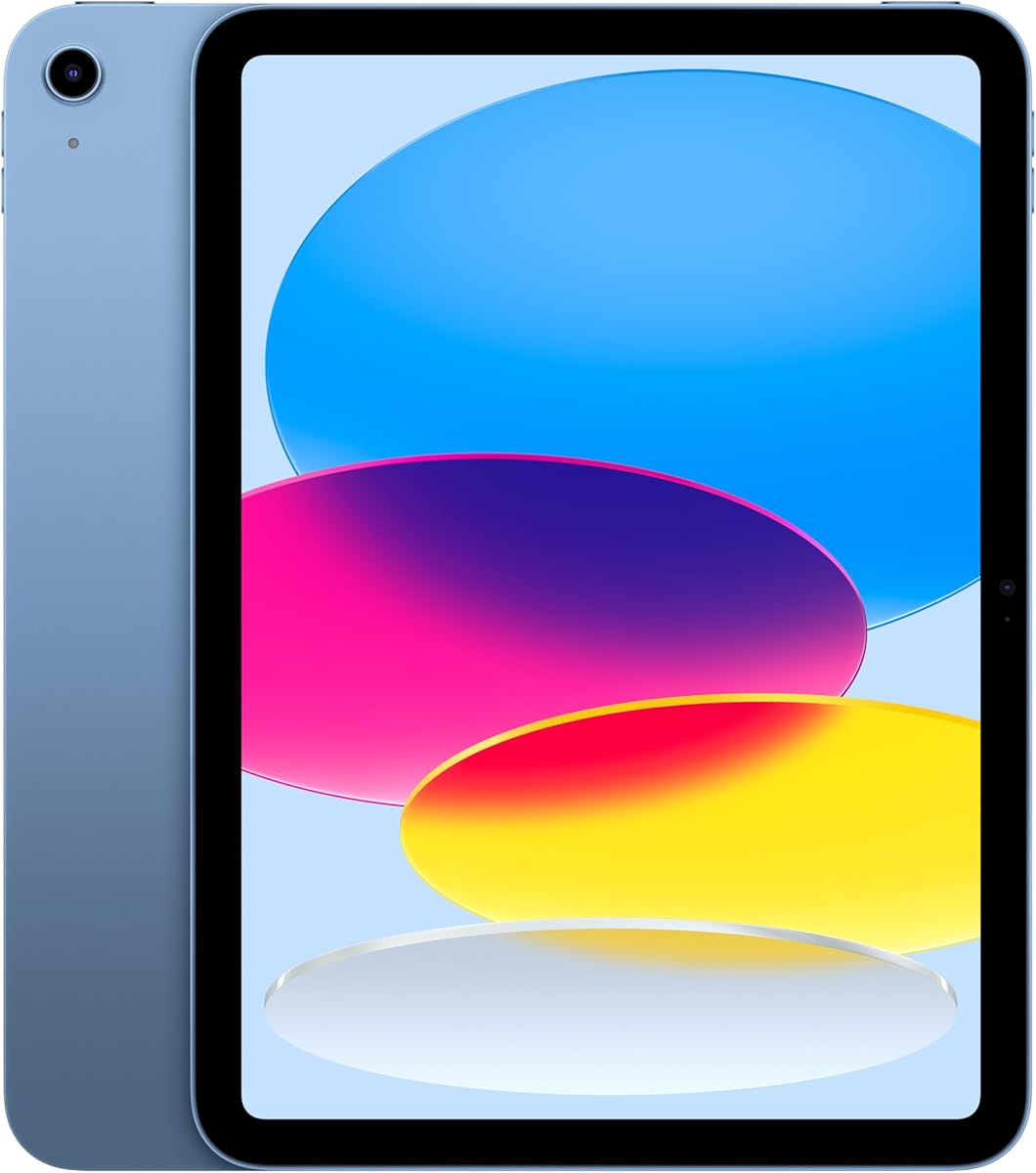
Apple iPad 11-inch
4.7Editor score
Liquid Retina display clarity
All-day battery life
Intuitive iPadOS interface
Finding the right technology for older adults can be challenging when devices are cluttered with complex features. A good tablet simplifies communication and entertainment without overwhelming the user with unnecessary options or confusing menus.
We evaluated ten leading tablets based on interface design, screen clarity, battery life, and support systems. Our comparison highlights models that prioritize accessibility, safety, and ease of navigation for daily use.
Each pick below showcases specific strengths like large icons, simplified interfaces, or robust security. Prices and availability change frequently, so always check current listings before making your final selection for a loved one.
4.7Editor score

4.2Editor score

4.5Editor score
As an Amazon Associate we earn from qualifying purchases.
This side-by-side comparison helps you visualize the key differences between each model. We focus on screen size, operating system simplicity, connectivity options, and overall value for senior users.




GrandPad is a secure, all-in-one tablet and phone designed specifically for seniors. With large icons, easy navigation, and a private network that blocks spam and scams, it offers a user-friendly way for older adults to connect with family safely and confidently. It holds a solid rating reflecting its unique focus on safety and ease of use.
We may earn a commission when you buy through this link, at no additional cost to you.
The device connects the entire family through complimentary companion apps for Android and iOS. Family and friends can securely share photos, videos, and memories. GrandPad's simple, secure network keeps everyone close, even when life gets busy. Seniors enjoy easy voice and video calls, photo sharing, and multiplayer games. With curated music, custom content and Grandie the virtual companion, it keeps your loved ones connected and engaged.
While the hardware is excellent, it requires activation via call with GrandPad to choose from six plans. Basic, Premium, or Ultimate plans are available monthly or annually. Limited functionality exists without a plan, and it is not compatible with Consumer Cellular or other wireless carriers. These restrictions are trade-offs for the high level of security and support provided.
For seniors who prioritize safety and simplicity above all else, GrandPad is an ideal choice. The private network and fraud prevention features address major concerns for older adults online. Families looking for a hassle-free way to stay connected should consider this specialized device despite the subscription requirement.
GrandPad's private network actively blocks spam and scams, protecting vulnerable users from common online threats while they browse and communicate.
Complimentary companion apps allow family members to share photos and videos securely, making it easy to stay close without technical barriers.
We may earn a commission when you buy through this link, at no additional cost to you.
Pix Star Touch offers a simple user interface designed so a beginner can navigate it easily. Email, internet, video conferencing and photos have never been easier to navigate thanks to this approach. Each application highlights the most important buttons to make it easier to use, which is ideal for seniors and the whole family seeking straightforward access.
We may earn a commission when you buy through this link, at no additional cost to you.
The tablet has a clever zoom feature that allows you to enlarge or reduce the user interface as needed for better visibility. Simple and useful features include the ability to install a multitude of applications via Google Play Store. The device includes a 10.1 inch screen and 32 GB storage capacity with one USB-C port. Excellent quality pictures are automatically taken and stored on the tablet so you can share them instantly.
Despite its focus on simplicity, the product has a lower rating score which suggests potential issues with reliability or customer experience. Users might find the basic specifications like 32 GB storage limiting over time. While the design intent is strong, the execution may not meet the expectations of those seeking a robust long-term solution for video calls or web search.
Seniors looking for a budget-friendly option with basic zoom features might consider this device. However, the lower rating indicates that potential buyers should weigh the trade-offs carefully. It remains a candidate for those prioritizing simple interface design over performance or storage capacity.
The clever zoom feature allows users to adjust interface size dynamically, helping those with vision difficulties read text and see buttons more clearly.
Automatic storage and instant sharing capabilities ensure that precious moments are preserved and distributed to family members without complex steps.
We may earn a commission when you buy through this link, at no additional cost to you.
Amazon Fire HD 10 is built for relaxation with a 10.1 Full HD screen and octa-core processor. It offers 25% faster performance than the previous generation and is ideal for seamless streaming, reading, and gaming. The 10.1 inch 1080p Full HD display brings brilliant color to all your shows and games. Binge watch longer with 13-hour battery life and expandable storage.
We may earn a commission when you buy through this link, at no additional cost to you.
Thin, light, and durable design features strengthened glass made from aluminosilicate glass. The Fire HD 10 is 2.7 times as durable as the Samsung Galaxy Tab A8 based on tumble test measures. Use the 5 MP front-facing camera to Zoom with family and friends or create content for social apps. Three new smart tools help you send polished emails and quickly summarize webpages effortlessly.
Amazon Kids offers easy-to-use parental controls on Fire tablets ensuring safe usage for younger members. Ask Alexa to help with anything from recipes to jokes to reading or to control your smart home devices. This device is made from 12% recycled materials with 98% of packaging from responsibly managed forests. It provides a balanced mix of power, durability, and ecosystem support.
For seniors who enjoy media consumption and smart home control, this tablet is an excellent choice. The long battery life and durable build make it suitable for daily use without worry. While it lacks full Google Play support, the Amazon ecosystem offers plenty of apps for reading and video that suit many older adults well.
Strengthened aluminosilicate glass and rigorous tumble testing ensure the device withstands accidental drops, providing peace of mind for daily handling.
Alexa voice commands allow seniors to control lights and check weather without navigating complex menus, simplifying daily tech interaction significantly.
We may earn a commission when you buy through this link, at no additional cost to you.
Samsung Galaxy Tab A11+ gives your family the optimal performance they need for all their day-to-day activities. Power through tasks, relax with a movie or jump into a game. The upgraded chipset keeps everything responsive. It features a bright, engaging 11 inch screen with a refresh rate up to 90Hz delivering natural, fluid motion making it easy for every family member to stream.
We may earn a commission when you buy through this link, at no additional cost to you.
When you finally need a boost, fast charging gets you back to 100% quickly. With up to 6 GB of memory and 128 GB storage, it gives your family the space and speed to multitask seamlessly. Whether you're watching a movie or listening to your favorite playlist, immerse yourself in a cinema-like audio experience with quad speakers powered by Dolby Atmos.
Enhanced clarity on the 5 MP front camera lets you see every smile and expression in lifelike detail during video calls. Intelligent features make everyday tasks easier with Google Gemini assistance and search anything on your screen with Circle to Search. The slim, light design is made to move with your family's day comfortably and efficiently.
This tablet is perfect for seniors who need a larger screen for reading and video calls. The rich audio enhances media consumption significantly. However, standard Android interfaces may require a short learning period. For those willing to adapt, the high resolution and performance make it a versatile and capable device.
Quad speakers powered by Dolby Atmos create a cinema-like audio environment, making movies and music more engaging for the user.
Circle to Search allows users to search for content without leaving the app, simplifying web research and information gathering tasks.
We may earn a commission when you buy through this link, at no additional cost to you.
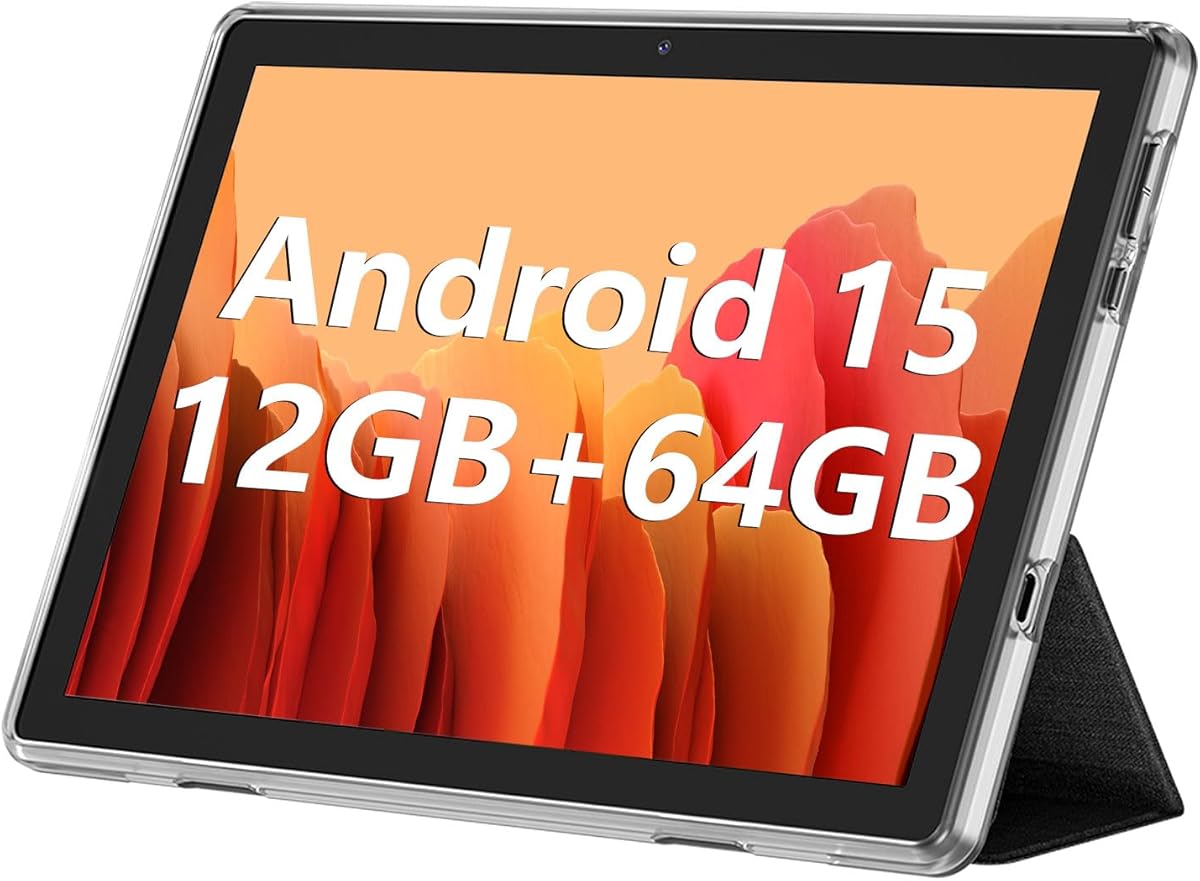
This Android tablet features a quad-core processor and Android 15 OS with a 10.1 IPS screen. Its smooth operation enables seamless video playback, gaming, and multitasking. With 12GB RAM and 64GB ROM plus 1TB SD Card Expansion, you can confidently store all your photos, videos and files without concerns. It also includes an IPS Display and Dual Camera for a delightful experience.
We may earn a commission when you buy through this link, at no additional cost to you.
Equipped with a 10.1 IPS 1280×800 HD screen, 2.0MP front camera and 8.0MP rear camera, this tablet offers a delightful experience while watching movies, reading books, or making video calls. Built-in 6000mAh lithium battery provides up to 8 hours of uninterrupted video playback enabling you to use it for longer periods without any interruptions. We offer comprehensive support to put your mind at ease with a one-year warranty.
The generous RAM and storage options make this device capable of handling many apps and media files. However, the overall rating suggests users may experience some variability in performance. For seniors looking for a budget option with technical specs that rival more expensive devices, it offers good value but requires checking reviews.
If storage space is a priority and you do not want to rely on cloud services, this tablet is a strong contender. The battery life is adequate for daily use. Ensure you are comfortable with Android navigation before purchasing. This model is best for those who prioritize specs over brand reputation.
With support for up to 1TB expansion, users can store vast libraries of photos and videos without needing external cloud subscriptions constantly.
A 6000mAh battery ensures up to 8 hours of video playback, providing enough power for a full day of moderate use.
We may earn a commission when you buy through this link, at no additional cost to you.
Fire HD 8 offers an 8 HD HD display for seamless streaming and gaming, coupled with a 5MP rear facing camera for photos. With thin, light, durable design it is perfect for portable entertainment. Up to 4 GB RAM makes it fast and responsive with long battery life. Up to 13 hours of reading, browsing the web, watching videos, gaming, and listening to music is possible.
We may earn a commission when you buy through this link, at no additional cost to you.
Save time, get creative with three smart tools to help you send polished emails, quickly summarize webpages, and create unique wallpapers. Stream or download your favorite shows, movies, and games. Enjoy your favorite content from Facebook, Hulu, Instagram, TikTok, and more through Amazon's Appstore. Stay connected with family and friends by asking Alexa to make video calls to friends and family.
This device is designed for those who want a compact, affordable solution for media and reading. The lightweight form factor makes it easy to handle for those with limited grip strength. Alexa integration adds convenience for setting reminders and playing music. It remains a strong contender in the budget category despite the smaller screen.
For seniors seeking portability and low cost, this tablet is an excellent choice. The battery life supports long reading sessions or video browsing. While it is smaller than other options, it is often easier to hold. It balances essential features well for basic entertainment and communication needs.
The thin, light design makes it easy to hold with one hand or place on a lap, reducing strain during long viewing sessions.
Alexa allows seniors to control smart devices, get weather updates, and play music using voice commands, minimizing the need for typing.
We may earn a commission when you buy through this link, at no additional cost to you.
The Lenovo Tab One is compact, efficient, and provides non-stop entertainment everywhere you go. It weighs less than a pound and has an 8.7 display display that is easy to tuck in a purse or backpack. Freedom never felt so sweet with all-day battery life and up to 12.5 hours of unplugged YouTube streaming. It is designed to charge 15W faster than previous models.
We may earn a commission when you buy through this link, at no additional cost to you.
Enjoy vibrant visuals, immersive sound, and endless entertainment anywhere you go. The HD display has 480 nits of brightness for realistic graphics and dual Dolby Atmos speakers that provide impressive sound depth. Experience the MediaTek Helio G85 processor and 60Hz refresh rate that ensure fluid browsing, responsive gaming, and lag-free streaming. The included folio case provides all-around protection that shields your tablet from accidental damage.
Stay secure and up-to-date with the Android 14 operating system and 2 years of security patches. Google Kids Space helps children discover, create, and grow by recommending teacher-approved content based on their interests. The tablet fits comfortably in the hand and is great for seniors with hand strength concerns who need a device that is easy to lift.
For those prioritizing portability and ease of handling, this tablet is a strong choice. The included case adds value and protection. While it may not be the fastest, it handles video streaming and browsing well. The light build makes it a great option for reading or watching movies in bed.
The case provides protection and has a built-in stand for hands-free viewing, making it convenient for video calls without extra accessories.
Up to 12.5 hours of streaming ensures the device lasts all day, so users can watch YouTube or read without frequent charging.
We may earn a commission when you buy through this link, at no additional cost to you.
This 11 inch Android 16 tablet is powered by the newest Android 16 operating system with GMS certification for 2026. It features a high-speed MTK8786 Octa-Core Processor delivering a smoother, faster, and more efficient user experience. It has everything you need for all your tasks and entertainment. Apps can be easily managed across multiple screens offering a professional-grade experience.
We may earn a commission when you buy through this link, at no additional cost to you.
The tablet features 20GB of RAM and 128GB of internal storage with support for up to 1TB of expandable storage. It supports wireless projection allowing you to cast your screen to a larger display for entertainment or work. It also offers three convenient modes: Reading Mode, Eye Protection Mode, and Dark Mode. These settings make it easier to use the tablet for extended periods without causing eye strain.
Dual 4G LTE capability allows you to seamlessly work and connect online. With VoLTE support, you can make calls and use data at the same time. The 7000mAh battery offers an impressive standby time of up to 480 hours. With convenient Type-C USB charging port and fast charging capability, you can quickly recharge on the go for extended hours of content.
For seniors who need cellular connectivity for travel or lack home Wi-Fi, this device is valuable. The battery capacity ensures it does not die easily during travel. However, support channels may be limited compared to major brands. It offers good value for those who want a large screen and cellular connectivity at a lower price.
Dual 4G LTE and VoLTE allow for internet access and calls even without Wi-Fi, ensuring seniors stay connected in remote locations.
Reading and Dark modes adjust screen brightness and color temperature to reduce eye strain during long reading or browsing sessions.
We may earn a commission when you buy through this link, at no additional cost to you.
The 11-inch iPad is now more capable than ever with the superfast A16 chip, a stunning Liquid Retina display, advanced cameras, fast Wi-Fi, USB-C connector, and four gorgeous colors. iPad delivers a powerful way to create, stay connected, and get things done. Storage starts at 128GB and goes up to 512GB. The superfast A16 chip delivers a boost in performance for your favorite activities.
We may earn a commission when you buy through this link, at no additional cost to you.
iPadOS makes iPad more productive, intuitive, and versatile. With iPadOS, run multiple apps at once, use Apple Pencil to write in any text field with Scribble, and edit and share photos. The gorgeous Liquid Retina display is an amazing way to watch movies or draw your next masterpiece. Touch ID is built into the top button, so you can use your fingerprint to unlock your iPad and make payments securely.
The 12MP Center Stage front camera is perfect for video calls and selfies. The 12MP Wide back camera with True Tone flash is perfect for document scanning and capturing photos and 4K videos. True Tone adjusts the display to the color temperature of the room to make viewing comfortable in any light. It offers a seamless experience across all Apple ecosystems.
For seniors who want a premium, high-performance device that is intuitive and easy to master, this is the best option. The build quality and support are unmatched. It ensures a long lifespan with regular updates. While it costs more, the peace of mind and ease of use are worth the investment for many users.
Center Stage technology automatically keeps the user centered during calls, making video chats more personal and engaging without manual adjustment.
Touch ID simplifies unlocking and payments, providing security without complex passwords, which is helpful for seniors with memory concerns.
We may earn a commission when you buy through this link, at no additional cost to you.
This model features an 8.7 inch display with a 90Hz refresh rate for smooth motion and clarity. It runs Android 15 with One UI 7 and has updates coming. With 64GB ROM and 4GB RAM, it handles daily apps well. It includes a rear camera of 8MP and a front camera of 5MP. The 5100 mAh battery and Bluetooth 5.3 support make it modern and responsive.
We may earn a commission when you buy through this link, at no additional cost to you.
The display has 16M colors and runs at WXGA+ resolution. It supports MicroSD card slot for up to 2TB of expanded memory. There is no SIM card slot, making it Wi-Fi only which reduces complexity for some users. It includes GPS and various location technologies like Glonass and Galileo. This version is an International Latin American Model and note that there is no warranty.
Country selection may not be available during setup. You can select any country as it will be updated after Connecting to WIFI. English Language is available for setup. The USB Type-C 2.0 port ensures fast charging. Overall, it is a compact option with a smooth screen and decent battery life for browsing and watching videos at a lower cost.
For seniors who want a compact Android device without cellular complexity, this tablet offers good features. The lack of warranty is a risk to consider. It provides a standard Android experience with a refresh rate that makes navigation feel smooth. If you are comfortable with setup instructions, it is a solid budget choice for entertainment.
A 90Hz refresh rate makes scrolling through menus and pages feel smoother, reducing motion blur and improving visual comfort.
An 8.7 inch size balances visibility with portability, making it easy to hold and carry around the house or travel.
We may earn a commission when you buy through this link, at no additional cost to you.
Choosing the right tablet involves more than just checking specs. It requires understanding the user's needs, technical comfort, and primary activities.
Look for tablets with large icons, simplified navigation, and customizable home screens. Many senior-specific tablets offer pre-configured interfaces that hide complex settings. This ensures the user can focus on essential tasks like video calls and photos.
Prioritize models that offer simple interfaces to reduce confusion and improve daily usability.
A larger screen helps those with vision difficulties read text and see details clearly. HD or Full HD displays provide sharper images for reading and viewing photos. Ensure the brightness is adjustable for comfort in different lighting conditions.
Opt for screens at least 8 to 10 inches for comfortable viewing and reading.
Consider if the user needs Wi-Fi only or cellular data. Cellular tablets allow for internet access on the go without relying on home networks. However, Wi-Fi only models are simpler and often cheaper.
Choose based on whether the user travels or stays mostly at home.
Long battery life reduces the need to charge frequently. Look for tablets that offer at least 10 hours of use on a single charge. This ensures the device is ready when needed.
Look for battery life of 10 hours or more for convenience.
Seniors are often targets for online scams. Tablets with built-in spam protection and secure networks offer peace of mind. Ensure the device supports regular software updates to stay secure.
Choose models with strong security tools to protect against online threats.
Access to reliable technical support is crucial. Some brands offer dedicated support lines for seniors or families. This helps resolve issues quickly without frustration.
Look for brands that offer dedicated support for older adults.
Some tablets come with cases, stands, or styluses that enhance usability. A case protects the device and provides a grip. A stand allows for hands-free video calls.
Check if the package includes useful accessories like cases or stands.
Ensure the tablet works with other devices in the home. Apple devices integrate well with iPhones. Android tablets integrate with Google services. Familiarity with the ecosystem reduces learning time.
Select an ecosystem the user already knows or can easily learn.
To start using your tablet, charge it fully before first use. Turn it on and follow the on-screen setup instructions. Connect to your Wi-Fi network to access the internet. Adjust brightness and volume settings to comfortable levels.
Keep your device clean by wiping the screen with a soft cloth. Avoid using harsh chemicals. Store the tablet in a case when not in use to prevent drops. Regularly update the software to maintain performance.
Encourage daily use to build familiarity. Practice using apps like video calling or email together. If issues arise, contact customer support. Keep a written list of login credentials in a safe place.
GrandPad is often considered the easiest because it comes pre-configured with large icons and a simple interface designed specifically for seniors. It removes unnecessary complexity and focuses on essential communication tools. However, some may find iPads or Fire tablets simple enough for daily use.
No, most seniors do not need a cellular plan. Wi-Fi models are sufficient for home use. However, if they travel or need internet on the go, a cellular tablet is beneficial. Some models like GrandPad require a plan but include it in their service.
Yes, all listed tablets support email and video calls. GrandPad simplifies this with dedicated apps. Others like Android or iOS tablets use apps like Zoom or Gmail. The key is setting them up correctly to be easily accessible.
Choose a tablet with security features like GrandPad's private network. Educate them on not clicking suspicious links. Use strong passwords and enable biometric login like Touch ID. Regular updates also help protect against new threats.
A screen size between 8 and 10 inches is usually best. This provides enough space for text and video without being too heavy. Larger screens like 11 inches are good for reading but may be heavier to hold for long periods.
Most modern tablets are compatible with Bluetooth hearing aids. Check the specific model specifications for compatibility. You may need to adjust audio settings to ensure clear sound. Many models have accessibility features to enhance audio.
Some family companion apps allow remote access or assistance. Android devices offer some remote help tools. For GrandPad, support is centralized. Otherwise, you may need to visit in person or guide them through steps. Screen sharing tools can sometimes help.
No, it is not necessary. Touch screens work well for tapping and swiping. However, styluses can be helpful for those with tremors. Some tablets like iPad support styluses. It depends on personal preference and dexterity.
Choosing the right tablet depends on the specific needs and technical comfort of the senior. GrandPad stands out for security, while iPad offers premium simplicity. Budget options like Amazon Fire HD provide value for basic use.
Prioritize features like screen size, battery life, and support when making your decision. Avoid devices with complex interfaces if the user is a beginner. Ensure the device supports the apps they want to use daily.
Prices and availability change frequently, so always check current listings before buying. Take time to set up the tablet for them to ensure a smooth start. With the right device, staying connected is easier than ever.