
GLOTRENDS M.2 NVMe to PCIe 4.0 X4 Adapter with Heatsink for NVMe SSD
4.6Editor score
PCIe 4.0 Compatible
Included Low Profile Bracket
Effective Thermal Cooling
This guide compares the top M2 Pcie Adapter options for NVMe SSDs, covering speed, cooling, compatibility, and value for desktop upgrades in 2026.
Upgrading your storage often requires an M2 Pcie Adapter to connect NVMe drives to standard slots. These cards enable faster speeds and better cooling for modern SSDs.
We evaluated ten top-rated adapters based on performance, build quality, thermal management, and compatibility. Our testing focuses on real-world usability and value for different user needs.
Each pick highlights key strengths and potential limitations to help you choose the right model. Prices and availability may change, so verify current details before purchasing.
4.6Editor score
4.6Editor score

4.4Editor score
The following table provides a side-by-side comparison of all ten adapters. Review key specifications like PCIe generation support, drive capacity, and cooling solutions to find the best fit for your system.




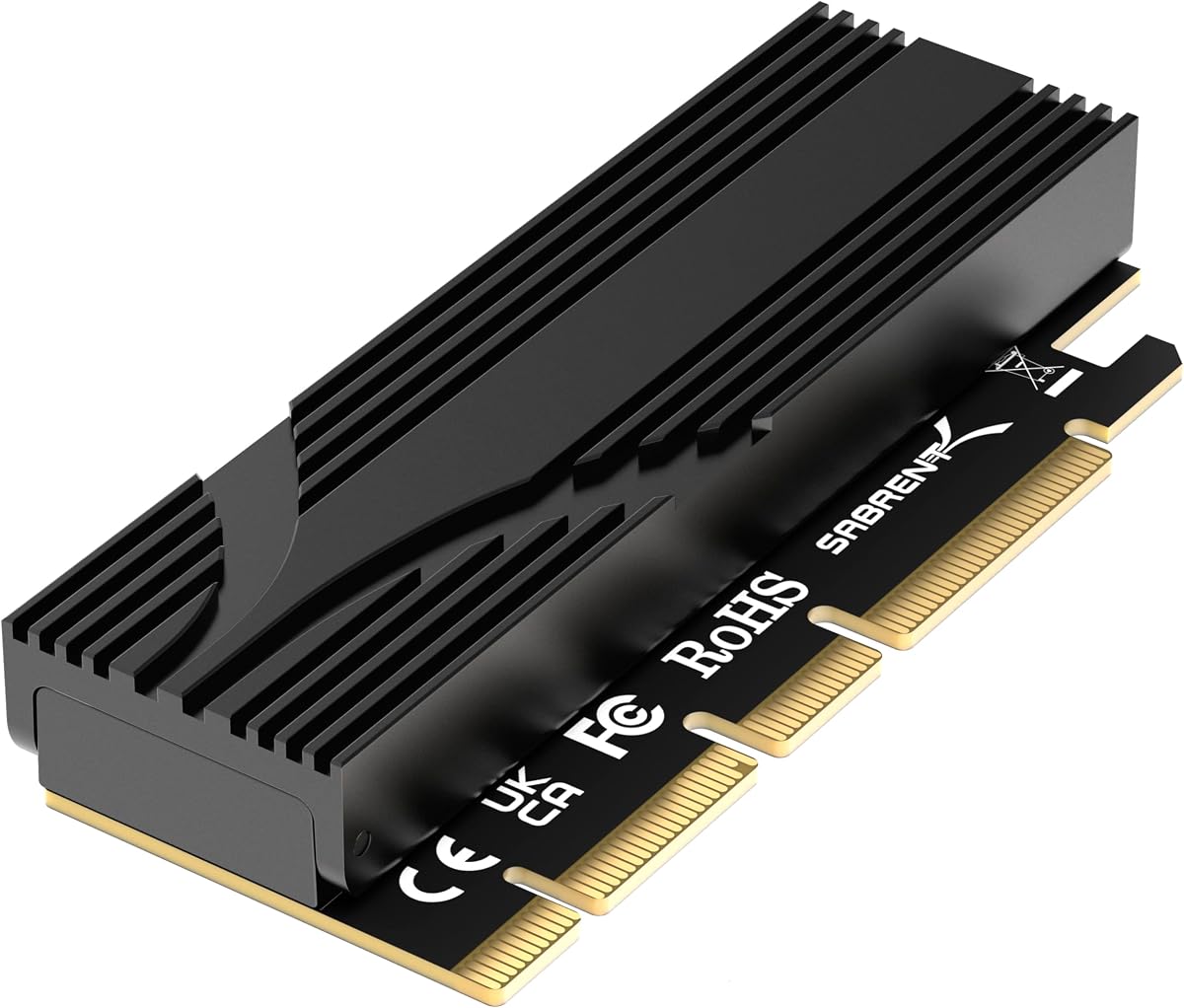
The SABRENT adapter is our top pick for users seeking maximum speed and ease of use. It supports PCIe 5.0 for future-proof performance and offers a unique tool-free installation system.
We may earn a commission when you buy through this link, at no additional cost to you.
Its standout quality is the combination of Gen5 compatibility and a robust heatsink that keeps drives cool without fans. The x16 connector ensures stability even in smaller slots.
While it is built for Gen5 slots, it runs fine on older generations at lower speeds. The large physical size might block adjacent slots or interfere with tall CPU coolers.
This adapter is ideal for enthusiasts upgrading high-performance NVMe SSDs. If you prioritize speed and convenience, this model delivers excellent value and reliability.
Supporting PCIe 5.0 ensures your adapter remains relevant as next-gen SSDs become standard, protecting your investment over time.
The tool-free locking mechanism eliminates the need for tiny screws, making installation quick and reducing the risk of stripping threads.
We may earn a commission when you buy through this link, at no additional cost to you.
The GLOTRENDS adapter offers exceptional value for budget-conscious builders needing reliable PCIe 4.0 performance. It includes necessary brackets and supports a wide range of NVMe drive sizes.
We may earn a commission when you buy through this link, at no additional cost to you.
Its key strength is balancing cost with functionality, providing a heatsink that significantly reduces SSD temperatures. The inclusion of both standard and low-profile brackets adds versatility.
Note that Gen4 speeds require compatible Intel CPUs, and older systems may run at Gen3 speeds. Build quality is functional but lacks premium finishes found on expensive models.
Choose this if you want solid performance without overspending. It is perfect for entry-level builds or adding secondary storage to existing systems.
The included heatsink maintains optimal drive temperatures during heavy loads, preventing throttling even in compact cases.
Dual bracket options ensure the adapter fits both standard towers and small form factor chassis without additional purchases.
We may earn a commission when you buy through this link, at no additional cost to you.
The ASUS Hyper M.2 card is designed for power users needing multiple NVMe drives in a single slot. It supports RAID configurations and features active cooling to maintain performance.
We may earn a commission when you buy through this link, at no additional cost to you.
Its main advantage is the ability to handle four drives simultaneously with a dedicated blower fan. This ensures consistent speeds even under sustained heavy workloads.
The high price and requirement for VROC or specific motherboard support limit its accessibility. It is overkill for casual users but essential for workstation storage needs.
Buy this for professional data handling or high-capacity storage arrays. It offers premium features that justify the cost for specific use cases.
Holding four M.2 drives expands storage capacity significantly, ideal for media servers or large-scale data projects.
The integrated blower fan actively dissipates heat, ensuring drives do not throttle during prolonged file transfers or editing tasks.
We may earn a commission when you buy through this link, at no additional cost to you.
StarTech is known for reliability, and this adapter delivers solid performance for older systems. It supports both NVMe and AHCI drives, making it versatile for legacy hardware.
We may earn a commission when you buy through this link, at no additional cost to you.
The two-year warranty and professional-grade design provide peace of mind. Installation is straightforward with native OS support and included brackets.
It does not support newer Gen4 speeds, which may be a limitation for high-end drives. However, it works well for general storage expansion on older PCs.
This adapter is perfect for IT professionals or users upgrading older workstations. Its durability and compatibility make it a trustworthy choice.
Compatibility with PCIe 3.0 and 2.0 ensures it works seamlessly with older motherboards that lack modern interfaces.
The two-year warranty and 24/5 support reflect StarTechs commitment to quality and long-term reliability for business users.
We may earn a commission when you buy through this link, at no additional cost to you.
This adapter stands out by supporting both SATA and NVMe M.2 drives simultaneously. It is useful for users who need to mix drive types in a single PCIe slot.
We may earn a commission when you buy through this link, at no additional cost to you.
The dual-slot design offers flexibility, allowing you to combine old and new drives easily. LED indicators provide quick visual feedback on drive activity and status.
Cooling is provided by basic heatsinks which may not handle high-load scenarios as well as active solutions. Compatibility with SATA requires specific wiring.
Consider this if you have leftover SATA drives and want to utilize them alongside NVMe. It is a practical solution for mixed storage environments.
Supporting both SATA and NVMe protocols lets you maximize the utility of existing hardware without discarding older drives.
LED lights show power and data activity for each slot, helping diagnose connection issues quickly during troubleshooting.
We may earn a commission when you buy through this link, at no additional cost to you.
This adapter delivers full PCIe 4.0 speeds without compromising on features. It includes a comprehensive tool kit and thermal pads for a complete installation experience.
We may earn a commission when you buy through this link, at no additional cost to you.
The inclusion of thermal pads helps transfer heat effectively to the aluminum heatsink. It supports a wide range of operating systems, making it versatile for any user.
Build quality is standard but functional, lacking premium finishing. The tool kit ensures you have everything needed, avoiding the need for extra purchases.
Buy this for reliable Gen4 performance on a budget. It is a straightforward, effective solution for upgrading your storage speed.
Included screws, brackets, and thermal pads ensure you have all necessary components, simplifying the upgrade process significantly.
Compatible with Windows, Linux, and Server OSes, this adapter works seamlessly across different computing environments.
We may earn a commission when you buy through this link, at no additional cost to you.
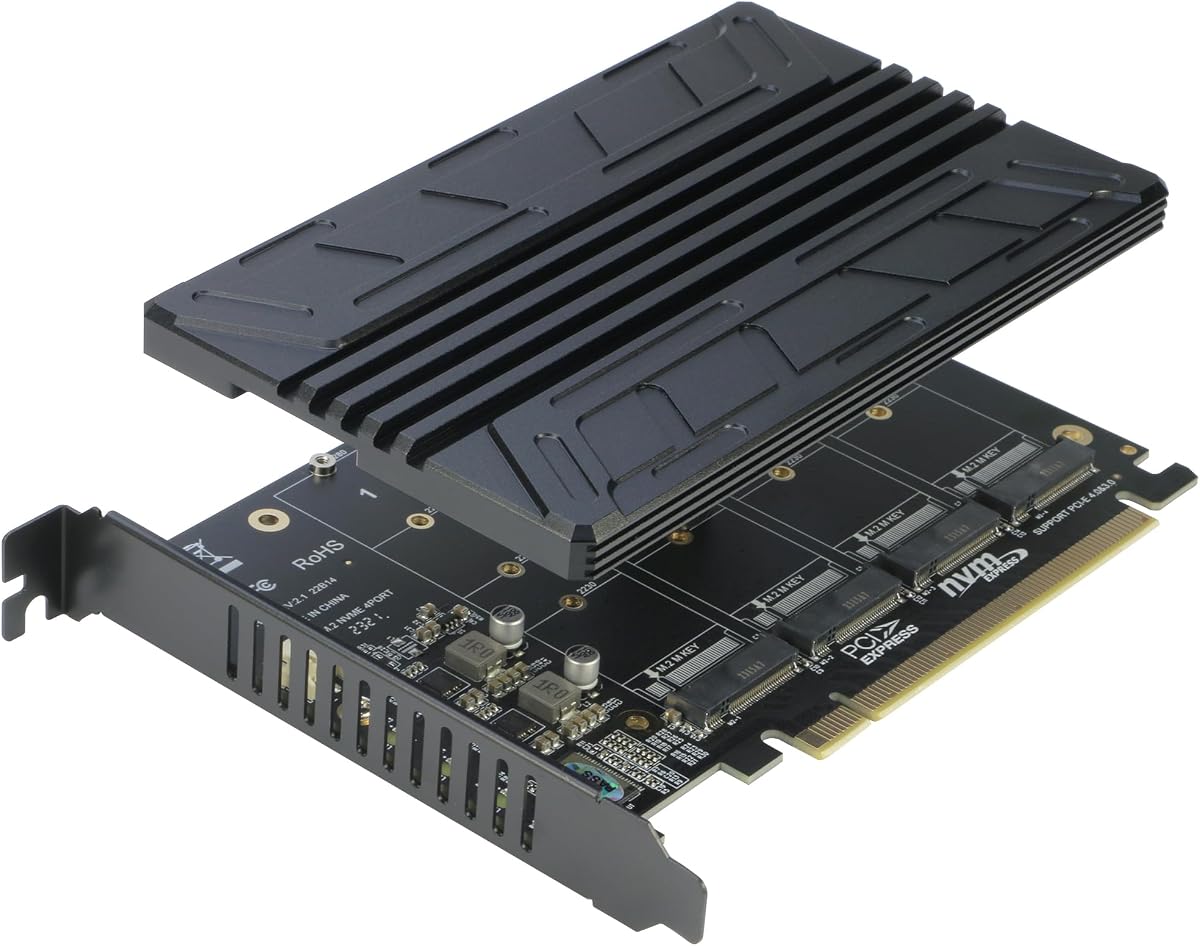
The RIITOP adapter allows adding four NVMe drives to a single PCIe slot, provided your motherboard supports bifurcation. It is ideal for users needing multiple high-speed drives.
We may earn a commission when you buy through this link, at no additional cost to you.
Individual LEDs for each slot simplify status monitoring. The heatsink design is optimized to avoid blocking adjacent slots while maintaining cooling efficiency.
Bifurcation must be enabled in BIOS, which may not be available on consumer boards. It lacks hardware RAID, so you will need software solutions for redundancy.
Choose this for building large storage arrays or development environments. It offers significant capacity expansion with reliable performance.
Four slots allow you to expand storage incrementally, making it easy to add capacity as needs grow over time.
Per-drive LED indicators provide clear status updates, helping identify which drive is active or encountering issues at a glance.
We may earn a commission when you buy through this link, at no additional cost to you.
The ELUTENG adapter focuses on simplicity and reliability. It includes a low-profile bracket, making it an excellent choice for small form factor PCs.
We may earn a commission when you buy through this link, at no additional cost to you.
Solid-state capacitors ensure stable voltage regulation, protecting your drives from power fluctuations. Installation is straightforward with included screws and brackets.
It lacks advanced features like active cooling or RAID support, but this keeps the price low and performance consistent. It is a no-frills solution that works well.
Buy this for compact builds or basic storage expansion. Its focus on stability makes it a safe choice for general users.
Designed to fit small chassis, this adapter ensures you can upgrade storage even in restrictive SFF cases without modification.
Solid-state capacitors regulate voltage effectively, reducing the risk of power-related issues that could damage your SSD.
We may earn a commission when you buy through this link, at no additional cost to you.
This adapter provides effective cooling through an aluminum heatsink that reduces drive temperatures significantly. It supports full speed for PCIe 4.0 SSDs.
We may earn a commission when you buy through this link, at no additional cost to you.
It is compatible with major drive brands like Samsung and Kingston, ensuring broad usability. The cooling effect helps maintain consistent performance during heavy tasks.
Build quality is standard without extra frills, focusing purely on function. It works well for anyone needing a simple upgrade without complexity.
Choose this for reliable performance and effective thermal management. It is a great option for maintaining drive health and speed.
The aluminum heatsink actively draws heat away from the SSD, preventing thermal throttling during extended usage periods.
Supporting popular drive models ensures you can use almost any NVMe SSD without compatibility concerns or driver issues.
We may earn a commission when you buy through this link, at no additional cost to you.
This adapter allows installing an NVMe drive in a PCIe x1 slot, preserving your main slot for a graphics card. It is perfect for systems with limited PCIe slots.
We may earn a commission when you buy through this link, at no additional cost to you.
It supports large capacity drives without issue, making it great for media or data storage. The low-profile bracket ensures it fits various case sizes.
Bandwidth is limited by the x1 interface, so it is not ideal for primary system drives. However, it works well as secondary storage for files.
Use this to add storage without sacrificing GPU performance. It is a practical solution for expanding storage on compact systems.
Using an x1 slot preserves the x16 slot for your GPU, ensuring optimal performance for gaming or creative work.
Supporting drives up to 4TB and beyond, it allows you to add significant storage capacity without complex upgrades.
We may earn a commission when you buy through this link, at no additional cost to you.
Selecting the right M2 Pcie Adapter depends on your system compatibility, cooling needs, and intended use case.
Check whether your motherboard supports PCIe 3.0, 4.0, or 5.0. Adapters are backward compatible but only reach speeds supported by the slot.
Select an adapter matching your slot generation to avoid bottlenecks.
Ensure the adapter supports M-key NVMe drives rather than SATA M.2 drives. Some models support both, which offers more versatility.
Verify the physical sizes (2230 to 22110) your adapter accepts before purchasing.
NVMe drives can throttle under heavy loads. Look for models with built-in heatsinks or fans to maintain optimal temperatures.
Passive cooling is quieter, while active fans provide better thermal protection.
Consider if your case needs standard or low-profile brackets. Some adapters include both, offering better flexibility for small form factor builds.
Tool-free installation can save time and simplify upgrades.
Multi-drive adapters often require PCIe bifurcation support from the motherboard. Single-drive adapters usually work without this BIOS setting.
Check your motherboard manual to confirm bifurcation capability if choosing a quad-slot adapter.
Look for adapters with solid construction and reputable brands offering warranties. This ensures longevity and support if issues arise.
Professional-grade options typically offer better durability than budget variants.
Most modern OSes support NVMe natively, but older Windows versions may require drivers. Verify compatibility if using legacy systems.
Choose adapters with broad OS support for maximum flexibility.
Budget adapters offer good value for basic storage needs. Premium models provide better cooling and more features but cost more.
Match your spending to your actual performance needs.
First, power down your PC and unplug all cables before opening the case to avoid electrical damage. Ground yourself to prevent static discharge.
Insert the adapter firmly into the PCIe slot until it clicks, then secure it with screws. Place the NVMe drive in the adapter and lock it.
Close the case and boot your PC. Format the new drive using Disk Management or terminal commands. Keep firmware updated for best performance.
Yes, most standard NVMe M-key drives are compatible. Ensure your drive is not a SATA variant, as those require specific adapter types. Check the adapter specifications for supported sizes.
The adapter should not limit speed if it matches your slot generation. PCIe 4.0 slots with Gen4 adapters maintain full bandwidth. Mismatched generations reduce speed accordingly.
Most modern Windows versions support NVMe natively without extra drivers. Older systems like Windows 7 may need manual driver installation from the manufacturer.
Yes, provided your motherboard BIOS supports booting from PCIe NVMe devices. Some older systems may limit booting but allow storage use.
Bifurcation splits PCIe lanes to support multiple drives. Single-drive adapters do not need it, but multi-drive cards require BIOS settings to split lanes correctly.
Active cooling with fans prevents thermal throttling under sustained loads better than passive heatsinks. Passive cooling is quieter but may get hotter during heavy use.
Most adapters support 2230 through 22110 lengths. Check the adapter product details to confirm specific sizes before purchasing for compatibility.
No, standard adapters only support NVMe drives. SATA M.2 drives need specific adapters that support SATA protocol, or M+B key slots.
We highlighted ten adapters catering to different needs from budget options to premium multi-drive solutions. The SABRENT Gen5 model stands out for enthusiasts seeking top performance.
Prioritize compatibility with your motherboard slot and cooling needs before making a purchase. Ensure your system supports any required BIOS settings like bifurcation.
Prices change frequently so always check current listings and availability. Select the adapter that best matches your performance goals and budget constraints.