
TP-Link AC1200 Gigabit Dual Band WiFi Router (Archer A6)
4.5Editor score
Dual band speeds up to 1200 Mbps
Four gigabit ports for wired devices
Beamforming technology boosts signal range
This guide compares the top long range WiFi routers for 2026, evaluating coverage, speed, and features to help you choose the best network solution.
Finding a reliable network connection throughout your home is essential for modern living. Long range WiFi routers are designed to eliminate dead zones and ensure stable connectivity in every room. These devices use advanced antennas and technology to push signals further than standard models.
We evaluated ten top-rated routers based on coverage area, speed capabilities, and user feedback. Each product offers unique features like mesh compatibility, security suites, and multi-gigabit ports. Our analysis focuses on real-world performance for households with multiple devices.
Each pick highlights specific strengths such as budget value, premium speed, or whole-home coverage. Prices and availability change frequently so always check the latest offers before buying. This guide helps you navigate the options to find the perfect router for your space.
4.5Editor score

4.3Editor score
4.2Editor score
This side-by-side comparison highlights the key specifications and strengths of each router to help you decide based on your home size and performance needs.






This router represents the next generation of home networking with its support for WiFi 7 technology. It achieves excellent speeds and low latency, making it ideal for high-demand households. The hardware includes multiple fast ports for wired connections.
We may earn a commission when you buy through this link, at no additional cost to you.
The standout feature is its Multi-Link Operation which allows simultaneous data transfer across bands. This ensures stable connections even when multiple users are streaming or gaming. The 2.5 Gbps ports support future internet plans beyond standard gigabit speeds.
While it offers impressive performance, it does not work with Deco mesh systems. Users looking to expand with mesh nodes must use EasyMesh compatible devices instead. This limitation might affect those already invested in TP-Link Deco ecosystems.
Anyone needing fast speeds for large homes should consider this model. It balances cutting-edge tech with reasonable ease of use. Ensure your devices support WiFi 7 to take full advantage of its capabilities.
The WiFi 7 standard brings significant improvements in throughput and latency over previous generations.
Built-in security features protect your network from threats without needing extra subscriptions.
We may earn a commission when you buy through this link, at no additional cost to you.
This router utilizes the new 6 GHz band to offer cleaner signals for compatible devices. It handles high traffic well thanks to its tri-band architecture. The design focuses on reliable performance and long-term stability for your home network.
We may earn a commission when you buy through this link, at no additional cost to you.
The extra band significantly reduces congestion when many devices are active. This makes video calls and gaming smoother even during peak usage times. The ample memory ensures the router processes data efficiently without lag.
One drawback is the lack of 2.5G ports for multi-gigabit internet. It works best with standard gigabit plans. Also, you need 6E compatible hardware to benefit from the 6 GHz band fully.
Choose this if you have many smart devices and want better air without mesh. It is a strong middle-ground option for modern homes needing extra capacity and coverage.
Tri-band technology splits traffic across three frequencies to keep speeds consistent for all users.
EasyMesh compatibility allows you to extend range with other supported routers if needed.
We may earn a commission when you buy through this link, at no additional cost to you.
This router is a popular choice for those needing solid coverage without breaking the bank. It supports modern WiFi 6 features to handle multiple devices efficiently. The hardware includes dedicated ports for sharing storage and media files.
We may earn a commission when you buy through this link, at no additional cost to you.
The four transmit and receive chains on the 5GHz band boost signal strength significantly. This results in better reach through walls and obstacles. Most users report reliable performance for streaming and general browsing.
It lacks the faster 2.5G ports found on higher-end models. Also, it is dual band which might not suit extremely congested environments. These are acceptable trade-offs for its price point and performance balance.
It is perfect for medium-sized homes needing reliable internet. If you need to connect external drives or want good speed at a reasonable price, this is an excellent pick.
The USB port lets you attach a hard drive to share files across your network easily.
Beamforming technology directs signals toward devices rather than broadcasting in all directions.
We may earn a commission when you buy through this link, at no additional cost to you.
This router stands out with its eight high-gain antennas designed to push signals further. It combines WiFi 6 efficiency with a 2.5G port for future proofing. This makes it suitable for homes with thicker walls or multiple floors.
We may earn a commission when you buy through this link, at no additional cost to you.
The 2.5G port allows you to run gig-plus internet plans without bottlenecking. You can also use OneMesh extenders to create a unified network. Alexa integration lets you manage guest networks via voice commands.
It does not have tri-band or WiFi 7 speeds. If you have a massive number of concurrent devices, it might not be as efficient as tri-band models. But for coverage and wired flexibility, it excels.
Great for larger homes that need strong signal penetration. The extra antenna count provides the range you need to reach distant rooms consistently.
The eight antennas focus energy to extend signal reach throughout large living spaces effectively.
Multi-gigabit ports ensure your router can handle internet speeds higher than one gigabit.
We may earn a commission when you buy through this link, at no additional cost to you.
NETGEAR brings its proven Nighthawk line to the WiFi 7 era with this model. It offers fast speeds for busy homes while maintaining a user-friendly setup process. The dedicated app helps manage your network easily from any device.
We may earn a commission when you buy through this link, at no additional cost to you.
The router supports multi-gig plans via its 2.5G port. This is vital if your ISP offers speeds over one gigabit. Security features like Armor protect your devices from online threats automatically.
Its coverage is adequate for most homes but might struggle in very large properties. Also, it is dual band which is efficient but less isolated than tri-band. Still, it is a solid upgrade from older tech.
Choose this for reliable WiFi 7 performance without the mesh system price. It suits users who want speed and simplicity in a single unit.
The Nighthawk app simplifies network management and device prioritization without technical knowledge.
Built-in protection guards against malware and vulnerabilities keeping your family safe online.
We may earn a commission when you buy through this link, at no additional cost to you.
This router combines the power of WiFi 7 with tri-band architecture. It supports extremely high speeds for gaming and streaming simultaneously. The hardware offers flexibility for wired devices needing top performance.
We may earn a commission when you buy through this link, at no additional cost to you.
The 6 GHz band gives your fastest devices a private lane. This eliminates congestion from older devices. Multiple 2.5G ports allow you to connect multiple wired devices at full speed.
It is more expensive than dual-band models. The size is also larger which may affect placement options. However, if you need maximum wired flexibility and speed, these costs are justified.
Ideal for tech enthusiasts with many high-performance devices. It ensures every device gets the bandwidth it needs without compromise.
Three distinct frequency bands ensure that your high-speed devices never wait for data.
Multiple multi-gig ports mean your desktop and NAS can run at peak speeds.
We may earn a commission when you buy through this link, at no additional cost to you.
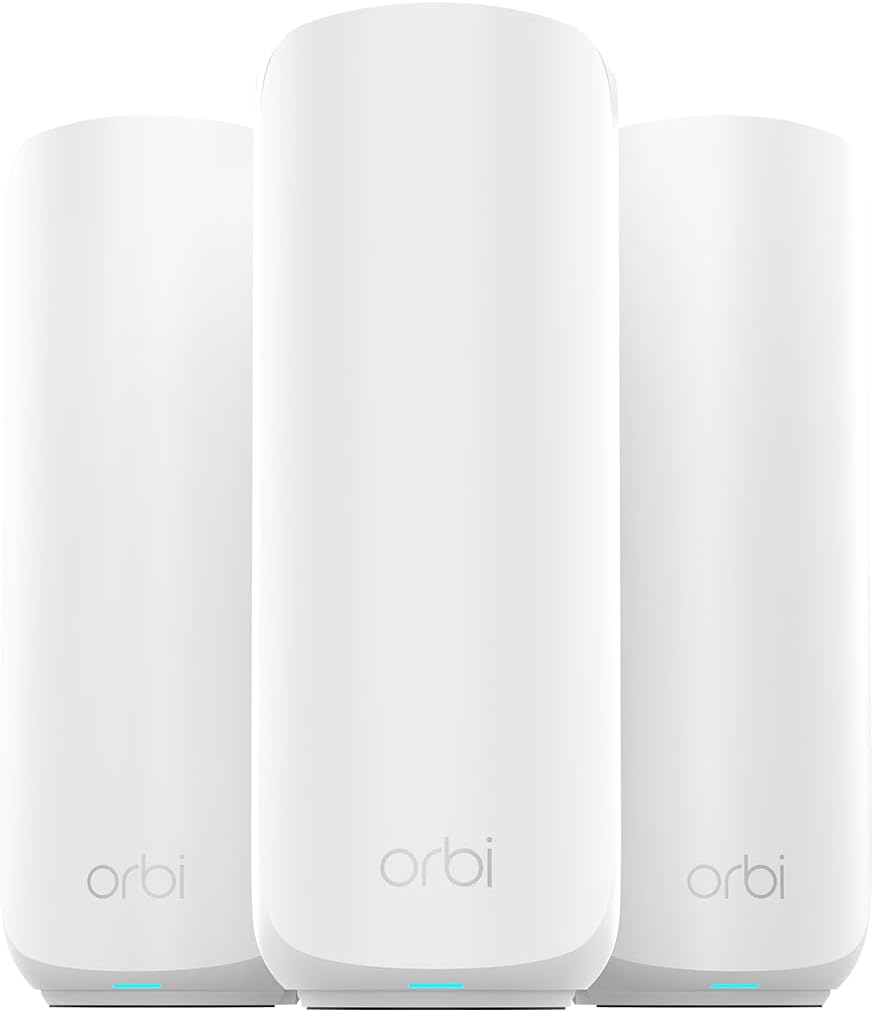
For large estates or multi-story homes, this mesh system offers unmatched range. It uses three units to blanket up to 6000 sq ft. The WiFi 7 support ensures future-proof speeds across all nodes.
We may earn a commission when you buy through this link, at no additional cost to you.
The seamless mesh means you never lose connection when moving between rooms. You can expand further by adding satellites if your home grows. Setup is guided to make the process quick for everyone.
It is a significant investment compared to single routers. But if coverage is your priority, nothing beats a dedicated mesh system. The cost is worth it for eliminating dead zones completely.
Buy this if you need consistent coverage in a large property. It provides peace of mind that every corner of your home stays connected.
Your devices switch between units automatically so you stay connected wherever you go.
Add more satellites to cover even larger areas without losing performance.
We may earn a commission when you buy through this link, at no additional cost to you.
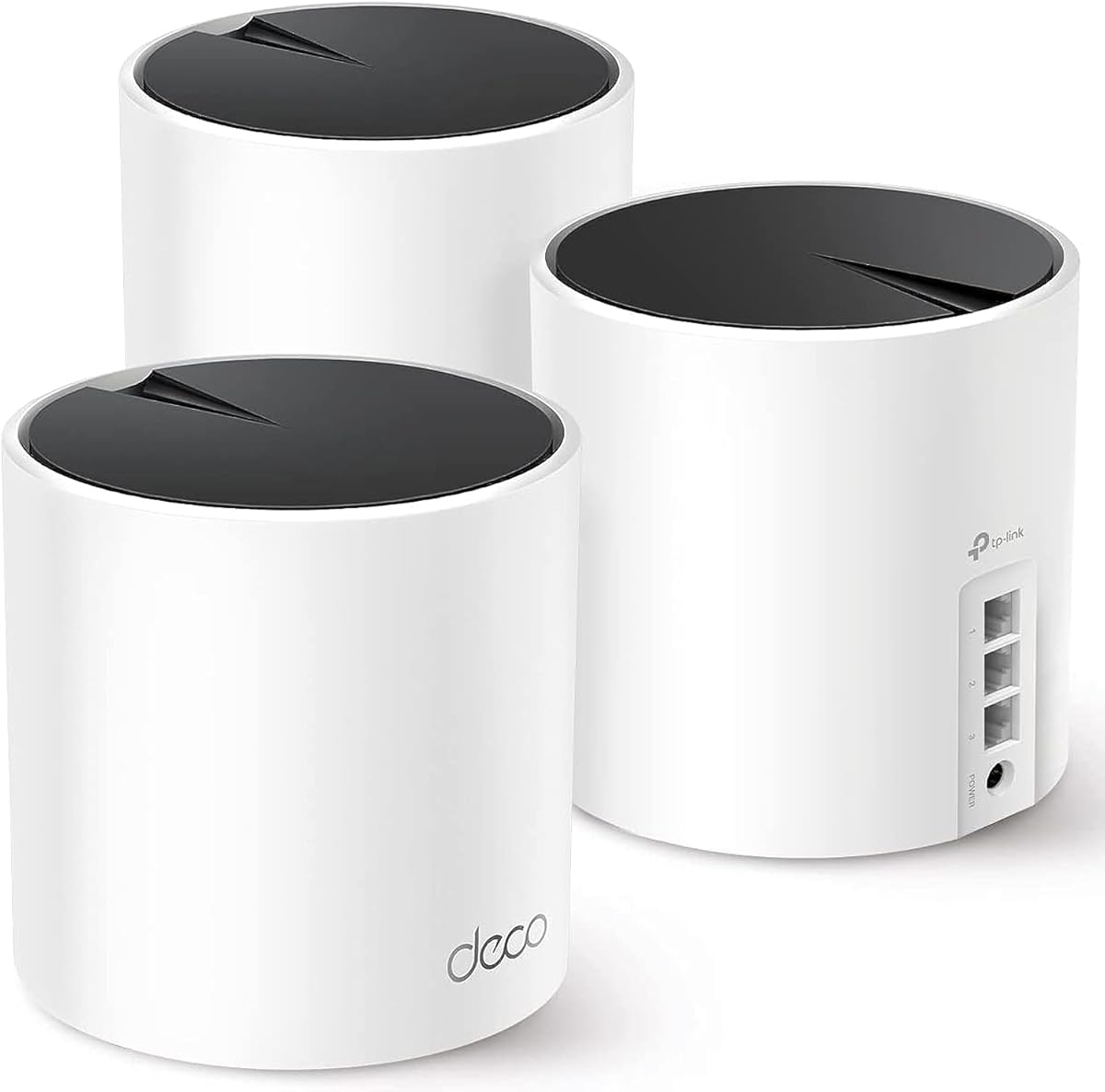
This mesh system offers extensive coverage at a reasonable price. It uses three units to eliminate weak spots in large homes. Each unit has three ports for wired connections to devices like TVs or consoles.
We may earn a commission when you buy through this link, at no additional cost to you.
The AI learns your network layout to optimize signal paths automatically. This keeps speeds high even as devices move around. The app provides visual guidance to simplify the setup process.
It uses WiFi 6 which is slightly older than WiFi 7. But for most users, the speed is more than enough. It is a great choice for those who want mesh benefits without premium costs.
Best for budget-conscious buyers needing whole-home coverage. It balances range and price better than many competitors in its class.
The Deco app makes it simple to control your network without technical skills.
Connect the units via ethernet for the fastest possible mesh performance.
We may earn a commission when you buy through this link, at no additional cost to you.
This router is built for users who want maximum wired performance. It features four 2.5G LAN ports for connecting high-speed devices. The tri-band design ensures wireless devices also get fast access.
We may earn a commission when you buy through this link, at no additional cost to you.
The dedicated IoT network adds a layer of security for smart home devices. This keeps your main data separate and safer. It also supports VPNs for accessing remote servers easily.
It might be overkill for average households with basic needs. The setup is straightforward but the features require some attention. However, power users will appreciate the flexibility and speed.
Choose this if you have multiple wired devices needing gig-plus speeds. It offers the most port flexibility among the routers in this guide.
With four fast LAN ports you can connect many wired devices without extra switches.
Isolating IoT devices helps protect your personal data from potential smart device threats.
We may earn a commission when you buy through this link, at no additional cost to you.
This is the most affordable router on our list but still performs well. It supports basic streaming and browsing for smaller households. The design focuses on delivering steady connectivity without extra costs.
We may earn a commission when you buy through this link, at no additional cost to you.
Four gigabit LAN ports let you connect computers or consoles by wire. Beamforming improves the signal direction to reach more rooms. Despite being older tech it is reliable for daily tasks.
It lacks the speed of WiFi 6 or 7 models. If you have high speed internet over 500 Mbps you may not use it fully. But for average plans it is an excellent value.
Perfect for renters or small homes on a budget. It gets the job done without requiring complex setup or large fees.
You get solid wireless performance and wired speeds without spending much money.
The multiple ports allow you to plug devices in directly for stable speeds.
We may earn a commission when you buy through this link, at no additional cost to you.
Selecting the right router depends on your home size, internet plan, and device count. We break down the essential factors to help you make an informed decision.
Look for routers that match your square footage. Larger homes need mesh systems or high-power routers to avoid dead zones. Check the manufacturer's stated coverage and reviews to verify real-world performance.
Always choose a model that exceeds your home size slightly for better signal strength.
Newer standards like WiFi 6 and 7 offer better speeds and efficiency. If you buy now consider future proofing with the latest tech. Older models like WiFi 5 are cheaper but less capable.
Prioritize WiFi 6 or higher for better longevity and performance.
Ensure your router supports your internet plan speed. If you have gigabit or higher internet look for 2.5G ports. Gigabit only routers may bottleneck faster plans.
Check the WAN port speed to ensure it matches your ISP plan.
Count all connected devices including phones TVs and smart home gadgets. Tri-band routers handle more simultaneous connections than dual-band. Look for OFDMA or MU-MIMO tech for better efficiency.
Tri-band is better for households with over 20 connected devices.
Built-in security like WPA3 and parental controls protect your network. Some routers offer free basic security while others require subscriptions. Check what is included out of the box.
Choose routers with strong built-in security for peace of mind.
Consider if you can add extenders later. Mesh systems expand easily but single routers need compatibility checks. OneMesh and EasyMesh allow flexible network growth.
Opt for expandable systems if you might move to a larger home later.
User-friendly apps make setup and maintenance easy. Look for features like remote management and easy guest network creation. Avoid complex interfaces if you are not tech-savvy.
Simple mobile apps save time when managing your network daily.
Prices vary widely from budget to premium. Decide your maximum spend before shopping. You can find reliable options at every price point if you prioritize the right features.
Set a budget that fits your needs without overspending on unused features.
Place your router in a central location away from metal objects. Elevating it helps the signal reach more areas. Avoid placing it near other electronics that cause interference.
Update firmware regularly through the app or web interface. Updates fix bugs and add security patches. Set it to update automatically for convenience.
Restart the router occasionally to clear memory. This can resolve minor glitches. Also check that cables are secure and ports are clean.
Yes models with mesh systems or high-power antennas work well for large homes. Look for routers specifying coverage over 3000 sq ft. Multiple units ensure consistent signal everywhere.
WiFi 7 is the latest standard offering faster speeds and lower latency. It is ideal for future proofing. While not strictly necessary now it will become standard soon.
No a modem is required to connect to your internet service. The router distributes that connection wirelessly. Both are needed for full functionality.
Try optimizing placement or firmware updates. Sometimes changing channels reduces interference. For significant range needs upgrading or adding an extender is best.
Mesh systems offer seamless coverage in large homes. Single routers are cheaper but have limited range. Choose based on your home size and layout.
Most routers have multiple LAN ports. Check speeds on each. Gigabit ports are standard but multi-gig ports are better for high-speed plans.
We reviewed ten top routers ranging from budget options to premium mesh systems. Each offers unique benefits for different home sizes and internet plans. Your choice depends on your specific needs and budget.
Prioritize coverage area and speed compatibility before buying. Security features and expandability also play key roles. Investing in quality now ensures long-term satisfaction.
Prices change often so check current offers before purchasing. Use the links to find the best deal for your home. This guide helps you select the right network solution confidently.