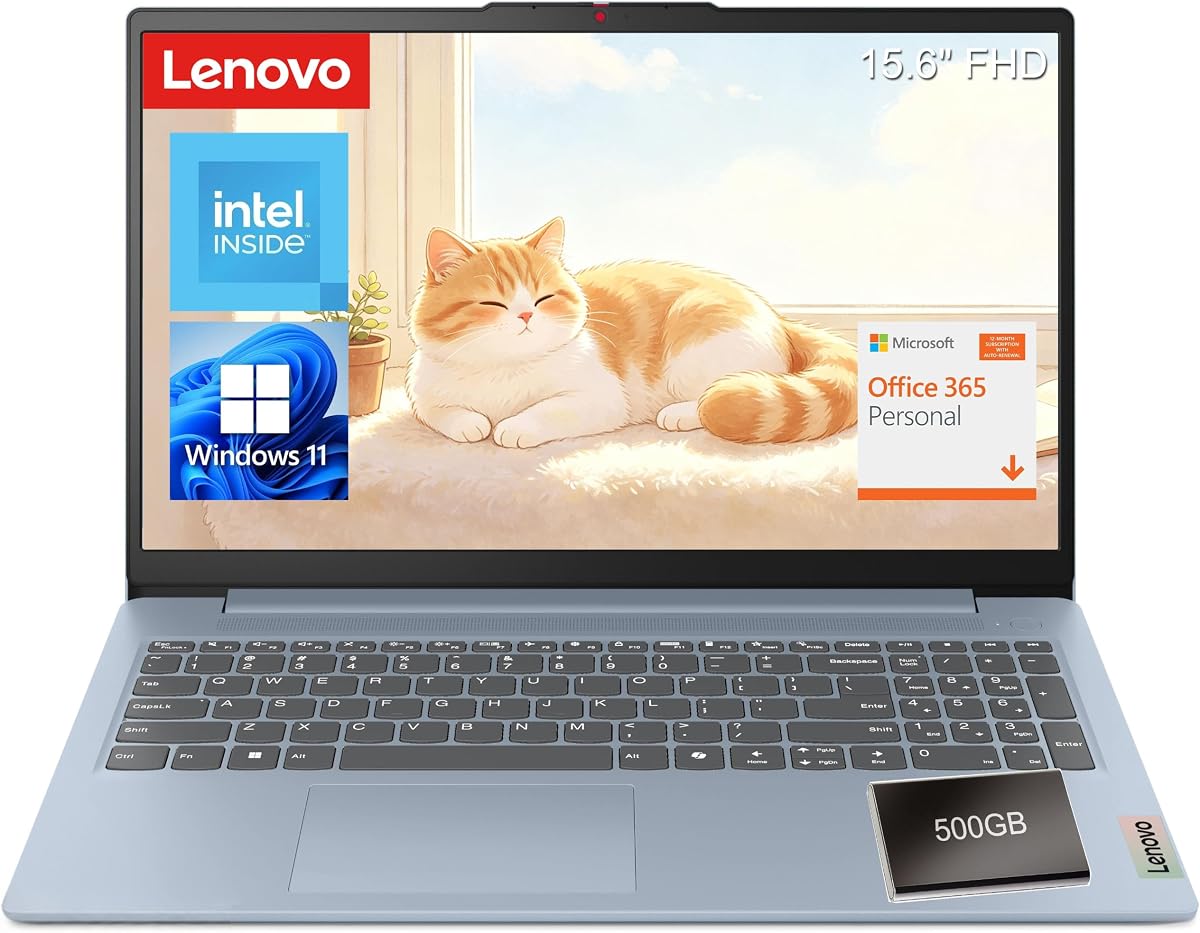
Lenovo Laptop Computer with Office 365
4.4Editor score
Intel N150 Processor
8GB LPDDR5 RAM
Includes One Year Office 365
Lenovo Thinkpad Laptops are renowned for their legendary durability, professional design, and reliable performance in demanding business environments. Whether you need a portable machine for travel or a powerhouse for data analysis, the Thinkpad lineup offers versatile options tailored to diverse workflow needs and productivity goals.
We have carefully evaluated ten distinct models ranging from budget-friendly everyday laptops to high-end enterprise workstations. Our analysis focuses on processor power, memory capacity, display quality, connectivity options, and security features to help you identify the right device for your specific professional or academic requirements.
Each product selection highlights key specifications, standout features, and ideal use cases to simplify your decision-making process. Please note that pricing and availability can change frequently, so verify the latest details on the product pages before making your final purchase decision for your computing needs.
4.4Editor score

4.4Editor score

5.0Editor score
As an Amazon Associate we earn from qualifying purchases.
The following comparison table provides a side-by-side overview of the top ten Lenovo Thinkpad Laptops selected for this guide. Each entry includes essential specifications and direct links to help you quickly compare performance capabilities, screen sizes, and key features across the different models available.


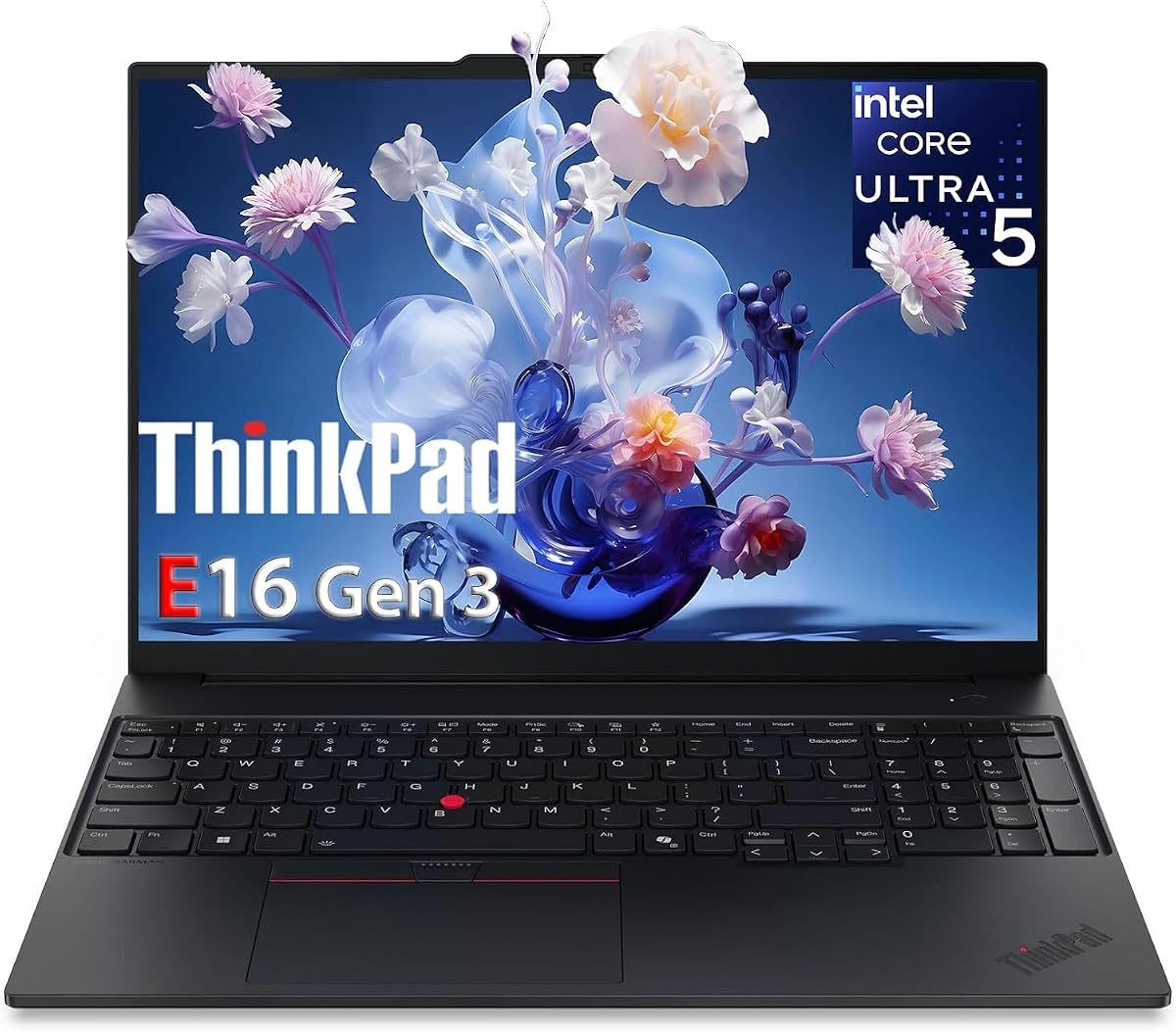


This Lenovo ThinkPad E16 Gen 3 Business Laptop stands out as a top choice for modern professionals seeking balanced performance and security. With a 4.4-star rating from verified users, it delivers reliable multitasking capabilities powered by the latest Intel Ultra 5 225H processor. The laptop integrates advanced AI features and robust security protocols, making it ideal for enterprise environments that demand efficiency and data protection.
We may earn a commission when you buy through this link, at no additional cost to you.
Key strengths include the 16GB DDR5 RAM which ensures smooth operation across complex spreadsheets and virtual machines. The 16-inch WUXGA display provides clear visuals for daily tasks, while the fingerprint reader and TPM 2.0 chip safeguard sensitive information. Connectivity is excellent with Thunderbolt 4, WiFi 6E, and HDMI 2.1 supporting versatile peripheral setups for hybrid work scenarios.
While the display brightness is adequate for indoor office use, it may struggle in direct sunlight compared to premium models. The mid-range pricing reflects its position as a value-oriented business machine rather than a top-tier workstation. These trade-offs are acceptable for users prioritizing core productivity and security over high-end multimedia performance or outdoor usability.
Executives, analysts, and mobile professionals will find this model well-suited for their daily workflows. It handles video conferencing, document editing, and light CAD work with ease. For businesses looking to upgrade their fleet with reliable Windows 11 Pro machines, this ThinkPad offers a compelling combination of durability, performance, and enterprise readiness.
The integrated AI Boost NPU accelerates tasks like data analysis and content creation, allowing you to work faster without relying solely on cloud processing.
Built-in features like the fingerprint reader, privacy shutter, and TPM chip ensure your corporate data remains protected against unauthorized access and physical tampering.
We may earn a commission when you buy through this link, at no additional cost to you.
The Lenovo ThinkPad E16 with Ryzen 7 processor offers exceptional value for users who prioritize processing power and multitasking efficiency. Boasting a 4.5-star rating, this model is engineered to handle demanding business applications and media tasks with the 8-core Ryzen 7 7735HS chip. The inclusion of a Type-C hub adds immediate versatility for connecting peripherals without needing separate adapters.
We may earn a commission when you buy through this link, at no additional cost to you.
Its 16-inch FHD+ display features an anti-glare coating that significantly reduces reflections during long work sessions. The 16GB DDR5 RAM ensures seamless switching between applications, while the 512GB SSD provides ample space for files and rapid boot times. Windows 11 Professional adds enterprise management tools suitable for corporate IT deployments and secure remote access.
The non-touch interface might limit touch interaction for users who prefer direct screen manipulation for note-taking or design work. Additionally, the weight of 3.9 lbs makes it less ideal for frequent travel compared to lighter ultrabooks. However, these factors are minor for stationary office setups where performance and connectivity are primary concerns.
Students, developers, and analysts needing robust computing power will appreciate this configuration. It handles programming environments, data analysis, and virtual machines effectively. For users seeking a dependable workstation that balances AMD performance with ThinkPad durability, this E16 model is a strong candidate for everyday professional use.
The Ryzen 7 7735HS processor delivers high clock speeds and efficient core management for intensive tasks like compiling code or rendering videos.
The bundled 5-in-1 hub expands port availability, allowing you to connect multiple monitors and external drives simultaneously for a productive dual-screen setup.
We may earn a commission when you buy through this link, at no additional cost to you.
The Lenovo ThinkPad L16 Business AI PC distinguishes itself with high memory and storage capacities suited for data-heavy roles. With a 4.1-star rating, it targets professionals who need to run multiple virtual environments or large datasets simultaneously. The Intel Ultra 5 225U processor balances performance with power efficiency, ideal for mobile workers prioritizing battery life over raw speed.
We may earn a commission when you buy through this link, at no additional cost to you.
A standout feature is the 16-inch touchscreen IPS display, which offers versatile input options for presentations and collaborative sessions. The 32GB DDR5 RAM ensures smooth performance even when dozens of browser tabs and applications are open. Additionally, the 1TB SSD provides extensive storage for archives, reducing the need for external drives in daily operations.
While the touchscreen enhances usability, it may introduce glare and reduce battery endurance during heavy use. The U-series processor is optimized for efficiency, so it may not match the speed of H-series chips for extreme workloads. These trade-offs are acceptable for users who value portability and screen flexibility alongside substantial internal resources.
This laptop is ideal for business professionals, students, and entry-level creators handling complex projects. It supports efficient data entry and remote working needs with ease. For those needing a durable machine with exceptional RAM and storage without stepping up to enterprise T-series pricing, the L16 offers a compelling middle ground.
With 32GB of DDR5 RAM, you can run virtual machines, databases, and design software simultaneously without experiencing slowdowns or system freezes.
MIL-STD-810H certification ensures the chassis withstands shocks and extreme temperatures, making it suitable for travel to remote job sites or conferences.
We may earn a commission when you buy through this link, at no additional cost to you.
This Lenovo Laptop Computer offers an accessible entry point into the Lenovo ecosystem with essential features for home users and students. With a 4.4-star rating, it is designed for everyday computing tasks like web browsing, media streaming, and document editing. The inclusion of a complimentary One Year Microsoft 365 Personal subscription adds significant value for immediate productivity upon setup.
We may earn a commission when you buy through this link, at no additional cost to you.
The 15.6-inch FHD display provides clear visuals for entertainment and light work while maintaining a slim profile. The Intel N150 processor paired with 8GB of RAM handles standard applications smoothly without unnecessary complexity. Wi-Fi 6 connectivity ensures fast and stable internet connections, which is critical for modern remote learning or home office environments.
The 128GB storage space is limited, requiring users to manage files carefully or rely on cloud storage solutions regularly. The processor is suited for light duties, so it may struggle with heavy multitasking or creative software. These limitations are expected for this price tier, making it a practical choice for casual users who do not need high performance.
Students, home users, and light productivity seekers will find this laptop reliable for daily needs. It supports secure video calls and basic productivity apps effectively. For those needing a dependable secondary device or a first computer without a large investment, this model delivers essential features and trusted brand quality.
The bundled Microsoft 365 subscription gives you immediate access to Word, Excel, and PowerPoint, saving the cost of separate software purchases for the first year.
Weighing just 3.42 lbs with a slim profile, this laptop fits easily into backpacks and bags for on-the-go use in classrooms or cafes.
We may earn a commission when you buy through this link, at no additional cost to you.
The Lenovo ThinkPad E16 with Intel Ultra 5 225H processor focuses on professional reliability and enterprise-grade security. With a 4.3-star rating, it provides the essential tools for executives and remote workers who prioritize data protection. The Windows 11 Pro operating system includes advanced features like BitLocker and Remote Desktop, enhancing control and safety for business files.
We may earn a commission when you buy through this link, at no additional cost to you.
Key strengths include the built-in fingerprint reader for quick biometric authentication without remembering complex passwords. The 16GB DDR5 RAM supports efficient multitasking during video conferencing and document editing. Fast charging technology ensures minimal downtime between meetings, keeping you productive throughout long workdays without constant access to power outlets.
The specifications are standard for the E16 series, lacking some advanced features found in higher-end models like specialized AI acceleration. It may not appeal to power users requiring maximum processing throughput for heavy computing tasks. However, for general business professionals, these trade-offs are acceptable given the emphasis on security and operational reliability.
Executives and entrepreneurs demanding dependable performance will appreciate this configuration. It offers a balanced platform for daily corporate tasks with enhanced security tools. If your priority is secure access and consistent performance in a professional chassis, this ThinkPad E16 is a solid investment for your mobile workspace.
Windows 11 Pro provides robust management tools and encryption options that are essential for protecting sensitive business data in regulated industries.
Extended battery life allows you to work through long meetings and travel legs without worrying about finding an available power outlet.
We may earn a commission when you buy through this link, at no additional cost to you.
This Lenovo ThinkPad E16 Gen 3 Business Laptop commands a high 4.6-star rating due to its expanded memory and storage capabilities. It is tailored for users who require significant multitasking power and screen real estate for complex workflows. The Intel Ultra 5 225H processor with AI boost accelerates data analysis and creative tasks efficiently.
We may earn a commission when you buy through this link, at no additional cost to you.
The 32GB DDR5 RAM allows seamless handling of virtual machines and resource-intensive applications without slowing down. Connectivity is a highlight, supporting triple 4K output via Thunderbolt 4 and HDMI 2.1 for expansive visual productivity. A 1TB NVMe SSD ensures rapid file access and ample space for extensive project files and archives.
The price point is higher than standard business laptops, reflecting the upgraded internal components and connectivity options. The display brightness is functional but not suited for bright outdoor environments. These factors are reasonable for power users who need maximum flexibility and performance from a single mobile workstation.
Analysts, programmers, and mobile professionals needing multi-screen setups will find this ideal. It delivers exceptional performance for demanding applications while maintaining ThinkPad reliability. For businesses seeking to upgrade employees to a more capable machine, this model offers a future-proof configuration that scales with growing work demands.
Connect up to three 4K displays simultaneously to manage spreadsheets, code, and reference documents side-by-side for maximum efficiency.
With 32GB of RAM, you can run multiple virtual machines and heavy software suites simultaneously without performance degradation or memory leaks.
We may earn a commission when you buy through this link, at no additional cost to you.
The Lenovo 15.6 FHD Laptop 2026 Edition achieves a strong 4.6-star rating by offering essential features in a lightweight chassis. It is designed for users who prioritize portability and cost-effectiveness for daily computing tasks. The Intel N150 processor provides sufficient power for web browsing and media streaming while maintaining energy efficiency for longer battery life.
We may earn a commission when you buy through this link, at no additional cost to you.
Weighing just 3.42 lbs with a slim profile, this laptop is easy to carry in backpacks for travel or commuting. The bundled 500GB portable external hard drive compensates for the limited internal storage, providing immediate extra space for files. Dolby Audio-enhanced speakers improve the media experience, making it suitable for entertainment during downtime.
The lack of a backlit keyboard may hinder typing in dim environments like airplane cabins or evening study sessions. Internal storage remains modest, requiring reliance on external drives or cloud services. These limitations are minor for budget-conscious users who value mobility and basic functionality over advanced features.
Students and casual users needing a reliable companion for class or home use will benefit from this model. It supports common educational tools and streaming services effectively. For those seeking an affordable, durable laptop for everyday tasks, this option offers solid performance and useful extras like the included drive.
The bundled 500GB external hard drive gives you immediate extra space for backups and media, reducing the need to purchase storage separately.
The slim 0.70-inch profile fits easily in most laptop sleeves and backpacks, ensuring you can take your device anywhere without bulk.
We may earn a commission when you buy through this link, at no additional cost to you.
The Lenovo ThinkPad P14s with AMD Ryzen AI 7 Pro processor achieves a perfect 5.0-star rating, reflecting its exceptional quality and performance. It targets specialized professionals who require validated hardware for specific applications like CAD or media production. The built-in AMD XDNA 2 NPU enables local AI workflows, accelerating tasks without relying on cloud processing.
We may earn a commission when you buy through this link, at no additional cost to you.
Certified compatibility with software like SOLIDWORKS and AutoCAD ensures stable operation for engineering and design tasks. The 32GB RAM and 1TB SSD provide ample resources for large files and multitasking. Wi-Fi 7 support keeps connections stable and fast in modern office environments, enhancing collaboration and remote access capabilities significantly.
The premium price point places it out of reach for casual users or those with basic computing needs. The 14-inch screen size may feel compact for users accustomed to larger displays. These trade-offs are justified for specialists who need certified reliability and AI acceleration to maintain high productivity and workflow efficiency.
Engineers, architects, and media creators requiring ISV-certified hardware should consider this model. It offers a premium workstation experience in a portable chassis with advanced AI capabilities. For organizations deploying machines to high-performance staff, this P14s delivers top-tier speed, reliability, and professional-grade security features.
Testing with professional applications ensures stability and performance when running specialized tools like CAD software or video editing suites.
The local NPU accelerates AI-driven tasks like content generation and data analysis, reducing dependency on cloud services for faster results.
We may earn a commission when you buy through this link, at no additional cost to you.
The Lenovo ThinkPad L14 with Ryzen 5 PRO offers a budget-conscious path to enterprise-grade hardware through certified renewal. With a 3.9-star rating, it reflects the variable nature of used devices while providing solid functionality for small business teams. The AMD PRO features ensure security and manageability comparable to newer models, making it suitable for office deployments.
We may earn a commission when you buy through this link, at no additional cost to you.
It includes a standard keyboard with Trackpoint for efficient navigation without touching the touchpad. The 16GB DDR4 RAM handles daily business applications effectively, while Windows 11 Professional supports necessary security protocols. Connectivity ports like HDMI 2.1 and USB-C allow flexible peripheral connections for diverse office environments.
As a renewed unit, the physical condition and battery life may vary compared to new devices. The 256GB storage and DDR4 RAM are older standards that may limit future upgrade potential. These factors are acceptable for cost-sensitive buyers who prioritize core reliability over the latest technology features or aesthetics.
Small businesses and entry-level IT users needing cost-effective laptops will find this appealing. It handles standard office tasks and remote work well. For organizations wanting ThinkPad durability without the premium price tag of new models, this renewed option provides a practical solution for expanding workforce computing.
Certified refurbished models offer substantial savings compared to new units, allowing small businesses to equip staff without exceeding hardware budgets.
AMD PRO technology ensures the same level of manageability and security features found in enterprise fleets, keeping corporate data safe.
We may earn a commission when you buy through this link, at no additional cost to you.
The Lenovo ThinkPad T14s Gen 1 combines T-series premium build quality with a lower cost through renewed sales. With a 4.1-star rating, it offers a reliable experience for users seeking high-end features like a backlit keyboard and enterprise OS. The 10th Gen Intel Core i5 processor delivers sufficient speed for general multitasking and document creation tasks.
We may earn a commission when you buy through this link, at no additional cost to you.
Its 14-inch FHD display ensures crisp visuals suitable for professional presentations and long reading sessions. The 512GB SSD provides fast boot times and ample storage for essential work files. This model appeals to those who want the durability and design of the T-series without the investment required for a brand-new machine.
The processor generation is older, which may impact performance for newer software features or heavy workloads compared to modern chips. Renewed units may show minor cosmetic wear or have reduced battery cycles. These factors are acceptable for budget-conscious professionals who value build quality and essential security features over peak performance.
Small business professionals and students looking for durable laptops will appreciate this model. It handles standard productivity tasks reliably with enterprise-grade tools. For those seeking a premium chassis at a reduced cost, this ThinkPad T14s offers a balanced entry point into the renowned ThinkPad ecosystem.
The T-series chassis offers superior materials and finish compared to entry-level models, ensuring long-term durability in professional settings.
Windows 11 Pro includes advanced security and management features that are essential for business environments and data protection.
We may earn a commission when you buy through this link, at no additional cost to you.
Selecting the right Thinkpad requires evaluating several key components that influence performance and longevity. This guide breaks down the essential factors to consider so you can match a model to your specific professional needs and budget constraints effectively.
The processor is the brain of your laptop, determining how quickly it can handle tasks. Thinkpads range from Intel Core i5/i7 and Ultra series to AMD Ryzen PRO chips. For heavy multitasking or data analysis, opt for higher-end chips like Intel Ultra H-series or AMD Ryzen 7 with AI capabilities. Efficiency-focused users may prefer U-series processors for better battery life.
Choose a processor that aligns with your primary workload to ensure smooth operation without overspending on unnecessary power.
Random Access Memory (RAM) dictates how many applications you can run simultaneously. Business laptops typically come with 16GB, which is sufficient for most office tasks. However, professionals working with virtual machines or large datasets benefit from 32GB or 64GB configurations. DDR5 RAM offers faster speeds than older DDR4 standards for improved responsiveness.
Prioritize 16GB or more for future-proofing, as upgrading RAM later is often impossible on modern thin laptops.
Solid State Drives (SSD) are standard in Thinkpads for rapid boot times and file access. Look for NVMe PCIe models for best performance. Capacity should match your file needs; 512GB is standard for documents while 1TB is better for media or large archives. Ensure the drive is upgradable if you need more space later.
Select a storage size that avoids constant management but fits your port budget to balance cost and convenience.
Screen size impacts portability and workspace. 14-inch models are ideal for travel while 16-inch versions provide more real estate. resolution matters for clarity; aim for WUXGA (1920×1200) or FHD+. Anti-glare coatings reduce eye strain during long sessions. Touchscreens add versatility for presentations but consume more battery.
Balance screen size and resolution based on your daily environment to ensure comfort during extended usage periods.
Modern work often requires connecting to external monitors and accessories. Thunderbolt 4 ports support fast data transfer and docking. HDMI and USB-A ports remain useful for legacy peripherals. WiFi 6E or 7 ensures fast wireless speeds. Ethernet ports are rare now but useful for stable office connections.
Verify the available ports match your peripherals to avoid relying heavily on dongles which can reduce mobility.
Security is critical for business devices. Look for hardware features like fingerprint readers, IR cameras for facial recognition, and privacy shutters. TPM 2.0 chips encrypt data to prevent unauthorized access. Windows 11 Pro adds enterprise management tools like BitLocker. ThinkShield suites provide layered protection against threats.
Ensure the model includes robust security hardware if you handle sensitive business or client information daily.
Thinkpads are tested to MIL-STD-810H standards for resistance to shocks, heat, and vibration. This ensures reliability in travel or industrial environments. Aluminum or carbon fiber chassis add rigidity. Keyboards often feature spill resistance to protect internals from accidents. This durability contributes to longer lifespans.
Choose models with military-grade certification if your work involves frequent travel or exposure to harsh conditions.
Battery life varies by processor efficiency and screen brightness. Aim for models offering all-day usage if you work remotely. Fast charging capabilities allow quick top-ups during short breaks. Power-efficient components like U-series processors improve endurance. Check real-world reviews for accurate battery expectations.
Select a battery profile that supports your travel habits to minimize downtime away from a power source.
Proper maintenance extends the lifespan of your Thinkpad significantly. Keep the device in a cool, dry environment to prevent overheating. Use a soft microfiber cloth to clean the screen and chassis gently. Avoid placing heavy objects on the closed lid to protect the hinge and display mechanism from damage or deformation.
Regular software updates are crucial for performance and security. Enable automatic updates in Windows settings to receive the latest patches. Use the pre-installed Lenovo Vantage software to check for driver updates and battery health settings. Monitor battery usage to identify power-hungry apps and adjust settings for better energy efficiency.
Physical care involves using a sturdy case for transport to absorb shocks. Use the included privacy shutter to protect your camera when not in use. Back up your data regularly to an external drive or cloud service to prevent loss from hardware failure. These habits ensure your laptop remains reliable for years.
The ThinkPad E series is designed for small businesses and individuals with a focus on value and performance. The L series offers slightly more durable builds and enterprise features but at a mid-range price. Both use similar components but the L series often has better connectivity options. Choose E for budget and L for enterprise needs.
Yes, ThinkPad Laptops are highly favored by developers due to their excellent keyboards and Linux compatibility. Models with 16GB RAM and 512GB SSD handle code editors and virtual environments well. The sturdy build supports long coding sessions comfortably. The P and T series offer superior performance for heavy compile tasks.
It depends on the specific model and generation. Some newer ThinkPad E and L series have soldered RAM that cannot be upgraded. Others allow upgrading to 32GB or 64GB. Always check the specs before purchasing to ensure it meets your future needs. Higher capacity models reduce the need for upgrades later.
ThinkPad laptops typically come with ThinkShield security features embedded in hardware and software. This includes TPM chips and optional antivirus partnerships. Windows 11 Pro also includes built-in BitLocker encryption for data safety. These tools protect your business data from unauthorized access automatically.
Most business ThinkPad models include a backlit keyboard for low-light typing. Some entry-level or older models might lack this feature. Look for the small icon on the Spacebar to confirm backlighting. It is a standard feature in most E, L, and T series units today.
ThinkPads are designed for easy access to internal components like SSDs and RAM. Usually, you need a small screwdriver to remove the bottom panel. This allows you to replace the drive or add RAM easily. Always power off and unplug before opening to ensure safety.
Yes, most ThinkPad models support docking stations for expanded connectivity. Thunderbolt 4 or USB-C docks allow connecting multiple monitors and peripherals. This is essential for stationary office setups to maximize productivity. Ensure your dock matches the laptop's port generation for best performance.
Battery life varies by usage and configuration. Business models often claim 10 to 15 hours of light productivity. Real-world performance depends on screen brightness and background apps. Look for models with larger capacity batteries or power-saving features for extended travel.
We have reviewed ten distinct Lenovo Thinkpad Laptops ranging from budget-friendly options to premium workstations. The top picks highlight the E16 Gen 3 for balanced performance and the P14s for specialized professional needs. Each model offers unique benefits tailored to different work environments and user priorities.
When choosing, prioritize RAM and processor power for long-term relevance. Security features and build quality are equally important for business reliability. Consider your portability needs alongside screen size to ensure a comfortable working experience daily.
Remember that product availability and pricing can fluctuate regularly. Check current deals and stock on the product pages to secure the best value. A well-chosen Thinkpad is an investment in your productivity and professional success for years to come.