
ASUS Vivobook 15 Laptop
4.9Editor score
48GB RAM for multitasking
Intel Core i9 processor
2TB SSD storage capacity
Choosing a laptop with upgradeable RAM is crucial for future-proofing your device. As software demands grow, having the ability to add more memory ensures your machine stays fast and responsive for years to come without needing a full replacement.
We evaluated ten standout models based on processor power, memory capacity, storage options, and build quality. Our analysis focuses on machines that allow users to expand RAM easily, ensuring you get the best value and performance for your specific computing needs today.
Each pick highlights key specifications and real-world performance potential. Prices and availability can change frequently, so please check the current listings before purchasing. This guide aims to simplify your decision-making process with detailed insights into each top-tier option available right now.
4.9Editor score

4.4Editor score
4.0Editor score
As an Amazon Associate we earn from qualifying purchases.
The following table provides a side-by-side comparison of all ten selected laptops. Look closely at processor types, memory amounts, and storage options to find the exact match for your workload and budget requirements today.


This ASUS Vivobook 15 stands out as a premium powerhouse designed for professionals who demand top-tier performance. With a rating of 4.9, it excels in handling complex AI workloads and multitasking thanks to its 48GB RAM and Intel Core i9 processor.
We may earn a commission when you buy through this link, at no additional cost to you.
The standout quality here is the Next Gen AI optimization which allows for seamless processing of creative software and simulations. The included PCO Cooler ensures the system remains cool under load preventing thermal throttling during intense computing sessions.
Honest trade-offs include the higher price and the added bulk of the cooling bundle. These are acceptable given the immense performance gains and the professional-grade features like the fingerprint reader and privacy webcam shield.
If you need a laptop that can handle demanding workflows without slowing down, this model is the ideal choice. It is perfect for engineers, data scientists, and creative professionals who need reliability and speed.
The Intel Core i9 processor is optimized for next-generation AI tasks ensuring future-proof capability for emerging software requirements.
The bundled PCO Cooler works with internal fans to maintain peak frequencies for longer durations reducing overheating risks.
We may earn a commission when you buy through this link, at no additional cost to you.
The Dell Latitude 5531 offers a strong blend of business performance and affordability in a renewed package. With a 4.4 rating it provides a reliable workhorse for daily tasks with 32GB RAM to handle multiple applications smoothly.
We may earn a commission when you buy through this link, at no additional cost to you.
Its key strength lies in the robust 14-core CPU which delivers consistent performance for enterprise applications. The renewed status often means significant savings while retaining core functionality and professional features like Windows 11 Pro.
Trade-offs include the lack of a new warranty and potential cosmetic wear. These are acceptable for budget-conscious buyers who prioritize raw specs over pristine aesthetics and extended warranty terms.
This laptop is best suited for small businesses or individuals needing a dependable machine without breaking the bank. It is a smart choice for those familiar with refurbished electronics who want enterprise power.
Dell Latitude series is known for durability making this model ideal for daily professional use in office environments.
Buying renewed allows access to high-end specs at a lower price point while maintaining essential performance guarantees.
We may earn a commission when you buy through this link, at no additional cost to you.
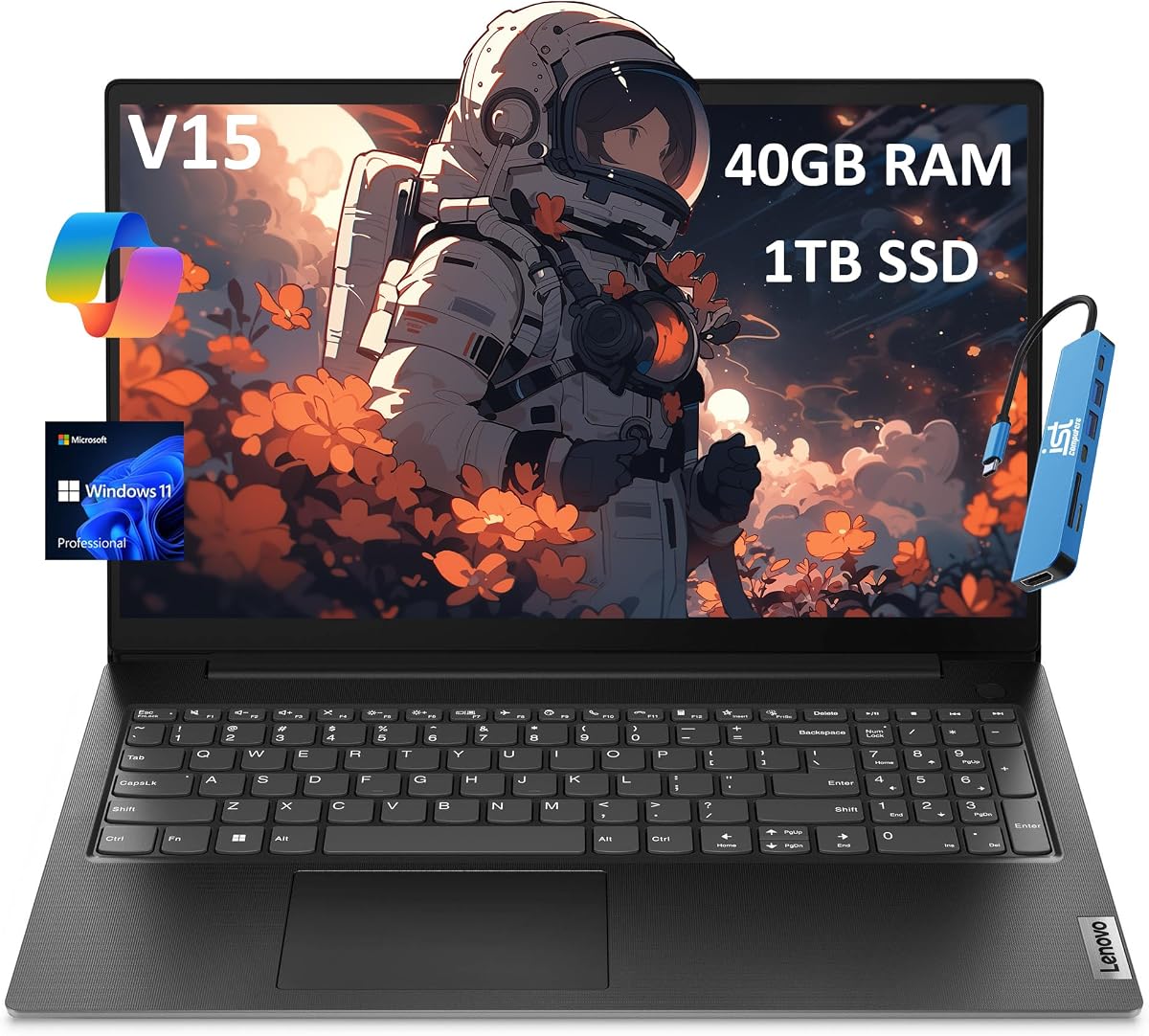
This Lenovo V-Series V15 is a standout budget option for those needing massive RAM without high costs. It features 40GB RAM and an AMD Ryzen 7 processor ensuring smooth performance for multitasking and office productivity.
We may earn a commission when you buy through this link, at no additional cost to you.
The key strengths are the generous memory allocation and the inclusion of essential ports like RJ45 and HDMI. This makes it versatile for business environments where connectivity is crucial and screen real estate is important.
Trade-offs involve a basic FHD display and a plastic chassis. These are acceptable given the price point and the sheer amount of memory and storage provided in the package.
If you are looking for a laptop that delivers raw capability for the price, this model is an excellent choice. It suits students and professionals needing reliable performance on a strict budget.
The 40GB RAM allows multiple heavy applications to run simultaneously without slowing down system responsiveness.
Built-in Ethernet and HDMI ports eliminate the need for dongles making setup easy for office work.
We may earn a commission when you buy through this link, at no additional cost to you.
The HP 255 G10 offers a balanced package for business users needing modern specs without luxury costs. It stands out with Wi-Fi 6 and a 7730U processor for fast web browsing and efficient data processing.
We may earn a commission when you buy through this link, at no additional cost to you.
Its strengths include a clean design and solid 32GB RAM configuration which handles daily workflows effortlessly. The inclusion of Windows 11 Pro adds enterprise security features that are vital for corporate environments.
Trade-offs are the lack of biometric login and fewer color options. These are acceptable for users who prioritize speed and connectivity over advanced security hardware and aesthetic variety.
If you need a reliable and modern business laptop, this HP model is a top recommendation. It is ideal for remote workers and small business owners seeking efficiency and value.
Support for Wi-Fi 6 ensures faster and more stable wireless connections for video calls and large file transfers.
Windows 11 Pro provides advanced tools for remote desktop and single sign-on that help streamline work productivity.
We may earn a commission when you buy through this link, at no additional cost to you.
The ASUS Vivobook 16 is designed for those needing more screen real estate without sacrificing performance. With a 16-inch WUXGA display and 40GB RAM it provides a spacious workspace for multitasking and content consumption.
We may earn a commission when you buy through this link, at no additional cost to you.
Key strengths include the powerful Intel Core i9 processor and the bundled storage solution that reaches 2TB total. This allows ample space for large files while maintaining responsive application launch times.
Trade-offs involve the bundled docking station which may complicate storage needs slightly. These are acceptable given the premium experience and the enhanced productivity from the larger screen area.
If you work with multiple windows or media files this model is highly recommended. It suits designers, developers, and power users who value screen size and processing speed equally.
The 16-inch WUXGA display offers more pixels and vertical space for easier comparison of documents and code.
Fingerprint readers allow quick and secure logins ensuring privacy without needing complex passwords every time.
We may earn a commission when you buy through this link, at no additional cost to you.
The HP 15 Notebook serves as a dependable choice for general users needing consistent performance. It features a Core i5 processor and 32GB RAM to handle browsing, media, and office apps without slowdowns.
We may earn a commission when you buy through this link, at no additional cost to you.
Its strengths lie in the balanced specs and modern connectivity like USB Type-C. This ensures compatibility with newer peripherals and accessories making it versatile for school or home office use.
Trade-offs include the lack of Pro features and lower base storage on some models. These are acceptable for users who do not need enterprise tools or advanced management capabilities.
If you need a reliable laptop for everyday tasks this HP model fits well. It is best for students and families looking for a durable machine that keeps up with daily needs.
The Core i5 processor provides enough speed for web browsing and streaming without draining battery too quickly.
USB Type-C support allows faster data transfer and easier connection to modern monitors and docks.
We may earn a commission when you buy through this link, at no additional cost to you.
The Lenovo V15 Gen 4 delivers fast processing power with its 13th Gen Intel Core i7 CPU. With 40GB RAM and 2TB storage it ensures ample room for applications and large files without compromising speed.
We may earn a commission when you buy through this link, at no additional cost to you.
Key strengths include the privacy shutter on the webcam and generous storage capacity. These features cater directly to business needs for security and data management in a single unit.
Trade-offs involve a lower-end TN display panel and basic audio quality. These are acceptable given the focus on performance and privacy over media consumption features.
If you prioritize security and processing speed this model is a strong choice. It is ideal for business professionals handling sensitive data and requiring fast file access.
The HD camera includes a physical privacy shutter giving you immediate control over video access for security.
2TB SSD storage means you can keep large archives locally without needing external drives constantly.
We may earn a commission when you buy through this link, at no additional cost to you.
This Lenovo V15 Gen 4 is engineered for durability with military-grade testing to withstand harsh conditions. It offers 40GB RAM and a powerful i5-13420H processor suitable for rugged business environments and demanding home use.
We may earn a commission when you buy through this link, at no additional cost to you.
Its strengths include the AI Copilot integration for productivity and the built-in Ethernet port for stable connectivity. These make it highly reliable for remote work or field usage where Wi-Fi may be unstable.
Trade-offs include a non-backlit keyboard and basic RAM options on some models. These are acceptable considering the robust build quality and the price point for such a durable machine.
If you need a laptop that can handle rough travel this is a top choice. It suits military, outdoor professionals, and anyone needing a tough device.
Military Grade testing ensures the chassis can survive drops and vibrations making it suitable for field work.
Windows 11 Pro comes with AI Copilot to assist with drafting documents and summarizing information faster.
We may earn a commission when you buy through this link, at no additional cost to you.
The HP 255 G10 offers an entry-level solution for basic computing needs. With 16GB RAM and a Ryzen 3 processor it handles web browsing and light productivity smoothly while keeping the budget very low.
We may earn a commission when you buy through this link, at no additional cost to you.
Its strengths include affordability and upgradeability options that allow adding more storage later. This makes it accessible for students or casual users who do not need heavy processing power.
Trade-offs involve limited base storage and weaker graphics. These are acceptable given the price and the fact that external drives can expand capacity easily.
If you need a simple laptop for school or home this model fits well. It is best for users on a tight budget who need a reliable machine for basic tasks.
The low price makes it accessible for anyone needing a secondary machine or first laptop without spending much.
The design allows adding more storage easily so you can expand capacity as your needs grow over time.
We may earn a commission when you buy through this link, at no additional cost to you.
This budget laptop offers an entry point for those needing basic computing at the lowest price. With 4GB So-Dimm RAM and an empty slot it allows you to expand memory easily as your needs grow.
We may earn a commission when you buy through this link, at no additional cost to you.
Its strengths include the privacy shutter and full-size keyboard which are rare at this price. These ensure comfort and security without compromising on essential hardware features.
Trade-offs involve a slow processor and limited base memory. These are acceptable for simple tasks like browsing or documents where heavy multitasking is not required.
If you need a cheap secondary laptop this model works well. It suits users needing a simple device for reading and writing without demanding performance.
One empty slot allows you to add more memory later making this device future-proof for minimal cost.
A full-size keyboard ensures a comfortable typing experience for longer work sessions without strain.
We may earn a commission when you buy through this link, at no additional cost to you.
Selecting the right laptop requires considering specific factors like processor power and memory slots. This guide outlines key elements to help you make an informed decision that meets your current needs.
The processor is the brain of your laptop determining how well it handles tasks. Look for models with Intel Core i5 or higher or AMD Ryzen 5 for better performance in demanding applications.
Prioritize models with modern generation CPUs to ensure longevity and support for upcoming software updates.
RAM is crucial for multitasking. Aim for at least 16GB for smooth operation but check for available slots if you need more later. Models with soldered RAM limit future upgrades.
Choose laptops with accessible RAM slots to extend the device's life without replacing the whole unit.
Solid State Drives (SSD) are essential for fast boot times and responsiveness. Aim for at least 512GB for adequate space to store files and applications.
Look for laptops that allow storage expansion via additional M.2 slots for future flexibility.
The chassis material determines how well your laptop resists damage. Metal builds are more durable but plastic options offer lighter weight at lower costs.
Ensure the laptop meets your daily carry needs by checking weight and material strength ratings.
Windows 11 Pro offers enhanced security and management tools ideal for business. Home versions suffice for personal use but lack some enterprise features.
Verify the OS license status to avoid additional activation costs after purchase.
Ports like HDMI and USB-C are vital for connecting peripherals. Ensure the laptop has enough ports to avoid needing dongles for common accessories.
Check for Wi-Fi 6 support to ensure stable and fast internet speeds.
A Full HD display is standard and sufficient for most tasks. Larger screens improve productivity but increase weight and reduce portability.
Consider screen brightness and color accuracy if you work with graphics or outdoor usage.
Determine your spending limit before shopping to narrow down options. Consider long-term value by checking warranty terms and upgrade potential.
Balance cost with necessary features to avoid overpaying for unnecessary extras.
Regularly update your operating system and drivers to ensure optimal performance. This helps security vulnerabilities and improves compatibility with new software releases.
Keep the laptop clean by using compressed air to remove dust from vents. Proper cooling prevents thermal throttling and extends the lifespan of internal components.
Back up your data frequently to avoid loss. Cloud services or external drives provide reliable storage solutions for important files.
Not all laptops allow RAM upgrades since many modern models have soldered memory. Always check the specs for available slots or user-serviceable access before purchasing.
For general tasks 16GB is usually sufficient. For heavy multitasking or creative work aim for 32GB or more to maintain smooth performance without slowdowns.
DDR5 offers faster speeds and lower power consumption than DDR4. Ensure your laptop motherboard supports the type you plan to buy to avoid compatibility issues.
Most models listed include M.2 slots for SSD upgrades. Check the documentation to confirm available slots and supported sizes for expansion.
Windows 11 Pro offers security and management tools better suited for business. It supports remote desktop and BitLocker encryption which Home does not include.
Upgrading RAM by a certified partner often keeps the original warranty valid. Always confirm with the seller before opening the device to ensure coverage remains intact.
These ten laptops offer a range of performance and durability to suit diverse needs. From budget friendly options to premium powerhouses each model brings unique strengths.
Prioritize models that allow easy future expansion to get the most value from your investment. Consider your current and future workloads to make the right choice.
Always check current prices and availability as they fluctuate frequently. This guide provides a reliable starting point for finding the perfect laptop today.