
bersem 2 Pack Paperfeel Screen Protector
4.4Editor score
Ultra thin 0.17mm design
Paperfeel texture for writing
Bubble free installation kit
Finding the right screen protector for your new iPad A16 can transform your creative workflow. A quality paperfeel protector mimics the friction of real paper, making drawing and note taking far more natural than on bare glass.
We analyzed ten top rated products based on texture fidelity, installation ease, and overall durability. Our comparison focuses on models specifically designed for the 2025 and 2022 generation iPads to ensure perfect fit and functionality.
Each pick highlights key strengths and potential trade-offs to help you choose wisely. Keep in mind that pricing and availability fluctuate frequently, so verify current details before finalizing your purchase decision today.
4.4Editor score
4.6Editor score

4.2Editor score
As an Amazon Associate we earn from qualifying purchases.
The following table provides a side by side comparison of all ten selected products. Review the specifications and features to identify which protector aligns best with your specific creative or professional needs.




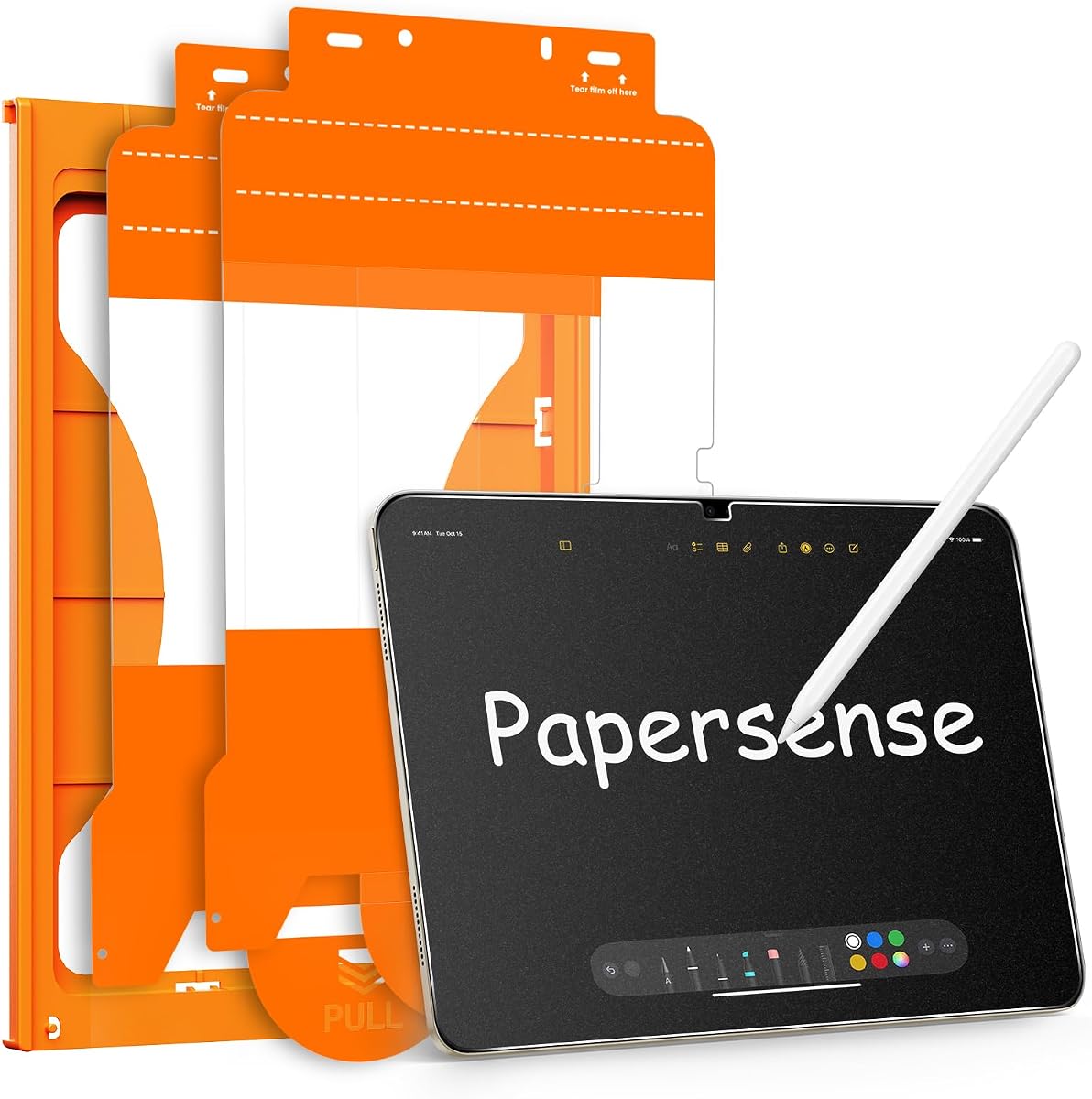
The OMOTON PAPERSENSE screen protector stands out as a top choice for serious iPad users. With a 4.6 rating, it combines high-end film quality with a realistic paper feel that enhances writing and drawing experiences.
We may earn a commission when you buy through this link, at no additional cost to you.
This protector uses upgraded material to make screen interaction more natural. The enhanced screen clarity ensures your display looks comfortable while offering the friction needed for precise Apple Pencil strokes. It meets accessory guidelines for instant responsiveness.
While premium priced, the quality justifies the cost. The auto installation tool kit eliminates dust and bubbles easily. Some users might find the price high compared to budget options, but the durability and performance balance this out.
Artists and professionals seeking a reliable, high-quality paper feel should consider this protector. It balances protection with creative utility effectively, making it a strong recommendation for daily heavy users.
The unique design provides a realistic paper-sense experience while maintaining protective function.
Complete tool kit and video help eliminate air bubbles and dust step by step.
We may earn a commission when you buy through this link, at no additional cost to you.
The bersem 2 Pack offers an affordable entry into paperfeel technology. With a 4.4 rating, it delivers a natural writing feel that prevents pencil slippage. The imported materials from Japan ensure high quality texture.
We may earn a commission when you buy through this link, at no additional cost to you.
Its ultra-thin 0.17mm design maintains original touch sensitivity and color accuracy. This is ideal for artists needing lag-free response. The enhanced anti-glare finish allows comfortable viewing in bright environments without distractions.
The main trade-off is durability compared to tempered glass options. While it resists scratches, it may not offer the same drop protection. However, the price point makes it accessible for users prioritizing feel over heavy protection.
Students and casual users looking for a cost-effective solution will appreciate this protector. It provides a genuine paper-like experience without breaking the bank, making it a smart budget-friendly choice.
Special texture makes you feel like touching real paper, preventing slippage.
Hassle-free bubble-free installation kit ensures beginners succeed easily every time.
We may earn a commission when you buy through this link, at no additional cost to you.
Paperlike is a renowned name in the paper protector space. The Paperlike 3 maintains that reputation with a refined Nanodots surface that adds natural friction. It stays below Apple's thickness limit for seamless Pencil integration.
We may earn a commission when you buy through this link, at no additional cost to you.
The Butterfly Application system makes installation incredibly easy, using built-in dust-catching layers. This design protects your Pencil tip from grinding down while ensuring precise line work. It is trusted by millions of creators globally.
However, the high price reflects brand positioning. Some users report the texture feels subtle compared to other options. While excellent for Pencil protection, you might pay a premium for the name over raw performance features.
Professional creators who value brand reliability and ease of use should consider this model. It offers a balanced experience that prioritizes Pencil longevity and user-friendly installation.
Paperlike's refined Nanodots surface adds natural friction trusted by millions.
Helper Tool makes alignment simple with clear on-screen guidance.
We may earn a commission when you buy through this link, at no additional cost to you.
MOBDIK provides a robust paperfeel solution for various iPad models. With a 4.4 rating, it features advanced textured surface technology that replicates paper friction. It is designed for artists and note-takers seeking a comfortable writing experience.
We may earn a commission when you buy through this link, at no additional cost to you.
Crafted from 0.17mm Japanese PET film, it maintains original touch sensitivity. The oleophobic layer repels smudges while the matte coating diffuses light to reduce glare. This ensures vibrant colors remain clear even in bright environments.
Users should note that PET film is less durable than glass. While it offers good scratch resistance, drops may not be absorbed as well. The installation kit helps ensure a smooth application without bubbles on your screen.
Commuters and avid readers looking for comfortable screen viewing should find this useful. It transforms the glass feel into a more natural surface for daily tasks and creative work.
Replicates natural friction of paper for smoother sketching and better shading.
Crafted from 0.17mm Japanese PET film to keep iPad original sensitivity.
We may earn a commission when you buy through this link, at no additional cost to you.
KCT offers a reliable 2-pack option for iPad A16 users. With a 4.4 rating, this protector features a delicate frosted finish that reduces light refraction. It creates an authentic writing experience with realistic paper texture.
We may earn a commission when you buy through this link, at no additional cost to you.
Plasma adsorption technology ensures stronger and easier fitting. The micro-grit surface enables smooth gliding while maintaining touch sensitivity. This makes it ideal for Apple Pencil users needing precision without frequent replacements.
Note that camera alignment must be checked carefully as it varies by model. The protection focuses on feel rather than heavy impact resistance. However, the price and pack quantity offer good value for replacement needs.
Students and creatives needing a spare protector will appreciate this set. It delivers a consistent paper feel that enhances note-taking and drawing without compromising screen responsiveness.
Meticulously textured surface through grinding provides damping true to real paper.
Plasma adsorption tech makes fit stronger and easier with automatic exhaust.
We may earn a commission when you buy through this link, at no additional cost to you.
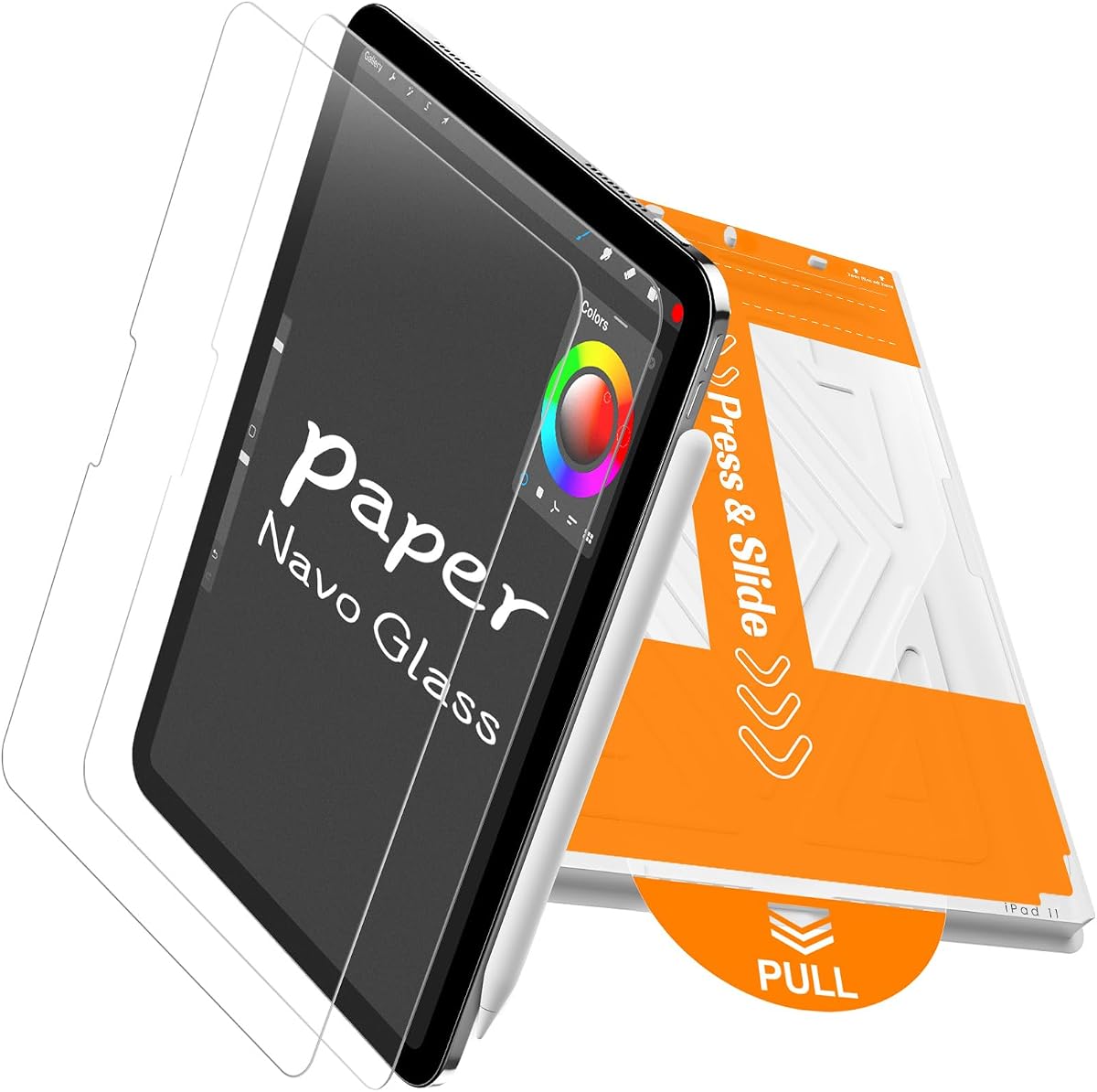
This KCT glass protector combines paper texture with tempered durability. With a 4.3 rating, it transforms your screen into paper using a micro-textured matte film. It offers the click-free feel needed for note-taking and sketching.
We may earn a commission when you buy through this link, at no additional cost to you.
The Press&Pull tab system eliminates alignment hassles. It self-aligns and adheres automatically to prevent bubbles. The shatterproof design means if cracked, it holds together to prevent sharp shards from scattering on your device.
While offering better protection than film, it may be slightly thicker. However, the precision engineering ensures a zero-compromise fit for A16 models. The anti-glare coating is perfect for professionals working outdoors or in bright offices.
Users needing drop protection alongside paper texture should choose this model. It balances creative utility with physical safety for your iPad screen effectively.
Built to withstand significant impact and absorb drops with shatterproof design.
Press and pull tab system ensures a perfectly smooth finish on first try.
We may earn a commission when you buy through this link, at no additional cost to you.
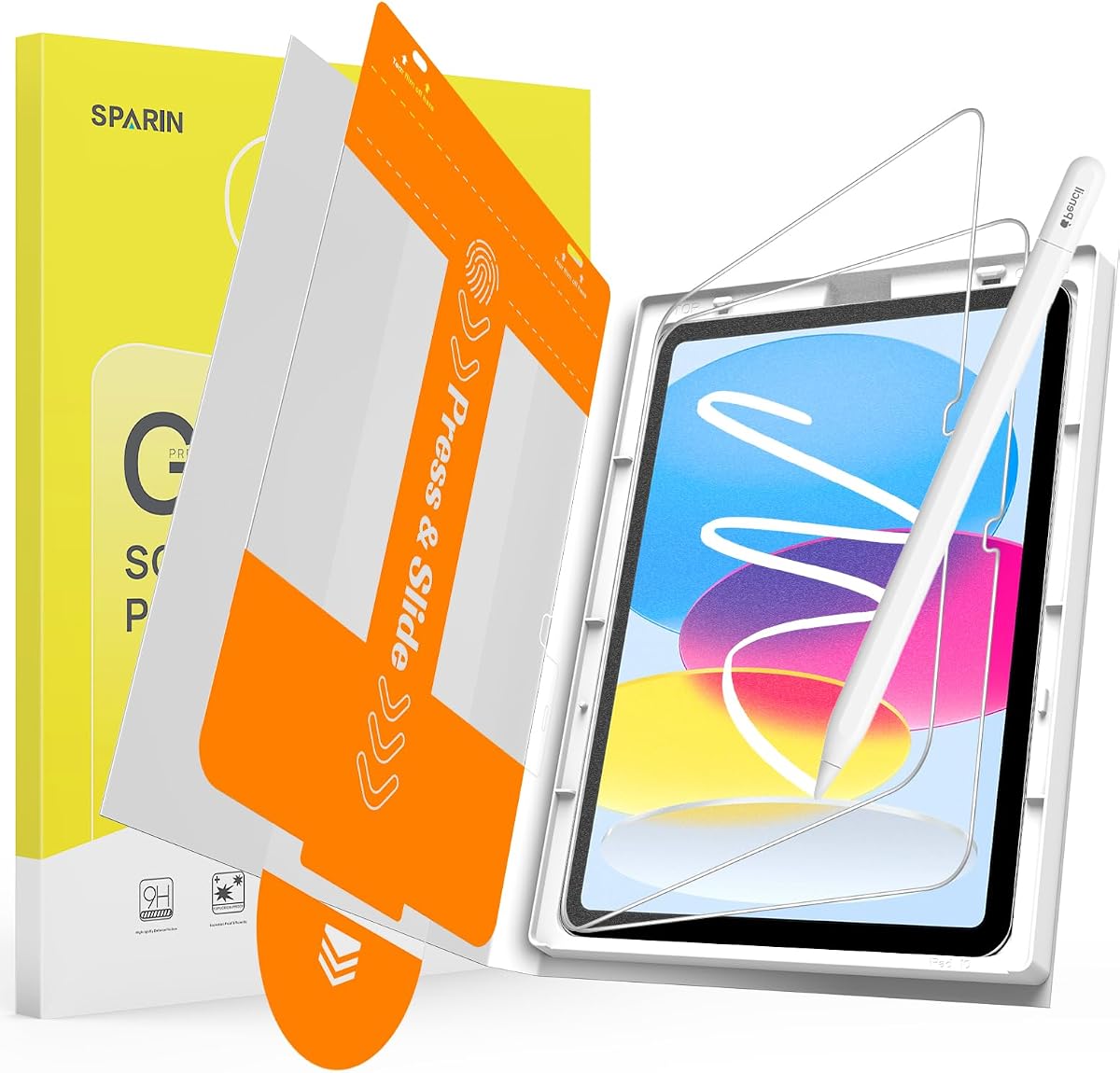
SPARIN offers a 2-in-1 matte screen protector that bonds a textured surface to tempered glass. With a 4.5 rating, it provides a natural paper friction for Apple Pencil while keeping real glass protection underneath.
We may earn a commission when you buy through this link, at no additional cost to you.
The alignment tray ensures the protector sets in place evenly. The pull tab lays it down to keep dust out. This results in no bubbles or crooked edges during installation, making it beginner friendly.
While the texture softens screen detail slightly, the trade-off is acceptable for glare reduction. The oleophobic coating resists smudges effectively. Users should note this is specific to A16 and 10th Gen models only.
Creative professionals needing durable yet natural writing feel will value this hybrid. It allows long-term use without frequent tip replacements or screen protection failures.
Writes like paper and protects like glass for durable creative experience.
Alignment tray and pull tab lay down protector evenly without bubbles.
We may earn a commission when you buy through this link, at no additional cost to you.
This magnetic protector offers a unique detachable approach. With a 4.5 rating, it uses upgraded nano suction cups to attach securely to the edge. You can easily remove it to enjoy original screen color charm.
We may earn a commission when you buy through this link, at no additional cost to you.
The 3H hard coating prevents surface scratches while allowing smooth writing. It minimizes glare effectively with an anti-glare layer. Since it is thin at 0.25mm, it maintains responsive touch input.
Note that it can be used over a tempered glass protector for double protection. However, being magnetic, it might not adhere as tightly as full adhesive film. Ensure it aligns correctly to avoid edges lifting.
Users wanting flexibility between creative paper feel and pristine screen view will appreciate this. It offers a versatile solution for varied daily tasks and preferences.
Use nano suction cups to securely attach and remove easily for color views.
Compatible with tempered glass screen protector for double protection.
We may earn a commission when you buy through this link, at no additional cost to you.
XIRON provides a straightforward 2-pack solution for iPad A16 users. With a 4.4 rating, this paper-feeling protector offers smooth writing with added friction for comfortable sketching. It is designed for note-taking and drawing.
We may earn a commission when you buy through this link, at no additional cost to you.
The anti-glare surface reduces distracting reflections from surrounding light. This makes viewing clearer and more comfortable while you work. The ultra-thin design keeps touch sensitivity high on your device.
Installation is simple and bubble-free without extra alignment trays. However, the scratch resistance is basic compared to glass. It serves well as a daily wear layer for artists prioritizing feel over heavy protection.
Students needing an affordable option for daily note-taking will find this useful. It delivers a consistent paper-like texture that enhances creativity without extra cost.
Provides a smooth natural writing experience with added friction.
Reduces distracting reflections and glare from surrounding light sources.
We may earn a commission when you buy through this link, at no additional cost to you.
PandaShield combines innovation with warranty support. With a 4.3 rating, this protector restores natural texture and writing resistance using surface treatment technology. It uses 9H hardness tempered glass for military-grade impact protection.
We may earn a commission when you buy through this link, at no additional cost to you.
The self-contained application tray ensures easy installation without experience. If it cracks or peels, the 365-day warranty offers free replacement immediately. This makes long-term use stress-free for users.
The oleophobic coating effectively prevents fingerprints and smudges. While it offers more protection than film, the thickness may be slightly higher. But the assurance of support justifies the purchase for reliability seekers.
Users seeking peace of mind with their creative tool should consider this. The combination of physical durability and warranty coverage makes it a solid protective choice.
9H hardness military-grade tempered glass provides full-dimensional protection.
365-Day Worry-Free Warranty includes free replacement if it cracks.
We may earn a commission when you buy through this link, at no additional cost to you.
Selecting the right paper screen protector involves balancing texture feel, durability, and price. This guide outlines key factors to help you make an informed decision.
Paper protectors typically use either PET film or tempered glass. PET films are ultra-thin and lightweight, offering a softer feel, while glass options provide superior impact resistance. Consider your daily usage habits.
Choose PET for pure texture and glass for durability. Your choice depends on whether feel or protection is your priority.
The friction level determines how natural your drawing feels. High-quality protectors mimic real paper with micro-grit surfaces. Look for terms like paperfeel or nanodots in product descriptions to ensure authenticity.
Prioritize high friction for sketching. Test samples if possible to gauge personal preference before buying.
Thickness affects both sensitivity and Pencil tip wear. Ultra-thin designs below 0.17mm are best for maintaining responsiveness. Heavier options may dampen input slightly but offer better scratch resistance.
Select thinner models for precision work. Thicker models suit heavy daily wear.
Anti-glare coatings reduce reflections and improve outdoor visibility. A good matte finish diffuses light effectively. This is essential if you work near windows or in bright offices.
Ensure the coating balances glare reduction with clarity. Too much diffusion can make colors look dull.
A good kit simplifies installation. Look for tools like alignment trays or self-adhesive tabs. These minimize bubbles and dust during the process, ensuring a clean result.
Invest in models with comprehensive kits. Proper installation extends the protector's lifespan.
Durability varies between film and glass. Glass options typically withstand drops better. However, film options wear more gently on Pencil tips over time.
Consider what you protect more. The screen or the Pencil tips based on your habits.
Prices range significantly based on brand and material. Budget options offer good value, while premium models often have better texture engineering. Compare features to find the best balance.
Set a budget that matches your usage intensity. Frequent users may justify higher cost.
Some brands include warranties for replacement if the protector fails. This adds peace of mind against defects or accidental damage. Check terms for coverage details.
Look for warranties that cover installation errors. This ensures long-term satisfaction.
Before installing, ensure your hands and screen are clean. Dust particles can cause bubbles under the protector, so wipe thoroughly with the included cloth. Align carefully before removing the backing.
After installation, use the squeegee card to smooth out any trapped air. If you notice bubbles later, gently lift the edge and reapply. This keeps the surface clear and flat.
To maintain longevity, clean the protector regularly with a soft cloth. Avoid harsh chemicals or abrasive materials that could degrade the matte texture. Proper care keeps it responsive for drawing.
Most high-quality protectors maintain sensitivity due to ultra-thin designs. PET films are generally thinner than glass and offer instant response. Look for models explicitly stating they preserve touch accuracy.
Peel the edge gently from one corner to avoid cracking your screen. Use a plastic card or fingernail to lift. If adhesive is strong, apply a little heat with a hair dryer to loosen it safely.
Paper feel protectors are designed to be gentle on tips. However, textured surfaces may cause faster wear than smooth glass. Regular tip checks are recommended to replace them before wear affects performance.
Yes, most paper protectors work with Smart Covers. Ensure your protector is thin enough to not interfere with magnetic wake features. Check product compatibility lists for confirmation.
Durability varies, but generally, 6 to 12 months is typical with regular use. Heavy artists may need replacements sooner. Protecting your hands and screen with cleaning keeps it effective longer.
Most modern paper protectors do not interfere with True Tone. Ensure the model explicitly states it is compatible with True Tone settings. Test after installation to verify color accuracy.
We reviewed ten top options ranging from budget to premium, highlighting OMOTON as our Editor's Choice and bersem as the Best Budget pick. Each offers unique advantages for creative workflows on the iPad A16.
Prioritize texture fidelity and installation ease based on your needs. If you draw frequently, focus on surface quality. If protection matters more, look for tempered glass hybrid models.
Always verify current prices and availability before buying. These lists update periodically, so checking Amazon ensures you get the latest deals. Happy creating with your enhanced iPad experience.