
Lightning to HDMI Adapter for iPhone to TV
4.4Editor score
Affordable Price Point
Plug and Play Setup
Wide Device Support
This guide compares the top 10 HDMI Lightning Adapter for iPhone models to help you choose the best screen mirroring solution for your Apple device needs.
Finding the right HDMI Lightning Adapter for iPhone can transform your small screen into a large display experience. Whether you are presenting at work or streaming movies at home, the right adapter ensures crisp video and stable connections without frustrating lag or compatibility issues.
We analyzed ten top-rated adapters based on user feedback, compatibility lists, and feature sets. Our comparison focuses on MFi certification, video resolution support, charging port availability, and overall build quality to ensure you select a reliable device for your specific iPhone model.
Each pick highlights key strengths and potential limitations to help you decide quickly. Note that prices fluctuate frequently on Amazon, so verify current listings before purchasing. Our goal is to provide clear, honest insights so you can mirror your screen with confidence.
4.4Editor score

4.2Editor score
4.6Editor score
This side-by-side comparison table details the specifications and features of the ten leading HDMI Lightning Adapter for iPhone models currently available. Review the image, direct link, and key specs for each option to find the perfect match for your setup.






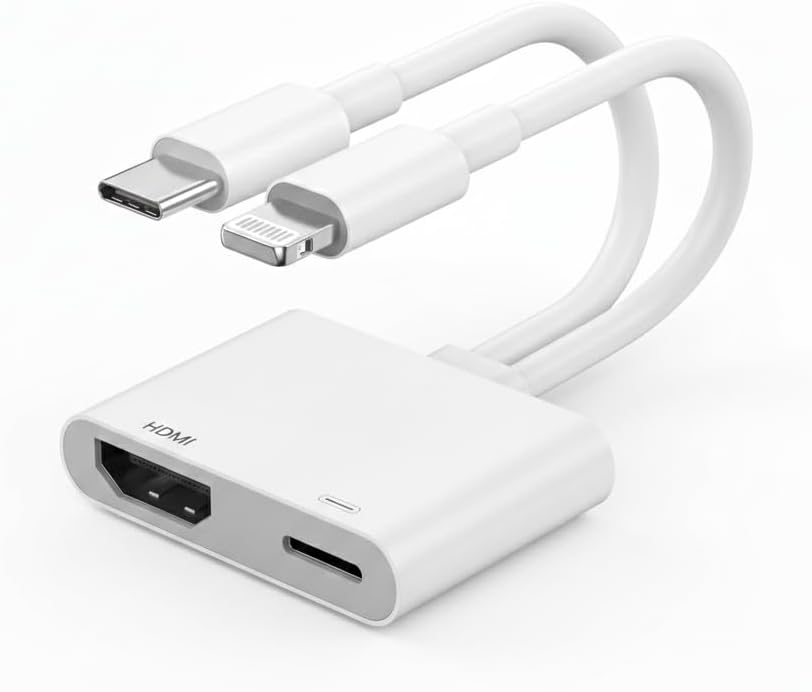
This adapter stands out as a top choice for iPhone users needing reliable screen mirroring at a reasonable cost. With a rating of 4.2 stars, it delivers clear 1080p visuals and supports a wide range of iOS apps and devices without requiring complex setup steps.
We may earn a commission when you buy through this link, at no additional cost to you.
The included charging port ensures your iPhone stays powered during long presentations or movie sessions. MFi certification guarantees compatibility across iPhone 14 down to older models, making it a versatile solution for both personal entertainment and business presentations.
While it does not support HDCP-protected apps like Netflix, it handles YouTube and local videos perfectly. Users should note that an external HDMI cable is required for the connection, which is standard for this type of adapter.
Ideal for students, presenters, and home theater enthusiasts on a budget, this adapter offers excellent performance for the price. It is a solid pick if you want quality mirroring without overspending on premium branding or unnecessary features.
Plug in the adapter and select trust on your iPhone to start mirroring within seconds.
Use the Lightning port to charge your device while displaying content on the big screen.
We may earn a commission when you buy through this link, at no additional cost to you.
This MFi-certified adapter provides stable mirroring for presentations and media. It supports a wide range of iOS versions and works well with common apps like YouTube and Hulu Plus for seamless viewing on large displays.
We may earn a commission when you buy through this link, at no additional cost to you.
The charging port adds convenience by allowing simultaneous power input while mirroring. Its compact design makes it easy to carry in a bag for travel or office use without adding bulk to your tech kit.
Keep in mind that apps with strict DRM protection such as Netflix will not play through this adapter. This limitation applies to most third-party HDMI adapters due to Apple policy and not just this specific brand.
For business users and travelers needing reliable connections, this adapter is a strong contender. The plug-and-play simplicity saves time and reduces frustration during critical presentations or casual watching sessions.
Connect to projectors or monitors instantly for professional meetings and classroom lessons.
Small enough to fit in a pocket, perfect for hotel rooms and remote work setups.
We may earn a commission when you buy through this link, at no additional cost to you.
KikoSaka offers a straightforward solution for syncing iPhone screens to HDMI displays. The MFi certification ensures stable video output without frequent disconnections or signal loss during use.
We may earn a commission when you buy through this link, at no additional cost to you.
Support extends across almost all Lightning-equipped iOS devices and versions. This broad compatibility makes it a safe choice if you plan to share the adapter among multiple users or devices over time.
It handles local videos and web-based media well, though streaming services with DRM restrictions will not function. Users should be aware of these limitations before purchasing for specific media consumption needs.
This model is ideal for users who want a simple, effective adapter without extra bells and whistles. It delivers on its core promise of reliable 1080p mirroring for everyday use cases.
No drivers or apps are required to establish a connection with your TV or projector.
Constructed to handle frequent plugging and unplugging without wear or signal degradation.
We may earn a commission when you buy through this link, at no additional cost to you.
This adapter stands out because it includes a built-in cable for more reach in home setups. The MFi chip ensures that video output remains stable and lag-free during gaming or video playback.
We may earn a commission when you buy through this link, at no additional cost to you.
Users appreciate the delay-free performance which is crucial for interactive tasks. The 6.6ft length allows placing the iPhone further from the TV without additional extension cables for convenience.
Like others, it does not bypass HDCP restrictions for certain streaming apps. It excels with local files and open platforms, making it great for photo slideshows and offline content consumption.
Choose this if you need a ready-to-use solution with a long cable. The reliable signal quality makes it a solid option for presentations where timing and smoothness are essential.
Eliminates the need for a separate HDMI cable connection in basic setups for ease.
Lag-free mirroring is perfect for gaming and interactive demonstrations on larger screens.
We may earn a commission when you buy through this link, at no additional cost to you.
As the official Apple product, this adapter guarantees maximum compatibility and stability. It delivers consistent 1080p video and audio output without the risks often associated with third-party alternatives or uncertified hardware.
We may earn a commission when you buy through this link, at no additional cost to you.
The build quality is premium with durable connectors that resist wear. However, it lacks a charging port, which means your iPhone battery may drain during extended mirroring sessions unless you manage power carefully.
This is the safest choice for business and enterprise environments where reliability is paramount. While the price is higher, the peace of mind and guaranteed support often justify the extra cost for many users.
Buy this if you want the gold standard for Apple connectivity. It is the best option for those who prioritize performance and dependability over budget-friendly alternatives or extra features.
Apple's official hardware ensures perfect synchronization with iOS features and updates.
Provides clear audio output alongside video, essential for movie viewing and calls.
We may earn a commission when you buy through this link, at no additional cost to you.
This adapter offers excellent value with a high rating of 4.4 and comprehensive support for the latest iOS versions. It includes a charging port and a five-year warranty that adds significant confidence for buyers seeking durability.
We may earn a commission when you buy through this link, at no additional cost to you.
The setup process is straightforward with plug-and-play functionality. It works well for presentations and casual media viewing on large screens, providing clear video without signal drops or interruptions during use.
Users must connect a USB power source for stable performance as noted in the instructions. This adds a small step but ensures consistent brightness and prevents battery drain during longer sessions.
For those seeking a budget-friendly option with modern compatibility, this is a top choice. The warranty and customer support make it stand out against other low-cost options that may offer less assistance.
A five-year warranty protects your investment and indicates manufacturer confidence in quality.
Supports iOS 17 and earlier, ensuring future readiness for software updates and devices.
We may earn a commission when you buy through this link, at no additional cost to you.
With over two thousand verified ratings, this adapter has proven its reliability across many users. It offers zero lag mirroring for slideshows and presentations making it a trusted choice for professionals and educators.
We may earn a commission when you buy through this link, at no additional cost to you.
The MFi certification ensures compatibility with all Lightning devices without needing drivers. It is ideal for hotel or conference setups where quick connections and stable signals are essential for success.
Note that this adapter does not support USB-C iPhones like the iPhone 15. Ensure your device uses the Lightning connector before purchasing to avoid compatibility issues with newer phone models.
Choose this if you want a proven solution with community validation. Its portability and simplicity make it excellent for frequent travelers and business users who need dependable tech on the go.
High volume of positive reviews indicates consistent performance and user satisfaction over time.
Plug into any hotel TV without passwords to instantly display your content or photos.
We may earn a commission when you buy through this link, at no additional cost to you.
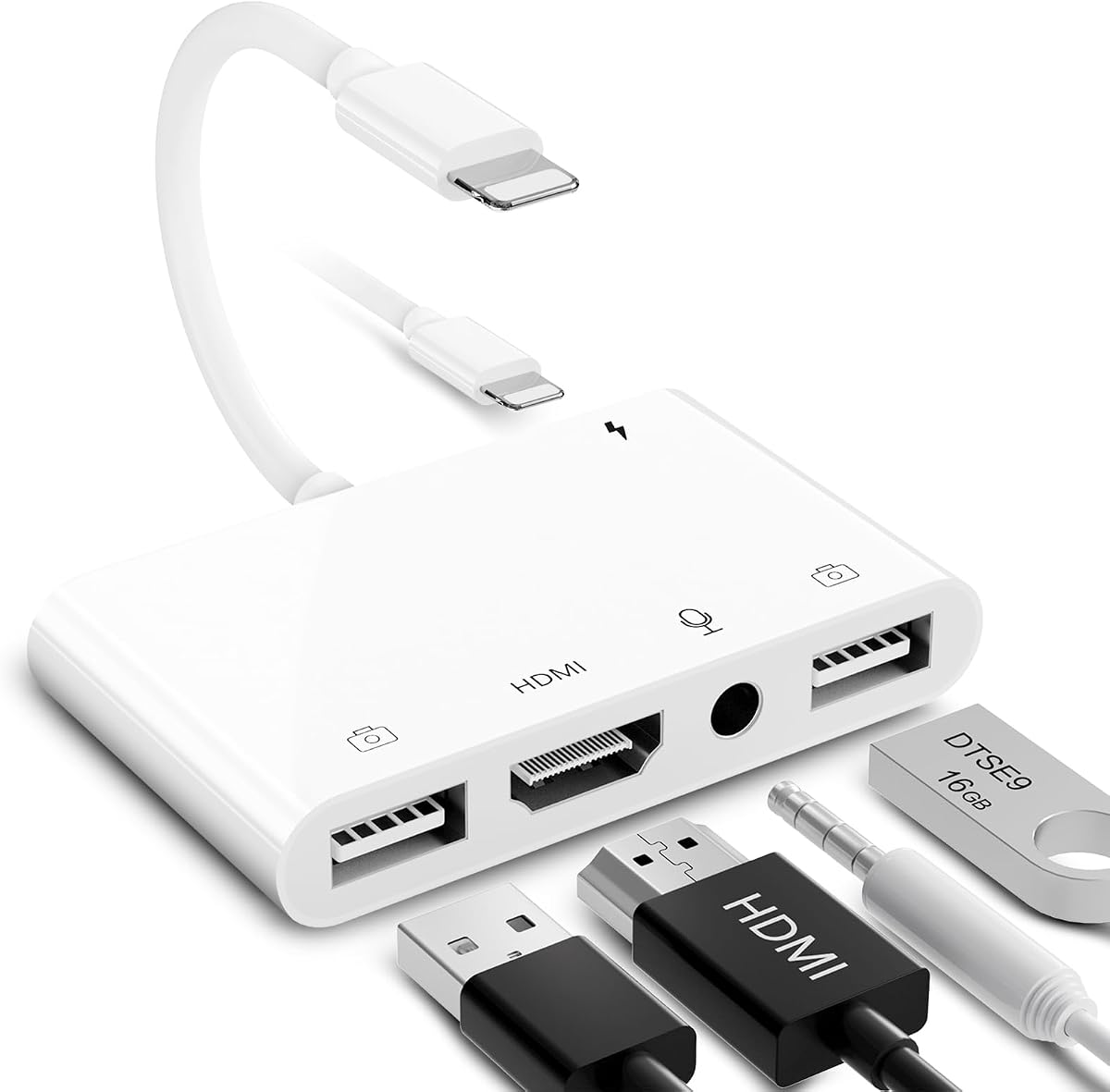
This 5-in-1 adapter expands your iPhone connectivity beyond just HDMI. It includes dual USB ports and a headphone jack making it useful for typing documents or adding external audio during presentations.
We may earn a commission when you buy through this link, at no additional cost to you.
The OTG support lets you plug in keyboards or flash drives directly for better productivity. This versatility makes it a powerful tool for mobile offices and creative workflows requiring multiple accessories.
While it does support a wide range of media apps, HDMI restrictions still apply to certain streaming services. The audio jack allows for private listening or connecting external speakers for better sound quality.
Consider this if you need more than just video mirroring. The added ports justify the higher cost for users who want a hub-like experience without carrying separate dongles for every function.
Connect a physical keyboard or mouse for easier text entry on your iOS device.
The 3.5mm jack allows private listening or external mic use for live streaming sessions.
We may earn a commission when you buy through this link, at no additional cost to you.
This adapter bridges the gap between Lightning and USB-C devices offering unmatched versatility. It supports 4K at 60Hz which is a significant upgrade for high-end displays and future iPhone models.
We may earn a commission when you buy through this link, at no additional cost to you.
The 100W power pass-through ensures fast charging while using the device. It works with MacBooks and Android phones too making it a universal tool for households with mixed device ecosystems.
While Lightning connections still face HDCP limits for streaming apps USB-C mode is more flexible. The robust build and long warranty period add to its premium appeal for tech enthusiasts.
Pick this if you plan to upgrade devices soon or already own multiple connector types. It is the most adaptable option available for those seeking high resolution and fast charging in one unit.
Experience sharper visuals at 60Hz for a smoother and more detailed viewing experience.
Supports up to 100W so it can charge tablets and laptops while connected to HDMI.
We may earn a commission when you buy through this link, at no additional cost to you.
This official Apple adapter delivers top-notch performance with a rating of 4.6 stars. It ensures seamless synchronization between your device and TV which is critical for professional settings and high-stakes presentations.
We may earn a commission when you buy through this link, at no additional cost to you.
The build is solid and the connectors fit snugly to prevent accidental disconnections. It handles audio and video equally well making it suitable for home entertainment as well as business use cases.
It requires an external HDMI cable and does not offer charging capabilities during use. However, the stability it provides often outweighs these minor inconveniences for users who value reliability above all else.
If you prefer original parts and want zero compatibility headaches this is the choice. It remains a benchmark for quality and will serve you well for years without technical surprises or issues.
Apple engineered to match device standards ensuring perfect timing and display accuracy.
Audio and video stay perfectly aligned during playback for a seamless viewing experience.
We may earn a commission when you buy through this link, at no additional cost to you.
Choosing the right adapter requires evaluating several factors beyond price. This guide outlines key considerations to help you find a device that meets your specific needs and performance expectations.
Always look for MFi (Made for iPhone) certification on the packaging or product details. This ensures the adapter has been approved by Apple and will not trigger compatibility warnings or connection drops during use.
MFi certification guarantees safe voltage levels and stable performance with your iOS device.
Most adapters support up to 1080p HD which is sufficient for most TVs and projectors. If you have a 4K display check if the adapter supports higher resolutions for sharper clarity.
Higher resolution support ensures your content looks crisp on larger modern screens.
Many adapters include a Lightning port for pass-through charging. This is essential for long meetings or movie nights so your iPhone does not run out of battery mid-session.
Always verify if the charging port is active while the HDMI port is in use.
Some units come with a built-in HDMI cable while others require a separate purchase. Consider the distance between your iPhone and TV to avoid needing extra extension cords.
A longer included cable provides more flexibility for room layouts and setup.
Be aware that apps with DRM protection like Netflix often do not work with HDMI adapters. This is an Apple policy restriction not a defect of the product you choose.
Test local videos or web browsers first to ensure the adapter meets your content needs.
Inspect the connector materials and cable thickness to ensure durability. Plastic connectors may break sooner than metal ones especially if you plug and unplug frequently.
Durable builds reduce the need for replacements and save money in the long run.
Check the manufacturer warranty period and support options before buying. Some brands offer one year while others provide up to five years of coverage for peace of mind.
A longer warranty indicates confidence in the product and protects your investment.
Ensure the adapter supports your specific iPhone model and iOS version. Newer adapters usually list compatibility down to older devices but verifying this prevents unexpected issues.
Confirm the list includes your phone model to guarantee seamless mirroring.
To start using your adapter simply connect the Lightning end to your iPhone and plug an HDMI cable into the adapter then connect the other HDMI end to your TV. Select the correct input source on your TV and wait for your iPhone to prompt you to trust the device.
If your screen does not mirror immediately check that the HDMI connection is secure and restart your iPhone. Ensure your TV is set to the correct HDMI input channel and that the adapter is properly seated in the phone port.
To care for your adapter wipe it with a dry cloth after use and avoid bending the cable sharply. Store it in a pouch or case to prevent dust accumulation and keep it away from moisture to extend its lifespan.
No most Lightning adapters will not work with iPhone 15 as it uses a USB-C port. You will need a specific USB-C to HDMI adapter for that model. Check your phone model before purchasing to ensure compatibility.
Netflix uses HDCP protection which blocks video output through many third-party HDMI adapters. This is an Apple policy not a product defect. It works on Apple's official adapter only in some regions.
Most adapters work without extra power for short sessions but using the included Lightning charging port is recommended for longer use. This keeps your iPhone from draining while mirroring to the big screen.
Yes these adapters are ideal for presentations with slides and videos. They support apps like PowerPoint and Keynote for seamless mirroring to projectors or conference room TVs.
Yes audio is transmitted along with video through the HDMI connection. You can connect external speakers or use your TV speakers to enjoy sound during your mirroring sessions.
The setup is very simple. Plug in the adapter and select trust on your phone. No apps or drivers are needed. It connects in seconds to your TV or projector.
We reviewed ten top adapters ranging from official Apple hardware to budget-friendly third-party options. The top picks balance performance compatibility and value to suit different needs and budgets.
Prioritize MFi certification and charging ports when choosing. These features ensure long-term reliability and keep your device powered during extended use.
Prices change often on Amazon so check the current listings before buying. Our guide helps you make an informed choice but real-time data ensures you get the best deal available.