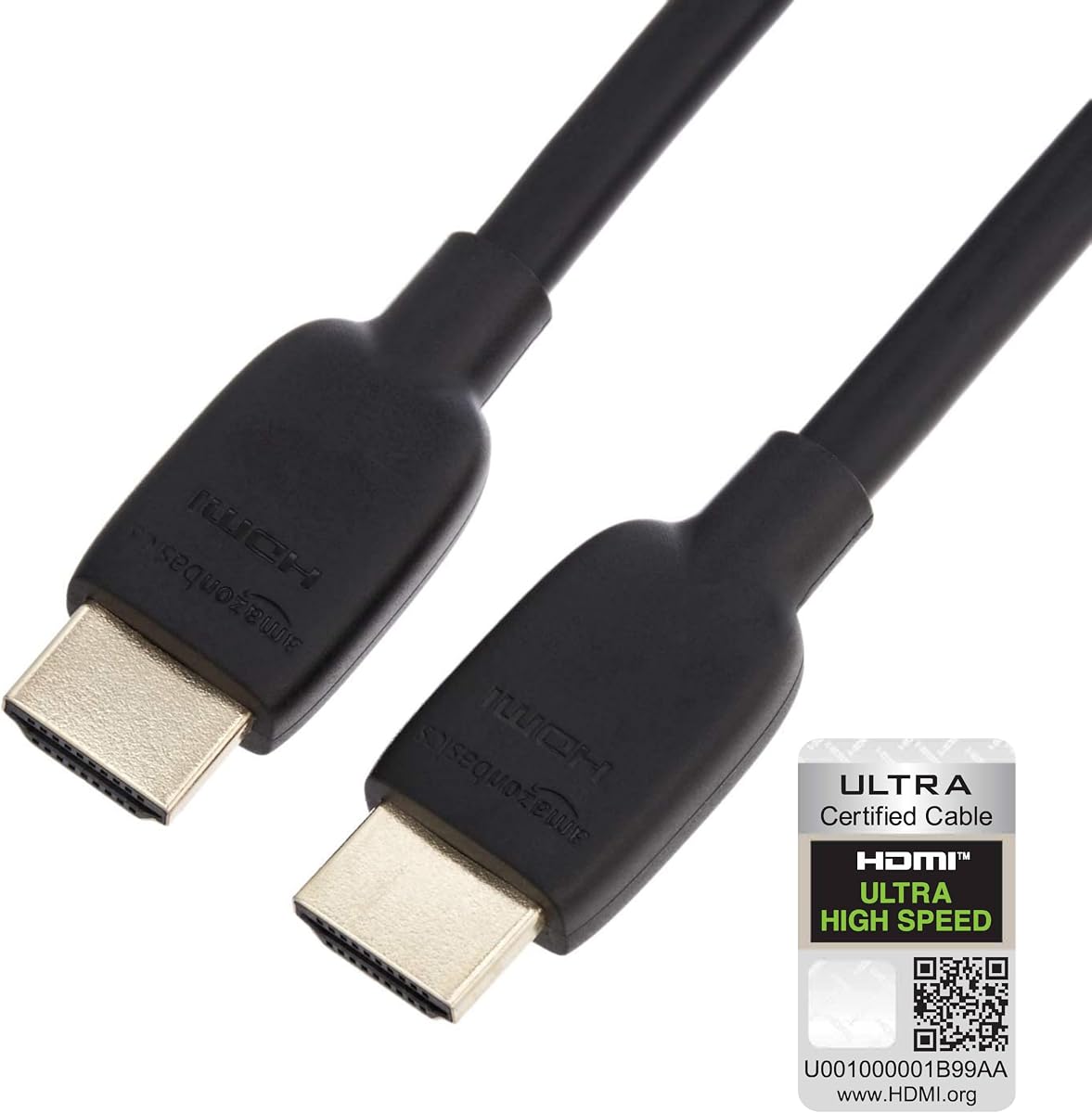
Amazon Basics HDMI 2.1 Cable
4.7Editor score
Affordable 48Gbps bandwidth
Gold-plated connectors
Plug and play design
This guide compares the best HDMI Cable for Dual Monitors for 2026, evaluating speed, durability, and compatibility to help you choose the right cable for your
Finding the right connection for your workspace is essential for productivity and visual clarity. A high-quality HDMI cable ensures that your dual monitor setup runs smoothly without flickering or signal loss. Whether you are gaming or working, the right cable makes a significant difference.
We have analyzed ten top-rated products to bring you a comprehensive list of the best options available today. Our evaluation focuses on bandwidth capabilities, build quality, and real-world performance across various devices. Each selection meets strict standards for reliability and speed.
Every pick in this guide showcases specific strengths tailored to different user needs and budgets. You will find options ranging from budget-friendly basics to premium certified cables. Please note that prices and availability change frequently, so verify current details before purchasing.
4.7Editor score

4.8Editor score

4.6Editor score
This table provides a side-by-side overview of all ten selected cables to help you quickly compare their key specifications and features before making a decision.



This UGREEN HDMI 2.1 cable stands out as a top choice for users seeking reliable performance across dual monitors. It holds a high rating due to its certified 48Gbps bandwidth which ensures smooth signal transmission without dropouts.
We may earn a commission when you buy through this link, at no additional cost to you.
The cable supports 8K resolution at 60Hz and 4K at 240Hz making it ideal for high-end gaming and media consumption. Features like Dynamic HDR and eARC enhance both visual clarity and audio quality significantly.
While it is built to last with an aluminum alloy case and nylon braiding it may be slightly less flexible than thinner alternatives. However the durability ensures it withstands frequent plugging and unplugging over time.
This cable is perfect for gamers and professionals who need consistent high-speed connections. It delivers the performance required for modern displays and is worth the investment for a stable setup.
The certification ensures the cable meets strict industry standards for data transfer rates guaranteeing full 8K and 4K performance.
Dynamic HDR and eARC support provide richer colors and lossless audio making movies and games more engaging on dual screens.
We may earn a commission when you buy through this link, at no additional cost to you.
The Highwings 2-pack is designed specifically for users who need two high-speed cables at once. It offers certified 48Gbps speed and supports resolutions up to 8K ensuring both monitors display crisp images.
We may earn a commission when you buy through this link, at no additional cost to you.
Its upgraded HDMI 2.1 technology eliminates stuck frames and improves transmission speed compared to older models. The nylon material and aluminum shell add durability for long-term use in demanding environments.
While the design is robust the cables can be a bit stiff which might make routing behind desks harder. Despite this the value of getting two certified cables makes it a strong choice.
This option is excellent for home offices or gaming stations requiring dual displays. The combination of speed durability and quantity makes it a practical choice for most users.
Buying a 2-pack saves time and money when setting up two screens simultaneously with matched performance capabilities.
Variable refresh rate support maximizes graphics card value reducing tearing and lag for smoother gameplay across both monitors.
We may earn a commission when you buy through this link, at no additional cost to you.
Silkland offers a certified solution that stands out with a QR code verification system ensuring genuine HDMI 2.1 performance. It supports high refresh rates like 120Hz and 144Hz which are crucial for competitive gaming.
We may earn a commission when you buy through this link, at no additional cost to you.
The E-Braid technology provides unique durability that protects against wear and tear during regular use. It also ensures clean signals with copper cores and ferrite beads to prevent flickering or black screens.
Verification requires scanning a QR code which might be slightly inconvenient for some users but adds trust to the product claims. The build quality justifies the cost for those prioritizing reliability.
This cable is ideal for gamers using PS5 Xbox or high-end PCs. Its combination of verified specs and robust build makes it a reliable choice for demanding visual tasks.
The QR code scan ensures you are getting a genuine certified cable reducing risks of performance issues or signal dropouts.
Supporting up to 10K and 8K future-proofs your setup for upcoming monitors and displays with ultra-high definition.
We may earn a commission when you buy through this link, at no additional cost to you.
This Acer cable is tailored for users connecting consoles and PCs to high-resolution displays. It supports 48Gbps speeds which are essential for 8K and 4K 240Hz output.
We may earn a commission when you buy through this link, at no additional cost to you.
The inclusion of VRR helps reduce screen tearing making gameplay smoother for PS5 and Xbox Series X users. Its backward compatibility ensures it works with older devices seamlessly as well.
While it lacks a prominent certification mark the performance data suggests reliable transmission rates. The braided design helps protect the internal wiring from damage during daily use.
It is a great choice for mixed media and gaming setups where reliability is key. The price point makes it accessible for budget-conscious buyers needing high-speed performance.
Support for PS5 and Xbox ensures you get the full performance of next-gen consoles without bandwidth bottlenecks.
Dolby Vision and Atmos support provide cinematic quality on compatible displays enhancing the multimedia experience significantly.
We may earn a commission when you buy through this link, at no additional cost to you.
Belkin is known for quality and this cable delivers with premium shielding and high-speed data transfer. It supports Dolby Vision and high resolutions making it a safe choice for home theaters.
We may earn a commission when you buy through this link, at no additional cost to you.
The dual-layer shielding protects against interference ensuring a clean signal even in environments with many electronic devices. Its design focuses on durability and consistent performance over time.
While it comes at a higher price point the reliability and brand trust are valuable factors. It may lack specific gaming features like VRR but excels in general multimedia usage.
This is perfect for users who prioritize build quality and brand reputation. It offers peace of mind for professional setups where downtime is not an option.
Dual-layer shielding minimizes damage to internal wiring providing long-lasting durability in challenging environments.
Dolby Vision support ensures vibrant colors and contrast enhancing the viewing experience on high-end displays.
We may earn a commission when you buy through this link, at no additional cost to you.
This UGREEN cable stands out because it supports Ethernet data transfer allowing multiple HDMI devices to exchange files easily. It offers certified 8K performance with high bandwidth for clear visuals.
We may earn a commission when you buy through this link, at no additional cost to you.
The enhanced durability features including nickel-plated connectors help prevent corrosion and extend the cable life significantly. It is tested to withstand frequent bending which is ideal for dynamic setups.
While the Ethernet function is useful only if your devices support it the core video performance is robust. The build quality ensures reliable connections even with heavy daily use.
It is recommended for office or home setups needing extra connectivity options. The reliability and speed make it a strong competitor in the premium segment.
This unique feature allows for file sharing over HDMI enabling more flexible device connections in complex networks.
Nickel plating resists oxidation ensuring that connection points remain clean and conductive over years of use.
We may earn a commission when you buy through this link, at no additional cost to you.
Amazon Basics provides a reliable affordable option for those who need certified HDMI 2.1 performance without extra cost. It supports high-speed transmission and is designed for straightforward usage.
We may earn a commission when you buy through this link, at no additional cost to you.
The flexible PVC cable makes it easy to route through tight spaces behind desks without creating tension. Gold-plated connectors help resist corrosion ensuring a stable connection point.
The shorter length limits how far apart devices can be placed which may require additional management in larger setups. However for direct connections it offers excellent value for the money.
This cable is best suited for budget-conscious users with devices close together. It delivers the necessary speed for dual monitors while keeping costs low.
Get certified 8K speeds at a fraction of the cost of premium brands making high performance accessible to everyone.
Plug and play design removes the need for drivers or complex setup saving time and effort during installation.
We may earn a commission when you buy through this link, at no additional cost to you.
This cable offers a longer 10-foot length which is useful when devices are far from the display. It is CL3 rated allowing it to be used safely inside walls for clean installations.
We may earn a commission when you buy through this link, at no additional cost to you.
The braided nylon and gold connectors ensure durability and corrosion resistance over time. It supports 4K resolution which is sufficient for most standard dual monitor workstations and entertainment setups.
While it does not support 8K speeds the 18Gbps bandwidth is adequate for current 4K needs. The length makes it versatile for various room configurations and cable management needs.
It is ideal for users who need to run cables across rooms or through walls. The reliability and length provide practical benefits for home office setups.
CL3 rating ensures the cable can be run inside walls safely meeting fire codes for clean and hidden installations.
The 10-foot length allows flexible placement of PCs or consoles away from monitors without needing adapters.
We may earn a commission when you buy through this link, at no additional cost to you.
This adapter cable allows users with DisplayPort laptops to connect to HDMI monitors easily. It supports 4K resolution but is limited to 30Hz for that resolution which is sufficient for work.
We may earn a commission when you buy through this link, at no additional cost to you.
The uni-directional design means it only works from source to display preventing confusion about setup direction. Gold-plated connectors ensure a stable connection and resistance to corrosion over time.
While it does not support higher refresh rates at 4K it is effective for standard desktop use. The shielding ensures minimal interference for a stable video signal.
It is the best choice for professionals using laptops with DP outputs and HDMI monitors. It provides a reliable bridge between different connection standards effectively.
Designed to work only from computer to monitor reducing setup errors and ensuring signal integrity.
Foil and braid shielding protect against electromagnetic interference ensuring a clear and stable video output.
We may earn a commission when you buy through this link, at no additional cost to you.
This 2-pack solution is designed specifically for those connecting two DP-enabled computers to HDMI displays. It provides a cost-effective way to equip a dual monitor setup without buying cables individually.
We may earn a commission when you buy through this link, at no additional cost to you.
Each cable supports 4K resolution and offers reliable transmission for productivity and entertainment. The braided design adds strength ensuring they withstand daily wear and tear in an office environment.
While it is limited to older HDMI standards the performance is sufficient for most work applications. The pack ensures you have matching cables for both screens simplifying your setup.
It is ideal for home offices needing dual screens connected via DisplayPort. The value and consistency make it a practical choice for workstation setups.
Having two matching cables ensures consistent performance across both displays making setup simpler and more organized.
Braided nylon jackets protect the cables from damage ensuring long-term reliability in demanding work environments.
We may earn a commission when you buy through this link, at no additional cost to you.
Selecting the right cable involves considering bandwidth length and build quality to match your specific monitor and device requirements effectively.
Bandwidth determines how much data the cable can carry per second. For dual monitors especially if using high resolutions like 4K or 8K you need high bandwidth to prevent lag or dropouts.
Look for cables with 48Gbps bandwidth to ensure smooth performance across multiple displays without signal loss.
Different versions of HDMI support different features. HDMI 2.1 offers higher refresh rates and resolution support compared to older versions. Ensure the cable matches your devices capabilities.
Always check that the cable supports the version required by your monitors and graphics cards for optimal performance.
Length matters significantly for how your desk is organized. Longer cables allow you to place computers further away from monitors but can introduce more signal resistance.
Choose a length that reaches comfortably without excess slack to maintain signal integrity and reduce clutter.
Durability ensures the cable lasts longer under regular use. Braided nylon and reinforced connectors help prevent wear and tear from frequent plugging and bending.
Invest in cables with protective materials to avoid frequent replacements and maintain consistent performance over time.
Modern cables often support advanced audio formats like Dolby Atmos. This is important if you use soundbars or speakers connected through your monitor setup.
Ensure the cable supports ARC or eARC if you need audio return features for a complete multimedia experience.
Shielding protects the internal wires from electromagnetic interference. This is vital for maintaining a stable image especially in offices with many electronic devices.
Look for multi-layer shielding such as foil and braid to ensure consistent signal transmission.
The connector type must match your devices. Some setups might require DP to HDMI adapters while others use standard HDMI plugs. Verify compatibility before buying.
Gold-plated connectors are preferable as they resist corrosion and ensure a reliable electrical connection.
Certified cables have passed industry tests for performance. Using a certified cable reduces the risk of buying a fake or low-quality product that fails to meet speed claims.
Prioritize cables with official HDMI 2.1 certification for guaranteed quality and performance.
When setting up your dual monitors start by connecting one end of the cable to your computer and the other to the monitor. Ensure both ports are clean before insertion to avoid any physical damage or connection issues.
To maintain the cable avoid bending it sharply at the connectors. Store excess cable loosely in loops rather than tight knots to preserve the internal wiring and maintain signal integrity over time.
Regularly inspect the connectors for dust or debris. Gently wipe them with a dry cloth if needed and unplug carefully by holding the plug head rather than pulling on the wire itself.
HDMI 2.1 offers higher bandwidth up to 48Gbps compared to 18Gbps in 2.0. This allows for higher resolutions like 8K and faster refresh rates which are essential for modern gaming and displays.
You need cables that support the resolution and refresh rate of both monitors. For high-performance setups ensure the bandwidth is sufficient to drive two displays simultaneously without signal loss.
Yes modern cables support high-quality transmission over longer distances provided they are well-shielded. Active cables might be required for extreme lengths to ensure signal stability and clarity.
Braided cables are generally more durable and resistant to physical damage. They also often have better shielding which helps in maintaining a stable connection in environments with electronic interference.
Look for HDMI 2.1 certification and bandwidth specifications of at least 48Gbps. Product descriptions often explicitly state support for 8K resolution and 60Hz refresh rates.
eARC is an enhanced audio return channel that supports high-quality audio formats. It matters if you want lossless sound from your TV to soundbars or audio receivers connected via HDMI.
We have reviewed ten top options ranging from budget-friendly basics to premium certified choices. The UGREEN 8K and Highwings 2-pack offer excellent performance for most users needing reliability.
Prioritize bandwidth and durability when selecting a cable to ensure your dual monitor setup runs smoothly. Consider your specific needs like gaming or office work to find the best match.
Always check current prices and availability before purchasing to get the best deal. A high-quality cable is an investment that ensures your workspace remains efficient and visually stunning.