
VPFET HDMI Audio Extractor 4K
4.1Editor score
Extracts audio to optical and AUX
Supports 4K at 30Hz
Includes one year warranty
This comprehensive guide compares the top HDMI audio extractors available in October 2026 to help you find the perfect model for your home theater setup.
Finding the right HDMI audio extractor can transform your viewing experience by unlocking high-quality sound from modern displays. These devices separate audio from video signals, allowing you to connect external speakers or soundbars easily.
We evaluated ten leading models based on resolution support, audio format compatibility, and ease of setup. Each product was assessed for its ability to handle 4K and 8K content while delivering crisp audio output.
Every selection highlights key features and potential limitations to guide your decision. Please note that availability and pricing may fluctuate over time so verify current details before purchasing.
4.1Editor score

4.2Editor score

4.5Editor score
Below is a side-by-side comparison of the top ten HDMI audio extractors. Each entry lists critical specifications to help you identify the best fit for your specific hardware needs.




This extractor stands out for its future-proof design supporting 8K video and high bandwidth requirements. It receives an excellent rating for its ability to handle advanced formats like Dolby Atmos and DTS:X seamlessly.
We may earn a commission when you buy through this link, at no additional cost to you.
The device features HDMI 2.1 protocol support with 48Gbps bandwidth ensuring smooth video pass-through. It offers multiple audio output options including optical and analog stereo for versatile connectivity.
While it supports ARC it lacks eARC compatibility which limits lossless audio transfer from TVs. This trade-off is acceptable for users who prioritize resolution and bandwidth over return channel enhancements.
It is ideal for gamers and home theater enthusiasts using next-gen consoles or high-end displays. We recommend it for anyone needing robust performance with modern HDMI 2.1 equipment.
Supports video resolutions up to 8K at 60Hz ensuring compatibility with upcoming high-resolution displays.
Handles immersive audio formats like Dolby Atmos and DTS:X for a rich and dynamic sound experience.
We may earn a commission when you buy through this link, at no additional cost to you.
An affordable option that delivers essential extraction features without breaking the budget. It is rated well for its simplicity and reliability in basic setups using standard HDMI sources.
We may earn a commission when you buy through this link, at no additional cost to you.
This model supports 4K video at 30Hz and offers both optical and analog audio outputs for flexibility. It handles DTS 5.1 PCM signals making it suitable for surround sound systems.
It does not support ARC which means it cannot extract audio from a TV return channel. This limitation makes it best for use with standalone devices like Blu-ray players or gaming consoles.
Great for users on a tight budget who need basic audio separation. It is a practical choice for connecting older audio systems to modern HDMI devices.
Provides essential HDMI audio extraction features at a very accessible price point for casual users.
Offers both optical and 3.5mm outputs to connect a wide variety of speakers and receivers.
We may earn a commission when you buy through this link, at no additional cost to you.
This premium extractor is designed specifically for users needing eARC and ARC connectivity. It receives a high rating for its ability to deliver clean and detailed audio from smart TVs.
We may earn a commission when you buy through this link, at no additional cost to you.
It supports high sampling rates up to 192kHz ensuring precise audio reproduction for high-fidelity systems. It also includes signal indicators to help verify connection status and troubleshooting.
The device is limited to use with HDTV ARC or eARC ports so it cannot be used with other HDMI sources. Additionally it lacks an optical output which may restrict compatibility with some older audio systems.
Best for audiophiles wanting to extract high-quality sound directly from a TV. It is ideal for upgrading TV audio without replacing the entire sound system.
Supports sampling rates up to 192kHz for exceptional clarity and detail in audio playback.
Specifically designed to extract audio from TV ARC and eARC ports for external speaker use.
We may earn a commission when you buy through this link, at no additional cost to you.
This model offers balanced performance with support for ARC and CEC functions. It is well-regarded for handling 4K video at 60Hz while delivering reliable audio extraction.
We may earn a commission when you buy through this link, at no additional cost to you.
It supports multiple audio formats including Dolby Digital and DTS 5.1 downmix to stereo. The device also supports HDR and wide color gamuts for vibrant video output.
It does not support eARC so users may lose some advanced audio features like lossless streaming. Additionally volume control from the TV remote may not work with this device.
Suitable for general home theater use with modern 4K TVs. It is a solid choice for users needing ARC without requiring the highest-end eARC features.
Allows audio return from TV and basic device control via CEC protocol for convenience.
Ensures video quality is maintained with support for HDR and wide color depth standards.
We may earn a commission when you buy through this link, at no additional cost to you.
Designed for performance-oriented users needing high refresh rates and advanced audio formats. It is well rated for its ability to handle 4K content and surround sound simultaneously.
We may earn a commission when you buy through this link, at no additional cost to you.
It supports HDMI 2.0b and HDCP 2.2 ensuring compatibility with most modern consoles and players. The device supports immersive formats like Dolby Atmos for an engaging experience.
It does not support ARC which limits its use with TV audio output. Additionally the analog output only supports stereo PCM which reduces flexibility for multichannel audio.
Perfect for gamers needing reliable audio extraction from consoles. It ensures high video quality and surround sound for immersive gaming sessions.
Handles 4K video at 60Hz ensuring smooth playback for fast-paced content like gaming.
Supports Dolby Atmos and DTS:X for spatial audio that enhances immersion in games and movies.
We may earn a commission when you buy through this link, at no additional cost to you.
This extractor is optimized for PC and gaming setups requiring high refresh rate support. It is appreciated for its flexibility in handling various video formats and resolutions.
We may earn a commission when you buy through this link, at no additional cost to you.
It supports HDMI 2.0 and HDCP 2.2 making it compatible with a wide range of devices. The device also supports HDR10 for better image quality on compatible displays.
Analog output requires PCM audio input which may limit use with non-PCM sources. Additionally it does not support eARC limiting its utility for TV audio extraction.
Ideal for PC gamers and workstation users needing flexible audio extraction. It supports high refresh rates for smooth visual and audio experiences.
Works seamlessly with computers and laptops for extracting audio from HDMI outputs.
Ensures HDR10 content is passed through for better visual quality on supported displays.
We may earn a commission when you buy through this link, at no additional cost to you.
This extractor is built specifically for TV users needing eARC support. It is rated well for its ability to connect modern TVs to older audio systems easily.
We may earn a commission when you buy through this link, at no additional cost to you.
It supports high sampling rates up to 192kHz ensuring high-quality audio reproduction. The device also offers optical and coaxial outputs for broader speaker compatibility.
It does not support CEC which limits device control capabilities. Additionally it is only compatible with TV eARC ports not general HDMI sources.
Best for users needing to connect a modern TV to older soundbars. It offers a straightforward solution for upgrading audio without new equipment.
Designed specifically to work with TV eARC ports for seamless audio return.
Offers both optical and coaxial outputs to connect a wide range of audio devices.
We may earn a commission when you buy through this link, at no additional cost to you.
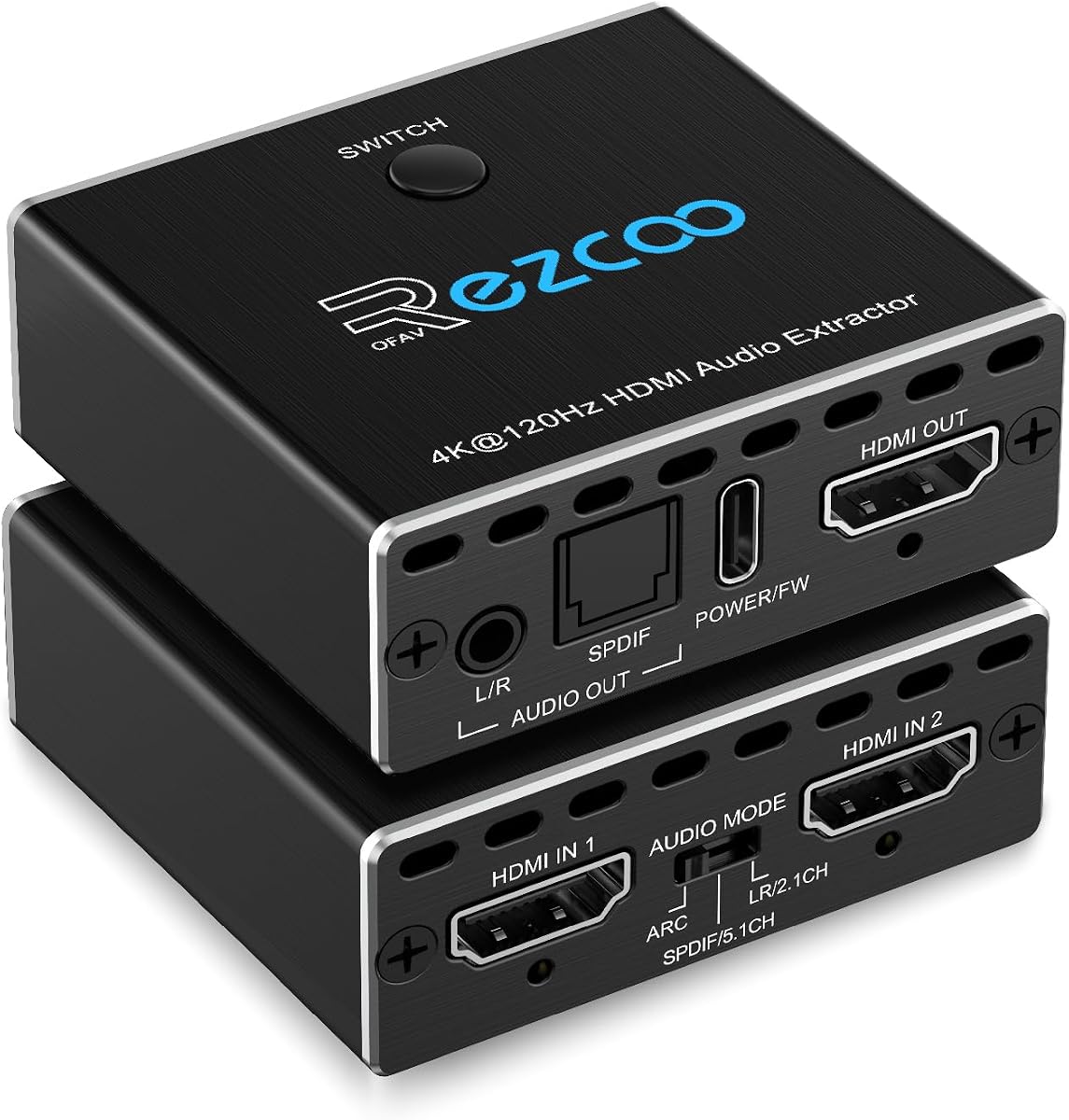
This unique switch extractor allows switching between two HDMI sources easily. It is well rated for its combination of video switching and audio extraction capabilities.
We may earn a commission when you buy through this link, at no additional cost to you.
It supports up to 8K video at 60Hz and 4K at 120Hz for high-quality visuals. The device also supports 7.1 channel audio over HDMI output for immersive sound.
It is not bi-directional so it cannot accept inputs from displays. Additionally requires an HDMI 2.1 cable for full performance which may need purchasing separately.
Ideal for gamers with multiple consoles needing one display and audio setup. It simplifies switching between devices while maintaining high audio and video quality.
Allows easy switching between two HDMI sources like consoles or PCs without changing cables.
Supports 8K and 4K high refresh rates ensuring smooth playback for demanding content.
We may earn a commission when you buy through this link, at no additional cost to you.
This versatile extractor offers multiple operating modes to suit different audio needs. It is well-rated for its support of 8K video and advanced audio formats.
We may earn a commission when you buy through this link, at no additional cost to you.
It features triple operating modes for pass-through and stereo output. The device also supports high refresh rates ensuring smooth playback for gaming and movies.
Selecting the correct mode may require technical knowledge which could confuse some users. Additionally it requires external power for stable operation.
Best for advanced users needing flexible audio modes and high video resolution. It ensures compatibility with a wide range of modern devices and displays.
Offers pass-through and stereo downmix modes to adapt to different audio system setups.
Supports 4K at 120Hz and 8K at 60Hz for smooth and detailed video playback.
We may earn a commission when you buy through this link, at no additional cost to you.
This compact extractor is designed for portability and simple setups. It is rated well for its ease of use and small footprint making it ideal for travel.
We may earn a commission when you buy through this link, at no additional cost to you.
It supports 4K video at 30Hz and 3D imaging for basic entertainment needs. The device offers analog R/L audio output for standard speakers and headphones.
It lacks optical output which limits compatibility with digital audio systems. Additionally resolution support is limited to 4K at 30Hz making it less suitable for high-refresh needs.
Best for basic audio extraction needs where space and simplicity are priorities. It is a practical choice for connecting basic devices to external audio.
Small and lightweight for easy transport and minimal space usage on desks or shelves.
Supports standard resolutions and 3D imaging for common entertainment devices like consoles and PCs.
We may earn a commission when you buy through this link, at no additional cost to you.
Selecting the right HDMI audio extractor requires understanding your device's capabilities and audio needs.
Ensure the extractor supports the resolution you need such as 4K at 60Hz or 8K. Higher resolutions require HDMI 2.1 protocols and greater bandwidth.
Check device specifications to match your display and source requirements.
Decide between optical or analog outputs based on your audio system. Optical is best for digital surround sound while analog suits stereo systems.
Choose a model that offers the outputs your speakers or receiver require.
ARC allows audio return from TVs which is useful for smart TV apps. eARC provides higher bandwidth for lossless audio formats.
Verify support if you plan to extract audio from your television directly.
Higher bandwidth ensures smooth video and audio transmission without dropouts. HDMI 2.0 requires 18Gbps while HDMI 2.1 needs up to 48Gbps.
Confirm bandwidth capabilities to avoid compatibility issues with 4K or 8K content.
HDR support ensures your video quality is preserved during extraction. Look for support for HDR10 HDR10+ and Dolby Vision.
This is critical if you want to maintain vivid colors and contrast.
Check which audio formats are supported such as Dolby Digital DTS or PCM. Some units support surround sound while others only support stereo.
Select a model that matches your audio system's decoding capabilities.
Look for HDMI inputs and outputs that fit your setup. Some units offer multiple inputs while others are single source.
Ensure the device has enough ports for your specific configuration.
Some extractors require external power adapters while others work via HDMI. Power needs vary by feature set and resolution support.
Confirm power requirements to avoid installation issues.
Connect the HDMI input cable from your source device such as a Blu-ray player or console to the extractor. Then connect the HDMI output cable to your display or TV.
Plug the audio cable into the optical or analog output and connect to your speakers or receiver. Ensure the TV or source device is set to output audio via HDMI.
For longevity avoid excessive bending of cables and keep the unit in a well-ventilated area. If issues arise restart connected devices and check HDMI compatibility settings.
Yes most extractors support 4K at 30Hz or 60Hz depending on the model. Ensure HDMI 2.0 or 2.1 compatibility for full 4K performance.
Reputable extractors maintain video quality when compatible. Losses occur only if the device does not support your resolution or color format.
If your TV has ARC or eARC you can use an extractor to send audio to external speakers. Verify ARC support on your TV and extractor.
Optical sends digital signals for surround sound while analog sends stereo via RCA or 3.5mm. Choose based on your receiver's input options.
Many support 5.1 surround but 7.1 depends on the model. Check specs for multi-channel support if you need full surround sound.
Some units work via HDMI while others require USB or AC power. Higher bandwidth models often need external power to stabilize signals.
We reviewed ten extractors offering solutions for every budget and setup. Top picks include the OREI 8K model for performance and the VPFET 4K for value.
Prioritize resolution support and audio format compatibility when making your choice. Ensure the unit matches your display and speaker system capabilities.
Remember to verify current availability and specifications before purchasing. Prices and features may vary over time so check details to ensure a perfect fit.