
sata Power Splitter Cable 6 Way
4.7Editor score
Splits one connector to six
Compatible with HDD and SSD
Durable high-quality materials
This guide compares the top hard drive power cables for reliability and compatibility. We review split, extension, and adapter options for SSD and HDD setups.
Choosing the right hard drive power cable ensures your storage devices run smoothly without interruptions. A quality cable delivers stable voltage to prevent data loss or hardware damage during operation.
We evaluated ten top-rated products based on build quality, connector fit, and compatibility with modern and legacy power supplies. Each entry was selected for its ability to support multiple drives effectively.
Every pick highlights specific strengths like length, durability, or splitter capacity. Prices and availability change often so verify details before purchasing to ensure the best fit for your system build.
4.7Editor score

4.8Editor score

4.7Editor score
Below is a side-by-side comparison of all ten selected hard drive power cables. Each entry lists key specifications to help you choose the best fit for your specific build needs.


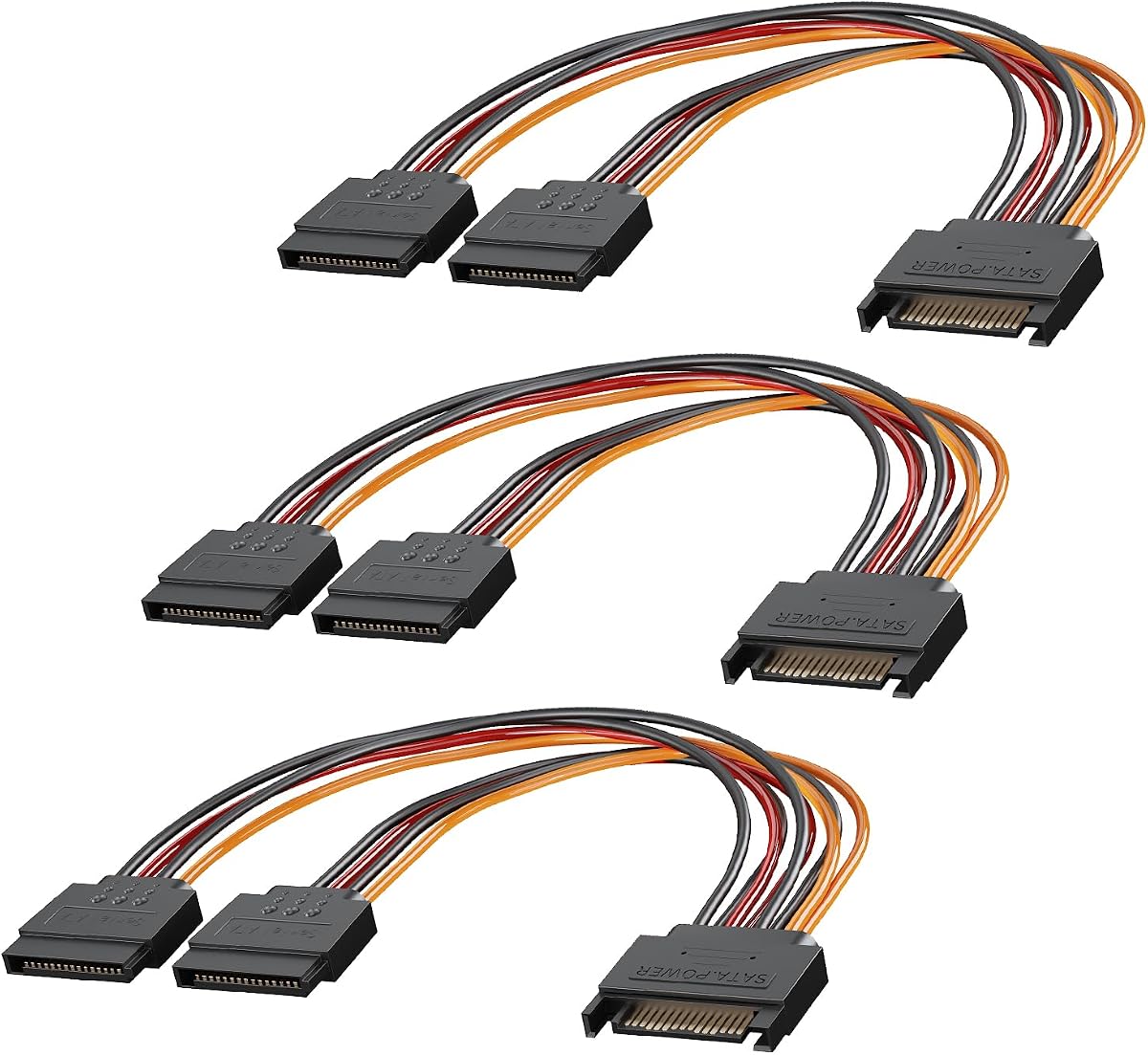



This 15-pin SATA power splitter is rated 4.8 stars for reliable dual drive connection. It offers a stable link between your PSU and multiple storage devices without signal loss.
We may earn a commission when you buy through this link, at no additional cost to you.
The snug-fitting connectors with channel guides ensure cables stay locked during operation. Eight inches of flexible wire allows neat routing inside most PC towers or workstations.
While the length works for many builds it might be short for extreme cable management setups. The standard plastic housing is durable but does not match premium sleeving aesthetics.
Buy this if you need dependable splitters for multiple HDDs or SSDs. It balances cost performance and reliability better than most generic options in its class today.
Channel guides prevent accidental disconnects ensuring your drives stay powered during heavy use or system vibrations.
Heavy-duty conductors support 3.3V 5V and 12V safely for all SATA powered components including expansion cards.
We may earn a commission when you buy through this link, at no additional cost to you.
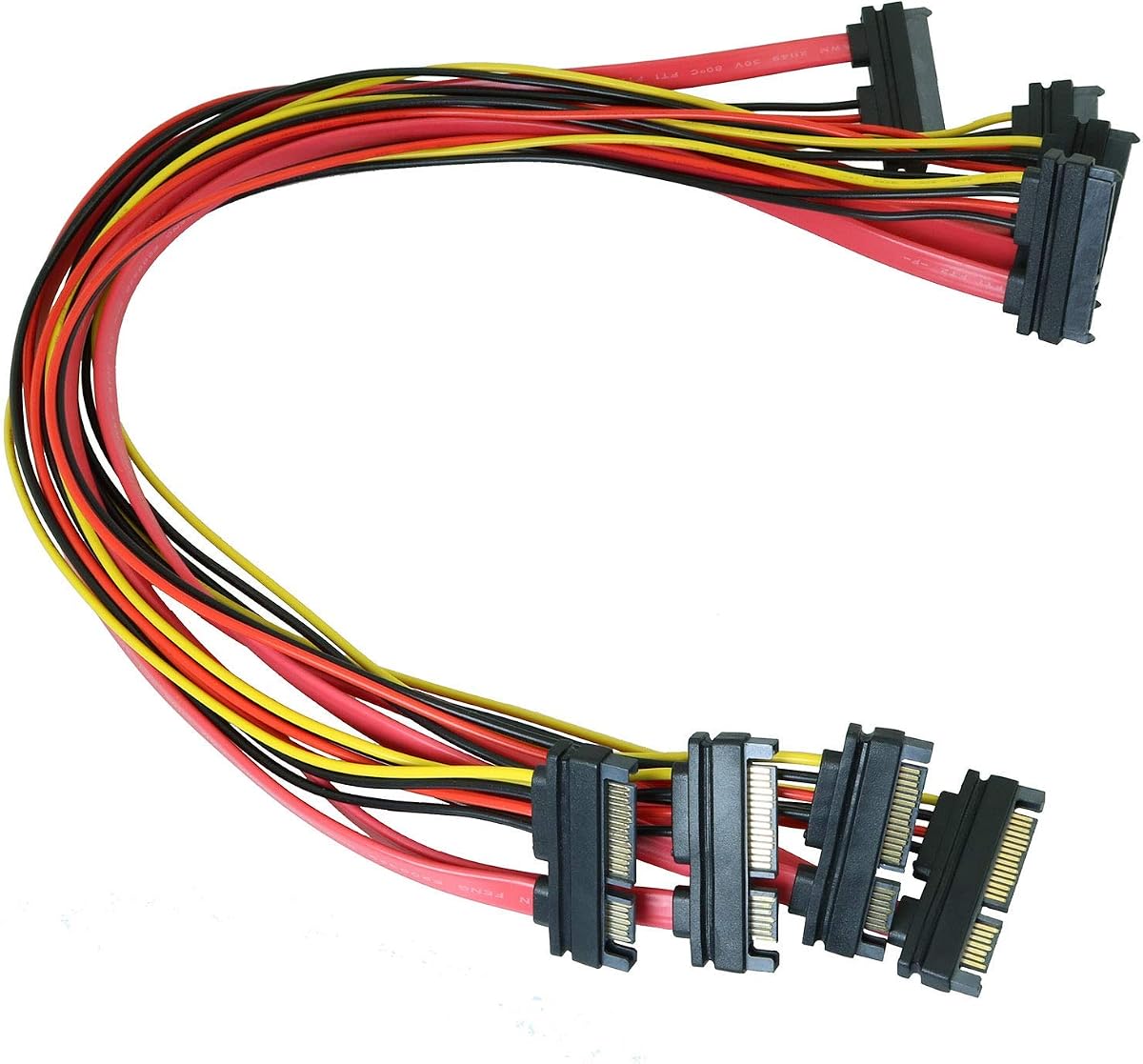
Rated 4.7 stars this splitter turns one SATA port into six independent power outputs for HDDs SSDs and optical drives. It supports stable power transmission without interruptions during operation.
We may earn a commission when you buy through this link, at no additional cost to you.
Its user-friendly design allows simple plug-and-play setup without tools. High-quality materials ensure long-lasting durability for consistent power delivery across all connected storage units.
Six devices on one port may strain lower wattage PSUs during peak load. The standard cable length suits most cases but lacks customization for unique routing needs.
This is ideal for budget builds needing maximum drive connectivity. It delivers excellent value by reducing PSU port demands while maintaining reliable performance for your drives.
Six outputs allow extensive storage expansion without requiring a more expensive power supply unit upgrade for new users.
Effective power delivery ensures each device functions optimally without voltage drops affecting performance or longevity.
We may earn a commission when you buy through this link, at no additional cost to you.
This Be Quiet cable carries a 4.7 rating for premium construction and reliable power delivery. It is designed for systems prioritizing noise reduction and build quality consistency.
We may earn a commission when you buy through this link, at no additional cost to you.
The brand reputation ensures strict quality control and durable materials. It fits seamlessly into Be Quiet power supply units for a clean internal look and safe operation.
The higher price limits access for budget builds. Availability can be inconsistent compared to generic options so verify stock before relying on it for new builds.
Buy this if you already use Be Quiet components or demand top-tier reliability. It offers peace of mind for critical storage connections in quiet or professional environments.
Be Quiet maintains strict quality control standards ensuring each cable meets high performance and safety expectations.
Designed specifically for Be Quiet power units it ensures perfect connector fit and clean aesthetic integration inside cases.
We may earn a commission when you buy through this link, at no additional cost to you.
Rated 4.7 stars this kit offers both data and power cables for full drive setup. It supports up to 6Gbps transfer speed for faster performance than older SATA standards.
We may earn a commission when you buy through this link, at no additional cost to you.
Pure copper conductors ensure stable signal transmission while latching connectors prevent loose disconnections. The set includes straight and right-angle options ideal for tidy PC case wiring.
The included Molex to SATA adapters may not be needed for modern power supplies. Mixing straight and right-angle cables adds complexity if you prefer uniform routing across drives.
Choose this for new computer storage expansion builds needing everything in one box. It balances speed reliability and versatility for HDDs SSDs and optical drives effectively.
SATA III 6Gbps support delivers twice the speed of SATA II enabling faster file transfers and system boot times.
Four pack total count includes both data and power components for comprehensive drive installation without extra purchases.
We may earn a commission when you buy through this link, at no additional cost to you.
This cable carries a 4.7 rating for connecting modern SATA drives to legacy power supplies with Molex ports. It ensures stable power delivery while maintaining system upgrades safely.
We may earn a commission when you buy through this link, at no additional cost to you.
Compact 6 inch design reduces internal clutter for clean PC cases. Including three cables provides spare options for repairs or multiple drive installations without extra costs.
Six inches may be too short for complex builds requiring longer reach to distant drive bays. Dependency on Molex ports limits use if your PSU has only SATA outputs.
Buy this for older PC system upgrades or IT repair kits. It eliminates the need to replace a fully functional PSU by adapting legacy ports to modern drives.
Designed to work with common hardware setups including SATA HDDs and DVD drives using 4 pin Molex inputs safely.
Six inch length ensures efficient connection between SATA devices and Molex-based power supply units reducing clutter.
We may earn a commission when you buy through this link, at no additional cost to you.
Rated 4.7 stars these cables split one SATA connector into two separate power outputs for multiple drives. They ensure stable power transmission preventing interruptions in device performance.
We may earn a commission when you buy through this link, at no additional cost to you.
Eight inches offers sufficient reach for most tower configurations allowing neat internal routing. User-friendly design requires no tools or expertise for simple installation.
While reliable for two devices it lacks the capacity of six-way splitters. Standard materials are durable but lack premium features like reinforced strain relief at connectors.
Select this for mid-range builds needing basic dual drive expansion. It balances cost and capacity effectively while maintaining reliability for standard storage units.
Effectively delivers power to each individual device ensuring optimal functionality without voltage loss across devices.
Sturdy construction made from high-quality materials ensures long-lasting durability for reliable power supply needs.
We may earn a commission when you buy through this link, at no additional cost to you.
This 4-way splitter carries a 4.7 rating for extending one SATA port to four independent outputs. It supports reliable power delivery for multiple serial ATA devices simultaneously.
We may earn a commission when you buy through this link, at no additional cost to you.
At 400 mm it provides significant reach for hard to access drive bays. Durable construction ensures long-term stability reducing the risk of loose connections over time.
The longer cable may introduce clutter in compact cases. It requires careful routing to maintain airflow while utilizing the extra length effectively for large builds.
Buy this for workstations needing four drives without extra PSU connectors. It balances high capacity with reliable performance and trusted StarTech build quality standards.
1x SATA Power Plug to 4x SATA Power Receptacle enables extensive storage setups using a single PSU output.
Durable construction ensures long-term stability for critical data drives in servers or workstations.
We may earn a commission when you buy through this link, at no additional cost to you.
Rated 4.7 stars this cable extends your PSU connection by 12 inches for flexible builds. It reduces strain on tight connections while improving internal airflow and routing.
We may earn a commission when you buy through this link, at no additional cost to you.
Three cables provide enough for multiple drive setups or system repairs. Stable power delivery ensures reliable performance for HDDs SSDs and optical drives without degradation.
Extensions add extra connection points which theoretically increases failure risk. Standard plastic connectors work fine but lack reinforced strain relief against repeated bending or movement.
Select this for PC towers where PSU ports are distant from drives. It improves cable management and reduces connector stress for a cleaner internal layout.
Designed as a SATA power extender this cable helps reduce strain on tight motherboard and PSU connections.
Improves internal airflow and clean cable routing in desktop PC builds for optimal thermal performance.
We may earn a commission when you buy through this link, at no additional cost to you.
Rated 4.9 stars this cable combines SATA data and power into one convenient connector for direct device connection. It significantly reduces cable clutter inside your chassis.
We may earn a commission when you buy through this link, at no additional cost to you.
The thin design helps increase airflow for optimal system performance. With four packs included you can build a multi-drive setup without needing separate data and power cables.
Fixed combo means you cannot separate connections if needed. The single thicker cable may be harder to route in tight spaces compared to separate thin cables.
Choose this for simple media centers or server builds needing clean routing. It simplifies installation by merging two cables into one streamlined connection path.
One end is male the other is female allowing direct connection between device and hard disk conveniently.
Thin cable design helps reduce clutter and increase airflow in the computer or server chassis.
We may earn a commission when you buy through this link, at no additional cost to you.
This Monoprice cable carries a 4.7 rating for providing four SATA connectors from one Molex port with a lifetime warranty. It is designed to handle legacy cases and older power supplies.
We may earn a commission when you buy through this link, at no additional cost to you.
Rugged construction and net jacket protect against wear during installation. The two-foot length gives flexibility for routing but may exceed needs in compact cases.
The lifetime warranty provides strong peace of mind but comes at a higher price point. Longer length might require careful management to avoid obstructing airflow in small cases.
Buy this for systems needing guaranteed long-term support and legacy PSU compatibility. It stands out for quality control standards and reliable performance for drive expansion.
Monoprice stands behind their products with a lifetime warranty ensuring confidence in your purchase for years.
Rigid quality control standards deliver high quality products at fair prices compared to lesser known brands.
We may earn a commission when you buy through this link, at no additional cost to you.
Selecting the right hard drive power cable involves considering connector types, length, and build quality. This guide breaks down key factors to ensure your storage devices receive reliable power without complications.
Ensure your cable matches both your power supply and drive requirements. Most modern drives use 15-pin SATA power connectors while legacy systems may still use 4-pin Molex outputs.
Check your PSU connectors first and choose cables that convert or adapt accordingly without requiring risky modifications.
The right length prevents tension on connectors which can cause loosening or damage over time. Measure the distance from PSU ports to drive bays carefully before purchasing.
Cables that are too short create strain while those too long add clutter and reduce airflow inside your case.
If you need to power multiple drives from one port consider how many outputs you require. Splitters range from 1-to-2 up to 1-to-6 configurations depending on your needs.
Keep in mind that splitting too many devices may overload your PSU if the combined wattage exceeds the rail capacity.
Look for cables with durable conductors and reinforced strain relief at connection points. Cheap materials can degrade quickly leading to potential power loss or short circuits.
Higher quality cables often feature thicker insulation and better connector housings to withstand regular use and vibrations.
Verify that the cable supports the required voltages for your drives including 3.3V 5V and 12V. Modern SATA drives typically use all three for full functionality.
Cables lacking proper 3.3V support may not work with certain SSDs or require adapters for safe operation.
Some kits combine data and power cables into single units which can simplify installation and reduce cable clutter. This is ideal for smaller cases where routing space is limited.
However separate cables offer more flexibility if you need to replace data or power components independently later.
Reputable brands often provide better quality control and warranty support for their products. This can save money in the long run if issues arise with your cables.
Look for options with lifetime warranties or return policies to ensure peace of mind for your purchase.
Prices vary widely between generic options and branded cables. Consider your budget but also factor in reliability especially for critical storage drives.
Buying packs often offers better value than single cables if you need multiple connections for a full build.
Before installation, inspect the cable connectors for any physical damage or debris. Ensure the PSU is powered off and unplugged to avoid electrical hazards during setup.
Insert connectors firmly into the PSU and drive ports until you hear a click. Ensure cables are routed away from fans to prevent accidental contact during operation.
Regularly check connections for dust or looseness during routine maintenance. Proper cable management and avoiding excessive bending will extend the lifespan of your power cables.
Yes, you can use Molex to SATA adapters for modern SSDs as long as the adapter supports all required voltages. Some older adapters may lack 3.3V support which can affect performance. Always check the adapter specifications before connecting sensitive drives.
Most power supply rails can safely handle two to four drives per SATA connector. Exceeding this may cause instability if the total wattage demand is high. Use a PSU calculator to confirm your system needs before adding many drives.
Clicking often indicates insufficient power delivery or a loose connection on the splitter cable. Ensure the splitter is rated for your drive count and check that the PSU wattage is adequate. Replacing a faulty splitter usually resolves this issue quickly.
Eight to twelve inches is generally sufficient for most PC cases. Longer cables help reach distant bays but add clutter while shorter ones may strain connections. Measure your specific case layout before choosing length.
Most 2.5 and 3.5 inch SATA drives use the standard 15-pin SATA power connector. Some specialized enterprise drives may use different proprietary connectors though. Verify your drive model's requirements before purchasing cables.
Daisy chaining splitters increases the risk of power instability and should be avoided. Each split reduces the available current per connector making drives more vulnerable to failure. Connect drives directly to PSU ports whenever possible for safety.
Copper conductors with PVC or silicone insulation offer excellent durability and flexibility. Avoid cables with aluminum cores which may oxidize and degrade over time. Quality materials ensure stable power transmission and longer cable life.
Yes, modular power supplies use standard SATA connectors that work with these cables. Ensure you plug them into the correct SATA ports on the PSU unit itself for proper functionality.
Our top picks cover various needs from budget splitters to premium branded cables. The Cable Matters Y-Splitter stands out for reliability while the 6-Way option offers maximum connectivity.
Prioritize build quality and connector stability to protect your valuable data over time. Choosing the right length and splitter count ensures your storage system runs smoothly without power interruptions.
Prices and availability fluctuate often so always verify current details before ordering. Check stock levels and shipping times to ensure your build stays on schedule for completion.