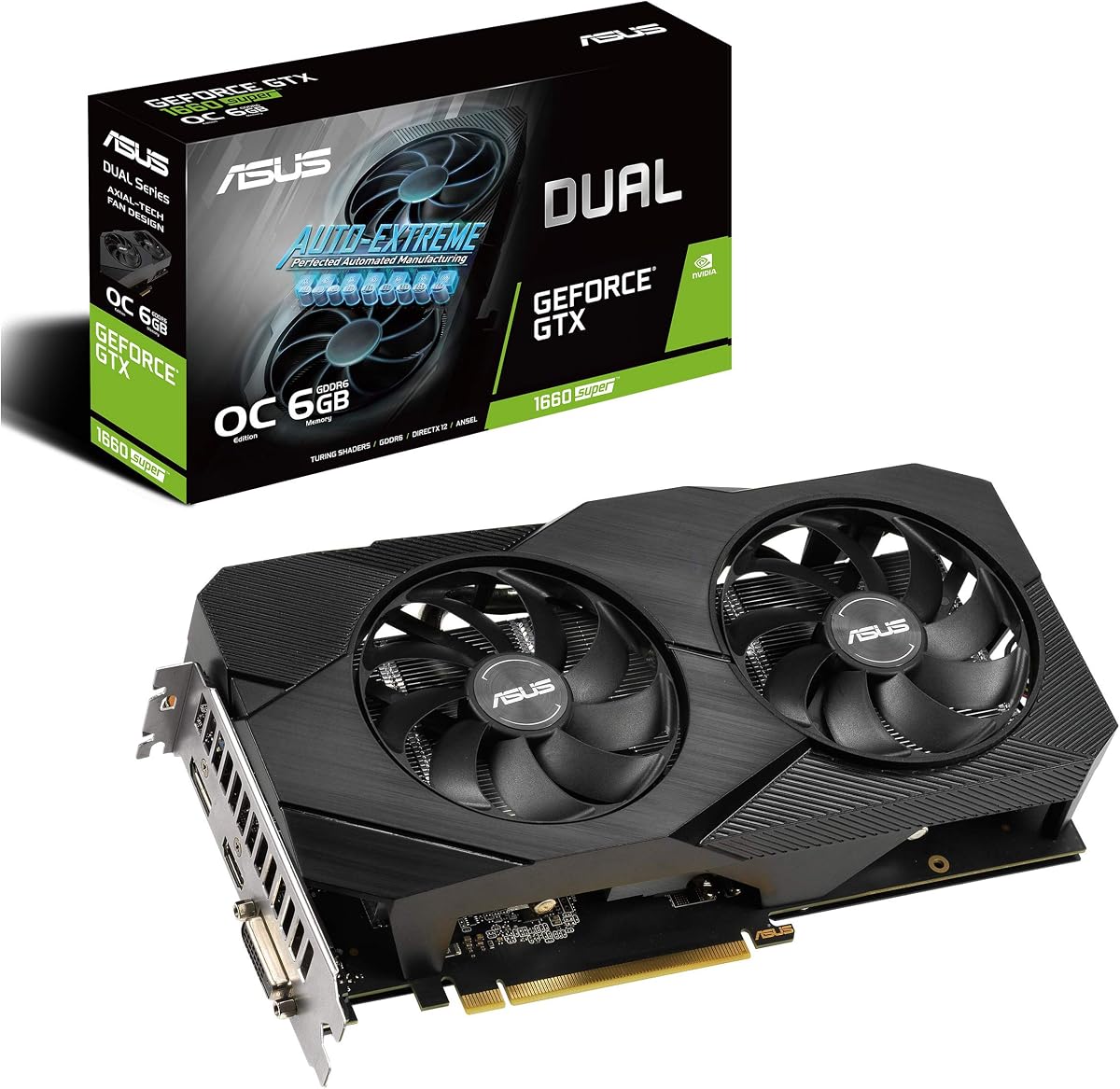
ASUS GeForce GTX 1660 Super Overclocked 6GB Dual-Fan Evo Edition
4.8Editor score
6GB GDDR6 Memory
Turing Architecture
Dual Fan Cooling
Find the best GPU for ASUS Prime A320M K with our expert guide comparing ten top graphics cards for performance, compatibility, and value in 2026.
Selecting the right graphics card for your ASUS Prime A320M K motherboard is crucial for unlocking smooth gaming and creative workloads. This guide explores compatible GPUs that balance performance with power efficiency.
We evaluated ten top models based on architecture, cooling design, and real-world compatibility with the A320 chipset. Each product offers unique benefits for different budgets and use cases ranging from entry level to mid range.
Each pick highlights key specifications and strengths to help you decide quickly. Prices and availability change frequently, so verify current offers before purchasing to ensure you get the best value for your specific setup.
4.8Editor score

4.7Editor score

4.6Editor score
This side by side comparison evaluates ten distinct graphics cards compatible with the ASUS Prime A320M K motherboard. We focus on architecture generations, memory capacity, cooling solutions, and output options to help you find the perfect match for your system.


The ASUS Dual GeForce RTX 3050 stands out as a modern choice for users upgrading to an ASUS Prime A320M K. It features the Ampere architecture which delivers significant performance gains over older generations.
We may earn a commission when you buy through this link, at no additional cost to you.
Its dual fans provide excellent cooling for a compact card. The 2 slot design ensures it fits even in small cases. The card supports ray tracing and DLSS for smoother visuals.
While the 6GB of memory is a limitation for ultra settings, it remains capable for 1080p gaming. The dust resistance helps longevity in demanding environments.
This GPU is ideal for budget conscious gamers seeking new features without a full system overhaul. It balances price and performance effectively for entry level enthusiasts.
The Ampere Streaming Multiprocessors offer 2X the FP32 throughput compared to previous generations improving rendering speeds.
Axial tech fans with a barrier ring increase downward air pressure keeping temperatures low during intense sessions.
We may earn a commission when you buy through this link, at no additional cost to you.
The TUF Gaming GTX 1660 Super delivers excellent value for money. It is designed to work seamlessly with other TUF components making it perfect for the A320M K system.
We may earn a commission when you buy through this link, at no additional cost to you.
Its 6GB GDDR6 memory handles modern titles well. The overclocked boost clock ensures snappy performance in competitive games. The 3 year warranty adds peace of mind.
The lack of dedicated RT cores is a trade-off but the Turing architecture still handles rasterization tasks efficiently. It remains a solid pick for 1080p gaming.
Buyers looking for reliability and cost effectiveness should consider this card. It offers a balance of performance and durability without breaking the bank.
Cards undergo rigorous testing to ensure flawless integration with TUF motherboards and chassis components.
Automated manufacturing ensures premium quality and reliability by reducing human error in production.
We may earn a commission when you buy through this link, at no additional cost to you.
The Phoenix RTX 2060 offers a robust option for multi monitor setups. It supports up to four displays which is rare in this tier. The short form factor fits easily into standard cases.
We may earn a commission when you buy through this link, at no additional cost to you.
Its 1920 CUDA cores provide ample power for gaming and creative tasks. The Phoenix double ball bearing fan ensures reliable cooling over time. It supports modern APIs well.
As a renewed product users should check the return policy carefully. The power requirements are slightly higher so ensure your PSU is adequate for the system.
This card suits users needing extra display ports or VR capability. It bridges the gap between entry level and high performance effectively.
Supports up to 4 monitors via HDMI and DisplayPort for extended desktop productivity or gaming.
Super Alloy Power II components run faster and last longer than reference cards for improved stability.
We may earn a commission when you buy through this link, at no additional cost to you.
This renewed TUF GTX 1660 Super retains the high standards of the original line. It has strong user reviews indicating reliable performance even as a pre-owned unit.
We may earn a commission when you buy through this link, at no additional cost to you.
The space grade lubricant in fans reduces noise and extends lifespan. It integrates well with TUF motherboards for a cohesive build. The 3 year warranty adds value.
While it lacks modern ray tracing features it still handles esports titles with ease. The 6GB memory is sufficient for most 1080p titles.
Ideal for budget builders who want brand reliability without the new price tag. It offers a solid foundation for a capable gaming PC.
Brings the durability of dual ball bearings to quieter sleeve bearing designs for better acoustics.
Thorough compatibility testing ensures the card works flawlessly with other TUF Alliance components.
We may earn a commission when you buy through this link, at no additional cost to you.
The Dual-Fan Evo edition brings excellent cooling to a value card. It is designed to run VR applications smoothly which is a nice bonus for entry level VR users.
We may earn a commission when you buy through this link, at no additional cost to you.
The 6GB GDDR6 memory ensures smooth textures in modern games. It includes GPU Tweak II for easy monitoring and tuning. The build quality is solid.
As a renewed product buyers get a lower price for similar performance. Check the inspection status to ensure it meets new standards visually.
Best for casual gamers needing a reliable upgrade from integrated graphics. It balances cost and performance effectively for everyday use.
Designed to meet the performance requirements for virtual reality headsets and applications.
GPU Tweak II allows real-time performance monitoring and includes useful streaming software.
We may earn a commission when you buy through this link, at no additional cost to you.
This Phoenix edition fits in tight spaces without sacrificing much performance. It is great for small form factor builds where space is limited. The short form factor is a key advantage.
We may earn a commission when you buy through this link, at no additional cost to you.
The Phoenix double ball bearing fan provides superior airflow. It supports up to three monitors which is useful for productivity. The 3 year warranty protects your investment.
Performance is strong for 1080p gaming though it may struggle in ray traced titles. The single fan design is efficient but might be noisier under load.
Recommended for users with compact cases or limited clearance. It offers a reliable upgrade path with solid support.
Designed to fit into smaller cases while maintaining robust cooling and performance.
Supports up to 3 monitors for flexible workspace setups and immersive gaming.
We may earn a commission when you buy through this link, at no additional cost to you.
This model focuses on noise reduction and stability. It uses dual fans to provide doubled airflow for quieter gameplay which enhances the experience. It supports virtual reality well.
We may earn a commission when you buy through this link, at no additional cost to you.
The 6GB memory handles most games effectively. It includes advanced monitoring software for enthusiasts. The 3 year warranty adds significant value to the purchase.
While it lacks modern features like ray tracing it remains a reliable workhorse. The higher price reflects the build quality and warranty coverage.
Best for users prioritizing silence and longevity over cutting edge features. It is a solid investment for a stable gaming rig.
Dual fan cooling provides doubled airflow for 3x quieter gameplay compared to single fan solutions.
Auto extreme technology ensures premium quality and reliability using aerospace grade components.
We may earn a commission when you buy through this link, at no additional cost to you.
The RTX 3060 offers a massive 12GB of memory for future proofing. It supports PCIe 4.0 which improves bandwidth on compatible systems. The Ampere architecture brings modern features.
We may earn a commission when you buy through this link, at no additional cost to you.
Dual ball fan bearings ensure long life and quiet operation. It includes advanced AI upscaling to boost frame rates. The protective backplate adds durability.
You will need a 650W power supply for this card. It is more powerful than the A320 chipset might bottleneck slightly but remains a strong option.
Ideal for users planning a full system upgrade or those needing VRAM for creative work. It offers excellent value for mid range performance.
12GB GDDR6 memory handles large textures and complex scenes without bottlenecks.
PCIe 4.0 support ensures maximum bandwidth for data transfer and rendering tasks.
We may earn a commission when you buy through this link, at no additional cost to you.
The GT 1030 is perfect for office PCs or basic media centers. It requires no external power and uses passive cooling to stay silent. It supports modern DX12 titles.
We may earn a commission when you buy through this link, at no additional cost to you.
The low profile design fits tiny cases easily. It is a great way to add video output to systems without graphics. The build quality is solid.
Do not expect high frame rates in modern games. It handles older titles and esports well. It is not suitable for 4K gaming.
Best for non gamers needing reliable display outputs. It keeps your system quiet and cool with minimal effort.
Ensures quiet HTPC and multimedia operation without the noise of moving fans.
Fits easily into compact cases and small form factor builds without hassle.
We may earn a commission when you buy through this link, at no additional cost to you.
The STRIX GTX 970 offers legacy power with a 5 star rating. It uses DirectCU II technology for silent gaming at lower temperatures. It remains a solid card for 1080p.
We may earn a commission when you buy through this link, at no additional cost to you.
The 4GB memory is shared across two channels for speed. It supports HDMI 2.0 and DisplayPort easily. The auto tuning software is intuitive.
As a renewed product it offers low entry cost. Modern games may not support older APIs but esports titles still run well.
Best for retro builds or those on a strict budget. It provides surprising performance for its age and price.
DirectCU II technology provides silent gaming at 30% cooler temperatures than reference cards.
GPU Tweak Utility allows real-time and intuitive tweaking software for performance adjustment.
We may earn a commission when you buy through this link, at no additional cost to you.
Choosing the right graphics card requires understanding your motherboard capabilities and your performance goals. This guide breaks down the most important factors to consider before buying.
The ASUS Prime A320M K features a PCIe 3.0 slot which is fully compatible with modern cards. While newer cards support PCIe 4.0 they will still function perfectly at 3.0 speeds with minor losses.
Ensure the physical connector matches and your power supply can support the new card.
Each GPU has a specific wattage requirement. The GTX 1660 Super needs around 450W while the RTX 3060 may need 650W. Always check your PSU wattage and connectors.
A stable power source prevents crashes and protects hardware components.
Video memory handles textures and complex scenes. For 1080p gaming 6GB is a good baseline. Creative workloads often benefit from 12GB to avoid stuttering during rendering.
Choose memory based on your resolution and application needs.
Measure your case space before buying. Some cards like the Phoenix edition are short while others like the STRIX models are long. Check for height clearance if you have large CPU coolers.
Physical fit is critical for preventing build failures.
Dual fan cards generally run cooler and quieter than single fan models. Passive cooling fans ideal for silent home theaters but lack performance under load.
Select a cooling solution that matches your noise tolerance.
Check your monitor inputs. Most modern cards offer HDMI 2.1 and DisplayPort 1.4a. Older models may require DVI adapters. Ensure you have the right cables.
Correct ports ensure you get the best refresh rates.
Define your price range early. Entry level cards like GT 1030 are cheap while RTX 3060 offer high value. Renewed options provide significant savings for reliable performance.
Balance cost with expected lifespan and performance gains.
Most cards come with 3 year warranties. Renewed products may have shorter terms. Verify the seller reputation before buying used units to avoid issues.
Good support ensures you can resolve defects quickly.
Install the graphics card securely into the PCIe slot ensuring the locking mechanism clicks into place. Connect the necessary power cables before booting.
Update your GPU drivers through the manufacturer website for the best performance. Use GPU Tweak II to monitor temperatures and adjust fan curves as needed.
Clean dust regularly from fans and heatsinks to prevent overheating. Monitor system stability during intense workloads to ensure the card is functioning within safe limits.
Yes it will work perfectly as the PCIe 3.0 interface is fully backward compatible. You may see a minor performance drop compared to PCIe 4.0 but it remains a great upgrade.
Most modern cards work out of the box. However updating the BIOS ensures better hardware compatibility and may resolve boot issues with newer models.
The GTX 1660 Super offers excellent value for 1080p. For ray tracing features the RTX 3050 is a solid choice within budget constraints.
A 450W PSU is sufficient for the 1660 Super. If you choose an RTX 3060 aim for at least 650W to ensure stable power delivery under load.
Renewed GPUs from reputable sellers are safe. They undergo testing and inspection. Always check the warranty terms to protect your investment before purchasing.
The GT 1030 draws very little power and needs no external cables. It fits easily in small cases and adds display output for basic multimedia needs.
Our top picks highlight the RTX 3050 for modern features and the 1660 Super for budget value. These cards deliver strong performance for 1080p gaming and productivity.
Prioritize power supply capacity and case clearance before making your choice. Ensuring physical fit and power stability prevents issues during installation and long term use.
Check current pricing and availability as deals change often. Select the model that best aligns with your budget and performance requirements for a smooth upgrade.