
garphi 4K Dash Cam Front
4.4Editor score
4K 2160P resolution
5GHz WiFi connectivity
Compact screenless design
Compare the top Garmin dash cams and leading alternatives for video quality, features, and value in this detailed October 2026 buying guide.
Choosing the right dash camera protects your vehicle and provides crucial evidence during incidents. Modern options offer high resolution, voice control, and parking monitoring to keep you safe on the road.
We analyzed ten leading models focusing on video clarity, ease of use, and smart connectivity features. Our selection includes compact designs and premium units with advanced driver assistance systems.
Each review highlights key strengths and trade-offs to help you find the perfect fit. Note that pricing and availability change frequently, so verify details before purchasing your final device.
4.4Editor score

4.2Editor score

3.8Editor score
This side by side comparison highlights the unique specifications and capabilities of each selected dash camera to help you decide which model fits your specific driving needs.

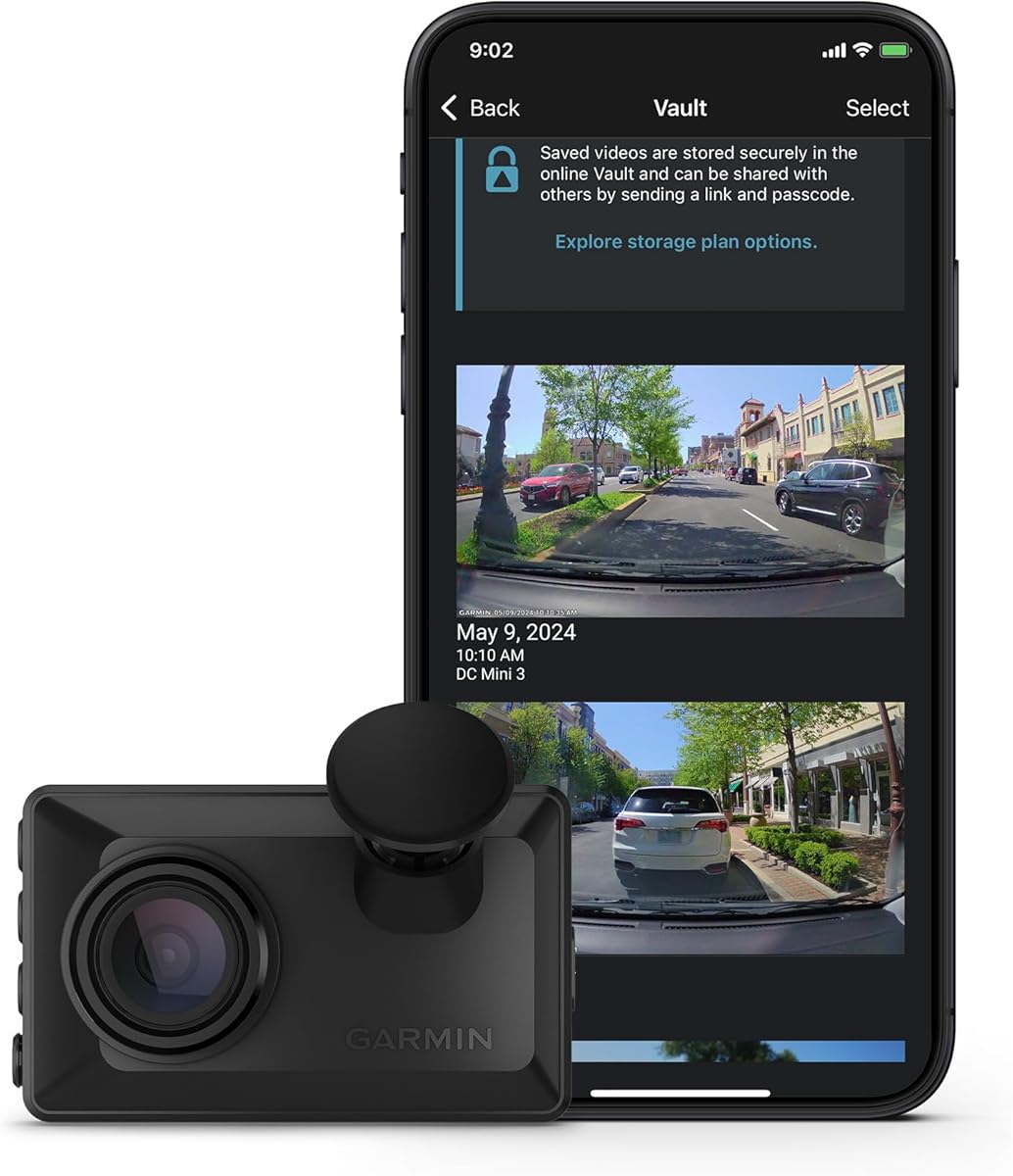



The Garmin Dash Cam 67W delivers high quality recording with its 1440p resolution and expansive 180 degree lens. It captures critical details clearly while maintaining a small footprint on your windshield.
We may earn a commission when you buy through this link, at no additional cost to you.
Key strengths include voice control for hands free operation and Garmin Clarity HDR optics for crisp details. The included memory card and easy app integration make daily use straightforward and reliable.
While it lacks an onboard display for quick playback and relies on Wi-Fi for cloud uploads, these trade-offs keep the device compact and cost effective for most drivers seeking protection.
This model is ideal for drivers wanting balanced performance without bulk. It is the best choice for those prioritizing wide angle coverage and smart features like voice commands and parking alerts.
The 180 degree lens records more of the road including adjacent lanes for better situational awareness.
Use spoken commands to save videos or take photos without taking your hands off the wheel.
We may earn a commission when you buy through this link, at no additional cost to you.
The Garmin Dash Cam X310 sets the standard for premium recording with true 4K ultra HD video. Its integrated display simplifies reviewing footage immediately after an incident occurs.
We may earn a commission when you buy through this link, at no additional cost to you.
Features like forward collision warnings and lane departure alerts add active safety layers beyond passive recording. The touchscreen interface allows intuitive adjustments without needing the smartphone app.
The main drawbacks are the higher cost and slightly larger dimensions compared to mini models. However, the superior clarity and on device controls justify the expense for safety conscious drivers.
Choose this unit if maximum detail and active safety alerts are your priorities. It excels for highway driving where identifying distant signs or plate numbers matters most.
The 2.4 inch touchscreen lets you review clips instantly without pairing to a phone.
Real time warnings for collisions and lane departure help prevent accidents before they happen.
We may earn a commission when you buy through this link, at no additional cost to you.
The galphi 4K Dash Cam Front offers incredible value with 4K resolution and included storage. Its screenless design keeps the windshield clear while focusing entirely on capturing high quality evidence.
We may earn a commission when you buy through this link, at no additional cost to you.
Advanced 5GHz WiFi ensures quick transfers and reduces lag during playback. The F/1.6 aperture delivers excellent low light performance ensuring details remain visible at night or in rain.
Lacking a rear view or advanced driver alerts might limit some users but for front protection it performs above its price tier. It is a straightforward choice for essential safety.
Ideal for budget focused buyers needing reliable HD recording. This camera is perfect for city commuters wanting clarity without paying for unnecessary premium features.
The minimal design ensures your focus remains on driving while the device records quietly.
Use the 5GHz connection to download critical clips rapidly without removing the memory card.
We may earn a commission when you buy through this link, at no additional cost to you.
The Garmin Dash Cam Mini 3 is the ultimate discreet option with its key sized body. It blends into your interior while providing 1080p HD recording and essential safety features.
We may earn a commission when you buy through this link, at no additional cost to you.
Voice commands allow you to save clips without touching controls. The built-in polarizer reduces glare ensuring readable footage even in bright sunlight conditions.
The main limitation is the lack of a screen for immediate viewing and lower resolution compared to 4K models. However, the cloud vault access makes reviewing clips simple on your phone.
This unit suits drivers who prioritize aesthetics and simplicity. It is a great choice for rental cars or those who want a tiny reliable witness on the road.
Its tiny footprint ensures no obstruction of your view and minimal theft risk.
Automatic uploading means your evidence is safe even if the unit is damaged.
We may earn a commission when you buy through this link, at no additional cost to you.
The AProX 3 Channel Dash Cam provides total protection with front rear and cabin cameras. This setup captures every angle making it ideal for rideshare drivers needing full interior visibility.
We may earn a commission when you buy through this link, at no additional cost to you.
Advanced night vision with infrared lights ensures clear footage inside the vehicle. The included 128GB card and WiFi 6 support make managing large video files easy and efficient.
Installation requires a hardwire kit for parking mode which adds complexity. However, the comprehensive coverage and high satisfaction ratings justify the effort for professional drivers.
Pick this model for maximum security and proof. It is best for anyone needing cabin recording or extensive road coverage without buying multiple separate units.
Captures front rear and interior views simultaneously for unmatched accident evidence.
Clear cabin recording helps resolve passenger disputes quickly and fairly.
We may earn a commission when you buy through this link, at no additional cost to you.
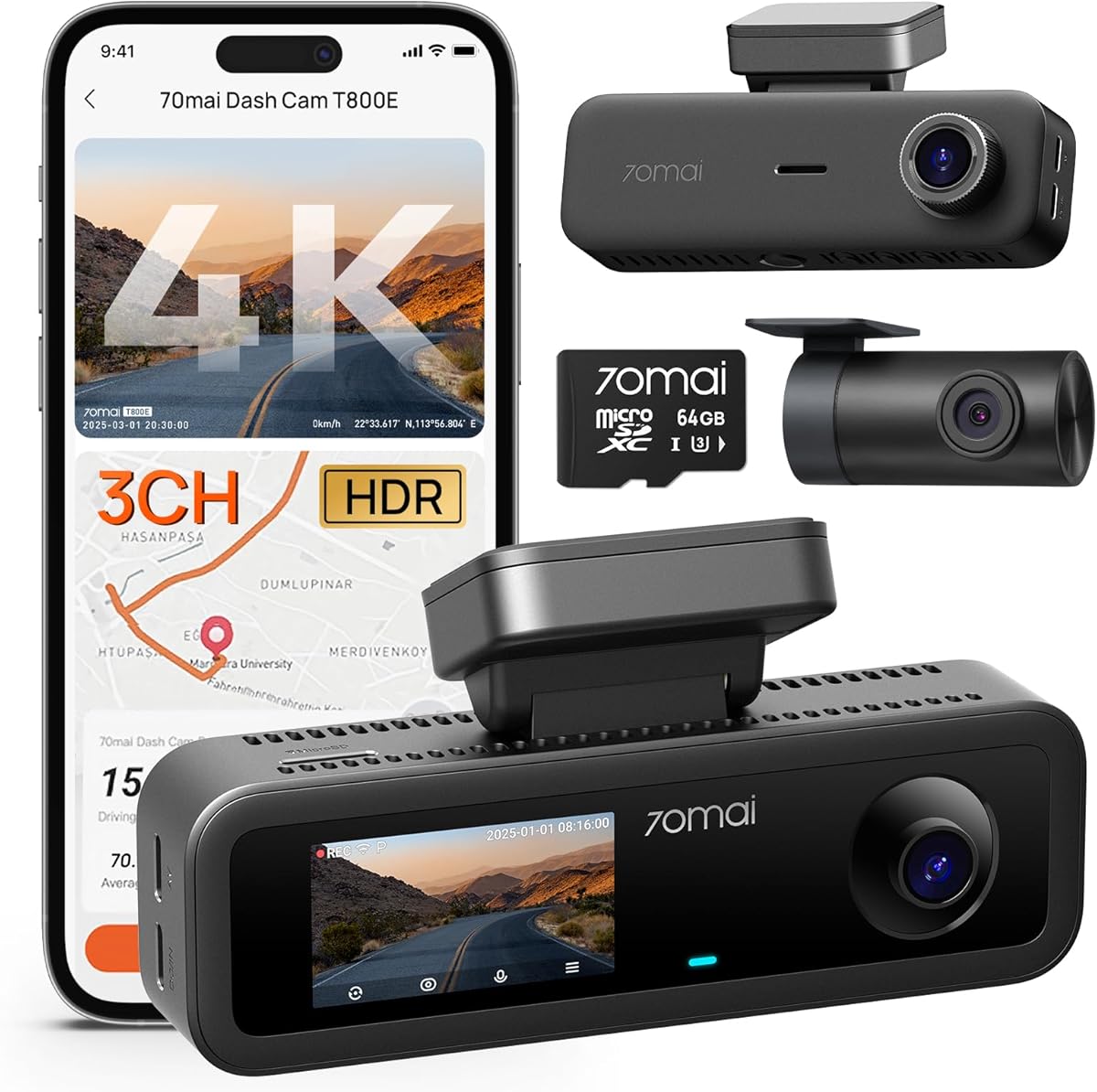
The 70mai T800E 3 Channel dash cam delivers robust performance with 4K front recording and reliable rear coverage. Its super capacitor ensures durability in extreme temperatures without battery risks.
We may earn a commission when you buy through this link, at no additional cost to you.
Features like switchable infrared and HDR imaging enhance visibility in low light. The built-in GPS tracks speed and location adding valuable context to every recorded journey.
While it lacks cellular connectivity, the Wi-Fi 6 speeds make local transfers efficient. The included SD card and simple setup make it accessible for non technical users.
Select this for a balance of features and reliability. It fits families or gig workers needing consistent quality and interior monitoring without high subscription costs.
The super capacitor ensures stable operation whether parked in freezing cold or hot sun.
GPS tracks speed and location to match video footage with actual driving conditions.
We may earn a commission when you buy through this link, at no additional cost to you.
The Garmin Dash Cam X110 bridges the gap between basic and premium models with 1440p recording. It includes an LCD screen for easy playback and essential driver alerts.
We may earn a commission when you buy through this link, at no additional cost to you.
Features like forward collision warnings and voice control add value without pushing the price too high. The compact design fits well in most vehicles maintaining a low profile.
It lacks advanced cloud features or cellular connectivity found in higher end models. However, for daily commuting and incident protection it offers a solid blend of features.
This model is perfect for drivers wanting brand reliability without the top cost. It provides enough detail for insurance claims and keeps driving safer with proactive alerts.
1440p resolution ensures license plates and signs are readable in most conditions.
The small screen lets you check footage immediately without needing a phone.
We may earn a commission when you buy through this link, at no additional cost to you.
The 70mai A800SE stands out with its large 3 inch screen offering easy navigation and playback. It records in 4K front and 1080P rear with HDR for excellent clarity in all light.
We may earn a commission when you buy through this link, at no additional cost to you.
ADAS features like lane departure warnings provide active safety assistance during drives. The free memory card and fast Wi-Fi 6 ensure convenient storage and quick access to footage.
Its size may block small windshields and some features rely on subscriptions. However, the display size and resolution make it one of the most user friendly options.
Choose this for ease of use and high quality video. It suits drivers who prefer checking footage instantly on the device rather than through a phone app.
The large screen simplifies settings adjustments and video playback without technical steps.
Lane departure warnings help keep you alert during long highway driving sessions.
We may earn a commission when you buy through this link, at no additional cost to you.
The Garmin Dash Cam Live offers continuous connectivity via LTE allowing remote live viewing anytime. This feature ensures your parked car is monitored even when you are miles away.
We may earn a commission when you buy through this link, at no additional cost to you.
Vehicle tracking and theft alerts provide security beyond basic recording. The HD video quality is solid and cloud uploads happen automatically without manual effort.
The main downside is the requirement for an active LTE subscription which adds ongoing costs. Additionally, the user rating suggests some connectivity or reliability issues exist.
This unit is best for high value vehicles or frequent travelers needing constant oversight. Choose it if remote access and live monitoring are critical to your peace of mind.
Access real time video from your phone wherever you are for instant security checks.
Motion alerts notify your phone immediately if activity is detected around your parked car.
We may earn a commission when you buy through this link, at no additional cost to you.
The Garmin Dash Cam X210 combines compact design with premium recording capabilities and a built-in screen. It delivers crisp video while keeping the windshield area relatively unobstructed.
We may earn a commission when you buy through this link, at no additional cost to you.
Driver alerts and voice commands enhance safety and convenience. The touchscreen interface allows easy adjustments without needing to pull out your phone frequently.
It lacks some advanced features found in higher tiers and may require a subscription for full cloud utility. For many users the balance of size and quality is sufficient.
This model fits drivers wanting premium features in a smaller package. It is a good choice for those needing clear video and easy controls without the bulk of larger units.
Enjoy 4K quality in a sleek design that fits neatly on your dash.
The integrated screen allows quick adjustments without fumbling for settings.
We may earn a commission when you buy through this link, at no additional cost to you.
Selecting the right dash cam involves balancing video quality, features, and budget. Understanding key factors helps ensure you choose a model that meets your specific safety and convenience needs.
Higher resolution like 4K ensures clearer footage of license plates and road signs. Look for models with HDR or high aperture for better performance in low light conditions.
Prioritize at least 1440p for clear evidence without paying excessive premiums for unnecessary detail.
A wider angle captures more of the road and adjacent lanes which is vital during accidents. Aim for at least 140 degrees to reduce blind spots around your vehicle.
Extra wide lenses like 180 degrees offer maximum coverage but check for distortion at the edges.
Large capacity cards allow longer recording times before overwriting old footage. Many models come with included cards saving you initial setup costs and hassles.
Ensure support for cards up to 256GB or more for extended trips or daily commutes.
Wi-Fi enables quick transfers to your smartphone without removing the card. Cellular models offer remote viewing but require monthly subscriptions for data services.
Choose Wi-Fi for simple use or LTE if you need to monitor your car remotely.
Parking monitoring protects your vehicle when it is unattended by recording impacts or motion. This often requires a hardwire kit for continuous power during off-hours.
Check if time-lapse or collision detection is supported to balance surveillance with battery usage.
Some advanced models offer lane departure and forward collision warnings to enhance safety. These alerts help maintain focus and prevent accidents before they occur.
Consider these features if you spend significant time on highways or congested urban roads.
Smaller units are less distracting and less likely to obstruct your view of the road. Compact models also reduce the risk of theft or accidental damage in public parking areas.
Balance discreet form factors with the need for onboard screens if you value easy playback.
Smart apps simplify file management and cloud storage allowing easy sharing with insurance. Look for intuitive interfaces that support firmware updates for long term support.
Ensure the app is regularly maintained to avoid security or compatibility issues over time.
Install the device centrally on the windshield for a clear view and adjust the angle to capture the full road. Secure cables neatly to avoid distracting the driver or obstructing sensors.
Regularly check your memory card for errors and clear old files as needed to maintain smooth performance. Update firmware through the manufacturer app to ensure security and feature compatibility.
Keep the lens clean with a soft cloth to avoid blurry footage from dust or debris. Store the unit in a shaded area or turn it off when parked to prevent overheating.
Many dash cams work without subscriptions for basic recording. However, cloud storage and remote live viewing often require paid plans like Garmin Vault. Check the manual to know which features are free.
Use high endurance cards designed for continuous recording to prevent corruption. Most models support Class 10 or higher with V30 speeds for 4K. Always format cards in the device before first use.
Yes modern dash cams feature infrared or HDR for better low light recording. Look for wide aperture lenses that let in more light for clearer night details.
Parking mode uses a G-sensor to detect impacts and records when triggered. Some units need a hardwire kit for constant power. Time-lapse modes help save battery life while parked.
Check local laws regarding recording audio or video on public roads. Always position the camera to avoid capturing private property or individuals unnecessarily to respect privacy.
Inspect your dash cam weekly to ensure it is recording properly. Review a short clip to verify video quality and check that the clock and GPS are synced correctly.
Most dash cams are easy to install with adhesive mounts and power cables. Follow instructions carefully for placement. A hardwire kit might require professional help if you are not comfortable.
Most units use loop recording to overwrite the oldest clips when the card fills. Critical files are protected by a G-sensor so they remain untouched until you delete them manually.
Our top picks include the Garmin Dash Cam 67W for overall balance and the 70mai A800SE for display quality. The galphi model offers excellent value for budget conscious shoppers.
Prioritize resolution and field of view for clear evidence and choose parking mode if you want vehicle protection while away. Consider your budget and connectivity needs carefully.
Prices and availability change frequently so always verify current deals and specs before buying. Investing in a reliable unit now ensures safety and peace of mind on every trip.