
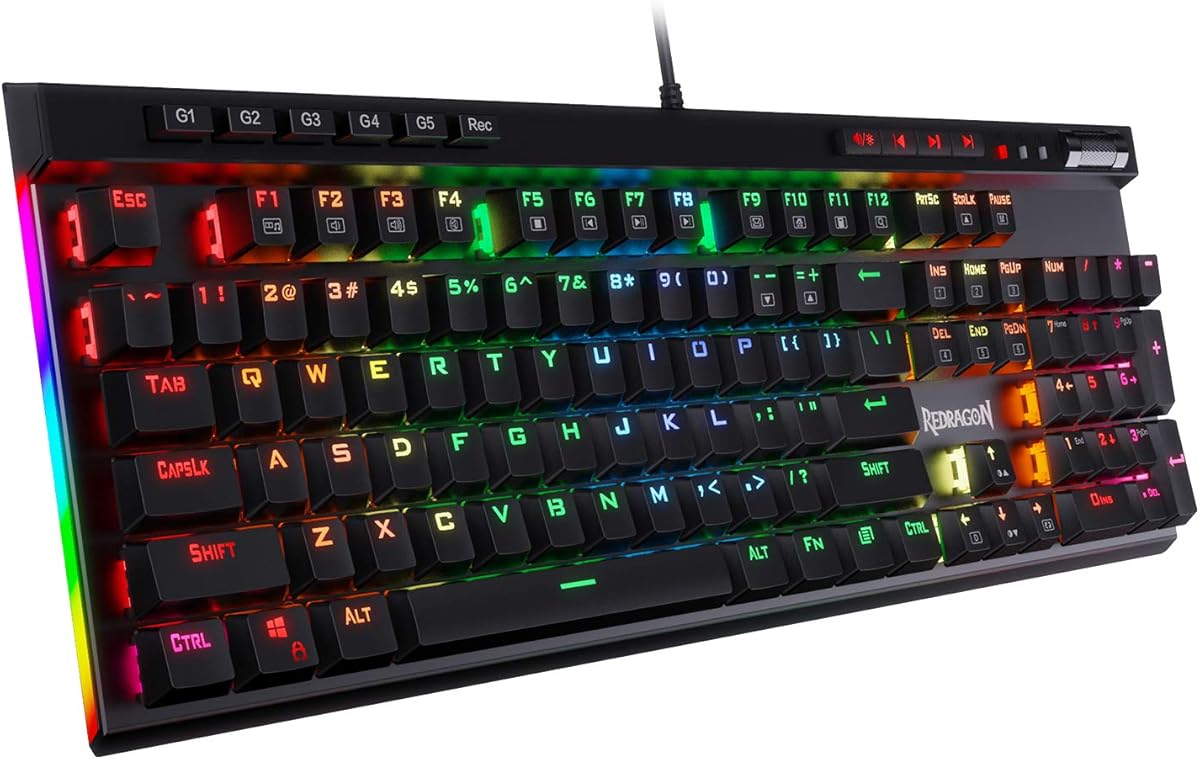
Redragon K556 Wired RGB Mechanical Gaming Keyboard, 104-Key Aluminum Board
4.6Editor score
Brushed aluminum board
Hot-swappable socket
20 RGB modes
Discover the top 10 full metal keyboard models of October 2026, comparing durability features build quality, and performance for gaming and office use.
Finding a durable typing surface requires investing in robust hardware. A full metal keyboard offers superior stability and longevity compared to plastic alternatives, ensuring every keystroke remains precise over time.
We evaluated ten leading models based on construction quality switch performance, and user feedback. This guide highlights the best options for gamers and professionals seeking a sturdy typing experience.
Each entry details specific strengths and trade-offs to help you choose wisely. Prices fluctuate frequently so verify current costs before purchasing your ideal metal typing device today.
4.6Editor score

4.8Editor score

4.1Editor score
This table provides a side-by-side look at each model's core specifications, build material, and connectivity options to help you decide quickly.



The SteelSeries Apex 5 stands out for its robust aircraft-grade aluminum frame. It features a unique hybrid switch system combining tactile feedback with membrane smoothness for 20 million keystrokes.
We may earn a commission when you buy through this link, at no additional cost to you.
Its OLED smart display allows users to customize gifs and game info directly on the keyboard. The per-key RGB illumination provides gorgeous color schemes reactive effects for every key.
While the hybrid switches offer comfort they may not satisfy enthusiasts seeking pure mechanical feedback. The lack of hot-swapping limits future switch customization options.
Buy this if you want a sturdy keyboard with multimedia flair and solid durability. It fits gamers needing quick access to system data via the OLED panel.
The aircraft-grade aluminum alloy frame ensures the keyboard remains sturdy and unbreakable during intense gaming sessions.
Customize your setup with live game info discord messages or GIFs right on the integrated OLED screen.
We may earn a commission when you buy through this link, at no additional cost to you.
This keyboard delivers exceptional value with a tank-solid brushed aluminum board. It prevents wobbling during intense sessions unlike standard plastic frame alternatives.
We may earn a commission when you buy through this link, at no additional cost to you.
The upgraded socket accepts 3-pin or 5-pin switches without soldering allowing easy customization. The stock brown switches offer soft tactile bump for all-day typing.
RGB lighting includes 20 preset modes with adjustable brightness. Companion software enables deeper customization for macros and custom effects.
Ideal for budget-conscious users seeking metal durability and modding potential. It works seamlessly across Windows and Mac without drivers.
Upgrade your typing feel by swapping switches easily thanks to the hot-swappable socket design.
The aluminum build keeps every keystroke steady ensuring accuracy during long gaming or typing sessions.
We may earn a commission when you buy through this link, at no additional cost to you.
The Cherry KC 200 MX offers an anodized metal plate and MX2A Brown switches for unmatched typing experiences. It focuses on durability and tactile feedback without loud clicks.
We may earn a commission when you buy through this link, at no additional cost to you.
Keycaps are molded for comfort and laser-etched for abrasion resistance. The board supports full N-key rollover ensuring every key registers simultaneously.
While lacking flashy lights this keyboard prioritizes function. It includes quick access keys for calculators and volume control useful for office workflows.
Professionals seeking reliable metal-backed mechanical switches should consider this model. It is built to last with over 100 million actuations per key.
Precise tactile switching characteristics provide a noticeable typing feel without distracting noise.
Laser-etched keycaps ensure lettering remains perfectly legible even after years of daily use.
We may earn a commission when you buy through this link, at no additional cost to you.
The Keychron K10 HE blends classic mechanical feel with advanced magnetic switch technology. Hall Effect sensors detect presses without physical contact reducing wear and tear.
We may earn a commission when you buy through this link, at no additional cost to you.
Users can adjust actuation points from 0.2mm to 3.8mm using the Launcher Web Configurator. Tri-mode connectivity allows switching between Bluetooth 2.4GHz or wired modes.
The PBT keycaps resist shine while natural wood sidings add organic elegance. However the setup requires clearing browser cache for the configurator.
This keyboard suits gamers needing ultra-responsive performance. It adapts easily to macOS and Windows workflows with dedicated media keys.
Magnetic sensors detect keypresses with 0.1mm sensitivity offering adjustable actuation ranges.
Connect up to three devices via Bluetooth 5.2 for a seamless multi-device setup.
We may earn a commission when you buy through this link, at no additional cost to you.
This 96% keyboard retains a tenkey pad and arrow keys in a compact frame. The vibrant full-color LCD screen allows display custom animations system specs.
We may earn a commission when you buy through this link, at no additional cost to you.
Utilize ultra-responsive 8000Hz hyper-polling to eradicate input lag for fastest response times. Elgato Virtual Stream Deck integration maps functions directly to G-keys.
FlashTap SOCD resolves accidental inputs allowing precise movement controls. The design packs many features into a space-saving layout.
Gamers wanting arrow keys without full size fit will love this. It streamlines productivity with programmable shortcuts and media controls.
Use the luminous integrated LCD screen to show custom images and game stats.
Map Stream Deck functions to G-keys for enhanced in-game performance and shortcuts.
We may earn a commission when you buy through this link, at no additional cost to you.
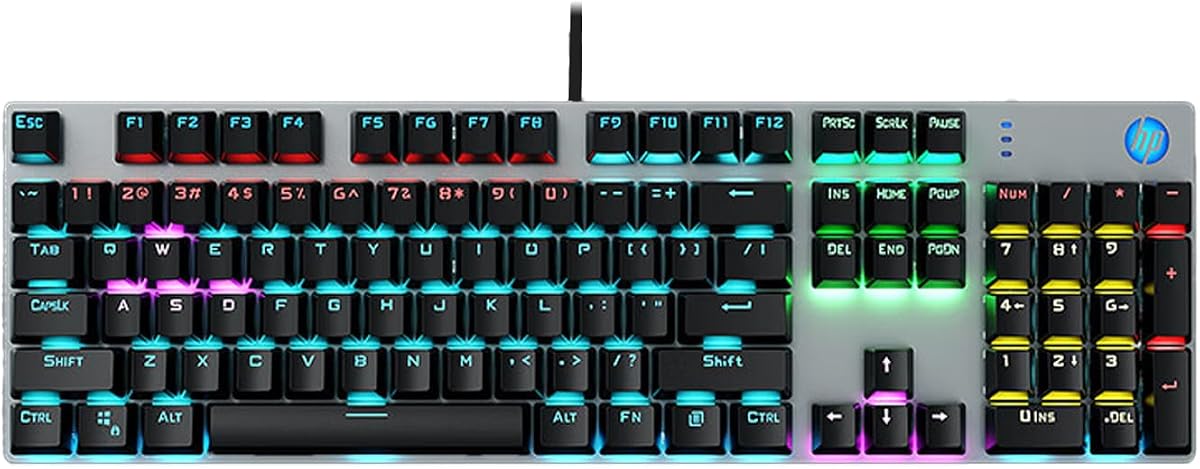
The GK400F adopts a sturdy metal panel for stable structure suitable for business and gaming. Brown switches provide crisp tactile feedback for accurate inputs.
We may earn a commission when you buy through this link, at no additional cost to you.
Stunning ice blue backlight offers 20 customizable effects for visibility in low-light environments. ABS keycaps are wear-resistant and anti-oily for clear lettering.
Two-stage adjustable foot supports and anti-slip pads relieve hand fatigue during prolonged use. It works across desktop and laptop devices easily.
This is a reliable choice for office work mixed with gaming. It offers durability and comfort without complex software requirements.
Ergonomic adjustable foot supports and anti-slip pads keep the keyboard locked in place.
Eye-catching ice blue backlight plus front-engraved keycaps enhance visibility in dim environments.
We may earn a commission when you buy through this link, at no additional cost to you.
The Q6 Pro is crafted with 6063 aluminum including double-gasket design for unprecedented typing experience. It supports QMK/VIA for deep customization of macros and shortcuts.
We may earn a commission when you buy through this link, at no additional cost to you.
You can hot-swap almost any 3pin or 5pin switch without soldering. The double-gasket design reduces acoustic resonance between metals significantly.
KSA Double-Shot PBT keycaps resist shine and oil wear. Wireless mode has lower polling than wired but remains responsive for most tasks.
Perfect for tinkerers seeking top-tier materials and customization. It delivers a refined typing feel across Mac Windows and Linux systems.
Remap any key or create macros through the open-source QMK/VIA software easily.
Silicone pads between cases reduce metal resonance for a cleaner typing sound.
We may earn a commission when you buy through this link, at no additional cost to you.
Logitech G413 SE features a sleek black-brushed aluminum top case for robust body design. It uses heat- and wear-resistant PBT keycaps for long-lasting durability.
We may earn a commission when you buy through this link, at no additional cost to you.
Tactile mechanical switches deliver uncompromising performance for gaming. The keyboard includes twelve FN media keys for controlling volume and track playback easily.
6-key rollover anti-ghosting ensures reliable input during rapid combos. The top case serves as a backbone with minimal flex.
Gamers seeking reliability and premium materials will appreciate this. It works best with wired setups for consistent performance.
PBT keycaps are heat- and wear-resistant offering the most durable material in keycap design.
Brushed aluminum-magnesium alloy top case serves as the keyboard backbone preventing flex.
We may earn a commission when you buy through this link, at no additional cost to you.
The SF60 is crafted from 6063 aerospace-grade aluminum with CNC machining. Metal keycaps create a unique acoustic chamber for a purer thock sound.
We may earn a commission when you buy through this link, at no additional cost to you.
WS Flux Poseidon magnetic switches replicate mechanical feel with 99.99% accuracy. Industry-leading 0.001mm rapid trigger precision enables instant keystroke registration.
Dual-Spirit OS learns operational strategies adapting over time. The gasket mount design absorbs resonance for softer typing feel.
Competitive gamers needing maximum precision should choose this. It balances advanced tech with premium build quality effectively.
Precision CNC machining ensures a sturdy full-aluminum case that dissipates heat efficiently.
Combined with 8000Hz polling rate this keyboard delivers ultra-low latency for precise control.
We may earn a commission when you buy through this link, at no additional cost to you.
This keyboard features five dedicated macro keys to save combos directly on the device. Hot-swappable socket accepts almost any switch for customizable feedback.
We may earn a commission when you buy through this link, at no additional cost to you.
Stock blue switches deliver distinct tactile bump and audible click on every keystroke. Built to outlast daily gaming with double-shot keycaps resisting fading.
Media wheel allows easy control for play and pause functions. Anti-ghosting ensures inputs land exactly during rapid multi-key combos.
Ideal for users wanting quick macro recording without software. It offers a robust platform for gaming with solid durability.
Five dedicated macro keys let you save complex combos or shortcuts directly on the keyboard.
Upgraded socket accepts almost any switch enabling easy feedback changes without soldering.
We may earn a commission when you buy through this link, at no additional cost to you.
Selecting a full metal keyboard involves balancing build quality with specific functional needs for gaming or work.
Look for aluminum alloy or steel frames that offer rigidity. Aircraft-grade aluminum provides durability without adding excessive weight to your desk.
Prioritize keyboards with thick metal plates to minimize flex and stabilize keystrokes during heavy use.
Mechanical switches vary in tactile feedback and sound. Choose linear for smooth action or tactile for feedback without loud clicking.
Consider Hall Effect magnetic switches for adjustable actuation points and longevity in competitive gaming.
PBT keycaps resist shine and oil better than ABS over time. They offer a textured feel that enhances typing accuracy.
Metal keycaps provide a unique acoustic profile and premium look but may be noisy and cold to touch.
Wired connections ensure zero signal delay critical for gaming. Wireless options offer desk freedom but may introduce minor latency.
Dual-mode setups allow switching between USB and Bluetooth to balance stability with flexibility.
Full-size layouts include a numpad for data entry. Compact layouts save space but may sacrifice function keys.
Measure your desk space to ensure the keyboard fits comfortably with your other peripherals and mouse.
Check the rated lifespan of switches often measured in millions of keystrokes. Higher numbers indicate better long-term value.
Metal construction adds physical durability protecting internal components from impact and wear.
Hot-swappable sockets allow changing switches without soldering. This extends the keyboard's life and lets you tweak feel.
RGB lighting and software macros enhance utility. Ensure the software is compatible with your operating system.
Adjustable feet and wrist rests reduce hand strain during long sessions. A comfortable typing angle is essential for health.
Look for non-slip pads to keep the metal base stable on your desk surface.
Keep the keyboard clean by regularly wiping metal surfaces with a microfiber cloth. Dust can accumulate in crevices affecting switch performance over time.
Avoid liquids near the board to protect internal electronics. Use compressed air to clear debris from keys without scratching metal finishes.
Store in a cool dry place if not used daily. Metal parts can corrode if exposed to humidity for extended periods.
Yes they are worth it for durability and stability. Metal frames prevent flex that plastic ones suffer ensuring a solid typing experience.
Metal surfaces can feel colder initially but warm up quickly with use. Some models include wrist rests for added comfort.
Yes if they use standard stem designs. However metal caps may require special tools or lubrication to install smoothly.
They are generally heavier due to the metal frame. This weight adds stability but may make transport more challenging.
Use a damp cloth for the frame and compressed air for keys. Avoid abrasive cleaners that could scratch the metal finish.
Many high-end models offer wireless options with stable Bluetooth. Wired connections remain standard for latency-free gaming.
Metal keyboards often last for years due to robust construction. Switch lifespans typically range from 50 to 100 million keystrokes.
Metal keycaps can produce a distinct thock sound. Dampening pads or gasket mounts help reduce excessive metallic noise.
We highlighted ten robust options ranging from budget picks to premium custom designs. Each offers unique features for durability and typing satisfaction.
Prioritize your specific needs like gaming speed or office productivity when selecting. Build quality and customization potential should guide your decision.
Always verify current prices before purchasing to ensure you get the best deal. Technology evolves so stay updated on new releases and offers.