
HP x900w USB 3.0
4.5Editor score
Lightweight portable design
USB 3.0 interface
2-year limited warranty
This guide compares the top 10 flash drives for HP laptops evaluating speed, capacity, durability, and security features to help you choose the perfect USB
Finding the right flash drive for your HP laptop is essential for efficient data management and seamless file transfers. Whether you need to back up critical documents or move large media files, a reliable USB drive ensures your information is always accessible. The right choice depends on your specific needs, including storage capacity, transfer speed, and physical durability for daily use.
We have carefully evaluated the top-rated flash drives available today to help you make an informed decision. Our analysis focuses on real-world performance, compatibility with HP laptop ports, and long-term reliability. By examining user feedback and technical specifications, we have identified the models that offer the best balance of speed, capacity, and value for various user scenarios.
Each pick in this guide highlights key features, pros, and cons to give you a clear picture of what to expect. While we strive to provide accurate information, product specifications and availability can change over time. We recommend verifying the latest details on the product pages before making your final purchase to ensure it meets your current requirements and budget.
4.5Editor score

4.6Editor score

4.3Editor score
This side-by-side comparison highlights the key specifications and features of the top ten flash drives to help you quickly identify the model that best fits your HP laptop setup and storage requirements.

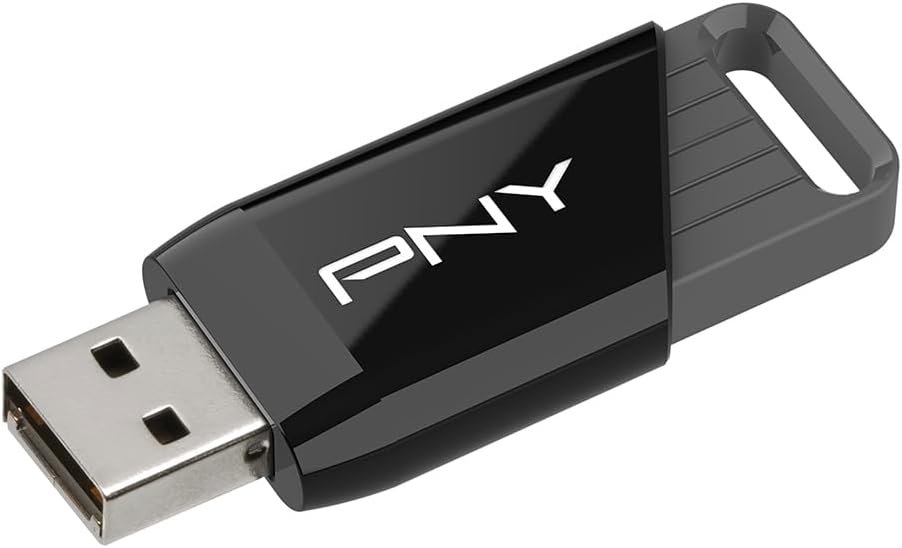

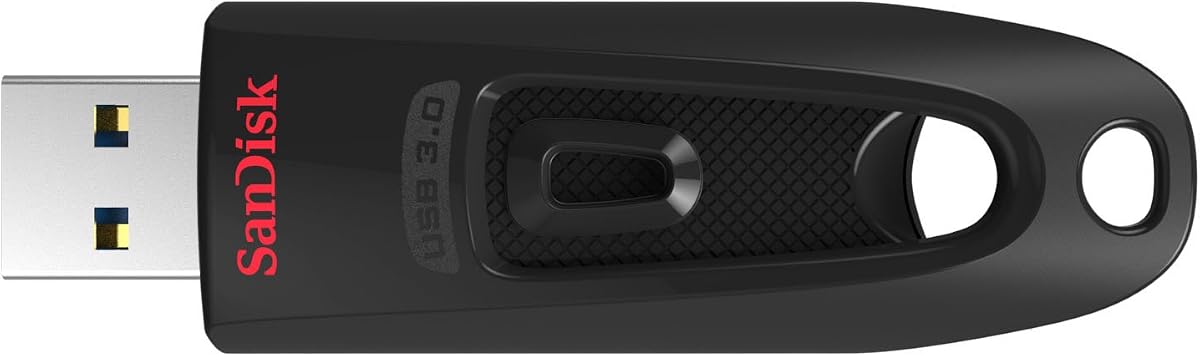

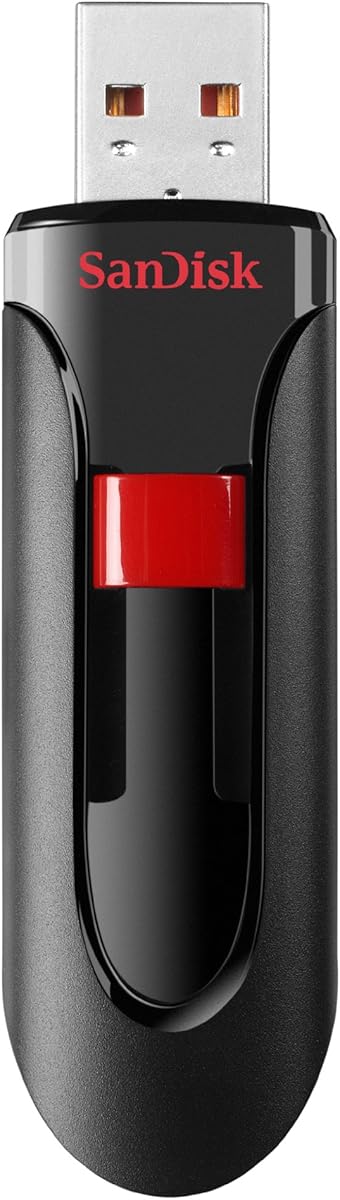

The SanDisk 128GB Ultra Flair stands out as the top choice for HP laptop users seeking a balance of speed and durability. With its impressive read speeds and metal construction, it handles daily file transfers with ease. The built-in security features add an extra layer of protection for sensitive data.
We may earn a commission when you buy through this link, at no additional cost to you.
Its USB 3.0 performance ensures that large files like videos or high-resolution photos move quickly between devices. The durable metal casing protects the drive from minor drops and wear, making it ideal for travel. Additionally, the SecureAccess software allows you to encrypt files with a password, keeping private information safe.
While it lacks a USB-C connector for newer devices, its performance and reliability make it a strong option for most HP laptops. The cap is attached to prevent loss, though some users may prefer a retractable design. Overall, the trade-offs are minimal compared to the benefits of speed and security.
This drive is perfect for professionals and students who need fast, secure storage on the go. Whether you are transferring project files or backing up important documents, the Ultra Flair delivers consistent performance. We recommend it as the best all-around flash drive for HP laptop owners.
Experience rapid file moves with up to 150MB/s read speeds, significantly faster than standard USB 2.0 drives.
Protect your private data with built-in password protection using 128-bit AES encryption via SecureAccess software.
We may earn a commission when you buy through this link, at no additional cost to you.
The HP x900w is an excellent budget-friendly option for those who need basic storage without breaking the bank. Its lightweight design makes it easy to carry in a pocket or bag, and the USB 3.0 interface ensures decent transfer speeds for everyday tasks. The drive is well-suited for students or casual users.
We may earn a commission when you buy through this link, at no additional cost to you.
Despite its lower price, it still offers the benefits of USB 3.0 technology, allowing you to move files faster than with older USB 2.0 drives. The compact form factor means it won't stick out or get caught on anything when plugged into your laptop. It is a straightforward, no-frills solution for simple file management.
One limitation is the lack of built-in security software, so you may need third-party tools for encryption. The 64GB capacity is sufficient for documents and photos but might be small for large media collections. However, for its price, it delivers reliable performance and meets the needs of most casual users.
This drive is ideal for anyone looking for a reliable, affordable way to expand storage on an HP laptop. It works seamlessly with Windows and Mac systems and is backed by a two-year warranty. We recommend it as the best budget pick for general USB storage needs.
Get essential USB 3.0 performance at a very accessible price point for basic file sharing and backup.
Its small and lightweight design ensures it fits easily into a pocket or purse for on-the-go access.
We may earn a commission when you buy through this link, at no additional cost to you.
The Lexar D40E is a premium solution for users who need both USB-C and USB-A connectivity in one device. With 256GB of storage, it can handle large projects, extensive media libraries, or full system backups. The dual connectors make it versatile for modern laptops and older desktops alike.
We may earn a commission when you buy through this link, at no additional cost to you.
Its security features stand out, offering 256-bit AES encryption to keep your data protected from unauthorized access. The metal enclosure provides durability against physical shocks and temperature variations. The 360-degree swivel design allows you to switch between connectors easily without losing a cap.
While it is more expensive than other options, the added versatility and security justify the cost for power users. The drive is compatible with a wide range of devices, including Macs, Windows PCs, and Android phones. The three-year warranty also gives you peace of mind for long-term use.
This drive is perfect for professionals who need high-capacity, secure storage across multiple device types. Whether you are sharing files between a phone and laptop or backing up critical data, the D40E delivers reliable performance. We recommend it as the best premium choice for advanced users.
Plug and play on laptops phones tablets and desktops with dual USB-C and USB-A connectors in one slim unit.
Secure your valuable files with military-grade 256-bit AES encryption software included for complete privacy.
We may earn a commission when you buy through this link, at no additional cost to you.
The JOIOT 128GB Dual USB drive offers excellent value by combining USB-C and USB-A connectors in one compact device. It works seamlessly with modern devices like the iPhone 15 as well as traditional laptops and computers. The fast read speeds make it a practical choice for transferring photos and videos quickly.
We may earn a commission when you buy through this link, at no additional cost to you.
Its design eliminates the need for adapters, saving you time and frustration when moving files between different types of devices. The drive is compatible with Windows, Mac, Android, and Linux systems, making it a versatile tool for various environments. The cap helps protect the connectors from dust and damage.
While the write speeds are not as fast as the read speeds, it still outperforms USB 2.0 drives significantly. The plastic enclosure is lightweight but may not be as durable as metal options in extreme conditions. However, for the price and feature set, it is a strong contender for everyday use.
This drive is ideal for users who need flexibility to connect to both old and new devices without extra dongles. Whether you are backing up your phone or sharing files with a friend's laptop, it works reliably. We recommend it as a great value option for dual-connectivity needs.
Seamlessly transfer files between smartphones tablets and computers with dual Type-C and USB-A ports in one drive.
Compatible with Windows Mac Android and Linux operating systems for universal plug and play convenience.
We may earn a commission when you buy through this link, at no additional cost to you.
The PNY Attaché X provides a massive 256GB of storage in a sturdy and lightweight design. It is perfect for users who need to carry large video files, extensive photo libraries, or multiple software applications. The USB 3.2 Gen 1 interface ensures that data moves quickly, saving you time on long transfers.
We may earn a commission when you buy through this link, at no additional cost to you.
Its sliding collar cap design protects the USB connector when not in use and eliminates the risk of losing a cap. The drive is compatible with both Mac and PC systems, making it a versatile choice for mixed environments. The modern look and feel add a touch of style to your tech accessories.
Some users may find the sliding mechanism a bit stiff at first, but it becomes smoother with use. The larger size compared to mini drives makes it slightly less pocket-friendly but still portable. Overall, the capacity and speed make it a standout choice for those who need more space.
This drive is best suited for content creators, students, and professionals who need significant storage on a budget. Whether you are editing 4K video or backing up a full drive, the Attaché X has the room you need. We recommend it for anyone needing high capacity at a reasonable price.
Store thousands of photos hours of video or entire project folders with 256GB of spacious memory.
The sliding collar cap design keeps the USB port safe from dust and damage without the need for a separate cap.
We may earn a commission when you buy through this link, at no additional cost to you.
This 2-pack bundle offers two 128GB USB-C drives, giving you plenty of storage options for multiple devices or backup routines. The dual connectors mean you can plug them into both modern phones and older computers without adapters. It is an excellent solution for households or small offices needing multiple drives.
We may earn a commission when you buy through this link, at no additional cost to you.
While it uses the USB 2.0 standard, it is still fast enough for documents photos and music files. The drives are compact and lightweight, making them easy to carry in a wallet or laptop bag. The two colors help you distinguish between drives for different purposes like work and personal use.
The main trade-off is the slower transfer speed compared to USB 3.0 models, which can be noticeable with large files. However, the value of getting two drives for the price of one often outweighs this limitation. It is a smart choice for those who need redundancy and flexibility.
This set is ideal for anyone who wants to share files across different devices or keep separate backups for important data. Whether you are backing up a phone or sharing a presentation with a client, these drives work reliably. We recommend it as a practical and budget-friendly bundle.
Get two drives in one package to share with family or keep one at home and one at work for easy access.
No drivers or software are required; simply insert into the port and start transferring files instantly on any device.
We may earn a commission when you buy through this link, at no additional cost to you.
The SanDisk 256GB Ultra offers a reliable way to store large amounts of data with fast USB 3.0 performance. It is perfect for users who need to carry extensive libraries of photos, videos, or documents in a portable format. The trusted brand ensures consistent quality and support for long-term use.
We may earn a commission when you buy through this link, at no additional cost to you.
With read speeds of up to 130MB/s, you can move files quickly without long waits. The SecureAccess software adds password protection to keep sensitive information safe from unauthorized access. It is backward compatible with USB 2.0 ports, so it works even with older laptops or desktops.
While it lacks a USB-C connector for newer devices, its USB-A design is still widely compatible with most HP laptops. The plastic body is sturdy enough for daily use but may not be as durable as metal alternatives. Overall, it strikes a good balance between capacity, speed, and security.
This drive is recommended for anyone needing a large, secure storage option for work or personal media. Whether you are archiving old files or sharing current projects, it handles the job efficiently. We recommend it as a solid choice for reliable high-capacity storage.
Store up to 256GB of files to accommodate extensive collections of movies photos and documents in one portable drive.
Keep your private files safe with built-in encryption and password protection software for added data security.
We may earn a commission when you buy through this link, at no additional cost to you.
The SanDisk Cruzer Blade is an ultra-compact drive that fits easily into your pocket or keychain without adding bulk. It is ideal for quick file transfers or storing essential documents when you need something small and portable. The included SecureAccess software lets you protect private files with a password.
We may earn a commission when you buy through this link, at no additional cost to you.
Despite its small size, it is built to last and offers the reliability SanDisk is known for. The USB 2.0 interface may be slower than newer standards, but it is sufficient for text files, photos, and small media. Its contoured design makes it easy to handle and insert into ports.
The 16GB capacity is limited, so it is not suitable for large video files or extensive backups. However, for simple tasks like sharing a presentation or transferring a few photos, it is perfect. The low price makes it a great add-on for those who need multiple small drives.
This drive is recommended for users who prioritize portability and basic storage needs over high capacity. Whether you are handing files to a colleague or keeping a backup of your resume, it works well. We recommend it as a practical small-capacity option.
The ultra-compact and contoured design ensures it fits comfortably in your pocket or on a keychain for always-ready access.
Protect your private documents with the included SecureAccess software that uses 128-bit AES encryption.
We may earn a commission when you buy through this link, at no additional cost to you.
The SanDisk Cruzer Glide combines practicality and performance with its retractable design that eliminates the risk of losing a cap. It offers 128GB of storage and USB 3.0 speeds for efficient file transfers. The trusted brand ensures reliable performance for daily use across various devices.
We may earn a commission when you buy through this link, at no additional cost to you.
The slider mechanism allows you to easily access the USB connector when needed and protect it when not in use. It includes SecureAccess software for password protection, adding a layer of security for your private files. The two-year warranty provides additional peace of mind for your purchase.
While the plastic body is durable enough for most uses, it may not withstand heavy physical stress as well as metal drives. Some users may find the slider stiff at first, but it smooths out with regular use. Overall, it is a user-friendly option for general storage.
This drive is perfect for students and office workers who need a reliable drive with simple protection. Whether you are carrying homework or work documents, it is ready when you need it. We recommend it for its convenience and solid performance.
The retractable design keeps the connector safe and protected without the hassle of losing a separate cap.
Secure your personal files with password protection using the included SecureAccess encryption software.
We may earn a commission when you buy through this link, at no additional cost to you.
The SanDisk 32GB Ultra offers a five-year warranty, making it one of the most protected options available. It provides USB 3.0 speeds that are four times faster than USB 2.0 drives, allowing for quick access to your files. This drive is ideal for users who value long-term reliability and support.
We may earn a commission when you buy through this link, at no additional cost to you.
While the 32GB capacity is modest, it is sufficient for documents photos and some music files. The USB 3.0 interface ensures that even with older ports, performance remains consistent. The included SecureAccess software helps keep your personal data secure with password protection.
The older version design may look simpler than newer models, but it functions reliably for everyday tasks. The longer warranty period stands out as a key benefit for those concerned about durability and lifespan. It is a practical choice for basic storage needs with extra security.
This drive is recommended for anyone who wants a dependable solution with strong manufacturer backing. Whether you are backing up small projects or sharing files with a printer, it works smoothly. We recommend it as a reliable option with exceptional warranty coverage.
Enjoy peace of mind with a five-year limited warranty that covers the drive for long-term reliable use.
Access photos and documents up to four times faster than USB 2.0 drives with USB 3.0 technology.
We may earn a commission when you buy through this link, at no additional cost to you.
Selecting the right flash drive for your HP laptop involves considering several factors that affect performance, durability, and compatibility. This section outlines the key elements to review before making your purchase.
Storage capacity determines how much data you can store on the drive. For basic documents and photos, 16GB to 64GB may suffice, but for videos or large software files, consider 128GB or higher. Always check your typical file sizes to ensure the drive meets your needs.
Choose a capacity that matches your storage habits and provides room for growth without overspending on unused space.
The interface speed affects how fast files are transferred between your laptop and the drive. USB 3.0 and newer versions offer significantly faster speeds than USB 2.0. For large files, higher speeds save time and improve productivity.
Opt for USB 3.0 or higher speeds to ensure quick transfers and avoid long wait times during file movements.
Connector type determines compatibility with your laptop and other devices. Traditional USB-A ports are common, but newer laptops may have USB-C ports. Dual connector drives offer flexibility to work with both types without adapters.
Select a connector type that matches your HP laptop's ports or consider a dual-connectivity drive for broader compatibility.
Durability ensures the drive survives daily use, drops, and environmental factors. Metal enclosures offer better protection than plastic and are often more resistant to heat and wear. Swivel designs or attached caps prevent loss and damage to connectors.
Choose a drive with a sturdy build and protective features to extend its lifespan and maintain reliability over time.
Security features like password protection and encryption help keep your private data safe. Some drives include software to encrypt files, while others may require third-party tools. This is crucial for business files or sensitive personal information.
Prioritize drives with built-in encryption if you need to protect confidential data from unauthorized access.
Compatibility ensures the drive works seamlessly with your operating system and other devices. Most drives support Windows and Mac, but check for specific OS requirements or driver needs. Cross-platform compatibility is essential for users with multiple devices.
Verify that the drive is compatible with your HP laptop's OS and any other systems you plan to use.
A warranty provides protection against defects and gives you peace of mind. Some drives offer limited warranties ranging from one to five years. Longer warranties indicate confidence in product quality and offer better long-term value.
Look for drives with solid warranty terms to ensure you are covered in case of hardware failure or issues.
Price should be weighed against the features and capacity you need. Higher-end drives may cost more but offer better speeds and durability. Budget options can be sufficient for basic needs but might lack advanced features.
Determine your budget and balance it with the features you require to get the best value for your money.
To use your flash drive with your HP laptop, simply insert the USB connector into an available port. Wait for the system to recognize the device and open the file explorer to access the drive's contents. You can then copy, paste, or delete files as needed.
When you are finished using the drive, always eject it safely before removing it from the port. This prevents data corruption and ensures that all files are fully written. To eject, right-click the drive icon and select the eject option.
To care for your flash drive, keep it in a protective case or pocket to avoid physical damage. Avoid exposing it to extreme temperatures or moisture, which can affect its performance. Regularly check for software updates if your drive includes security tools.
Yes, most HP laptops have USB ports that support standard USB flash drives. Whether your laptop has USB-A or USB-C ports, there are drives available for both types. Simply plug the drive in and access it through your file manager.
USB 3.0 offers significantly faster transfer speeds than USB 2.0. This means you can move large files like videos more quickly. USB 3.0 drives are backward compatible with USB 2.0 ports, so they work with older systems too.
Many flash drives come with built-in software for password protection and encryption. You can install this software to secure your files from unauthorized access. Alternatively, you can use third-party tools to encrypt files before transferring them to the drive.
It is not safe to remove a flash drive without ejecting it first. Removing it abruptly can cause data loss or corruption. Always use the safe eject option in your operating system to ensure all transfers are complete.
Flash drives can last several years with proper care and limited use. Factors like write cycles, physical damage, and environmental conditions affect their lifespan. Storing them in a cool, dry place helps extend their life.
Yes, most flash drives are compatible with various devices including laptops, desktops, and media players. However, compatibility may depend on the connector type and file system. Choose a drive with dual connectors if you need to switch between different systems.
We hope this guide has helped you narrow down the best flash drive options for your HP laptop. From the SanDisk Ultra Flair's speed to the HP x900w's affordability, each pick offers unique benefits to suit different needs.
When making your final decision, consider your storage requirements, transfer speed needs, and budget. Prioritize features like security and durability if you often carry the drive with you.
Remember that prices and availability may change, so check the latest details on the product pages before buying. Investing in the right flash drive will ensure efficient data management for your HP laptop.