
Time Clock for Small Business H4
4.8Editor score
No monthly subscription fees
Standalone secure operation
Automatic hours calculation
This guide compares the top fingerprint time clocks for employees to help small businesses choose accurate biometric systems with reliable features.
Managing employee attendance accurately is crucial for small businesses aiming to control labor costs and ensure fair payroll processing. Fingerprint time clocks offer a secure solution that prevents buddy punching and streamlines the clock-in process for teams of all sizes.
We evaluated ten leading biometric time tracking devices based on their recognition speed, storage capacity, connectivity options, and ease of use. Our analysis focuses on models that provide reliable performance without requiring complex IT setups or expensive monthly subscriptions.
Each product pick highlights specific strengths such as cloud access, standalone operation, or advanced shift management tools. Please note that prices and availability change frequently, so verify current offers before making your final purchase decision for your workspace.
4.8Editor score

4.6Editor score

4.4Editor score
The following table provides a side-by-side overview of all ten fingerprint time clocks, highlighting their key specifications, verification methods, and ideal use cases for different business environments.

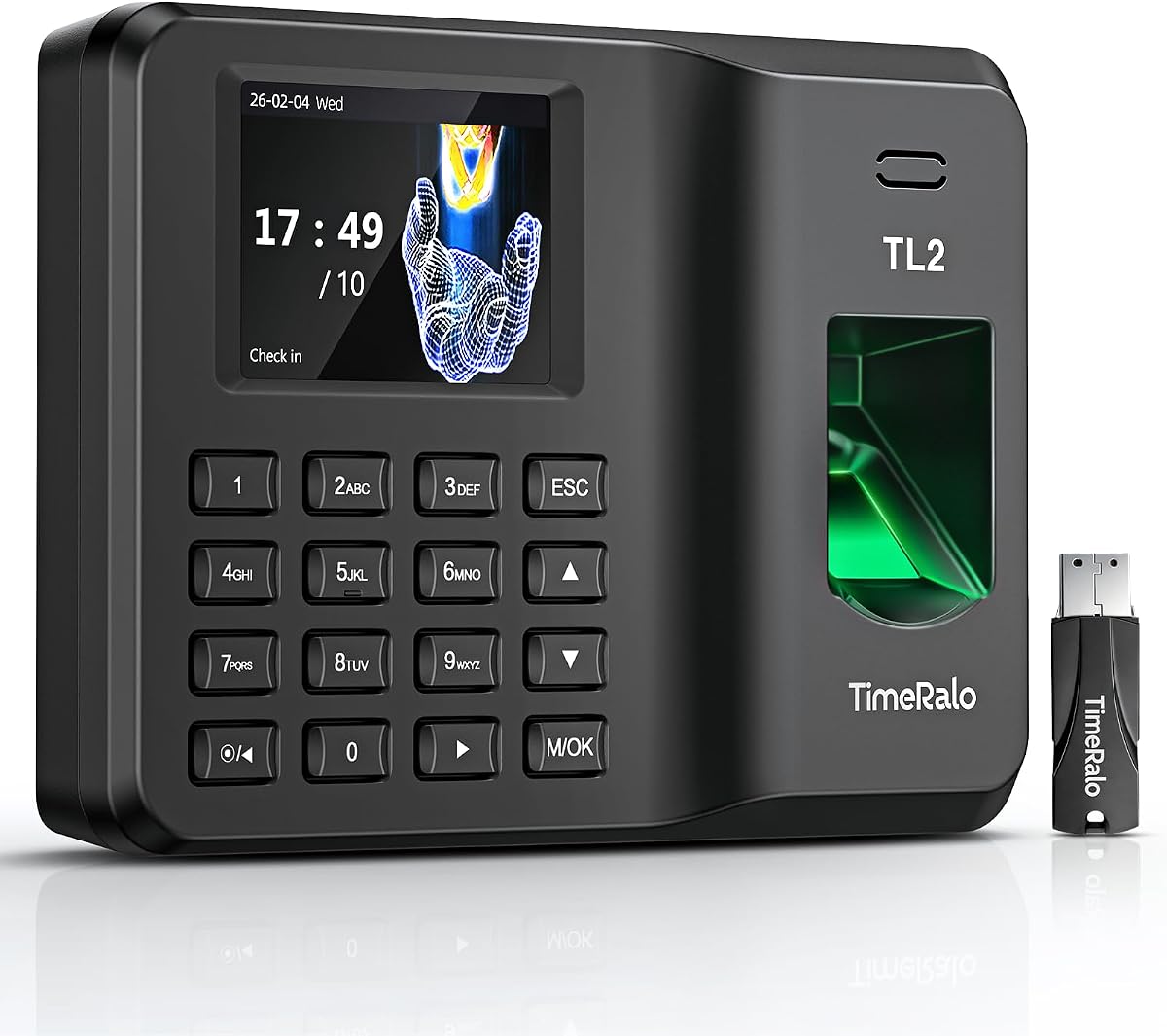


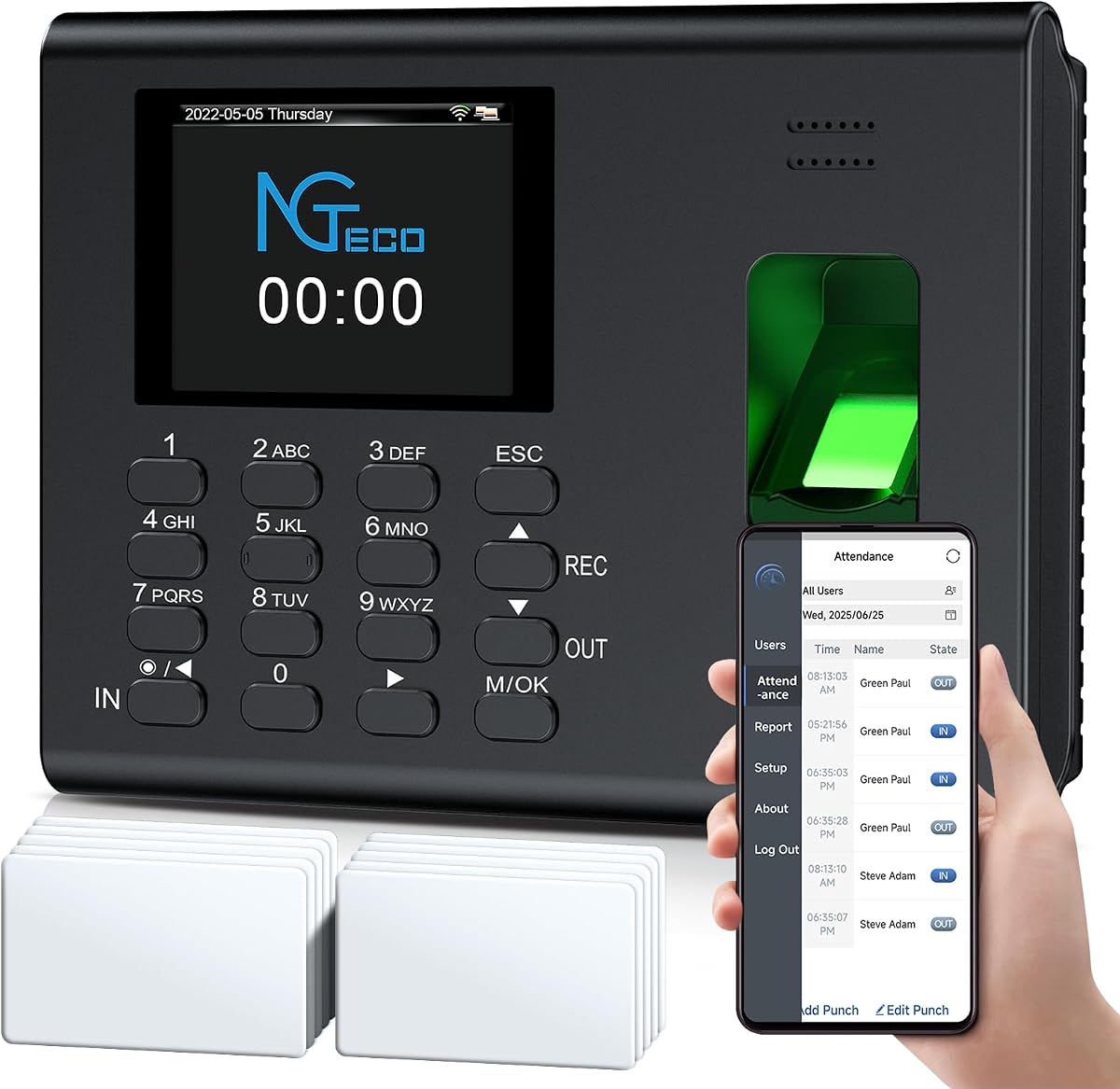
The NGTeco Time Clock for Small Business stands out as a top contender for businesses needing reliable biometric tracking without complex IT requirements. With a rating of 4.6 stars it delivers consistent performance that users appreciate for its speed and accuracy in daily operations.
We may earn a commission when you buy through this link, at no additional cost to you.
Its standout feature is the advanced sensor that authenticates fingerprints in just 0.5 seconds which significantly reduces wait times during shift changes. The auto-calculated work hours and real-time punch detection ensure that attendance records are accurate and administrative tasks are simplified for managers.
While the device requires a local network for syncing edits and viewing data it remains flexible enough for most small business environments. The backup system protects data during power outages ensuring that no critical information is lost when electricity is interrupted unexpectedly.
This clock is ideal for teams that value speed and ease of use over advanced cloud features. It balances cost and functionality well making it a strong recommendation for businesses looking to upgrade from manual tracking systems immediately.
The sensor handles wet or dry fingerprints reliably ensuring every employee can clock in quickly without frustration or system errors during peak times.
Exporting timesheets via email or USB allows for seamless integration with existing payroll software reducing the risk of human error in calculations.
We may earn a commission when you buy through this link, at no additional cost to you.
The NGTeco Standalone Time Clock is designed for businesses that prefer simplicity and independence from network dependencies. It offers a true standalone operation allowing teams to start tracking attendance within minutes without configuring Wi-Fi or installing complex software.
We may earn a commission when you buy through this link, at no additional cost to you.
Its primary strength lies in its ease of use and the included USB drive for exporting attendance data directly into Excel reports. This feature makes it highly suitable for businesses with limited IT support or those operating in areas with unstable internet connections.
While the lack of remote access means managers must physically access the device to retrieve data the internal backup system ensures records remain secure during power outages. This reliability is crucial for maintaining accurate payroll histories without risking data loss.
This model is perfect for small offices or warehouses where employees clock in on-site and managers handle payroll locally. It provides a cost-effective solution that eliminates paper cards while maintaining high levels of security and accuracy for daily tracking.
Ditching wasteful paper cards and ribbons saves money and reduces waste while delivering precise instant records that are easy to manage digitally.
Supporting up to 500 users and 50000 punch records ensures the device grows with your business without needing frequent hardware upgrades or maintenance.
We may earn a commission when you buy through this link, at no additional cost to you.
This Standalone Time Clock offers an excellent balance of performance and affordability for small businesses seeking a digital upgrade. It replaces traditional paper card machines with a robust system that requires no monthly fees and is easy to set up for immediate use.
We may earn a commission when you buy through this link, at no additional cost to you.
The large capacity for up to 500 fingerprints makes it suitable for growing teams that need secure and reliable identification. The built-in backup system safeguards all punch data during power outages ensuring that employee records and timesheets remain intact without any reset hassle.
Its versatile design allows for either wall mounting or desktop placement which adapts to different workplace layouts and workflows. However the reliance on USB drives for data transfer means managers must plan for regular backups to avoid missing any attendance records.
Ideal for budget-conscious businesses this clock provides precise instant digital records that simplify payroll processing. It is a practical choice for those who want to eliminate manual entry errors and enjoy a paperless office environment without ongoing costs.
Flexible mounting options allow installation in any workplace including offices schools and factories ensuring the device fits your specific space needs perfectly.
Embracing a green office becomes easier with digital records that remove the need for ink ribbons and paper cards reducing environmental impact significantly.
We may earn a commission when you buy through this link, at no additional cost to you.
The NGTeco Cloud Time Clock is designed for managers who need flexibility to monitor attendance from anywhere. Its cloud connectivity allows for real-time access via mobile app or web portal which is ideal for remote teams or busy owners.
We may earn a commission when you buy through this link, at no additional cost to you.
Features like dual-band WiFi ensure stable connectivity and reduce connection lags that can disrupt daily operations. The ability to configure weekly overtime rates and generate payroll-ready data streamlines administrative tasks and reduces manual calculation errors significantly.
Data security is a top priority with AWS cloud storage and end-to-end encryption protecting sensitive information. However full access to advanced features like GPS check-ins may require a separate subscription which adds a small monthly cost to the ownership.
This model is best suited for businesses that value remote access and automated reporting capabilities. It provides a secure and efficient way to manage attendance while ensuring that data remains protected and accessible even during unexpected power outages.
AWS servers and encryption standards ensure that employee attendance records are safe from unauthorized access and compliant with global data protection standards.
Configuring dual-level overtime rates helps businesses adhere to labor laws and company policies without manual intervention or complex calculation steps.
We may earn a commission when you buy through this link, at no additional cost to you.
The uAttend JR2000 offers a comprehensive all-in-one system that integrates time tracking with payroll tasks seamlessly. It supports multiple verification methods including fingerprint RFID and PIN which provides flexibility for different employee preferences and security needs.
We may earn a commission when you buy through this link, at no additional cost to you.
Its cloud-based system allows for real-time data access from any device giving managers control and flexibility no matter where they are. The automatic cloud backups keep data secure and available ensuring that attendance records are never lost due to hardware failures.
While the subscription model may not suit every budget the in-depth reporting capabilities provide valuable insights into labor costs and productivity trends. This tool helps businesses make informed decisions by highlighting attendance patterns and efficiency metrics clearly.
Ideal for growing businesses this clock simplifies complex tasks like tax filings and payroll automation. It balances user-friendly design with powerful features making it a solid choice for teams needing advanced reporting without technical complexity.
Automating payroll with time data reduces administrative overhead and ensures employees are paid accurately on time without manual data entry.
Viewing attendance in real-time allows managers to address issues immediately rather than waiting for end-of-week reports to identify discrepancies.
We may earn a commission when you buy through this link, at no additional cost to you.
The H4 Time Clock boasts an impressive rating of 4.8 stars reflecting high user satisfaction with its performance and value. It is a fully standalone device that works without WiFi or internet ensuring data privacy and security through local storage.
We may earn a commission when you buy through this link, at no additional cost to you.
Its automatic hours calculation eliminates manual errors and reduces the workload for payroll administrators significantly. The support for multiple verification methods including fingerprint RFID and PIN prevents buddy punching and ensures that attendance records are accurate and reliable.
Features like night shift support and multi-language options make it versatile for various workforce needs and locations. The built-in backup system protects data during power outages ensuring that important information remains secure and recoverable without device reset.
This model is perfect for businesses that want a reliable paperless solution without hidden fees. It combines ease of use with robust security features making it an ideal choice for small teams seeking efficiency and cost-effectiveness.
The system automatically calculates working hours and breaks ensuring accurate timesheets without manual intervention or spreadsheet work for HR staff.
Multi-language options and lifetime support ensure that all employees can use the device comfortably regardless of their language preferences or technical skills.
We may earn a commission when you buy through this link, at no additional cost to you.
The NGTeco Cloud TC1 is designed for businesses needing flexible shift configurations without immediate monthly fees. It supports free cloud services allowing access to real-time data via any web browser which simplifies attendance management significantly.
We may earn a commission when you buy through this link, at no additional cost to you.
Customizable shifts and overtime rules ensure that the system adapts to diverse team structures like rotating or split shifts. This flexibility reduces manual scheduling errors and ensures that payroll calculations align with company compensation policies accurately.
Data security is maintained through AWS servers and encryption standards which protect sensitive workforce records. Offline punch capture ensures that data is not lost even if the internet connection is temporarily interrupted during busy workdays.
Ideal for global teams the device offers multi-language support to accommodate diverse workforces. It balances cost and functionality well making it a practical option for businesses seeking flexible tracking without heavy financial commitment.
Supporting fixed rotating split shift configurations ensures every business workflow can be accommodated without manual workarounds or complex setup.
End-to-end encryption and AWS storage ensure that employee data is protected to the highest standards preventing unauthorized access to sensitive records.
We may earn a commission when you buy through this link, at no additional cost to you.
This Cloud Time Clock stands out for its instant self-service attendance feature allowing staff to view timesheets on their phones. This transparency reduces delays and admin hassle by eliminating the need for manual approvals or complex requests.
We may earn a commission when you buy through this link, at no additional cost to you.
Remote access via the mobile app enables managers to view correct attendance and set rules without needing a web portal or desktop software. This ease of use saves time and ensures that attendance management can happen directly from a smartphone.
Automatic calculation of working hours and overtime rules ensures accurate timesheets tailored to payroll rules. Payroll-ready reports are emailed directly reducing paperwork and errors while streamlining the process for finance teams effectively.
Ideal for restaurants and retail this clock offers reliable offline tracking and no monthly fees. It provides a modern solution that balances transparency for employees with control for managers in a user-friendly package.
Employees verifying their own timesheets on phones reduces disputes and builds trust while cutting down the administrative burden on managers significantly.
Auto-generated visual reports provide clear insights into attendance trends helping businesses make informed decisions about scheduling and labor costs easily.
We may earn a commission when you buy through this link, at no additional cost to you.
The NGTeco Cloud Time Clock with Touchscreen delivers a premium experience with its high-definition display and multiple punch methods. It allows employees to use facial recognition or fingerprint scanning which enhances security and speeds up the clock-in process.
We may earn a commission when you buy through this link, at no additional cost to you.
Managers can stay connected remotely to adjust schedules correct punches and generate reports on the go. This level of flexibility is ideal for businesses that need to manage attendance dynamically without being tied to a physical desk.
Dual-band WiFi ensures stable connectivity while customizable rules help tailor the system to unique operations. The secure AWS storage ensures that all attendance data remains confidential and protected against unauthorized access or breaches.
Ideal for businesses seeking modern features this clock balances advanced technology with practical utility. Its intuitive design and robust security make it a top choice for teams prioritizing both performance and employee satisfaction.
The 4.3 inch touchscreen simplifies the punch process and makes navigation easy for all employees improving overall efficiency and reducing training time.
End-to-end encryption and compliance standards ensure employee data is kept safe and private providing peace of mind for both staff and management.
We may earn a commission when you buy through this link, at no additional cost to you.
The NGTeco APP Time Clock offers robust storage capacity for long-term usage without the need for frequent data management. Its 2000mAh backup battery ensures continuous operation even during power outages maintaining stability when electricity is interrupted.
We may earn a commission when you buy through this link, at no additional cost to you.
Remote management via the local network app allows managers to view edit attendance data and export reports with one click. This streamlines HR statistics and improves office efficiency without requiring constant physical access to the device.
Three verification modes including fingerprint card and PIN help prevent buddy punching and resolve conflicts efficiently. The durable ABS construction ensures longevity in high-frequency environments making it suitable for demanding workplace settings.
Ideal for businesses needing reliable local control this clock balances ease of use with robust features. It provides a stable and secure solution for teams prioritizing continuity and cost-effectiveness in their attendance tracking.
The large backup battery keeps the device running during power cuts ensuring no data is lost even if the network is unstable or unavailable.
Holding up to 100000 records ensures the device meets long-term usage needs without requiring constant archiving or data cleanup operations.
We may earn a commission when you buy through this link, at no additional cost to you.
Selecting the right fingerprint time clock involves evaluating several key factors to ensure the system fits your business needs and budget.
Most modern time clocks offer fingerprint recognition as the primary method to prevent buddy punching. Some models also include PIN codes or RFID cards as backup options for employees with damaged fingerprints or specific preferences. Choosing a device with multiple methods ensures inclusivity and reduces downtime during peak hours.
Prioritize models that offer dual or triple verification modes to accommodate diverse workforce needs effectively.
Devices can operate standalone without internet or connect via Wi-Fi and LAN for remote access. Standalone models require USB drives for data export whereas cloud-enabled ones allow real-time monitoring from anywhere. Your choice depends on whether you need remote visibility or prefer keeping data offline.
Evaluate your business environment to decide between standalone simplicity and cloud-based flexibility.
Storage limits determine how many user profiles and punch records the device can hold. Small businesses may only need 200 users whereas larger teams might require 500 or more. Ensuring sufficient capacity prevents the need for frequent data clearing or device replacement.
Select a device that supports your current team size plus potential growth over the next few years.
Some time clocks offer automatic report generation compatible with popular payroll software. Others may require manual exports via Excel or email. Seamless integration reduces administrative work and minimizes errors when calculating wages and overtime.
Look for models that support direct email exports or compatible file formats for your accounting tools.
Security is critical when handling sensitive employee data. Cloud devices often provide encryption and backup servers to prevent data loss. Standalone devices should have internal backup systems to survive power outages without losing records.
Ensure the device has robust protection against power failures and unauthorized access to maintain data integrity.
A user-friendly interface helps employees clock in quickly without confusion. Touchscreens or clear buttons improve the experience and reduce training time. The software interface for managers should also be intuitive to allow easy schedule adjustments.
Choose a system with simple setup and clear instructions to minimize downtime during implementation.
Power outages can disrupt attendance tracking if the device lacks a backup battery. Devices with internal batteries continue recording during electrical failures ensuring no missed punches. This is vital for businesses operating in areas with unreliable power supply.
Check for built-in battery backup features to maintain continuous tracking during unexpected interruptions.
Reliable customer support ensures issues are resolved quickly without disrupting operations. Look for models with warranties and accessible technical teams during business hours. Localized support can be particularly helpful for businesses in the US.
Verify the warranty duration and support availability to ensure long-term reliability and assistance.
To set up your time clock plug it into a power source and connect it to the network if required. Use the provided manual or app to register employee fingerprints and assign unique IDs to each team member.
Ensure the device is mounted securely in a location accessible to all staff but protected from damage. Train employees to use the sensor by pressing their finger firmly for a brief moment to register a successful scan.
Regularly clean the fingerprint sensor with a soft cloth to maintain accuracy and prevent dirt buildup. Schedule periodic data exports to your payroll system to ensure records are backed up safely and efficiently.
Most modern sensors use optical technology that can handle wet or dry fingers reliably. However extremely wet fingers might take a second attempt to scan. It is recommended to dry hands before using the device for best results.
Yes biometric clocks are designed specifically to prevent buddy punching by requiring unique biological traits like fingerprints. Using a combination of fingerprint and PIN adds an extra layer of security against sharing credentials.
Standalone clocks do not require internet to function but may use USB drives for data export. Cloud models need internet access for remote monitoring and storage but often support offline modes for data capture.
Capacity varies by model typically ranging from 200 to 500 employees. Some high-capacity devices can support more depending on the specific configuration and storage limits provided by the manufacturer.
Devices with built-in backup batteries continue recording attendance during power outages. Internal backup systems ensure data remains safe even if the power fails temporarily allowing uninterrupted tracking and records.
Many standalone devices require no monthly fees. Cloud models may offer free basic features but often charge for advanced tools like GPS check-ins or unlimited storage. Always review the terms before purchasing.
Our review highlights the NGTeco Time Clock as the top choice for reliability and speed offering seamless integration and robust features. The H4 Time Clock stands out as the best budget option for those needing offline simplicity without ongoing costs.
When selecting a device prioritize features that match your business size and operational needs. Consider factors like backup options connectivity methods and ease of payroll integration to ensure the system delivers value long term.
Remember that prices and availability can change so always check current offers before finalizing your purchase. Investing in the right time clock improves efficiency and ensures fair accurate tracking for your team.