
SUNLU Filament Dryer S2
4.3Editor score
Heats up quickly to preset temperature
Large capacity for 1kg spools
User-friendly large touch screen interface
This guide compares the top filament dryer for 3D printing models available this month to help you choose the best moisture removal and storage solution for
Moisture ruins prints by causing bubbles and stringing, so a reliable dryer is essential. These units heat and seal spools to ensure consistent flow and better layer adhesion during every print job you run at home.
We evaluated ten top models based on capacity, heating speed, and sealing quality. Our analysis covers single and multi spool options from major brands to help you find the right fit for your specific printing needs and budget.
Each pick highlights key specs, pros, and cons so you can decide quickly. Prices fluctuate often so please verify current deals before buying to ensure you get the best value for your specific filament storage requirements today.
4.3Editor score

4.6Editor score

4.5Editor score
This side by side comparison highlights the key specifications and unique features of each model to help you decide which unit offers the best value for your specific printing needs and environment.
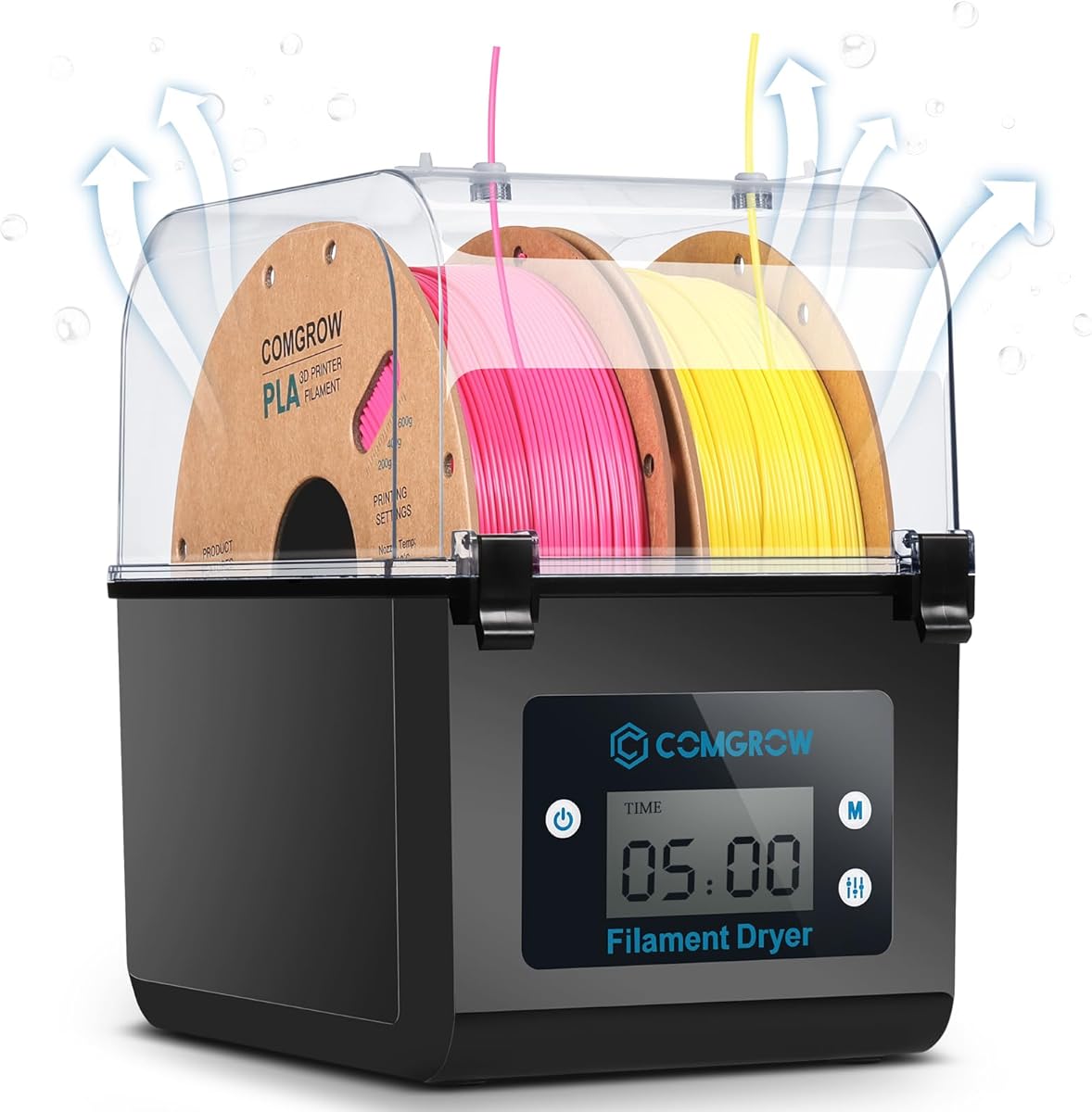


This unit is a strong contender for anyone needing reliable moisture removal without breaking the bank. It holds two spools and keeps them dry during printing which helps avoid common issues like bubbling or stringing on your prints.
We may earn a commission when you buy through this link, at no additional cost to you.
The LCD screen shows temperature and humidity so you know exactly what is happening inside. You can adjust the duration and heat settings easily. The silicone sheath keeps the filament path sealed so ambient air does not ruin your material while it dries.
The max temperature is capped at 50C which works for most common plastics but might not be enough for high temperature engineering filaments. You also have to remember to close the sealing hole when not in use or the storage function fails.
For most hobbyists and small shops this box offers a great balance of performance and cost. It ensures your PLA and PETG stay dry so you spend less time troubleshooting and more time printing successful models every single day.
The 2-inch LCD screen makes it easy to track drying progress and ensure your filament is ready when you need it.
The silicone cable sheath prevents outside humidity from entering during the drying process to keep your prints looking professional.
We may earn a commission when you buy through this link, at no additional cost to you.
SUNLU has updated this box with a fan to help move air faster and remove moisture more efficiently than passive units. This is a solid choice if you want better speed without spending too much on premium features.
We may earn a commission when you buy through this link, at no additional cost to you.
The display shows temperature time and humidity so you can track progress easily. You can adjust the heat and time to suit your specific room conditions which helps get better prints from the start of your session.
The temperature range is up to 55C which covers most standard filaments but might struggle with tough engineering plastics. Also it only holds one spool so you might need two units if you print with multiple materials daily.
This model is ideal for single printer setups where you want a quick upgrade from an open bin. It helps reduce stringing and improves layer adhesion by keeping your filament dry before and during the print process.
The added fan helps discharge excess water faster so your filament is ready for use sooner than with traditional heating only models.
The 2 inch LCD screen lets you see temperature and humidity at a glance without needing to open the lid or guess.
We may earn a commission when you buy through this link, at no additional cost to you.
This unit stands out for its dual heating chambers which speed up the drying process significantly. It holds four spools so you can keep a variety of materials dry at once which is great for busy shops or multi material workflows.
We may earn a commission when you buy through this link, at no additional cost to you.
You can reach up to 85C which makes it suitable for ABS PC and other tough filaments that need high heat to release moisture. The illuminated window lets you check the spools without breaking the seal and letting moisture back in.
The cost is higher than basic single spool units and it takes up more space on your desk. However if you print often or use high performance materials the speed and capacity justify the investment for consistent high quality output.
This is the top choice for anyone who needs to keep a large stock dry without waiting days for spools to dehumidify. It combines drying and storage in one box so you are always ready to print with perfect filament.
The independent heating chambers remove moisture 30% faster than standard dryers so you spend less time waiting and more time printing.
With 85C max this box handles engineering filaments that require high temperatures to prevent printing issues like layer separation or clogs.
We may earn a commission when you buy through this link, at no additional cost to you.
The S4 is designed for serious users who need to dry many spools at once. It uses a powerful heater and fans to ensure even heat across all four spools so every print uses perfectly conditioned material.
We may earn a commission when you buy through this link, at no additional cost to you.
The eight exit holes allow you to run filament to multiple printers at the same time. You can also modify it to hold larger rolls if you need to save space on your setup with extra custom work.
It is large and heavy so you need to dedicate some space for it. The price is also higher but the flexibility and build quality make it a strong premium option for those who demand the best drying performance.
This unit is perfect for small businesses or serious hobbyists with multiple printers. It keeps your stock dry and ready so you do not waste time on failed prints due to damp filament issues during long jobs.
The 350W heater provides faster heating and consistent drying for all spools inside the box without cold spots that could ruin material.
Eight exit holes let you connect several printers at once which helps reduce the need to switch tubes and saves you valuable time.
We may earn a commission when you buy through this link, at no additional cost to you.
This newer model uses a unique heater to ensure uniform drying without hot spots that can warp filament. It supports dual spools and has presets for 12 filament types so you can start drying with a single touch.
We may earn a commission when you buy through this link, at no additional cost to you.
The large touch screen makes it easy to switch between Celsius and Fahrenheit or track humidity levels. The 360 degree hot air ensures the heat reaches every part of the spool so moisture is removed evenly.
The price is a bit higher than basic models but the features like presets and humidity monitoring justify the cost for many users. It does not hold as many spools as the bigger units so choose based on your volume needs.
For users who want modern features without the bulk of a 4 spool unit this is a strong choice. It helps maintain consistent print quality by keeping your filament dry and ready for immediate use after prepping.
Twelve presets allow you to select your filament type and start drying immediately without needing to manually adjust temperature and time settings.
The built-in fan and heating design circulate air evenly so no part of your spool stays damp while others overheat and get damaged.
We may earn a commission when you buy through this link, at no additional cost to you.
This box focuses on keeping your filament dry after you have dried it. You can move from drying to sealed storage without exposing the spool to the air which helps maintain the low humidity you achieved during the drying phase.
We may earn a commission when you buy through this link, at no additional cost to you.
The built-in hygrometer helps you track humidity levels so you know when it is time to use or re-dry your material. It supports many materials and sizes so you can use it for almost any print you have at home.
The price is higher than generic units and the capacity is limited to standard spools. However the quality of the seal and the added desiccant protection make it a great choice for sensitive materials like Nylon that absorb moisture quickly.
If you often print with materials that need strict humidity control this unit helps you manage that with less effort. It ensures your filament stays in top shape between jobs so your prints look consistent and professional.
This unit allows you to move from drying to printing without breaking the seal so your filament stays dry for hours after the cycle ends.
The built-in hygrometer removes guesswork by showing you the exact humidity level inside the box so you can act before moisture ruins prints.
We may earn a commission when you buy through this link, at no additional cost to you.
This model uses an upgraded heater to warm up fast and maintain even heat with a fan. It is designed to be simple to use with a knob and display so you can start drying in minutes without needing complex setup.
We may earn a commission when you buy through this link, at no additional cost to you.
The thermal insulation keeps the heat inside so it stays warm for longer and saves energy. You can track humidity and time so you know exactly when your filament is ready to use for your next print job.
It only holds one spool and the timer is limited to 24 hours so you might need to restart for longer jobs. It is also slightly smaller than the large multi-spool units so it is better for single printer setups.
This is a great choice for those who want a reliable and efficient dryer without spending too much. It helps fix clogs and stringing by keeping your filament dry which improves print quality for everyday materials.
The new heater solution heats the chamber quickly and evenly so your filament reaches the target temperature faster than with standard heating pads.
You can control settings with a simple knob and screen so there is no learning curve to start drying your filament before printing.
We may earn a commission when you buy through this link, at no additional cost to you.
This unit is similar to the S4 variant in design and offers robust drying for multiple spools. The 350W heater and circulation fans ensure even heat across the entire volume so every spool dries uniformly without cold spots.
We may earn a commission when you buy through this link, at no additional cost to you.
The eight exit holes make it easy to run filament to multiple printers at once. You can also modify the unit to hold larger rolls which adds to its versatility for users with diverse storage needs.
It is large and heavy which means you need to plan your desk space carefully. The price is higher but the quality and capacity justify it for those who print frequently or manage a larger supply of materials.
This is a solid choice for serious users who need to keep a lot of filament dry at once. It helps you maintain print quality by ensuring your material is never damp when it enters the hot end.
High quality fans keep the air moving so all spools get the same treatment and dry at the same rate consistently.
Detailed video instructions allow you to modify the unit to hold larger rolls or use it for other tasks like drying shoes.
We may earn a commission when you buy through this link, at no additional cost to you.
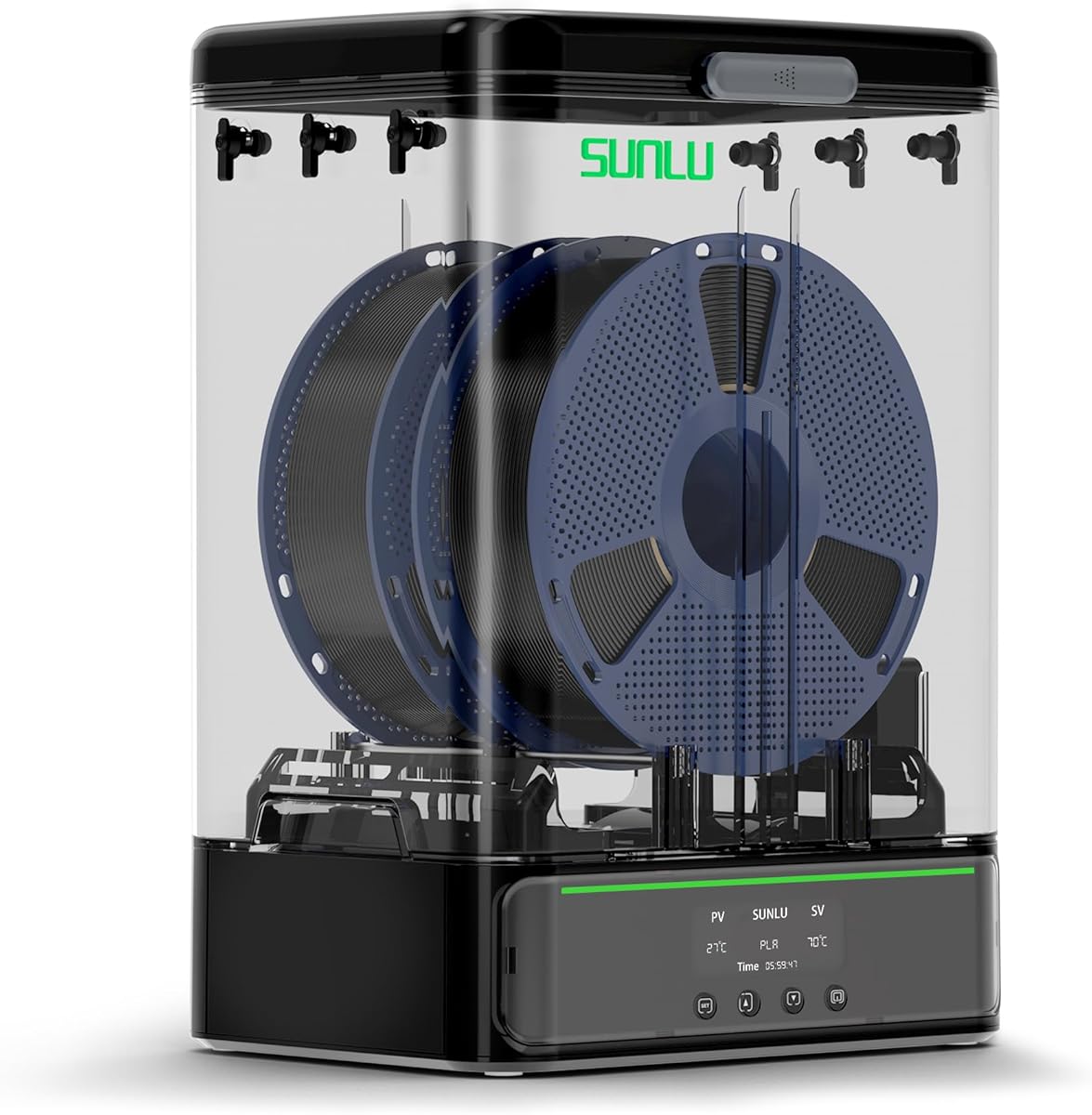
This unit is designed to handle larger spools so you do not need to change tubes as often. It has a detachable base so you can use it as a dry box and then seal it for storage without moving the filament.
We may earn a commission when you buy through this link, at no additional cost to you.
The heating element reaches 70C quickly so you can dry your spools in a short time. The HD LCD screen is easy to read and shows you temperature humidity and time so you can track progress easily.
It is a bit more expensive than standard units but the storage features are worth it. The desiccant containers and humidity monitor help you keep your filament dry for longer between uses so you avoid waste.
This is a great choice for those who want both drying and storage in one unit. It helps you maintain consistent print quality by ensuring your filament is ready for use and never exposed to humid air.
The rollers and bar holder support larger spools so you can print longer jobs without stopping to reload a fresh filament.
The sliding latch and gaskets keep moisture out so your filament stays dry and ready for the next print session.
We may earn a commission when you buy through this link, at no additional cost to you.
This budget friendly unit does the job of drying filament well without too many complex settings. It is simple to use with a large touch screen and holds a standard 1kg spool so it fits most setups easily.
We may earn a commission when you buy through this link, at no additional cost to you.
The heater warms up fast to keep your filament dry during printing. You can set the temperature and time to suit your needs so you do not overheat your material or leave it damp for too long.
The translucent lid lets you check the spool without opening the box so humidity stays low. It is not as advanced as some higher priced models but it gets the essential work done for most users at home.
This is a perfect pick for anyone on a tight budget who still wants to protect their filament. It helps prevent print failures due to moisture so you save money in the long run by avoiding waste.
The large touch screen makes it easy to set temp and time with just a tap so you can start drying immediately.
Check on your filament without opening the lid to keep humidity inside low and your material dry until ready.
We may earn a commission when you buy through this link, at no additional cost to you.
Selecting the right filament dryer involves considering capacity heating speed and sealing features to match your printing habits and material types.
Capacity determines how many spools you can dry at once. Single spool units are compact while multi spool boxes let you dry multiple rolls for long projects. Consider if you need to support standard 1kg spools or larger 3kg rolls to avoid frequent reloading.
Look for capacity that matches your print volume so you do not run out of dry filament during a print.
Heating technology like PTC heaters provides even and safe heat. Higher max temperatures allow you to dry tougher materials like ABS or Nylon while lower settings work for PLA. Ensure the unit can reach the heat needed for your specific materials.
Choose a heater that provides uniform warmth without hot spots to prevent damaging your filament.
A timer lets you set drying time so you do not leave the unit on too long. Controls like touch screens or knobs should be intuitive to use. Some models have presets for common materials which saves time and effort.
Look for adjustable settings that let you tailor the drying process to different spools and room conditions.
Good sealing prevents moisture from entering while the unit is off or during use. Some units can double as storage boxes with desiccant support. This helps keep your filament dry after the drying cycle ends.
Prioritize models with sealed enclosures and desiccant options to maintain dry conditions between prints.
The physical size of the dryer should fit your workspace. Some units are heavy and large which may be difficult to move. Check dimensions before buying to ensure you have enough counter or shelf space available.
Measure your available space and check unit weight to ensure easy setup and movement when needed.
Not all dryers work with every filament type. Check if the unit supports PLA PETG ABS Nylon and others you use. Some may have max temp limits that restrict use with high performance materials.
Ensure the dryer supports the full range of materials you use to avoid needing multiple units.
Reputable brands often provide better customer support and warranty coverage. This helps if you encounter issues during setup or use. Check reviews for reliability and service response times before making your purchase.
Opt for brands with positive support history to ensure help is available if problems arise.
Basic units are cheaper but may lack advanced features like humidity monitoring or multiple spool capacity. Determine what features you truly need so you do not overspend or underbuy. Higher price often means better build and more control.
Balance your budget against essential features to get the best value for your specific use case.
Start by placing your spool inside the dryer and connecting the filament to the exit hole. Close the lid securely to ensure no outside air enters while the unit is running.
Set the temperature and time based on your material type. Use higher settings for tougher plastics and lower for standard filaments to avoid damage. Watch the display to track progress.
After drying allow the spool to cool slightly before printing. Clean the seals and check for dust regularly to keep the unit working well over time.
If you live in a humid area or use materials like PLA and PETG a dryer can prevent stringing and clogging. It helps ensure better print quality and fewer failed jobs by removing moisture from your spools before printing.
Drying times vary but most filaments need between 4 to 6 hours. Tough materials like Nylon may need longer. Check your material specs and adjust your timer accordingly for best results.
Many units double as storage boxes with sealed designs and desiccant support. This helps keep your filament dry between prints. However always check if the unit is designed for long term storage use.
Most units have auto shut off or timer features to prevent overheating. Check your manual for safety features. It is generally safe but you should still follow manufacturer guidelines for best use.
PLA typically dries best between 45 to 55 degrees Celsius. Do not exceed this range to avoid damaging the material. Always follow the specific recommendations for your filament brand.
Some units have multiple exit holes to support several printers. This allows you to run filament to more than one machine at a time. Check the product specs for support of multiple exits.
Many dryers have humidity monitors or you can use a hygrometer. If the humidity level drops to a low range your filament is likely dry. You can also check if print issues like bubbling have disappeared.
Most are designed for standard 1kg spools. Some units support larger 3kg spools or smaller ones. Always check the dimensions in the product specs before buying to ensure compatibility.
We have reviewed ten top filament dryers for 3D printing to help you find the right fit. From single spool budget units to large multi spool premium models each option has strengths for different needs.
When choosing consider your typical print volume and materials. High volume users may want multi spool boxes while casual users can save with single spool units that still improve print quality.
Prices can change quickly so please check current offers before buying to ensure you get the best deal for your needs.