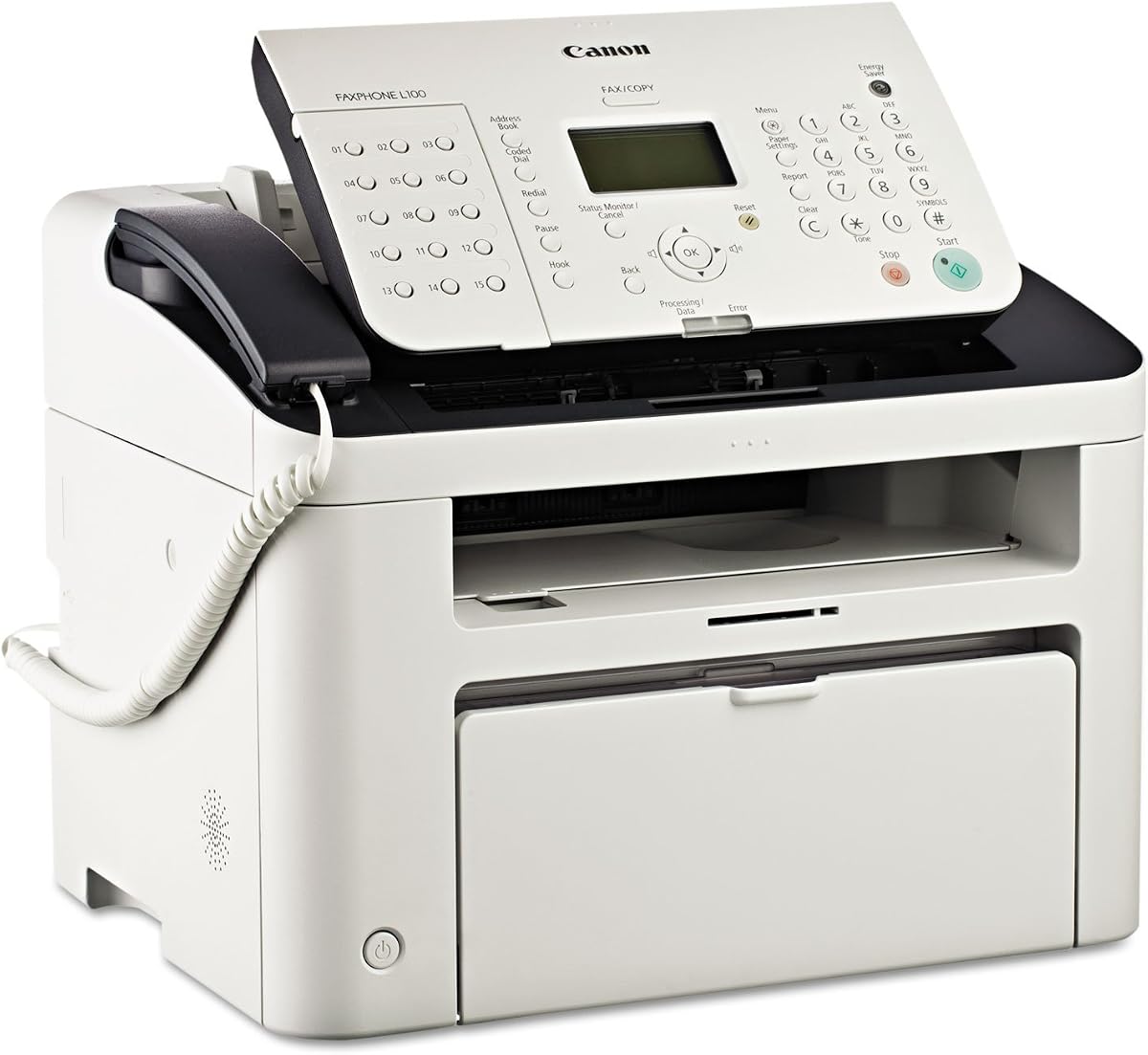
Canon FAXPHONE L100
4.1Editor score
19 pages per minute speed
30-sheet auto document feeder
150-sheet paper capacity
Finding the right fax machine with phone capabilities is essential for businesses that still rely on secure document transmission. These devices combine traditional telephony with reliable faxing to ensure your communications stay connected.
We evaluated ten top-rated models based on performance, memory capacity, and ease of use. Our selection includes laser and thermal options, as well as modern paperless solutions for versatile office setups.
Each pick highlights key specifications and real-world usability. Prices and availability change frequently, so always verify current details before purchasing to ensure you get the best value for your needs.
4.1Editor score

4.4Editor score

4.0Editor score
As an Amazon Associate we earn from qualifying purchases.
Here is a side-by-side comparison of all ten selected fax machines with phone features. Review the key specs to find the model that fits your specific office workflow and budget requirements.


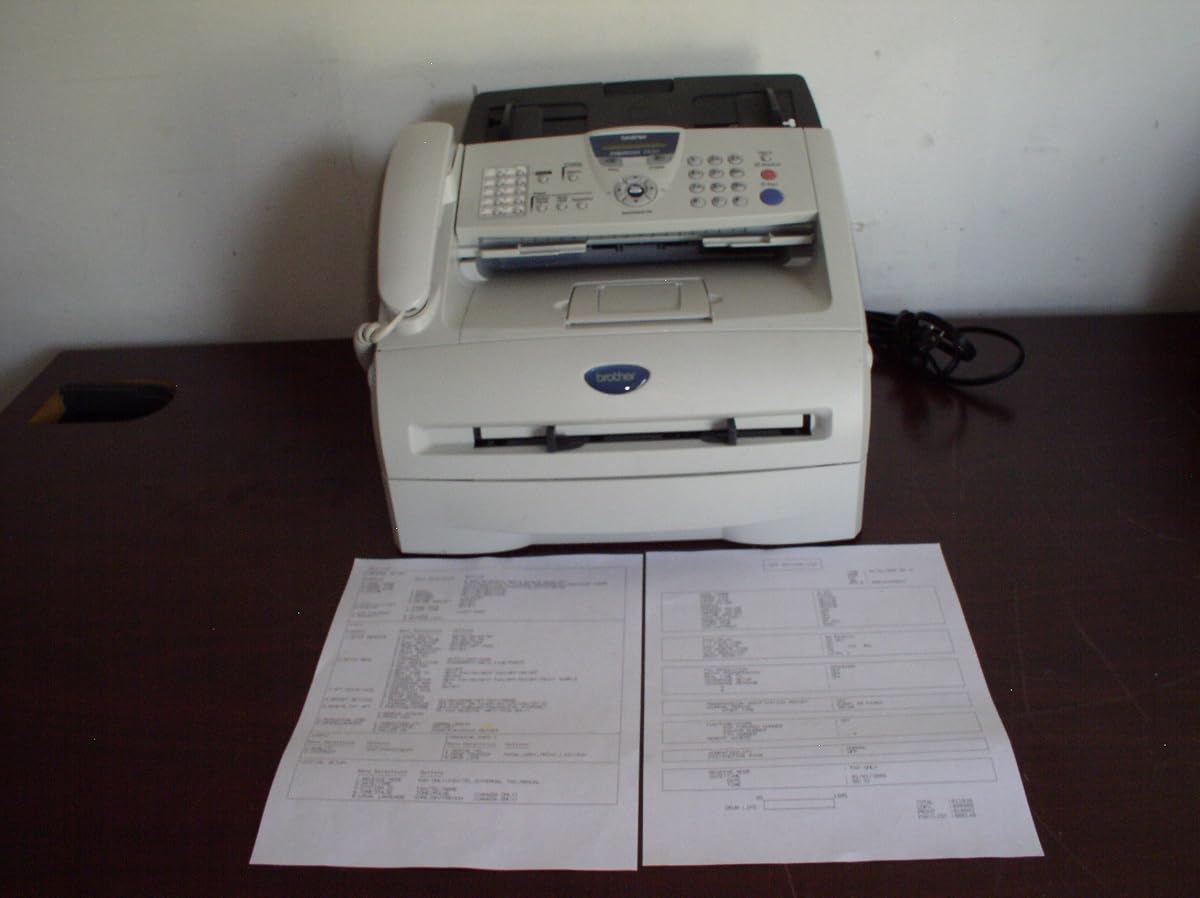

The Brother PPF4750E stands out as a high-performance business-class laser fax machine designed for demanding office environments. With a rating of 4.4, it offers reliable faxing and copying capabilities that streamline daily administrative tasks efficiently.
We may earn a commission when you buy through this link, at no additional cost to you.
Its Super G3 fax technology ensures fast and clear transmission of documents, while the laser monochrome printing delivers sharp text quality for professional correspondence. The ability to copy up to 15 pages per minute reduces wait times significantly during peak usage hours.
While it excels in performance, users might find that it lacks some advanced networking features found in more modern multifunction devices. Additionally, the reliance on laser technology means it does not support thermal paper, which may be a consideration for specific legacy needs.
For small to medium businesses prioritizing speed and document quality, this fax machine is an excellent choice. It balances traditional fax functionality with the efficiency of laser printing, making it a robust solution for high-volume offices.
Super G3 technology provides faster transmission speeds and better image quality compared to older G3 standards.
Laser monochrome printing ensures crisp, durable text output suitable for contracts and formal business documents.
We may earn a commission when you buy through this link, at no additional cost to you.
The CimFAX A5 Paperless Fax Machine offers a modern alternative to traditional faxing by allowing users to send and receive documents digitally. With a solid 4.0 rating, it appeals to tech-savvy businesses looking to reduce paper waste and improve document management workflows.
We may earn a commission when you buy through this link, at no additional cost to you.
This device allows sending faxes directly from Windows or Mac computers, as well as Android and iOS smartphones, making it incredibly flexible. Incoming faxes are automatically saved as PDFs to local or network folders, and they can be forwarded to email addresses for instant access.
However, being a paperless solution means it relies heavily on a stable internet connection to function properly. Users may also face a slight learning curve when setting up the software and configuring the email forwarding options to match their specific needs.
Ideal for environmentally conscious offices or remote teams, this machine eliminates the need for physical paper and ink. It transforms faxing into a seamless digital process, ensuring your communications remain accessible and organized without cluttering your workspace.
Automatically saves faxes as PDFs for easy storage, search, and sharing without physical copies.
Send faxes directly from smartphones or desktop computers, fitting seamlessly into modern work routines.
We may earn a commission when you buy through this link, at no additional cost to you.
The Canon FAXPHONE L100 is a robust monochrome laser fax machine that combines faxing, printing, and copying into one affordable unit. Rated 4.1 stars, it delivers impressive speed with up to 19 pages per minute, making it suitable for small offices needing efficiency.
We may earn a commission when you buy through this link, at no additional cost to you.
It features a generous paper capacity of up to 150 sheets and a 30-sheet automatic document feeder, which reduces the frequency of reloading. The 512 sheets of memory capacity allows you to store multiple faxes for later printing, ensuring no documents are lost during busy periods.
While performance is strong, it may lack advanced connectivity options found in higher-end multifunction printers. Additionally, regular maintenance and toner replacement are necessary to maintain print quality, though it uses energy-saving modes to keep operational costs down.
For businesses seeking a reliable all-in-one solution without a high price tag, this fax machine offers excellent value. Its speed and paper handling capabilities make it a practical choice for offices that need to manage documents quickly and efficiently.
Prints up to 19 pages per minute, significantly reducing wait times for document output in busy offices.
Holds up to 150 sheets of paper, minimizing interruptions for refilling and supporting longer print jobs.
We may earn a commission when you buy through this link, at no additional cost to you.
The Brother FAX-575 is designed as a personal fax machine that integrates phone and copying functions for home or small office use. With a rating of 4.1, it offers convenient operation and reliable performance for everyday document transmission needs.
We may earn a commission when you buy through this link, at no additional cost to you.
It utilizes a 9,600 BPS fax modem to transmit pages at approximately 15 seconds per page, providing reasonable speed for personal use. The 512 KB memory stores up to 25 pages, allowing you to send faxes even when the paper tray is empty.
While functional, it requires thermal paper for output, which can become smudged over time and does not offer the permanence of laser or plain paper faxing. Transmission speeds are also slower compared to modern G3 fax machines used in professional environments.
Ideal for home offices or low-volume users, this machine keeps faxing simple and accessible. It covers the basics well, providing a handset for calls and a copier for duplicates without overwhelming the user with complex settings or interfaces.
Designed for ease of use, making it accessible for non-technical users needing basic fax capabilities.
Stores up to 25 pages in memory, ensuring you can transmit faxes even when running out of paper.
We may earn a commission when you buy through this link, at no additional cost to you.
The Brother FAX-575 Renewed offers a more budget-friendly version of the personal fax machine with similar core features. While it has a slightly lower rating of 3.8 due to its refurbished nature, it remains a solid choice for users seeking economy without sacrificing functionality.
We may earn a commission when you buy through this link, at no additional cost to you.
It provides the same convenient operation and 9,600 BPS fax modem speed as the new model. The 512 KB memory capacity still allows for storing up to 25 pages, ensuring you can manage your faxes efficiently without needing extra paper.
As a renewed product, there is a potential risk of wear or cosmetic imperfections, and the warranty may be shorter than for new units. Buyers should inspect the device carefully upon arrival to ensure all mechanical parts function correctly before use.
This option is best for those who prioritize cost savings and are comfortable with refurbished electronics. It delivers the essential fax, phone, and copy capabilities needed for a home office at a fraction of the price of a new device.
Offers the same functionality as the new model but at a reduced price for budget-conscious shoppers.
Tested to ensure all fax and phone functions work correctly before shipping to the customer.
We may earn a commission when you buy through this link, at no additional cost to you.
The Brother MFC7240 is a monochrome multifunction printer that combines printing, scanning, copying, and faxing into a single unit. With a rating of 4.2, it is highly regarded for its speed and reliability, making it a strong candidate for busy small offices.
We may earn a commission when you buy through this link, at no additional cost to you.
It prints and copies at up to 21 pages per minute, ensuring quick output for time-sensitive documents. The 250-sheet paper tray and 20-page auto document feeder handle bulk jobs smoothly, reducing the need for frequent manual intervention.
Connectivity is limited to wired USB, which means wireless printing is not available directly from mobile devices or laptops. This can be a drawback for modern offices expecting seamless wireless integration, though it ensures a stable connection for desktop users.
For users needing a versatile workhorse with strong scanning and fax capabilities, this machine delivers excellent performance. It is best suited for environments where wired connections are acceptable and high-volume monochrome output is a priority.
Combines print, copy, scan, and fax features to save space and streamline office workflows effectively.
Delivers 21 pages per minute, ensuring rapid completion of print and copy tasks during busy hours.
We may earn a commission when you buy through this link, at no additional cost to you.
The Panasonic KX-FHD331 is a plain paper fax machine that offers basic telephony and faxing capabilities for home or light office use. Despite a lower rating of 2.8, it is recognized for using standard paper and offering features like caller ID compatibility.
We may earn a commission when you buy through this link, at no additional cost to you.
It features a 9.6 Kpbs modem speed and includes an answering machine interface for seamless voicemail management. Using plain paper means documents are more durable and easier to file compared to thermal fax output.
The lower rating suggests potential issues with reliability or user experience compared to newer models. The modem speed is also slower, which might lead to longer transmission times for multi-page documents in high-demand situations.
This machine is suitable for users who need a simple, plain paper fax solution without advanced features. It remains a viable option for those prioritizing document longevity and basic functionality over high-speed performance.
Prints on standard plain paper, ensuring documents remain legible and easy to store without fading.
Integrates with answering machines to manage voice calls and faxes efficiently in one location.
We may earn a commission when you buy through this link, at no additional cost to you.
The Brother PPF-2800 is a plain paper fax machine designed for businesses that frequently send documents to multiple recipients. With a rating of 3.6, it offers practical features like 108-station auto dialing and a memory capacity of up to 90 pages.
We may earn a commission when you buy through this link, at no additional cost to you.
It prints 10 pages per minute and includes an auto document feeder that accepts up to 20 pages at once. The ability to make up to 99 copies provides flexibility for internal distribution without needing a separate copier.
The printing speed is relatively slow, which may hinder productivity in high-volume environments. Additionally, the interface design is more dated compared to modern multifunction printers, which might take some time to learn for new users.
For offices that need to broadcast faxes frequently, the auto dialing feature is a significant advantage. It simplifies sending the same document to many contacts, saving time and effort in administrative communication tasks.
Supports 108 stations of auto dialing to simplify sending faxes to multiple recipients efficiently.
Stores up to 90 pages in memory to prevent data loss when paper is unavailable during transmission.
We may earn a commission when you buy through this link, at no additional cost to you.
The Brother IntelliFax 2820 is a laser fax machine and copier that balances performance with compact design for small office environments. With a high rating of 4.2, it is known for its robust memory and fast fax transmission capabilities.
We may earn a commission when you buy through this link, at no additional cost to you.
It features an 8 MB memory that can store up to 500 pages, ensuring documents are safe even if paper runs out. The 20-page auto document feeder and 250-sheet input capacity support efficient handling of multi-page documents.
While excellent for faxing, it does not include scanning functionality, which limits its versatility compared to multifunction devices. The modem speed is standard, which may be slower than the fastest G3 options available on the market today.
This machine is ideal for users who need reliable laser faxing without extra features like scanning. Its high memory capacity makes it particularly suitable for offices that send faxes during off-hours or when staff are not present.
Stores up to 500 pages in memory to ensure no fax is lost when paper runs out.
Features 220-station auto dialing to quickly send faxes to frequently contacted numbers.
We may earn a commission when you buy through this link, at no additional cost to you.
The Canon FAXPHONE L80 is a laser fax and printer that combines reliable faxing with basic printing capabilities. With a rating of 3.6, it offers a straightforward solution for small businesses needing a classic fax experience with modern laser quality.
We may earn a commission when you buy through this link, at no additional cost to you.
It operates with a 33.6 Kbps modem for fast transmission and provides quality laser output for clear documents. The inclusion of a telephone handset makes it a self-contained communication unit without needing separate peripherals for voice calls.
Printing is relatively slow at 6 pages per minute, which might be a bottleneck for high-volume document production. The interface is basic, offering essential functions without advanced customization options that some power users might prefer.
This machine is well-suited for offices with light fax and print needs that prioritize clarity and ease of use. Its warranty and USB interface ensure it remains a reliable choice for basic business communication tasks.
33.6 Kbps modem allows for faster transmission of faxes compared to older dial-up standards.
Comes with a telephone handset to handle incoming calls without needing separate phone equipment.
We may earn a commission when you buy through this link, at no additional cost to you.
Selecting the right fax machine with phone capabilities requires balancing performance, features, and budget. Understanding key factors helps ensure the device meets your business communication needs effectively.
Transmission speed determines how quickly documents are sent over phone lines. Look for modems rated at 33.6 Kbps or higher for efficient faxing in business environments.
Prioritize faster modems to reduce wait times and improve productivity when sending multiple pages.
Memory capacity allows the machine to store faxes when paper runs out or during power outages. Higher memory ensures no documents are lost during transmission interruptions.
Choose a model with sufficient memory, ideally storing at least 50 pages, to safeguard important documents.
Fax machines use either thermal or plain paper. Plain paper is more durable and suitable for archiving, while thermal paper may fade over time.
Select plain paper models for long-term document storage and professional presentation.
Laser printers provide high-quality text and durability, whereas thermal units are cheaper but less permanent. For business use, laser technology is often preferred for clarity.
Invest in laser fax machines for crisp output that meets professional document standards.
An automatic document feeder (ADF) allows multiple pages to be faxed at once. Larger feeders reduce manual feeding time and minimize user intervention.
Look for ADFs that hold at least 20 pages to streamline high-volume faxing tasks.
Modern machines may offer USB or network connectivity for sharing with multiple computers. Traditional models rely solely on phone lines.
Ensure connectivity matches your office setup to integrate faxing with existing digital workflows.
Prices vary widely depending on features like printing speed and memory. Budget models may lack advanced capabilities, so prioritize features that matter most.
Balance cost with necessary features to avoid overspending on unused functionality.
A solid warranty ensures protection against defects and operational issues. Check the duration and terms to ensure adequate support coverage.
Opt for models with longer warranties to reduce long-term maintenance risks and expenses.
To use your fax machine effectively, ensure it is connected to a dedicated phone line to avoid call conflicts. Test the connection by sending a one-page fax to verify line quality and dialing settings.
Regularly load paper to prevent jams and ensure smooth operation. Keep the scanner glass clean with a soft cloth to avoid smudges or streaks on outgoing documents.
Perform routine maintenance such as checking for paper jams and clearing any obstructions. Follow the manufacturer's guidelines for replacing toner or ink to maintain print quality and extend device life.
Ideally, yes. Using a dedicated line prevents interference from incoming voice calls. However, some machines support call waiting features that allow sharing a line if properly configured.
Some modern fax machines or services allow sending faxes via email. Traditional machines require physical documents, but paperless models support digital transmission directly from email clients.
Transmission time depends on document size and modem speed. A single page with a standard modem takes about 15 to 60 seconds. Faster modems reduce this duration significantly.
Check the phone line connection and ensure the remote number is correct. Verify paper and toner levels. If issues persist, try restarting the machine or contacting your service provider.
Yes, many industries like healthcare and law still require fax for legal compliance. While digital alternatives exist, fax remains a standard for secure document transmission in regulated sectors.
Store physical faxes in locked cabinets or use secure digital storage for paperless models. Ensure sensitive documents are shredded after digitization to protect privacy.
Traditional fax machines usually include a printer for output. Some digital solutions use email or cloud storage instead of physical printing, but most require some form of output mechanism.
Thermal faxes use special paper that darkens with heat, which can fade over time. Plain paper faxes use standard printer paper, offering better longevity and quality for professional documents.
Choosing the right fax machine with phone capabilities depends on your specific business needs and volume of document traffic. The Brother PPF4750E, Canon FAXPHONE L100, and CimFAX A5 stand out as top performers for reliability, value, and innovation respectively.
Prioritize features such as memory capacity and transmission speed to ensure efficiency in your office workflow. Understanding how different technologies impact output quality will help you select a machine that remains functional for years.
Remember that prices and availability fluctuate frequently, so always check the latest details before finalizing your purchase. Investing in a quality fax machine ensures seamless communication and operational continuity for your business.