
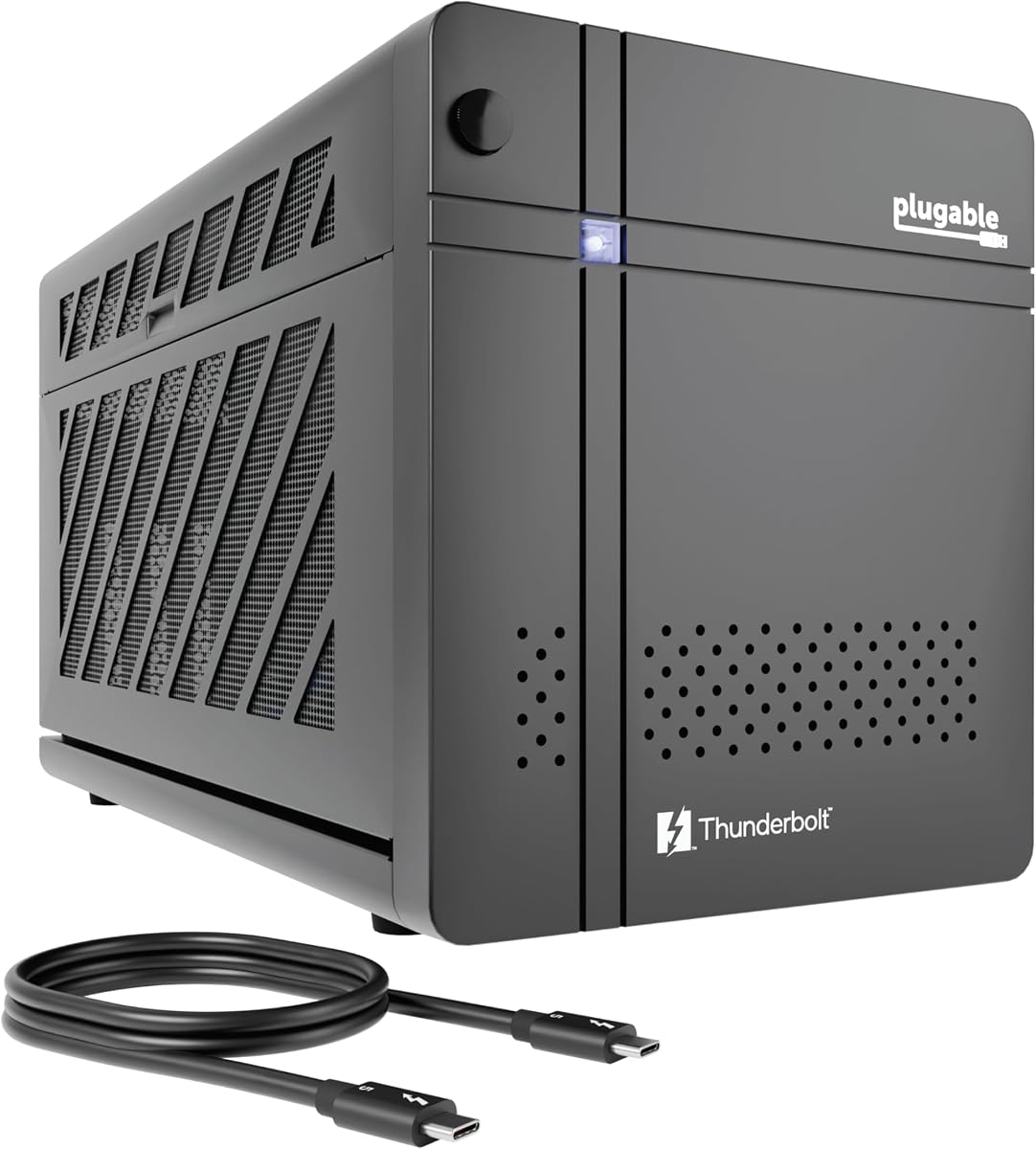
External GPU Enclosure,Thunderbolt 4/3 & USB4 eGPU Dock with 240W PSU
4.5Editor score
240W external power supply
Compact aluminum design
Thunderbolt 4/3 and USB4 support
This guide compares the top 10 Egpu Enclosures for performance, compatibility, and value to help you choose the right external graphics solution.
External graphics enclosures transform standard laptops into powerful workstations. A good unit offers high bandwidth, reliable power delivery, and broad GPU compatibility for diverse tasks.
We evaluated ten leading models based on connectivity speed, power supply capacity, build quality, and real-world usability. Our selection covers premium, mid-range, and budget-friendly options.
Each pick highlights key strengths and potential limitations. Prices fluctuate frequently, so verify current availability and costs before making your final purchasing decision.
4.5Editor score
5.0Editor score

4.5Editor score
The following table provides a side-by-side look at key specifications and features across all ten selected enclosures to help you make an informed choice.


The Plugable TBT5-AI is a high-performance Thunderbolt 5 eGPU enclosure designed for users who need privacy and power. It features an 850W PSU and supports offline AI models like Llama 3.
We may earn a commission when you buy through this link, at no additional cost to you.
Its 80Gbps bandwidth ensures minimal latency for heavy workloads. The modular design allows you to use any compatible GPU and ATX power supply. It also provides 96W charging and multiple USB ports.
While powerful, it is strictly for Windows systems. You must buy the GPU separately. This setup is best for professionals needing secure, local AI processing without cloud dependencies.
If you need a robust eGPU dock that doubles as an AI workstation, this Plugable unit stands out. It balances performance, privacy, and versatility better than most competitors in this space.
Run local AI models with an air gap to protect sensitive data and avoid subscription fees.
Thunderbolt 5 delivers double the bandwidth of TB4 for faster data transfer and rendering.
We may earn a commission when you buy through this link, at no additional cost to you.
The Sonnet Breakaway Box 850 T5 is a top-tier enclosure for professionals needing near-desktop GPU power. It delivers 80 Gbps bandwidth via Thunderbolt 5 and includes a robust 850W PSU.
We may earn a commission when you buy through this link, at no additional cost to you.
It supports triple-wide cards and comes with a built-in dock for extra peripherals. This makes it ideal for complex creative workflows. The cooling system is designed to handle high loads quietly.
The main drawback is the cost, and it does not work with Macs. However, for Windows power users who need top performance, the investment is justified by the speed and flexibility.
Choose this if you want a premium solution that handles the most demanding tasks. It future-proofs your setup with Thunderbolt 5 and ample power headroom for next-gen hardware.
Built-in ports mean fewer cables on your desk while maintaining high-speed external GPU connections.
850W capacity ensures even the most power-hungry graphics cards run smoothly without throttling.
We may earn a commission when you buy through this link, at no additional cost to you.
This enclosure is a great budget-friendly option for users who want a complete kit without extra costs. It includes a 240W PSU and fits compact GPUs up to 205mm in length.
We may earn a commission when you buy through this link, at no additional cost to you.
The design is compact and durable, making it easy to carry. It offers PD charging to keep your laptop powered while gaming or editing. Setup is simple with a single cable connection.
The power supply is not enough for flagship cards, but it works well for mid-range options. If you need a portable solution for light to moderate tasks, this is a solid choice.
For those on a tight budget, this unit delivers essential features without unnecessary frills. It balances cost and performance well for everyday external graphics needs.
Everything arrives in one box so you can start using your eGPU immediately without extra purchases.
The aluminum shell and included case make it easy to transport between home and office.
We may earn a commission when you buy through this link, at no additional cost to you.
The Razer Core X V2 is a versatile enclosure designed for gamers and creators who need flexibility. It supports 4-slot wide GPUs and features a vented steel chassis with active cooling.
We may earn a commission when you buy through this link, at no additional cost to you.
Installation is tool-free with thumbscrews, making upgrades easy. It connects via Thunderbolt 5 for high-speed performance. However, the power supply is not included in the box.
While the build quality is excellent, the lack of an included PSU adds to the cost. It is a solid choice for desktop-grade performance but lacks dock ports for extra peripherals.
Select this if you prioritize build quality and GPU flexibility. It is a reliable platform for upgrading your laptop graphics without compromising on thermal management.
A built-in 120mm fan ramps up during heavy loads to sustain peak performance.
Easy thumbscrews let you swap out GPUs quickly without needing extra tools.
We may earn a commission when you buy through this link, at no additional cost to you.
The MINISFORUM DEG2 stands out with its dual-link support for USB4 V2 and OCuLink. This allows you to switch between high-speed GPU performance and a full docking setup instantly.
We may earn a commission when you buy through this link, at no additional cost to you.
It includes an M.2 NVMe slot for storing AI models or project files locally. The signal booster minimizes latency during intensive tasks. This is great for hybrid work environments.
However, using OCuLink may require checking your host system compatibility. If you need a dock that adapts to different work modes, this offers unique flexibility.
Choose this unit if you want both storage and performance in one device. It is an innovative solution for creators who need to manage large files and graphics simultaneously.
Switching between docking and pure GPU mode helps adapt to different daily tasks.
Store large datasets directly on the dock to avoid host storage limits.
We may earn a commission when you buy through this link, at no additional cost to you.
This mini enclosure is designed for portability, making it ideal for handheld gaming devices like the ROG Ally X. It supports ATX, SFX, and FLEX power supplies for flexible options.
We may earn a commission when you buy through this link, at no additional cost to you.
The design allows you to use it as a hub with multiple Thunderbolt ports. It also supports Linux and macOS, which is rare in this category. However, it lacks the speed of TB5.
While it has some limitations in power and speed, its size is a major advantage. If you want a travel-friendly graphics booster, this is a practical choice.
Opt for this unit if you travel often with handheld or laptop systems. Its compatibility and small footprint make it a convenient addition to any mobile setup.
Specifically optimized for USB4 consoles to enable a desktop experience on the go.
Supports multiple PSU sizes to give you more options for power and portability.
We may earn a commission when you buy through this link, at no additional cost to you.
The VK-Y900 focuses on delivering a stable connection without unnecessary complexity. It uses high-grade PCB materials to ensure longevity and reliable data transfer.
We may earn a commission when you buy through this link, at no additional cost to you.
It supports 85W pass-through charging to simplify your desk setup. The unit is optimized for ROG Ally X users but works with standard laptops. It supports most NVIDIA and AMD GPUs.
Lack of advanced features like docks means it is strictly for GPU expansion. However, for those who want a reliable, no-frills box, it performs its role well.
If you need a straightforward way to add a graphics card to your laptop, this is a good option. It emphasizes stability and ease of use over extra bells and whistles.
ENIG PCB coating prevents oxidation and ensures consistent performance over years.
One cable handles data and charging to reduce clutter on your workspace.
We may earn a commission when you buy through this link, at no additional cost to you.
The Sonnet Breakaway Box 750ex is a reliable choice for users with older Thunderbolt 3 laptops or Mac Pros. It delivers 750W of power and includes useful peripherals like Ethernet and USB.
We may earn a commission when you buy through this link, at no additional cost to you.
It supports many legacy GPUs and offers stable performance. While TB3 is slower than TB5, it is still sufficient for many tasks. Sonnet has a long history of quality in this space.
Newer systems may find TB3 limiting for high-end tasks. However, for those with existing hardware, it offers a seamless upgrade path without replacing your computer.
Choose this if you need compatibility with older systems. It is a proven unit that delivers consistent results for both creative work and gaming on supported platforms.
Designed to work seamlessly with older Mac Pros and TB3 laptops.
Sonnet has decades of experience in connectivity solutions for professionals.
We may earn a commission when you buy through this link, at no additional cost to you.
This mini enclosure is built for extreme portability. Its small footprint fits in backpacks, making it great for commuters. It supports ATX, SFX, and FLEX power supplies for flexibility.
We may earn a commission when you buy through this link, at no additional cost to you.
The design includes a carrying case and downstream port for basic hub functionality. Note that it requires some DIY knowledge to set up correctly. Verify your hardware compatibility first.
If you need a graphics booster that goes anywhere without hassle, this fits the bill. Just be prepared to handle the setup and power planning yourself.
Opt for this unit if space is a premium. It is a practical choice for travelers who need external graphics power without carrying bulky gear.
Small enough to slip into a backpack while still supporting high-end GPUs.
Supports multiple PSU formats so you can choose the best balance of power and size.
We may earn a commission when you buy through this link, at no additional cost to you.
This unit is praised for being a complete kit with a 240W PSU and carrying case. It simplifies the buying process by including essential accessories in one package.
We may earn a commission when you buy through this link, at no additional cost to you.
The aluminum shell is robust yet lightweight, protecting your GPU during transport. It supports Thunderbolt 4, 3, and USB4 for wide compatibility. Setup is straightforward.
It is limited to smaller GPUs and does not include the graphics card itself. However, for users wanting a plug-and-play solution, the included accessories add significant value.
Choose this if you want convenience. The combination of durability, portability, and included power makes it a hassle-free choice for mobile graphics needs.
Receive everything you need except the GPU to start working immediately.
Includes a custom case to keep your gear safe while traveling.
We may earn a commission when you buy through this link, at no additional cost to you.
Selecting the right eGPU enclosure depends on your specific needs, budget, and laptop compatibility. This guide breaks down the critical factors to consider.
Look for Thunderbolt 5 or USB4 V2 for speeds up to 80Gbps. These modern interfaces minimize bottlenecks and ensure your GPU performs near its desktop potential.
Prioritize Thunderbolt 5 or USB4 V2 for future-proof, high-speed connections.
Check the PSU wattage carefully. High-end GPUs need at least 500W to 850W. Ensure the enclosure supports your card's power requirements to avoid throttling.
Ensure the PSU wattage matches your GPU's needs to maintain stable performance.
Measure your card's length and slot width. Most enclosures fit cards up to 300mm long and 3 slots wide. Check internal constraints before purchasing.
Verify that your GPU dimensions fit inside the enclosure to avoid compatibility issues.
Most enclosures support Windows. Macs with M1 chips often do not support eGPUs. Always check vendor specs before buying for macOS systems.
Confirm the unit supports your operating system and chipset before buying.
Steel or aluminum chassis with active cooling ensure better thermal management. Good build quality reduces noise and keeps your GPU running cooler.
Choose metal chassis units with active cooling to manage heat effectively.
Units with Ethernet, USB hubs, or DisplayPort connections can simplify your workspace. These ports save you from plugging peripherals directly into your laptop.
Look for extra ports to reduce clutter on your desk while using the enclosure.
If you travel often, consider a mini enclosure. Lighter units fit easier in backpacks and pair well with handheld gaming devices.
Prioritize compact designs if you need to move your eGPU frequently.
Some kits include power supplies and cables. Others sell these separately. A complete kit reduces extra costs and setup effort.
Check if essential accessories are included to save money and time.
Install your GPU securely using the included thumbscrews. Ensure all power connectors are fully seated to prevent instability.
Update your GPU drivers after connecting the enclosure. Use your laptop manufacturer's software for firmware updates to ensure optimal performance.
Keep the enclosure vents clean and unblocked. Dust buildup can cause overheating and reduced performance over time.
Only laptops with Thunderbolt 3/4/5 or USB4 ports support eGPU enclosures. Many ultrabooks lack this interface entirely, so check your specs carefully before purchasing.
Support is limited. While older Macs with Thunderbolt 3 work, most newer M1 and M2 chipsets do not support external GPUs. Always check vendor compatibility lists.
Some kits include a PSU, while others do not. Always verify the product description to avoid extra costs if you need to purchase a power supply separately.
Gains depend on your laptop's internal GPU and game settings. You can see 50% to 200% performance improvements in compatible titles compared to integrated graphics.
Most standard PCIe cards work, but dimensions matter. Ensure the card fits physically inside the case and does not exceed the PSU's wattage limits.
Generally no. The enclosure is plug-and-play. You only need standard drivers for the GPU card itself from NVIDIA or AMD.
The Plugable Thunderbolt 5 AI eGPU, Sonnet Breakaway Box 850 T5, and External GPU Enclosure with 240W PSU lead our list for performance, features, and value.
Focus on interface speed, power capacity, and compatibility to avoid buyer's remorse. The right enclosure transforms your laptop into a capable desktop replacement.
Prices change frequently, so verify availability and current costs before purchasing. Always check your laptop's ports and power needs to ensure a smooth experience.