
Entina Tina2C 3D Printer
4.4Editor score
Start in 8 mins
Auto leveling
WiFi control
This guide compares the top easy to use 3D printers for beginners and families, focusing on setup speed, auto calibration, and reliable performance for home
Finding an easy to use 3D printer can transform your creative projects into reality without the usual technical headaches. Modern machines now feature auto leveling and intuitive interfaces that simplify the process for everyone from kids to seasoned hobbyists.
We analyzed ten leading models based on setup time, calibration features, and user feedback to identify the most accessible options. Each pick offers distinct advantages like quick swap nozzles, app monitoring, or enclosed safety designs tailored for different needs.
Every product in this list highlights key specs and real-world performance insights to help you choose confidently. Remember that availability and offers may shift quickly so check current details before finalizing your purchase decision today.
4.4Editor score

4.7Editor score

4.5Editor score
This side-by-side comparison highlights the core specifications and unique strengths of each selected model to help you find the perfect fit for your workspace and skill level.





The Bambu Lab A1 stands out as a top choice for beginners seeking reliability and speed. With a high 4.7 rating users praise its automated setup that eliminates manual leveling hassles entirely.
We may earn a commission when you buy through this link, at no additional cost to you.
Its full auto calibration ensures consistent first layers while active flow rate compensation delivers smooth detailed prints every time. The user friendly interface and quick swap nozzle make maintenance simple for all skill levels.
While the AMS lite for multi color printing is sold separately the base printer remains powerful and efficient. The higher price point is justified by the reduced waste and time saved on troubleshooting.
Choose this model if you want a machine that works seamlessly right out of the box. It is perfect for families or hobbyists who value performance and ease of use above all.
Automatic calibration saves hours of frustration by ensuring the bed is perfectly level for every single print job.
Blazing fast acceleration allows you to finish projects quickly without sacrificing the fine detail in your creations.
We may earn a commission when you buy through this link, at no additional cost to you.
This model offers rapid prototyping capabilities with one-click automatic printing to streamline your workflow. Its CoreXY structure supports high-speed movement that reduces production cycles significantly for demanding tasks.
We may earn a commission when you buy through this link, at no additional cost to you.
The app monitoring feature lets you track progress remotely while smart design elements like a quick 3-second nozzle change keep maintenance minimal. Dual-sided PEI platforms make removal easy for various creative projects.
Some users report a lower satisfaction rating likely due to initial learning curves with app features. However the raw speed and adaptability make it a strong contender for those needing efficiency.
Opt for this printer if you prioritize speed and need to produce parts quickly. It is well suited for rapid prototyping where time is a critical factor.
Manage your prints and adjust settings from anywhere using the dedicated mobile app for total flexibility.
The stable CoreXY structure ensures smooth high-speed motion that maintains accuracy even at top velocities.
We may earn a commission when you buy through this link, at no additional cost to you.
The A1 mini simplifies 3D printing with automatic calibration and simple setup designed for first-time users. It includes a useful LED lamp kit that brings your ideas to life as functional decor.
We may earn a commission when you buy through this link, at no additional cost to you.
Access to MakerWorld provides a huge library of ready-to-print models while the app helps you manage prints easily. Fast quiet and reliable performance fits naturally into home or workspace environments.
The compact build volume is smaller than full size units but perfect for everyday creativity like toys and gifts. You sacrifice some size for convenience and a smoother entry into the hobby.
This unit is ideal for limited spaces or those focused on learning fundamentals. It offers a seamless enjoyable experience that encourages consistent creative output.
Explore thousands of curated models ready to print without needing complex slicing or design skills.
Turn simple prints into functional light projects or home decorations that impress friends and family.
We may earn a commission when you buy through this link, at no additional cost to you.
This fully enclosed model improves performance for advanced filaments like ABS or ASA by maintaining stable internal temperatures. It sets up in just 15 minutes so you spend more time printing and less assembling.
We may earn a commission when you buy through this link, at no additional cost to you.
Lightning-fast printing speeds up to 500mm/s keep you focused on creating rather than waiting. Auto bed leveling makes getting high-quality successful prints an easy thing for any skill level.
Multi-color capabilities are available but require connecting a separate AMS unit which adds to the cost. The premium price ensures reliable results for those willing to invest in higher-quality hardware.
Choose this if you need to print technical parts or diverse colors. It is a robust choice for makers moving beyond basic PLA into more advanced applications.
The enclosed body prevents warping allowing you to use stronger materials like ABS without issues.
High-speed printing paired with reliable auto leveling ensures you get quality results quickly every time.
We may earn a commission when you buy through this link, at no additional cost to you.
This printer transforms creativity into simple fun with AI Doodle features that let children create models via voice or image prompts. It is designed as a home toy factory with endless DIY fun for families.
We may earn a commission when you buy through this link, at no additional cost to you.
Safety features like an enclosed pinch-resistant design and TÜV Rheinland tested PLA ensure a secure environment. One-tap printing via app makes every project simple while real-time monitoring helps parents stay involved.
The single-color limitation means multi-color designs require assembly but this teaches kids construction skills. Time-lapse videos capture the journey making it easy to share progress with friends or relatives.
This unit is perfect for sparking STEM interest in younger users. It bridges the gap between imagination and creation with tools that require no prior design skills.
Children can draw or describe ideas and the AI converts them into printable 3D models instantly.
Enclosed design with tested materials protects kids from heat while they explore 3D printing safely.
We may earn a commission when you buy through this link, at no additional cost to you.
Tina2C is designed for first-time users with guided setup that allows you to start your first print in just 8 minutes. It is a fully assembled mini printer that removes assembly headaches for beginners.
We may earn a commission when you buy through this link, at no additional cost to you.
Access to 3500+ models and creative modules turns learning into an engaging STEM experience. WiFi and offline printing offer flexibility while the self-cleaning nozzle reduces maintenance downtime significantly.
The compact 3.9 inch volume is small but ideal for school projects and classroom use. Quiet operation ensures it fits well in shared spaces like classrooms or living rooms.
Pick this if you want an affordable entry point with educational value. It helps kids and adults alike grasp basics quickly without frustration.
Regularly updated learning courses and tools make it an excellent device for classroom or home education.
The streamlined setup process ensures even those with no tech background can start printing immediately.
We may earn a commission when you buy through this link, at no additional cost to you.
The AD5M combines brand-new technology with an all-metal CoreXY structure for high-speed printing without compromising quality. It features a one-click leveling system that ensures a flawless first layer every time.
We may earn a commission when you buy through this link, at no additional cost to you.
Patent quick-release nozzles simplify maintenance while the Orca-flashforge slicer enables efficient batch transmission. This tool allows you to manage devices and monitor prints remotely from anywhere.
Users appreciate the durability and smooth motion that keeps noise low even during high-speed modes. Some find the app interface slightly complex but functionality remains robust for experts.
Choose this if you need precise reliable prints with minimal manual intervention. It serves both beginners and experts who want consistent results.
Durable metal components ensure stability and longevity for demanding printing tasks over time.
Quick-swap nozzle design makes changing parts a breeze without needing specialized tools or skills.
We may earn a commission when you buy through this link, at no additional cost to you.
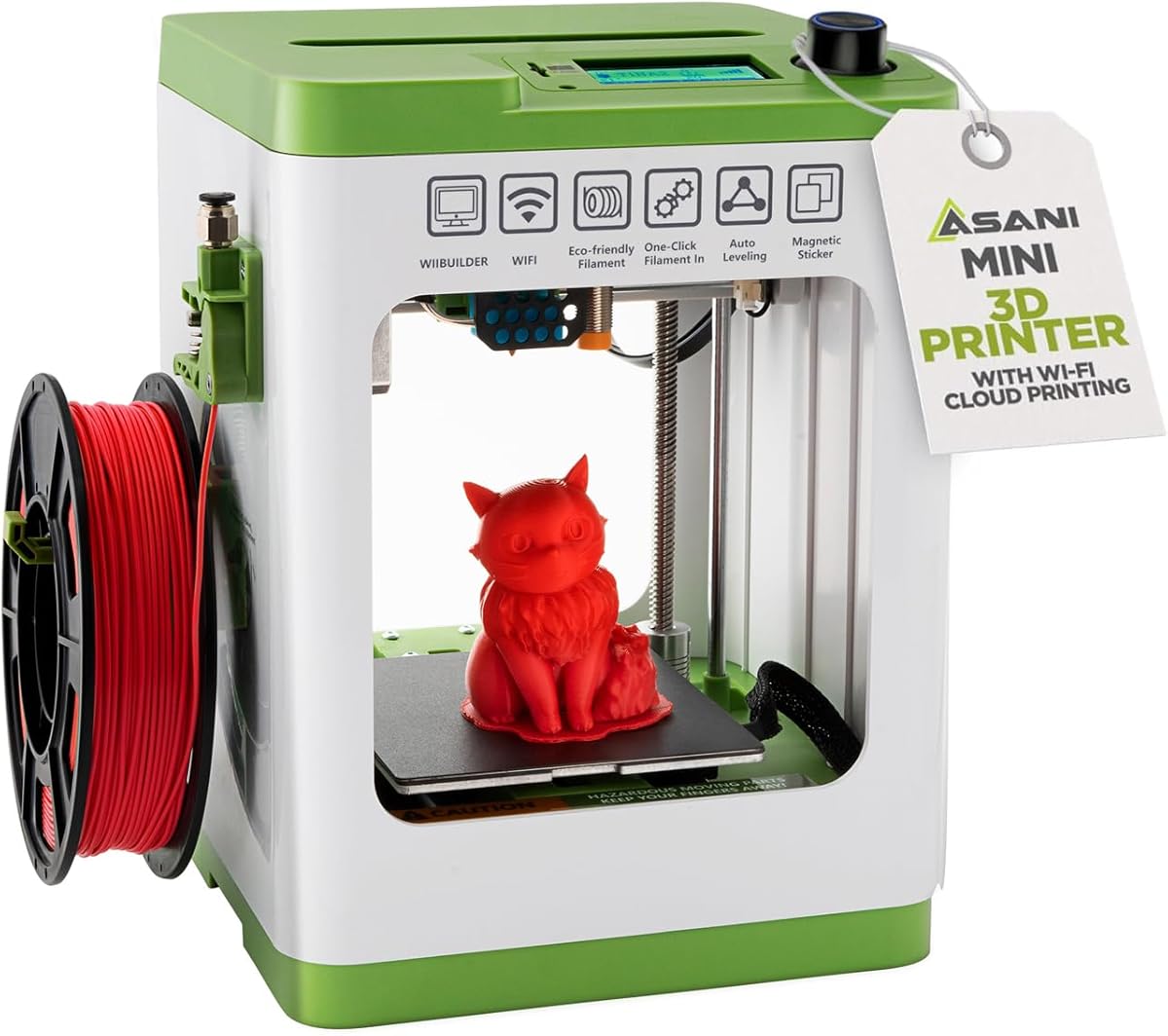
Everything is included in this complete starter kit including filament and a microSD card with designs so you just bring the imagination. It is fully assembled to ensure reliable use right out of the box.
We may earn a commission when you buy through this link, at no additional cost to you.
Auto leveling and a flexible magnetic build plate turn complexity into creativity-fueling simplicity for beginners. Compatible with MAC Windows and Linux it offers open source flexibility for learning.
Note that using the specific platform plate is crucial for the proximity sensor to function properly. The compact size makes it perfect for dorms and classrooms with space limits.
This kit is perfect for classrooms needing immediate ready-to-use equipment. It removes assembly barriers so students can focus on creativity and learning.
Full assembly ensures no complicated setup steps for users to navigate before first print.
Compatibility with major software gives you freedom to customize settings as you learn.
We may earn a commission when you buy through this link, at no additional cost to you.
The Ender 3 V3 SE delivers fast printing up to 250mm/s with CR Touch auto leveling to reduce manual adjustments. It is designed for a straightforward setup that beginners find easy to manage.
We may earn a commission when you buy through this link, at no additional cost to you.
Proven Sprite direct drive extruder ensures consistent filament feeding for PLA and TPU. A silent mainboard and flexible build plate make operation comfortable and model removal effortless.
While the interface remains basic the stability and speed offer solid value for entry-level users. It balances performance with simplicity for those new to the hobby.
Pick this if you need a reliable affordable machine that gets the job done. It is a great foundation for anyone ready to start printing.
Upgraded extruder provides smooth feeding for various filament types without clogging issues.
Silent mainboard reduces noise allowing printing in shared living spaces without disturbance.
We may earn a commission when you buy through this link, at no additional cost to you.
This printer comes born with 4 colors built-in to help you create multicolor designs without complex setups. It reduces machine travel path by 81 percent for twice the speed and lower material costs.
We may earn a commission when you buy through this link, at no additional cost to you.
LeviQ 3.0 auto leveling ensures 100 percent bed flatness while the hardened nozzle supports high-speed printing. Smart AI monitoring detects issues like spaghetti to prevent failed prints and save time.
Filament is not included so you must purchase separate spools which adds to initial costs. The large print size allows for bigger projects without needing external upgrades.
Choose this for native color simplicity and large build volumes. It is ideal for makers wanting vibrant prints without advanced multi-color systems.
Native 4-color support allows you to create vibrant designs without adding external modules or tools.
Hardened nozzle and vibration compensation ensure smooth layers even at high speeds.
We may earn a commission when you buy through this link, at no additional cost to you.
Selecting the right model depends on balancing ease of use with your specific project needs and budget constraints.
Look for printers with automatic bed leveling and calibration to avoid manual adjustments. This feature ensures a perfect first layer and reduces the risk of failed prints for beginners.
Prioritize models with full auto calibration systems to save setup time.
Check if the unit arrives fully assembled or requires complex setup. Fully assembled models let you start printing within minutes which is vital for impatient users.
Choose units promising setup under 15 minutes for instant gratification.
A simple touchscreen or app interface makes navigation intuitive. Avoid models with overly complex menus that frustrate users during initial exploration.
Opt for simplified screens or mobile app control for ease.
Higher acceleration and travel speeds allow you to finish projects faster. However ensure that speed does not compromise print quality or cause noise issues.
Select speeds over 250mm/s for efficiency without sacrificing detail.
Enclosed models provide safety and temperature control for advanced materials while open frames offer simplicity and airflow. Consider your environment and safety needs for children.
Enclosed designs offer better safety and material versatility.
Ensure the printer supports the materials you plan to use like PLA or TPU. Direct drive extruders often handle flexible materials better than Bowden systems.
Check for extruder type and max nozzle temperature before buying.
Access to online model libraries and active community support helps solve issues. Software that integrates directly with the printer simplifies slicing and workflow management.
Choose brands with strong software ecosystems and community support.
Quick-swap nozzles and flexible build plates simplify cleaning and part changes. Minimal maintenance keeps you printing rather than fixing hardware issues frequently.
Look for quick maintenance features to reduce downtime.
Begin by loading your filament and letting the machine run its auto-leveling routine. This initial step ensures the bed is correctly calibrated for your first print job.
Monitor your first few prints through the provided app or webcam to catch issues early. Real-time feedback helps you adjust settings before wasting material or time on bad jobs.
Regularly clean the nozzle and check for dust accumulation to maintain quality. Keeping the environment clean and the printer dry prolongs the lifespan of all components.
An easy to use printer features automatic calibration, minimal assembly, and intuitive software. These elements reduce technical barriers so users can focus on design rather than troubleshooting.
Enclosed printers offer safety and better temperature control which is helpful for beginners using advanced materials. They also reduce noise making them ideal for home use.
Most modern beginner printers take between 5 to 15 minutes to set up. Some models come fully assembled to let you start printing almost immediately.
High speed models save significant time on projects but ensure they maintain quality. Faster printers with auto leveling offer the best balance for casual and serious users.
PLA is the best starting filament due to its low warping and ease of printing. It is available in many colors and is safe for indoor environments.
Some models support multi-color printing directly while others require separate modules. Check if the printer has built-in multi-color features before purchasing.
Our top picks offer a range of options from the reliable Bambu Lab A1 to the budget friendly Tina2C. Each model brings unique features that simplify the printing process for different needs.
Prioritize auto calibration and setup speed to ensure a smooth experience from day one. These factors often make the biggest difference in enjoyment and success.
Remember to check current availability and pricing before making your final choice. Technology evolves quickly so verifying the latest specs ensures you get the best value.