
EZ AD Digital Signage Display Player
4.1Editor score
Free CMS plan available
Supports 4K content
Multiple connectivity ports
Digital menu displays transform how customers interact with your business by showing dynamic content that updates instantly. Whether you run a coffee shop or a large retail store, the right screen ensures clarity and engagement.
We evaluated ten leading products based on brightness, connectivity options, content management systems, and build quality. Our analysis focuses on commercial durability and ease of use for business owners without technical expertise.
Each pick highlights unique strengths like touch capabilities or cloud control. Prices fluctuate frequently so verify current costs before purchasing to ensure you get the best value for your specific setup needs.
4.1Editor score

3.8Editor score

3.4Editor score
As an Amazon Associate we earn from qualifying purchases.
The following table compares key specifications across all ten models to help you quickly identify the right fit for your commercial environment.
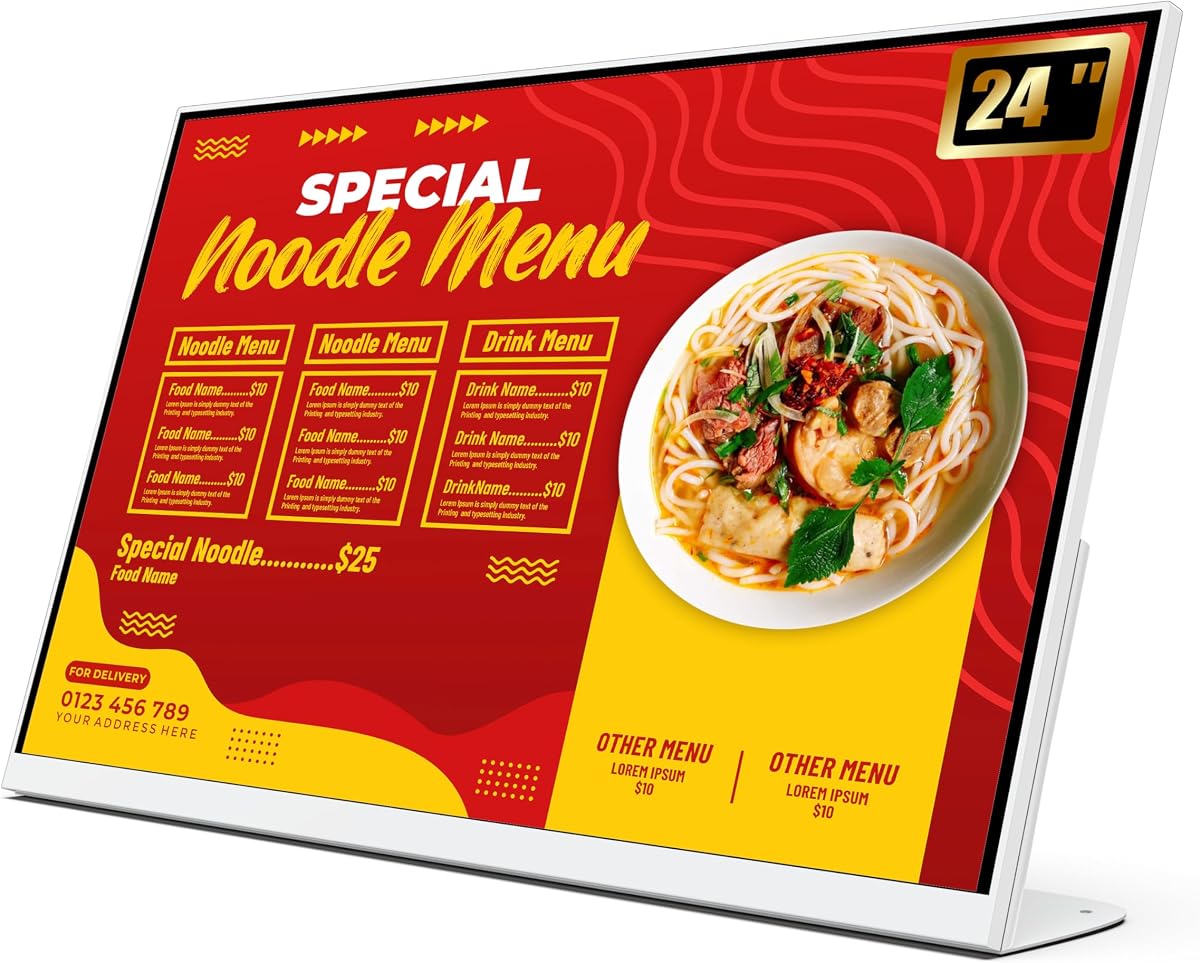




This display offers a balanced mix of features for small to medium businesses needing reliable content delivery. Its 700 nits brightness ensures menus are readable even in well-lit environments. The built-in Android OS simplifies setup for users who want plug-and-play functionality without external hardware.
We may earn a commission when you buy through this link, at no additional cost to you.
The lifetime free CMS allows you to manage playlists and promotions remotely using any device. You can schedule content changes without physical access to the screen. This is especially useful for franchises or locations with multiple counters that need synchronized updates.
While the rating suggests some users faced issues, the commercial-grade build supports continuous operation. The USB plug-and-play feature offers a backup method for quick local changes if the network fails. This redundancy adds value for businesses that cannot afford downtime during peak hours.
Consider this model if you need a countertop display that looks professional and runs independently. It suits cafes, salons, or reception areas where clear visibility matters most. The warranty coverage provides peace of mind for long-term business investments.
Manage playlists and update promotions from any computer or mobile device.
Designed for 24/7 operation with stable playback capabilities.
We may earn a commission when you buy through this link, at no additional cost to you.
This model stands out with its perfect user rating and crisp HD visuals. The 24-inch size fits neatly on counters without taking up excessive space. Its Android system enables easy app installation and centralized management for retail environments.
We may earn a commission when you buy through this link, at no additional cost to you.
Users can update content via USB or remote connection efficiently. The split-screen feature allows you to show menus alongside promotional videos simultaneously. This capability increases customer engagement by displaying more information at once without clutter.
The commercial materials ensure durability for continuous operation. Heat dissipation is optimized to extend the service life of the device. While it costs more than basic options, the efficiency gains in content management justify the investment for active businesses.
Ideal for milk tea shops or retail stores needing high-quality visuals. The packaging ensures safe transport during delivery. Prioritize this if display clarity and update speed are top priorities for your operational flow.
FHD resolution restores true product colors for accurate presentation.
Remote updates save time compared to manual content changes.
We may earn a commission when you buy through this link, at no additional cost to you.
This player provides an economical way to convert existing TVs into digital signage. It supports 4K content for sharp image quality on compatible monitors. The free plan covers basic needs without requiring an upfront investment in software.
We may earn a commission when you buy through this link, at no additional cost to you.
You can create content using templates or load from YouTube easily. This flexibility helps businesses with limited design resources get started quickly. The mobile app allows management on the go which is convenient for busy owners.
While premium plans unlock full features the free tier is robust for simple displays. You can add up to 50 slides which suits standard menu boards. The HDMI connectivity ensures compatibility with most modern display screens.
Choose this if you already have a TV and want to minimize hardware costs. It suits startups or small cafes needing a cost-effective digital solution. Verify subscription options before purchasing to ensure you can access needed features.
Uses existing televisions to reduce initial hardware expenses.
Template builder and YouTube loader simplify content production.
We may earn a commission when you buy through this link, at no additional cost to you.
This kiosk offers a larger screen area ideal for high-traffic areas. The IPS display ensures wide viewing angles so content is visible from any side. It includes built-in wheels which makes moving it between locations straightforward.
We may earn a commission when you buy through this link, at no additional cost to you.
You can schedule power on and off to save energy during closed hours. The auto loop playback ensures content runs without manual intervention. This feature is beneficial for businesses that want set-and-forget operation.
While it is not wall-mounted the foldable design allows storage when not in use. The 32-inch size dominates the visual space making it effective for large announcements. The warranty coverage adds security against potential manufacturing defects.
Use this for shopping malls or exhibitions where portability matters. It suits settings where you need to move the screen frequently. Ensure you have floor space for the stand before committing to this model.
Built-in wheels allow easy repositioning across floors.
IPS technology guarantees wide viewing angles for clear visibility.
We may earn a commission when you buy through this link, at no additional cost to you.
This compact unit brings touch interactivity to small counters. Customers can swipe through menus which increases engagement compared to static signs. The 10.1-inch size saves valuable counter real estate in busy shops.
We may earn a commission when you buy through this link, at no additional cost to you.
Content updates are managed through simple methods that avoid complex operating processes. This makes it accessible for staff with minimal technical training. It works well as a product showcase or information board at reception desks.
While the screen is small it is clear enough for close-range viewing. It is not a self-ordering kiosk so staff must assist with complex orders. The indoor design limits usage to protected environments.
Select this for hotel lobbies or cafe tables where space is limited. It is suitable for reception desks needing a professional digital presence. Verify your space constraints before purchase to ensure it fits comfortably.
Touch controls allow customers to browse information easily.
Tabletop structure keeps counters organized and functional.
We may earn a commission when you buy through this link, at no additional cost to you.
Designed for checkout areas this display places information near the point of sale. The tempered glass front provides protection against accidental bumps. It fits both landscape and portrait orientations for versatile setup.
We may earn a commission when you buy through this link, at no additional cost to you.
You can publish content remotely or use USB for offline updates. Scheduling allows targeted messaging during specific times like lunch rush. The 700-nit brightness ensures visibility in indoor counter environments.
While it is not a POS terminal it complements existing hardware well. The metal housing ensures durability for daily commercial use. A replace support policy helps maintain reliability if defects occur.
Best for salons or retail counters needing a secure digital sign. It suits reception areas where staff and customers interact frequently. Check compatibility with your existing POS before finalizing the setup.
Placed near checkout for final customer engagement.
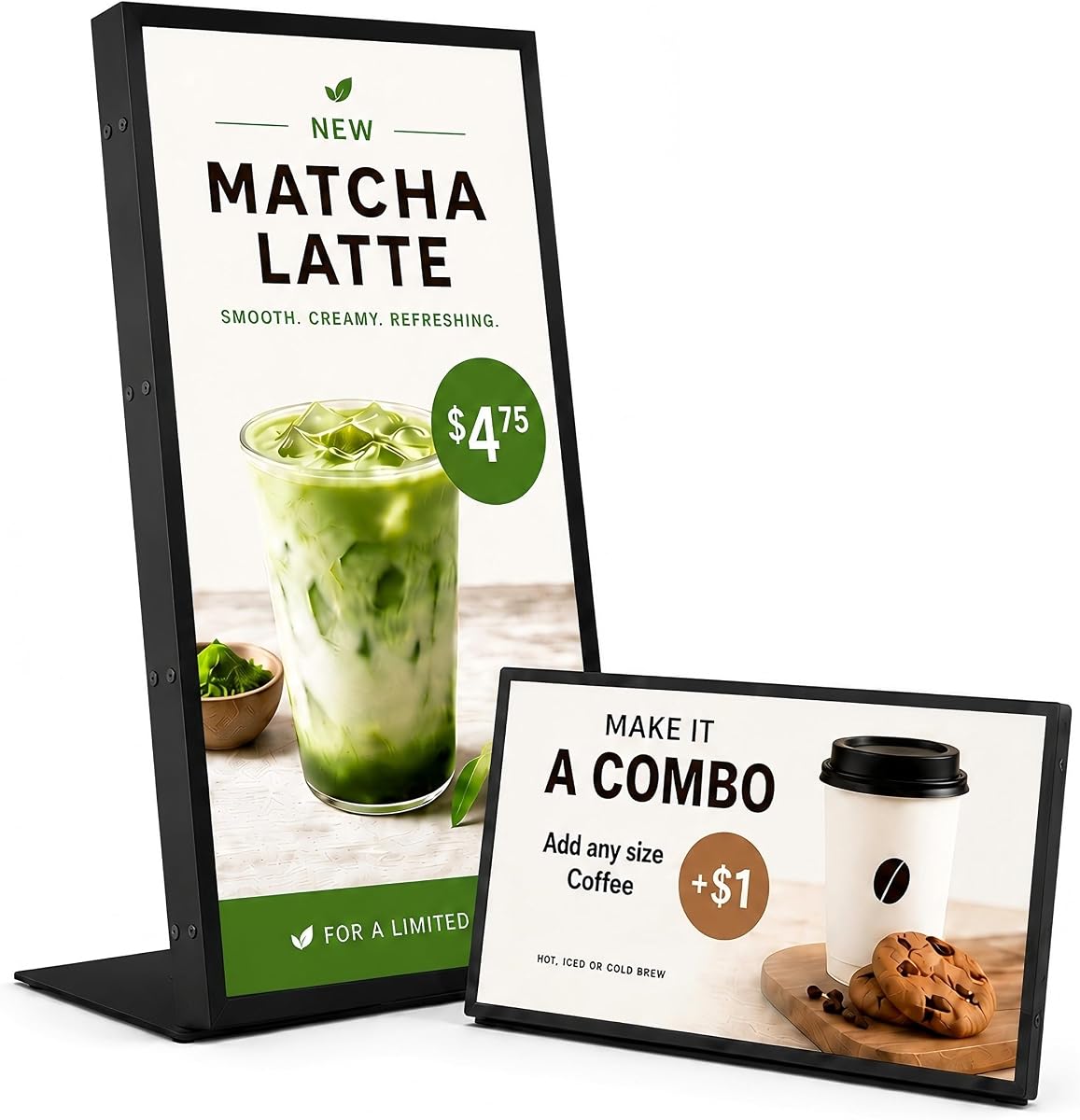
Supports both vertical posters and horizontal menus.
We may earn a commission when you buy through this link, at no additional cost to you.
This massive screen offers impressive visual impact for large spaces. The 1000-nit brightness handles bright environments effectively. Its narrow bezels allow seamless wall mounting for a clean look.
We may earn a commission when you buy through this link, at no additional cost to you.
You can divide the screen into zones for simultaneous content display. This supports playing videos alongside QR codes or countdowns. The slim profile aids wall mounting and improves aesthetic integration.
While the user rating varies the hardware specs are robust. It is portable with smart management features via CMS. Ensure the installation environment supports the weight before mounting.
Ideal for lobby displays or large retail windows needing high visibility. It suits settings where a bold message is required. Verify the wall mounting requirements and hardware compatibility first.
Large size commands attention in busy commercial spaces.
CMS allows bulk editing and remote brightness adjustments.
We may earn a commission when you buy through this link, at no additional cost to you.
This unit balances size and performance for medium commercial spaces. The all-metal chassis improves heat dissipation for stable operation. It includes smart CMS software for menu switching schedules.
We may earn a commission when you buy through this link, at no additional cost to you.
You can adjust volume and power settings remotely via the CMS. The narrow bezels help when multiple screens are tiled together. This feature supports larger video wall setups without excessive gaps.
While the rating suggests potential issues the build quality is solid. It serves well in retail stores or gyms needing durable signage. Ensure you have support channels available for troubleshooting if needed.
Best for gyms or offices needing a sturdy commercial display. It suits locations where reliability is key to operations. Verify warranty terms before installation to ensure support availability.
Metal chassis supports stable long-term operation.
CMS allows control from mobile devices or computers.
We may earn a commission when you buy through this link, at no additional cost to you.
This player focuses on simplifying content creation for non-designers. It includes a Canvas menu designer for custom layouts. AI tools enhance images to improve display quality automatically.
We may earn a commission when you buy through this link, at no additional cost to you.
You can set up quickly by connecting HDMI and power. The free tier covers basic uploads and scheduling needs. Premium tools unlock further design capabilities for advanced branding.
While the rating is moderate the software features are helpful. It suits businesses wanting control over design without hiring professionals. Ensure you understand the upgrade plans before committing to the software.
Use this for shops needing creative menu design support. It fits environments where visual branding is critical. Check the subscription costs against your marketing budget first.
Integrated Canvas Designer simplifies layout creation.
AI tools optimize images for better display output.
We may earn a commission when you buy through this link, at no additional cost to you.
This player offers strong hardware for managing complex content tasks. The 4GB RAM ensures smooth performance during multitasking. It uses a cloud-based service for centralized management.
We may earn a commission when you buy through this link, at no additional cost to you.
You can cache content locally to avoid playback interruptions. The Android OS provides flexibility for app installation and customization. It supports both vertical and horizontal screen modes easily.
While it depends on the cloud service for updates the stability is high. It suits businesses with existing cloud infrastructure needs. Ensure your internet connection supports the sync requirements.
Best for offices using DigitalSignage.com services. It suits setups needing local caching for reliability. Verify cloud compatibility before purchase to ensure it matches your workflow.
High RAM prevents lag during content switching.
Cloud service enables centralized control of displays.
We may earn a commission when you buy through this link, at no additional cost to you.
Selecting the right digital menu display requires evaluating several key factors to ensure it meets your operational needs.
Screen size determines visibility based on viewing distance. Larger screens like 50 inches suit main lobbies while smaller units fit counters. Resolution impacts clarity with 1080P or 4K providing sharper text.
Brightness measured in nits affects readability in lit rooms. 700 nits is standard for indoors while 1000 nits handles bright areas. Ensure the brightness matches your environment to avoid washout.
Connectivity like HDMI Ethernet and USB allows flexible content access. Look for WiFi support to avoid running cables. Multiple ports help you connect backup sources easily.
CMS software lets you update menus remotely. Check if cloud management is included or requires fees. A user-friendly CMS saves time during daily operations.
Commercial displays run for hours daily. Metal chassis and tempered glass improve durability. Warranty terms often include replacement support for early failures.
Mounting options impact installation flexibility. Landscape suits horizontal counters while portrait fits vertical posters. Ensure the stand is stable for safety.
Android OS provides app flexibility and standalone operation. Standalone players require external screens. Choose based on whether you need built-in software.
Timed power settings save energy by turning off screens. Ensure the display supports scheduled operation. Look for low power modes during closed hours.
Connect the display securely to your network to enable updates. Use a surge protector to guard against power fluctuations that damage internal parts.
Create content using your CMS tool before starting playback. Save files in supported formats like MP4 or JPG to ensure smooth rendering on the screen.
Clean the screen with a soft dry cloth to avoid scratches. Avoid harsh chemicals and ensure the display is off before cleaning.
Many models support offline playback via USB drives. However cloud management requires internet. Ensure you have a local backup method if connectivity is unstable.
Indoor displays usually need 700 nits for clear visibility. Brighter rooms may require 1000 nits to prevent washout. Match brightness to your lighting conditions for best results.
Many commercial displays support wall mounting. Check the VESA mount pattern before purchase. Ensure you use proper brackets to support the weight safely.
Most players accept MP4 video and JPG images. Some also support HTML5 content. Check the specs for any specific format requirements you may have.
Commercial units often come with 3-year warranties. Some include replacement support for the first year. Always verify terms with the seller before purchase.
Touchscreens are optional unless you need customer interaction. Standard displays work with remote controls. Consider your business flow before adding touch capabilities.
The top three picks offer distinct advantages for budget conscious and premium setups. Each model provides reliable performance for updating menu content effectively.
Prioritize brightness and CMS ease when selecting a unit. Your choice should align with where the screen will be placed in your business.
Prices change frequently so check current listings for the best deal. Ensure you have the right cables before installation to avoid delays.