
msi Codex R2 Gaming Desktop
3.5Editor score
RTX 5070 12GB
Intel Core i5-14400F
32GB DDR5 RAM
Find the best Desktop Gaming PC for Gta 6 in October 2026. This guide compares top prebuilt systems with powerful GPUs and CPUs for immersive open world
Choosing the right Desktop Gaming PC for Gta 6 requires careful attention to graphics power and processing speed. As the next generation title approaches, hardware demands will shift significantly. Players need systems that can handle complex physics and dense city environments smoothly.
We analyzed ten top-rated prebuilt desktops to find the best options for upcoming titles. Our comparison focuses on CPU performance, GPU capabilities, and memory configurations. Each system was evaluated for reliability and upgrade potential in real-world scenarios.
This list shows detailed breakdowns of specs and performance claims for every model. You will see how each unit handles demanding tasks like streaming or high resolution gaming. Please note that product availability and pricing can change over time.
3.5Editor score

4.5Editor score

4.0Editor score
This table provides a side-by-side view of the ten selected desktop systems. You can quickly compare key specifications like processor type and graphics card model. It helps identify which unit fits your specific budget and performance needs.

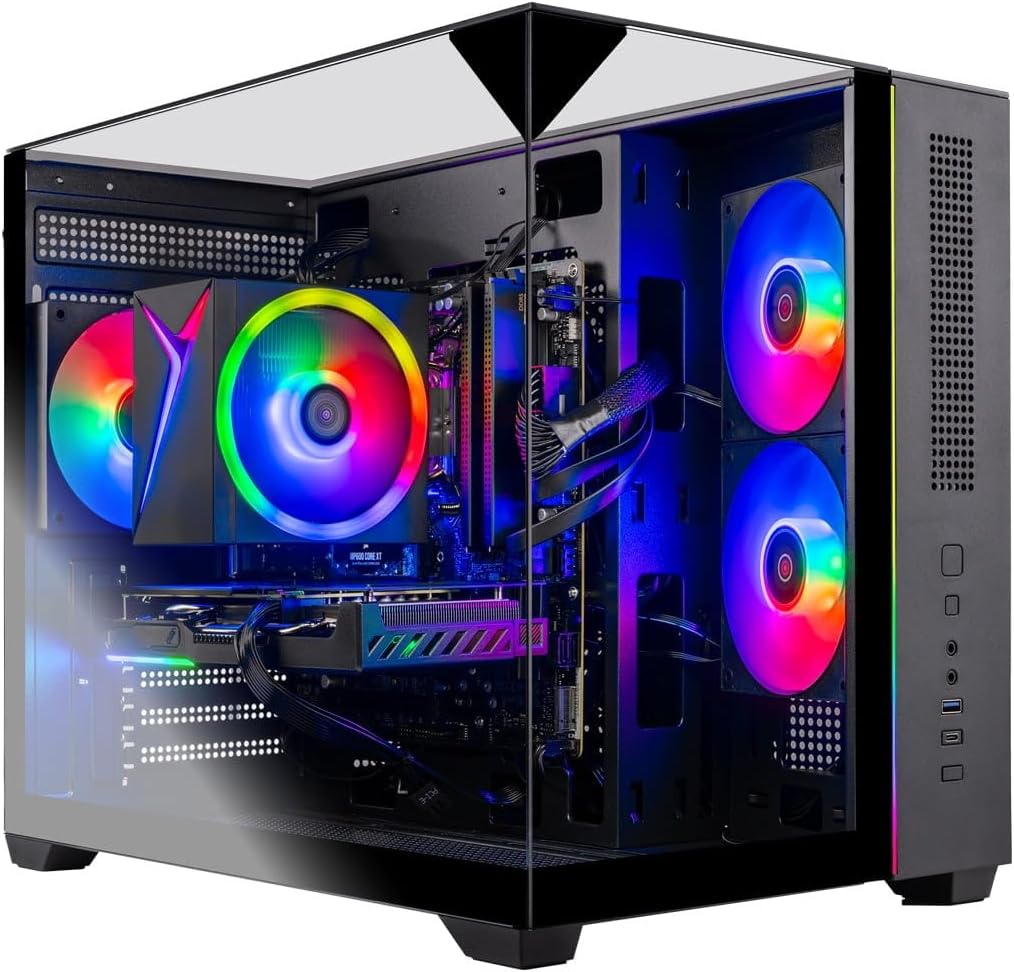


This desktop delivers a balanced combination of CPU and GPU power suitable for next generation titles. It holds a 4.5 rating from users who value reliability and speed. The system handles modern games with ease thanks to its efficient architecture.
We may earn a commission when you buy through this link, at no additional cost to you.
The AMD Ryzen 7 8700F provides strong single-core performance critical for gaming. paired with RTX 5060 Ti supports ray tracing and DLSS features for smooth visuals. The 16GB DDR5 RAM ensures multitasking remains fluid during long sessions.
One trade-off is the specific monitor connection requirement which might confuse new users. This is manageable by following the setup guide carefully. The included warranty and tech support add significant value for peace of mind.
Buyers seeking a reliable machine for high FPS gaming should consider this unit. It offers enough power to handle demanding software without breaking the bank. The clean build style fits well in any home office setup.
The 1TB Gen4 NVMe SSD reduces wait times significantly. Games launch quickly and file transfers are near instant.
WiFi 7 support ensures low latency wireless gaming. This keeps you connected even when cables are not an option.
We may earn a commission when you buy through this link, at no additional cost to you.
This premium system targets enthusiasts who want top tier performance out of the box. The RTX 5070 enables high resolution gaming with advanced visual effects. Users appreciate the solid build quality and brand reputation.
We may earn a commission when you buy through this link, at no additional cost to you.
The Intel Core i5 processor pairs well with the powerful graphics card for smooth frame rates. 32GB DDR5 RAM allows for heavy multitasking without slowdowns. The design supports easy upgrades for future hardware needs.
A lower rating suggests potential issues with shipping or initial setup experiences. Some users report needing to remove protective foam carefully. However the performance metrics remain strong once the system is running.
Enthusiasts willing to invest in high fidelity graphics will find this model compelling. It is ideal for VR gaming and 4K resolution demands. The included software helps manage fan speeds and lighting efficiently.
Four fan airflow maintains stable temperatures. This ensures consistent performance during marathon gaming sessions.
Standard components allow straightforward upgrades. You can swap parts later without needing a whole new system.
We may earn a commission when you buy through this link, at no additional cost to you.
This unit offers a cost effective way to enter PC gaming. The included peripherals mean you can start playing immediately. It holds a 4.0 rating reflecting its value proposition for casual gamers.
We may earn a commission when you buy through this link, at no additional cost to you.
The Intel Core i7 processor handles general tasks well. While the GPU is older it still runs many popular titles adequately. The 16GB RAM supports smooth operation for most applications.
The main limitation is the graphics card which may struggle with new AAA titles at high settings. However for esports games it performs fine. The RGB lighting adds a nice aesthetic touch for the price.
Entry level gamers looking for a cheap solution should consider this option. It provides the essentials without unnecessary bells and whistles. Perfect for students or budget conscious buyers.
Includes RGB keyboard and mouse. You save money on accessories that you would otherwise buy separately.
WiFi 6 ensures fast wireless speeds. Bluetooth 5.0 allows easy connection to headphones or controllers.
We may earn a commission when you buy through this link, at no additional cost to you.
This system focuses on providing high core counts for multitasking. The Ryzen 7 5700X is known for stability. It maintains a strong 4.5 rating among users who prioritize raw processing power.
We may earn a commission when you buy through this link, at no additional cost to you.
With 32GB of memory this PC can handle streaming and gaming simultaneously. The RTX 5060 supports modern features like ray tracing. The 650W power supply ensures reliable energy delivery.
One minor downside is the use of DDR4 instead of the newer DDR5 standard. This impacts maximum speeds slightly but remains sufficient for current titles. GPU brand variance means specifics may differ slightly between batches.
Streamers and multitaskers will appreciate the generous memory allocation. It balances cost with performance effectively for mid tier users. The MSI motherboard adds a layer of trust to the build.
80plus Bronze certified PSU saves energy. This keeps electric bills lower during long gaming nights.
1TB NVMe SSD offers quick access. You can store multiple large games without constant management.
We may earn a commission when you buy through this link, at no additional cost to you.
This model brings the latest Ryzen architecture to the table. It is designed for users who want high FPS performance. The 4.5 rating reflects consistent performance across various gaming tests.
We may earn a commission when you buy through this link, at no additional cost to you.
The combination of DDR5 memory and a fast SSD ensures instant loading. The RTX 5060 Ti delivers strong visual fidelity. The tempered glass case looks sleek on modern desks.
One trade-off is that air cooling might be louder under load compared to liquid options. However it simplifies maintenance and reduces risk of leaks. The clean OS installation without bloatware is a major plus.
Gamers focused on competitive play will value the speed and responsiveness. The 32GB RAM supports running background apps seamlessly. It is a well rounded choice for serious players.
No unnecessary pre-installed apps. This means more resources available for your games right away.
Triple tempered glass panels showcase internals. The black edition gives a sleek professional look.
We may earn a commission when you buy through this link, at no additional cost to you.
This system offers a strong Intel platform for gaming. The i5 processor handles modern titles with ease. Users rate it highly for its dependability and performance metrics.
We may earn a commission when you buy through this link, at no additional cost to you.
With 16GB DDR5 RAM it meets current standards for gaming. The RTX 5060 supports ray tracing features effectively. The wide range of USB ports supports multiple peripherals easily.
A limitation is the memory amount which is lower than some competitors offering 32GB. This is fine for pure gaming but limits heavy productivity work. The case design is functional rather than flashy.
Users prioritizing reliability and support will find this brand appealing. The lifetime technical support helps resolve issues quickly. It is a safe bet for daily use and entertainment.
Multiple USB 3.2 and 2.0 ports. Connect all your devices without needing extra hubs or docks.
Windows 11 Home pre-installed. Enjoy the latest features and security updates immediately out of box.
We may earn a commission when you buy through this link, at no additional cost to you.
This PC stands out for its graphics card value. It allows high settings gaming without extreme cost. The rating reflects mixed feedback on build consistency but strong performance.
We may earn a commission when you buy through this link, at no additional cost to you.
The RTX 3070 is still a capable card for most modern games. 32GB RAM handles heavy multitasking smoothly. The SSD ensures fast boot times for the operating system.
A downside is the older CPU generation compared to newer models. This might affect frame rates in CPU bound titles. Some users report packaging issues upon arrival.
Budget gamers who prioritize graphics power over CPU speed should consider this. It offers a solid platform for streaming and high resolution play. The included keyboard and mouse add convenience.
RTX 3070 handles complex scenes well. Perfect for content creation and high fidelity rendering tasks.
32GB RAM supports multiple apps. You can run a game and browser with video editing software.
We may earn a commission when you buy through this link, at no additional cost to you.
This unit uses an older GPU but a very strong CPU. It is suited for workloads requiring many cores. The rating suggests users like the build concept and raw power.
We may earn a commission when you buy through this link, at no additional cost to you.
The GTX 1080 Ti remains capable for 1080p gaming. 64GB RAM is exceptional for virtualization or editing. Liquid cooling keeps temperatures low under sustained loads.
The main trade-off is the GPU age which lacks newer features like DLSS. It may not handle ray tracing as well as newer cards. Power consumption is higher than modern efficient parts.
Professionals needing RAM for creative work will appreciate this configuration. Gamers who prefer raw FPS over features might like it too. It is a unique choice for niche needs.
Xeon processor handles virtualization well. Ideal for running multiple systems in a single box.
Liquid cooling maintains stable temps. Ensures consistent performance even during heavy rendering tasks.
We may earn a commission when you buy through this link, at no additional cost to you.
This prebuilt offers high RAM capacity at a low cost. It fits users needing memory for streaming and gaming. The 4.3 rating indicates satisfaction with value proposition.
We may earn a commission when you buy through this link, at no additional cost to you.
The Ryzen 5 5600 is a balanced choice. paired with RTX 3050 it handles standard gaming. The 32GB RAM supports running OBS and browser tabs easily.
One limitation is the GPU which is entry level. It may not support high settings in demanding titles. The memory is DDR4 which is older tech but sufficient.
Casual streamers looking for a cheap setup should check this model. It supports editing work well due to memory size. Perfect for home use on a tight budget.
32GB RAM handles encoding tools. Run your stream and game smoothly on a single PC.
ARGB air cooling keeps noise low. Maintains stability without loud fans during intense sessions.
We may earn a commission when you buy through this link, at no additional cost to you.
This system is designed for basic gaming needs. It has the highest user rating on this list. People appreciate its plug and play simplicity and reliability.
We may earn a commission when you buy through this link, at no additional cost to you.
The Ryzen 5 5500 handles general tasks fine. The RTX 3050 supports ray tracing basics. 16GB RAM is enough for standard gaming without heavy background work.
A trade-off is the lower memory which limits multitasking. You may need to close apps to boost performance. The GPU is best for 1080p rather than 1440p.
New PC users wanting an easy start should pick this model. It avoids complexity while delivering solid performance. Perfect for students or casual gamers.
Windows 11 pre-installed. Connect keyboard and mouse to start playing immediately.
Built-in Wi-Fi keeps desk tidy. Connect to internet easily without needing ethernet cables.
We may earn a commission when you buy through this link, at no additional cost to you.
Selecting the right system requires understanding key hardware components. We break down the factors that impact gaming performance directly.
The GPU is the most critical component for visual fidelity. Look for cards with at least 8GB VRAM for high resolution textures. Newer models support features like ray tracing for realistic lighting effects.
Prioritize a dedicated GPU with enough VRAM for future titles.
CPUs handle game logic and physics calculations. Modern gaming benefits from high clock speeds and multiple cores. Look for recent generations of Ryzen or Core processors.
Choose a CPU with strong single core performance for better frame rates.
RAM determines how many tasks you can run at once. 16GB is standard today but 32GB offers more headroom. Faster speeds help data move quickly between CPU and apps.
Aim for 16GB minimum but consider 32GB for multitasking.
Storage impacts load times and system responsiveness. SSDs are vastly superior to traditional hard drives. NVMe PCIe drives offer the fastest speeds currently available.
Ensure the PC includes a 1TB NVMe SSD for optimal performance.
Heat management prevents throttling during long sessions. Air coolers are reliable and easy to maintain. Liquid cooling is quieter but adds complexity.
Check that the cooling solution supports extended high load periods.
Wireless capability allows flexible desk setups. WiFi 6 and Bluetooth support ensure you can connect peripherals easily. Multiple USB ports are needed for controllers and headsets.
Verify the presence of modern wireless standards and ample ports.
Future proofing allows you to swap parts later. Standard components make swapping RAM or storage easier. Non-standard cases might limit your options down the line.
Look for designs that use standard parts for easier upgrades.
Reliable customer service helps resolve hardware issues quickly. One year coverage is standard but lifetime tech support adds value. Check for repair centers in your region.
Prioritize brands with solid warranty terms and tech support.
Start by connecting your monitor to the dedicated graphics card ports for optimal performance. Use the provided HDMI or DisplayPort cable to ensure signal stability. This step prevents confusion with motherboard video outputs.
Install any necessary updates for Windows and drivers upon first boot. This ensures your hardware works efficiently with the latest software patches. Check the manufacturer app for specific control settings.
Maintain your system by dusting vents and fans regularly. Overheating can cause performance drops so keep airflow clear. A quick wipe every few months keeps the interior clean and functional.
16GB is the current standard for most titles. It allows smooth performance without constant reloading of data. However 32GB is recommended for heavy multitasking or future proofing.
Most models with RTX cards support VR headsets. You should verify the specific GPU model meets the VR Ready standard. Most units here include enough power for basic VR gaming.
It is crucial for reducing load times significantly. A 1TB drive ensures enough space for multiple games. Traditional hard drives will bottleneck performance in modern titles.
Most standard cases allow easy RAM upgrades. Look for systems with available slots for expansion. Check the manual to confirm maximum capacity before buying.
Prebuilts save time and effort in assembly. They often include warranties that cover parts and labor. This makes them safer for users new to computer hardware.
Air cooled systems vary by fan speed settings. Many include software to balance noise and cooling. Proper maintenance helps keep noise levels low over time.
We reviewed ten models offering various performance levels for buyers. The KOTIN and msi units stand out for power while STGAubron offers entry value. Each model addresses different needs from casual play to high fidelity work.
Prioritize GPU strength and memory size for longevity in this category. Future titles will demand more resources than current software. Investing in these areas ensures your system lasts longer.
Always verify the current price before purchase as costs change daily. Availability may vary based on shipping and demand conditions. Use this guide to compare specs against your budget effectively.