
CORSAIR Vengeance SODIMM DDR5
4.8Editor score
16GB capacity single module
Easy installation process
High performance gaming support
This comprehensive guide compares the top 10 DDR5 Laptop RAM modules available in October 2026 to help you choose the fastest and most reliable memory for your
Choosing the right DDR5 Laptop RAM is essential for maximizing your notebook's performance in 2026. Modern laptops require specific SODIMM modules that support higher speeds and lower power consumption to handle demanding tasks efficiently.
We have carefully evaluated ten top-rated DDR5 memory kits based on speed, capacity, compatibility, and reliability. Our analysis focuses on genuine products from trusted manufacturers that meet industry standards for laptop upgrades.
Each pick below highlights key specifications and real-world benefits to help you decide. Please note that pricing and availability can fluctuate frequently, so always verify current details before making your final purchase decision.
4.8Editor score

4.8Editor score
4.5Editor score
The following table provides a side-by-side comparison of all ten selected DDR5 Laptop RAM products to help you quickly identify the best fit for your specific laptop model and performance needs.



This kit from Crucial is a top-rated DDR5 Laptop RAM option that delivers reliable performance for modern laptops. With a solid 4.8 star rating, users appreciate its seamless integration with Intel and AMD platforms.
We may earn a commission when you buy through this link, at no additional cost to you.
The 5600MHz speed significantly boosts system responsiveness and gaming performance. Its optimized compatibility ensures that it works well with 12th Gen Intel Core and AMD Ryzen 7000 Series processors.
While it carries a premium price, the reliability and speed make it a worthwhile investment. The ability to downclock ensures flexibility if your system does not support the maximum speed.
This memory is ideal for professionals and gamers who need robust multitasking capabilities. It stands out as the best choice for users seeking a balance of speed and reliability.
The 32GB capacity allows for smooth switching between heavy applications without slowdowns or lag.
Rigorously tested by Micron experts ensures top performance and long-term reliability for your device.
We may earn a commission when you buy through this link, at no additional cost to you.
For users seeking an affordable yet high-performance upgrade, this CORSAIR Vengeance module is a strong contender. It holds a 4.8 star rating for its ease of use and performance benefits.
We may earn a commission when you buy through this link, at no additional cost to you.
This 16GB module supports speeds up to 5600MHz, offering faster load times and multitasking. The automatic speed setting feature simplifies setup by requiring no BIOS adjustments.
The main trade-off is using a single stick which may not utilize dual channel bandwidth fully. However, it is excellent for adding capacity without significant cost to older systems.
We recommend this for budget-conscious buyers looking to extend laptop life. Its simplicity and reliability make it a safe choice for general performance boosts.
You only need a simple screwdriver to upgrade most laptops quickly and efficiently.
Faster frequencies help tackle demanding games and workloads with greater ease.
We may earn a commission when you buy through this link, at no additional cost to you.
TEAMGROUP Elite offers a robust 32GB kit designed for stable performance and longevity. It features a solid 4.6 rating due to its reliable ECC support and energy efficiency.
We may earn a commission when you buy through this link, at no additional cost to you.
The 5600MHz frequency ensures your system handles heavy multitasking without bottlenecks. On-die ECC helps maintain system stability during intensive operations and long sessions.
While slightly less popular than major brands, the lifetime warranty provides peace of mind. The newer structural design aims to improve heat dissipation and overall performance.
This kit is great for users who prioritize stability and warranty coverage. It delivers strong performance for a wide range of modern DDR5 compatible laptops.
On-die ECC helps correct errors to keep your system running smoothly.
1.1V working voltage helps conserve energy and reduces heat generation.
We may earn a commission when you buy through this link, at no additional cost to you.
GIGASTONE provides a compelling 32GB kit with high speed and efficient power management. It maintains a strong 4.7 rating for its performance and value proposition.
We may earn a commission when you buy through this link, at no additional cost to you.
The inclusion of PMIC power management circuits enhances efficiency and stability. This feature is crucial for DDR5 modules to manage power delivery effectively.
While not as ubiquitous as other brands, it offers competitive specs. It is a solid option for notebooks and all-in-one computers needing a performance boost.
Consider this kit if you want high capacity without overspending. It delivers reliable performance for daily tasks and multimedia workloads.
PMIC integrated circuits provide more power efficiency for your system.
Designed to work with notebooks and all-in-one computer systems.
We may earn a commission when you buy through this link, at no additional cost to you.
G.SKILL Ripjaws is known for performance and offers a fast 32GB kit for enthusiasts. It has a 4.5 rating for those willing to tweak settings for peak performance.
We may earn a commission when you buy through this link, at no additional cost to you.
With CL40 latency and support up to 5600MT/s, this kit offers raw speed. The Intel XMP 3.0 profile allows for easy overclocking on compatible systems.
The trade-off is that maximum speed requires BIOS adjustments. Users must ensure they use matched kits to avoid stability issues as mixing is not supported.
This memory is perfect for gamers who want to push their system limits. It represents the best performance option for those comfortable with technical setup.
CL40 timing ensures quick data access for responsive gaming and apps.
Intel XMP 3.0 profiles enable automatic performance tuning.
We may earn a commission when you buy through this link, at no additional cost to you.
This CORSAIR 32GB kit offers a balanced mix of capacity and speed for most users. It enjoys a 4.7 rating for its reliable performance and user-friendly setup.
We may earn a commission when you buy through this link, at no additional cost to you.
Designed to tackle demanding tasks, it delivers faster frequencies and lower power consumption. The automatic speed setting helps users get the most out of their hardware.
It works with nearly any Intel and AMD system thanks to industry-standard SODIMM form-factor. This broad compatibility makes it a safe bet for many laptop models.
Choose this if you want a trustworthy upgrade from a known brand. It delivers consistent results for gaming and everyday productivity tasks.
Compatible with nearly any Intel and AMD gaming and performance laptop.
Faster load times and multitasking capabilities improve overall workflow.
We may earn a commission when you buy through this link, at no additional cost to you.
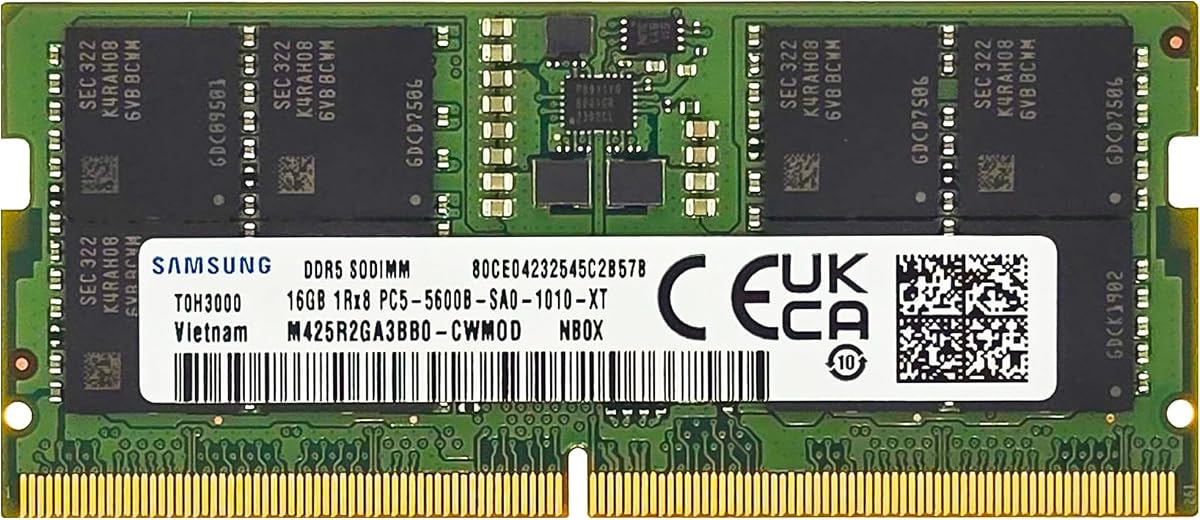
Samsung is a leader in memory manufacturing, offering high-quality OEM modules like this one. It holds a 4.5 rating for reliability and strict adherence to JEDEC standards.
We may earn a commission when you buy through this link, at no additional cost to you.
With 5600MHz speed and Single Rank architecture, it delivers efficient data access. The 1.1V voltage ensures low power consumption which is vital for laptops.
While it is a single module, it is ideal for expanding existing capacity easily. It reduces bottlenecks and increases workload capacity for demanding tasks.
Select this for users who prioritize OEM quality and compatibility. It is an excellent choice for laptops needing a simple memory expansion.
Genuine Samsung RAM ensures high quality and strict standard compliance.
Single Rank design helps reduce power consumption and heat.
We may earn a commission when you buy through this link, at no additional cost to you.
This Samsung kit provides a reliable 32GB expansion using genuine modules. It is rated well for its OEM quality and seamless integration with supported systems.
We may earn a commission when you buy through this link, at no additional cost to you.
The dual 16GB modules work together to provide balanced performance and capacity. It adheres to JEDEC standards ensuring stable operation with your notebook.
Users should verify exact laptop compatibility since Samsung modules are often OEM specific. However, they offer proven stability and low power consumption.
Choose this for a trusted dual channel upgrade. It is ideal for laptops that support Samsung modules natively.
Samsung memory modules ensure high quality and consistent performance.
Dual 16GB modules provide optimized capacity and performance.
We may earn a commission when you buy through this link, at no additional cost to you.
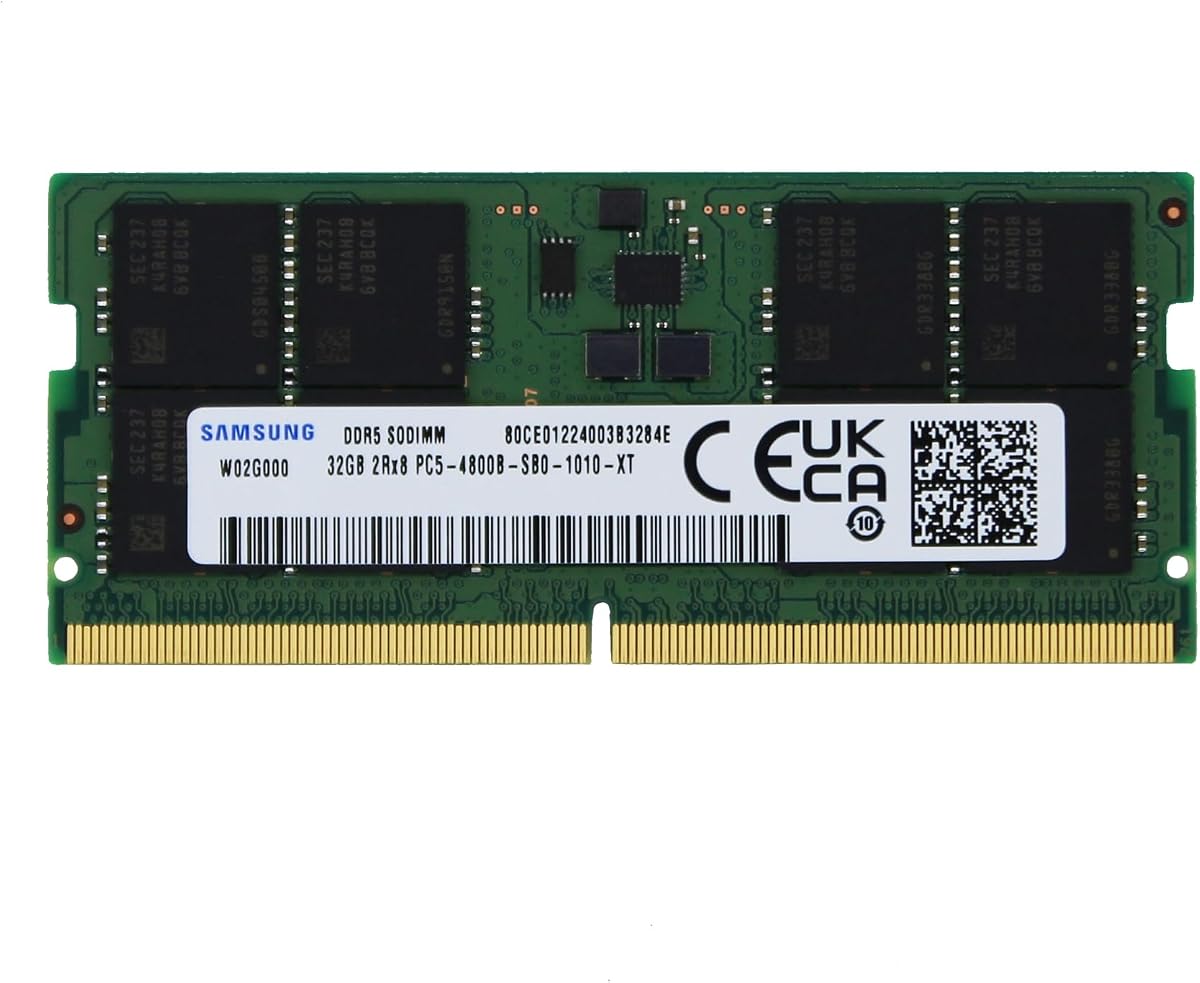
This Samsung 32GB single module stands out with a perfect 5.0 rating for reliability. It offers excellent value for users needing large capacity in a single stick.
We may earn a commission when you buy through this link, at no additional cost to you.
Running at 4800MHz, it provides a stable and efficient upgrade for DDR5 laptops. The Dual Rank architecture helps improve throughput and performance consistency.
While speed is lower than 5600MHz, the capacity is a major benefit for multitasking. It is a fantastic choice if your system supports this specific model.
We recommend this for users prioritizing capacity over raw speed. It delivers stable performance for demanding workloads.
A perfect 5.0 rating highlights its high reliability and satisfaction.
2Rx8 architecture improves throughput for heavy tasks.
We may earn a commission when you buy through this link, at no additional cost to you.
Samsung offers this 16GB entry-level kit for users looking to upgrade from older models. It holds a strong 4.5 rating for its speed and compatibility.
We may earn a commission when you buy through this link, at no additional cost to you.
With 5600MHz speed, it provides a noticeable boost for everyday tasks. The dual 8GB modules enable dual channel performance which improves efficiency.
This module is ideal for budget upgrades or lighter workloads. It ensures your laptop can handle modern software requirements smoothly.
Consider this for users seeking a reliable entry into DDR5. It delivers solid performance and brand trust.
Dual 8GB setup enables dual channel performance for better throughput.
5600MHz speed delivers a noticeable boost for everyday tasks.
We may earn a commission when you buy through this link, at no additional cost to you.
Selecting the right DDR5 Laptop RAM involves understanding key factors like speed, capacity, compatibility, and voltage. This guide outlines the critical aspects to consider before purchasing.
Capacity determines how many applications you can run simultaneously. For modern workflows, 16GB is a baseline, but 32GB is recommended for heavy multitasking or creative work.
Choose capacity based on your specific workload needs and budget constraints.
DDR5 speeds typically range from 4800MHz to 5600MHz. Higher speeds provide faster data transfer and improved responsiveness.
Look for modules that match or exceed your system's maximum supported speed for best results.
Ensure the RAM works with your specific CPU generation such as Intel 12th Gen or AMD Ryzen 7000. Check your laptop's user manual for supported memory types.
Verify compatibility before purchasing to avoid installation issues or performance bottlenecks.
Laptops require SODIMM modules with 262 pins for DDR5. Desktop RAM will not fit in a laptop slot.
Always confirm the form factor is SODIMM when shopping for notebook upgrades.
DDR5 typically operates at 1.1V which reduces power consumption compared to older DDR4 modules. This helps extend battery life in portable devices.
Look for modules that adhere to standard JEDEC voltage to ensure system stability.
Most consumer laptops use Non-ECC memory which is faster and cheaper. ECC RAM helps error correction but is rare in consumer laptops.
Stick with Non-ECC modules unless you are using a specialized workstation system.
Choose reputable brands like Crucial, Corsair, or Samsung for reliability. Many offer lifetime warranties that protect your investment.
Check the warranty terms to ensure long-term support for your purchase.
Latency (CAS latency) affects how quickly memory responds. Lower numbers like CL40 or CL46 are generally better for performance.
Balance latency with speed to achieve the best overall performance for your tasks.
To install DDR5 RAM, ensure your laptop is powered off and unplugged. Use an anti-static wrist strap to protect components from static discharge before opening the access panel.
Align the notch on the module with the slot and insert at a 45-degree angle. Push down gently until the side clips lock into place securely.
After installation, enter BIOS to verify the system recognizes the new capacity. Update your BIOS to the latest version if you encounter compatibility issues.
It is generally recommended to use matched kits to avoid stability issues. Mixing different capacities or speeds can lead to performance problems or system failure.
For modern gaming, 16GB is the minimum, but 32GB is ideal for high-end titles. More RAM helps with multitasking and future-proofing your system.
No DDR5 SODIMM modules have a different key position and are not compatible with DDR4 slots. You must upgrade both RAM and motherboard.
Yes DDR5 typically operates at lower voltages like 1.1V. This helps improve battery life and reduces heat generation in laptops.
Not all laptops support the maximum 5600MHz speed. Your CPU and motherboard determine the maximum supported speed.
DDR5 RAM is durable and can last many years under normal conditions. Proper care and avoiding excessive heat help maximize its lifespan.
We have explored ten top-rated DDR5 Laptop RAM options that cover a range of needs and budgets. From Crucial's reliable kits to Samsung's premium modules, there is a choice for every user.
Prioritize compatibility with your CPU and the required capacity for your daily tasks. Speed and latency also play a significant role in overall system responsiveness.
Always verify current availability and specifications before buying. Technology evolves rapidly, so checking the latest details ensures you get the best performance.