
Corsair RS120 ARGB 120mm PWM Fans Triple Pack
4.6Editor score
Daisy-chain connections for easy setup
Customizable ARGB lighting per fan
High static pressure for radiators
This guide compares the top Corsair case fans for cooling and style, covering RGB options, high static pressure models, and budget-friendly triple packs for
Choosing the right cooling solution is critical for any high-performance PC build. Corsair offers a wide range of case fans designed to deliver efficient airflow and striking aesthetics. Understanding the differences between models helps you select the perfect match for your system requirements and visual preferences.
We analyzed ten top-rated Corsair case fans based on performance metrics, build quality, and user feedback. Each product was evaluated for airflow capacity, static pressure, noise levels, and RGB lighting capabilities. This list covers everything from budget-friendly triple packs to premium single units with advanced link technology.
Every pick includes detailed specifications, pros, cons, and expert insights to guide your decision. Prices and availability can change frequently, so always verify current listings before purchasing. We aim to provide clear, honest information to help you upgrade your PC cooling effectively.
4.6Editor score

4.6Editor score

4.7Editor score
This side-by-side comparison highlights key specifications across all ten selected Corsair fans. Look at airflow, static pressure, bearing type, and lighting features to find the ideal fit for your specific cooling needs and case configuration.

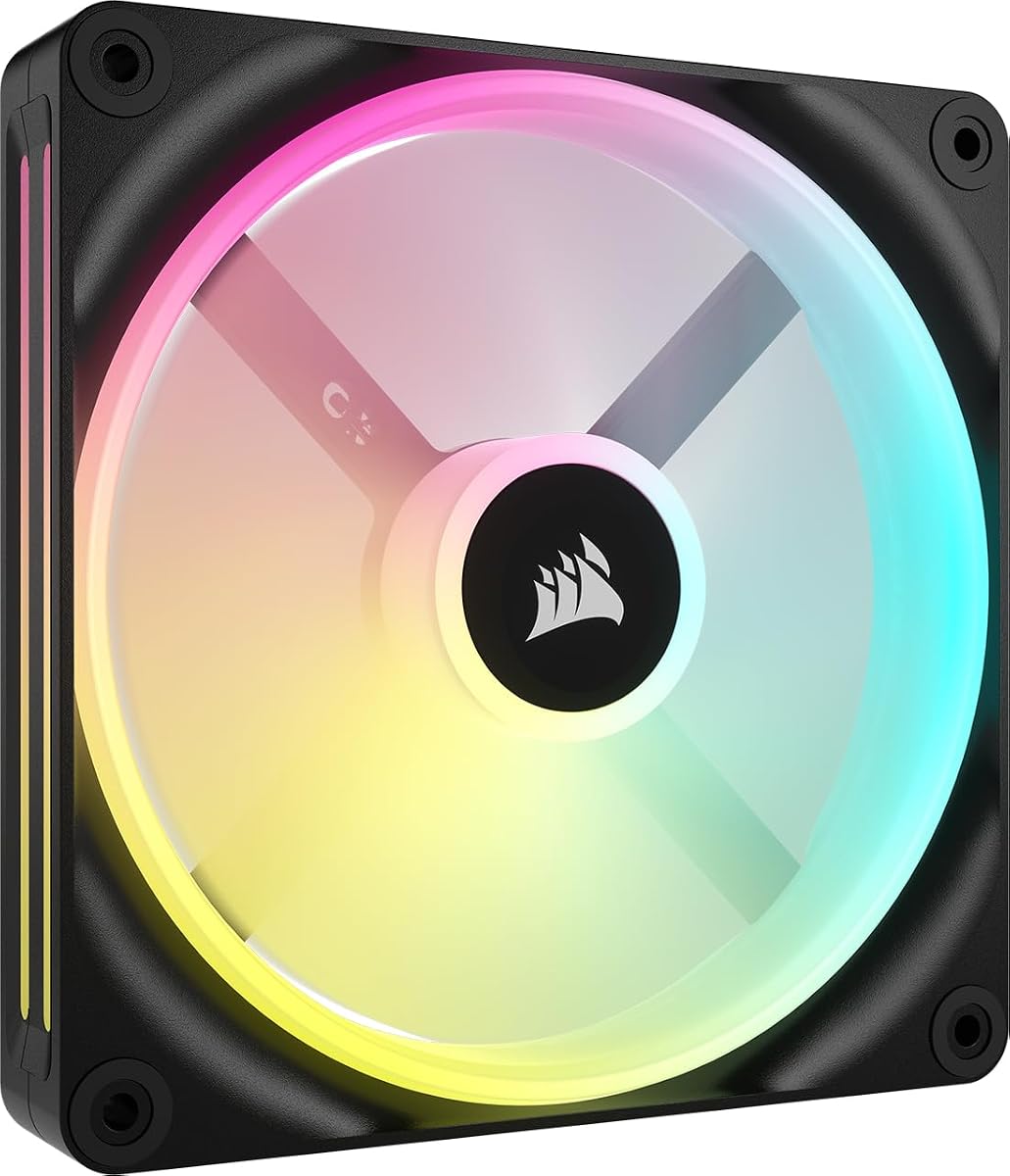


The Corsair RS120 ARGB Triple Pack stands out as a top budget choice for PC builders seeking reliable cooling and vibrant lighting. With a strong 4.6 rating from users, these fans deliver solid performance without breaking the bank. The daisy-chain connection simplifies installation significantly.
We may earn a commission when you buy through this link, at no additional cost to you.
These fans support speeds up to 2100 RPM and move up to 72.8 CFM of air, which is impressive for the price point. AirGuide technology helps direct airflow efficiently toward hot components, enhancing overall thermal performance. The eight RGB LEDs per fan offer plenty of customization for your build aesthetic.
While the wiring is streamlined, you still need a compatible motherboard for full ARGB control. Some users note that the fan frame design can slightly obscure the RGB when mounted facing inward. However, these trade-offs are acceptable given the cost savings and functional benefits.
Buyers looking for an affordable way to upgrade case cooling with RGB should strongly consider this pack. It balances performance, aesthetics, and price better than many competitors. Ensure your motherboard supports ARGB to fully utilize the lighting features.
The daisy-chain connection allows you to link multiple fans using just one PWM and one ARGB connector. This reduces cable clutter and simplifies the build process significantly.
With 2.8mm H2O static pressure, these fans work well on radiators or dense heatsinks where airflow obstruction is common.
We may earn a commission when you buy through this link, at no additional cost to you.
The iCUE Link LX120 RGB Triple Pack offers a premium fan experience with unique dual light loops and an included system hub. Its 4.6 rating reflects strong user satisfaction with both performance and ease of setup. The dual loop design provides a more immersive lighting effect than standard rings.
We may earn a commission when you buy through this link, at no additional cost to you.
These fans reach 2400 RPM and deliver 5.22mm H2O static pressure, making them ideal for liquid cooling radiators. The included bridge connectors link fans directly to the hub with a single cable, eliminating messy wiring. Magnetic dome bearings ensure quiet operation even at high speeds.
The main trade-off is the higher cost compared to standard RGB packs. You also need Corsair's iCUE software to access the full range of lighting features and fan control. If you prioritize advanced aesthetics and clean builds, this investment is worth it.
Enthusiasts wanting top-tier RGB synchronization and a clutter-free setup should choose this pack. It excels in thermal performance and visual appeal. Verify your motherboard has enough PWM headers if you do not use the hub.
The iCUE Link System Hub allows you to connect fans directly, reducing the need for multiple motherboard headers.
Inner and outer light loops create a striking visual effect that enhances the overall look of your PC build.
We may earn a commission when you buy through this link, at no additional cost to you.
The RS120-R ARGB Reverse Triple Pack in White is a top choice for builders prioritizing flawless aesthetics without compromising cooling. With a 4.7 rating, users praise the reverse rotor design that keeps the RGB ring fully visible even on intake mounts. Zero RPM mode adds silent operation when cooling needs are minimal.
We may earn a commission when you buy through this link, at no additional cost to you.
These fans deliver 65.8 CFM airflow and 2.81mm H2O static pressure, sufficient for most air and liquid cooling setups. The reverse rotor ensures lighting isn't blocked by the motor hub, enhancing visual appeal. Eight RGB LEDs per fan provide vibrant customizable lighting.
Some users note that white fans require more frequent cleaning to look pristine. Airflow is solid but not the highest in the category. However, the aesthetic benefit of the reverse design often outweighs these minor drawbacks for visual-focused builds.
Choose this pack if you want a clean white build with visible RGB lighting on all sides. It balances style and performance well. Ensure your case has enough clearance for the reverse orientation.
The Zero RPM feature allows fans to stop completely at low loads for silent operation during idle tasks.
Reverse rotor orientation ensures the RGB lighting is unobstructed when fans are mounted for intake.
We may earn a commission when you buy through this link, at no additional cost to you.
The black version of the RS120-R ARGB Reverse Triple Pack offers the same premium features in a darker finish. With a 4.6 rating, it provides the reverse rotor aesthetic without the maintenance of white fans. Zero RPM mode ensures quiet operation when system loads are low.
We may earn a commission when you buy through this link, at no additional cost to you.
These fans move 65.8 CFM air with 2.81mm H2O static pressure. The reverse rotor makes the RGB ring visible on intake mounts, improving visual consistency. Eight LEDs per fan allow for bright customizable lighting effects.
The black frames may reduce the perceived brightness of the RGB when viewed from the side. Some users note that the price is higher than similar non-reverse options. However, the visual benefit remains strong for black-themed builds.
Buyers wanting a sleek black case with visible intake lighting should consider this pack. It delivers reliable cooling and modern aesthetics. Confirm your motherboard supports ARGB control.
Black frames help maintain a unified look with dark PC cases and components.
Fans stop spinning completely at low loads to reduce noise during idle periods.
We may earn a commission when you buy through this link, at no additional cost to you.
The iCUE Link QX140 RGB Single Fan is a 140mm option ideal for cases supporting larger fans. With a 4.4 rating, it delivers strong airflow and unique lighting modes. The Time Warp effect offers a strobing visual that stands out in dark builds.
We may earn a commission when you buy through this link, at no additional cost to you.
This fan reaches 82.5 CFM airflow and 3.5mm H2O static pressure. The magnetic dome bearing minimizes noise at low speeds. Bridge connectors allow daisy-chaining other QX140 fans for a clean wiring setup using the iCUE Link System Hub.
The main drawback is the higher cost per fan compared to smaller options. Without the hub, some advanced lighting features are limited. However, the cooling performance is excellent for larger case mounts.
Choose this fan if you need 140mm cooling with premium RGB integration. It works best when paired with the iCUE Link system. Ensure your case has 140mm clearance.
The larger diameter moves more air at lower speeds, reducing noise while maintaining performance.
Requires iCUE Link Hub to access strobing lighting effects that enhance RGB displays.
We may earn a commission when you buy through this link, at no additional cost to you.
This LX120-R Triple Pack combines reverse rotors with dual light loops, offering the best of both worlds. With a 4.7 rating, users love the visible RGB ring and the high static pressure. The included QuikTurn screws simplify installation significantly.
We may earn a commission when you buy through this link, at no additional cost to you.
These fans reach 2400 RPM and provide 66.7 CFM airflow with 4.72mm H2O static pressure. This pressure is higher than standard 120mm fans, making them excellent for dense radiators. The dual loops create deep lighting effects.
The cost is higher than standard reverse packs. You also need the iCUE Link Hub for full single-cable functionality. However, the performance and visuals justify the price for premium builds.
Buyers wanting both reverse RGB and high cooling performance should consider this pack. It is a top-tier choice for enthusiasts. Check that your case has 120mm mounting space.
Included screws allow fast and easy installation without needing additional tools.
4.72mm H2O static pressure pushes air through dense radiator fins effectively.
We may earn a commission when you buy through this link, at no additional cost to you.
The RX140 MAX RGB Single Fan in White features a 5mm thicker blade for enhanced cooling at lower speeds. With a 4.5 rating, it delivers 102.9 CFM airflow while reducing noise. The frame window allows side viewing of the lighting.
We may earn a commission when you buy through this link, at no additional cost to you.
Despite lower RPM, the thicker design moves more air efficiently. This results in quieter operation for similar cooling output. The iCUE Link bridge connectors allow easy connection to other RX fans.
Check your case has enough depth for a thick fan. Some setups may require adjustments. However, the noise reduction and airflow are significant benefits.
Choose this fan if you prioritize silent cooling with high airflow. It works well in cases with sufficient depth. Ensure you have RGB header support.
The 5mm thicker blade allows for more air movement at lower rotational speeds.
A built-in window in the frame enables viewing of lighting effects from the side.
We may earn a commission when you buy through this link, at no additional cost to you.
The RS120 MAX Thick Fan focuses on raw cooling power with a 30mm design. With a 4.6 rating, it offers 72 CFM airflow and 4.2mm H2O static pressure. Liquid Crystal Polymer construction reduces vibration and increases rigidity.
We may earn a commission when you buy through this link, at no additional cost to you.
This fan is ideal for high-density radiators where airflow obstruction is a concern. The AirGuide Technology directs airflow efficiently. However, it lacks RGB lighting, so it is purely functional.
Check if your case supports 30mm fan thickness. Standard cases may not have enough clearance. However, the pressure performance is excellent for cooling.
Choose this fan if cooling efficiency is your top priority over looks. It works best on radiators. Confirm your case depth supports 30mm fans.
Strong and durable material reduces blade vibration and improves fan lifespan.
4.2mm H2O static pressure pushes air through dense fins effectively.
We may earn a commission when you buy through this link, at no additional cost to you.
The RX140 RGB Single Fan in White combines 140mm size with bright RGB and strong pressure. With a 4.7 rating, it delivers 95.7 CFM airflow and 3.79mm H2O static pressure. The window frame allows lighting visibility from the side.
We may earn a commission when you buy through this link, at no additional cost to you.
These fans are suitable for radiators and case intake. The iCUE Link bridge connectors allow easy daisy-chaining. You need the hub to unlock full customization and single-cable connection.
The higher cost per fan is a consideration. Ensure your motherboard supports PWM control if you don't use the hub. The airflow and lighting are strong advantages.
Buyers wanting a white 140mm RGB fan with high pressure should consider this. It balances performance and style. Check your case has 140mm slots.
Allows viewing of lighting effects from the side when the fan is mounted.
95.7 CFM provides excellent cooling for large case volumes.
We may earn a commission when you buy through this link, at no additional cost to you.
This QX140 Starter Kit includes two 140mm white fans and an iCUE Link Hub, offering a complete setup. The renewed status provides cost savings. The kit allows you to start with two fans and expand later using the same hub.
We may earn a commission when you buy through this link, at no additional cost to you.
Fans provide 82.5 CFM airflow and 3.5mm H2O static pressure. The white finish suits light builds. However, renewed items may have cosmetic variations, and warranty terms differ from new products.
Check the seller rating for renewed items. Ensure the hub fits your case space. The cooling and RGB features are strong for a starter set.
Choose this kit if you want an easy way to get white RGB fans with a hub. It is great for initial builds. Verify the renewed condition details before buying.
Provides all essential components to start with RGB cooling in two locations.
Costs less than a new kit while offering similar performance and features.
We may earn a commission when you buy through this link, at no additional cost to you.
Selecting the right Corsair fan involves considering size, speed, airflow, and features. This section covers key factors to help you choose.
Most PC cases support 120mm or 140mm fans. Check your case specifications to ensure compatibility. Larger 140mm fans move more air at lower speeds for reduced noise.
Choose the size that matches your case mounts for optimal cooling and fit.
Airflow (CFM) measures volume of air moved. Static pressure (mm H2O) measures force against resistance. High static pressure is better for radiators.
Match high static pressure to radiator use and high airflow to general case ventilation.
Corsair offers standard RGB and ARGB lighting. ARGB allows individual LED control for more effects. Ensure your motherboard supports ARGB headers for control.
Select ARGB if you want advanced customization and synchronized lighting.
PWM fans allow precise speed control via motherboard headers. This helps manage noise and cooling dynamically. Look for 4-pin PWM connectors.
Always choose PWM fans for quiet operation and efficient cooling management.
Corsair uses magnetic dome bearings for reduced friction and noise. This enhances durability and allows silent low-speed operation.
Prioritize magnetic dome bearings for long life and quiet performance.
iCUE Link fans simplify wiring by using a single hub instead of multiple motherboard headers. This reduces cable clutter significantly.
Consider iCUE Link for cleaner builds and easier management.
Reverse rotor fans show the RGB ring fully when mounted as intake. Standard fans may hide the hub. This improves aesthetics on intake mounts.
Choose reverse fans for visible RGB on intake positions.
Standard fans are 25mm thick. Some Corsair MAX models are 30mm for better cooling. Ensure your case fits extra thickness.
Use thicker fans where space permits for improved airflow performance.
Install fans securely using screws or mounting brackets. For iCUE Link, connect bridge connectors between fans and link to the hub before connecting to power.
Use Corsair iCUE software to set custom speed profiles and RGB effects. Adjust fan curves based on CPU and GPU temperatures.
Clean dust from fan blades regularly with compressed air. This maintains airflow and prevents noise from bearing buildup over time.
Basic fan control works via motherboard PWM headers without iCUE software. However, RGB customization and advanced features require iCUE and a compatible motherboard or hub. Non-iCUE Link fans can still operate on standard headers.
Yes, you can mix 120mm and 140mm fans as long as your case supports them. Just ensure you have appropriate mounting holes and PWM headers. Different sizes may have varying airflow rates.
Static pressure measures force to push air through obstructions like radiators or filters. High static pressure fans are best for cooling radiators. Low pressure fans suit open case mounting.
Reverse rotor fans improve aesthetics by showing RGB rings on intake mounts. They perform similarly to standard fans otherwise. Choose based on visual preference and case orientation.
Use bridge connectors to link fans together, then connect the last fan to the iCUE Link System Hub. Connect the hub to power and a single PWM header. This simplifies wiring significantly.
Many modern Corsair fans support Zero RPM mode, allowing them to stop at low loads. Check product specs. This helps ensure silence during idle use.
iCUE Link fans require the Corsair iCUE Link System Hub for proper function. Non-Corsair hubs will not work with this protocol. Use standard PWM wiring as an alternative.
The iCUE Link System Hub can support multiple fans via daisy-chaining. Check the hub manual for the exact limit. Most allow enough fans for full case coverage.
The Corsair RS120 ARGB Triple Pack offers great value for budget builders. The iCUE Link LX120 RGB Triple Pack leads in advanced features. The RS120-R ARGB Reverse Triple Pack delivers top aesthetics.
Prioritize fan size, static pressure, and RGB control type based on your case and motherboard. iCUE Link fans simplify wiring, while standard fans are more universal.
Always check current prices and compatibility before buying. Corsair fans offer strong performance and customization for modern PC builds.