
8K 90 Degree DisplayPort 1.4 Adapter 2-Pack
4.4Editor score
Supports 8K at 60Hz
Includes up and down angles
Gold plated connectors for durability
This guide compares the top 90 Degree Displayport Adapter and Cable options for high resolution video streaming and gaming setups in October 2026.
Finding the right connection for your high performance display can be challenging when space is limited behind your desk or monitor. A 90 Degree Displayport Adapter and Cable solves this by redirecting the signal path to fit tight spaces without stressing the port. These specialized connectors ensure stable transmission for gaming and professional workloads. They are essential for keeping your setup clean and organized while maintaining full bandwidth capabilities for modern graphics cards and monitors.
We evaluated ten top rated products based on their build quality, compatibility with the latest DisplayPort standards, and ability to handle high refresh rates. Our analysis focuses on real world performance metrics like bandwidth support, shielding quality, and connector durability. We looked at how well each adapter manages cable strain and whether it supports features like HDR and variable refresh rates. This ensures you get a reliable connection that won't bottleneck your expensive hardware investments.
Each pick in this list highlights specific strengths such as budget friendly pricing or premium construction materials for demanding environments. You will see detailed breakdowns of what makes each option unique for your specific setup needs and device compatibility. Please note that prices and availability can change frequently so verify current listings before making your final purchase decision. We update our recommendations regularly to reflect the latest market options and user feedback trends.
4.4Editor score

4.8Editor score

4.5Editor score
The following table provides a side by side comparison of all ten products evaluated in this guide to help you quickly identify the best fit for your specific connectivity needs and budget constraints.
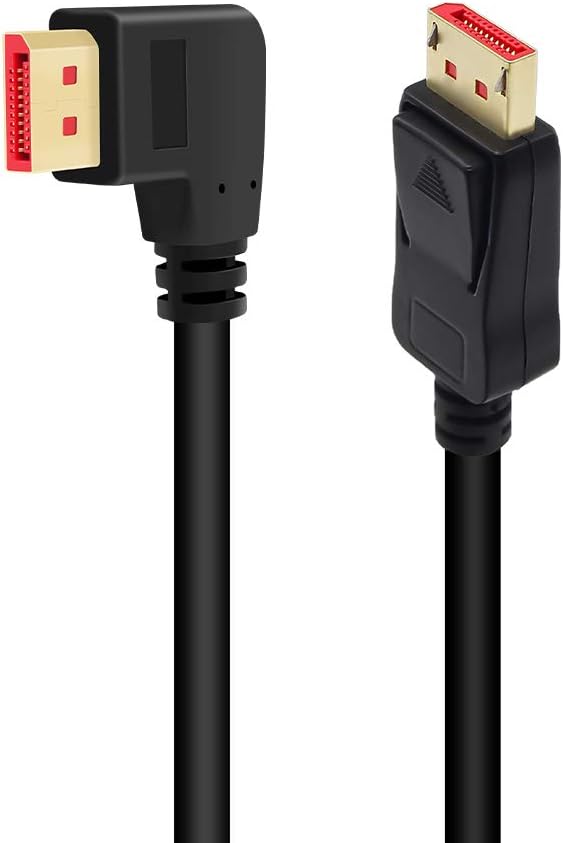

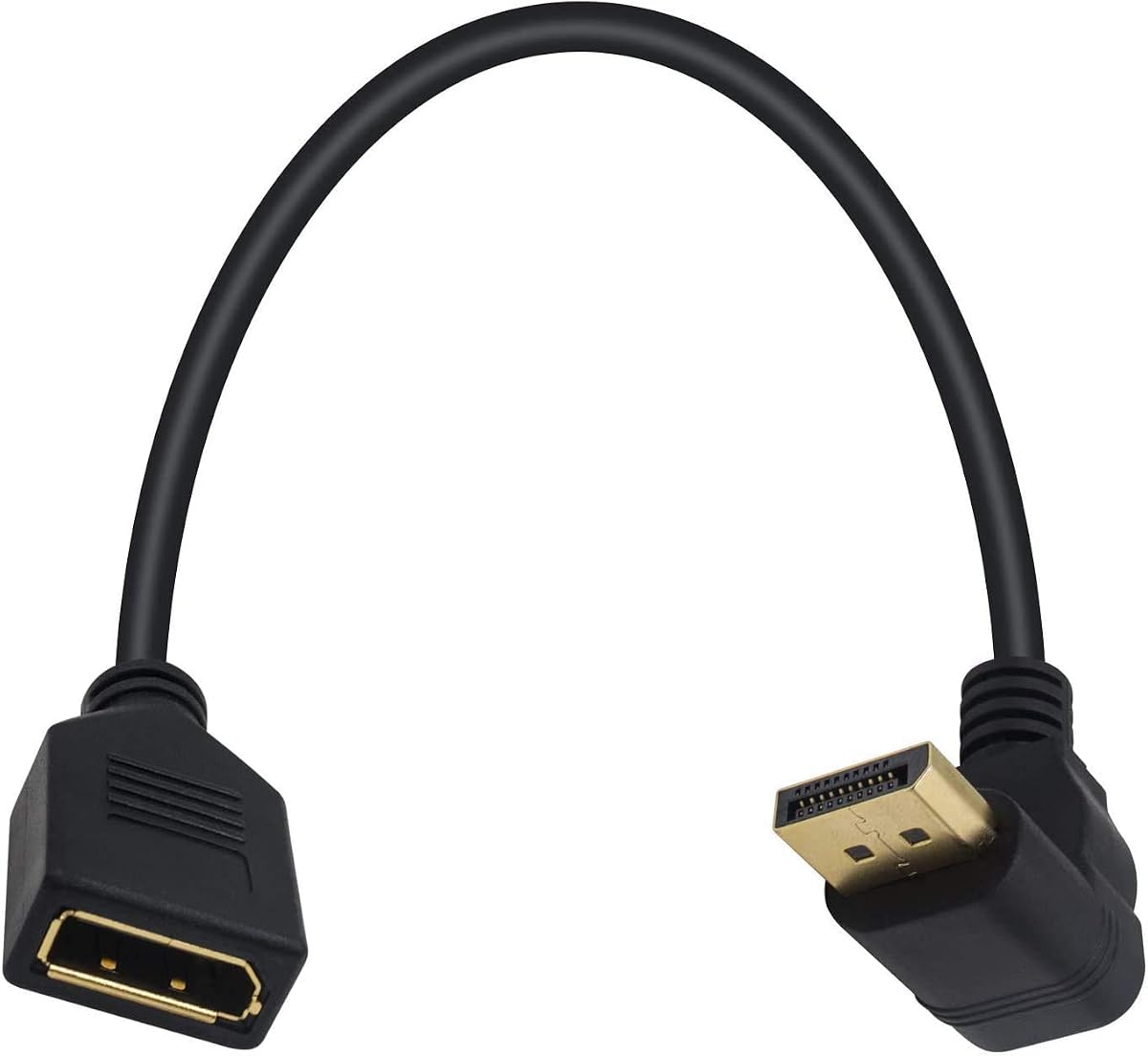


This adapter stands out as the top choice for gamers and professionals who need to connect high performance displays in confined spaces. It holds a strong rating of 4.8 stars from users who appreciate its ability to handle demanding workloads without signal loss. The right angle design is specifically engineered to redirect cables away from obstructions making it ideal for wall mounted setups or tight desks.
We may earn a commission when you buy through this link, at no additional cost to you.
Its support for 4K at 240Hz ensures that even the most powerful graphics cards can run at their full potential without bottlenecks. The adapter supports critical features like Auto Low Latency Mode and Variable Refresh Rate which are essential for smooth gaming experiences. Additionally it handles high definition audio including Dolby TrueHD and Dolby Atmos providing a complete audiovisual solution for your entertainment system.
While the adapter is highly effective it does require you to have your own DisplayPort cable which adds a step to your setup process. Some users might prefer an all in one cable solution though the flexibility of choosing your own cable length can be a benefit. The compact design ensures it does not block adjacent ports on your graphics card maintaining full port accessibility for other devices.
If you are building a PC or updating a home theater system this adapter provides the reliability and performance you need. It is best suited for those who already have quality cables or want to manage cable routing with precision. For anyone prioritizing space efficiency and high refresh rate support this is the most recommended option on the market today.
The 90 degree connector allows cables to bend gracefully reducing strain on the port and keeping clutter hidden from view.
Supporting DisplayPort 1.4 features ensures that you get the latest video standards including HDR and high refresh rates.
We may earn a commission when you buy through this link, at no additional cost to you.
The BolAAzuL cable offers a practical solution for users who need extra reach between their computer and monitor without compromising on quality. It comes with a six foot length which provides ample room to route cables behind desks or through cable management trays. Users rate it highly for its ability to maintain signal integrity over that distance thanks to robust internal construction.
We may earn a commission when you buy through this link, at no additional cost to you.
This cable supports DisplayPort 1.4 standards allowing for resolutions up to 8K at 60Hz or 4K at 144Hz. The gold plated connectors resist corrosion and ensure a stable connection that lasts through frequent plugging and unplugging. Internal foil and braid shielding protect against electromagnetic interference which is crucial for maintaining clear video and audio in environments with many electronic devices.
One important note is that the angle direction is fixed so you must verify if the bend points up or down for your specific device. This limitation means you cannot adjust the direction once installed so careful planning is required before purchase. However for those who know their setup the secure latch mechanism prevents accidental disconnections that can interrupt your workflow.
This cable is ideal for desktop users who need to extend their reach to a distant monitor or TV. It balances length and performance well making it a reliable choice for both work and gaming scenarios. If you need a longer connection path and value durability this model is a solid investment for your display setup.
Gold plated connectors and triple layer shielding ensure long term reliability and consistent signal quality.
Compatible with most standard DisplayPort devices allowing seamless connection between various laptops and monitors.
We may earn a commission when you buy through this link, at no additional cost to you.
This cable is designed specifically for situations where space is extremely limited and traditional cables would get in the way. At only fifteen centimeters long it keeps the connection tight and organized behind your computer or monitor. It maintains high performance capabilities supporting up to 8K at 60Hz ensuring that compact size does not mean reduced speed.
We may earn a commission when you buy through this link, at no additional cost to you.
The internal construction features 28AWG tinned copper conductors which provide excellent electrical conductivity and resistance to corrosion. Triple layer shielding further enhances signal stability protecting against interference from power supplies or other cables nearby. This makes it suitable for professional workstations where reliable data transmission is critical for productivity and performance.
While the short length is a benefit for organization it limits how far you can place your monitor from your PC. Users need to ensure the gap between devices is minimal before choosing this option. The flexibility of the cable also helps it navigate tight corners without stressing the connectors or causing signal degradation over time.
For users with laptops or small form factor PCs this cable offers the perfect bridge to an external display. It keeps the setup clean and reduces cable clutter significantly. If you need a reliable short extension that supports high refresh rates and resolutions this model is an excellent choice.
The short design eliminates slack and keeps your workspace tidy without sacrificing video quality.
Supports high bandwidth requirements ensuring smooth gaming and video streaming experiences.
We may earn a commission when you buy through this link, at no additional cost to you.
This extension cable provides a balanced length of thirty centimeters making it suitable for many standard desk setups. The upward angle design is particularly useful when routing cables from a desktop case where ports are often located on the back bottom. Gold plated connectors ensure the connection remains stable and resistant to oxidation over years of use.
We may earn a commission when you buy through this link, at no additional cost to you.
It supports video resolutions up to 4K at 30Hz and 1080P Full HD which covers most standard workstation needs. The cable also handles audio pass-through for multi-channel surround sound systems allowing a single cable to carry both video and audio. Molded strain relief at the joints helps prevent breakage at the connection points where cables are most vulnerable.
The upward direction is fixed which might not work if you need to route the cable downward instead. You should verify your port orientation before purchasing to avoid compatibility issues. However for those who need a reliable medium extension the ergonomic treads make plugging and unplugging easy even in tight spaces.
This cable is well suited for office environments where stability and clarity are prioritized over ultra high refresh rates. It provides a clean solution for extending reach without cluttering the desk with extra adapters. For users needing a straightforward extension solution with good build quality this is a practical choice.
Transmits both high quality video and digital audio through a single cable connection.
Gold plated connectors and strain relief ensure long life and reliable performance.
We may earn a commission when you buy through this link, at no additional cost to you.
This two pack adapter set offers significant value by providing both up and down angle options for versatile installation. It is a cost effective solution for those who need to adapt multiple ports or want a spare for future upgrades. The adapters support high resolutions including 8K at 60Hz making them future proof for high end displays.
We may earn a commission when you buy through this link, at no additional cost to you.
The aluminum alloy shell helps dissipate heat and protects the internal components from physical damage during installation. Gold plated connectors ensure a secure connection that resists corrosion over time. Plug and play compatibility means no drivers are needed making setup quick and easy for most users.
Since these are adapters you will need to provide your own cables which adds to the total cost but allows for custom lengths. The 12 month warranty adds peace of mind ensuring customer support is available if issues arise. This makes it a reliable choice for budget conscious users who do not want to sacrifice performance.
Ideal for wall mounted TV setups where cable direction is critical this adapter solves common connectivity issues. It is also great for multi monitor setups where you need different angles for each screen. For the price this set offers excellent flexibility and performance features that usually cost much more.
Includes both up and down adapters to fit any port orientation or device setup.
Supports latest DisplayPort 1.4 standards for high resolution and refresh rate compatibility.
We may earn a commission when you buy through this link, at no additional cost to you.
This combo pack includes both 90 and 270 degree adapters giving you maximum flexibility for different port positions. The flat right angle design is particularly effective for saving space in tight gaming stations or home theater cabinets. It supports the same high performance standards as the single adapter including 4K at 240Hz for smooth motion.
We may earn a commission when you buy through this link, at no additional cost to you.
The bundle allows you to route cables to the left or right as needed depending on where your devices are placed. This reduces clutter and improves accessibility to other ports on your computer. The sturdy build quality ensures a secure connection that minimizes cable strain and extends the life of your devices.
While specific user ratings are not yet available the brand reputation suggests consistent quality and performance. The combo pack is ideal for multi-device setups where different angles are needed for each connection. It simplifies the buying process by providing all the necessary adapters in one purchase.
For users who value organization and want to future proof their setup this bundle is highly recommended. It provides the tools needed to manage complex cabling scenarios without buying adapters separately. If you need flexibility and reliability for your high end display this pack offers comprehensive coverage.
Flat adapters allow for tighter installations without blocking other ports or space.
Both 90 and 270 degree options ensure you can route cables in any direction needed.
We may earn a commission when you buy through this link, at no additional cost to you.
This cable combines a three foot length with a specific upward angled joint designed to ease connection in tight cases. The upward bend helps avoid compression when the computer case is close to a desk or wall. It supports up to 8K resolution ensuring that the cable does not limit your display capabilities.
We may earn a commission when you buy through this link, at no additional cost to you.
The design solves common space constraints by reducing the bending of cables at the port which improves durability. It works with most standard DisplayPort equipped computers and monitors providing seamless connectivity for gaming and professional work. The plug and play nature means no setup is required beyond connecting the cable to your devices.
The fixed upward direction means you must check your port orientation before buying to ensure it fits your setup. If your port requires a downward route this cable will not work correctly. However for setups where upward routing is needed it offers a robust solution with high bandwidth performance.
Ideal for high end gaming rigs where cable management is critical this cable helps maintain a clean appearance. It is a reliable choice for users needing moderate reach without sacrificing quality. If you prioritize durability and high resolution support this model is a strong contender for your system.
Unique angle design reduces stress on the port and protects the cable from damage.
Supports high speed data transfer for lag free gaming and smooth video playback.
We may earn a commission when you buy through this link, at no additional cost to you.
This extension cable is built to support next generation displays with bandwidth up to 52Gbps for high resolutions. It supports 16K at 30Hz and 8K at 60Hz making it ready for future proof high end setups. The 90 degree design simplifies installation in tricky scenes where standard cables are difficult to twist.
We may earn a commission when you buy through this link, at no additional cost to you.
The cable is compatible with modern graphics cards like the RTX 3080 ensuring it can handle the demands of high end gaming. Triple shielding protects the signal from interference ensuring clean video and audio transmission. At 15cm it is a short extension ideal for moving the cable slightly to clear obstructions.
Note that this product is not compatible with Mini DisplayPort or HDMI so you must ensure your device has a standard DP port. The short length means it is not suitable for long distance connections but perfect for local adjustments. The 5 star rating indicates high user satisfaction with its performance.
For users with advanced setups looking for maximum resolution support this cable is an excellent choice. It bridges the gap between high performance GPUs and next gen monitors without signal bottlenecks. If you need a short reliable extension for a high bandwidth system this model is highly recommended.
Supports up to 16K resolution ensuring compatibility with future display technologies.
Triple shielding ensures minimal signal loss and maximum clarity for your display.
We may earn a commission when you buy through this link, at no additional cost to you.
This cable is designed for the most demanding setups with DisplayPort 2.1 support and 54Gbps bandwidth capacity. It enables resolutions up to 16K at 30Hz and 8K at 120Hz providing a visual experience unmatched by standard cables. The 90 degree right angle design helps manage cable strain in tight gaming rigs and workstations.
We may earn a commission when you buy through this link, at no additional cost to you.
It is fully compatible with latest graphics cards like the RTX 4090 ensuring no performance bottlenecks. Dynamic HDR and lossless surround sound pass-through add to the premium experience by enhancing dark details and audio. Triple shielding and gold plated connectors ensure stable high speed transmission without signal loss.
This cable is expensive compared to standard options so it is best for those who truly need the extra bandwidth. If your hardware does not support DisplayPort 2.1 you may not see the full benefits of this cable. However for professional creatives and enthusiasts it offers top tier performance.
For those building a top end home theater or workstation this cable provides the necessary connectivity for high fidelity media. It is a future proof investment for anyone wanting the best possible video and audio quality. If you need maximum performance this is the premium option to choose.
Supports up to 54Gbps bandwidth ensuring the highest resolutions and refresh rates.
DisplayPort 2.1 ready for upcoming high resolution and high refresh rate displays.
We may earn a commission when you buy through this link, at no additional cost to you.
This cable features an ultrafine four millimeter diameter making it uniquely flexible for specialized installations. It supports 8K at 60Hz ensuring that thin size does not compromise on performance. The downward angled design is ideal for cases where the port is located at the top or requires a downward route.
We may earn a commission when you buy through this link, at no additional cost to you.
It is designed for gimbal camera stabilizer and rig applications where space is extremely constrained. The high bandwidth capacity ensures stable transmission without signal loss. Gold plated connectors and welded design guarantee longevity and prevent breakage even in demanding conditions.
While the short length limits it to local connections it excels in scenarios where standard cables would not fit. If you need a flexible cable for a rig or a custom panel mount setup this model is ideal. The 5 star rating reflects high satisfaction with its flexibility and build quality.
Best for specialized professional setups where cable routing is critical and space is minimal. It offers a reliable solution for those needing a thin and flexible connection for high resolution output. If you need a specialized cable for a rig this is the top choice available.
Four millimeter diameter allows routing in spaces where standard cables cannot fit.
Durable construction and gold plating ensure reliability in demanding environments.
We may earn a commission when you buy through this link, at no additional cost to you.
Choosing the right adapter or cable requires understanding your specific device compatibility and performance needs.
Ensure the adapter or cable supports the same DisplayPort version as your graphics card. DisplayPort 1.4 is standard for most modern setups supporting 4K at 144Hz and 8K at 60Hz. Newer DisplayPort 2.1 options are available for higher bandwidth needs but require compatible hardware.
Always check your GPU and monitor specs to match the cable standard.
Measure the distance between your PC and monitor before buying. Short cables around 15cm are best for tight spaces while longer 6ft options give more flexibility. Avoid cables that are too short as they can cause strain on the port.
Select a length that allows for natural routing without tension.
The direction of the angle (up or down) is fixed on most cables. Verify the port location on your device to ensure the bend points away from the case. Some models offer combo packs with both directions to cover more scenarios.
Check the direction carefully before ordering to avoid compatibility issues.
Look for gold plated connectors which resist corrosion and ensure stable signal transmission. Shielding like foil and braid protects against electromagnetic interference. Durable cables with strain relief last longer and maintain performance over time.
Prioritize connectors and shielding for reliability and longevity.
Higher resolutions and refresh rates require more bandwidth. 4K at 240Hz needs more throughput than 1080P at 60Hz. Ensure the cable supports the necessary bandwidth to avoid dropped frames or limited resolution.
Match bandwidth to your display capabilities for full performance.
Decide between an adapter that changes direction on an existing cable or a full cable with a built-in angle. Adapters offer flexibility if you already have good cables while cables provide a simpler single piece solution.
Choose based on whether you need to manage existing cables or prefer a unified setup.
Cables with molded strain relief at the joints prevent breaking from frequent plugging. Aluminum alloy shells on adapters help dissipate heat and protect internal components. Durable products save money in the long run by needing less replacement.
Invest in cables with reinforced joints for daily use scenarios.
Budget options often provide essential features while premium ones add extra shielding or support for future standards. Determine if you need the latest 2.1 specs or if 1.4 is sufficient for your needs. Value depends on balancing cost with required performance.
Assess your needs to find the best balance of price and features.
First ensure both your PC and monitor are powered off before connecting the cable. Plug the male end into the graphics card and the female end into the monitor. Verify the 90 degree bend points in a direction that does not stress the port.
Second check that your system detects the display after powering on. Adjust display settings in your operating system to match the desired resolution and refresh rate. If you face signal issues check that the cable is fully inserted and the ports are clean.
Third to extend the life of your cable avoid bending it sharply at the connector. Use cable ties or clips to organize the cable and reduce strain. Periodically check for dust in the connectors and clean gently if needed.
No a high quality 90 degree adapter will not affect performance if it meets the correct DisplayPort standard. It maintains the same bandwidth and signal integrity as a straight connection. Ensure the adapter supports the resolution and refresh rate your setup requires.
Yes a 90 degree adapter can help route cables vertically but you must match the direction to the port. An upward adapter works well for top ports while a downward adapter suits bottom ports. Verify the port orientation before buying to ensure the bend aligns with your monitor setup.
DisplayPort 2.1 is worth it if you plan to use high refresh rate 8K displays or future proof your setup. It offers higher bandwidth than 1.4 and supports more advanced features. If your current hardware supports 1.4 it may be sufficient for most current needs.
This could be due to a loose connection an incompatible cable version or incorrect monitor settings. Check that the cable is fully inserted and the adapter supports your required resolution. Restart your PC and use the monitor inputs menu to select the correct source.
Most adapters are compatible with Macs that have native DisplayPort outputs or support Thunderbolt to DisplayPort. Ensure your Mac model supports the specific DisplayPort version you need. Some older Macs may require additional adapters to connect properly.
The right angle depends on where your port is located relative to your case or wall. Upward bends work for bottom ports while downward bends suit top ports. Measure the clearance behind your device to ensure the bend does not hit the wall or desk.
Daisy chaining depends on your monitor and GPU support not just the adapter. Ensure both devices support Multi-Stream Transport and the adapter does not interfere. Using a direct connection is often more stable for daisy chaining.
Yes many of the cables listed support high refresh rates up to 240Hz for 4K. Ensure the cable version matches your monitor and GPU capabilities. Check the bandwidth specs to confirm they meet your refresh rate requirements.
We recommend the Cable Matters adapter for gaming setups needing tight space management and high refresh rates. The BolAAzuL cable is best for those needing extra length and durability. For the latest high bandwidth needs the Poyiccot 16K model is the premium choice.
Prioritize compatibility with your graphics card and monitor specifications when selecting a cable. Ensure the adapter supports your required resolution and refresh rate to avoid bottlenecks. Proper cable management will also extend the life of your hardware.
Remember to check current prices and availability before making a purchase decision. Verify the angle direction and length to ensure it fits your specific setup. With the right connection you can enjoy optimal performance from your display system.