
10Gtek Gigabit Ethernet PCIe RJ45 Network Adapter
4.4Editor score
Intel 82576 Controller
Dual RJ45 Ports
Low Profile Included
This guide compares the top Dual RJ45 Port Network Card options for servers and workstations, evaluating performance, compatibility, and reliability for 2026.
Choosing the right network interface card is essential for modern computing needs. A dual RJ45 port network card offers flexibility and redundancy, ensuring your system stays connected even if one port fails. These cards are vital for servers, workstations, and high-performance desktops requiring reliable wired connections.
We analyzed ten top-rated models based on controller chips, PCIe interface standards, and operating system support. Our comparison focuses on stability, data transfer speeds, and ease of installation. This list covers options ranging from standard gigabit adapters to high-speed 10GbE solutions for demanding environments.
Each pick highlights specific strengths like chip reliability, bracket options, and driver availability. Prices and availability change frequently, so verify details before purchasing. Use this guide to find the best dual port adapter for your specific network infrastructure and budget requirements today.
4.4Editor score

4.6Editor score

4.6Editor score
The following table provides a side-by-side comparison of the ten selected network cards. Review key specifications like controller type, interface speed, and compatibility to identify the model that best fits your server or desktop setup requirements.


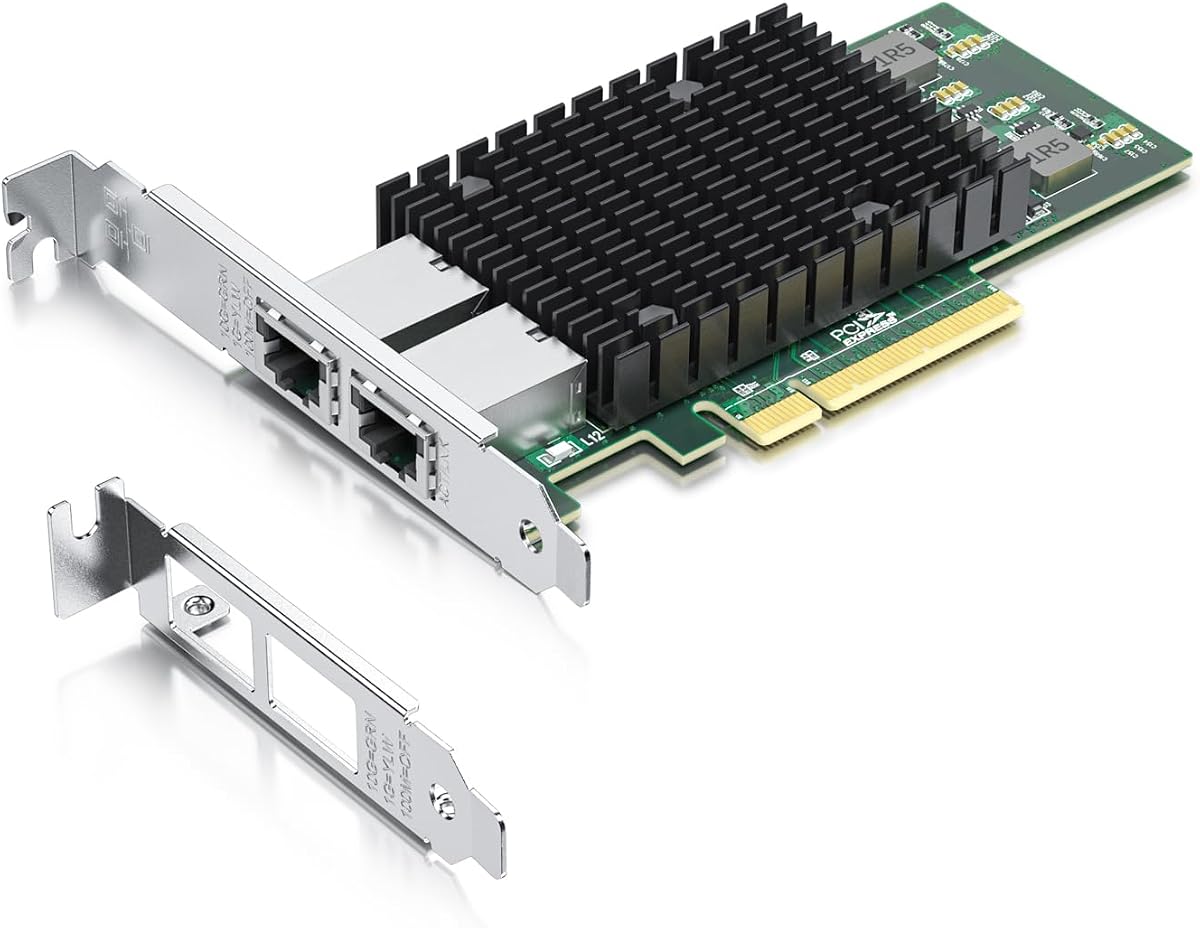

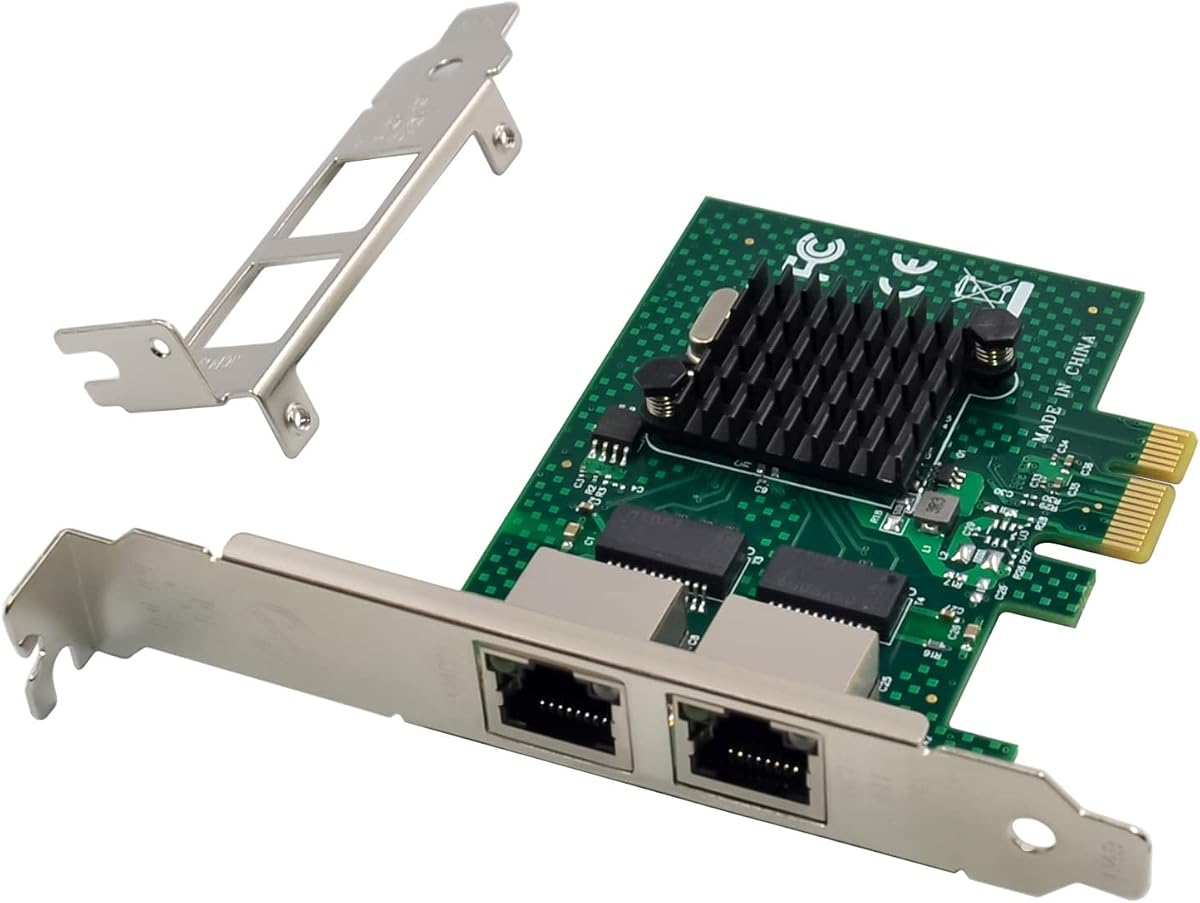
This 2.5GBase-T dual port server network card stands out as a top choice for modern systems. With a 4.6 rating, it offers reliable performance for desktops and servers needing faster speeds than standard gigabit. The Intel I226-V chip ensures stable connections and reduced power usage.
We may earn a commission when you buy through this link, at no additional cost to you.
Key strengths include its compatibility with Windows 10 and 11, Linux kernels, and various VMware environments. The PCIe 3.1 interface provides sufficient bandwidth for 2.5Gbps transfers. It also supports PXE function, making it ideal for network boot scenarios in professional setups.
Potential buyers should note that BIOS settings must be verified before installation to ensure the NIC interface is enabled. While it is limited to x1 lane width, this is sufficient for 2.5G speeds. The trade-off is manageable given the cost efficiency and performance gains.
Users looking to upgrade from standard gigabit without going full 10Gbps will find this card excellent. It balances performance, cost, and compatibility perfectly for small business servers or powerful workstations. We recommend checking motherboard compatibility before purchase.
The I226-V chip improves error rates and packet stability over longer cables compared to previous models.
Reduced active power consumption makes this adapter more energy efficient for 24/7 server operations.
We may earn a commission when you buy through this link, at no additional cost to you.
The Gigaplus X540-T2 is a robust 10GbE network card for high-speed data transmission. It features the reliable Intel X540 controller, which boosts speeds up to 10Gbps while maintaining stability. This card is perfect for data centers or demanding workstation applications needing fast connectivity.
We may earn a commission when you buy through this link, at no additional cost to you.
Key features include support for Windows Server, Linux, and ESX environments. The PCIe v2.0 x8 interface provides ample bandwidth for dual 10Gbps ports. Users appreciate the included standard and low-profile brackets, offering flexibility for desktop and server cases.
Prospective buyers should note that this card requires an x8 or x16 PCIe slot and will not work in standard PCI slots. It is designed specifically for PCI-E ports. However, the performance gains and reliability make this requirement worth the effort for serious users.
For those upgrading legacy systems or building high-performance servers, this card offers excellent value. The lifetime technical support and rigorous quality testing further enhance its appeal. We suggest verifying slot availability before installation to ensure compatibility.
The X540 controller boosts speeds to 10Gbps, preventing packet loss and stabilizing server connections.
Drivers are available via QR code or Intel website, with both brackets included for flexibility.
We may earn a commission when you buy through this link, at no additional cost to you.
The 10Gtek Gigabit Ethernet adapter is an excellent budget choice for adding dual network ports. Equipped with the original Intel 82576 controller, it ensures stable server operations. It supports up to 1Gbps speeds, making it suitable for standard office and data center environments.
We may earn a commission when you buy through this link, at no additional cost to you.
Key strengths include compatibility with various Windows Server versions and Linux systems. The card works well with ESX, though not ESXi 7.0 or above. It comes with a low profile bracket, making it easy to install in small form factor cases.
Users should note that hot swapping is not supported, so power down the system before installation. While it lacks ESXi 7.0 support, it remains a reliable option for many server configurations. The low cost and strong warranty make it a safe purchase.
This adapter is ideal for users needing additional network ports without breaking the bank. It provides reliable performance for standard gigabit needs. We recommend checking your specific OS requirements if you run VMware ESXi 7.0 or higher versions.
The original Intel chip supports intelligent offloads, ensuring server stability and performance.
Includes a low profile bracket, making it compatible with small form factor servers and PCs.
We may earn a commission when you buy through this link, at no additional cost to you.
The 10Gtek 10Gb Dual RJ45 Port Network Card offers solid performance with the X540 controller. It delivers 10Gbps speeds suitable for data center environments. The card is compatible with Windows Server and Linux, making it versatile for various server setups.
We may earn a commission when you buy through this link, at no additional cost to you.
Key features include support for storage over Ethernet like iSCSI and FCoE. It connects to Category-6A cables for up to 100 meters. The card includes both a profile and additional low profile bracket for flexible installation in different case types.
Users should be aware that Windows 11 requires manual setup. Contacting support for an installation guide before use is recommended. While not hot swappable, this is standard for most PCIe cards. The 3-year warranty adds confidence to the purchase.
This card is a reliable option for upgrading to 10GbE networking without high costs. It balances speed and compatibility well. We advise checking Windows 11 compatibility details before buying to ensure a smooth experience.
Dual copper RJ45 ports support Cat6A cables for up to 100 meters in data centers.
Supports iSCSI, FCoE, and NFS protocols for efficient storage network integration.
We may earn a commission when you buy through this link, at no additional cost to you.
The Gigabit Dual NIC features the Intel 82576 controller and QoS technology. This ensures streamlined online experiences and stability for servers and desktops. It supports 10/100/1000Mbps rates over Cat5e cables up to 100 meters.
We may earn a commission when you buy through this link, at no additional cost to you.
Compatibility includes a wide range of Windows, Linux, and VMware ESXi versions up to 6. The card comes with low profile and full-height brackets for installation flexibility. Drivers can be downloaded from Intel or scanned via QR code on the card.
It does not support VMware ESXi 7.0 or Mac OS, which may limit some users. However, for most standard Linux and Windows environments, it works well. The 24/7 customer service and 3-year warranty provide reliable support for buyers.
This card is a strong choice for general use needing dual gigabit ports. It balances cost and performance effectively. We recommend verifying OS compatibility if you run newer versions of VMware ESXi on your system.
Supports Quality-of-Service technology to prioritize traffic and ensure stable online experiences.
Includes both low profile and full-height brackets for standard and slim servers.
We may earn a commission when you buy through this link, at no additional cost to you.
The VIMIN 10G PCI-E Network Card delivers up to 10Gbps speeds using the Intel X540-T2 chipset. It provides reliable performance for high-speed data transmission in servers. The heat sink helps maintain optimal temperatures during heavy usage.
We may earn a commission when you buy through this link, at no additional cost to you.
Key features include compatibility with standard and slim brackets for flexible installation. The card supports PCIe x8 and x16 slots, adapting to various specifications. It is compatible with Windows, Linux, and VMware environments.
Notably, this card does not support 2.5Gbps or 5Gbps speeds. If your network device is 2.5G or 5G, it will operate at 1Gbps. This is a specific limitation to consider if your infrastructure uses intermediate speeds.
For full 10Gbps networks, this card offers excellent stability and speed. The heat sink ensures long-term reliability under load. We recommend ensuring your network equipment supports 10Gbps fully before purchase to avoid performance issues.
The Intel X540-T2 chipset delivers up to 10Gbps connection speed reliably for servers.
Features a heat sink to maintain optimal temperature during heavy usage and ensure stability.
We may earn a commission when you buy through this link, at no additional cost to you.
The H!Fiber 10Gb PCI-E Network Card features the Intel X540-BT2 controller. It supports data rates of 10Gbps, 1Gbps, and 100Mbps via dual copper ports. The card comes with both low profile and full-height brackets for installation versatility.
We may earn a commission when you buy through this link, at no additional cost to you.
Compatible with Windows Server 2008/2012/2016/2019 and various Linux distributions. It supports VMware ESXi 6/7 but excludes Mac OS and Bypass Mode. Drivers are available via QR code or Intel website for easy installation.
Windows 10 driver setup is required for Windows 11 functionality. Users must refer to main pictures or videos for installation details. It is not compatible with 2.5Gbps or 5Gbps speeds, so ensure your network infrastructure matches.
This card is a solid option for 10GbE needs at a reasonable price point. The included brackets help it fit most server cases. We recommend checking installation guides for Windows 11 if applicable to your system.
Equipped with Intel X540-BT2 controller, supporting QoS for stable and streamlined online experiences.
Packed with both low profile and full-height brackets to support standard and slim servers.
We may earn a commission when you buy through this link, at no additional cost to you.
The Dual-Port PCIe Gigabit Network Card supports a wide range of operating systems including Linux, FreeBSD, and Windows Server. It features the Intel 82575/82576 chips, ensuring reliable gigabit performance. It includes support for PXE remote boot.
We may earn a commission when you buy through this link, at no additional cost to you.
Key features include IPMI pass-through and VLAN filtering capabilities. The imported alloy heat sink helps remove excess heat, keeping the card at normal operating temperatures. It is compatible with low-profile and standard PCI Express slots.
Note that it does not support VMware ESXi 7.0 or above. Users running older ESX versions will find it fully compatible. The low profile bracket makes installation in smaller cases straightforward and easy.
This card is suitable for servers and workstations needing stable gigabit connections. The support for legacy systems like DOS and UnixWare is a bonus. We suggest verifying your VMware version before purchase to ensure compatibility.
Supports PXE remote boot, iSCSI boot, and VLAN filtering for versatile network management.
Imported alloy heat sink effectively removes excess heat to ensure double stable operation.
We may earn a commission when you buy through this link, at no additional cost to you.
The Dual-Port PCIe X4 Gigabit Network Card uses the PCIe 2.0 x4 lane for data. It supports SR-IOV, IPMI pass-through, and VLAN filtering. Compatibility includes Windows, Linux, FreeBSD, and various server OS options.
We may earn a commission when you buy through this link, at no additional cost to you.
Key features include an imported alloy heat sink to manage temperature effectively. It supports PXE remote boot and iSCSI boot for enterprise environments. The card is compatible with standard and low-profile slots up to x16.
Users should note it does not support VMware ESXi 7.0 or above. The x4 lane offers more bandwidth than x1 for data transfers, making it suitable for heavier virtualization loads. Stability is ensured by the heat sink.
This is an excellent option for virtualization servers needing SR-IOV support. The x4 bandwidth provides better performance for multiple VMs. We recommend checking ESXi version compatibility if you use virtualized environments.
PCI Express 2.0 2.5 GT/s x4 lane provides greater bandwidth than standard x1 slots.
Compatible with SR-IOV, IPMI pass-through, and VLAN filtering for advanced network needs.
We may earn a commission when you buy through this link, at no additional cost to you.
The BCM5720-2P chipset provides reliable connectivity for x86 and x64 servers. This card supports a wide range of operating systems including Linux, Ubuntu, and VMware ESXi 5/6/7/8. It is ideal for cloud, enterprise, and HPC clusters.
We may earn a commission when you buy through this link, at no additional cost to you.
Key features include low profile bracket inclusion for easy installation. The PCIe x1 interface works with x2, x4, x8, and x16 slots. Applications include NVMe storage disaggregation, database servers, and multi-node container platforms.
It is compatible with PCIe v1.X and v2.X interfaces for broad hardware support. The 180-day warranty offers protection against defects. Customer service is friendly and helpful for any questions or issues during use.
This adapter is a solid choice for enterprise environments needing dependable gigabit speeds. The wide OS support makes it flexible for heterogeneous infrastructures. We suggest checking PCIe version compatibility for optimal performance.
Ideal for cloud servers, HPC clusters, database servers, and NVMe storage disaggregation.
Compatible with CentOS, Debian, Windows, Red Hat, SUSE, Ubuntu, and VMware ESXi 5/6/7/8.
We may earn a commission when you buy through this link, at no additional cost to you.
Selecting the right network card involves understanding compatibility, speed requirements, and controller reliability. This guide outlines the essential factors to consider before purchasing a dual RJ45 port network card.
The controller chip determines stability and driver availability. Intel controllers like X540 and 82576 are widely supported across operating systems. Non-branded chips may work but can lack official driver support and updates.
Look for cards with recognized controller names to ensure compatibility with your OS and applications.
Decide if you need gigabit, 2.5G, or 10Gbps speeds based on your network infrastructure. Some cards support auto-negotiation while others do not handle 2.5G or 5G speeds correctly. Ensure the card matches your switch and cabling capabilities.
Choose a card that supports the exact speed tier your server or desktop environment requires.
Verify your motherboard slot type and lane width before buying. Cards requiring x8 lanes will not work in x1 slots but can fit x16 slots. PCIe version also affects data throughput, so check if PCIe 2.0 or 3.0 is supported.
Ensure your motherboard has a compatible PCIe slot that matches the card's lane and version requirements.
Confirm the card lists support for your specific OS version. Some cards support older Windows Server versions but may lack drivers for newer VMware ESXi or Linux kernels. Check documentation for compatibility before purchase.
Select a card that explicitly supports your OS version and virtualization platform if applicable.
Determine if your case requires a low profile or standard height bracket. Most cards include both, but some may only come with a standard bracket. Verify the package contents to avoid needing to buy brackets separately.
Check that the included brackets match your server or desktop case height for easy installation.
Enterprise cards often include features like PXE boot, SR-IOV, and VLAN filtering. These features are essential for virtualization and remote management. Ensure the card supports any specific protocols your network needs.
Look for advanced server features if you are using virtualization or need remote boot capabilities.
Reliable vendors offer warranties and technical support. Check for return policies and support availability like lifetime technical help or 3-year free warranties. Good service can save time and money if issues arise.
Prioritize brands that offer clear warranty terms and accessible customer support channels.
Dual RJ45 cards use copper Ethernet cables like Cat5e or Cat6. Verify the card supports Cat6A for 10Gbps speeds if required. Distance limitations depend on the speed tier and cable category used.
Ensure your Ethernet cables match the card's port requirements for optimal data rates.
Before installing, power off your computer and unplug it from the power source. Open the case carefully to locate an empty PCIe slot matching the card's requirements. Insert the card firmly into the slot until the retention clip locks it in place.
Secure the card with screws and attach the bracket to the chassis. Connect Ethernet cables to the RJ45 ports, ensuring they click into place. Close the case and power on the system to proceed with driver installation.
Install the latest drivers from the vendor or official chipset provider's website. Configure network settings like IP addresses and DNS in your operating system. Regularly check for driver updates to maintain performance and compatibility with new OS versions.
Yes, most 10GbE cards auto-negotiate to lower speeds on gigabit switches. However, verify that the card supports 1Gbps speeds and your cables are compatible. Ensure the switch port supports 1000BASE-T for full functionality.
Most Intel-based cards use built-in kernel drivers on modern Linux distributions. However, checking compatibility with your specific kernel version is recommended. Some vendors provide custom drivers for better performance or features.
Windows 11 may require specific driver setups or updates. Check the product page for a manual setup guide or use Windows Update to fetch compatible drivers. Verify your OS architecture and card compatibility before troubleshooting.
PCIe x1 slots are generally not recommended for 10G speeds due to bandwidth limits. Look for cards with PCIe 2.0 x8 or 3.0 x1 for 10Gbps throughput. Verify your slot supports the card's lane width to avoid bottlenecks.
Dual ports allow for link aggregation, failover redundancy, or separating traffic. This improves network reliability by ensuring one connection remains active if the other fails. It also increases total throughput when bonded properly.
PXE support is usually enabled via BIOS/UEFI settings. Enter your system's setup utility during boot to locate network boot options. Ensure the NIC is prioritized in the boot order and drivers are installed if needed.
Most dual RJ45 cards listed do not support macOS directly. Some may work with specific drivers but official support is limited. Check the OS compatibility section before purchasing if you plan to use macOS.
Yes, 10GbE typically requires Cat6A or better cables for full 100m distances. Cat6 may work up to 55 meters. Ensure your cables meet the standard to avoid connection issues and speed reductions.
This guide presented ten top Dual RJ45 Port Network Card models ranging from affordable gigabit to premium 10G options. Whether you need basic redundancy or high-speed server connectivity, there is a suitable card in this list for your requirements.
Prioritize controller reliability and OS compatibility when making your final decision. Verify your motherboard slots and ensure the card supports your specific virtualization or server environment. These factors are essential for seamless operation.
Remember to check current prices and availability as they fluctuate often. Select the card that balances performance, features, and your specific network needs. With the right dual port adapter, your system will be ready for modern data demands.