
Brother HL-L2405W
4.1Editor score
30ppm print speed
Dual-band wireless
Manual feed slot
Discover the top laser printers with envelope feeders for home and office. We compare speed, connectivity, and paper handling to help you choose the right
Finding a reliable laser printer with an envelope feeder can streamline your office workflow significantly. These devices handle standard documents and specialty media with precision, ensuring professional results for every job you undertake daily.
We evaluated ten top models based on print quality, speed, connectivity options, and specific envelope handling capabilities. Our analysis focuses on real-world performance metrics and user feedback to provide accurate recommendations for various business needs.
Each pick highlights key strengths and potential limitations to help you make an informed decision. Remember that product availability and pricing can change frequently, so verify current details before finalizing your purchase decision.
4.1Editor score

4.3Editor score

4.4Editor score
This comparison table provides a side-by-side overview of all ten selected models. It highlights critical specifications like print speed, connectivity types, and paper handling features to help you identify the best fit for your specific requirements.


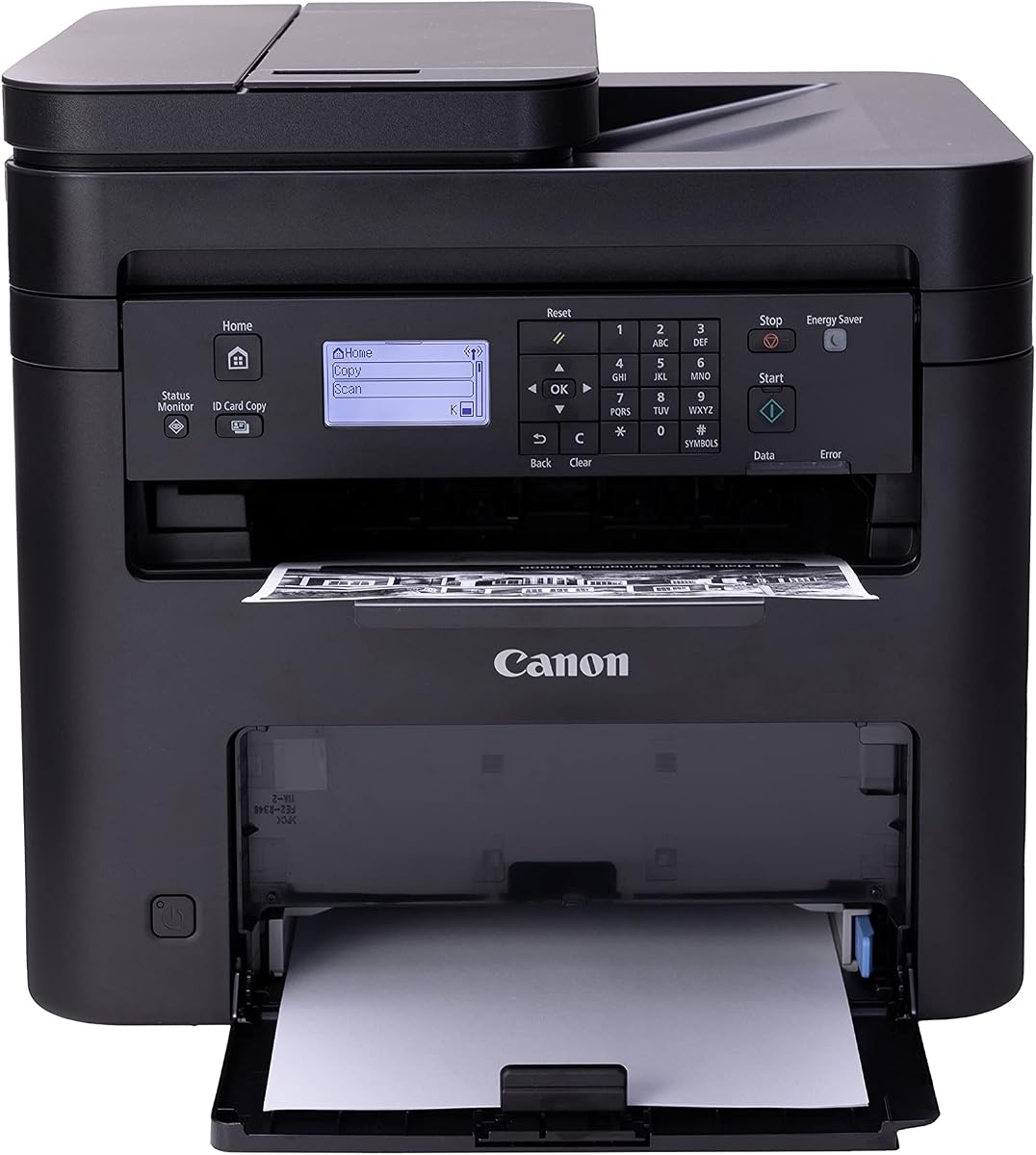


The Brother HL-L2405W is an excellent choice for home offices needing reliable monochrome printing. It earns a strong rating for its consistent quality and efficient performance in small spaces.
We may earn a commission when you buy through this link, at no additional cost to you.
This model delivers sharp text and graphics at speeds up to thirty pages per minute. Its dual-band wireless connection ensures stable connectivity across multiple devices without interference.
While it lacks automatic two-sided printing, the manual feed slot handles envelopes and specialty paper well. This trade-off keeps the device compact and affordable for basic needs.
Ideal for individuals printing standard documents and occasional envelopes. The Brother Mobile Connect app adds convenience for remote management and supply tracking.
The 250-sheet tray reduces frequent refills while the manual slot supports diverse media types.
Dual-band Wi-Fi provides stable connections for mobile and desktop printing without wires.
We may earn a commission when you buy through this link, at no additional cost to you.
The Brother MFC-L5915DW is a powerhouse for busy offices requiring rapid document processing. Its high-speed performance ensures deadlines are met without bottlenecks.
We may earn a commission when you buy through this link, at no additional cost to you.
Printing speeds reach fifty pages per minute with automatic two-sided output to save paper. The seventy-page auto document feeder streamlines scanning and copying tasks efficiently.
While it requires more desk space, the investment pays off in productivity. Toner costs remain low due to high-yield cartridge options available for bulk usage.
Best for teams handling high volumes of text documents. The robust build supports continuous operation throughout long workdays reliably.
Five zero ppm speed and high toner yields minimize interruptions during heavy printing.
Gigabit Ethernet and auto duplexing enhance workflow for dedicated office environments.
We may earn a commission when you buy through this link, at no additional cost to you.
The Brother HL-L2460DW balances performance and space efficiency for home offices. Automatic duplexing reduces paper waste while maintaining decent print speeds.
We may earn a commission when you buy through this link, at no additional cost to you.
It prints up to thirty-six pages per minute and handles envelopes via the manual feed slot. Wireless connectivity allows easy printing from smartphones and tablets.
Though it lacks advanced scanning features, it focuses on core printing tasks. The design keeps it suitable for small desks without sacrificing output quality.
Perfect for users prioritizing simplicity and reliability. The Brother Mobile Connect app simplifies supply management and remote control.
Automatic duplexing cuts paper usage by half for standard documents automatically.
Manual feed slot enables printing on envelopes and specialty card stock easily.
We may earn a commission when you buy through this link, at no additional cost to you.
The HP LaserJet MFP M234sdw is designed for small teams needing versatile functionality. It offers reliable printing scanning and copying in a compact form factor.
We may earn a commission when you buy through this link, at no additional cost to you.
Its dual-band Wi-Fi with self-reset ensures connectivity remains stable without manual intervention. The HP Smart app simplifies scanning to cloud services from mobile devices.
Security features protect against potential attacks, making it suitable for shared environments. Instant Ink eligibility can help manage toner costs over time effectively.
Ideal for offices with one to five people. The auto document feeder streamlines multi-page tasks efficiently.
Self-reset Wi-Fi technology automatically resolves connection drops to maintain productivity.
HP Smart app allows seamless scanning and printing directly from smartphones.
We may earn a commission when you buy through this link, at no additional cost to you.
The Canon imageCLASS MF273dw delivers solid performance for basic office tasks. Its quick first print time ensures users waste no time waiting for documents.
We may earn a commission when you buy through this link, at no additional cost to you.
With speeds up to thirty pages per minute and automatic duplexing, it handles daily jobs efficiently. The auto document feeder supports multi-page scanning and copying.
Wireless connectivity allows easy network sharing without complex setup. The compact footprint fits well in constrained spaces like home offices.
Best for small businesses needing simple all-in-one capabilities. Toner availability and cost remain competitive for regular use.
First print in about five seconds ensures rapid output for urgent tasks.
Compact form factor fits easily on smaller desks without sacrificing core features.
We may earn a commission when you buy through this link, at no additional cost to you.
The Brother MFC-L2820DW offers a complete office solution with fax and scanning. Its twenty point seven inch touchscreen makes navigation intuitive for all users.
We may earn a commission when you buy through this link, at no additional cost to you.
Printing speeds of thirty-six pages per minute support productivity needs effectively. The fifty-page auto document feeder simplifies multi-page copy tasks efficiently.
Cloud-based app integration allows printing directly from services like Google Drive. Wireless options ensure seamless connectivity across networked devices.
Ideal for small offices needing fax capabilities without bulk. The compact design saves valuable desk space efficiently.
Large color touchscreen simplifies menu navigation and scan to cloud tasks.
Direct integration with major cloud apps enhances workflow flexibility.
We may earn a commission when you buy through this link, at no additional cost to you.
The Canon imageCLASS MF462dw II features a large color touchscreen for easy management. It prints up to thirty-seven pages per minute for efficient document production.
We may earn a commission when you buy through this link, at no additional cost to you.
Its generous paper capacity and optional expansion options reduce refills during busy periods. Mobile printing support ensures flexibility for remote workers.
Toner capacity is designed for high yields to minimize replacement frequency. The first print time remains fast to keep workflows moving smoothly.
Best for growing teams needing scalable paper capacity. The intuitive interface simplifies complex print jobs effectively.
Optional paper cassettes allow scaling up volume as business needs grow.
Large color touchscreen simplifies setup and navigation for all users.
We may earn a commission when you buy through this link, at no additional cost to you.
The Brother MFC-L8930CDW provides professional color output with robust security. It delivers sharp documents suitable for marketing materials and official reports.
We may earn a commission when you buy through this link, at no additional cost to you.
Security features include triple-layer protection and an NFC reader for secure badge authentication. The eighty-page auto document feeder handles heavy scanning loads.
Printing speeds reach thirty-three pages per minute with duplex capabilities built-in. Sustainability features like EPEAT Gold rating show environmental responsibility.
Ideal for businesses prioritizing security and color quality. The investment supports high-volume professional output needs.
Triple-layer security and NFC authentication protect sensitive documents effectively.
Sharp color output enhances branding materials and client presentations significantly.
We may earn a commission when you buy through this link, at no additional cost to you.
The HP LaserJet Pro MFP 3101sdw is a highly rated choice for small teams. It ensures consistent performance with professional quality outputs daily.
We may earn a commission when you buy through this link, at no additional cost to you.
Printing speeds of thirty-five pages per minute support busy workflows effectively. The auto document feeder and duplexing streamline multi-page document tasks.
Reliable wireless connections minimize downtime and maintenance efforts. However, firmware restrictions may limit toner cartridge options slightly.
Best for organizations valuing reliability and support. Its performance suits standard office documentation needs well.
High reliability ratings ensure consistent quality over thousands of pages.
Dependable Wi-Fi connection keeps devices online for uninterrupted printing.
We may earn a commission when you buy through this link, at no additional cost to you.
The Brother MFC-L2690DW offers sturdy construction for demanding daily use. Its generous input tray minimizes refills during extended printing sessions.
We may earn a commission when you buy through this link, at no additional cost to you.
With a compact footprint, it fits easily in smaller home or office setups. The manual feed slot supports envelopes and card stock without issues.
While speeds are moderate compared to high-end models, reliability remains high. Network connectivity ensures easy access from multiple users.
Ideal for users needing durable monochrome printing. The design balances space-saving with functional capacity.
Sturdy construction ensures longevity even under regular daily workloads.
Two hundred fifty sheet tray reduces refill interruptions significantly.
We may earn a commission when you buy through this link, at no additional cost to you.
Selecting the right laser printer requires evaluating specific features that match your workflow. Consider speed, connectivity, and paper handling to ensure the device meets your needs.
Print speed is measured in pages per minute and determines how quickly documents are produced. High volume offices should prioritize models with speeds above thirty pages per minute.
Choose a printer with speed ratings that match your peak daily demand.
Look for a dedicated manual feed slot or specialized tray to handle envelopes safely. Standard trays may jam when processing thicker or irregular paper types.
Verify the manual slot supports your required envelope sizes before purchasing.
Modern printers offer wireless, Ethernet, and USB connections for various setups. Dual-band Wi-Fi ensures stable connections in environments with signal interference.
Select connectivity types that support all your current and future devices.
Higher tray capacities reduce refills and increase efficiency during busy periods. Models with expandable options allow growth as printing needs increase over time.
Aim for trays holding at least 250 sheets to minimize interruptions.
Check the page yield of toner cartridges to calculate cost per page. High-yield cartridges generally offer better value for consistent printing.
Review compatible toner options before buying to ensure long-term affordability.
Business environments should look for built-in security like authentication or encrypted printing. These features prevent unauthorized access to sensitive documents.
Prioritize security if printing confidential information regularly.
Space is often limited in home offices, so consider the dimensions of the device. Compact models save desk space while still offering essential features.
Measure your available area to ensure a comfortable fit before purchase.
Mobile apps allow printing from smartphones without needing a computer. Cloud integration enables scanning to services like Google Drive directly from the printer.
Ensure the brand offers an app compatible with your mobile operating system.
Proper setup involves installing drivers and connecting the printer to your network securely. Follow the manufacturer guide to configure the manual feed slot for envelope usage.
Clean the rollers and feed trays regularly to prevent jams and maintain print quality. Dust buildup can cause paper to stick or feed incorrectly during printing.
Store toner cartridges in a cool, dry place to ensure long life and consistent output. Avoid exposing the printer to direct sunlight or extreme temperature fluctuations.
Yes, many modern laser printers include a manual feed slot specifically designed for envelopes. This bypasses the main tray to ensure smooth feeding of thicker media.
Most standard laser printers handle business envelopes like #10 and #9. Always check the manual to confirm supported sizes and orientations before loading.
Ensure envelopes are stored in a dry environment to prevent moisture. Adjusting the print settings to use a lower temperature can also reduce heat-induced curling.
Laser printers are generally better for envelopes as toner dries instantly without smudging. Inkjet may require drying time and risks running if the envelope is wet.
No special toner is needed for standard envelopes. However, ensure the toner cartridge matches the printer model for optimal print quality.
Clean the feed slot rollers every few months or whenever you notice frequent jams. A soft, lint-free cloth is usually sufficient for routine maintenance.
Yes, most laser printers can handle standard label sheets via the manual feed. Ensure the labels are laser compatible to avoid melting during the print process.
We reviewed ten top models offering various features from compact designs to high-volume solutions. Each printer brings unique strengths for home or office environments.
Prioritize speed and paper handling if you frequently mail documents. Connectivity and security remain essential for modern work environments.
Prices and availability change regularly so always check current listings before buying. Confirm warranty details and return policies for peace of mind.