
eufy Security 4K Indoor Cam S350
4.4Editor score
Dual Lens 4K View
8x Hybrid Zoom
No Subscription Fees
Local SD Storage
This guide compares the top 10 indoor wireless IP cameras for home security, offering detailed specs and expert advice to help you choose the perfect model for
Securing your home with indoor wireless IP cameras provides peace of mind without complex wiring. These devices offer high-definition video, motion alerts, and smart integration to keep your space safe and monitored effectively.
We evaluated ten top-rated models based on video quality, smart features, ease of setup, and storage options. Our comparison focuses on performance metrics and real-world usability to help you find the best fit.
Each pick highlights key strengths and ideal use cases for different households. Keep in mind that pricing and availability fluctuate frequently, so check current listings before making your final purchase decision today.
4.4Editor score

4.7Editor score

4.4Editor score
This side-by-side comparison outlines the core specifications and unique attributes of each selected model to simplify your decision-making process when choosing the right surveillance solution.




The Ring Indoor Cam stands out as a reliable and easy-to-use indoor wireless IP camera for everyday home monitoring. It delivers crisp 1080p video and comes with essential features like two-way audio and color night vision to keep your space safe.
We may earn a commission when you buy through this link, at no additional cost to you.
Its standout feature is the built-in manual privacy cover that gives you physical control over when the camera records. The pre-roll function captures a few seconds before motion events, ensuring you don't miss the start of an incident.
While the video quality is excellent, storing footage requires a Ring Protect subscription which may add to long-term costs. However, the seamless integration with Alexa and simple plug-in power make it highly convenient for most users.
This camera is ideal for renters or homeowners who want a straightforward setup without complex wiring. If you prioritize privacy controls and smart home compatibility, the Ring Indoor Cam remains a top choice for indoor security.
The swivel privacy cover ensures you can physically block the lens when not in use, adding a layer of security beyond software controls.
Works with Alexa to announce motion and stream video on Echo Show devices, making it easy to check in hands-free.
We may earn a commission when you buy through this link, at no additional cost to you.
The Amcrest 4MP ProHD Indoor WiFi camera offers superior resolution compared to standard 1080p models. Its pan and tilt capabilities allow you to monitor larger rooms effectively without needing multiple devices.
We may earn a commission when you buy through this link, at no additional cost to you.
Video compression uses H.265 technology to save storage space while maintaining clarity. It supports various storage methods including MicroSD cards and network attached storage for flexible and secure recording solutions.
The app interface can feel less intuitive than consumer-friendly brands and digital zoom works best with the Pro app. However, advanced users appreciate the robust local storage options and detailed configuration settings available.
This camera suits those who want higher resolution and flexible storage without monthly fees. If you need detailed video quality and the ability to record locally on a NAS, this model delivers strong performance.
The 4MP sensor captures significantly more detail than 1080p cameras, making it easier to identify faces or small objects in the frame.
Support for MicroSD and NAS means you can choose how and where to store footage without relying on cloud subscriptions or monthly bills.
We may earn a commission when you buy through this link, at no additional cost to you.
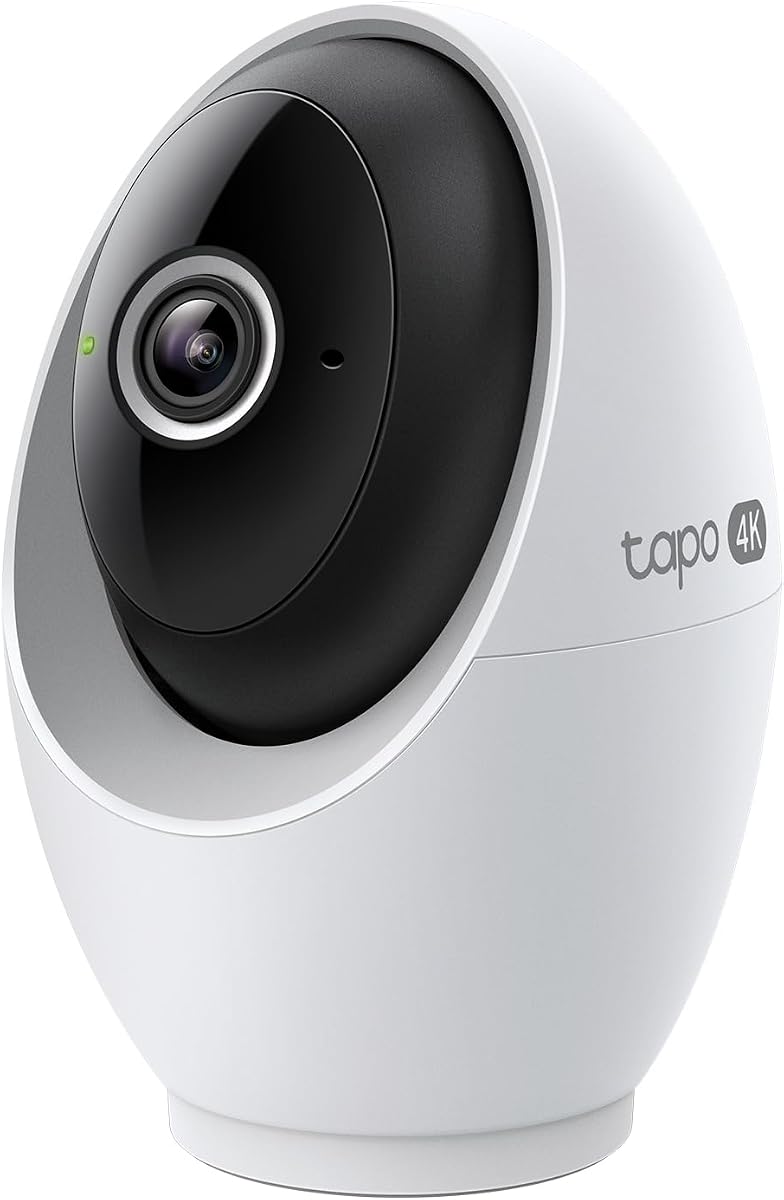
The Tapo 4K Indoor Pan/Tilt camera provides exceptional detail with its 4K resolution. It covers nearly the entire room with 360-degree rotation and uses on-device AI for motion tracking without extra fees.
We may earn a commission when you buy through this link, at no additional cost to you.
You can define specific privacy and detection zones to focus on key areas and block out personal spaces. The starlight sensor ensures vivid images even in low light conditions, enhancing night surveillance capabilities significantly.
While it is wired and digital zoom can impact clarity slightly, the balance of features is impressive. The ability to store locally on a microSD card up to 512GB avoids subscription costs entirely.
This model is perfect for parents or pet owners needing wide coverage and high detail. If you value AI tracking and local storage without recurring fees, the Tapo C260 offers outstanding value and performance.
Smart detection runs locally to identify people and pets quickly while keeping your data private and secure off the cloud.
The pan and tilt mechanism allows you to view any angle in the room from your phone without blind spots.
We may earn a commission when you buy through this link, at no additional cost to you.
The Amcrest ProHD 1080P WiFi camera offers a budget-friendly entry into pan and tilt security. It delivers standard high definition video with reliable connectivity and essential features like two-way audio.
We may earn a commission when you buy through this link, at no additional cost to you.
You can choose between cloud storage and local MicroSD recording to fit your budget and privacy needs. The app allows you to review footage and receive alerts directly on your smartphone or computer.
This model does not support 5GHz WiFi which might limit speed in busy networks but works reliably on 2.4GHz. For those needing a simple and affordable solution for indoor monitoring this camera performs well over time.
It is a solid choice for basic home monitoring or business spaces on a budget. If you want pan and tilt functionality without spending much the Amcrest IP2M-841B is a dependable option to consider.
Uses SSL HTTPS connections and encryption to keep your video feed safe from unauthorized access.
Supports multiple recording options including cloud MicroSD and network storage for maximum flexibility.
We may earn a commission when you buy through this link, at no additional cost to you.
The eufy Security 4K Indoor Camera E30 offers premium features without monthly subscription costs. Its 4K recording captures detailed images day and night with color night vision powered by a built-in spotlight.
We may earn a commission when you buy through this link, at no additional cost to you.
Advanced on-device AI distinguishes between humans pets and specific sounds like crying which reduces false alerts significantly. The panoramic view feature helps you navigate the entire room with a single tap on your screen.
While the initial cost is higher than budget options the lack of recurring fees saves money over time. HomeKit integration works well though it limits resolution for Apple HomeKit streams specifically to 1080p.
This camera is ideal for those who value privacy and long-term cost savings. If you want high resolution and local storage without being locked into a subscription service the eufy E30 is a top contender.
Full functionality including recording and alerts works without any monthly fees saving you money on ongoing costs.
The integrated spotlight allows you to see color footage at night instead of just black and white infrared.
We may earn a commission when you buy through this link, at no additional cost to you.
The Tapo C100 4-Pack offers excellent value for covering multiple rooms in your home. Each camera provides clear 1080p video and connects easily to your 2.4GHz Wi-Fi network without complicated setup.
We may earn a commission when you buy through this link, at no additional cost to you.
You receive instant notifications for motion and baby crying allowing you to stay connected to what matters most. The built-in siren serves as a deterrent if you detect unusual activity inside your home.
While these are basic cameras without advanced AI processing the price per unit is very competitive. Local storage on a microSD card keeps your data secure and accessible without needing cloud subscriptions.
This set is perfect for whole home monitoring or businesses needing several entry points. If you need to cover many areas affordably the Tapo C100 4-Pack is a practical and reliable solution to consider.
Buying four cameras together lowers the cost per unit making it easy to secure every room in your house.
The app guides you through quick setup so you can start monitoring your home in just a few minutes.
We may earn a commission when you buy through this link, at no additional cost to you.
The eufy Security S350 uses a dual lens system to show a wide room view and a close-up simultaneously. This unique feature lets you see the whole picture while focusing on specific details like medication or objects.
We may earn a commission when you buy through this link, at no additional cost to you.
Sound recognition alerts you to baby cries or barks without constant video review. All data is stored locally on an SD card ensuring your privacy remains intact without cloud dependencies or subscription costs.
To unlock full features you need the HomeBase 3 which adds cost but keeps storage private. HomeKit is not supported but works with other major smart home platforms like Alexa or Google Assistant.
This camera suits those wanting advanced monitoring for family members or pets. If you need detailed views without losing context the S350 provides a versatile and private solution for modern homes.
Two lenses work together to give both context and detail so you never lose track of the bigger picture.
The AI analyzes sounds to notify you only when necessary reducing distractions from constant motion alerts.
We may earn a commission when you buy through this link, at no additional cost to you.
The Tapo C120 is a versatile camera suitable for both indoor and outdoor spaces. Its 2K resolution delivers sharp images while the magnetic base allows for easy installation on any metal surface without tools.
We may earn a commission when you buy through this link, at no additional cost to you.
With an IP66 rating it withstands rain and dust making it durable for various conditions. The starlight sensor provides bright and colorful video at night which improves visibility in low light environments significantly.
Free person and pet detection ensures you receive alerts only for relevant activity. Since it does not tilt you should position it carefully to cover the desired angle of your space.
This camera is ideal for those needing a reliable budget-friendly option with flexible placement. If you want weatherproof durability and sharp video at a low price the Tapo C120 is an excellent choice.
The IP66 rating protects the camera from rain and dust allowing it to function well in covered outdoor areas.
The magnetic base lets you attach the camera quickly to metal surfaces or use the included bracket for walls.
We may earn a commission when you buy through this link, at no additional cost to you.
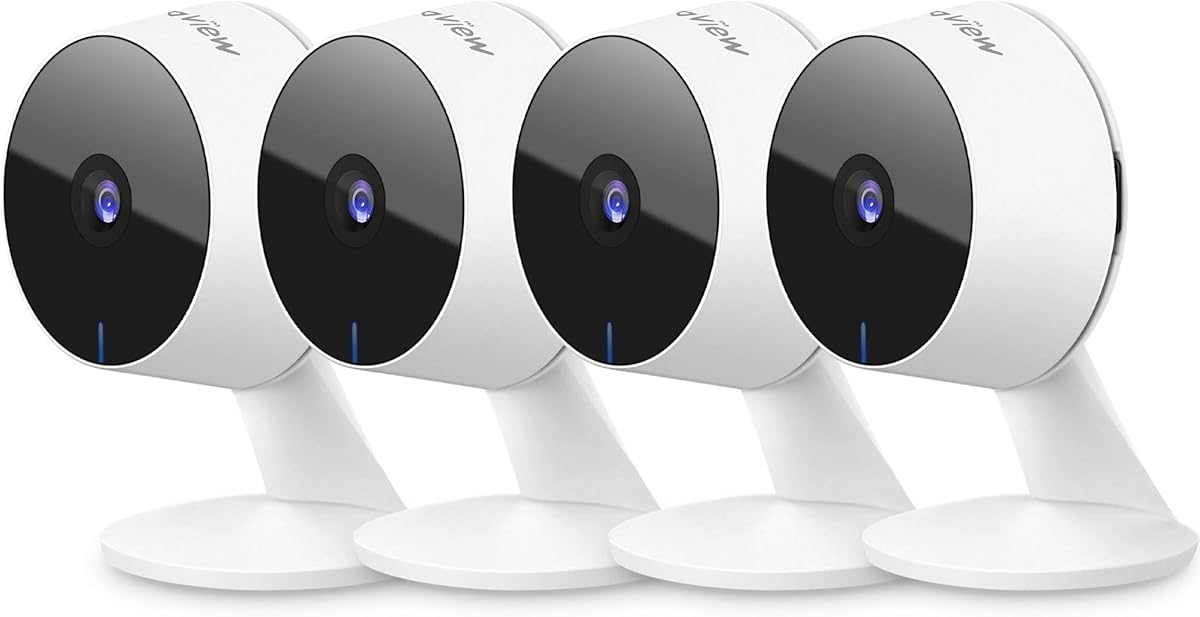
The LaView 4-Pack provides a complete indoor security solution for multiple rooms. Each camera streams clear 1080p video and supports access via mobile apps or web browsers for flexible monitoring options.
We may earn a commission when you buy through this link, at no additional cost to you.
You can share access with up to 20 people which is great for families or small offices. The app allows you to manage multiple cameras from one account while two-way audio helps you communicate through the device.
Cloud storage is available through a trial and local MicroSD cards store footage permanently. While detection is basic it covers essential needs like motion alerts and clear video recording for peace of mind.
This set is best for those needing a simple and scalable monitoring system. If you want to cover several rooms affordably with shared access options LaView offers a practical and effective choice.
Share camera access with many people easily so everyone stays informed and involved in security.
View live feeds on mobile devices or web browsers allowing you to check in from any computer.
We may earn a commission when you buy through this link, at no additional cost to you.
The youkey S320 is designed for renters who need a wire-free indoor security solution. It features a strong magnetic base allowing you to place it anywhere without drilling holes or using tools.
We may earn a commission when you buy through this link, at no additional cost to you.
Its built-in 8GB storage means you do not need an SD card and there are no subscription fees. The battery lasts months on a single charge thanks to smart wake-up features that record only when motion is detected.
While the internal memory is smaller than microSD options it is sufficient for essential clips. You can easily remove it for charging or move it between rooms as your security needs change over time.
This camera is perfect for temporary setups or renters who want flexible placement. If you want a portable and wire-free camera that respects privacy the youkey S320 is a strong practical option.
Move the camera anywhere without power cables which is ideal for renters or temporary monitoring needs.
Smart wake-up technology uses power only when motion is detected so the battery lasts for months between charges.
We may earn a commission when you buy through this link, at no additional cost to you.
Choosing the right indoor wireless IP camera requires understanding your specific security needs and budget constraints. We break down the essential factors to consider when evaluating different models.
Video resolution determines how clear and detailed your footage will be. Look for 1080p as a minimum standard but consider 2K or 4K for finer details like reading faces or identifying objects.
Higher resolution also means more storage space is required so ensure your storage method can handle the increased file size.
Decide whether you prefer local storage via SD cards or cloud storage subscriptions. Local storage avoids monthly fees but risks data loss if the card is damaged or stolen.
Cloud storage offers remote access and backup but costs recurring fees. Many cameras support both options providing flexibility depending on your budget and security preferences.
Most indoor cameras need a constant power source via a plug in outlet while some offer battery options for wireless flexibility. Check the battery life if choosing a wireless model to avoid frequent recharging.
Ensure the camera supports your home WiFi network frequency as some only work on 2.4GHz which has better range but lower speed.
Advanced AI features like human pet and vehicle detection reduce false alarms caused by shadows or moving curtains. Look for models that allow custom detection zones to focus on critical areas only.
On-device AI processes information locally which enhances privacy and response speed compared to cloud processed alerts that might lag.
Night vision is essential for 24/7 monitoring. Infrared provides clear black and white images but some cameras now offer color night vision using spotlights for better detail in low light.
Check the range of the night vision to ensure it covers the entire area you want to monitor effectively without dark spots.
Check if the camera works with your existing smart home ecosystem like Alexa Google Assistant or HomeKit. Integration allows voice control and automated routines for better convenience.
Seamless integration ensures you can view footage on smart displays and control the camera hands free during daily activities.
Physical privacy covers or shutter features provide peace of mind when you do not want to be recorded. Software controls to disable the microphone and camera are also important for sensitive moments.
Encryption standards like WPA2 and SSL connections protect your data from unauthorized access and hacking attempts.
Consider the total cost of ownership including subscription fees for cloud storage. Some brands offer free local storage which can save hundreds of dollars over the lifespan of the camera.
Set a realistic budget that balances upfront price with long-term value to avoid unexpected recurring expenses.
Install the camera at a height of about seven feet to capture a clear view of faces and activities. Avoid direct sunlight or bright lights behind the camera to prevent glare and ensure best image quality.
Regularly update the firmware through the manufacturer app to patch security vulnerabilities and improve performance. Check your storage capacity frequently and clear old recordings to maintain space for new footage.
Test the motion detection sensitivity periodically to adjust for pets or moving objects. Ensure your WiFi signal is strong in the camera location to prevent disconnections and missed recordings.
Most indoor wireless IP cameras require a WiFi connection for remote viewing and alerts but some can record to SD cards locally. If WiFi is down you can often still access footage via the local SD card but real-time features will pause.
1080p is generally sufficient for most indoor spaces and balances clarity with storage needs. However for identifying specific details like faces or serial numbers higher resolutions like 2K or 4K are more effective.
Yes if your camera is connected to the internet you can view live streams and recorded footage via the manufacturer app. This works from anywhere provided your home WiFi is active and the camera is online.
Continuous recording consumes significantly more space than event-based clips. A 128GB SD card might store only a few days of footage depending on resolution so regular deletion or cloud backup is often necessary.
Most wireless models are very easy to install as they do not require hardwiring. You simply mount them using adhesive or screws and connect them to power and WiFi via the app.
Many models include built-in microphones for two-way audio but recording audio may be subject to local privacy laws. Check regulations and camera settings to ensure compliance before enabling audio recording.
Yes most cameras include pet detection modes and treat-way audio which let you interact with your pets remotely. Some offer treats dispensers but standard cameras allow you to hear and see your pets at all times.
If internet goes down live remote viewing stops but local recording on SD cards may continue depending on the model. You can access footage directly once internet is restored but real-time alerts will be delayed.
The top picks for indoor wireless IP cameras offer a range of options from high-end dual lens systems to affordable multi-camera kits. The Ring Indoor Cam and eufy S350 lead in features while Tapo provides excellent budget friendly choices.
Prioritize your needs such as resolution storage type and smart home compatibility when making your decision. Consider whether you prefer local or cloud storage to manage costs and privacy effectively over time.
Prices and availability change often so verify current listings and read recent reviews before purchasing. Investing in the right model ensures reliable security and peace of mind for your home environment.