
HP 255 G10
4.3Editor score
AMD Ryzen 7 7730U
64GB RAM and 2TB SSD
Windows 11 Pro ready
This guide compares the top laptops with 64GB RAM for multitasking and professional workloads in October 2026 to help you choose the right model.
Finding a laptop with 64GB RAM ensures smooth performance for heavy multitasking and professional workflows. These machines handle demanding applications without slowing down.
We evaluated ten models based on processor speed, storage capacity, display quality, and connectivity options. Each entry offers unique strengths for different user needs.
Every pick highlights key specs and real-world usability. Prices vary by configuration and retailer, so check current listings before making your final decision.
4.3Editor score

4.0Editor score
The following table compares ten powerful laptops featuring 64GB RAM. Each model offers distinct processors, displays, and storage options suited for professional demands.




This HP 255 G10 delivers powerful performance at a competitive price point. It features a Ryzen 7 processor paired with a massive 64GB RAM configuration.
We may earn a commission when you buy through this link, at no additional cost to you.
The 2TB PCIe SSD ensures rapid boot times and ample space for files. Windows 11 Pro adds enterprise-grade security features ideal for business users.
While the display is functional, it lacks the vibrancy of premium panels. Port selection is standard but lacks modern Thunderbolt support for fast docks.
Ideal for professionals needing heavy multitasking without breaking the bank. It balances core performance with practical features for daily office workflows.
The 64GB RAM allows dozens of browser tabs and apps to run simultaneously without lag.
Windows 11 Pro provides enhanced management tools and security protocols for business needs.
We may earn a commission when you buy through this link, at no additional cost to you.
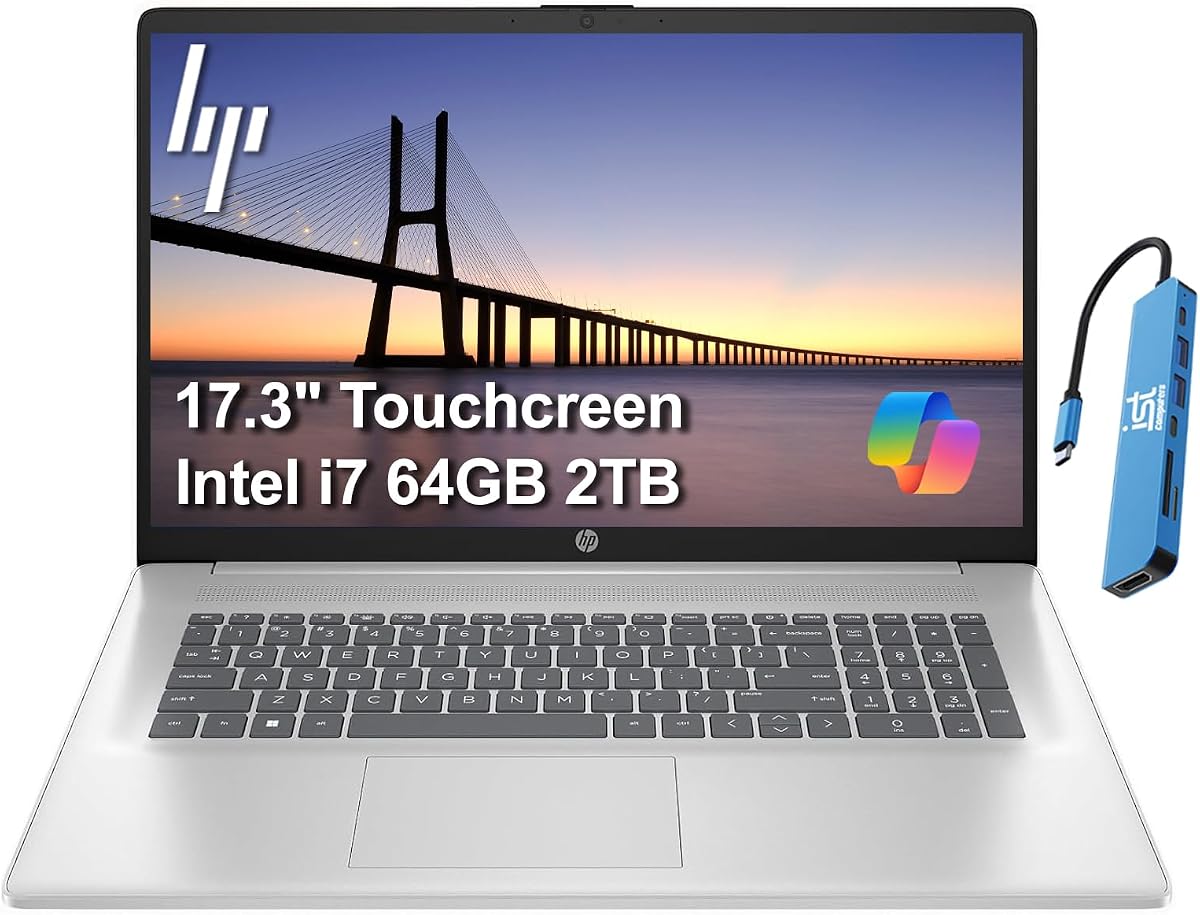
The HP Essential 17t offers a large workspace perfect for spreadsheet work and document editing. Its touchscreen adds versatility to interactions.
We may earn a commission when you buy through this link, at no additional cost to you.
Powered by a 13th Gen Intel Core i7 processor, it handles business apps efficiently. The 64GB RAM ensures smooth operation under heavy loads.
However, the HD+ resolution is modest compared to modern 4K standards. The larger chassis also means reduced portability for travel scenarios.
Best suited for stationary workstations where screen size matters most. It provides a reliable platform for data entry and long-duration use.
The larger chassis supports a full-size keyboard with numeric keypad for efficient data entry.
Touchscreen capabilities allow intuitive navigation and annotation without external peripherals.
We may earn a commission when you buy through this link, at no additional cost to you.
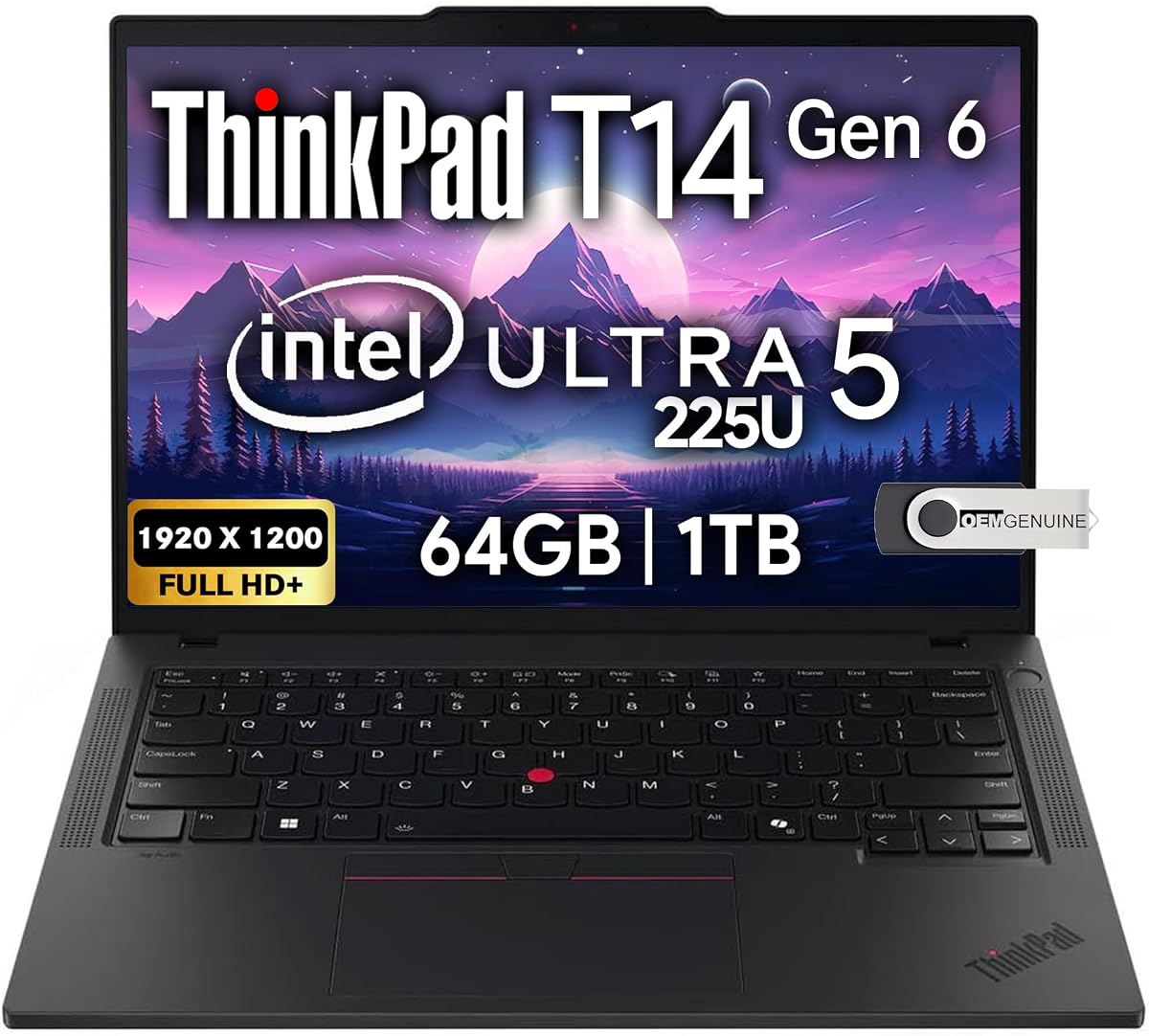
This ThinkPad model brings enterprise reliability with modern performance. The MIL-STD certification ensures it withstands tough environments.
We may earn a commission when you buy through this link, at no additional cost to you.
DDR5 RAM offers faster speeds than older generations, boosting application performance. The 14-inch form factor balances power with portability well.
The premium price may deter budget-conscious buyers seeking basic office tools. Its 14-inch screen is compact compared to 17-inch productivity laptops.
Ideal for field professionals needing robust hardware for critical tasks. It delivers consistent performance with enhanced build quality and security features.
Military-standard testing guarantees resistance to dust, drops, and temperature variations.
DDR5 RAM improves bandwidth for faster data processing and responsive multitasking.
We may earn a commission when you buy through this link, at no additional cost to you.
This HP business laptop prioritizes storage space with a massive 2TB SSD configuration. It suits users managing large media files or archives.
We may earn a commission when you buy through this link, at no additional cost to you.
The Intel Core i5 processor provides solid efficiency for standard office tasks. Paired with 64GB RAM, it handles heavy application workloads well.
However, it uses an older processor generation compared to newer models. The display resolution remains standard HD, which may limit visual clarity.
Best for users needing massive local storage without external drives. It delivers reliable performance for archival and standard processing needs.
Large SSD capacity allows storing extensive datasets without relying on cloud storage.
Ten-core architecture optimizes power efficiency for all-day battery usage.
We may earn a commission when you buy through this link, at no additional cost to you.
The OmniBook 7 combines top-tier hardware with a visually stunning OLED screen. It delivers vivid colors and sharp details for creative work.
We may earn a commission when you buy through this link, at no additional cost to you.
Equipped with Intel Core 9 architecture, it leads in raw processing speed. Wi-Fi 7 ensures future-proof connectivity for high-speed networks.
The OLED panel may impact battery longevity during extended usage periods. The price point reflects its premium components and advanced specifications.
Ideal for creatives requiring color accuracy and high performance. It stands out as a high-end choice for professional visual workflows.
OLED technology offers deep blacks and infinite contrast for immersive viewing.
Wi-Fi 7 delivers lower latency and faster wireless data transfer speeds.
We may earn a commission when you buy through this link, at no additional cost to you.
This model offers a balanced mix of efficiency and performance for daily tasks. It handles multitasking well with generous RAM capacity.
We may earn a commission when you buy through this link, at no additional cost to you.
The Core 7 processor ensures low power consumption without sacrificing speed. A 2TB drive provides plenty of space for personal media.
The display resolution is not as sharp as higher-end alternatives. Build materials are functional but lack premium finishes found in top models.
Great for students and home users needing reliable tech. It covers all basic needs while offering extra storage for growing file libraries.
Optimized processor architecture extends battery life during typical daily usage.
Touchscreen allows quick navigation through Windows interface and web content.
We may earn a commission when you buy through this link, at no additional cost to you.
Affordable entry into high-performance specs makes this unit stand out. It delivers massive RAM for basic tasks without premium cost.
We may earn a commission when you buy through this link, at no additional cost to you.
The Ryzen 3 processor handles standard office apps efficiently enough for casual use. Full HD visuals ensure clear text and video playback.
Heavy computing tasks like video editing may strain the GPU limits. Storage capacity is good but lower than 2TB alternatives.
Perfect for light users needing extra RAM for future-proofing. It offers a cost-effective solution for web browsing and standard software.
High RAM counts usually found in expensive laptops are available here at lower price.
Wi-Fi 6 ensures stable internet speeds for streaming and video calls.
We may earn a commission when you buy through this link, at no additional cost to you.
Tailored for students, this laptop offers touch capability and a responsive screen. It supports light creative work and daily studying well.
We may earn a commission when you buy through this link, at no additional cost to you.
The Ryzen 5 processor balances speed and efficiency for classroom tasks. 32GB RAM is sufficient for typical student workloads and apps.
It lacks the massive 64GB RAM of other entries. Battery life is average for standard all-day campus use.
Best for students prioritizing display quality and portability. It provides a solid, affordable foundation for academic projects and media.
Touchscreen enables direct interaction with educational software and digital notes.
Strong integrated graphics support light photo editing and creative design apps.
We may earn a commission when you buy through this link, at no additional cost to you.
A standout for price-to-performance, this model includes top-tier RAM and storage. It runs complex applications smoothly thanks to the Ryzen 7.
We may earn a commission when you buy through this link, at no additional cost to you.
The 2TB SSD ensures quick data access for large project files. Touchscreen capability adds convenience for navigating web and apps.
It lacks some premium features like OLED displays. Speakers are functional but lack richness for entertainment-heavy users.
Ideal for home users needing versatile power without high cost. It delivers robust specs for multitasking and storage-intensive work.
64GB RAM ensures smooth performance even with dozens of browser tabs open.
Eight-core architecture handles multi-threaded tasks and software compilation well.
We may earn a commission when you buy through this link, at no additional cost to you.
Designed for desktop replacement, this 17-inch laptop offers spacious visuals. The full bundle with mouse and keyboard eases setup for office.
We may earn a commission when you buy through this link, at no additional cost to you.
Ryzen 5 provides steady performance for spreadsheet and accounting tasks. The combination of RAM and storage supports heavy data workflows.
Its size makes travel difficult compared to smaller models. Battery life is typical for larger displays under active use.
Perfect for users needing a stationary home office solution. It offers comfort and capacity without compromising on core specs.
Includes wireless peripherals for an immediate desktop-like working setup.
Large screen reduces scrolling needs during complex document editing.
We may earn a commission when you buy through this link, at no additional cost to you.
Selecting a laptop with 64GB RAM requires understanding your specific workload. This guide outlines key factors to evaluate before purchasing.
The CPU determines how fast your laptop handles tasks. Look for modern Ryzen or Intel Core processors to match the 64GB RAM speed.
Ensure the processor generation supports high memory bandwidth for optimal performance.
DDR5 RAM offers faster speeds than older DDR4. If budget allows, prioritize DDR5 for future-proofing.
Check if the RAM is soldered or upgradeable for future needs.
Large RAM pairs well with large SSDs. Aim for at least 1TB to store files efficiently.
NVMe SSDs are faster and preferable for boot times.
High RAM users often work with multiple windows. A high-resolution IPS display prevents eye strain.
OLED or high-nit panels enhance viewing comfort.
Larger screens and batteries increase weight. Decide between portability and screen real estate based on your usage.
Premium materials ensure durability during travel.
Windows 11 Pro offers better enterprise features than Home. Verify the OS matches your security needs.
Some models allow OS upgrades if needed.
High-end components consume more power. Look for models optimized for energy efficiency.
Check real-world battery tests if possible.
USB-C and HDMI ports are essential for modern peripherals. Wi-Fi 6 or 7 ensures fast internet speeds.
Ensure enough ports for your devices.
Keep your laptop on a flat surface to ensure proper ventilation and cooling.
Regularly update drivers and Windows patches for optimal security and performance.
Avoid placing food or liquids near the device to prevent accidental damage.
It is not strictly necessary for basic tasks but ensures smooth multitasking. If you run many apps at once, it provides significant headroom.
Some models allow upgrades, but many have soldered RAM. Check specific product details for slot availability before buying.
Most support at least one external monitor via HDMI or USB-C. Some high-end models allow multiple displays for expanded productivity.
Battery life varies by usage but typically ranges between six to ten hours. Bright displays drain power faster than standard settings.
Yes, they handle development environments well. The high RAM and fast SSD reduce compile times and support virtual machines.
Many business models include Windows 11 Pro. Some consumer versions ship with Home. Verify the OS version before purchase.
Avoid filling the drive completely and run regular scans. Keep firmware updated to ensure optimal performance and longevity.
These ten models offer powerful performance for professionals needing high memory. The HP 255 G10 and OmniBook 7 lead in value and display quality.
Prioritize processor speed and storage type when making your final choice. Ensure the specs match your daily workflow requirements.
Prices fluctuate frequently, so compare current listings before buying. Choose the model that fits both your budget and technical needs.