
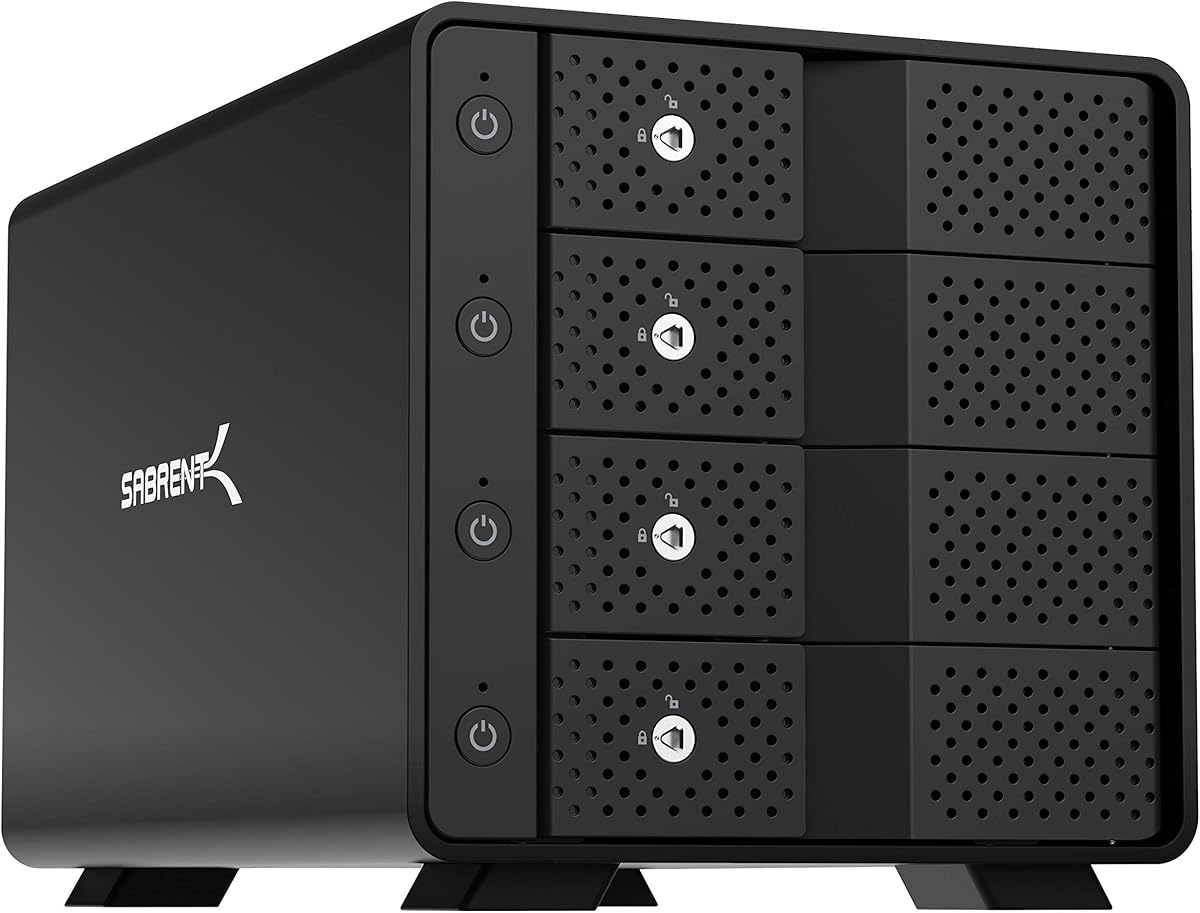
SABRENT USB 3.0 4-Bay Docking Station
4.2Editor score
Supports 2.5 inch drives up to 16TB
Whisper quiet cooling fan included
Tool free magnetic cover access
Choosing the right external storage solution is crucial for professionals and enthusiasts who manage large datasets daily. A 4 Bay Hard Drive Enclosure with Cooling Fans offers the perfect balance of capacity and thermal management for your critical files.
We have evaluated ten leading models based on transfer speeds cooling efficiency and build quality to ensure you get the most reliable hardware available today. Our analysis focuses on real-world performance metrics and user feedback to provide accurate recommendations.
Each pick highlights specific strengths like USB connectivity options and maximum drive capacity support so you can match the enclosure to your workflow needs. Please note that product availability and pricing may fluctuate so verify details before purchasing.
4.2Editor score

4.3Editor score
4.1Editor score
As an Amazon Associate we earn from qualifying purchases.
This side by side comparison reviews all ten selected models highlighting their unique features specifications and performance capabilities to help you make an informed decision for your storage needs.



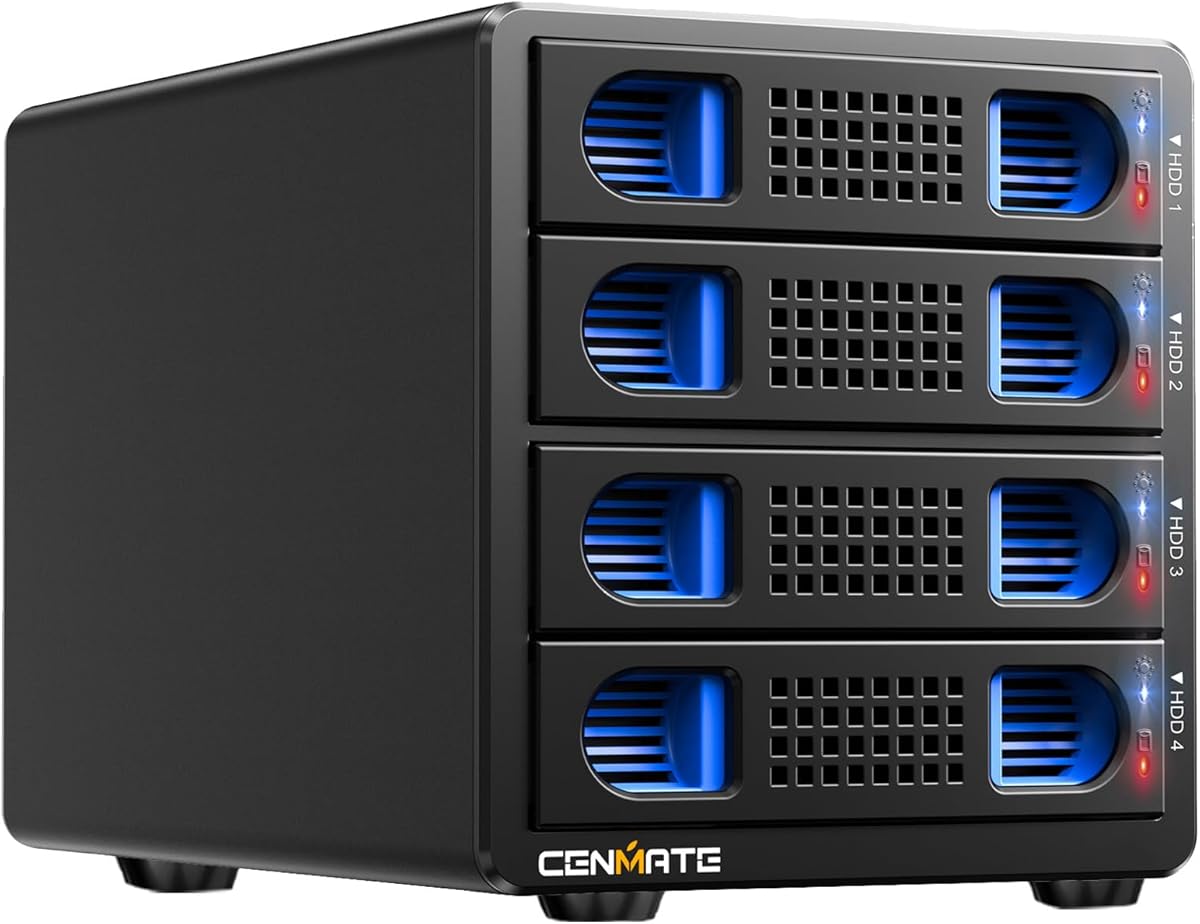
The CENMATE Aluminum 4 Bay Hard Drive Enclosure stands out as a reliable solution for individuals and businesses needing expanded storage. With a strong rating of 4.3 stars it offers consistent performance for managing large data sets efficiently.
We may earn a commission when you buy through this link, at no additional cost to you.
Its aluminum alloy construction paired with an integrated 2 inch fan ensures that your drives stay cool during heavy usage. The hot swappable feature allows you to change drives without powering down the system which is a significant convenience for professionals.
While the fan noise sits around 40 to 50 decibels it remains manageable for office environments. Users should note that this enclosure does not support RAID configurations meaning each drive operates independently.
This enclosure is ideal for users who prioritize speed and thermal management over complex RAID setups. If you need a straightforward plug and play solution for 4 drives this model delivers excellent value.
The aluminum build and active fan prevent overheating which extends the lifespan of your connected hard drives.
Compatibility with both 2.5 and 3.5 inch drives gives you options for SSD speed or HDD capacity.
We may earn a commission when you buy through this link, at no additional cost to you.
This model upgrades the standard offering with USB 3.2 Gen 2 technology providing transfer speeds up to 10Gbps. It is designed for users who move massive files regularly and need every second saved during the transfer process.
We may earn a commission when you buy through this link, at no additional cost to you.
The enclosure supports Thunderbolt 3 and 4 interfaces which broadens compatibility with modern laptops and workstations. Like other models in the line it uses aluminum and a fan to keep internal temperatures safe.
Users should be aware that the fan noise remains consistent with other units at around 40 to 50 decibels. This might be distracting in quiet recording studios but is usually fine for general office use.
If you have high speed storage needs and a compatible host system this enclosure is worth the investment. The faster interface makes a noticeable difference when handling video editing projects or large database backups.
The USB 3.2 Gen 2 port ensures you can utilize modern high speed storage devices efficiently.
Support for Thunderbolt protocols means this dock works with current and future high performance hardware.
We may earn a commission when you buy through this link, at no additional cost to you.
MAIWO offers a compelling alternative with this 4 bay DAS design that supports massive storage up to 96TB. It brings in a unique feature set including daisy chain expansion which allows you to link multiple devices for even more space.
We may earn a commission when you buy through this link, at no additional cost to you.
The inclusion of two cooling fans ensures that the system stays within safe operating temperatures even when all bays are filled. Additionally the HD-TV port adds a multimedia twist by allowing direct connection to a display.
While the rating is lower than some competitors the feature set is strong for the price point. Users should ensure they have the correct cabling for daisy chaining as this can be tricky to configure correctly.
This is an excellent choice for budget conscious users who need high capacity without breaking the bank. It suits well for media storage where you want to play files directly on a TV screen.
Daisy chaining lets you connect multiple enclosures to scale your storage without needing more ports.
The HDMI output allows direct playback from the drive to a TV for a media center experience.
We may earn a commission when you buy through this link, at no additional cost to you.
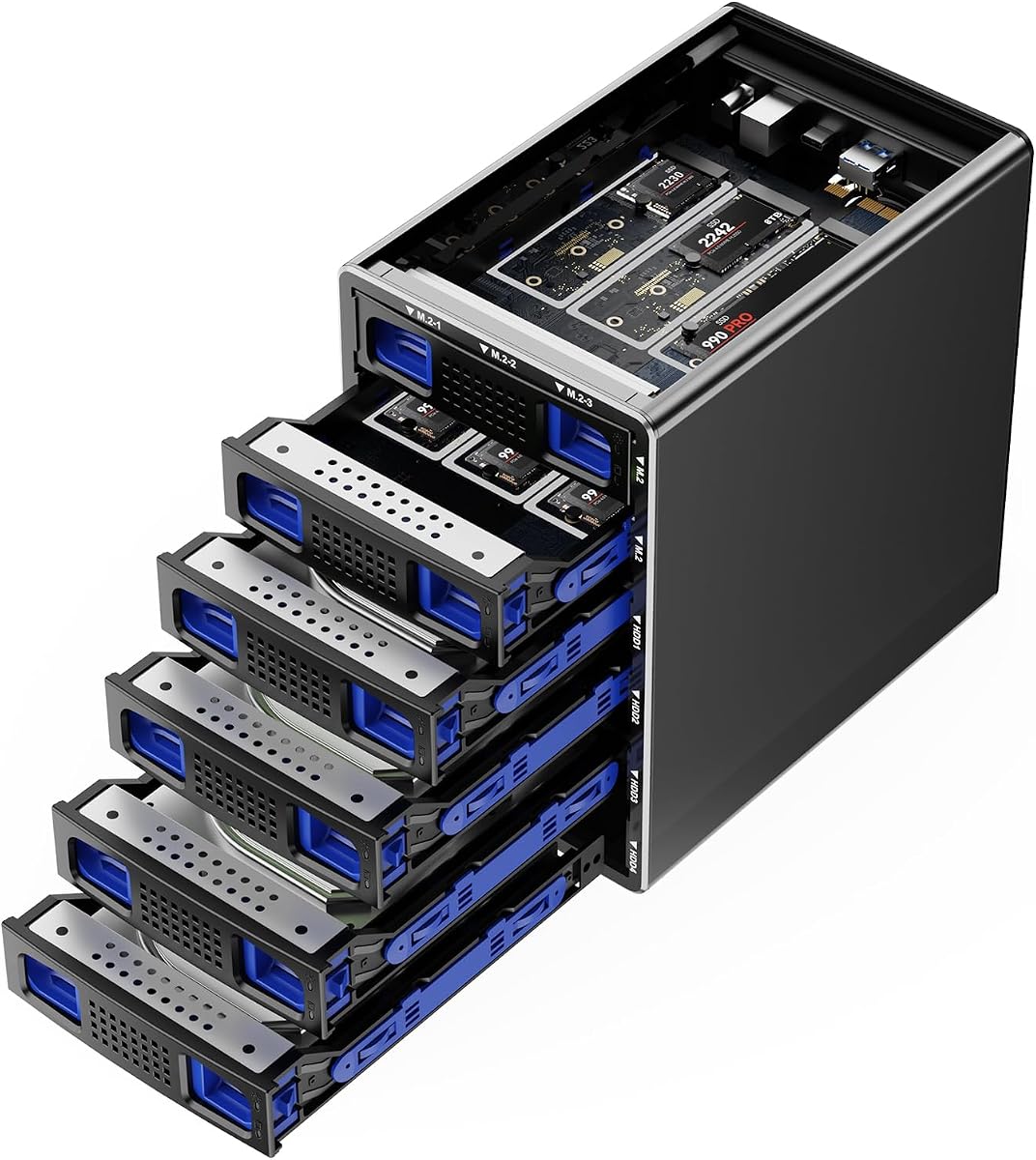
This innovative hybrid enclosure combines the best of both worlds by supporting standard SATA drives and M.2 NVMe SSDs simultaneously. It is a unique solution for users who want capacity for archiving and speed for active projects in one unit.
We may earn a commission when you buy through this link, at no additional cost to you.
The device supports up to 136TB total which is an immense amount of storage for personal or small business use. The cooling system uses silent fans that work continuously to protect your data from heat stress.
You will need to be careful when installing NVMe drives as they require specific slot alignment. Tool free installation is limited compared to standard bays so you might need to handle the drives with care.
Ideal for power users this model solves the problem of having multiple docking stations. It consolidates your storage needs into a single robust unit that handles both slow and fast workloads efficiently.
Mixing HDDs and NVMe SSDs in one box optimizes cost and performance for varied storage needs.
With support for up to 136TB you can store years of data without running out of space.
We may earn a commission when you buy through this link, at no additional cost to you.
The WAVLINK model distinguishes itself with a built-in HDMI port that supports up to 4K resolution. This makes it a great option for home media servers where you want to plug drives directly into a TV.
We may earn a commission when you buy through this link, at no additional cost to you.
It supports up to 88TB of storage and uses a high-quality aluminum shell for durability. The cooling fans activate only when the temperature reaches 48 degrees Celsius to save energy and reduce noise.
Keep in mind that the HDMI port requires a host computer that supports video over USB-C. Without this capability the display feature will not function so check your system compatibility before buying.
This unit is perfect for content creators who need to edit on a large screen or view files quickly. The independent switches allow you to power specific drives on or off without disrupting the whole system.
Connect directly to a TV and play media files without needing a separate computer setup.
Fans turn on only when needed which helps lower power consumption and noise levels.
We may earn a commission when you buy through this link, at no additional cost to you.
SABRENT offers a classic docking station design focused on 2.5 inch drives which are often used for SSDs. This model is engineered for continuous operation so it is ideal for users who leave their drives connected 24/7.
We may earn a commission when you buy through this link, at no additional cost to you.
The fan is designed to be whisper quiet which helps maintain a peaceful environment even when multiple drives are running. The magnetic cover makes it easy to access drives without fiddling with screws or tools.
While it lacks some advanced features found in newer models its reliability is the key selling point. The USB 3.0 interface is fast enough for most general tasks and file transfers are efficient.
This docking station is highly recommended for laptop users who need to access multiple portable drives easily. Its simplicity and quiet operation make it a strong contender for office use.
Designed to run 24/7 without overheating so you can keep your data accessible at all times.
The whisper quiet fan ensures your workspace remains calm even when drives are active.
We may earn a commission when you buy through this link, at no additional cost to you.
This enclosure stands out by including an eSATA port alongside standard USB connectivity. This dual interface approach gives you flexibility in how you connect to your computer or server depending on available ports.
We may earn a commission when you buy through this link, at no additional cost to you.
The aluminum chassis provides sturdy protection for your drives while the integrated fan manages heat effectively. Hot swapping works well over USB but note that the eSATA port has limitations regarding hot plug capability.
Users who have older systems with eSATA ports will find this model particularly useful. It bridges the gap between modern USB standards and legacy connectivity options without sacrificing stability.
Choose this model if you need specific connectivity options that standard USB only docks do not provide. It is a robust choice for mixed environment setups where legacy hardware is still in use.
USB and eSATA ports offer more ways to connect your drives to different types of computers.
Ideal for users with older servers that still rely on eSATA for data connections.
We may earn a commission when you buy through this link, at no additional cost to you.
For users needing extreme storage capacity this WAVLINK model supports drives up to 32TB each totaling 128TB. This is perfect for professional video editors or organizations managing massive data archives.
We may earn a commission when you buy through this link, at no additional cost to you.
It features the same robust cooling system as other models with fans that turn on at 48 degrees to protect your hardware. The HDMI output also allows you to view files directly on a monitor or TV.
To realize the full capacity you will need to purchase high density hard drives which can be expensive. However the enclosure itself is built to handle the power and heat of such large drives efficiently.
This is the top choice if storage volume is your primary concern. It offers a balance of high capacity and modern features like USB-C and HDMI without compromising on build quality.
Support for 32TB drives gives you massive space for archives without needing multiple units.
The cooling system is tuned to manage the heat generated by high density large drives.
We may earn a commission when you buy through this link, at no additional cost to you.
This enclosure brings RAID functionality to a device that is otherwise a direct attached storage unit. It supports eight different modes allowing you to configure redundancy or performance based on your needs.
We may earn a commission when you buy through this link, at no additional cost to you.
The aluminum casing and cooling fans ensure that the drives stay within safe limits even under RAID write loads. Hot swapping is not supported in RAID mode which is a standard limitation for hardware RAID setups.
Setting up RAID requires following specific steps which can be technical for beginners. However once configured it offers a level of data protection that standard DAS enclosures cannot provide.
This model is suitable for small businesses that need data safety without investing in a full NAS system. The ability to switch modes gives you flexibility as your storage requirements change over time.
RAID modes allow you to protect against drive failure without needing networked storage.
Eight modes give you the choice between speed redundancy and capacity for different uses.
We may earn a commission when you buy through this link, at no additional cost to you.
SABRENT positions this model as a high reliability option with a dedicated controller for each drive bay. This design minimizes bottlenecks and ensures stable connections for all four drives simultaneously.
We may earn a commission when you buy through this link, at no additional cost to you.
The unit uses a large 92mm fan for active cooling which handles high thermal loads efficiently. The tool free trays and locking key add convenience and security to your storage workflow.
While it does not support RAID it focuses on delivering consistent independent access to each drive. This makes it suitable for users who need reliable access to multiple drives for backup or editing.
This is a top choice for Mac and Windows professionals who need a robust docking station. Its build quality and dedicated controllers make it a reliable long term solution for data management.
Each drive gets its own controller so performance is not compromised when all bays are full.
The large fan provides strong airflow to keep drives cool during sustained data operations.
We may earn a commission when you buy through this link, at no additional cost to you.
Selecting the right enclosure involves considering several technical factors that impact performance and longevity of your storage devices.
The interface determines how fast your data moves between the drives and your computer. USB 3.2 Gen 2 offers 10Gbps speeds which are ideal for video editing or large file transfers. Older USB 3.0 ports cap at 5Gbps which might be sufficient for basic file storage but slower for heavy workloads. Always match the interface with your computer's capabilities to avoid bottlenecks.
Choose the fastest interface your system supports to maximize performance efficiency.
Each enclosure has a maximum supported capacity per drive and in total. If you plan to use 20TB drives you need an enclosure that supports at least 80TB total. Models like the WAVLINK support up to 128TB so you can use larger drives in the future. Check the specs to ensure it handles the drives you currently own or plan to buy.
Verify the max capacity before buying to ensure your drives are supported.
Hot swapping allows you to remove or insert drives without powering off the enclosure. This feature is crucial for workflows where you need to switch drives frequently. Most models support this via USB but some might restrict it on specific ports like eSATA. Confirm that the model you choose supports this feature on the ports you intend to use.
Prioritize models with hot swap capability for convenient drive management.
Heat is a major enemy of hard drive health and enclosures need active cooling for four drives. Look for aluminum chassis models with fans that activate based on temperature or run continuously. Fans that kick in only when needed can save power but ensure they turn on before drives overheat. Silent fans are better for quiet environments but check decibel ratings before purchasing.
Active cooling is essential to prevent overheating and extend drive lifespan.
Direct Attached Storage (DAS) treats each drive individually while RAID combines them for redundancy. Most basic enclosures are DAS only but some offer basic RAID modes like RAID 1 for data safety. If you need data protection consider a model with RAID support. Keep in mind that hardware RAID can be complex to set up compared to simple DAS.
Decide if you need data redundancy via RAID or simple independent access.
Four drives require significant power so a stable external power adapter is necessary. Ensure the enclosure comes with a DC power adapter rated for your voltage needs. Unstable power can lead to drive failure or data corruption. Models with separate power switches for each bay give you more control over consumption and safety.
A reliable power adapter is critical for stable operation of multiple drives.
Most enclosures work with Windows macOS and Linux out of the box but some features may differ. Verify that the drivers or firmware support your specific OS version. macOS users should check if the drive format is compatible with Time Machine or HFS+ requirements. Linux users might need specific drivers for certain USB chips to work correctly.
Ensure the enclosure is compatible with your operating system for seamless use.
Aluminum enclosures dissipate heat better than plastic ones which is vital for four drive slots. Metal casings also offer better physical protection for your valuable drives. Look for units with sturdy hinges and trays that slide smoothly. A well-built unit will last longer and handle heat dissipation more effectively than cheaper plastic options.
Choose aluminum construction for better heat dissipation and durability.
Start by connecting the power adapter to the enclosure before attaching any drives. This ensures the system has stable power ready for the drives to spin up without voltage drops that could cause errors.
Insert your drives into the trays carefully ensuring they align with the SATA connectors. If the unit has locking mechanisms secure the drives properly to prevent disconnection during transport or vibration.
Clean the vents regularly with compressed air to prevent dust buildup which can block airflow and cause overheating. Keep the enclosure in a well ventilated area to allow the fans to work efficiently and protect your data.
Yes most enclosures require you to format drives to a file system like NTFS or exFAT before use. If your drives were used in another system they may need reformatting to work correctly with the enclosure.
Most enclosures support macOS out of the box but you may need to format drives to APFS or Mac OS Extended. Always check compatibility notes to ensure full feature support on your Mac system.
Fans typically operate around 40 to 50 decibels which is similar to a quiet office environment. Some models have quieter fans but active cooling is necessary to prevent overheating during heavy use.
Yes most enclosures are backward compatible with USB 2.0 ports but speeds will be significantly slower. For best performance always use a USB 3.0 or higher port to achieve full transfer speeds.
Many models are designed for continuous operation but ensure the ventilation is not blocked. Keeping the fans clean and allowing airflow around the enclosure will help prevent overheating over long periods.
Only specific models support hardware RAID modes while most are DAS only. Check the product description to confirm if RAID 0 or 1 is supported if you need data redundancy.
We reviewed ten excellent options ranging from affordable DAS units to high speed premium models with HDMI outputs. The CENMATE Aluminum 4 Bay stands out as the top pick for overall reliability and performance across various use cases.
Prioritize cooling and interface speed based on your specific workflow needs. If you move large files often invest in a USB 3.2 Gen 2 model to save time during transfers.
Always check current availability and pricing before purchasing as product details can change frequently. We hope this guide helps you select the right storage solution to secure your data efficiently.