
ID-COOLING IS-40-XT
4.6Editor score
47mm total height
Affordable price point
4 heat pipe design
This guide compares the best Htpc CPU Cooler options for silent home theater builds, focusing on low profile height, noise levels, and cooling efficiency.
Building a home theater PC requires careful component selection to ensure silent operation and efficient cooling. The CPU cooler plays a vital role in maintaining thermal performance without adding unwanted noise to your living room setup.
We evaluated ten top-rated low profile coolers based on height, fan noise, thermal capacity, and socket compatibility. Each model was assessed for its ability to fit tight cases while keeping processors cool under load.
Every pick highlights key strengths and trade-offs to help you choose the right fit for your build. Keep in mind that product availability and pricing may change over time.
4.6Editor score

4.7Editor score
4.8Editor score
This table provides a side-by-side overview of all ten models to help you quickly compare heights, fan sizes, and key compatibility features.



The ID-COOLING IS-67-XT stands out as a powerful low profile cooler with six heat pipes and a 120mm fan. It received a 4.5 rating for balancing size and cooling power in tight spaces.
We may earn a commission when you buy through this link, at no additional cost to you.
Its 67mm height allows installation in many HTPC cases while the copper base ensures efficient heat transfer. The PWM fan adjusts speed automatically to keep noise manageable during light use.
While taller than some ultra-slim options, the extra height brings better thermal performance for moderate CPUs. This makes it a good compromise when your case allows a bit more clearance.
Buyers seeking strong cooling without breaking the bank should consider this model. It fits both Intel and AMD platforms and offers reliable performance for home theater PCs.
Six heat pipes spread heat quickly across the fins, allowing the smaller fan to move air efficiently without excessive noise.
The mounting kit supports recent Intel LGA1851 and AMD AM5 sockets, ensuring future-proofing for your build.
We may earn a commission when you buy through this link, at no additional cost to you.
The Noctua NH-L9x65 is renowned for ultra quiet performance with its optimized NF-A9x14 fan and Low-Noise Adaptor. It earned a 4.7 rating for reliability and silence in living room environments.
We may earn a commission when you buy through this link, at no additional cost to you.
Its 65mm height clears RAM and PCIe slots easily while the SecuFirm2 mounting system simplifies installation. The included NT-H1 thermal paste ensures optimal contact between CPU and cooler.
Though more expensive than generic brands, the investment pays off in consistent cooling and near silent operation. It handles moderate heat loads well without requiring high fan speeds.
If noise is your top priority and budget allows, this cooler delivers unmatched value. It suits HTPC builds where peace and quiet matter most.
The NF-A9x14 fan uses advanced blade design to reduce turbulence and noise even at higher speeds.
Offset mounting allows better clearance for tall memory modules or nearby connectors on dense ITX boards.
We may earn a commission when you buy through this link, at no additional cost to you.
The ID-COOLING IS-40-XT offers an ultra compact 47mm profile perfect for extremely small cases. It scored 4.6 for delivering solid performance at a very low cost.
We may earn a commission when you buy through this link, at no additional cost to you.
Four heat pipes and a 92mm PWM fan provide enough cooling for low to moderate TDP CPUs. The upgraded mounting kit with backplate makes installation straightforward for first time builders.
While not suitable for high heat outputs, it keeps standard CPUs within safe limits during typical HTPC tasks. The all-black finish also blends well with modern system interiors.
Budget conscious buyers will appreciate this cooler's balance of size and capability. It is a smart choice for builds where space is at a premium.
At just 47mm, this cooler fits into cases that block other options, maximizing internal component freedom.
Despite the low price, the four pipe design delivers consistent thermal relief without excessive noise.
We may earn a commission when you buy through this link, at no additional cost to you.
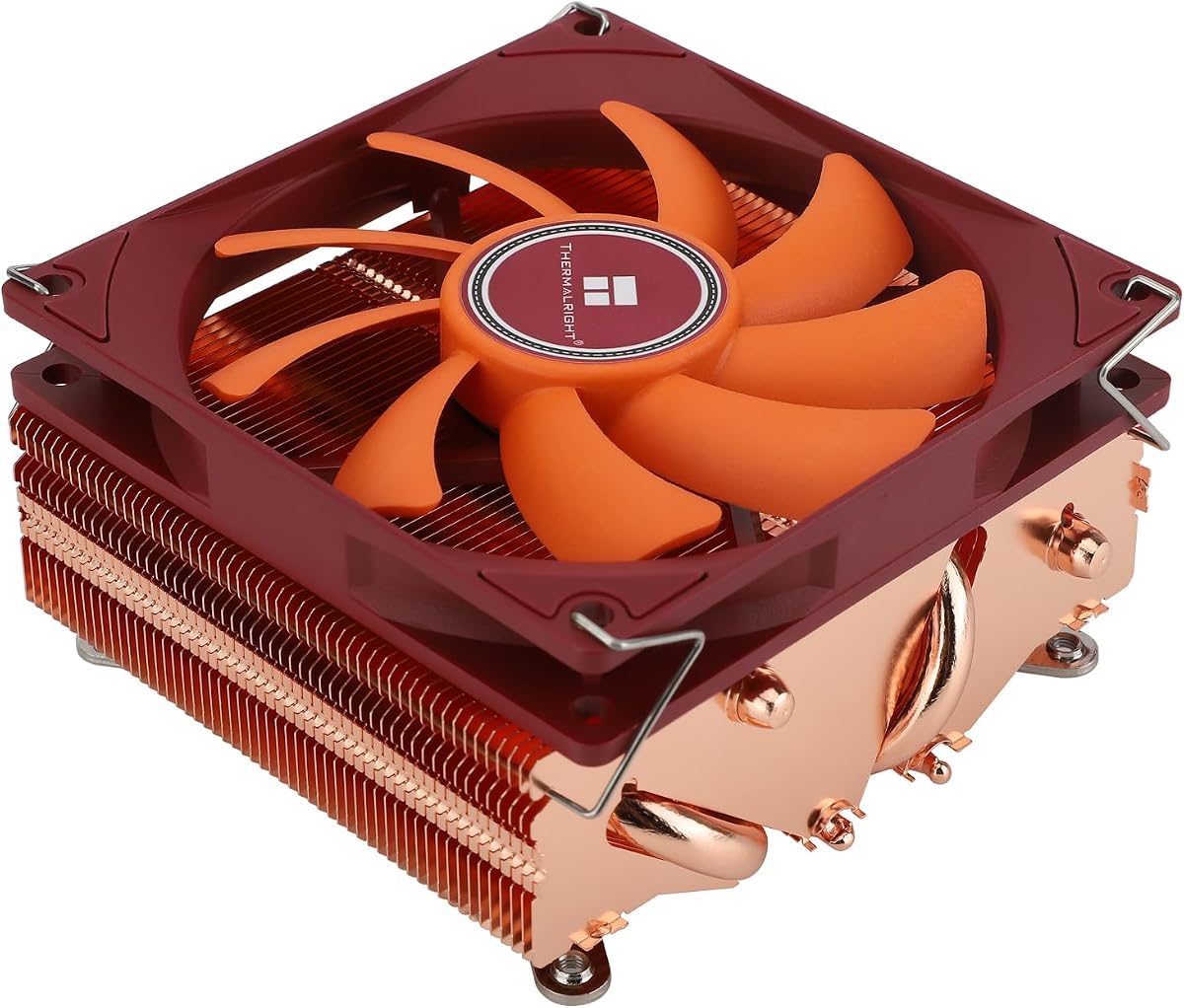
The Thermalright AXP90-X53 uses pure copper fins and heat pipes to maximize heat dissipation in a slim 53mm package. It holds a 4.5 rating for robust thermal performance in small builds.
We may earn a commission when you buy through this link, at no additional cost to you.
AGHP technology ensures the heat pipes work efficiently regardless of orientation, solving gravity related issues. The 92mm TL-9015R fan provides controlled airflow with PWM support.
Copper offers better conductivity than aluminum but adds weight, so check case mounting strength. This model suits users wanting top tier conduction in a low profile form.
For those prioritizing material quality and cooling efficiency, this cooler is a strong contender. Its compatibility with latest sockets adds long term value.
A copper base and fins transfer heat away from the CPU faster than traditional aluminum designs.
The heat pipes use a sintered wick that allows effective cooling even when the cooler is vertically mounted.
We may earn a commission when you buy through this link, at no additional cost to you.
The Thermalright Peerless Assassin 120 SE is a massive dual tower cooler with six heat pipes and dual 120mm fans. It earned 4.7 for delivering extreme cooling at a reasonable price.
We may earn a commission when you buy through this link, at no additional cost to you.
AGHP technology ensures consistent performance whether the unit is installed horizontally or vertically. The dual fan setup moves high air volume to handle hot CPUs with ease.
While too tall for typical HTPC cases, it works in larger mini ITX or mid towers where space allows. Its thermal capacity exceeds most home theater needs.
If your build has enough clearance and you want top cooling, this unit is unmatched. It is ideal for power users needing quiet high performance cooling.
Two radiator towers and fans provide massive surface area for heat dissipation and rapid cooling.
Heat pipes work effectively regardless of mounting orientation, giving flexibility in case layouts.
We may earn a commission when you buy through this link, at no additional cost to you.
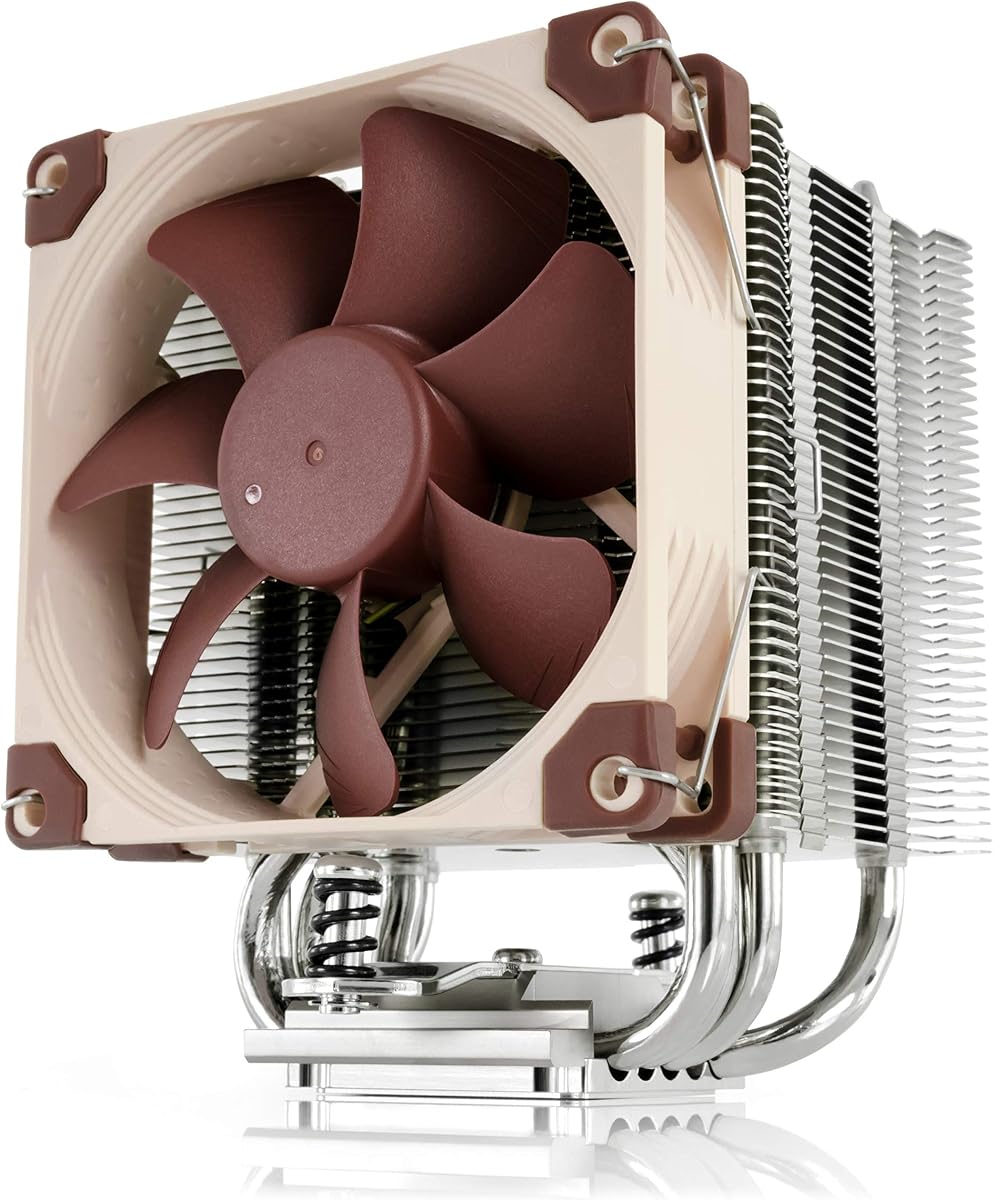
The Noctua NH-U9S combines premium materials with a compact single tower design for reliable performance. It scored 4.8 for excellence in noise and thermal balance.
We may earn a commission when you buy through this link, at no additional cost to you.
Its 125mm height fits many mid to small form factor cases without overhanging RAM. The NF-A9 fan provides quiet airflow with PWM and a Low-Noise Adaptor included.
Though more expensive, the six year warranty and consistent quality justify the cost for many users. It supports both Intel and AMD sockets with offset mounting options.
Those wanting a proven premium cooler with minimal compromises will love this model. It excels in HTPC builds needing robust quiet cooling.
Noctua's reputation for quality ensures long service life and reliable cooling performance over time.
SecuFirm2 mounting supports offset configurations for improved RAM and socket connector access.
We may earn a commission when you buy through this link, at no additional cost to you.
The Noctua NH-L9a-AM4 is specialized for AMD AM4 systems with an ultra slim 37mm height. It received 4.7 for delivering silent cooling in the tightest cases.
We may earn a commission when you buy through this link, at no additional cost to you.
Its compact footprint leaves room for nearly all RAM and PCIe components on ITX boards. The NF-A9x14 fan runs silently with PWM control and a Low-Noise Adaptor.
Because it is limited to AM4, it suits legacy builds but not new AMD AM5 systems. Still it remains a top choice for AM4 HTPC enthusiasts.
If you have an AM4 CPU and need the quietest possible solution this model fits perfectly. It balances extreme low profile with Noctua quality.
At 37mm, it clears nearly any case constraint, fitting into designs that reject taller coolers.
The mounting kit is tuned for AM4, ensuring secure fit and thermal performance for Ryzen CPUs.
We may earn a commission when you buy through this link, at no additional cost to you.
The Noctua NH-L12S uses a 120mm NF-A12x15 fan in a 70mm low profile package for great airflow. It holds 4.7 for strong cooling within compact dimensions.
We may earn a commission when you buy through this link, at no additional cost to you.
It fits ITX boards without overhang and offers dual fan potential for more headroom. The SecuFirm2 mount allows offset options for better clearance.
While taller than the NH-L9x65 it brings better thermal headroom for moderate workloads. The premium price reflects its advanced fan and build quality.
Builders wanting low profile with more cooling than single fan models should choose this. It works well in cases with slight height flexibility.
Though single fan included, the design allows a second fan push for extra cooling when needed.
The NF-A12x15 uses advanced materials for reduced noise and increased airflow efficiency.
We may earn a commission when you buy through this link, at no additional cost to you.
The Thermalright Assassin X120 Refined SE offers solid cooling with four heat pipes and AGHP technology in a standard tower form. It scored 4.7 for reliability and value.
We may earn a commission when you buy through this link, at no additional cost to you.
The TL-C12C fan provides efficient airflow with PWM control. Its height suits medium sized cases where low profile is not mandatory.
AGHP improves heat transfer across orientations ensuring consistent cooling. The price point makes it accessible for many budget builds.
For those not restricted by HTPC case height this cooler delivers excellent results. It is a great pick for general PC builds needing quiet cooling.
Four pipes and quality fin design give cooling that competes with more expensive units.
Heat pipes remain effective regardless of case orientation, improving thermal consistency.
We may earn a commission when you buy through this link, at no additional cost to you.
The Thermalright AXP90 X36 is one of the thinnest coolers at 36mm height for extremely compact builds. It earned 4.6 for providing a solution where almost no other cooler fits.
We may earn a commission when you buy through this link, at no additional cost to you.
AGHP technology ensures the heat pipes work in any orientation despite the slim profile. The 92mm TL-9015B fan keeps noise manageable at low RPMs.
Its aluminum construction keeps weight low but limits max thermal output to modest CPUs. This makes it ideal for low TDP processors in tiny enclosures.
If your case accepts only minimal height this model is a rare find. It balances slim dimensions with enough cooling for basic HTPC tasks.
At 36mm it clears cases that reject even 40mm coolers, expanding design options.
Even at this thickness the heat pipe design maintains effective heat transfer to fins.
We may earn a commission when you buy through this link, at no additional cost to you.
Selecting the right HTPC CPU cooler requires balancing size, noise, and cooling performance. Here are the main factors to consider before buying.
The most critical constraint is the cooler's total height relative to your case's CPU clearance. HTPC cases often have strict limits between the motherboard tray and side panel. Choose a unit that fits with enough margin to avoid contact.
Always measure your case's max CPU cooler height and compare it to the cooler's listed dimension before purchasing.
Noise affects comfort in living room setups, so look for PWM fans with low decibel ratings at typical speeds. Larger fans can move more air at lower RPMs, reducing audible turbulence compared to smaller high speed fans.
Prioritize models with low noise adaptors or fan control features to keep operations quiet during media playback.
Verify that the cooler supports your CPU's socket type such as Intel LGA1851 or AMD AM5. Mounting kits vary by platform and some coolers require separate brackets for new sockets.
Check the manufacturer's compatibility list to ensure proper fit and secure mounting for your specific processor.
Some coolers overhang memory slots or PCIe connectors which can block components on dense motherboards. Low profile designs often avoid this issue but always check dimensions relative to your board layout.
If using tall RAM modules, confirm there is enough space between the cooler base and the memory slots.
Match the cooler's TDP rating to your CPU's heat output. Low profile units usually support moderate TDP levels suitable for media PCs but may struggle with high performance workstation chips.
Review thermal test data to confirm the cooler can handle your specific CPU under typical usage scenarios.
Coolers with copper bases or full copper radiators transfer heat more efficiently than aluminum only models. Build quality influences durability and long term thermal performance.
Higher quality materials often justify a higher price through better cooling and longer lifespan.
Look for coolers with pre applied thermal paste and intuitive mounting systems. Some designs include backplates or tools that simplify the process.
Clear instructions and good customer support can prevent installation issues especially in cramped cases.
Prices vary widely from budget options to premium models. Consider how much you value silence and thermal performance versus cost.
A balanced choice delivers sufficient cooling without overspending on features you may not need.
Begin by ensuring the CPU surface is clean and free of dust before applying thermal paste if not pre-applied. Mount the cooler evenly to avoid uneven contact which can reduce cooling effectiveness.
Run the system and monitor CPU temperatures to confirm the cooler maintains safe levels under load. Adjust fan curves in BIOS if the cooler supports PWM control for better noise management.
Periodically clean dust from fan blades and heatsink fins using compressed air. Regular maintenance keeps airflow clear and thermal performance consistent over time.
The Noctua NH-L9x65 is widely regarded as one of the quietest options due to its optimized NF-A9x14 fan and Low-Noise Adaptor. It delivers excellent cooling without adding noticeable noise during media playback.
Most HTPC cases have limited clearance so tall coolers may not fit. Measure your case's max height and choose a low profile model that leaves at least a few millimeters of room.
Many low profile coolers support AM5 but check the specific product compatibility list. Most modern models include mounting hardware or adapters for the latest AMD sockets.
Copper transfers heat faster than aluminum which can improve thermal performance especially in small coolers. However aluminum radiators are lighter and cheaper making them a good balance for budget builds.
Most high quality coolers come with pre-applied thermal paste or a tube included. Check the product details before buying to see if additional paste is required for installation.
PWM fans adjust speed based on temperature so they usually run quieter at lower speeds. Models with Low-Noise Adaptors let you limit max fan speed for even quieter operation.
Our top picks include the Noctua NH-L9x65 for silence, the ID-COOLING IS-40-XT for budget, and the Noctua NH-U9S for premium performance.
Focus on total height and fan noise when choosing a cooler to ensure it fits your case and keeps your living room quiet.
Always verify current pricing and availability since models may change over time.