
Calibrite Display 123
4.0Editor score
USB C connection
Supports 2 displays
Easy 1 2 3 workflow
This guide compares the top colorimeter for monitor calibration tools for photographers and creators to ensure accurate color across all your display devices.
Accurate color is essential for any creative professional. A good colorimeter for monitor calibration helps you trust what you see on your screen.
We compared ten leading tools based on sensor quality, software features, and support for modern displays like OLED and Mini LED.
Each pick shows key strengths and ideal use cases. Note that prices change frequently so verify current listings before purchasing.
4.0Editor score
4.5Editor score

4.0Editor score
The following table compares the top ten colorimeters side by side to help you find the right fit for your workflow.


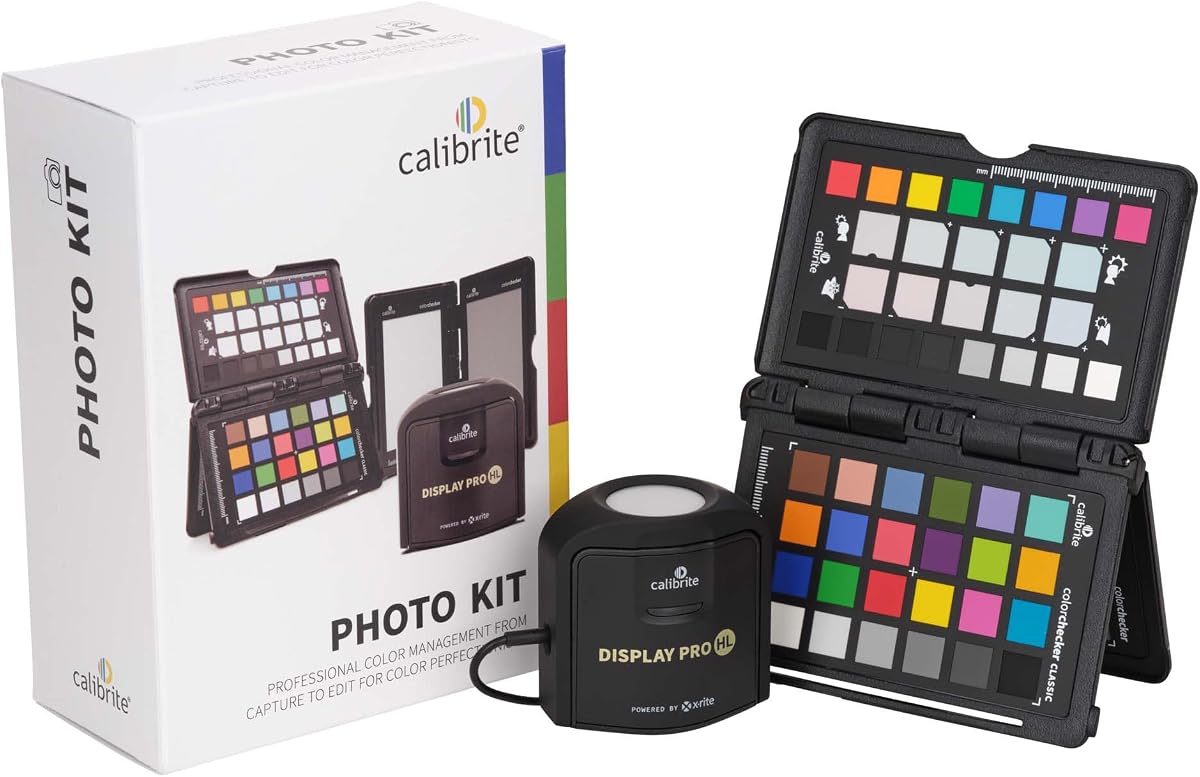
This kit combines a high-end colorimeter with a color reference chart for a complete workflow. It holds a strong rating due to its versatility for photographers.
We may earn a commission when you buy through this link, at no additional cost to you.
The Display Pro HL sensor handles modern high brightness displays well. The included Passport Photo 2 ensures your camera captures colors accurately before you even edit.
While it costs more than basic meters, the savings in time and print waste are significant. The advanced software is powerful but has a learning curve.
Photographers who want end to end color control should buy this. It bridges the gap between capture and delivery perfectly.
Custom profiles mean what you see on your screen matches what you captured with your camera.
The HL sensor ensures HDR and OLED panels are calibrated accurately without clipping highlights.
We may earn a commission when you buy through this link, at no additional cost to you.
This colorimeter stands out for its ability to handle extreme brightness levels. It is ideal for editors working with HDR content on high-end monitors.
We may earn a commission when you buy through this link, at no additional cost to you.
The advanced HL sensor measures up to 10000 nits. This ensures that highlights and contrast ratios are preserved accurately on XDR or Mini LED screens.
The software supports professional broadcast standards. This is a clear advantage for video professionals who need to maintain strict workflow compliance.
Video professionals should buy this for HDR grading work. It delivers reliability that standard meters cannot match.
Measuring high luminance ensures that the contrast you see during editing is the contrast you deliver.
Support for BT.1886 and Rec.709 keeps your grading decisions consistent across different teams.
We may earn a commission when you buy through this link, at no additional cost to you.
The 123 offers a straightforward path to color accuracy without complex settings. It is perfect for those new to calibration tools.
We may earn a commission when you buy through this link, at no additional cost to you.
Its simple 1 2 3 software removes confusion. You can set up quickly and get reliable results for basic photo editing needs.
While it lacks some pro features like HDR support, it covers the basics very well. The dual display support adds value for multi screen setups.
Beginners and hobbyists should buy this first. It teaches calibration habits without overwhelming you.
The guided steps make calibration feel like a simple routine rather than a technical challenge.
You get reliable color correction without breaking the bank, making it accessible for everyone.
We may earn a commission when you buy through this link, at no additional cost to you.
This tool simplifies calibration while adding a unique feature to preview how photos look on other devices. It balances speed and accuracy well.
We may earn a commission when you buy through this link, at no additional cost to you.
The DevicePreview Beta feature is a standout. It helps you trust your screen by showing how your work translates to phones and tablets.
Calibration takes about ninety seconds. This speed is ideal for users who need quick adjustments during busy editing sessions.
Web designers and content creators should buy this. The device preview helps ensure your work looks right everywhere.
Simulating other screens reduces the risk of surprise color shifts when clients view your work online.
The ambient light sensor keeps your screen brightness consistent with the room environment.
We may earn a commission when you buy through this link, at no additional cost to you.
This kit combines a standard colorimeter with a video color checker. It is designed for users who shoot both video and stills.
We may earn a commission when you buy through this link, at no additional cost to you.
The Passport Video 2 helps match multiple cameras on set. This ensures that your footage has consistent colors across different lenses or lighting.
The monitor calibration component is simple but effective. It ensures you see accurate colors during editing without needing advanced HDR features.
Hybrid shooters should buy this for on set efficiency. It simplifies color management from capture to delivery.
Accurate white balance on set saves hours of grading time later in post production.
The kit bridges the gap between still photography and video production needs seamlessly.
We may earn a commission when you buy through this link, at no additional cost to you.
This tool is designed for both displays and projectors. Its hardware design offers stability that is crucial for consistent results.
We may earn a commission when you buy through this link, at no additional cost to you.
The rotatable diffuser arm serves as a stand for projector profiling. This makes it versatile for presentations or home theater setups.
It offers high repeatability across different display types. This is useful for teams managing multiple screens in an office or studio.
Professionals needing projector support should buy this. It fills a niche that standard colorimeters cannot.
Calibrating projectors ensures your slides look the same on screen as they did during preparation.
The arm design allows for comfortable positioning whether profiling a screen or a large projector.
We may earn a commission when you buy through this link, at no additional cost to you.
This tool helps photographers match screen colors to prints. It focuses heavily on the final output quality rather than just the screen.
We may earn a commission when you buy through this link, at no additional cost to you.
The room light monitoring helps adjust brightness for shadow detail. This ensures that your prints have the right depth and contrast.
It is a quick calibration tool for desktops and laptops. The analysis feature lets you compare monitors if you have multiple screens.
Print-focused photographers should buy this for accuracy. It reduces waste and guesswork in the printing cycle.
Matching your screen to print standards saves ink and paper by reducing print tests.
Comparing before and after results helps you understand the impact of calibration on your specific images.
We may earn a commission when you buy through this link, at no additional cost to you.
This device is designed specifically for ASUS ProArt monitor users. It offers hardware calibration and integrates with the monitor's physical controls.
We may earn a commission when you buy through this link, at no additional cost to you.
The Dial integration provides quick shortcuts for creative software. This can speed up workflows for users who rely heavily on those functions.
However user ratings are currently very low. This suggests potential compatibility issues or bugs that might affect the user experience.
ASUS ProArt users should research carefully before buying. It may offer unique features but comes with potential risks.
Hardware calibration adjusts the monitor's internal settings for better long term color stability.
The physical dial provides direct control over tools like brush size without needing to switch windows.
We may earn a commission when you buy through this link, at no additional cost to you.
This model is a proven tool for basic color accuracy. It was widely used by many photographers and designers in its time.
We may earn a commission when you buy through this link, at no additional cost to you.
The ReCAL feature helps you check accuracy quickly without a full calibration. This keeps your display stable over long periods.
While it is older technology, it still works for basic needs. It is often available at a lower price than newer models.
Users on a tight budget should consider this. It is a functional tool that gets the job done for standard tasks.
The ReCAL tool helps ensure your monitor has not drifted since the last full calibration.
Buying used is a practical way to get reliable calibration without paying for the latest tech.
We may earn a commission when you buy through this link, at no additional cost to you.
This tool balances speed and accuracy effectively. It is designed to be user friendly for those new to calibration.
We may earn a commission when you buy through this link, at no additional cost to you.
The calibration takes just a minute or two. This speed is ideal for busy users who need to calibrate multiple screens quickly.
It supports room-light monitoring for brightness. This helps maintain accuracy as the lighting in your office changes throughout the day.
First time users should buy this for simplicity. It delivers professional results without requiring complex technical knowledge.
Fast calibration means you spend less time setting up and more time creating content.
The SpyderProof tool lets you see the improvements immediately using your own images.
We may earn a commission when you buy through this link, at no additional cost to you.
Selecting the right colorimeter requires understanding your specific workflow needs and display technologies.
Modern sensors like the HL technology can handle ultra bright displays. Older sensors may struggle with OLED or Mini LED brightness.
Look for sensors designed for the specific panel types you use.
Software is just as important as the hardware. Check if the included software supports your operating system and workflow.
Advanced users should look for software that offers custom targets and profile sharing.
Ensure the colorimeter works with your monitor type. Some tools are optimized for CRTs while others are built for modern HDR screens.
Compatibility issues can lead to inaccurate results or failed calibration attempts.
Consider how the device fits into your daily routine. Some kits include color reference cards for camera calibration too.
Choosing a device that supports your entire workflow saves time and improves consistency.
Ambient light sensors help adjust your monitor brightness to match the room. This reduces eye strain and ensures consistent viewing.
This feature is essential for studios where lighting changes throughout the day.
Modern colorimeters use USB-C for better compatibility with laptops. Check your computer ports before buying.
Adapters can be included but native support is usually more reliable and durable.
Budget models are great for basics but lack advanced features. Premium models offer better accuracy and specialized tools.
Invest in a tool that matches your income and the quality of work you deliver.
Manufacturers often release software updates to fix bugs and add support. Check the manufacturer history for reliability.
Good support ensures your device remains useful for many years.
Warm up your monitor for at least 30 minutes before calibration to ensure stable output.
Position the colorimeter correctly on your screen using the provided guides or clips.
Calibrate your monitor every month to maintain accuracy as displays age over time.
Yes, even if your monitor looks good, it may not display accurate colors. A colorimeter ensures consistency across your workflow.
For professional work, monthly calibration is recommended. Casual users may calibrate every few months to ensure accuracy.
Yes, but you need a modern colorimeter designed for OLED. Older sensors may not measure OLED brightness accurately.
Software calibration adjusts colors in Windows or Mac settings. Hardware calibration adjusts the monitor's internal settings for better stability.
Yes, most modern tools support multiple displays. This ensures consistency across your entire workspace setup.
Most colorimeters come with free software. Some advanced features might require a paid upgrade depending on the brand.
Lighting changes how your eyes perceive colors. Calibration in your typical working environment ensures better results.
Un calibrated monitors may show colors incorrectly. This can lead to print errors or issues when clients view your work.
The best tool for you depends on your budget and workflow needs. The kits offer complete solutions for professionals.
Consider your display type carefully. Ensure the device you choose supports the brightness and technology of your screen.
Prices and availability change often. Check the latest deals to get the best value for your purchase today.