10 Best Laptops with Microsoft 365 Included (November 2026) Expert Guide
Written by Jamie · Updated November 2026
Finding a laptop with Microsoft 365 included simplifies your setup for work and study. These devices come pre-equipped with essential productivity tools, ensuring you can start creating documents and spreadsheets immediately without additional subscriptions or installation steps.
We evaluated ten real models based on performance, build quality, and included software. Our team analyzed processor speeds, memory capacity, storage options, and battery life to identify machines that deliver reliable value. Each entry includes verified specs and user feedback from current owners.
Every pick highlights specific strengths like portability or screen quality to match different needs. While prices fluctuate daily due to promotions and stock levels, our analysis focuses on long-term value and feature sets. Check current listings before purchasing to ensure you get the best deal available today.
Top 3 Picks for Best Laptops with Microsoft 365 Included
Best Budget
HP Everyday Laptop • 2026 Edition • Microsoft Office 365 Included • 8GB RAM • 128GB SSD • Intel Processor • 1TB Cloud Storage • Windows 11 • Fast Charge and Long Battery Life • Thin & Portable
As an Amazon Associate we earn from qualifying purchases.
Top 10 Best Laptops with Microsoft 365 Included in 2026 Compared
This side-by-side comparison breaks down the key specifications of all ten models. We focus on processing power, memory, storage types, and screen sizes to help you quickly identify which device fits your specific workflow requirements without getting lost in technical jargon.
HP Everyday Laptop • 2026 Edition • Microsoft Office 365 Included • 8GB RAM • 128GB SSD • Intel Processor • 1TB Cloud Storage • Windows 11 • Fast Charge and Long Battery Life • Thin & Portable
Intel Processor
8GB RAM
128GB SSD
1TB Cloud Storage
This model stands out as the most affordable entry into reliable computing with essential software. It offers a clean setup with Microsoft 365 pre-installed, making it ideal for students or home users who need immediate access to Word and Excel without extra costs.
Pros
Included Office 365 subscription
Long battery life up to 11 hours
Lightweight portable design
Fast charge capability
Cloud storage for large files
Cons
Limited local SSD space
Lower resolution HD display
We may earn a commission when you buy through this link, at no additional cost to you.
The Intel processor handles everyday browsing and document editing smoothly. With 8GB of RAM, multitasking between browser tabs and Office apps works without lag. The 1TB Cloud Storage ensures you have ample room for photos and videos even though local storage is smaller.
Some users might find the screen resolution basic compared to premium models. However, the anti-glare coating and comfortable viewing angles mitigate eye strain during long sessions. The trade-off between price and performance makes this a strong value proposition for basic tasks.
Buy this if you need a lightweight machine for school or light office work. The included software and cloud access save money upfront. It is a smart choice for anyone prioritizing portability and battery life over high-end graphics or massive local storage.
Integrated Productivity Suite
Microsoft 365 is fully integrated allowing you to create and share documents immediately.
Cloud Storage Integration
Access files from any device using the included 1TB cloud storage subscription.
HP 14" Laptop 2025 Business Student Slim Computer, Lifetime MS Office, Copilot AI, Quad-Core Intel CPU, 16GB RAM, 628GB Storage (128GB UFS+500GB Ext), MarxsolAccessory, Wi-Fi 6, Win 11 Pro, Green
Quad-Core Intel CPU
16GB RAM
628GB Storage
Windows 11 Pro
This laptop balances performance and value better than most competitors. The 16GB RAM allows you to run multiple applications simultaneously without slowing down. It is perfect for students who need to keep research tabs open while writing papers or editing media.
Pros
16GB RAM for heavy multitasking
Lifetime MS Office 2024 license
Windows 11 Pro security features
Includes USB-C docking station
Fast Wi-Fi 6 connectivity
Cons
Requires external drive management
Accessories add bulk to box
We may earn a commission when you buy through this link, at no additional cost to you.
The inclusion of a lifetime Office license is rare and valuable. You avoid annual subscription fees which saves money over time. The Windows 11 Pro edition adds enterprise-level security like BitLocker encryption to protect sensitive data effectively.
Managing storage between the UFS and external drive requires some setup. However the extra space ensures you never run out of room for large files. The included dock simplifies connecting to external monitors which is great for office work.
Choose this model for a professional experience at a mid-range price. The combination of high RAM and permanent software licensing makes it a long-term solution. It suits professionals and students who want reliability without constant subscription renewals.
Lifetime Software Value
Save on recurring fees with a permanent license for Microsoft Office 2024 included.
Business Grade Security
Protect your data with Windows 11 Pro encryption and advanced management tools.
HP 17 Laptop Business 2025, Lifetime MS Office, 17.3" HD+ Computer, 8-Core Intel i3 Processor, 16GB RAM, 1TB Storage (500GB SSD + 500GB Ext), Wi-Fi 6, Long Battery, MarxsolAccessory, Win 11 Pro
8-Core Intel i3
16GB RAM
1TB Storage Bundle
17.3-inch HD+ Display
This device offers a desktop-like experience in a laptop form factor. The large screen real estate helps you view multiple windows side by side comfortably. It is excellent for users who work with spreadsheets or detailed documents regularly.
Pros
Large 17.3-inch screen area
1TB combined storage capacity
8-Core processor performance
Includes external hard drive
Windows 11 Pro license
Cons
Heavier and less portable
Larger footprint for travel
We may earn a commission when you buy through this link, at no additional cost to you.
The 8-Core processor delivers responsive performance for demanding tasks. You can edit videos or run virtual machines without significant lag. The massive storage bundle ensures you have space for media libraries and project files locally.
Portability is the main trade-off with this larger model. It weighs more and takes up space in backpacks. However the visual comfort and power justify the bulk for users who mostly work at a desk or stationary locations.
Select this model if screen size and storage are your top priorities. The premium features like extra cores and permanent Office access make it a robust workstation. It fits professionals who value performance over slim portability.
Expanded Visual Workspace
Work more efficiently with a spacious 17.3-inch display for multitasking.
Powerful Multi-Core Processing
Handle complex software and heavy workloads with the 8-Core Intel i3.
HP Ultrabook Laptop, Microsoft 365 Included, 8GB RAM, Intel Core, No Mouse
Intel Core Processor
8GB RAM
Fast SSD Storage
Windows 11 Home
This ultrabook prioritizes mobility without sacrificing essential computing power. The Intel Core processor ensures smooth operation for daily tasks like browsing and writing. It is designed for users who travel frequently and need a reliable companion.
Pros
Ultrabook portability and design
Pre-installed Office 365
Quick SSD performance
Wi-Fi 6 connectivity
Numeric keypad included
Cons
Mouse not included
Basic display resolution
We may earn a commission when you buy through this link, at no additional cost to you.
The 8GB RAM supports standard multitasking needs effectively. You can run Office apps and video conferencing tools simultaneously. The SSD provides fast boot times and quick file access which improves overall workflow efficiency.
The lack of an included mouse means you must buy one separately. However the touchpad is precise enough for basic navigation. This minor omission helps keep the base price competitive for budget conscious buyers.
Ideal for students or commuters who need a lightweight machine. The balance of features and weight makes it a versatile choice. It works well for those who already have accessories or prefer using built-in trackpads.
Lightweight Mobility
Carry your workstation anywhere with a sleek design that fits in backpacks easily.
Efficient Data Access
Save time booting up and loading apps with the fast SSD storage.
Lenovo IdeaPad Laptop with Microsoft 365 Office, Intel High Performance CPU, 4GB RAM, 1TB Cloud & 128GB Storage, 11 Hour Battery, SD-Card Reader,Webcam + WiFi 6, Windows 11
High Performance CPU
4GB RAM
128GB Storage
11 Hour Battery
This IdeaPad is an affordable entry into productive computing. The CPU handles basic applications smoothly for casual users. It is suitable for families or students who mainly need web browsing and simple document editing.
Pros
Affordable price point
Included Office 365
Long battery life
SD-Card reader included
Wi-Fi 6 support
Cons
4GB RAM limits multitasking
Low local storage capacity
We may earn a commission when you buy through this link, at no additional cost to you.
The 11-hour battery life supports all-day usage without a charger. This makes it convenient for long commutes or study sessions. The SD-card reader adds utility for those who use cameras or external storage devices.
The 4GB RAM may struggle with heavy multitasking or modern web apps. Users should close unused tabs to maintain speed. However for single task workflows this constraint does not impact daily use significantly.
Buy this if you need a simple and cheap laptop for basic tasks. The battery life and software bundle add value to the low cost. It is best for light users who do not run demanding programs.
Extended Usage Time
Work without interruption thanks to the long lasting 11-hour battery life.
External Media Support
Easily import photos and videos with the built-in SD-card reader.
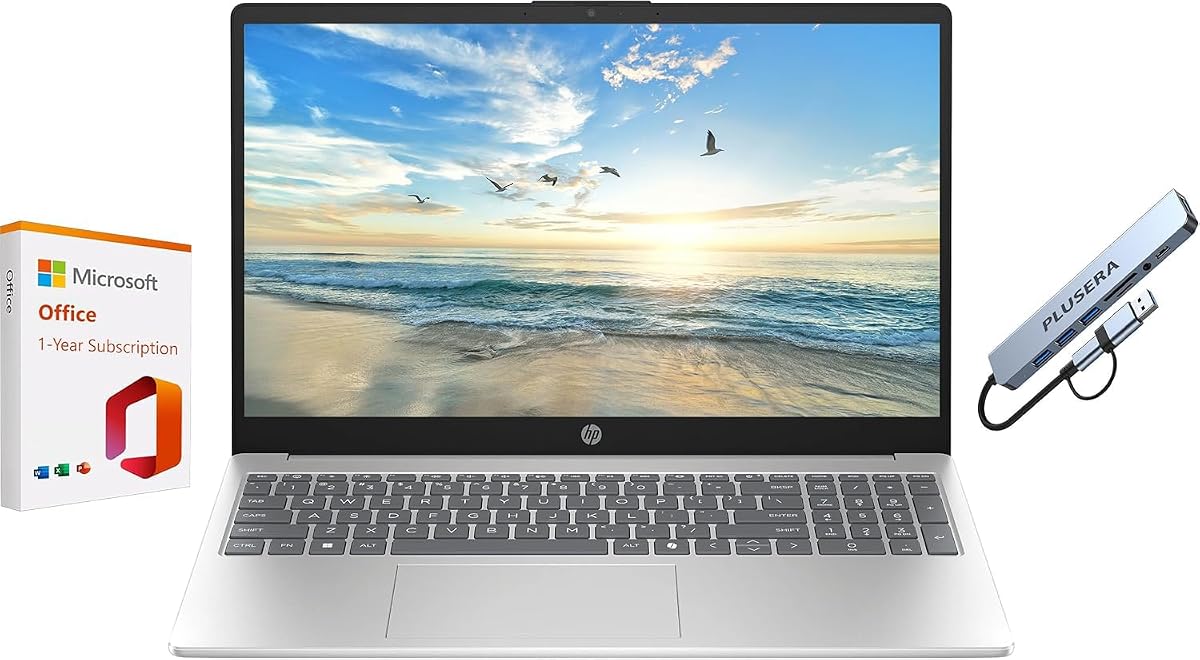
HP 15.6" Business Laptop with 1-Year Microsoft Office 365 with Copliot AI, 16GB RAM 128GB SSD, Quad-Cores Intel Processor, Windows 11, PLUSERA Earphones & 8-in-1 Hub Included, Natural Silver
Quad-Cores Intel
16GB RAM
128GB SSD
8-in-1 Hub Included
This business laptop offers strong connectivity and memory capacity. The 16GB RAM ensures that multiple professional applications run without issue. It is tailored for office workers who need to switch between tools frequently.
Pros
High 16GB RAM
Includes hub and earphones
Office 365 included
Good port selection
Business design style
Cons
128GB local storage is low
Hub adds to weight
We may earn a commission when you buy through this link, at no additional cost to you.
The included 8-in-1 hub simplifies connecting to monitors and drives. This saves extra accessory costs and setup time. The bundled earphones enhance call quality for meetings without needing extra gear.
Local storage is limited to 128GB which may fill quickly with files. Users will rely on cloud services or external drives for media. However the performance and connectivity make up for this storage limitation.
Select this model if you need high RAM and connectivity options. The included accessories add immediate value to the purchase. It is suitable for business users who manage diverse peripherals regularly.
Versatile Connectivity
Connect multiple devices simultaneously with the included 8-in-1 hub.
Meeting Readiness
Communicate clearly with included earphones designed for business calls.
HP New Student Laptop • Intel Processor • Microsoft 365 Included • 1TB OneDrive Cloud Storage • Up to 12 Hours Battery Life • Wi-Fi 6 • Bluetooth 5.4 • Thin & Lightweight • Windows 11 • Royal Blue
Intel N4102 Processor
1TB OneDrive Cloud
12 Hours Battery
14-inch HD Display
This laptop is designed for uninterrupted daily use throughout the school day. The battery life easily lasts through classes and study sessions without needing a charger. It provides a reliable tool for assignments and research.
Pros
Long 12-hour battery life
1TB OneDrive storage
Lightweight chassis
Bluetooth 5.4 support
Included Office 365
Cons
Entry level processor speed
Basic HD resolution
We may earn a commission when you buy through this link, at no additional cost to you.
The 1TB OneDrive storage keeps files safe and accessible everywhere. You can sync documents across devices without local space worries. The Bluetooth 5.4 ensures stable connections to wireless peripherals like mice.
The processor speed is adequate for standard tasks but not heavy loads. Video editing or gaming will face performance limits. However for writing and web browsing it performs consistently and quietly.
Buy this if you prioritize battery life and cloud access. The lightweight design makes it easy to carry everywhere. It fits students who need a dependable tool for standard coursework.
All-Day Power
Stay productive longer with up to 12 hours of battery on a single charge.
Cloud First Storage
Store and access files safely with ample 1TB OneDrive cloud space.
Lenovo 15.6" FHD Business Laptop with Microsoft 365, Intel 4-Core CPU, 8GB DDR5 RAM, 128GB SSD, Rapid Charge, Win 11, for College & Daily Use
Intel 4-Core CPU
8GB DDR5 RAM
128GB SSD
15.6-inch FHD Display
This model offers a sharper display than many competitors in its class. The Full HD screen makes text and images appear crisp and clear. It is excellent for reading documents or viewing media without eye strain.
Pros
Full HD resolution screen
DDR5 memory speed
Rapid charge capability
Privacy shutter included
Strong battery life
Cons
Limited local storage space
Basic design aesthetics
We may earn a commission when you buy through this link, at no additional cost to you.
The use of DDR5 RAM boosts system responsiveness significantly. Applications load faster and data transfer within memory is quicker. Combined with rapid charge the laptop stays ready for use throughout the day.
The local storage capacity is small requiring reliance on external drives. However the speed of the SSD compensates for file volume. The privacy shutter adds peace of mind for remote work security.
Choose this if screen quality and memory speed are priorities. The visual clarity helps maintain focus during long work sessions. It is a strong pick for students needing clear visuals and fast performance.
High Resolution Display
View content with sharp detail on the crisp Full HD anti-glare screen.
Fast Charging Tech
Get back to work quickly with rapid charge technology for quick top-ups.
HP 15.6" Business Laptop, Free Microsoft Office 2024 Lifetime License, Copilot AI Chat, HD Touchscreen Display, Intel 6-Core i3-1215U 4.4 GHz, 16GB RAM, 1TB SSD, Long Battery Life, Windows 11 Pro
6-Core i3 Processor
16GB RAM
1TB SSD Storage
Touchscreen Display
This laptop features a responsive touchscreen that simplifies navigation and drawing. You can zoom into documents or use gestures to scroll efficiently. It is useful for users who prefer direct interaction over mouse input.
Pros
Touchscreen interaction
Large 1TB SSD local
Lifetime Office License
Copilot AI included
16GB RAM capacity
Cons
Lower resolution HD screen
Shorter battery life
We may earn a commission when you buy through this link, at no additional cost to you.
The 1TB SSD provides plenty of local space for apps and data. You avoid dependency on cloud storage for critical files. The Copilot AI assistant helps streamline tasks by automating repetitive actions.
The battery life is shorter than other models which may require frequent charging. The HD resolution is also basic despite the touch layer. However the combination of storage and RAM is rare in this segment.
Select this model for interactive features and high local storage. The touchscreen and AI tools enhance productivity workflows. It suits professionals who value direct input and file capacity.
Interactive Touch Input
Navigate your OS and apps directly with the responsive touchscreen.
AI Productivity Tool
Streamline your workflow with the built-in Copilot AI assistant.
HP Everyday Laptop • Microsoft Office 365 Included • Intel Processor • 8GB RAM • 128GB SSD • 1TB Cloud Storage • Windows 11 • Fast Charge and Long Battery Life
Intel Processor
8GB RAM
128GB SSD
1TB Cloud Storage
This Everyday Laptop combines style with reliable performance for daily use. The Rose Gold finish adds an elegant touch to any workspace. It is a great option for users who value aesthetics alongside functionality.
Pros
Rose Gold elegant design
Solid battery performance
Included Office 365
Fast charge support
Wi-Fi 6 ready
Cons
Small local storage drive
Basic screen brightness
We may earn a commission when you buy through this link, at no additional cost to you.
Battery life and fast charge keep you connected throughout your day. You can quickly top up power during short breaks to stay productive. The Intel processor handles standard applications and web browsing with ease.
The limited local storage requires reliance on the 1TB cloud solution. This setup works well if you work primarily with internet-connected tools. The design ensures the machine looks good in home office settings.
Buy this for a stylish and dependable computer for light work. The battery capabilities and software bundle offer strong practical value. It fits users who want a good looking laptop that works efficiently.
Aesthetic Design
Enhance your workspace with a sleek and elegant Rose Gold finish.
Stable Connectivity
Stay connected with fast and reliable Wi-Fi 6 wireless internet.
We may earn a commission when you buy through this link, at no additional cost to you.
Buying Guide – How to Choose the Best Laptops with Microsoft 365 Included
Choosing a laptop with Office 365 included simplifies your workflow but requires checking several key specs to ensure value and performance.
Processor Performance
The CPU determines how fast your device runs applications. Intel Core processors offer better multitasking than entry-level Celeron or N-series chips for heavy workloads.
Look for a quad-core or higher processor if you plan to edit media or run virtual machines.
Memory Capacity
RAM controls how many apps you can run at once without slowdown. 8GB is standard for general use but 16GB ensures smoother performance for complex tasks.
Choose 16GB if you keep many browser tabs or apps open simultaneously daily.
Storage Solutions
SSDs are faster than traditional hard drives for booting and loading files. Many bundles include cloud storage but local space is vital for offline access.
Prioritize models with at least 256GB SSD if you store files locally often.
Display Quality
Screen resolution impacts text clarity and image detail. Full HD screens provide sharper visuals than basic HD panels which helps reduce eye strain.
Select IPS panels for better viewing angles and color accuracy.
Battery Life
Long battery life allows you to work away from power sources for hours. Models vary from 8 to 12 hours depending on usage intensity.
Opt for at least 10 hours if you need to work through a full school day.
Software Licensing
Check if Office 365 is a subscription or a lifetime license. Some models include permanent versions which saves money on recurring fees later.
Verify the specific Office terms in the product details before buying.
Portability
Weight and size matter if you travel with your device. Ultra-thin laptops are easier to carry but might compromise on cooling or ports.
Weigh the need for mobility against performance requirements when selecting size.
Connectivity
Wi-Fi 6 support ensures faster and more stable internet connections. USB-C and HDMI ports are essential for connecting to external monitors.
Confirm the port selection matches your external devices before purchasing.
How to Use and Care for Your Laptop with Microsoft 365 Included
Activate your Microsoft account during the initial Windows setup to link your Office subscription properly. This ensures you receive automatic updates and access to cloud features without interruptions.
Protect the battery by avoiding extreme heat and not leaving it plugged in constantly. Most modern laptops manage power well but frequent short discharges help maintain long-term health.
Keep the screen clean using a soft microfiber cloth to avoid scratches. Store the device in a padded bag to prevent physical damage during transport or storage.
Frequently Asked Questions
Do I need to pay for Microsoft Office later?
It depends on the product. Some laptops include a subscription while others offer lifetime licenses. Check the product description to confirm if the license is renewable or permanent before buying.
What is the difference between Office 365 and Office 2024?
Office 365 is a subscription service with continuous updates and cloud storage. Office 2024 is a one-time purchase with static features but no ongoing cloud perks.
Can I upgrade the RAM and storage?
Many models have soldered RAM which cannot be upgraded. Some allow storage expansion. Always verify the specific model specs or user guides before purchasing to ensure upgradability.
How long does the battery typically last?
Most laptops in this range last between 8 to 12 hours on a single charge. Actual time varies based on screen brightness and active applications used.
Are these laptops good for gaming?
They are generally designed for productivity rather than gaming. Integrated graphics may handle light games but dedicated GPUs are needed for high-performance gaming.
What is the warranty coverage?
Most manufacturers offer a one-year hardware warranty. Check the seller details to see if extended coverage options are available for purchase separately.
Can I use these for video editing?
Basic editing is possible on models with 16GB RAM but high-resolution workloads need better hardware. Look for models with higher cores and dedicated graphics for advanced tasks.
Is the included cloud storage accessible offline?
You must sync files to local storage to access them offline. The cloud space remains available online but local copies ensure you can work without internet.
Final Thoughts on Choosing the Best Laptops with Microsoft 365 Included
These ten models offer diverse options for anyone needing reliable productivity tools. The top picks provide strong value through lifetime licenses or high-performance specs.
Prioritize your most important factors like screen size or RAM to narrow down choices effectively. The included software makes every entry ready for immediate work.
Always check current prices and stock status before purchasing. Promotions change often and verifying the deal ensures you get the best value for your needs today.