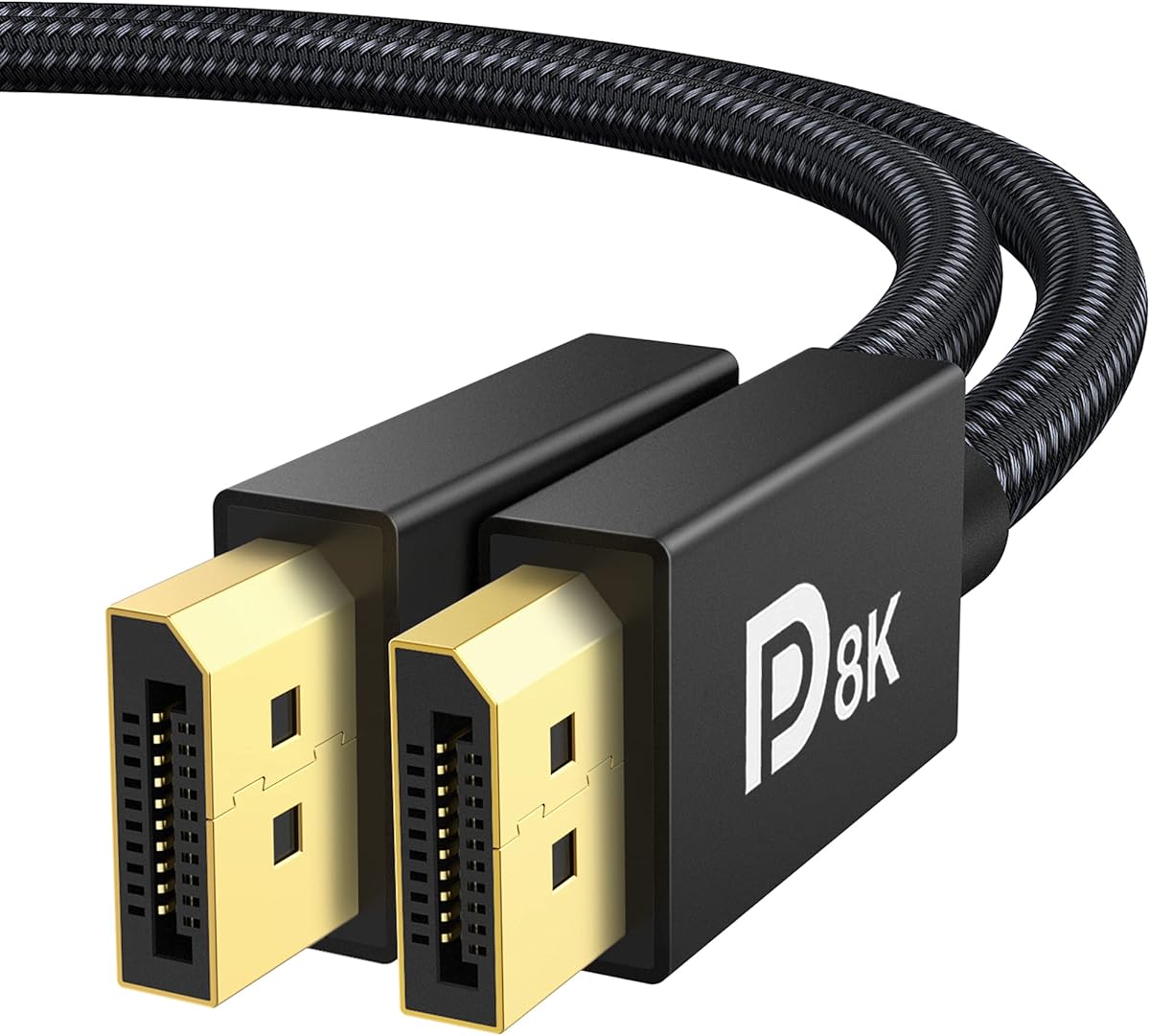
IVANKY VESA Certified 8K DisplayPort Cable 1.4
4.7Editor score
VESA Certified 1.4
8K 60Hz Support
Nylon Braided Jacket
This guide compares top Displayport cables for 144Hz gaming monitors, focusing on bandwidth, VESA certification, durability, and compatibility for high refresh
Finding the right Displayport cable for 144Hz gaming requires understanding bandwidth and certification. High refresh rates demand stable signal transmission to prevent flickering or loss of resolution during intense gameplay sessions.
We evaluated ten leading Displayport cables based on VESA certification, bandwidth capacity, and build quality. Our analysis focuses on models that support 144Hz and beyond while ensuring compatibility with modern graphics cards and monitors.
Each pick highlights specific strengths like durability, shielding, and supported resolutions. Please note that availability and pricing change frequently, so verify current details before making your final purchasing decision online.
4.7Editor score

4.6Editor score

4.7Editor score
The following table provides a side-by-side comparison of all ten Displayport cables evaluated in this guide. Each entry includes key specifications and direct links to verify current availability and details.


The Silkland 54Gbps 16K DisplayPort Cable 2.1 stands out as a top choice for high performance setups. It carries VESA certification which ensures it meets rigorous standards for signal integrity and bandwidth capacity necessary for demanding gaming environments.
We may earn a commission when you buy through this link, at no additional cost to you.
Its 54Gbps bandwidth allows it to handle resolutions up to 16K at 60Hz or 4K at 240Hz. This makes it future proof for next gen monitors and graphics cards. The triple shielding and 28AWG tinned copper conductors minimize interference and signal loss significantly.
While the price point is higher than basic cables, the durability justifies the cost. The nylon braided jacket and gold plated connectors resist wear and corrosion over time. This reduces the risk of connection issues during extended use periods.
Users seeking a reliable cable for high refresh rate gaming should consider this model. It supports G Sync and FreeSync which are essential for smooth gameplay. The included warranty provides additional peace of mind regarding product quality and support.
VESA certification confirms the cable meets strict performance and quality standards. This ensures compatibility with high bandwidth requirements and reliable signal transmission across different devices.
The nylon braided jacket and gold plated connectors enhance physical resilience. These features help the cable withstand bending and environmental factors over long term daily use.
We may earn a commission when you buy through this link, at no additional cost to you.
The IVANKY 8K DisplayPort Cable 1.4 offers excellent value for users needing reliable performance without high costs. It is VESA certified ensuring it meets industry standards for signal quality. This makes it a safe choice for standard 144Hz gaming setups.
We may earn a commission when you buy through this link, at no additional cost to you.
It supports resolutions up to 8K at 60Hz and 4K at 240Hz which covers most current monitor needs. The 30AWG tinned copper construction provides flexibility and helps reduce signal loss compared to thicker cables. The nylon braided jacket adds significant durability against daily wear.
Though it lacks DP 2.1 features the bandwidth is sufficient for most high refresh rate displays. The latch free design prevents accidental damage to ports when disconnecting cables frequently. This is a practical feature for setups requiring regular maintenance or cable swapping.
Budget conscious gamers should find this model meets their needs effectively. It supports FreeSync and G Sync for smooth visuals. The extended warranty period reflects confidence in product longevity and quality control standards.
The 30AWG tinned copper construction allows for a slimmer and more flexible cable. This flexibility makes routing easier in tight spaces without compromising signal integrity.
Pricing is competitive while maintaining VESA certification and durable materials. This balance makes it an attractive option for cost effective high performance setups.
We may earn a commission when you buy through this link, at no additional cost to you.
The Silkland 80Gbps DisplayPort Cable 2.1 is designed for users demanding maximum performance capabilities. It supports UHBR20 standards enabling uncompressed transmission of high resolution content. This ensures minimal latency and maximum visual fidelity during intense gaming sessions.
We may earn a commission when you buy through this link, at no additional cost to you.
With 80Gbps bandwidth it supports resolutions up to 16K at 60Hz and 4K at 240Hz with ease. The triple shielding and 28AWG tinned copper maintain signal stability. Dynamic HDR10 Plus support enhances visual contrast and color accuracy significantly.
This cable is ideal for future proofing setups against emerging monitor technologies. The build quality matches the high performance specs with durable materials throughout. However users must ensure their hardware supports DP 2.1 to utilize these advanced features fully.
Enthusiasts seeking the best available performance will appreciate this model. It supports multi monitor setups via MST which expands workspace options. The included warranty and support reflect a commitment to customer satisfaction and product reliability.
UHBR20 support allows for significantly higher bandwidth than previous standards. This enables uncompressed high resolution video and audio transmission without signal degradation.
Dynamic HDR10 Plus support improves contrast and color accuracy on compatible displays. This results in a more immersive viewing experience with deeper blacks and vibrant colors.
We may earn a commission when you buy through this link, at no additional cost to you.
The UGREEN 16K DisplayPort Cable 2.1 delivers solid performance with a focus on stability and heat management. Its 54Gbps bandwidth supports high resolutions and refresh rates. The aluminum alloy housing helps dissipate heat during long usage periods effectively.
We may earn a commission when you buy through this link, at no additional cost to you.
Users will appreciate the support for HDR and Dolby eARC audio which enhances multimedia experiences. The nylon braided jacket provides strong resistance against physical wear and tear. VESA certification ensures the cable meets established industry quality and performance benchmarks.
While the design is standard the internal quality stands out through consistent signal transmission. The absence of locking buckles simplifies connections in tight spaces where clearance is limited. This makes it versatile for various desk layouts and setups.
Gaming setups requiring stable high refresh rates will benefit from this cable. It supports G Sync and FreeSync to prevent screen tearing. The combination of build quality and bandwidth capacity makes it a strong contender in its category.
The aluminum alloy housing facilitates efficient heat dissipation during operation. This feature helps maintain stable signal transmission even during extended periods of high bandwidth usage.
Support for Dolby eARC enhances audio quality when connected to compatible audio systems. This ensures high fidelity sound delivery alongside high resolution video transmission.
We may earn a commission when you buy through this link, at no additional cost to you.
The Capshi 8K DisplayPort Cable 1.4 is a reliable option for users with standard high refresh rate monitors. VESA certification ensures quality standards are met for consistent performance. It supports 8K at 60Hz which covers most current visual needs effectively.
We may earn a commission when you buy through this link, at no additional cost to you.
The slimmer profile compared to some competitors makes routing easier behind desks and through cable management systems. HBR3 technology provides sufficient bandwidth for 144Hz at 4K resolution without needing advanced compression. DSC support helps manage higher resolutions when needed.
This cable is suitable for users not requiring DP 2.1 features. The build quality includes multiple shielding layers to prevent signal interference. Gold plated connectors help maintain a secure connection and resist oxidation over time significantly.
Users looking for a straightforward and certified cable will find this value. It supports standard gaming features like FreeSync and G Sync compatibility. The design prioritizes flexibility and ease of use without unnecessary bulk or complexity.
The slimmer profile allows for easier routing in tight spaces. This reduces strain on ports and cables in crowded desk setups where space is limited.
Designed for broad compatibility with existing DisplayPort 1.4 devices. This ensures it works reliably with most current monitors and graphics cards.
We may earn a commission when you buy through this link, at no additional cost to you.
The Ubluker 10K 8K DisplayPort 2.1 Cable offers modern features suitable for high end setups. It supports 54Gbps bandwidth and UHBR standards which are necessary for advanced visual performance. The nylon braided design ensures durability in daily usage scenarios.
We may earn a commission when you buy through this link, at no additional cost to you.
Support for 8K at 60Hz and 12bit color depth enhances the visual experience significantly. The cable is designed to meet the needs of higher definition multimedia transmission. It supports FreeSync and G Sync to ensure smooth gameplay without tearing artifacts.
While the brand is less prominent than others it provides specific technical details relevant to users. The inclusion of DSC compression helps manage data efficiently across different resolutions. This flexibility is valuable for multi-monitor or high refresh rate configurations.
Users should verify hardware compatibility before purchasing to ensure optimal performance. The features suggest it is a solid choice for those needing specific bandwidth capabilities. It provides a viable alternative to more established brands at a competitive value.
Support for UHBR standards ensures compatibility with newer graphics cards. This allows for higher bandwidth utilization and better performance on supported displays.
12bit color depth support provides richer color gradients and visual fidelity. This is beneficial for content creation and high fidelity gaming environments.
We may earn a commission when you buy through this link, at no additional cost to you.
The IVANKY 80Gbps DisplayPort Cable 2.1 is designed for high performance demands. VESA certification and UHBR20 support ensure reliable transmission of high resolutions. The aluminum alloy housing resists rust and aids in heat dissipation during active use.
We may earn a commission when you buy through this link, at no additional cost to you.
Users will appreciate the support for resolutions up to 16K at 60Hz. This makes it a future proof choice for next generation displays. The 30AWG construction offers a flexible slimmer profile than thicker counterparts significantly.
The latch free design prevents accidental damage to ports when disconnecting cables. This is a practical benefit for users who frequently swap connections or work in tight spaces. Durable materials ensure the cable withstands daily bending and wear over time.
Enthusiasts looking for top tier performance should consider this model. It supports FreeSync and G Sync which are critical for gaming smoothness. The combination of specs and build quality makes it a strong option for high end setups.
The aluminum alloy housing is designed to resist rust and manage heat effectively. This helps maintain stable performance during long periods of high data transmission.
Support for UHBR20 and high resolutions ensures compatibility with future monitors. This investment protects against obsolescence as display technologies evolve.
We may earn a commission when you buy through this link, at no additional cost to you.
The Silkland 54Gbps DisplayPort Cable 2.1 offers a secure connection option with a locking latch. This prevents accidental signal interruptions caused by tugs or pets. VESA certification ensures it meets the necessary performance standards for high bandwidth usage.
We may earn a commission when you buy through this link, at no additional cost to you.
It supports resolutions up to 8K at 165Hz and 4K at 480Hz with DSC enabled. This provides ample headroom for current and future display capabilities. The 28AWG tinned copper conductors ensure stable transmission with minimal signal loss during usage.
The secure latch is a distinct feature for users needing connection stability. While this adds rigidity it protects against disconnection issues. The braided nylon exterior is designed to withstand bending and physical wear over long periods.
Users prioritizing connection security will find this model practical. It supports G Sync and FreeSync which are essential for gaming. The design balances performance with a specific mechanical benefit that addresses connection reliability concerns.
The secure locking latch prevents accidental disconnections from physical contact. This is ideal for setups where cables may be bumped or tugged regularly.
The 54Gbps bandwidth supports high refresh rates and resolutions with DSC. This ensures compatibility with most modern high performance monitors.
We may earn a commission when you buy through this link, at no additional cost to you.
This product listing currently lacks detailed specification data. The link provided leads to an Amazon page where users can check current details. It is essential to verify compatibility and specs before purchasing to ensure suitability for 144Hz setups.
We may earn a commission when you buy through this link, at no additional cost to you.
Without specific features or certifications it is difficult to evaluate performance. Users should look for VESA certification and bandwidth capacity when reviewing the live product details. Checking reviews and descriptions will help confirm quality standards.
The lack of data means users must do additional research independently. This highlights the importance of checking product pages before finalizing a purchase. Ensure the cable supports the necessary refresh rates and resolutions for your hardware.
When product data is limited check live descriptions and reviews for verification. This ensures you have accurate information regarding performance and quality.
We may earn a commission when you buy through this link, at no additional cost to you.
This listing provides a link but currently lacks specific product specifications. Users should visit the page to confirm if the cable meets their needs for 144Hz gaming. Checking compatibility with current hardware is vital before proceeding with a purchase.
We may earn a commission when you buy through this link, at no additional cost to you.
The absence of data requires personal verification of quality and standards. Look for mentions of VESA certification and bandwidth requirements in the live listing. User feedback often reveals real world performance issues not present in static descriptions.
It is crucial to ensure the cable supports high refresh rates without artifacts. Verify connection types and lengths match your desk layout needs. Taking these steps prevents acquiring hardware that does not meet performance expectations.
Always verify product specs against your hardware requirements. This ensures the cable supports the necessary bandwidth and physical fit for your setup.
We may earn a commission when you buy through this link, at no additional cost to you.
Selecting the right Displayport cable requires evaluating bandwidth, certification, build quality, and compatibility. This guide breaks down the key factors to consider for high refresh rate setups.
Bandwidth determines the maximum data transfer rate. Higher refresh rates like 144Hz and resolutions like 4K require significant bandwidth. A cable with at least 32.4Gbps is recommended for 144Hz at 4K without compression. For higher resolutions like 8K or 16K, newer standards like 54Gbps or 80Gbps are needed.
Always check if the cable supports the necessary bandwidth for your specific monitor settings to avoid performance bottlenecks.
VESA certification guarantees the cable meets specific industry standards for performance and reliability. Certified cables undergo testing to ensure they can handle claimed bandwidths without signal loss. This reduces the risk of flickering or resolution drops during use.
Look for the VESA logo or certification statement in product descriptions to ensure compatibility.
Internal construction affects signal integrity and durability. Materials like 28AWG or 30AWG tinned copper conductors help maintain signal stability. Shielding layers protect against electromagnetic interference which can cause visual artifacts.
Prioritize cables with solid conductors and multiple shielding layers for stable high-speed transmission.
Physical durability is crucial for cables that may experience bending or stress. Nylon braided jackets are more resistant to wear than standard PVC covers. Gold plated connectors help prevent oxidation and ensure a clean connection over time.
Check for mentions of braided jackets and gold plating to ensure long-term physical durability.
The type of connector affects ease of use and port safety. Some cables include locking latches to prevent accidental disconnections, while others use a latch-free design for easier insertion. Consider your desk layout to decide which is more practical for your use case.
Select a connector design that prevents accidental unplugging without damaging your device ports.
Cable length should match your physical setup to avoid tension or signal degradation. Shorter cables generally maintain signal integrity better but limit placement options. Ensure the cable is flexible enough to route through your desk cable management system easily.
Choose a length that provides slack for movement but avoids unnecessary excess that can clutter the workspace.
Ensure the cable version matches your hardware capabilities. A DP 1.4 cable may not support newer high-resolution features of DP 2.1 hardware. Verify that the graphics card and monitor ports match the cable specifications for optimal performance.
Verify port versions on both the PC and monitor to ensure full compatibility and feature support.
Higher bandwidth and better materials often come with a higher price tag. Balance your budget with the performance needs of your monitor. Basic 144Hz setups do not always require the most expensive 80Gbps cables.
Determine if you need future-proofing specs or current performance to justify the cost.
Insert the cable firmly into the Displayport ports on both the computer and monitor until it clicks. Ensure the connectors are aligned correctly to avoid bending pins inside the port.
Run the cable through desk grommets or trays to prevent it from being stepped on or tugged. Avoid sharp bends at the connection points which can damage internal wires over time.
Periodically inspect connectors for dust or debris and clean with a soft brush. Unplug by pressing the release button if present rather than pulling the cable itself to protect the port.
For 144Hz at 1080p or 2K, a Displayport 1.2 cable is often sufficient. However for 4K at 144Hz or higher refresh rates, a Displayport 1.4 or 2.1 cable is recommended to handle the required bandwidth without compression.
Yes, longer cables can potentially lead to signal degradation if not properly constructed. High-quality cables with proper shielding and conductors are essential for lengths exceeding 10 feet to maintain signal integrity at high refresh rates.
VESA certification is a standard set by the Video Electronics Standards Association to ensure cables meet performance requirements. It guarantees the cable can handle specified bandwidths and resolutions reliably.
Using adapters can sometimes degrade signal quality or reduce bandwidth. It is best to use direct connections whenever possible. If adapters are necessary, choose high-quality ones designed for your specific resolution and refresh rate.
If your display flickers, check if the cable is securely connected and not damaged. Verify that the cable supports the refresh rate you are attempting. Try updating graphics drivers or lowering the refresh rate temporarily to test cable stability.
Yes, Displayport cables support digital audio transmission alongside video. This means you can send audio signals through the same cable to your monitor speakers or a connected audio system without needing a separate audio cable.
Selecting the right cable depends on your specific hardware needs and budget. The top picks cover options from budget friendly to high performance premium models.
Prioritize VESA certification and bandwidth capacity to ensure your 144Hz monitor performs as expected without visual artifacts or dropouts.
Always check current availability and product details before buying to ensure the cable matches your current setup requirements perfectly.