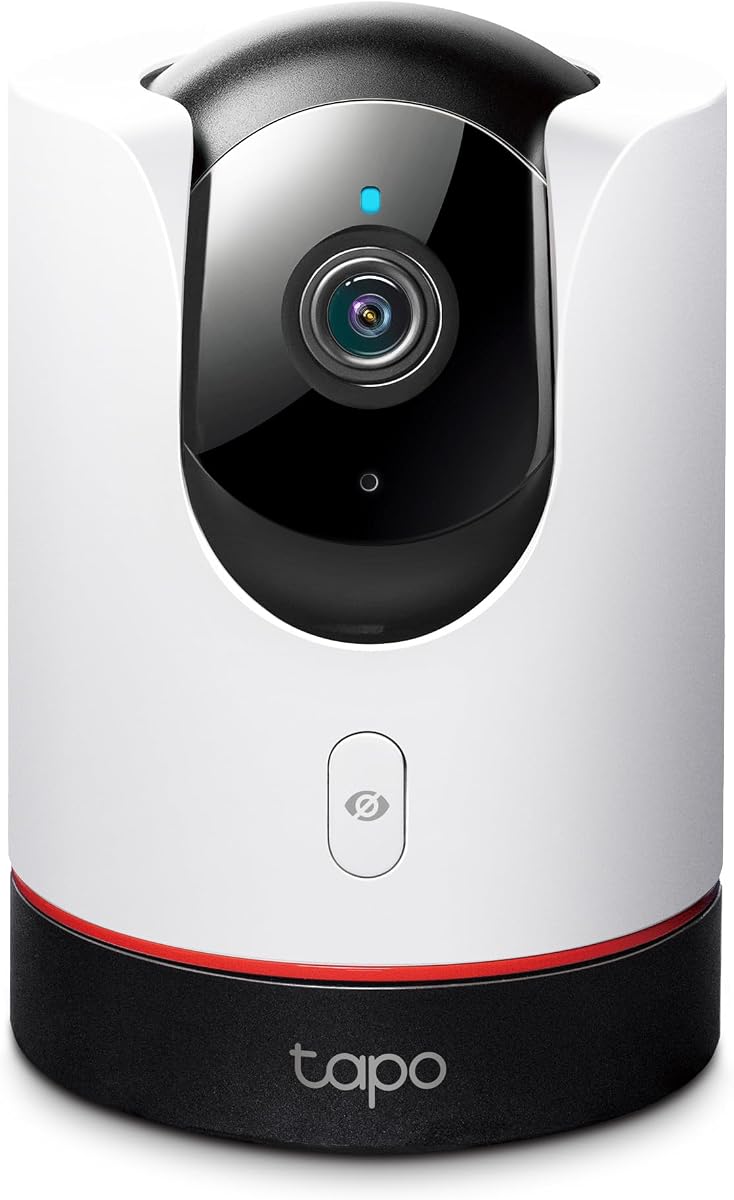
TP-Link Tapo C225
4.5Editor score
360 degree pan and tilt
2K QHD live view
Physical privacy mode switch
Compare the top Apple Homekit security cameras including Aqara Eve Logitech and eufy for HomeKit Secure Video privacy and smart home integration.
Secure your home with confidence by choosing a camera that integrates seamlessly with your Apple devices. A good HomeKit security camera offers end-to-end encryption, reliable motion detection, and crisp video quality day or night.
We evaluated ten top models based on resolution, smart features, storage options, and ecosystem compatibility. This list covers indoor and outdoor units from leading brands like Aqara Eve Logitech and TP-Link to help you find the perfect fit.
Each pick highlights key strengths such as AI tracking privacy modes or hub capabilities. Remember that prices and availability change frequently so check the latest details before making your final purchase decision for your smart home.
4.5Editor score
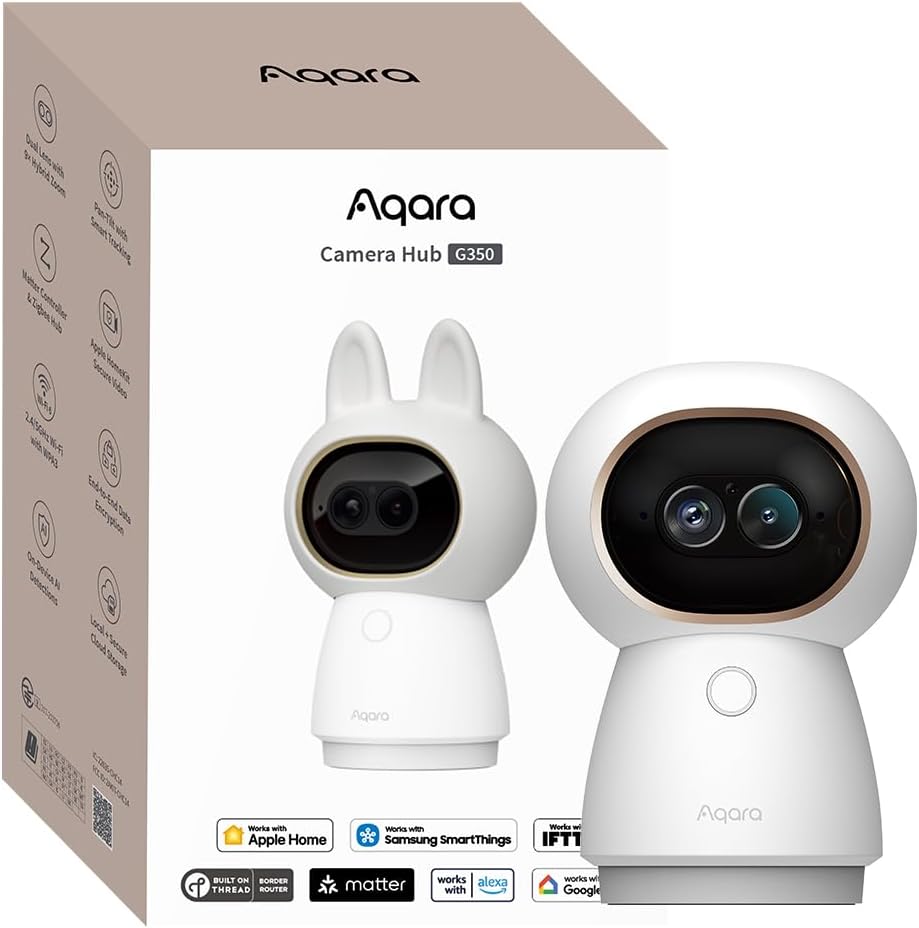
4.3Editor score
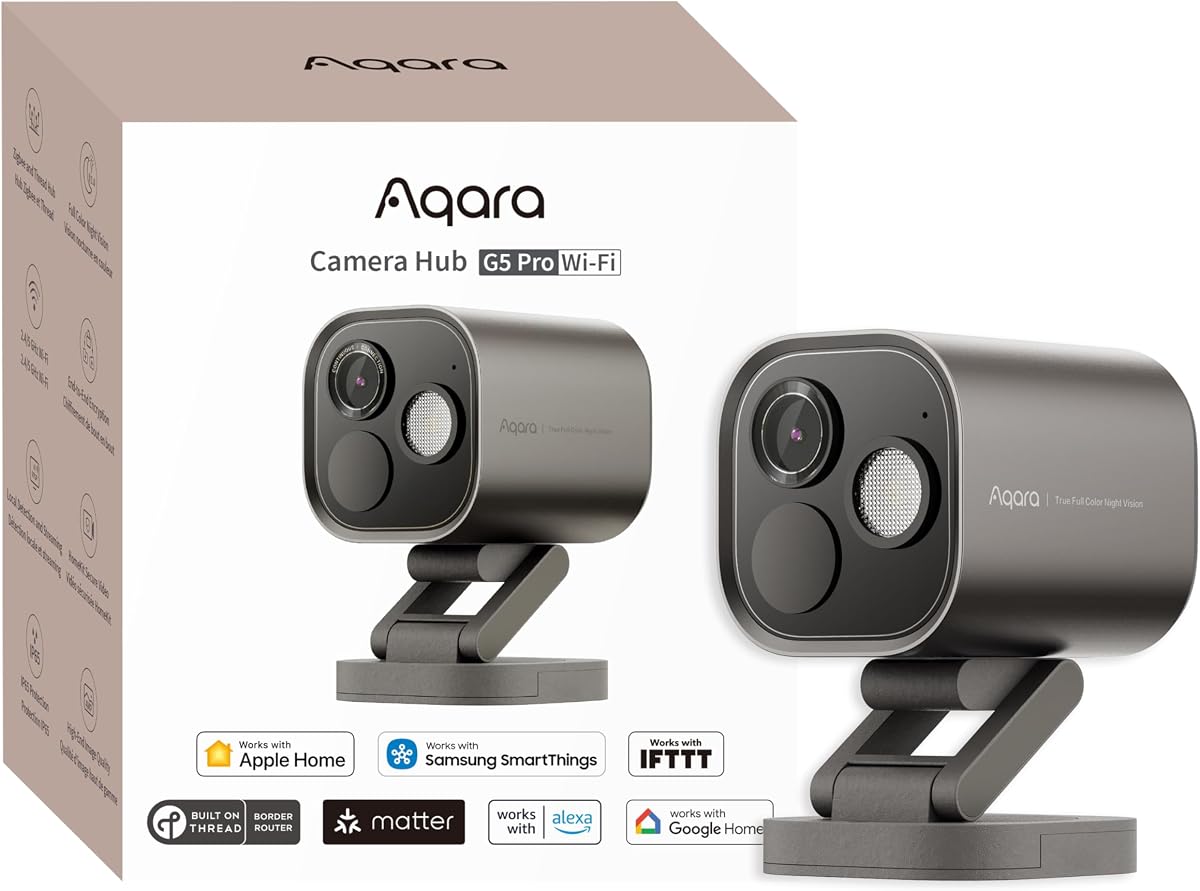
4.3Editor score
This side-by-side comparison helps you weigh the key specifications and features of each model. We focus on resolution smart capabilities and integration to streamline your selection process.
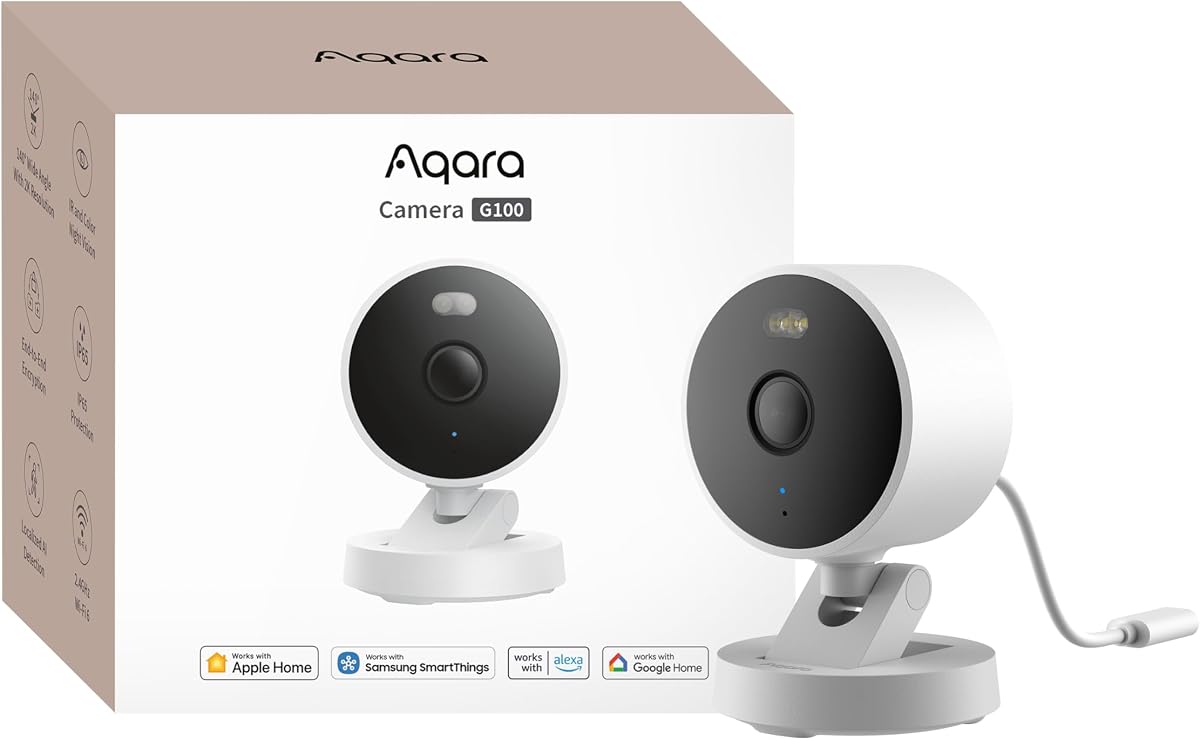



The Aqara G100 is a top pick for those seeking reliable HomeKit integration without breaking the bank. It boasts 2K clarity with a wide field of view and dual night vision modes for versatile surveillance.
We may earn a commission when you buy through this link, at no additional cost to you.
Key strengths include its IP65 weather resistance making it suitable for any environment. Local and cloud AI detection helps filter false alerts while the optional HomeGuardian plan offers deeper recognition for faces and packages.
While it requires a wired connection and has some HomeKit resolution limits the overall performance is impressive. Users get robust automation triggers and secure local storage options that enhance privacy.
This model is ideal for homeowners wanting a versatile indoor and outdoor camera. If you need a cost effective solution with strong ecosystem support the G100 delivers excellent value for your security setup.
The spotlight and infrared options provide clear visibility in dark areas ensuring you capture color details even at night without alerting intruders.
You can choose between local microSD recording or encrypted cloud storage giving you flexibility on how to manage and protect your footage.
We may earn a commission when you buy through this link, at no additional cost to you.
The Eve Cam is designed exclusively for Apple HomeKit Secure Video making it a favorite for privacy conscious users. It performs all video analysis locally ensuring your personal data never leaves your home.
We may earn a commission when you buy through this link, at no additional cost to you.
Its strengths lie in its strict adherence to security standards with end-to-end encryption protecting live and recorded video. You can get instant notifications and distinguish between people and pets easily.
However it requires an active iCloud+ plan and a Home hub which adds to the overall cost. Some users note limitations compared to other brands offering more storage flexibility or lower prices.
Choose this camera if privacy is your absolute priority and you are deep in the Apple ecosystem. It offers a pure HomeKit experience without third party cloud reliance or data tracking.
All intelligent analysis happens securely within your home network ensuring your footage remains private and under your control at all times.
You can set routines that automatically deactivate the camera when you are home adding a layer of convenience to your daily routine.
We may earn a commission when you buy through this link, at no additional cost to you.
The Aqara G350 stands out with its 4K dual-lens system and advanced local AI capabilities. It delivers panoramic views and detailed zooms ensuring you never miss a moment inside your home.
We may earn a commission when you buy through this link, at no additional cost to you.
Key strengths include its unique gesture recognition and sound detection features that allow for smart automation without voice commands. It also bridges Matter devices enhancing your broader smart home network.
Setup might require using the Aqara Home app to unlock full features which can be a minor hurdle for pure HomeKit users. The privacy mode with a retractable lens is a nice bonus though.
This camera is perfect for those wanting the highest quality video and advanced automation. If you are building a Matter compatible home the G350 acts as both a camera and a powerful hub.
Trigger scenes with simple hand gestures or detect baby crying sounds directly on the device ensuring fast and private responses.
Enjoy a full 360 degree view with preset angles and cruise modes so you can monitor your entire room with ease.
We may earn a commission when you buy through this link, at no additional cost to you.
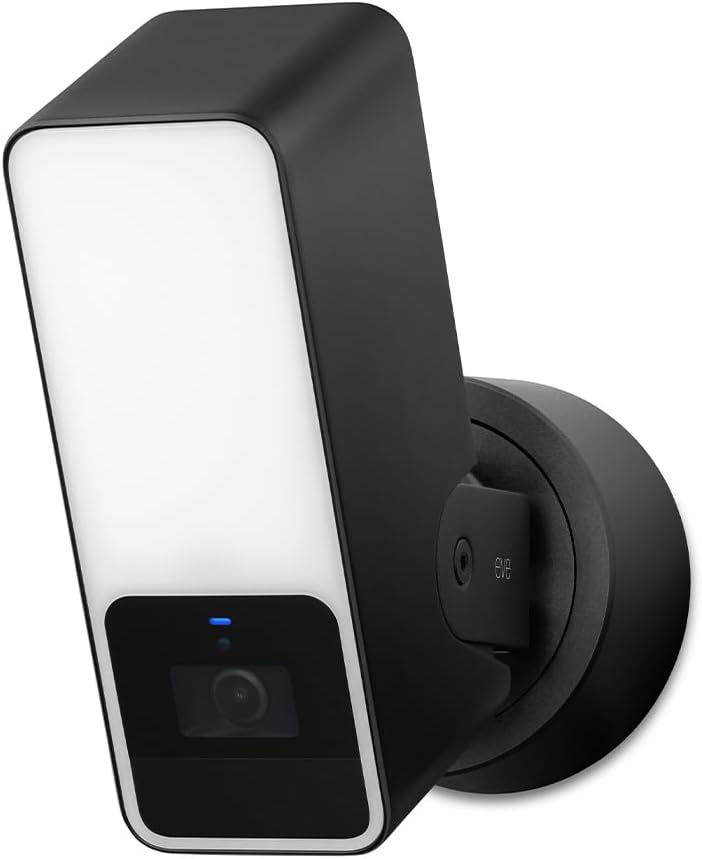
The Eve Outdoor Cam combines a powerful floodlight with HomeKit Secure Video for a robust outdoor solution. It ensures your data stays private with end-to-end encryption and no reliance on third-party cloud servers.
We may earn a commission when you buy through this link, at no additional cost to you.
Its floodlight feature acts as a strong deterrent and improves night visibility significantly. Detection algorithms distinguish between people pets and vehicles helping you prioritize important alerts over minor disturbances.
Installation requires a neutral wire which might limit its use to certain existing electrical setups. The price is also higher than many competitors but the privacy features justify the cost for some users.
Opt for this camera if you want a professional grade floodlight with top tier privacy. It is a solid choice for homeowners committed to the Eve ecosystem and Apple HomeKit standards.
The built-in dimmable floodlight can be activated automatically to scare off potential intruders while providing clear color video at night.
Cameras talk directly to your iPhone or home hub without cloud intermediaries ensuring maximum security and faster response times for alerts.
We may earn a commission when you buy through this link, at no additional cost to you.
The TP-Link Tapo C225 is a standout budget option that delivers high quality 2K video and full pan tilt coverage. It combines sleek design with reliable HomeKit integration at a very accessible price.
We may earn a commission when you buy through this link, at no additional cost to you.
Key strengths include its physical privacy mode which blocks the lens for total peace of mind. The starlight sensor ensures bright clear images even in very low light conditions without needing bright lights.
While it relies on a 2.4GHz network and optional cloud services it remains a flexible and powerful choice. Users can store footage locally on a microSD card ensuring no monthly fees are required.
This camera is ideal for anyone wanting premium features without the premium price tag. Its award-winning design and performance make it a top recommendation for entry-level home security setups.
A simple click in the app physically covers the lens ensuring complete visual privacy when you need a break from monitoring.
Recognized with a Red Dot Design Award the camera fits seamlessly into modern home decor while delivering professional level surveillance performance.
We may earn a commission when you buy through this link, at no additional cost to you.
The Aqara G5 Pro WiFi is a premium powerhouse offering 4MP resolution and built-in encrypted storage. It combines high-end surveillance with the functionality of a smart home hub for a seamless experience.
We may earn a commission when you buy through this link, at no additional cost to you.
Its True Color Night Vision provides clear color footage in low light using a large aperture and spotlight. The dual-band Wi-Fi ensures stable connections while the hub capabilities let you manage other devices.
While it is a higher-end model it offers significant value by replacing the need for separate hubs. Storage is flexible with options for local encryption and cloud backups protecting your data effectively.
Choose this model if you want a comprehensive solution for video and device management. It is perfect for advanced users who demand high quality visuals and robust connectivity options.
Unlike standard IR cameras this model captures color details in low light using a spotlight for clearer identification of events at night.
Connect up to 80 Zigbee devices or Thread devices allowing you to centralize your smart home controls within the camera app.
We may earn a commission when you buy through this link, at no additional cost to you.
The Logitech Circle View is designed exclusively for Apple HomeKit offering a seamless user experience with no third party apps required. It captures wide angle 180 degree footage with TrueView high dynamic range for clear details.
We may earn a commission when you buy through this link, at no additional cost to you.
Its strengths include a durable weatherproof body and an intuitive privacy mode that tilts the camera down. It works perfectly with your Apple devices and requires a Home hub for local video analysis.
However it only records on motion events rather than continuously which limits its use for those needing 24/7 footage. Some users find the setup restrictive compared to more flexible multi-platform options.
This camera is a great pick for users who value simplicity and Apple ecosystem synergy. If you want a set-and-forget solution for entryways this model delivers reliable performance and privacy.
The sensor captures details in both bright sunlight and dark shadows ensuring a clear image regardless of lighting conditions.
Designed solely for HomeKit this camera avoids third party accounts ensuring your video feeds stay secure and private within the Apple ecosystem.
We may earn a commission when you buy through this link, at no additional cost to you.
The Aqara E1 offers 2K resolution with full 360 degree pan and tilt for comprehensive indoor monitoring. It supports person tracking and privacy modes ensuring your living space stays secure and comfortable.
We may earn a commission when you buy through this link, at no additional cost to you.
Key strengths include its Wi-Fi 6 support for stable connections and flexible storage options like microSD cards or cloud backups. You can automate actions based on local detection without relying on internet access.
While the physical privacy mode is useful it requires a USB power supply which may need adapters depending on your outlet setup. Cloud features like package detection need a subscription plan.
This camera is ideal for indoor monitoring where coverage and privacy are key. Its smart features and reliable HomeKit support make it a strong choice for living rooms or nurseries.
The camera automatically follows people as they move around the room ensuring you always have the best view without manual adjustments.
Set up automations to trigger events like recording or notifications locally without needing cloud access for faster privacy focused reactions.
We may earn a commission when you buy through this link, at no additional cost to you.
The eufy E30 delivers stunning 4K recording and pan tilt tracking for detailed indoor monitoring. It uses AI to distinguish between humans pets and sounds providing smart alerts without unnecessary fees.
We may earn a commission when you buy through this link, at no additional cost to you.
Its key advantage is the lack of mandatory monthly subscriptions since you can store footage locally on a microSD card. The built-in spotlight ensures color night vision and acts as a deterrent if needed.
HomeKit users should note that the video is limited to 1080p within the Apple app though the camera itself records at 4K locally. Continuous recording is also not supported in HomeKit mode.
This model is perfect for those wanting high resolution footage and local storage freedom. If you prioritize clarity and no subscription fees the E30 is a top contender for indoor security.
Capture every detail with 4K recording ensuring you can zoom in and read small text or identify faces clearly.
The integrated spotlight allows seamless switching to color night vision so you can see clearly in the dark without IR images.
We may earn a commission when you buy through this link, at no additional cost to you.
The Aqara G5 Pro PoE simplifies installation by delivering power and data over a single Ethernet cable. It offers stable wired connectivity alongside True Color night vision for reliable high quality surveillance.
We may earn a commission when you buy through this link, at no additional cost to you.
Key strengths include its built-in encrypted storage and dual-band Wi-Fi backup ensuring your footage is safe and your connection remains robust. It also functions as a Matter and Zigbee hub for smart homes.
Installation requires a PoE switch which adds to the complexity and cost. However for fixed locations like garages or entrances the wired reliability ensures consistent performance without wireless interference.
Choose this model if you need a secure and stable professional grade installation. It is ideal for users who want the flexibility of Wi-Fi with the stability of a wired connection.
Power and video travel over a single cable reducing clutter and simplifying setup for permanent camera placements in your home.
Avoid wireless signal issues by using Ethernet which ensures your camera stays online and delivers smooth high resolution video at all times.
We may earn a commission when you buy through this link, at no additional cost to you.
Selecting the right HomeKit security camera involves balancing resolution, privacy features, and ecosystem compatibility to ensure seamless integration.
Higher resolutions like 4K offer more detail for identifying faces or license plates. However HomeKit often limits live streams to 1080p so check how the camera handles resolution within the Apple ecosystem.
Look for wide dynamic range and quality night vision sensors to ensure clear footage in varying lighting conditions throughout the day and night.
Modern cameras use AI to distinguish between people, pets, and vehicles reducing false alerts. Some models offer sound detection for baby cries or break-ins adding another layer of safety.
Check if AI processing is local to protect privacy or requires cloud subscriptions. Advanced features like gesture recognition can add convenience to your smart home automation routines.
HomeKit Secure Video uses your iCloud storage which might incur extra costs if you exceed your free plan. Local storage via microSD cards offers a subscription-free alternative for continuous recording.
Some cameras support encrypted cloud services or NAS backups giving you flexible ways to archive footage securely. Ensure your chosen method meets your privacy and backup needs.
Outdoor cameras must be weatherproof with ratings like IP65 to withstand rain and dust. Look for features like floodlights or strong deterrents if you need active security for entryways.
Indoor units often offer more flexible placement with USB power and pan-tilt motors. Privacy modes with physical covers are essential for indoor cameras in living rooms or bedrooms.
Consider how the camera gets power whether it requires a neutral wire for hardwired units or USB adapters for flexibility. PoE models offer stable power over Ethernet for professional installations.
Wi-Fi 6 support ensures smoother connections in congested networks. Dual-band routers can improve stability so check if the camera supports both 2.4GHz and 5GHz bands.
Some cameras act as Matter bridges or Zigbee hubs allowing you to connect other smart devices like sensors and locks. This reduces the need for separate controllers.
Ensure compatibility with your existing ecosystem like Apple Home Alexa or Google Home. Matter support is becoming standard for future-proofing your smart home investments.
HomeKit Secure Video provides end-to-end encryption protecting your footage from unauthorized access. Local processing ensures video analysis happens in your home rather than on external servers.
Physical privacy switches or lens covers give you visual assurance when the camera is inactive. Check if the brand requires subscriptions for basic features or stores data on their own cloud.
The best cameras work seamlessly with Apple HomeKit automations to trigger lights or alarms when motion is detected. Look for support for third-party platforms like IFTTT or Home Assistant if needed.
Two-way audio allows you to communicate with visitors or family members remotely. Ensure the speaker and microphone quality is clear for effective communication through the app.
Start by installing the camera near a stable Wi-Fi signal and power outlet. Open the Home app on your iOS device and tap Add Accessory to scan the HomeKit setup code included in the box.
Regularly clean the lens with a soft cloth to remove dust or debris that could blur your video. Check the camera's firmware in the manufacturer app to ensure you have the latest security updates.
Review your motion zones and notifications to reduce false alerts. Adjust sensitivity based on traffic in your area and test the night vision features to confirm they are working properly at all times.
Yes to use HomeKit Secure Video features the camera must be HomeKit Secure Video compatible. This ensures end-to-end encryption and storage in your iCloud account rather than on a third-party server.
While many cameras support 4K locally HomeKit Secure Video typically streams at 1080p for live views. Recording may vary but live streaming is limited to ensure performance on Apple devices.
Yes you need an active iCloud+ subscription to store HomeKit Secure Video recordings. The free iCloud tier does not include video storage but it keeps your footage encrypted and private.
Many HomeKit cameras support microSD cards for local storage alongside HomeKit Secure Video. This allows you to keep continuous footage without relying on iCloud or cloud subscriptions.
HomeKit Secure Video itself is free but requires an iCloud+ subscription. Some cameras have optional cloud plans for extra features like advanced AI detection but many work fully without monthly fees.
HomeKit Secure Video is exclusive to Apple devices like iPhone iPad and Mac. You can view live feeds and clips in the Home app but full access requires a compatible Apple ecosystem.
The top picks like the Aqara G350 and TP-Link Tapo C225 offer excellent value and performance for different needs. Each model brings unique strengths from 4K quality to budget-friendly versatility.
Prioritize privacy and storage options that fit your lifestyle. Whether you prefer local SD cards or iCloud integration ensure the camera aligns with your smart home setup and security goals.
Prices and stock change frequently so check current availability before buying. Your perfect camera is out there to help protect your home with Apple HomeKit reliable seamless technology.