
Zunate External Optical Drive Enclosure
Compatible with 9mm slim Serial ATA drives
Plug and play with no external power needed
Integrated USB 3.0 and Type C cable design
Choosing the right external optical drive enclosure ensures your internal drives remain functional and accessible across modern systems. A good enclosure offers robust protection, stable connectivity, and efficient heat dissipation for long term use without extra drivers.
We evaluated ten top rated models based on interface speed, build material, drive compatibility, and user feedback. Our analysis covers desktop and slim laptop drives, focusing on reliable performance and straightforward setup for diverse computing environments.
Each pick highlights key strengths like USB 3 0 speed, aluminum construction, or tool free installation. Prices and availability may change, so verify details on the product page before purchasing to ensure the best fit for your needs.
4.6Editor score

4.6Editor score
As an Amazon Associate we earn from qualifying purchases.
The following comparison table outlines the core specifications of each model to help you quickly identify the right enclosure for your specific drive type and connectivity needs.




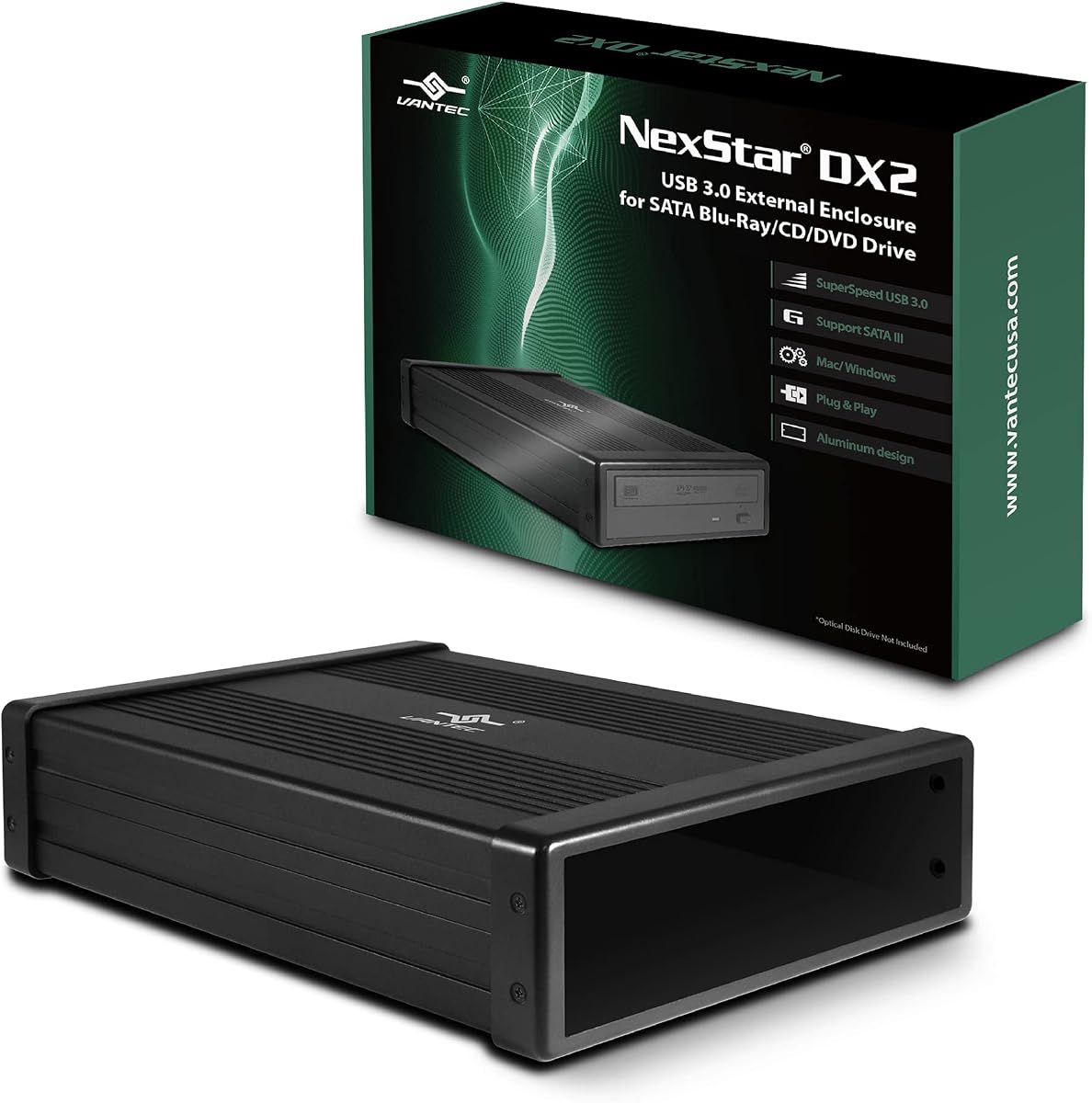
The NexStar DX2 stands out as a top choice for users needing a robust solution for 5.25 inch optical drives. With a rating of 4.6 stars it combines reliability with flexibility making it ideal for desktops and server setups.
We may earn a commission when you buy through this link, at no additional cost to you.
Its ability to fit any drive depth up to 185mm solves a common problem where standard enclosures fail. The aluminum alloy casing dissipates heat effectively while reducing noise during intense read write tasks ensuring stable long term performance.
While it requires an external power adapter which adds bulk this ensures consistent power for demanding drives. The hot swappable feature allows quick drive changes without shutting down the system a huge plus for IT professionals.
Anyone needing to repurpose old Blu-Ray or DVD drives will find this enclosure invaluable. Its TAA compliance makes it suitable for government or enterprise purchases where regulatory standards matter.
This model accommodates drives of varying lengths up to 185mm eliminating the need to measure before buying.
The aluminum alloy housing not only looks professional but also protects internal components from heat and physical damage.
We may earn a commission when you buy through this link, at no additional cost to you.
This enclosure offers a reliable path to convert internal 5.25 inch drives into external units. Its 4.4 star rating reflects satisfaction with its build quality and performance across various drive types.
We may earn a commission when you buy through this link, at no additional cost to you.
Designed to support depths up to 171mm it covers many standard optical drives without issue. The aluminum casing helps manage heat during extended use which is critical for maintaining drive longevity.
Some users note installation might be tricky without guidance so checking the provided video helps. Despite this the hot swappable feature and USB 3.0 speed make it a practical choice for home offices.
It is a solid option if you need a straightforward way to access old discs without upgrading hardware. The dual port support ensures compatibility with modern and older systems.
The aluminum alloy material helps keep internal temperatures down during continuous reading or burning operations.
While screw alignment can vary the included resources guide users through proper setup to avoid common mistakes.
We may earn a commission when you buy through this link, at no additional cost to you.
The Zunate enclosure is an excellent choice for laptop users needing to repurpose slim 9mm drives. Its affordable price and portable form factor make it accessible for students and remote workers.
We may earn a commission when you buy through this link, at no additional cost to you.
It supports USB 3.0 speeds up to 5Gbps ensuring fast data transfers when reading discs. The integrated cable design reduces clutter and keeps the unit compact for easy storage in a bag.
Lack of external power means it relies on USB bus power which may limit some high draw drives but suffices for standard DVD BD units. Compatibility with Windows and OS X broadens its utility.
If you have an old laptop drive and want a simple external solution this is a top pick. The woven cable adds durability against daily wear and tear.
The slim profile and integrated cable make it ideal for carrying between locations or storing in tight spaces.
By relying on USB power it eliminates the need for an extra adapter reducing desk clutter and travel bulk.
We may earn a commission when you buy through this link, at no additional cost to you.
This enclosure handles both 9.5mm and 12.7mm drives making it versatile for various laptop models. The aluminum construction and included cables offer a complete package right out of the box.
We may earn a commission when you buy through this link, at no additional cost to you.
It supports USB 3.0 and Type C connections ensuring compatibility with newer laptops and older ones. The anti slip feet keep the unit stable on desks during use.
Power saving sleep mode helps reduce energy consumption when idle which is a thoughtful touch for environmental awareness. The sturdy build protects the drive from bumps and scratches.
Users looking for a reliable mid range solution with dual cable options will appreciate this model. It balances performance with convenience well.
Having both USB 3.0 and Type C cables in the box saves the need to buy separate adapters.
The aluminum alloy casing helps disperse heat effectively during long reading sessions to prevent overheating.
We may earn a commission when you buy through this link, at no additional cost to you.
This enclosure provides a straightforward way to connect SATA optical drives to modern systems. While the rating is lower it still offers key features like USB 3.0 and cross platform support.
We may earn a commission when you buy through this link, at no additional cost to you.
It works with both 12.7mm and 9.5mm drives covering most laptop optical drives. The chipset includes automatic sleep which helps manage power usage effectively.
Some users might experience setup quirks so following instructions carefully is recommended. The included cables support both Type A and C connections for wider compatibility.
For those needing basic functionality without a high price tag this model serves well. It is suitable for casual media access and data recovery tasks.
Support for Windows Linux and OS X ensures users on any major system can utilize their drives easily.
The auto sleep feature helps conserve energy when the drive is not actively in use.
We may earn a commission when you buy through this link, at no additional cost to you.
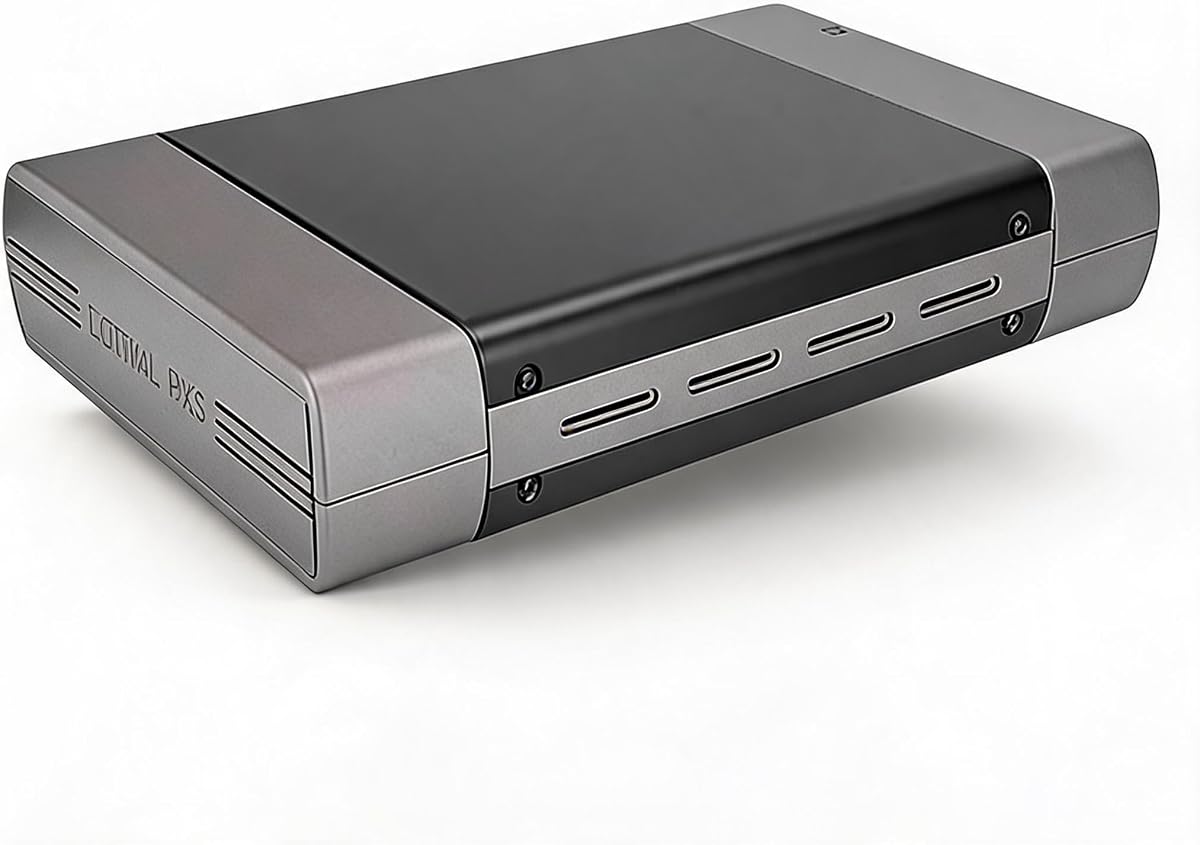
This adapter is versatile for both optical drives and hard disk storage offering more than basic enclosures. Its 4.6 star rating highlights consistent performance and reliability for demanding users.
We may earn a commission when you buy through this link, at no additional cost to you.
UASP support allows for faster data transfers compared to standard USB 3.0 which benefits large file backups. The anti-slip mat protects drives from vibration and movement during operation.
Hot swappable functionality means you can swap drives without restarting the computer which is ideal for frequent changes. However ensure the included power adapter matches your drive requirements.
For power users who need both optical and storage access this adapter delivers. It is a robust solution for desktop workstations and backup tasks.
UASP support optimizes USB 3.0 throughput reducing latency and improving overall data transfer speeds.
Designed to handle ODD HDD and SSD drives it provides flexibility beyond just optical media.
We may earn a commission when you buy through this link, at no additional cost to you.
This enclosure targets users with standard 5.25 inch drives needing reliable access without modern speed requirements. Its inclusion of all parts simplifies installation significantly for home users.
We may earn a commission when you buy through this link, at no additional cost to you.
While USB 2.0 limits transfer speeds it is sufficient for reading discs or occasional file access. The aluminum housing protects the drive from physical damage and minor impacts.
Including a dedicated power adapter ensures the drive gets stable power which is vital for older mechanical drives. The compact design keeps it from taking up too much desk space.
Ideal for those who prioritize simplicity and stability over speed this model works well for legacy systems. It is a cost effective way to extend the life of existing drives.
With screws cables and power adapter included users can start using the enclosure immediately without extra purchases.
USB 2.0 ensures compatibility with older computers that may lack faster USB 3.0 ports.
We may earn a commission when you buy through this link, at no additional cost to you.
The Bewinner model focuses on portability and ease of use for users with slim drives. Its design allows quick conversion of internal drives to external ones without special tools.
We may earn a commission when you buy through this link, at no additional cost to you.
The woven data cable minimizes interference ensuring stable transfer speeds up to 5Gbps. The eject key helps prevent discs from getting stuck which improves user experience.
Its slim profile makes it easy to carry in a laptop bag for use on the go. The detachable panel simplifies swapping drives when needed.
For travelers or mobile professionals this enclosure is a practical solution. It balances build quality with convenience well.
The woven cable resists tangling and breakage ensuring a reliable connection over time.
The detachable panel design means you can swap drives without removing screws or tools.
We may earn a commission when you buy through this link, at no additional cost to you.
This enclosure is tailored for converting internal 9mm laptop drives into external units. Its straightforward design makes it a favorite for users needing quick access to old discs.
We may earn a commission when you buy through this link, at no additional cost to you.
The front panel allows easy swapping of drives without opening the entire casing which saves time. USB 3.0 ensures you get near max speed for optical data transfers.
Woven cable construction helps prevent signal loss which is crucial for stable reads and writes. It fits well in bags for mobile usage.
If you have a spare laptop drive this offers a quick way to reuse it. It is an efficient tool for data recovery or media access.
The front panel design allows you to slide drives in and out quickly without tools.
The built-in woven cable ensures data integrity during transfer reducing errors and re-reads.
We may earn a commission when you buy through this link, at no additional cost to you.
This enclosure emphasizes ease of use with a tool-free design that lets you swap drives in seconds. It is ideal for users who want simplicity and portability.
We may earn a commission when you buy through this link, at no additional cost to you.
The brushed finish not only looks good but also resists scratches and fingerprints keeping it looking clean. The fold-away cable keeps the unit tidy when not in use.
An eject key prevents discs from getting stuck which adds to convenience during repeated use. It works with both Windows and macOS systems out of the box.
For casual users needing a quick way to read old discs this is a great pick. It offers a clean hassle-free experience with reliable performance.
The snap-on cover allows for instant drive installation without needing any tools or technical skills.
The fold-away cable keeps everything together and avoids tangling when traveling or storing the device.
We may earn a commission when you buy through this link, at no additional cost to you.
Selecting the right enclosure depends on matching your drive type with connectivity and build needs. We outline key factors to consider for long term satisfaction.
Ensure the enclosure matches your drive dimensions. Desktop 5.25 inch drives need larger housings while laptop 9mm or 12.7mm drives require slim cases. Check depth limits to avoid fit issues.
Always verify your drive size before purchase to prevent returns.
USB 3.0 offers faster transfer rates up to 5Gbps compared to USB 2.0 which is crucial for large file backups or video playback. Type C support ensures modern laptop compatibility.
Opt for USB 3.0 or later for best performance.
Some enclosures rely solely on USB power while others need external adapters. High power optical drives often require extra power to avoid failure or slow reads.
Check if an adapter is included if your drive needs it.
Aluminum alloy cases dissipate heat better than plastic and protect drives from physical damage. Good ventilation prevents overheating during extended use which extends drive life.
Choose aluminum for durability and thermal management.
Slim portable enclosures with integrated cables are easier to carry. Look for compact designs with foldable cables to avoid tangling during travel.
Prioritize lightweight options for frequent mobile use.
Drivers should not be required for modern OS compatibility. Plug and play ensures immediate recognition on Windows Mac and Linux without extra steps.
Verify driver free claims before buying.
Hot swappable enclosures let you change drives without shutting down the computer. This is useful for frequent data transfers or multi drive setups.
Look for hot swap support if workflow speed matters.
Physical eject buttons help prevent stuck discs which can damage drives or media. Not all enclosures include this feature so check product details.
Ensure an eject key is present for reliability.
Before installing open the enclosure case and insert your SATA optical drive carefully. Align the SATA port with the internal cable then secure the drive using provided screws if required.
Plug the USB cable into your computer and allow the system to detect the device automatically. Install any necessary software to read or write data to optical discs if needed.
Regularly clean the exterior with a dry cloth and keep the disc tray free of dust. Avoid exposing the enclosure to extreme temperatures to maintain internal component longevity.
Yes most modern enclosures support macOS as long as they are plug and play. Check product compatibility lists for OS X versions. Some models provide Type C connectors ideal for newer MacBooks.
Only enclosures specifying Blu-Ray support work with those drives. Desktop 5.25 inch cases often do while slim ones may not. Always confirm format compatibility with the manufacturer.
In such cases use an enclosure with an included external power adapter. If none is included purchase a matching AC adapter separately to ensure stable operation.
Yes USB 3.0 ports work with USB 2.0 systems though speeds drop to 2.0 limits. You can use the drive on older computers but expect slower transfer rates.
Most require no drivers and work plug and play. If you see errors check your OS updates. Drivers are rarely needed for modern systems.
Open the casing connect the SATA cable then slide the drive in aligning the mounting holes. Secure it with screws and close the case. Refer to included instructions for help.
No most USB enclosures only support SATA interfaces. IDE drives need different adapters which are harder to find today. Verify interface type before buying.
Keep them in a cool dry place inside a protective pouch. Avoid bending cables too sharply and wrap them gently around the case if foldable.
The NexStar DX2 leads for flexibility with its depth support and aluminum build. Budget buyers should consider Zunate or Tbest for slim drives while Vantec suits storage needs.
Prioritize USB 3.0 speeds and power compatibility to avoid frustration. Matching drive size and enclosure type ensures smooth operation without extra adapters.
Always verify current availability and reviews since models change frequently. Choose based on your specific use case to get the most value.