
Thermalright TL-C12C-S X5
4.7Editor score
Silent S-FDB bearing
1550 RPM max speed
5-pack value set
This guide compares the top addressable RGB fans for 2026, evaluating cooling performance, lighting effects, and build quality to help you choose the right
Addressable RGB fans combine efficient cooling with customizable lighting to elevate your PC build. These fans connect directly to your motherboard or controller for synchronized visual effects that match your system components perfectly.
We evaluated ten top models based on airflow performance, noise levels, bearing quality, and lighting features. Each product was compared against key metrics to ensure balanced performance for both gaming and productivity workloads.
Every pick highlights specific strengths like silent operation, high static pressure, or unique wiring solutions. Prices fluctuate frequently, so verify current availability and discounts before purchasing your next upgrade.
4.7Editor score
4.8Editor score

4.8Editor score
The following table details key specifications for all ten fans. Compare airflow, noise levels, and unique features to determine which model fits your specific build requirements.





This five pack delivers reliable cooling and consistent RGB aesthetics at a competitive price point. With a 4.7 rating, it balances performance and quiet operation effectively for most users.
We may earn a commission when you buy through this link, at no additional cost to you.
The S-FDB bearings reduce vibration while the PWM control adapts speed to temperature. The atomizing blades reflect light smoothly, creating an even visual glow across the system.
It lacks dedicated advanced lighting controls but relies on motherboard headers. While adequate, users wanting complex effects might need an external hub for full flexibility.
Ideal for budget builds seeking uniform fans without sacrificing noise or visual quality. It remains a top choice for those needing bulk fans for cases and radiators.
The 66.17 CFM airflow ensures effective heat removal from components even under steady workloads.
S-FDB bearings minimize mechanical noise, keeping the system whisper quiet during daily tasks.
We may earn a commission when you buy through this link, at no additional cost to you.
This triple pack combines high static pressure with streamlined wiring. Users praise its ability to push air through radiators efficiently while maintaining a clean internal layout.
We may earn a commission when you buy through this link, at no additional cost to you.
AirGuide technology directs airflow precisely to hot components, improving radiator cooling. The magnetic dome bearing ensures longevity while the daisy-chain design reduces cable clutter.
It requires specific headers for full ARGB functionality. Without proper setup, lighting control may be limited, which adds complexity for beginners.
Recommended for systems prioritizing radiator performance and cable management. It offers robust airflow and professional wiring solutions for advanced builds.
Anti-vortex vanes channel air directly to heated areas, maximizing cooling effectiveness.
Single connectors for multiple fans simplify installation and reduce internal cable clutter.
We may earn a commission when you buy through this link, at no additional cost to you.
Known for raw performance, this fan reaches 3000 RPM while maintaining precision balance. It suits users needing aggressive airflow for dense radiators or restricted airflow setups.
We may earn a commission when you buy through this link, at no additional cost to you.
The fluid dynamic bearing ensures quiet operation at lower speeds while high static pressure pushes air through restrictive panels. Its design minimizes gaps for reduced turbulence.
Operating at max RPM increases noise significantly. Most users will prefer partial speed for balance between cooling and acoustics.
Ideal for cooling-heavy systems where thermal limits dictate fan speed. Its build quality supports long-term reliability under demanding workloads.
Adjustable up to 3000 RPM, offering flexibility for varied cooling requirements.
Automatic balancing and tight tolerances keep vibrations low during operation.
We may earn a commission when you buy through this link, at no additional cost to you.
This pack introduces magnetic connections for simplified fan daisy-chaining. It reduces cable clutter significantly while supporting 5V motherboard synchronization for visual consistency.
We may earn a commission when you buy through this link, at no additional cost to you.
The optimized hydraulic bearing ensures quiet operation, while anti-vibration mounts minimize case resonance. Users appreciate the easy setup and reliable lighting control.
MagForce connectivity is proprietary, limiting compatibility to matching units. Expansion with other fan brands may require separate controllers.
Best for users seeking clean installations and synchronized visuals. It simplifies wiring for multi-fan setups effectively.
Magnetic connections allow quick fan linking without complex cable routing.
Hydraulic bearing ensures smooth rotation with minimal operational noise.
We may earn a commission when you buy through this link, at no additional cost to you.
This kit solves airflow orientation with reverse fans for bottom or side intakes. It provides a complete package including a hub for centralized speed and light control.
We may earn a commission when you buy through this link, at no additional cost to you.
28 LEDs per fan offer superior brightness compared to typical options. The intelligent PWM control adjusts speeds automatically based on system temperature feedback.
Multiple cables for the hub can still clutter a compact case. Setup requires patience to ensure correct wiring for all components.
Ideal for cases needing dedicated reverse intake fans for aesthetics. It offers versatility for users balancing lighting and airflow efficiency.
Reverse blades maintain lighting visibility while improving intake airflow efficiency.
A single hub manages both lighting and fan speed, reducing motherboard load.
We may earn a commission when you buy through this link, at no additional cost to you.
A scaled-down version of the five pack, this trio offers similar performance at a lower entry cost. It suits smaller cases needing minimal fan support for cooling.
We may earn a commission when you buy through this link, at no additional cost to you.
S-FDB bearings and soft lighting provide reliable daily performance. The design ensures even cooling without excessive noise, making it versatile for many systems.
Fewer units may limit large case coverage. Users needing more than three fans must purchase additional packs separately.
Recommended for small-form-factor builds or simple radiator setups. It delivers consistent cooling and lighting for moderate requirements.
The three-pack offers an accessible price point for users needing minimal fan coverage.
S-FDB technology ensures quiet, long-lasting operation even with daily use.
We may earn a commission when you buy through this link, at no additional cost to you.
Functionally identical to the top-rated five pack, this version offers the same specs and performance. It ensures reliable cooling and consistent lighting across all installed units.
We may earn a commission when you buy through this link, at no additional cost to you.
The intelligent temperature control adjusts speed automatically, reducing manual setup needs. S-FDB bearings keep noise levels low even during extended usage.
It relies on motherboard headers for advanced lighting. Users lacking compatible boards may face limitations in customization.
A practical alternative for those needing multiple cooling points. It delivers value and dependability for standard builds.
Every fan matches the top-rated spec profile for uniform cooling and noise.
Intelligent PWM adjusts speed to temperature, reducing manual configuration needs.
We may earn a commission when you buy through this link, at no additional cost to you.
This dual pack provides a compact solution for smaller setups needing two synchronized fans. It supports daisy-chain wiring to reduce cable clutter effectively.
We may earn a commission when you buy through this link, at no additional cost to you.
With up to 2000 RPM, it offers strong airflow potential. The hydraulic bearing ensures quiet operation, making it suitable for noise-sensitive environments.
Limited unit count requires multiple packs for larger builds. This may increase total cost and complexity.
Ideal for compact cases or radiator-only mounting. It offers efficient cooling with manageable cable routing.
Linking fans reduces individual cable connections, simplifying internal organization.
Hydraulic bearings keep noise low, preserving a calm workspace environment.
We may earn a commission when you buy through this link, at no additional cost to you.
This pack stands out for including a dedicated PWM splitter, simplifying installation. It offers strong airflow and reliable lighting across three synchronized fans.
We may earn a commission when you buy through this link, at no additional cost to you.
The hydraulic bearing maintains quiet operation while daisy-chain cables reduce clutter. Users benefit from a complete installation kit that supports flexible setup.
The included splitter adds complexity for single-port users. It may limit compatibility with older motherboards.
Best for users needing a complete package with strong airflow. It balances ease of installation with consistent performance.
Inclusion of a splitter ensures quick setup without needing extra components.
66.1 CFM airflow provides reliable cooling for cases and radiators.
We may earn a commission when you buy through this link, at no additional cost to you.
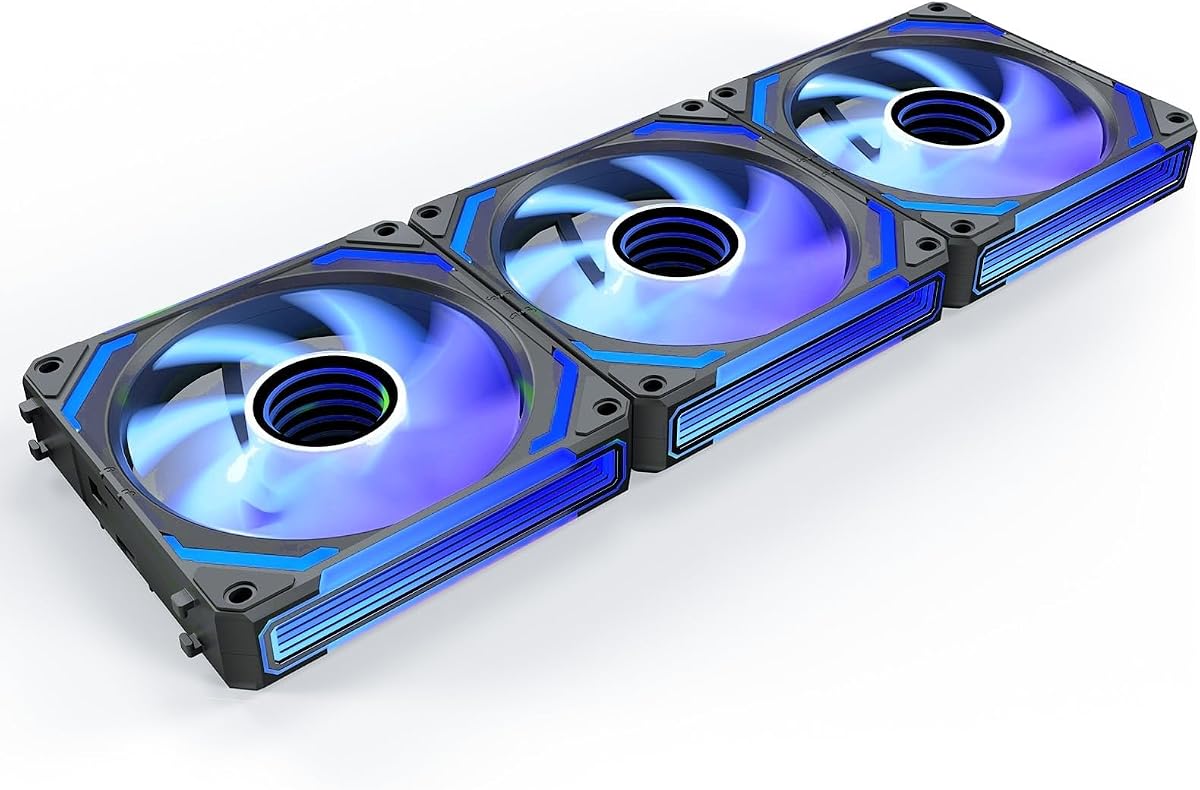
This pack combines premium visuals with functional airflow. Its infinity mirror lighting creates layered depth, transforming standard builds into standout desktop landscapes.
We may earn a commission when you buy through this link, at no additional cost to you.
Reverse fans ensure lighting visibility even when placed as intakes. Music sync adapts lighting to system sounds, adding unique customization options.
The price is higher due to specialized features. Users prioritizing cooling over aesthetics may find better value elsewhere.
Perfect for users prioritizing visual depth and unique features. It delivers high-end looks with solid cooling performance.
Infinity mirror design creates layered lighting, transforming case aesthetics.
Music sync adjusts lighting patterns based on ambient sounds or game audio.
We may earn a commission when you buy through this link, at no additional cost to you.
Selecting the right RGB fans involves balancing cooling needs, budget, and visual features. The following factors help narrow down options effectively.
Airflow (CFM) measures how much air a fan moves, ideal for open cases. Static pressure (mm-H2O) determines how well it pushes air through restrictive radiators. Choose high CFM for general ventilation and high static pressure for liquid cooling.
Focus on static pressure for radiators and airflow for open chassis setups.
PWM (Pulse Width Modulation) allows the motherboard to adjust fan speed based on temperature. This ensures quiet idle operation and powerful cooling under load. Always check for 4-pin PWM connectors.
Confirm 4-pin PWM compatibility for smart temperature regulation.
Most fans use 3-pin 5V headers for addressable RGB. These sync with motherboard software like Armoury Crate or MSI Mystic Light. Verify motherboard header type before purchasing.
Match your motherboard’s 5V ARGB headers to avoid connection issues.
FDB (Fluid Dynamic Bearing) and S-FDB (Sleeve FDB) bearings reduce friction and noise. Hydraulic bearings are durable and quiet. Avoid simple sleeve bearings for long-term silent operation.
Prefer FDB or hydraulic bearings for quiet, long-lasting performance.
Noise is measured in decibels (dBA). Fans under 25 dBA are nearly silent. Check max RPM ratings, as higher speeds usually increase noise levels.
Select models under 25 dBA for quiet builds.
Fans are sold individually or in packs. Bulk packs offer better value but require more connectors. Assess how many fans your case needs for balanced cooling.
Buy packs matching your case’s cooling requirements.
Some fans support daisy-chaining to connect multiple units through one port. This reduces cable clutter and simplifies installation. Check if fans include necessary cables.
Look for daisy-chain support to reduce cable management.
Prices vary from under $10 to over $40 depending on features. Basic models offer solid cooling and simple RGB. Premium options include hubs, reverse fans, or music sync.
Set a realistic budget to balance features with total cost.
Install fans to push cool air in and hot air out. Ensure airflow direction aligns with intake/exhaust points. Use included screws to secure fans firmly.
Connect the 4-pin PWM cable to the CPU or SYS fan header. Connect the 5V ARGB cable to the motherboard ARGB header. Sync speeds using motherboard software.
Clean fans every few months with compressed air to remove dust. Check bearings periodically. Avoid excessive humidity or heat sources.
They require 3-pin 5V headers, which most modern boards support. Older boards might need an adapter. Check your motherboard specs before purchasing.
Yes, but syncing may require a third-party controller. Each brand has unique RGB software. Consistent brands ensure easier synchronization.
Use PWM to lower idle speeds. Set aggressive curves only for high loads. Check bearing health, as worn bearings increase noise.
Daisy-chaining connects multiple fans using one header. It reduces clutter and simplifies installation. Ensure all units support the protocol.
Reverse fans maintain lighting visibility during intake. They are ideal for bottom or side intakes. Standard fans work fine for exhausts.
FDB bearings typically last tens of thousands of hours. Proper dust protection extends lifespan. Regular cleaning ensures smooth operation.
Yes, using onboard controllers or remotes. Some packs include hardware hubs. Motherboard control offers more customization options.
Minimal, if at all. LEDs are lightweight and efficient. Proper airflow matters more than RGB for cooling.
Our top picks highlight diverse strengths, from budget value to premium visuals. Whether you need silent operation or unique lighting, each model fits a specific build profile.
Prioritize airflow and static pressure based on your cooling needs. For visual flair, consider features like daisy-chaining or reverse blades.
Always check current prices before purchasing. Small discounts can make a difference in total cost.