
GIGABYTE Radeon RX 9070 XT Gaming OC 16G Graphics Card
4.7Editor score
Radeon RX 9070 XT
16GB GDDR6 Memory
WINDFORCE Cooling System
This guide compares the top 10 GPU for Davinci Resolve to help creators find the best graphics card for color grading, effects, and smooth playback performance.
Selecting the right GPU for Davinci Resolve is critical for smooth playback, fast rendering, and efficient color grading workflows. Modern editing demands powerful hardware to handle 4K and 8K timelines without stuttering or lag during complex tasks.
We compared ten top graphics cards based on architecture, memory capacity, VRAM bandwidth, and professional software compatibility. Each entry was evaluated for its ability to accelerate node-based grading, Fusion effects, and real-time playback across various project scales.
Each pick highlights key strengths like VRAM size, cooling efficiency, and architecture features relevant to video production. Keep in mind that prices fluctuate frequently, so verify current costs before making your final purchase decision for your workstation.
4.7Editor score
4.9Editor score

4.3Editor score
The following comparison table lists all ten selected graphics cards side-by-side. Review each product's core specifications including memory type, core count, and specific architectural features to determine the best fit for your resolution and workflow requirements.





This GPU stands out as the top choice for serious Resolve users needing reliable performance in complex timelines. It achieves an impressive 4.9 user rating thanks to its stable architecture and efficient thermal management under heavy loads.
We may earn a commission when you buy through this link, at no additional cost to you.
The NVIDIA Blackwell architecture powers advanced AI features and real-time ray tracing which are increasingly common in modern color grading. The MaxContact heatsink ensures the GPU stays cool during long export sessions without throttling performance.
While the price is higher than average the build quality justifies the cost for professional workflows where reliability matters most. The 2.5-slot size allows flexibility in chassis choices while maintaining robust airflow for sustained workloads.
Creators working on 8K projects or heavy Fusion compositions will benefit most from this card. It balances raw power with efficient cooling to keep your editing sessions smooth and interruption free.
The integrated AI cores accelerate face masking and object tracking reducing manual labor in the Color page significantly.
Phase-change thermal pads maintain optimal temperatures even during multi-hour renders preventing thermal throttling issues.
We may earn a commission when you buy through this link, at no additional cost to you.
The Quadro RTX 4000 is a legacy workhorse known for stability in professional video environments. It maintains a solid 4.4 rating due to its certified drivers and consistent performance in multi-tasking workloads.
We may earn a commission when you buy through this link, at no additional cost to you.
Designed for stability it offers real-time ray tracing capabilities that enhance visual effects workflows in Resolve. The architecture supports high-resolution displays and ensures consistent frame rates during playback.
Although it is older hardware it remains a solid choice for users prioritizing stability over raw benchmark scores. The professional drivers minimize crashes and compatibility issues that can occur with gaming focused cards.
Best suited for studio environments where uptime is critical. If you need a card that just works without constant driver updates this remains a trusted option.
Professional ISV certified drivers ensure maximum compatibility with Resolve and other creative software without unexpected glitches.
Supports high-resolution monitors allowing for precise color monitoring and extended workspace layouts.
We may earn a commission when you buy through this link, at no additional cost to you.
The Titan RTX offers substantial VRAM making it ideal for users handling massive 8K timelines or heavy node structures. It holds a 4.4 rating based on its ability to manage large datasets without memory bottlenecks.
We may earn a commission when you buy through this link, at no additional cost to you.
With 24GB of GDDR6 memory this card excels at complex effects and multi-layered projects. The high CUDA core count ensures fast processing times for rendering and export tasks in Resolve.
However it consumes significant power and requires a robust cooling solution. It is best for dedicated workstations where power efficiency is less critical than raw memory capacity.
If your workflow involves heavy usage of AI tools or large resolutions this card provides the headroom needed to keep sessions fluid and uninterrupted.
24GB of VRAM allows loading entire high-resolution project assets directly into memory for smooth scrubbing.
Tensor cores accelerate AI based denoising and upscaling features enhancing final output quality efficiently.
We may earn a commission when you buy through this link, at no additional cost to you.
This card is engineered for high-density workstations needing large memory in a small footprint. It holds a 4.4 rating due to its 32GB memory and efficient thermal design for 24/7 operation.
We may earn a commission when you buy through this link, at no additional cost to you.
The blower style cooler exhausts heat directly out of the chassis making it perfect for stacked GPU setups. The 32GB VRAM allows handling large models and heavy editing tasks without swap delays.
While the cooling can be noisier than open-air designs it ensures thermal safety in dense racks. The PCIe 5.0 support guarantees future proofing for upcoming high-bandwidth tasks.
Ideal for server environments or multi-GPU builds where space is limited. It delivers consistent performance for long rendering sessions without overheating issues.
Blower design allows multiple cards to operate side by side without heat interference in tight enclosures.
32GB memory bandwidth supports complex timelines and high-resolution textures without stuttering.
We may earn a commission when you buy through this link, at no additional cost to you.
This card offers exceptional value for creators needing high VRAM without breaking the bank. It maintains a strong 4.7 rating for its performance per dollar and effective cooling system.
We may earn a commission when you buy through this link, at no additional cost to you.
The 16GB GDDR6 memory handles 4K and moderate 8K workflows smoothly. The WINDFORCE cooling system keeps noise levels low even under load which is great for home studios.
While it is a gaming card it performs well in creative software. The PCIe 5.0 support ensures compatibility with modern systems and future upgrades.
Best for independent editors or students needing reliable power at a lower cost. It balances performance and price effectively for most standard editing needs.
Delivers high-end VRAM and clock speeds at a mid-range price point ideal for budget conscious creators.
Server grade thermal gel ensures heat is dissipated quickly keeping fans quiet during long exports.
We may earn a commission when you buy through this link, at no additional cost to you.
This is the ultimate GPU for extreme workloads demanding massive memory and stability. It achieves a 4.3 rating from users managing critical enterprise projects requiring uninterrupted operation.
We may earn a commission when you buy through this link, at no additional cost to you.
With 96GB of DDR7 ECC memory it handles the largest 8K projects and AI models effortlessly. The double-flow-through cooling ensures the card runs at peak efficiency even under sustained loads.
The price is prohibitive for most users but for high-end studios handling massive datasets it is worth the investment. It supports future proof PCIe Gen 5 for maximum data transfer speeds.
Ideal for high-end rendering farms or professional post-production houses. It guarantees the highest reliability for mission critical workflows.
ECC memory ensures data integrity during long renders preventing errors caused by memory corruption.
Double-flow cooling prevents heat buildup in dense racks ensuring consistent performance over time.
We may earn a commission when you buy through this link, at no additional cost to you.
This card is built for longevity and resilience against environmental factors. It holds a 4.6 rating due to its military grade components and protective PCB coating.
We may earn a commission when you buy through this link, at no additional cost to you.
The phase-change thermal pads provide long term thermal performance outlasting standard paste. The Axial-tech fans are optimized for high airflow ensuring cool temperatures during heavy usage.
Its large size requires a spacious case but guarantees stability and durability. The 16GB GDDR7 memory handles high resolution tasks with ease.
Perfect for users who want a reliable workhorse that stands up to daily stress. It combines gaming performance with industrial durability for professional needs.
Protective coating shields against dust and moisture ensuring long term reliability in varied environments.
Phase-change pads reduce thermal resistance keeping GPU temps low even during extended render sessions.
We may earn a commission when you buy through this link, at no additional cost to you.
This card excels at connecting multiple high-resolution displays for extensive workflows. It has a 3.9 rating reflecting mixed experiences but strong hardware potential for multi-monitor setups.
We may earn a commission when you buy through this link, at no additional cost to you.
With four DisplayPort 2.1 outputs it supports multiple 8K screens simultaneously. The 24GB memory ensures smooth operation across these screens without bottlenecks.
The twin media transcoders speed up video encoding tasks significantly. While drivers are improving it remains a solid choice for those prioritizing display connectivity.
Best for editors needing expansive desktop real estate. It handles multi-tasking well for those who rely on wide color.
Four DP 2.1 ports allow connecting multiple 8K monitors for extensive timeline visibility and reference.
Dedicated engines handle AV1 and H.264 encoding faster than standard CPU-based solutions.
We may earn a commission when you buy through this link, at no additional cost to you.
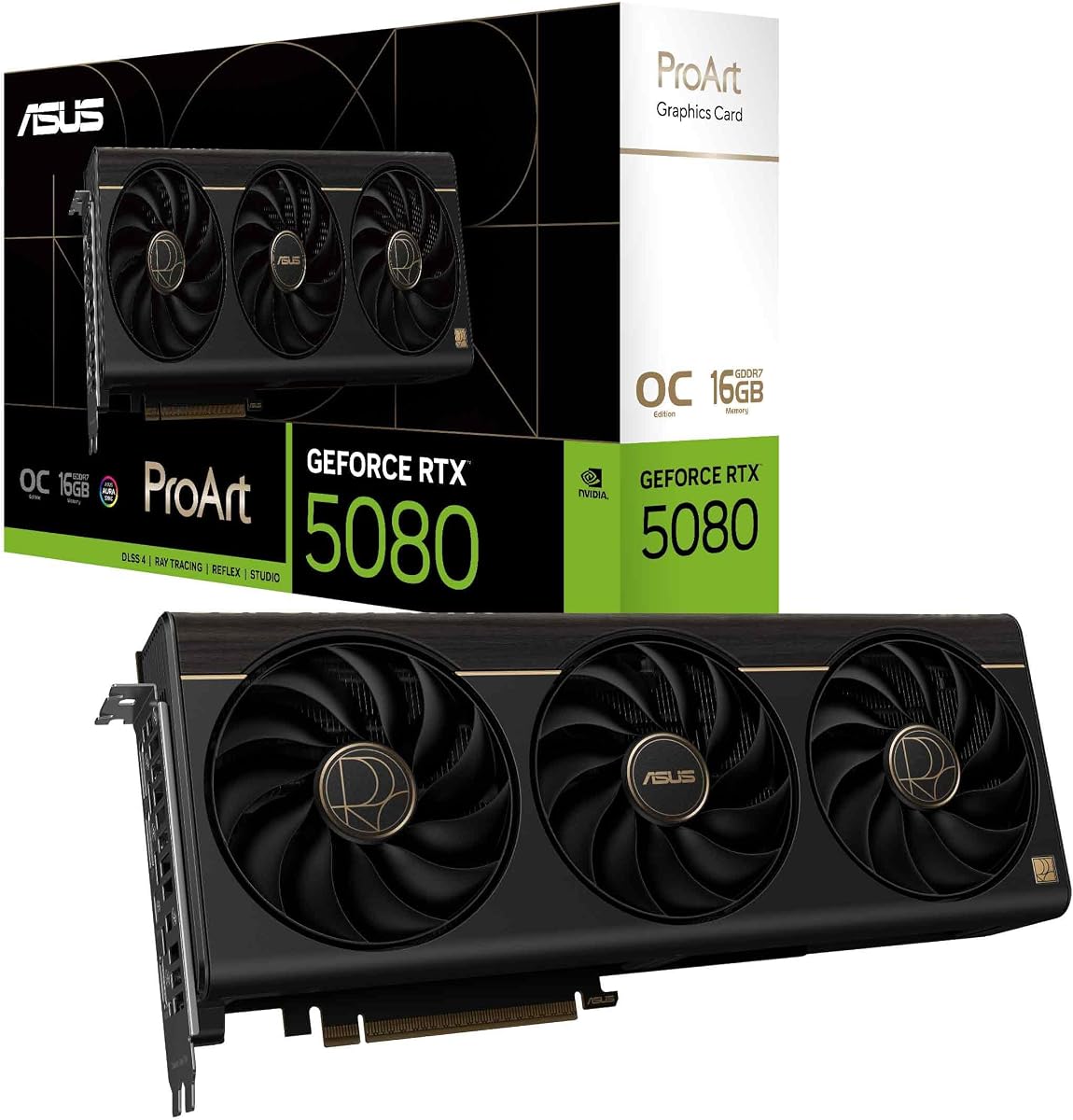
This ProArt model balances high performance with professional aesthetics and reliability. It maintains a 4.9 rating for its ability to handle heavy loads without overheating.
We may earn a commission when you buy through this link, at no additional cost to you.
The MaxContact heatsink ensures efficient heat transfer which is vital for long export sessions. The integrated USB-C port offers versatility for connecting external drives or monitors directly.
Its build quality is exceptional with a minimalist design that fits professional workspaces well. The OC mode allows users to boost performance safely for demanding projects.
Best for creatives who need reliability and premium build quality. It handles high-end workflows with ease and ensures stability.
USB Type-C port simplifies workflow by connecting external storage or displays directly to the GPU.
Wood-patterned trim provides a premium look suitable for professional studios and creative workspaces.
We may earn a commission when you buy through this link, at no additional cost to you.
This compact card offers solid performance for smaller builds without sacrificing too much power. It earns a 4.7 rating for its efficient cooling and versatile BIOS modes.
We may earn a commission when you buy through this link, at no additional cost to you.
The 2.5-slot design maximizes compatibility with smaller cases while maintaining excellent airflow. The Dual BIOS feature allows switching between performance and quiet modes easily.
With 16GB of GDDR7 memory it handles mid-to-high resolution workflows smoothly. The Axial-tech fans are designed to minimize noise during light work.
Ideal for small form factor builds or secondary machines. It balances size and capability effectively for standard editing tasks.
2.5-slot size fits many compact cases while still providing enough space for effective cooling.
Dual BIOS allows toggling between performance and quiet modes depending on current task demands.
We may earn a commission when you buy through this link, at no additional cost to you.
Choosing the right GPU involves balancing memory, architecture, and budget. Consider the following factors to ensure smooth playback and fast rendering for your specific workflow needs.
Video editing requires significant VRAM to store textures and project data. At least 16GB is recommended for 4K projects while 8K workflows benefit from 32GB or more.
Higher VRAM reduces reliance on system RAM and prevents slowdowns during complex timelines.
Modern architectures like Blackwell offer improved efficiency and AI acceleration. Newer cards support the latest features in Resolve such as neural engine effects.
Always choose the latest generation available to ensure long-term software compatibility.
Sustained rendering tasks generate heat. A robust cooling system like blower or triple fan designs prevents thermal throttling during long exports.
Look for cards with advanced materials like vapor chambers or phase-change pads for reliability.
High-performance GPUs require sufficient wattage. Check the recommended PSU and ensure your system meets the power connectors like 12VHPWR.
Insufficient power can cause instability or crashes during heavy processing tasks.
NVIDIA cards generally have better support for Resolve's Neural Engine. AMD and Intel are improving but may lack specific acceleration features.
Verify driver support and certification for professional apps before purchasing.
Multiple display outputs help in multi-monitor workflows. Ensure the card supports DisplayPort 2.1 or HDMI 2.1 for high-resolution monitors.
Check the number of ports needed for your reference screens and secondary monitors.
Large cards require spacious cases. Measure your chassis clearance to ensure the card fits without blocking other slots or fans.
Slimmer designs are available for compact builds but may have reduced cooling performance.
Balance your budget with your needs. Mid-range cards often offer the best value for 4K editing while flagship models are for 8K or heavy VFX.
Invest in hardware that matches your project scale to avoid overspending or underperforming.
Install drivers from the official manufacturer website to ensure stability. Keep drivers updated to benefit from Resolve performance patches and bug fixes.
Monitor temperatures using built-in tools like GPU Tweak III. Ensure your case has adequate airflow to prevent heat buildup during long sessions.
Avoid overclocking unless you understand the risks. Stick to default modes for maximum stability during critical production deadlines.
NVIDIA generally offers better optimization for Resolve, especially for Neural Engine features. AMD cards are improving but may lack full acceleration support. If you rely heavily on AI tools NVIDIA is the safer choice.
For 8K editing it is recommended to have at least 32GB of VRAM. Lower amounts may lead to stuttering or inability to cache complex timelines smoothly.
Professional drivers offer better stability and certification but gaming drivers often work well for editing tasks. Consider your specific workflow needs.
Davinci Resolve supports multi-GPU setups but performance scaling varies. Some features utilize all GPUs while others only use the primary card. Ensure compatibility before adding a second card.
Cards like the RX 9070 XT offer great performance for the price. They provide sufficient VRAM and clock speeds for smooth 4K playback.
Yes the GPU accelerates color grading tools like noise reduction and tracking. Higher core counts and faster memory significantly speed up these processes.
The ASUS ProArt RTX 5080 stands out as the top overall choice balancing performance and stability. It handles complex workflows with ease thanks to efficient cooling and high-speed memory.
For those on a budget the GIGABYTE RX 9070 XT offers incredible value with 16GB of VRAM. It is a solid option for creators needing power without breaking the bank.
Prices and availability change frequently so always check the latest details before buying. Ensure your system meets power and cooling requirements to get the most out of your new GPU.