
Light Gaming Laptop Ryzen 7
4.6Editor score
AMD Ryzen 7 430U
16GB DDR4 RAM
Integrated UHD graphics
Finding the right laptop for Enscape requires balancing graphics power, display accuracy, and portability. Whether you are an architect or a designer, your machine must handle real-time rendering efficiently without lag or overheating during long sessions.
We evaluated ten top models based on their processors, RAM capacity, and graphics capabilities. Each product was analyzed for its ability to run 3D applications smoothly while maintaining battery life and thermal stability under heavy workloads.
Each pick highlights key strengths and ideal use cases for different budgets. Prices and availability fluctuate frequently, so check current listings before buying to ensure you get the best value for your specific rendering needs today.
4.6Editor score

4.5Editor score

4.2Editor score
As an Amazon Associate we earn from qualifying purchases.
The following table provides a side-by-side comparison of all ten laptops evaluated in this guide. It highlights key specifications like processor type, memory capacity, and screen size to help you quickly identify the model that fits your workflow requirements best.






The HP 17 inch Business Laptop stands out as a versatile workhorse for professionals needing reliable performance. With a 4.5 star rating, it offers a balanced mix of screen size, memory, and storage suitable for daily productivity tasks and light rendering work.
We may earn a commission when you buy through this link, at no additional cost to you.
Its 16GB of RAM ensures smooth operation when multiple applications are open simultaneously. The 512GB SSD provides quick boot times and fast file access, which is crucial when loading large project files or accessing cloud storage during busy workdays.
While the integrated graphics may not handle heavy 3D rendering alone, the powerful AMD Ryzen 5 CPU compensates for many standard workflows. The 17.3 inch display offers ample space to view design tools side by side without cluttering the interface.
This laptop is ideal for users who need a robust machine for office work and occasional creative tasks. It balances cost and capability effectively, making it a strong contender for small business owners or freelancers starting their professional journey.
The inclusion of a numeric keypad and full-size keyboard significantly improves data entry speed for accountants and designers who rely on precise input during long sessions.
The anti-glare FHD display reduces eye strain during long work hours while providing sharp details necessary for reviewing blueprints or digital mockups accurately.
We may earn a commission when you buy through this link, at no additional cost to you.
This Light Gaming Laptop delivers surprising performance for its price point. The 4.6 star rating reflects user satisfaction with its ability to handle everyday tasks and light gaming or design applications without breaking the bank.
We may earn a commission when you buy through this link, at no additional cost to you.
The AMD Ryzen 7 430U processor offers high-frequency performance that supports demanding workloads efficiently. Coupled with 16GB of RAM, it handles multitasking well, allowing users to switch between browser tabs and design software smoothly.
While not a dedicated workstation, the integrated AMD Radeon Graphics provide better visual processing than standard units. This makes it suitable for users who need a portable machine that can occasionally render basic 3D models or edit videos.
Ideal for students or budget-conscious professionals, this laptop offers essential features without unnecessary bloat. It is a great choice for those who prioritize raw performance per dollar over premium build materials or extensive port options.
The combination of a high-core processor and ample RAM allows for seamless switching between multiple applications without noticeable lag or system freezes.
Despite its compact size, the laptop includes essential ports like HDMI and USB-C, ensuring compatibility with external monitors and modern peripherals for expanded workflows.
We may earn a commission when you buy through this link, at no additional cost to you.
Designed for everyday users and students, this HP Laptop 14 inch Computer focuses on portability and essential functionality. With a 4.3 star rating, it serves well for web browsing, document editing, and video conferencing.
We may earn a commission when you buy through this link, at no additional cost to you.
The Intel N150 Quad-Core processor provides reliable performance for basic tasks. While not intended for heavy rendering, it manages standard office applications and web-based design tools effectively for users with minimal local file storage needs.
The inclusion of a one-year Office 365 subscription adds significant value to the purchase. This ensures users can start working immediately on documents and spreadsheets without worrying about additional software costs or setup complexity.
This model is perfect for those who need a secondary device or a portable companion for on-the-go work. It balances weight and cost, making it an accessible option for learners or professionals needing a simple, reliable machine.
The HD camera with AI noise reduction ensures clear communication during virtual meetings, filtering out background noise for professional interactions in noisy environments.
Wi-Fi 6 support offers faster and more reliable internet connections, which is essential for cloud-based collaboration and quick file transfers over wireless networks.
We may earn a commission when you buy through this link, at no additional cost to you.
The HP OmniBook 3 14 inch brings premium features to a portable package with its Snapdragon processor and OLED screen. Rated 4.1 stars, it offers exceptional visual fidelity and battery efficiency for users prioritizing display quality and longevity.
We may earn a commission when you buy through this link, at no additional cost to you.
The 2K OLED display delivers rich colors and deep blacks, making it ideal for creative work where color accuracy matters. The Snapdragon processor ensures power efficiency, allowing users to work unplugged for extended periods without worrying about power.
AI capabilities integrated into the system assist with productivity tasks like summarizing meetings and organizing content. This next-gen approach to computing provides a unique experience that traditional x86 laptops may not match in terms of intelligent software support.
This laptop is best suited for professionals who value aesthetics and battery life over raw gaming performance. It is a strong choice for executives or creatives who need a reliable device for presentations and content creation on the move.
The OLED panel provides true blacks and vibrant colors, enhancing the viewing experience for media consumption and detailed visual design work requiring precise color representation.
Built-in AI tools help automate routine tasks and enhance communication, providing a smarter computing experience that adapts to user needs and improves daily workflow efficiency.
We may earn a commission when you buy through this link, at no additional cost to you.
Designed specifically for business use, the Lenovo V15 Gen 4 offers robust performance and essential connectivity features. With a 4.3 star rating, it serves corporate users who need reliability and professional-grade operating system support.
We may earn a commission when you buy through this link, at no additional cost to you.
The Intel Core i5-13420H processor delivers high performance suitable for demanding workloads. This H-series chip ensures that complex calculations and multitasking run smoothly, making it a reliable tool for data analysis and project management tasks.
Windows 11 Pro provides enhanced security and management features crucial for enterprise environments. The inclusion of an RJ45 port ensures stable wired internet connectivity, which is vital for secure transactions and consistent network performance in offices.
This laptop is an excellent choice for corporate teams and professionals requiring a durable machine with advanced OS capabilities. It balances performance and functionality effectively, ensuring productivity remains high even during intensive workdays.
Windows 11 Pro includes BitLocker and advanced management tools, ensuring that sensitive business data remains protected against unauthorized access and potential security threats.
The dedicated RJ45 port allows for stable wired connections, reducing latency and dropouts during critical video calls or large file transfers over local networks.
We may earn a commission when you buy through this link, at no additional cost to you.
This HP 2025 model stands out with its massive 32GB RAM and 1.5TB total storage, including a portable SSD. With a 4.2 star rating, it is built for users who manage large datasets and need significant local storage for extensive projects.
We may earn a commission when you buy through this link, at no additional cost to you.
The AMD Ryzen 5 7430U processor ensures smooth performance even with memory-heavy applications running. This setup is ideal for professionals who work with large media files or complex software environments that demand substantial resources to function correctly.
The large 17.3 inch screen provides ample workspace for multitasking. Combined with the generous storage, users can keep multiple projects active without worrying about space constraints or system slowdowns during peak usage times.
This machine is best suited for stationary workstations or users who prioritize capacity over portability. It is a powerful solution for creatives or researchers who need to store and access large libraries of data without external drives.
The 32GB RAM allows dozens of browser tabs and professional applications to run simultaneously without performance drops, ensuring a fluid workflow for power users.
The included 512GB portable SSD offers secure backup options and easy file transfer, ensuring important data is safely stored and easily accessible on the go.
We may earn a commission when you buy through this link, at no additional cost to you.
The HP OmniBook 3 16 inch offers a vibrant 2K touchscreen that enhances interaction with content. Rated 4.5 stars, it is praised for its display quality and responsiveness, making it a favorite for users who prefer touch input.
We may earn a commission when you buy through this link, at no additional cost to you.
The AMD Radeon 610M GPU provides solid graphics performance for everyday tasks and light media editing. Combined with the large screen, it creates an engaging environment for viewing detailed visuals and navigating interfaces with a finger or stylus.
While 8GB of RAM is standard for this segment, it handles daily productivity well. The system is optimized for smooth scrolling and responsive touch gestures, ensuring a user-friendly experience for browsing and creative tasks.
This laptop is ideal for users who value screen quality and interactivity. It is a great choice for students or casual professionals who need a versatile device that feels modern and offers excellent visual clarity for media consumption.
The touchscreen capability allows for intuitive navigation and direct interaction with content, enhancing the user experience for sketching, note-taking, and navigating complex menus.
The 2K resolution ensures that text and images appear sharp and detailed, reducing eye strain during long sessions of reading or designing digital content.
We may earn a commission when you buy through this link, at no additional cost to you.
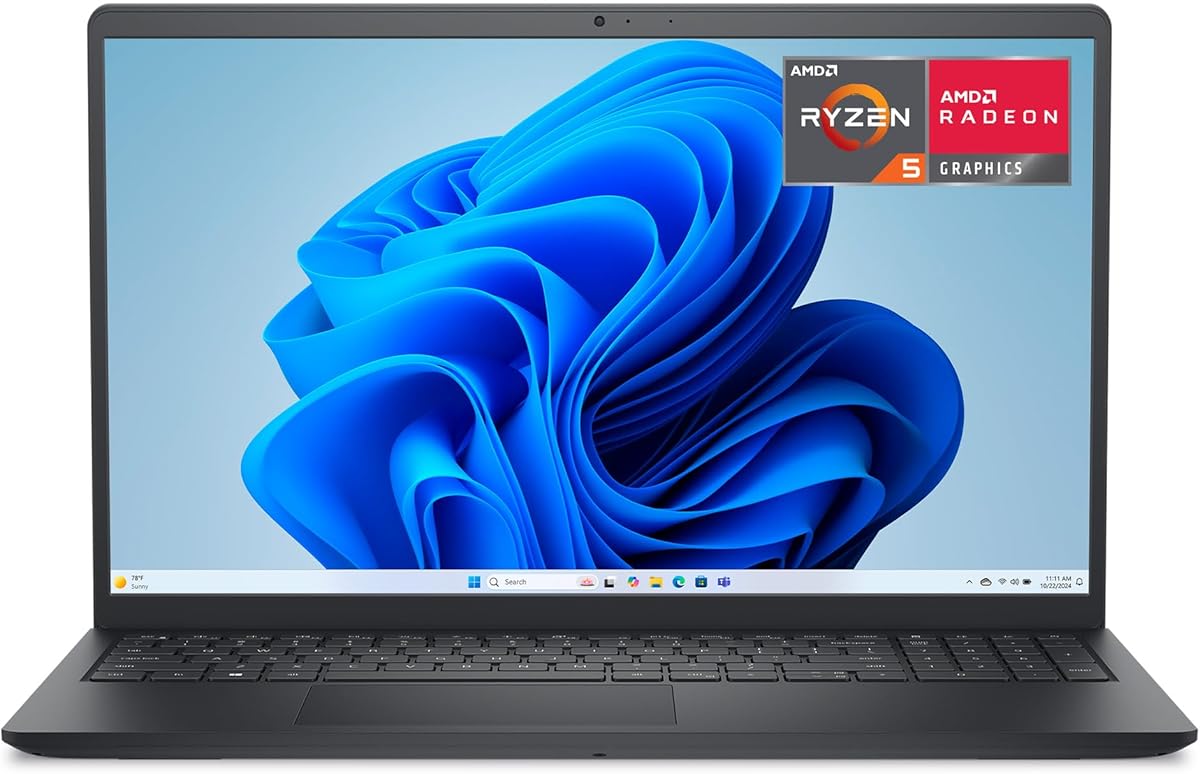
The Dell 15.6 Laptop is designed for efficient everyday computing with a focus on user comfort. Rated 4.3 stars, it offers a balanced experience for home and office use with reliable thermal management and practical design choices.
We may earn a commission when you buy through this link, at no additional cost to you.
Its ergonomic hinge design improves typing angles, reducing wrist strain during extended use. The separate numeric keypad is a thoughtful addition for data entry tasks, making it a practical tool for accounting or administrative work.
The AMD Ryzen 5 7520U processor ensures smooth performance while maintaining energy efficiency. Adaptive thermals keep the system cool even under load, preventing throttling and ensuring consistent speed during busy periods.
This laptop is ideal for users who need a dependable machine for standard daily tasks. With onsite service support, it offers peace of mind for businesses or individuals who rely on their device for consistent daily productivity.
The ergonomic hinges lift the keyboard to a more comfortable typing angle, helping to reduce fatigue during long writing or data entry sessions.
Adaptive thermal technology adjusts power and cooling dynamically, ensuring the laptop remains efficient and cool whether it is on a desk or on your lap.
We may earn a commission when you buy through this link, at no additional cost to you.
The Dell 16 Laptop DC16251 features a large edge-to-edge FHD+ display for immersive viewing. Rated 4.4 stars, it is well-regarded for its screen quality and comfort features designed to reduce eye strain during long work sessions.
We may earn a commission when you buy through this link, at no additional cost to you.
Intel Core 7 150U processor delivers strong performance for productivity and entertainment. The 16GB RAM ensures smooth operation across multiple applications, making it suitable for multitasking and moderate design or coding workloads.
ComfortView Plus technology reduces harmful blue light emissions without altering color accuracy. This makes it easier to work late into the night without affecting sleep cycles or causing excessive eye fatigue.
This laptop is ideal for professionals who need a large, comfortable workspace. It balances power and visual comfort effectively, making it a strong choice for those who spend significant time staring at the screen daily.
The blue light reduction tech helps protect your eyes during long work hours while maintaining true-to-life color for accurate viewing of documents and media.
Pre-configured layouts and intuitive navigation tools help organize open apps effectively, speeding up the workflow and allowing you to focus on critical tasks quickly.
We may earn a commission when you buy through this link, at no additional cost to you.
This HP OmniBook 3 17.3 inch model offers a large screen at a competitive price point. Rated 4.5 stars, it is appreciated for its display clarity and fast storage speeds which facilitate a smooth daily computing experience.
We may earn a commission when you buy through this link, at no additional cost to you.
The AMD Ryzen 3 30 processor handles standard tasks well. While not designed for high-end rendering, it provides enough power for web browsing, video streaming, and basic document editing without lag or performance issues.
With 512GB of SSD storage, users get ample space for files and applications. This ensures quick access to data and fast boot times, keeping productivity high even when managing multiple projects over extended periods.
Ideal for users who need a big screen for viewing multiple windows, this laptop is a practical choice for home offices. It delivers value through its large display and quick storage, making it suitable for casual and professional use.
The wide viewing angles and full HD resolution ensure that content appears sharp from any position, making it ideal for collaborative reviews and media consumption.
Advanced AI noise reduction filters out background sounds during calls, ensuring your voice is heard clearly even in busy or noisy environments.
We may earn a commission when you buy through this link, at no additional cost to you.
Choosing the right laptop for Enscape requires understanding specific hardware needs that support 3D rendering and real-time visualization. This section breaks down the most critical factors to consider before making a purchase.
The CPU is critical for running rendering tasks efficiently. Look for models with at least an Intel Core i5 or AMD Ryzen 5 series to ensure smooth operation during complex visualization projects.
A strong processor ensures your system can handle the mathematical demands of rendering without lag or overheating.
RAM allows your laptop to handle multiple files and applications simultaneously. For Enscape, having at least 16GB of RAM is recommended to prevent slowdowns when switching between design software and rendering tools.
More memory means you can keep more projects open without your system slowing down or crashing unexpectedly.
A fast SSD is essential for quick file loading and system responsiveness. Ensure your laptop includes at least 512GB of NVMe storage to handle large project files and rapid data access during work.
Speedy storage reduces wait times when opening large assets, keeping your workflow efficient and uninterrupted.
The screen must offer accurate color and resolution for detailed work. An FHD or higher display with good color coverage ensures that your designs look correct before they are exported or presented to clients.
High-quality visuals are necessary for spotting errors and appreciating the nuances of your 3D models.
Integrated graphics may suffice for basic work, but dedicated GPUs handle heavy rendering better. Check if your laptop has a dedicated graphics card if you plan on intensive modeling or high-resolution output.
Stronger graphics capabilities ensure your renders are generated quickly without compromising visual fidelity.
If you move between job sites, weight and battery life matter. Lighter laptops with longer battery life help you stay productive without being tethered to an outlet throughout the day.
Balancing performance with portability ensures you can work anywhere without carrying excessive weight.
Long battery life is vital for remote work or travel. Look for devices that can last at least 8 hours on a single charge to maintain productivity during long commutes or unplanned work sessions.
A reliable battery ensures you are never stuck waiting for a charge while trying to meet a deadline.
Various ports allow you to connect external monitors, storage, and peripherals. Ensure your laptop has USB-C, HDMI, and Ethernet ports if you need to extend your workspace or transfer large files quickly.
Versatile connectivity keeps your workflow flexible and compatible with the hardware you already own.
Always update your graphics drivers regularly to ensure optimal compatibility with rendering software. Keeping your system current helps prevent crashes and improves performance during intensive tasks.
Avoid using your laptop on soft surfaces like beds that can block ventilation vents. This prevents overheating and ensures the internal cooling system works efficiently to maintain performance.
Regularly clear your cache and temporary files to maintain speed over time. This simple maintenance step helps your laptop run smoothly even after months of heavy daily use.
For smooth performance, it is recommended to have at least 16GB of RAM. This allows the system to handle multiple design applications simultaneously without significant slowdowns or crashes during rendering tasks.
Yes, integrated graphics can handle basic visualization tasks effectively. However, for high-resolution renders or complex scenes, a dedicated GPU is preferred to ensure speed and stability.
A dedicated graphics card is essential for professional-level rendering and high-resolution output. It ensures faster processing speeds and better visual fidelity during complex design workflows.
Yes, SSD storage is highly recommended for efficient workflows. It provides much faster boot times and file access compared to traditional hard drives, reducing wait times during project loading.
An FHD (1920×1080) resolution or higher is best for design work. This ensures sharp details and accurate color representation which are crucial for professional design and visualization tasks.
Most of these laptops support external monitors through HDMI or USB-C ports. This allows you to expand your workspace for better multitasking and more detailed design reviews.
An Intel Core i5 or AMD Ryzen 5 processor is preferred for daily design tasks. These offer a balance of performance and efficiency that handles standard software demands without overheating.
Battery life directly impacts remote work usability. Longer battery life ensures you can work for several hours without needing to find a power outlet which is crucial for mobility and uninterrupted productivity.
We have reviewed ten top laptops that offer a range of performance levels and features. Whether you choose the HP 17 inch Business Laptop for its overall value or the Light Gaming Laptop for its budget-friendly power, there is a machine suited to your specific workflow needs.
When selecting your device, prioritize memory and display quality to ensure smooth operation and accurate visuals. These factors are critical for maintaining productivity and avoiding frustration during long design sessions.
Prices and availability change frequently so always verify the current specifications before purchasing. Checking the latest deals ensures you get the best performance and value for your investment today.