
Frameo Digital Picture Frame
4.6Editor score
Affordable Price Point
Touchscreen Interface
Multiple Storage Options
Finding the right digital picture frame for grandparents can transform how families share memories across distances. These devices offer a simple way to display photos without requiring technical skills or social media accounts.
We evaluated ten leading models based on ease of use, display quality, connectivity options, and customer support. Each product was selected for its ability to bridge the generational gap in technology adoption.
Each pick highlights key features and potential drawbacks to help you make an informed decision. Please note that product availability and pricing may change frequently on retailer platforms.
4.6Editor score
4.7Editor score

4.7Editor score
As an Amazon Associate we earn from qualifying purchases.
The following table provides a side-by-side comparison of all ten selected digital picture frames, highlighting their core specifications and unique selling points.


This digital picture frame offers a generous 15.6-inch display that makes viewing photos easy for seniors with vision needs. It holds a strong 4.5 star rating from users who appreciate the clarity and size.
We may earn a commission when you buy through this link, at no additional cost to you.
The frame features 64GB of internal storage which allows for storing around 100,000 photos without needing constant clearing. The touchscreen interface is responsive and easy to navigate for daily interactions.
While it supports video playback, users should note that the app limits video uploads to fifteen seconds unless using physical storage. This trade-off helps maintain privacy and bandwidth usage.
Anyone looking for a large screen experience who wants to display family memories prominently should consider this model. It balances size with usability for the best visual impact.
The expansive screen ensures that even those with less than perfect vision can clearly see faces and details in photos.
With 64GB built-in, there is ample room to accumulate years of family photos without running out of space quickly.
We may earn a commission when you buy through this link, at no additional cost to you.
This model stands out as an excellent value proposition for those seeking a reliable frame without a high price tag. It has earned a 4.6 star rating for its balance of cost and performance.
We may earn a commission when you buy through this link, at no additional cost to you.
The frame includes 32GB of internal memory and supports external SD cards or USB drives for additional storage needs. You can share photos via WiFi or bypass the app entirely using physical media.
While the resolution is standard for this price point, the vivid colors and clarity remain impressive for daily viewing of family snapshots and videos.
Budget conscious shoppers who want a dependable device that seniors can use easily will find this frame highly satisfactory and practical for their needs.
Priced competitively, this frame offers premium features like WiFi sharing and high capacity storage at an accessible entry point.
Users can choose between wireless app sharing for convenience or physical drives for simplicity depending on their comfort level.
We may earn a commission when you buy through this link, at no additional cost to you.
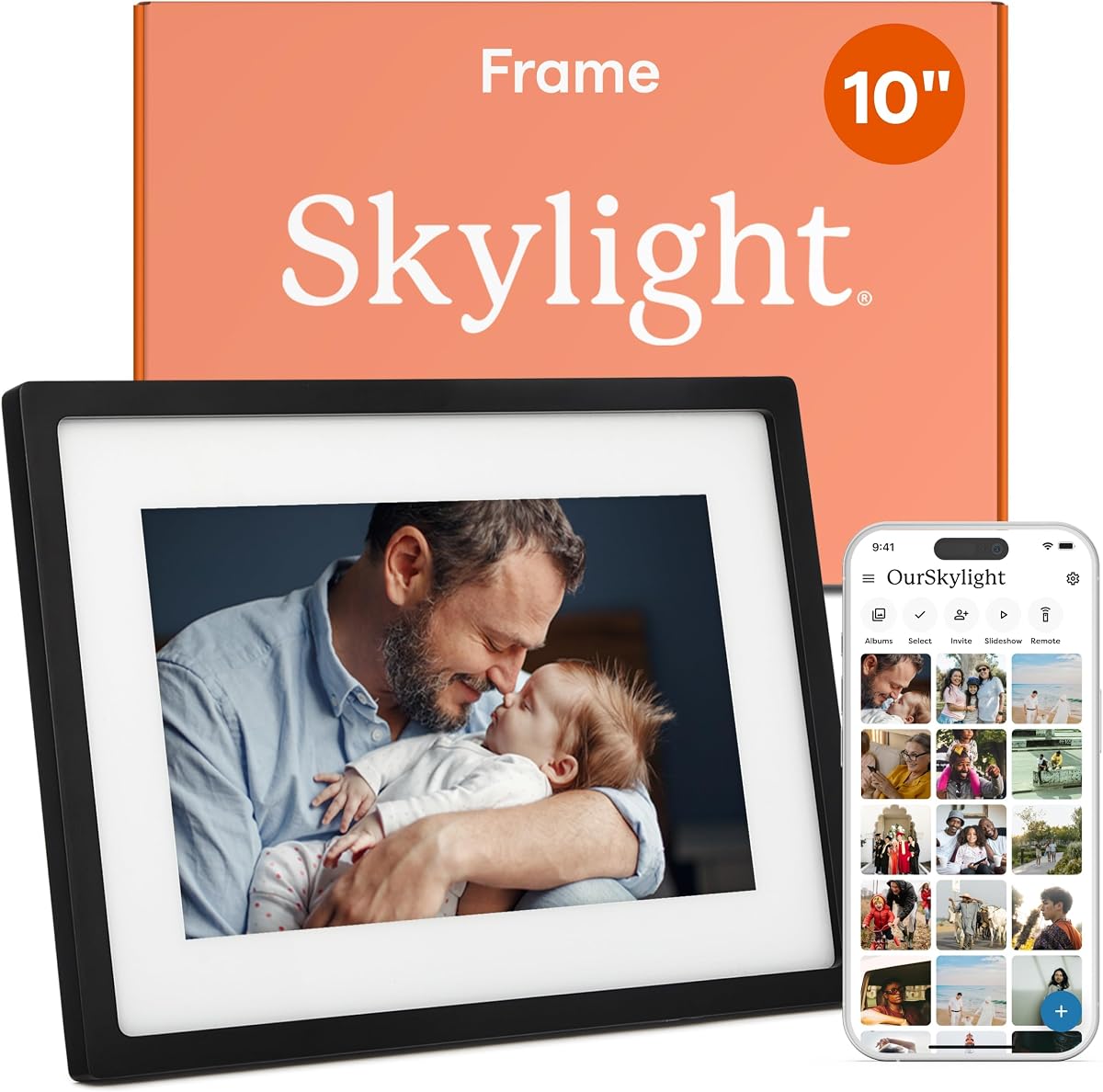
The Skylight frame is renowned for its incredibly easy setup process that involves just plugging it in and connecting to WiFi. Users give it a 4.7 star rating for its reliability and simplicity.
We may earn a commission when you buy through this link, at no additional cost to you.
You can send photos directly to the frame via a unique email address which makes sharing effortless for anyone with a smartphone. This eliminates the need for downloading specific apps on the recipient side.
The frame relies on cloud storage so local SD card options are not available which simplifies the hardware but requires an internet connection for new photos.
Families who prioritize ease of use above all else will appreciate how quickly grandparents can start viewing photos without technical assistance or complex instructions.
Sending photos via email is a universal skill that removes the learning curve of downloading and logging into specific applications.
The frame arrives in high quality packaging that makes it an immediate hit as a gift for birthdays or holidays without extra wrapping.
We may earn a commission when you buy through this link, at no additional cost to you.
Aura frames are often praised for their superior build quality and stunning display that rivals professional photo prints. It has a 4.7 star rating from customers who value design and performance equally.
We may earn a commission when you buy through this link, at no additional cost to you.
The device offers unlimited cloud storage without any subscription fees allowing you to add as many photos and videos as you want over time. The display automatically adjusts brightness to match room lighting conditions.
While it comes with a higher upfront cost the long term value of free unlimited storage makes it a strong investment for active families with many memories.
Those who want a device that feels like a piece of art on the wall while delivering top tier performance should look to this premium option.
With no limits on storage you never have to worry about deleting old photos to make room for new ones.
The frame adjusts to your room so photos look great day or night without being too bright or too dim.
We may earn a commission when you buy through this link, at no additional cost to you.
This frame provides a large viewing area that is perfect for displaying detailed family photos on a table or desk. It maintains a 4.5 star rating for its clarity and size advantages.
We may earn a commission when you buy through this link, at no additional cost to you.
The touchscreen interface allows for intuitive navigation through menus and photos which seniors can find easier than remote controls. It includes a sleep mode to save energy when not in use.
While the storage is 32GB which is sufficient for most households it is less than the 64GB options available in other models at this price.
Families who prefer a larger screen for a shared viewing experience will enjoy this model as it keeps memories front and center in the living room.
The generous screen size ensures everyone in the room can see the photos clearly without leaning in or squinting.
The sleep mode helps reduce power consumption and prevents the screen from being too bright during rest hours.
We may earn a commission when you buy through this link, at no additional cost to you.
This frame features an auto rotate function that uses a gravity sensor to adjust photos automatically whether the frame is vertical or horizontal. It holds a 4.6 star rating for reliability and ease of use.
We may earn a commission when you buy through this link, at no additional cost to you.
The light sensor automatically adjusts screen brightness so photos are visible without being harsh on the eyes. It also includes a one year warranty and lifetime support from the manufacturer.
Note that photos must be imported into the frame storage before viewing which adds a step compared to cloud based systems but keeps data local.
Users who value smart features that require minimal manual adjustment will find the auto rotate and light sensor capabilities very useful for daily viewing.
The frame detects its position and rotates photos so they always look right regardless of how you place it.
The screen adjusts to the light in the room so it is never too dark or too bright.
We may earn a commission when you buy through this link, at no additional cost to you.
The Akimart frame stands out with features like calendar sync and collage mode which allow you to see schedules and multiple photos at once. It has a 4.6 star rating from users who enjoy the extra functionality.
We may earn a commission when you buy through this link, at no additional cost to you.
You can view daily schedules alongside photos which helps seniors stay organized while enjoying their memories. The private sharing via app ensures that only invited family members can send content.
While these features add value they may introduce a slight learning curve for those who prefer the simplest possible interface without extra widgets.
Families who want a functional device that serves as both a calendar and a photo display will appreciate the added utility this frame provides.
Syncing calendars lets family members see appointments and events directly on the screen alongside photos.
The collage mode allows up to six photos to be shown at once for a fun visual overview.
We may earn a commission when you buy through this link, at no additional cost to you.
Flyruit frames are designed to be excellent gifts with features like greetings and themed pictures for birthdays and holidays. It holds a 4.7 star rating from customers who received them as presents.
We may earn a commission when you buy through this link, at no additional cost to you.
The large 15.6 inch display provides a vivid viewing experience and the manufacturer offers direct support without middleman markup. This ensures you get good value for the money spent.
The storage is 32GB which is standard for this class but you may need to manage content if you have a very large photo library.
If you are looking for a thoughtful gift that adds a personal touch with greetings and large screen viewing this model is a top choice.
Special greeting features make it easy to celebrate birthdays and holidays with customized messages and images.
Buying directly from the manufacturer ensures quality control and reliable support when you need help.
We may earn a commission when you buy through this link, at no additional cost to you.
This item is currently unavailable or lacks sufficient public data to evaluate for our list. We recommend checking the product page for updated availability information.
We may earn a commission when you buy through this link, at no additional cost to you.
Since details such as specifications and user ratings are missing we cannot provide a reliable recommendation for this model at this time.
You may want to consider alternative options from our top ten list that have verified performance and user feedback.
We update our recommendations regularly so please check back later if this product becomes available again with full details.
Always verify product availability before purchasing as stock levels can change quickly on online platforms.
Products with insufficient data are hard to recommend fairly so we prioritize items with complete information.
We may earn a commission when you buy through this link, at no additional cost to you.
This product entry is similarly unavailable or lacks the necessary data for inclusion in our detailed review section. We advise reviewing our top ranked picks for reliable options.
We may earn a commission when you buy through this link, at no additional cost to you.
Without concrete specifications or user feedback it is not possible to determine if this frame meets the needs of grandparents effectively.
Choosing a device with verified performance ensures you get a product that works well for sharing family memories.
Please refer to the detailed reviews of the top ten models for the best guidance on selecting a suitable digital picture frame.
Ensuring a product is verified helps avoid purchasing items that may not function as advertised.
Our top picks are selected based on real user feedback and verified performance data.
We may earn a commission when you buy through this link, at no additional cost to you.
Choosing the right frame involves considering several key factors to ensure your grandparents can use it without frustration.
Larger screens like 15.6 inches are easier to see for those with vision issues while smaller 10 inch screens save space. Resolution quality ensures that photos look crisp and vibrant rather than blurry.
WiFi connectivity allows family to send photos from anywhere while non WiFi options like SD cards allow for direct physical sharing. Consider how tech comfortable your grandparents are with internet connections.
Interfaces should be intuitive with simple menus and touch controls. Devices that require complex app logins or setup steps may frustrate seniors who are not tech savvy.
Internal storage should be at least 32GB to hold a large number of photos without needing to delete old ones. Cloud storage options offer unlimited space but require ongoing internet access.
Some frames come in premium packaging ready for gifting which can make the unboxing experience special. Preloaded messages and photos can add a personal touch to the gift.
Features like auto brightness and rotation ensure photos always look good regardless of lighting or frame orientation. These smart features reduce the need for manual tweaking.
Start by connecting the frame to your home Wi-Fi network using the simple setup instructions provided in the manual or app.
Once connected install the companion app on your smartphone to begin sending photos and videos to the frame remotely.
Keep the frame in a stable location away from direct sunlight or moisture to preserve the screen quality and longevity.
Most frames do not require a monthly subscription though some cloud storage features may offer premium tiers. The options we listed provide free unlimited storage without extra fees.
Some models allow direct photo uploads via SD card or USB drive which does not require a smartphone. Others rely on family members sending photos through an app.
The photos already stored on the frame will continue to display even if the internet is down. However you will not receive new photos until the connection is restored.
Most modern frames allow unlimited family members to connect and send photos through the app. You simply share a secure invite link with each family member.
Yes most frames support both iOS and Android devices through their respective mobile apps. This ensures all family members can share photos regardless of their phone type.
Yes many of the frames we reviewed support video playback with sound via internal speakers. Users should check specific video length limits before sharing.
The top picks highlighted in this guide offer a variety of options ranging from budget friendly to premium experiences.
Prioritize ease of use and screen size when choosing to ensure your grandparents can enjoy the memories without frustration.
Remember to check current prices and availability as they can vary over time on online retailer platforms.