
HP 14 inch Laptop, 2027 Edition
4.5Editor score
Intel N150 Processor
14 inch Non-touch Display
Lightweight 3.24 lb Chassis
Finding a laptop with no fan noise is essential for those who work in quiet environments or need focus without distraction. Silent operation ensures comfort during long sessions.
We compared top models based on processor efficiency, thermal design, and real-world noise levels. Our list covers various budgets and use cases for students and professionals.
Each pick highlights key specs and user feedback to help you choose wisely. Note that prices and availability change frequently, so check current listings before buying.
4.5Editor score

4.5Editor score
4.4Editor score
As an Amazon Associate we earn from qualifying purchases.
This side-by-side comparison highlights the key specifications and unique features of each selected model to help you find the ideal silent computing solution.




This HP laptop offers a compact and efficient solution for users seeking a device that operates silently. With a rating of 4.5 stars, it is well-regarded for its balance of price and performance. The Intel N150 processor ensures basic tasks run smoothly without generating heat noise.
We may earn a commission when you buy through this link, at no additional cost to you.
Its standout qualities include a slim profile weighing only 3.24 lbs and a 14 inch non-touch display. The device supports efficient multitasking thanks to its 4 cores and 4 threads. Connectivity options like USB-C and HDMI make it versatile for various work environments.
The main trade-off is the limited onboard storage at 128GB, which relies heavily on cloud solutions. However, the included 1TB Cloud Storage mitigates this issue for many users. The anti-glare coating helps reduce eye strain during long sessions.
This laptop is ideal for students or professionals who need a reliable machine for web browsing and document editing. It prioritizes silence and portability over high-end graphics, making it a practical choice for quiet workspaces.
The low-power processor generates minimal heat, reducing the need for active cooling fans and ensuring a quiet workspace.
At just 0.71 inches thin and 3.24 lbs, this laptop is easy to carry between home and office without adding bulk.
We may earn a commission when you buy through this link, at no additional cost to you.
The Aurant laptop is a strong contender for those needing a silent machine with a larger screen. It boasts a perfect 5.0 rating, indicating high user satisfaction with its daily performance. The AMD Ryzen R5 provides stable processing power for web browsing and office tasks.
We may earn a commission when you buy through this link, at no additional cost to you.
Key strengths include a full-size keyboard with an independent numeric keypad and a backlight for dark environments. The fingerprint unlock feature adds a layer of security for private data protection. Additionally, the 5G WiFi support ensures stable connections.
While the screen is HD rather than Full HD, it remains clear for general use. The storage might feel limited for large media files but suffices for document-based work. The lightweight body of 1.6 kg aids in mobility.
This model is best suited for business travelers or students who need a reliable typing experience and security features. Its affordability and high rating make it an attractive option for budget-conscious buyers.
The full-size keyboard with fingerprint unlock ensures that data entry is efficient and your personal information remains secure.
Built-in 5G WiFi and Bluetooth 4.2 provide fast and stable network signals for uninterrupted online work and entertainment.
We may earn a commission when you buy through this link, at no additional cost to you.
This ASUS Vivobook is selected as an Editor's Choice due to its specialized audio features for silent environments. It is designed for seamless multitasking with a Ryzen 5 CPU that outperforms older i7 models. The AI noise-canceling audio minimizes background noise during calls.
We may earn a commission when you buy through this link, at no additional cost to you.
The 15.6-inch Full HD anti-glare display offers an immersive viewing experience with slim bezels. It features an 80 screen-to-body ratio and supports smooth application switching via DDR5 RAM. The physical webcam shutter adds essential privacy control for users.
Trade-offs include average battery life compared to ultra-book competitors and a standard plastic chassis. However, the ErgoSense keyboard provides a natural typing experience that compensates for material choices. The hinge allows flexible viewing angles for collaboration.
Ideal for remote workers and students, this laptop balances screen quality with privacy and audio clarity. It is a top recommendation for those who prioritize virtual meeting quality and eye comfort.
ASUS AI Noise-Canceling Audio minimizes background noise for clearer voice calls and virtual meetings.
A built-in privacy shutter protects your webcam, while the anti-glare display reduces eye strain.
We may earn a commission when you buy through this link, at no additional cost to you.
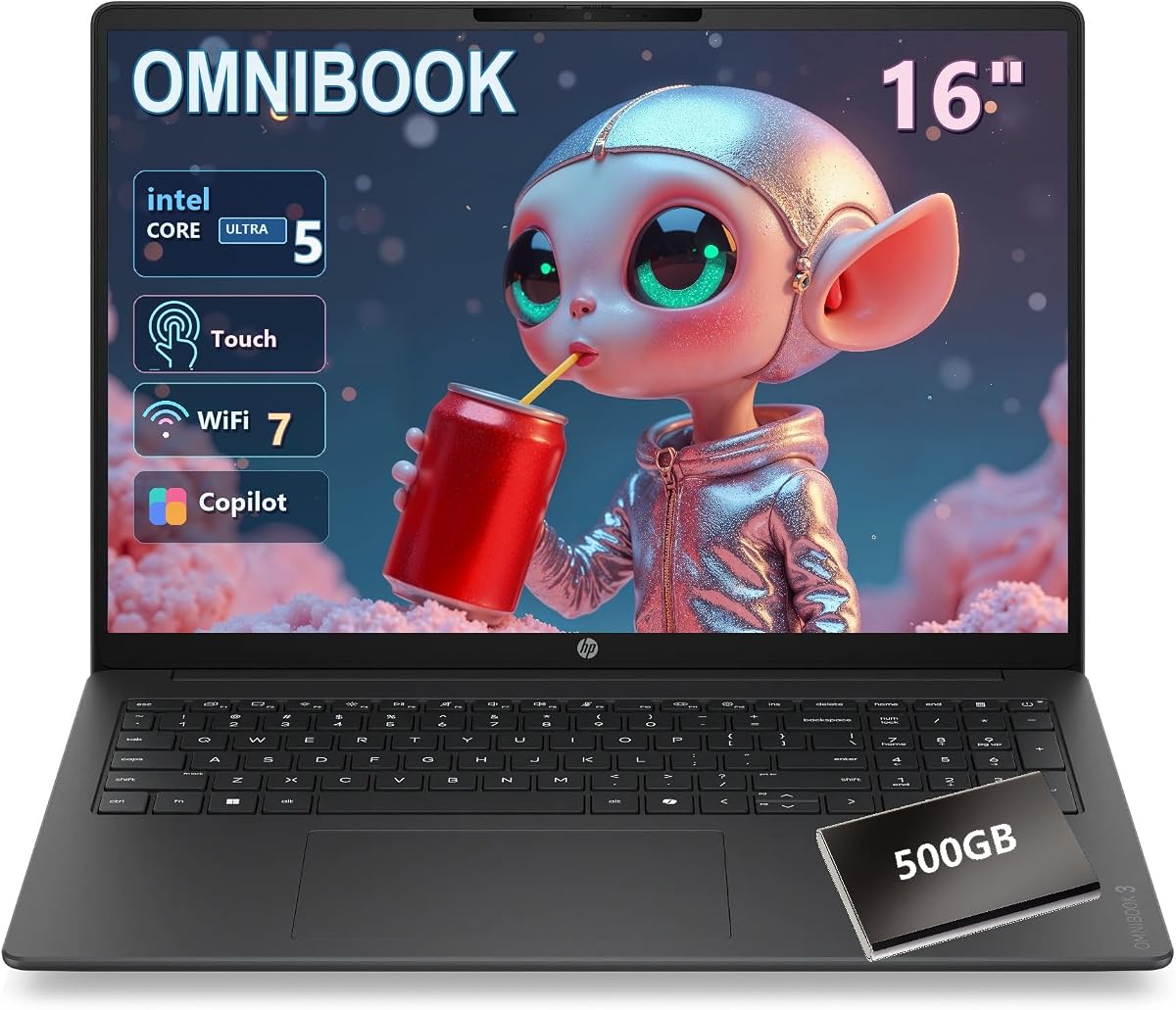
The HP OmniBook 3 delivers premium performance with its 12-Core Intel Ultra 5 processor and AI capabilities. It features a stunning 16-inch WUXGA touchscreen that offers vibrant colors and sharp details. The Advanced AI Noise Reduction camera ensures clear communication in any setting.
We may earn a commission when you buy through this link, at no additional cost to you.
Its key strengths include next-generation Wi-Fi 7 for ultra-low latency and Thunderbolt-Class connectivity. The 88% screen-to-body ratio and 300-nit brightness make it excellent for productivity and content creation. The Mica Silver finish resists fingerprints for a professional look.
While the price is higher than basic models, the AI PC features and premium build justify the investment for professionals. The 0.58-inch thin profile remains portable despite the larger screen. The included 45W GaN adapter supports fast charging.
This laptop is best for creators and business users who need high-end performance and seamless multitasking. It combines style, speed, and intelligent features to enhance productivity effectively.
Experience the future of wireless connectivity with Wi-Fi 7 delivering unprecedented speeds and rock-solid reliability.
Advanced AI Noise Reduction tracks your voice during calls while filtering out background noises for focused communication.
We may earn a commission when you buy through this link, at no additional cost to you.
This cooling pad is designed to keep laptops quiet by managing heat with super quiet fans. It allows you to focus on work without distractions from noisy internal fans. The 5 fans are controlled via switches to optimize airflow based on your needs.
We may earn a commission when you buy through this link, at no additional cost to you.
Key strengths include a dual USB hub that expands connectivity options and 6 ergonomic height settings. It fits laptops from 12 to 17 inches and includes stoppers to prevent slipping. The blue LED lights add a sleek aesthetic touch.
Trade-offs involve the need for a USB power source which might limit desk space. However, the quiet operation is a significant benefit for maintaining a silent environment. It supports various brands including Macbook and Dell.
Ideal for users with louder laptops or those working in noise-sensitive spaces. This accessory helps maintain performance while ensuring the workspace remains quiet and organized.
2 On/Off switches enable control of all 5 fans simultaneously or individually to suit your specific cooling needs.
The stand offers 6 adjustable height settings enabling you to customize the angle for optimal typing comfort.
We may earn a commission when you buy through this link, at no additional cost to you.
This model is celebrated for its perfect rating and efficient design for daily use. It features a True Vision camera with noise reduction to keep virtual meetings professional and quiet. The thin chassis makes it easy to carry anywhere.
We may earn a commission when you buy through this link, at no additional cost to you.
Strengths include a dedicated Microsoft Copilot key for instant AI assistance and long battery life. The HP Imagepad supports effortless navigation while the lightweight design fits easily into bags. It runs Windows 11 for a secure experience.
The hardware is basic, limiting heavy multitasking or high-end tasks. However, for web browsing and document creation, it excels in simplicity and portability. The 128GB SSD ensures fast startup speeds.
Best for users prioritizing mobility and battery over raw power. It is an excellent tool for professionals who need a quiet, lightweight machine for quick tasks.
A dedicated Microsoft Copilot key provides instant AI assistance for enhanced productivity and creativity.
The HP True Vision camera with temporal noise reduction ensures clear and confident communication.
We may earn a commission when you buy through this link, at no additional cost to you.
The havit pad is designed to be a slim and light accessory that travels well. It creates a noise-free environment with three ultra-quiet fans that protect your laptop from heat. The metal mesh provides a stable surface for secure carrying.
We may earn a commission when you buy through this link, at no additional cost to you.
Its strengths include a slim design that doubles as an ergonomic stand with adjustable height. The extra USB port allows for connecting more devices, enhancing convenience. It fits 15.6 to 17-inch laptops comfortably.
The main limitation is the fewer height settings compared to other models. However, its portability and quiet operation make it a great choice for travelers. It protects your investment wherever you go.
Ideal for students or business travelers needing a simple cooling solution. It offers excellent value for those who prioritize portability and low noise levels.
The metal mesh provides your laptop with a stable carrying surface while ensuring airflow through the design.
Three ultra-quiet fans create a noise-free environment ensuring you stay focused on your work.
We may earn a commission when you buy through this link, at no additional cost to you.
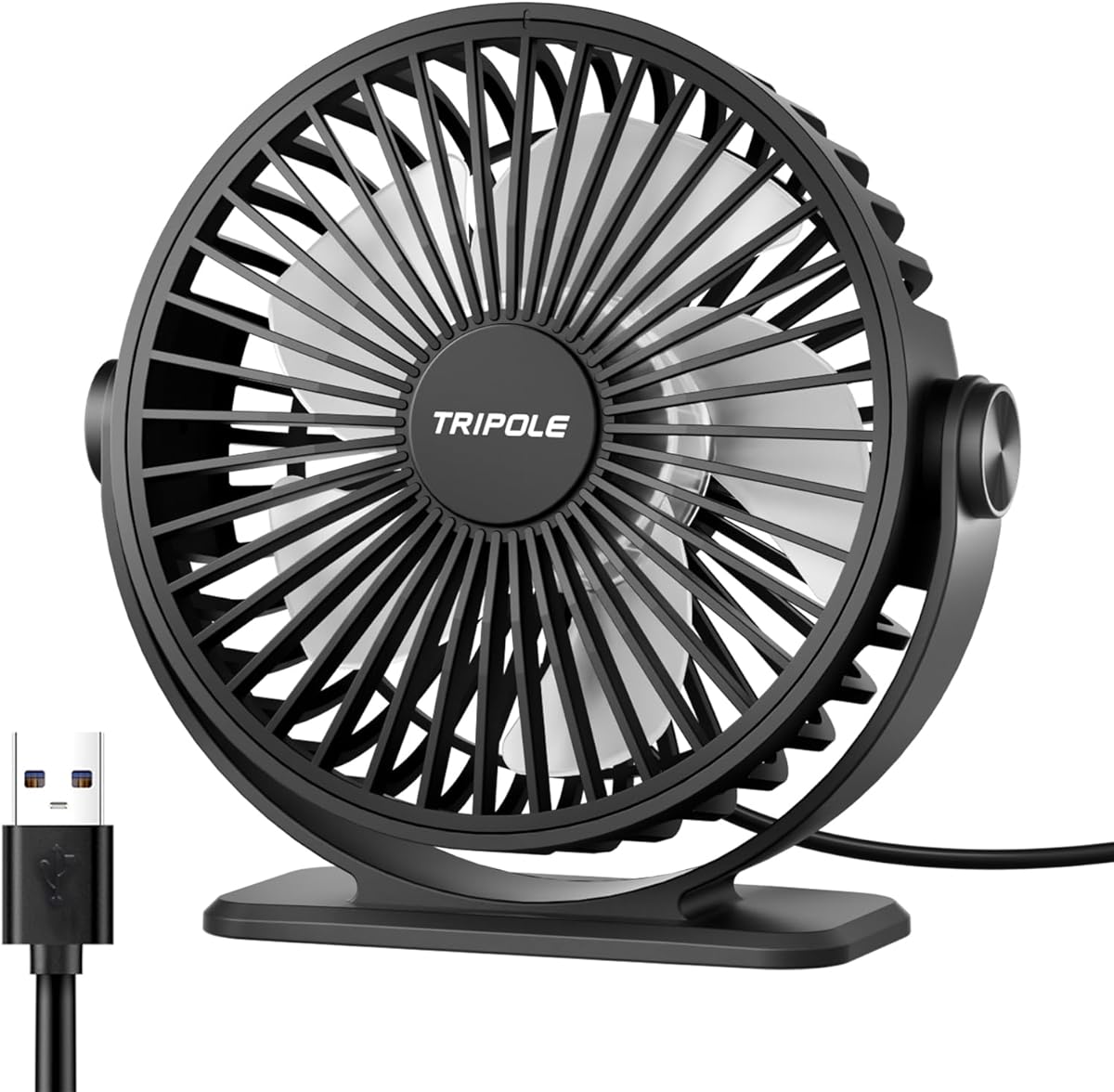
This fan is a personal solution for maintaining a cool workspace without loud noise. Its base uses silicone pads to reduce vibration and decrease noise during use. The detachable cover allows for regular cleaning to prevent dust buildup.
We may earn a commission when you buy through this link, at no additional cost to you.
Strengths include 360 rotation to direct air exactly where needed and three speed modes for control. It is USB powered meaning you can plug it into any charger or computer. The longer cord solves outlet distance issues.
It has a small airflow area so it is best for personal use rather than cooling the whole room. The stable base ensures it won't fall over during operation. It is a refreshing addition to any desk.
Ideal for keeping your face cool during long work sessions. It is a practical, quiet accessory for personal comfort in any setting.
The head can rotate 360 degrees up and down allowing you to direct air precisely to your face.
Four silicone pads at the bottom reduce vibration and decrease noise when the fan is in use.
We may earn a commission when you buy through this link, at no additional cost to you.
The Targus mat is designed to keep you and your laptop cool while sitting on your lap. It uses dual fans powered by USB-A to ensure constant cooling when needed. The open mesh top allows airflow to quickly move away from the device.
We may earn a commission when you buy through this link, at no additional cost to you.
Its strengths include a soft neoprene bottom for cushioned comfort and an ergonomic tilt to reduce wrist strain. Rubber stops on the face prevent slipping during use making it stable. It fits most 17-inch laptops and smaller.
The device adds some thickness to your desk setup. However, the comfort and cooling efficiency are worth it for long work sessions. It is ideal for lap use.
Best for users who work from couches or laps and need reliable heat dispersion. It combines comfort with effective cooling to maintain performance.
Soft neoprene material on the bottom provides cushioned comfort while the Chill Mat is sitting on your lap.
Open mesh top allows airflow to quickly move away from your laptop ensuring constant cooling.
We may earn a commission when you buy through this link, at no additional cost to you.
This business laptop offers high specs for demanding tasks in a large form factor. It features a 17.3 inch FHD display and 16GB RAM for smooth multitasking. The brushed full-size keyboard includes a numeric keypad for efficient data entry.
We may earn a commission when you buy through this link, at no additional cost to you.
Key strengths include long battery life and HP Fast Charge for minimal downtime. The 10-key number pad and crisp display are perfect for multitasking and entertainment. It is preloaded with Windows 11 and Office 365 for easy setup.
The larger screen makes it less portable than smaller models. However, the performance and visual space are ideal for fixed workstations. The digital microphones ensure clear video chats.
Ideal for business users needing a desktop replacement. It combines power and screen real estate for efficient professional workflows.
With 16GB RAM and a 17.3 inch display this laptop handles heavy multitasking and complex workflows effortlessly.
Office 365 for Web is included allowing you to create and share documents anytime anywhere.
We may earn a commission when you buy through this link, at no additional cost to you.
Selecting the right silent laptop requires evaluating several technical aspects to ensure quiet operation without compromising performance. This guide breaks down the key factors to consider.
Modern processors like Intel N100 or AMD Ryzen are designed to perform tasks with less heat generation. This reduces the need for fans to spin at high speeds keeping the device quiet. Look for low-voltage U-series or specific efficiency-focused chips.
Prioritize processors that balance performance with thermal efficiency to maintain silence during daily tasks.
A well-designed thermal system helps dissipate heat passively using heat pipes and vents. This allows the laptop to stay cool without constant fan activation. Passive cooling is common in ultrabooks for silent operation.
Check for reviews that mention minimal fan noise even under moderate load to ensure thermal efficiency.
Software settings often allow you to control fan curves or choose silent modes. This gives you manual control over noise levels depending on your current workload. Some laptops offer quiet modes that limit performance to reduce sound.
Choose a device with customizable thermal profiles to adapt to your need for silence.
Materials like aluminum or carbon fiber absorb vibration better than plastic. This prevents rattling when the fans do spin keeping the overall noise level low. Quality build materials often correlate with better acoustic damping.
Look for models with solid chassis designs to minimize mechanical noise and vibration.
Having enough RAM reduces the strain on the processor as it avoids swapping data to the drive. Faster SSDs are silent and reduce the time the system spends working on heavy tasks. This indirectly keeps fans from ramping up frequently.
Ensure at least 8GB of RAM and a fast SSD to maintain a responsive and quiet system.
Long battery life means the device runs efficiently without draining power rapidly. Efficient power management helps in keeping the system cool and quiet. A good battery ensures you can work unplugged without performance throttling.
Opt for laptops with energy-efficient batteries to support longer silent usage periods.
A good screen reduces eye strain and improves overall comfort. Anti-glare coatings help in bright environments without needing higher brightness. High resolution allows for smaller text reducing physical movement needs.
Select an anti-glare display to maintain visual comfort during long quiet work sessions.
Lightweight laptops are easier to carry and often have smaller cooling systems. A compact design can lead to a more focused and quieter thermal solution. Mobility is key for working in various quiet environments.
Consider weight and dimensions to ensure the laptop fits your lifestyle without noise compromises.
Place your laptop on a hard flat surface to ensure proper airflow. This prevents heat buildup and reduces the need for fans to work hard. Using a cooling pad can further enhance this effect in hot climates.
Keep the intake and exhaust vents clean of dust regularly. Use compressed air to blow out debris and maintain efficient cooling. This simple step helps keep the fans spinning silently for longer.
Adjust power settings to silent mode whenever possible. Many laptops have performance modes that limit speed to reduce heat. Choosing balanced settings keeps your device quiet without losing functionality.
Some laptops use passive cooling systems that rely on heat pipes and vents instead of fans. This design eliminates mechanical noise entirely while still keeping components cool. They are ideal for quiet environments but may have lower performance limits.
Yes, you can use software tools to control fan speeds or lower performance settings. Keeping the device cool with a pad also reduces fan strain. Cleaning dust from vents ensures the fans run smoothly without extra noise.
They may heat up faster under heavy loads because they have limited cooling capacity. However, for daily tasks they remain efficient and comfortable. Avoid gaming or heavy rendering to maintain the silent experience.
Processors like the Intel N series or AMD Ryzen mobile U-series are excellent choices. They balance performance with low power consumption to minimize heat. Look for chips designed for efficiency to ensure quiet operation.
Quality cooling pads add silent airflow to remove heat from the device. This reduces the load on internal fans keeping them from spinning loudly. They are a cost-effective way to enhance cooling without noise.
Most ultrabooks prioritize silence but it depends on the workload. Under heavy loads fans may still spin but usually softly. For light browsing and documents they typically remain silent.
Our top picks cover a range of needs from budget-friendly models to premium business workstations. The HP 14 inch Laptop and ASUS Vivobook Go 15 stand out for their silent efficiency. The HP OmniBook 3 offers advanced AI features for professional users.
Prioritize processor efficiency and thermal design when shopping to ensure long-term silence. A well-chosen device will serve you well without noise distractions. Investing in a cooling pad can further protect your investment.
Always check current prices before purchasing as models update frequently. This guide aims to help you find a reliable quiet device for your needs. With the right choice you can enjoy a focused and productive workspace.