10 Best Clamp on Webcam Arm (November 2026) Expert Guide
Written by Jamie · Updated November 2026
Finding the right clamp on webcam arm is essential for creating a comfortable and professional viewing angle during video calls. These mounts elevate your camera to eye level and reduce neck strain while keeping your desk tidy and organized.
We evaluated ten popular models based on build quality, flexibility, and compatibility with various devices. Our analysis focuses on stability, ease of use, and how well each arm holds position under different conditions.
Each pick below highlights specific strengths and ideal use cases for different users. Note that prices and availability change frequently so verify current details before making your final purchase decision.
Top 3 Picks for Best Clamp on Webcam Arm
Best Budget
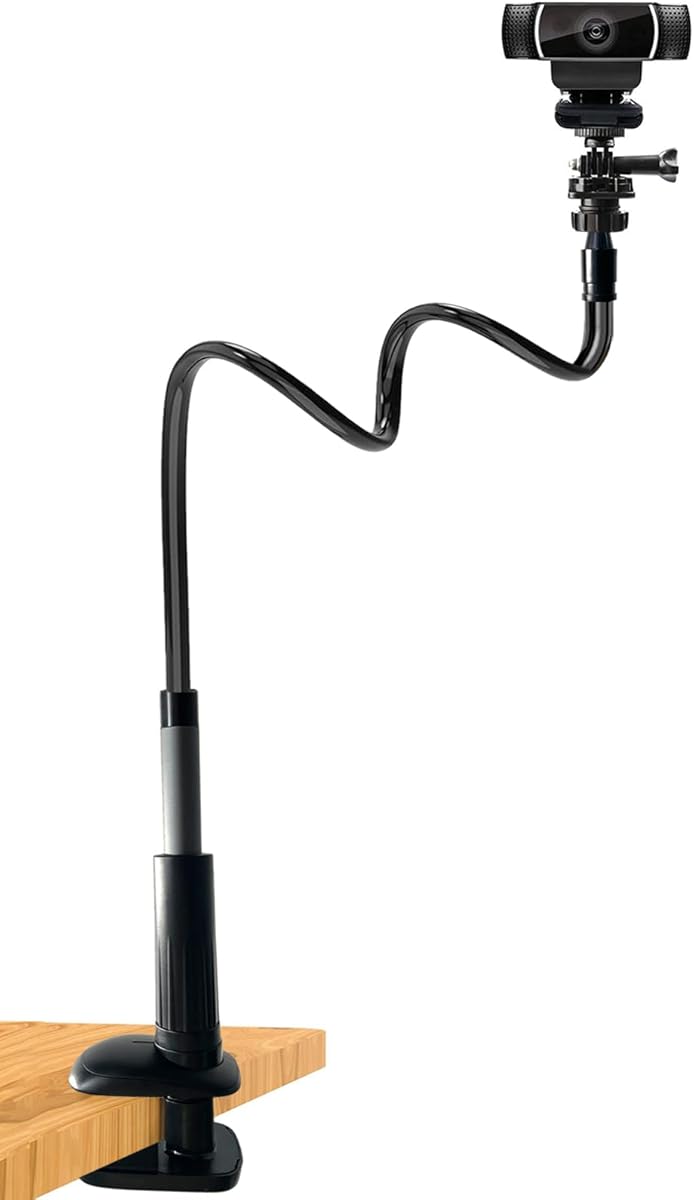
30 Inch Webcam Stand Camera Mount, Upgraded Thick Base Flexible Gooseneck Camera Stand Desk Webcam Mount Clamp
As an Amazon Associate we earn from qualifying purchases.
Top 10 Best Clamp on Webcam Arm in 2026 Compared
The table below provides a side-by-side comparison of all ten featured products to help you quickly identify key specifications and choose the best fit for your needs.
The K&F CONCEPT desk webcam camera mount stands out as a top choice for professionals needing reliable overhead support. With a strong rating and robust build quality it delivers consistent performance for streaming and video calls.
Pros
Stable gooseneck design
Strong upgraded desk clamp
Durable aluminum construction
Easy to install
Cons
Requires flat surface
Heavy compared to others
We may earn a commission when you buy through this link, at no additional cost to you.
Its upgraded desk clamp provides superior gripping strength on flat surfaces up to 45mm thick. The gooseneck arm holds securely without sagging and the aluminum construction ensures long-term durability.
While it requires a flat surface and is heavier than some options the stability benefits outweigh these trade-offs. Users value the lack of wobble during extended use.
This mount is ideal for content creators and remote workers prioritizing stability over portability. Its wide compatibility makes it a versatile addition to any modern workspace.
Enhanced Stability for Streaming
The arm holds devices securely without wobbling to ensure clear video quality during live sessions.
Durable Build Quality
High-quality aluminum alloy ensures the mount withstands daily use without showing signs of wear.
The SMALLRIG magic arm offers premium features for creators needing precise positioning. Its anti-deflection design keeps your camera secure even if accidentally bumped during recording sessions.
Pros
Excellent stability with anti-deflection
Longer arm length
Anti-slip rubber pads
Versatile device compatibility
Cons
Lower weight capacity
Higher price point
We may earn a commission when you buy through this link, at no additional cost to you.
Each joint features double-ball clamps for independent angle adjustments allowing complex setups. The included accessories like adapters and phone clamps expand its utility beyond just webcams.
Users note the load capacity is lower than some competitors but adequate for most standard webcams. The premium price reflects the build quality and thoughtful design details.
This arm is best suited for professionals investing in high-end camera rigs. Its precision and versatility justify the cost for serious content production.
Anti-Deflection Technology
This design enhances security and stability so your equipment stays firmly in place during use.
Universal Compatibility
Comes with adapters and phone clamps to support a wide variety of devices and accessories.
This budget-friendly option provides impressive reach for an affordable price. The upgraded thick base offers better stability than older models in this price range.
Pros
Affordable price point
Long reach of 30 inches
Universal fit for webcams
Easy installation
Cons
Lightweight may flex
Max weight limits
We may earn a commission when you buy through this link, at no additional cost to you.
It supports various Logitech webcams and devices with standard 1/4 screw holes. The gooseneck arm allows flexible positioning to achieve the perfect viewing angle.
Users should note the maximum weight limit of 0.7kg to prevent tipping. For lighter webcams it delivers solid performance without breaking the bank.
Ideal for students or home users seeking a reliable setup on a budget. It balances cost and functionality effectively for daily video calls.
Extended Reach
The arm extends up to 30 inches providing flexible positioning options for your workspace.
Value for Money
Delivers essential features like adjustable height and universal compatibility at a very low cost.
This compact mount is perfect for action cameras and smaller webcams. It fits easily into tight spaces and provides reliable support for lightweight devices.
Pros
Flexible gooseneck design
Mini tripod head included
Compatible with action cameras
Easy installation
Cons
Shorter reach
Weight limitations
We may earn a commission when you buy through this link, at no additional cost to you.
The flexible gooseneck allows precise angle adjustments while the mini tripod head enables 360-degree rotation. It connects to tripods and pipes easily.
Users report that bending the arm into an S-shape improves stability significantly. The clamp is small so it may not suit larger desk edges.
Best for users needing a secondary or portable mounting solution. It is an affordable way to add flexibility to your current setup.
Flexible Mounting
The bendable arm lets you position your camera exactly where you need it in any space.
Wide Device Support
Designed to work with various cameras including GoPros and OSMO models.
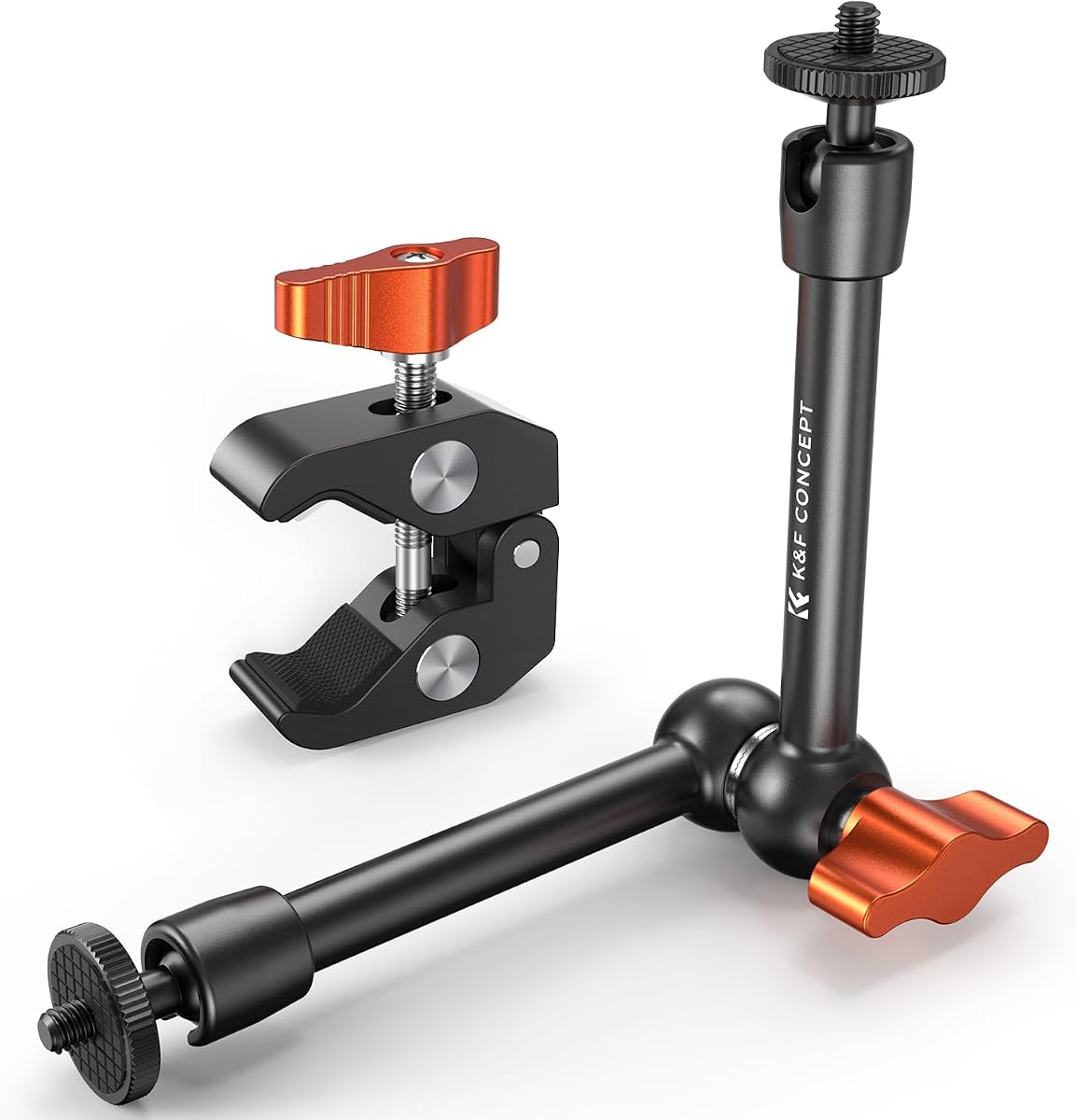
This magic arm is built for stability with a high load capacity of 2kg. Its all-metal construction ensures durability for demanding use cases.
Pros
High load capacity
All-metal design
Anti-slip cushion pads
Easy knob adjustment
Cons
Static use only
Shorter reach
We may earn a commission when you buy through this link, at no additional cost to you.
The dual ball head allows full rotation and positioning flexibility. Anti-slip pads protect your equipment and increase grip friction on clamp surfaces.
It is designed for static scenes so avoid using it during dynamic movement. The short length may not suit overhead photography needs.
Perfect for securing accessories like microphones or lights on tripods. Users value the robust build and reliable tensioning mechanism.
High Load Capacity
Supports up to 2kg making it ideal for heavier accessories or cameras.
Anti-Slip Design
Cushion pads increase friction and protect your equipment from scratches during use.
This overhead camera mount provides a long 22-inch reach for various shooting angles. Anti-twist pins ensure firm connections and reduce unwanted wobbling.
Pros
Strong anti-twist stability
Long extension arm
Protective padding
Versatile clamping
Cons
Weight capacity
Price
We may earn a commission when you buy through this link, at no additional cost to you.
Three sets of ball heads offer extensive flexibility for height and angle adjustments. Nonslip pads protect your device from scratches while securing it.
The max load is 500g so it works best with lightweight webcams or phones. Users appreciate the stability it provides for recording sessions.
Ideal for streamers and remote workers needing overhead views. The combination of reach and stability makes it a solid investment.
Anti-Twist Pins
These pins connect mounting interfaces firmly to prevent loosening during use.
Versatile Clamping
Suitable for flat and round objects providing flexibility in how you mount the arm.
This kit includes a phone holder and action camera adapter making it highly versatile. The all-metal construction ensures durability for long-term use.
Pros
Includes phone and action adapters
Rotatable clamping blocks
Enhanced stability pins
Long foam padding
Cons
Price
Not for dynamic use
We may earn a commission when you buy through this link, at no additional cost to you.
The super clamp features rotatable blocks that grip both flat and cylindrical objects. Anti-twist pins and foam padding enhance stability and protection.
Users note it supports up to 1kg which covers most lightweight cameras. It is designed for static scenes so avoid dynamic movement.
Best for creators needing a comprehensive overhead solution. The included adapters save money and simplify setup.
Complete Kit
Includes phone holder and action camera adapter to cover multiple use cases.
Enhanced Protection
Foam padding and anti-twist pins keep your equipment secure and scratch-free.
This mount is perfect for positioning webcams at eye level for video calls. Its sturdy clamp base fits various surfaces securely without damaging them.
Pros
Perfect video conference height
Universal 1/4 thread
Sturdy clamp base
Space-saving design
Cons
Clamp size
Assembly time
We may earn a commission when you buy through this link, at no additional cost to you.
The solid core alloy ensures it holds your device steadily while remaining flexible. The 360-degree swivel allows for perfect viewing angles.
Users appreciate the foldable design which saves desk space. The clamp protects furniture with silicone padding.
Ideal for hybrid workers and content creators needing reliable overhead support. It is a complete solution for video streaming and calls.
Video Conference Friendly
Adjust the arm to lock it at eye level for professional and comfortable calls.
Durable Core Material
Solid aluminum-magnesium alloy ensures your device stays steady while you move.
This magic arm is built for stability with a high load capacity of 2kg. Its all-metal construction ensures durability for demanding use cases.
Pros
High load capacity
Anti-scratch cushion
Threaded extension holes
Knob adjustment
Cons
Short reach
Static use
We may earn a commission when you buy through this link, at no additional cost to you.
The dual ball head allows full rotation and positioning flexibility. Anti-slip pads protect your equipment and increase grip friction on clamp surfaces.
It is designed for static scenes so avoid using it during dynamic movement. The short length may not suit overhead photography needs.
Perfect for securing accessories like microphones or lights on tripods. Users value the robust build and reliable tensioning mechanism.
High Load Capacity
Supports up to 2kg making it ideal for heavier accessories or cameras.
Anti-Slip Design
Cushion pads increase friction and protect your equipment from scratches during use.
We may earn a commission when you buy through this link, at no additional cost to you.
Buying Guide – How to Choose the Best Clamp on Webcam Arm
Choosing the right clamp on webcam arm depends on understanding key factors that affect stability and usability in your specific workspace.
Arm Length and Reach
The length of the arm determines how far you can position your camera from the desk. Longer arms provide more flexibility for overhead shots but may sacrifice stability. Ensure the reach matches your desk depth and desired viewing angle.
Select an arm long enough to clear your monitor but stable enough to hold position without bending.
Load Capacity
Load capacity is the maximum weight the arm can safely support. Always check this against the weight of your webcam or phone to prevent sagging or damage. Higher capacity arms are heavier but more stable for larger devices.
Match the load capacity to your device weight to ensure a secure and safe mount.
Clamp Mechanism
Clamp mechanisms vary in size and gripping strength. Some open wider to fit thick tables or round poles while others require flat surfaces. Look for anti-slip pads to protect your furniture and secure the hold.
Choose a clamp that fits your desk thickness and type without damaging the surface.
Material and Build
Materials like aluminum alloy offer durability and strength while plastic options are lighter. Metal builds resist bending and maintain position over time. Silicone padding on joints helps with grip and noise reduction.
Prioritize durable materials like metal for long-term reliability in daily use.
Adjustability
Look for 360-degree rotation and multiple ball joints for flexible positioning. Adjustable joints allow you to change angles easily without re-mounting the arm. Some models offer locking knobs for stable final positions.
Ensure the arm offers enough rotational and tilt flexibility for your shooting needs.
Compatibility
Most arms use a standard 1/4-inch screw thread compatible with most webcams and tripods. Check for included adapters if you use phones or specific camera brands. Universal compatibility expands your usage options.
Verify the thread type matches your device to ensure a secure connection.
Ease of Installation
Simple installations save time and frustration. Look for arms that require no tools to clamp or adjust. Quick-release knobs make repositioning easier during dynamic workflows.
Opt for tool-free setups to make adjustments faster and more efficient.
Use Case
Static setups like streaming need stability while dynamic use like vlogging needs flexibility. Identify if you need the arm for overhead shots or eye level. Static arms often sacrifice flexibility for better hold.
Select based on whether you need flexibility for movement or stability for static frames.
How to Use and Care for Your Clamp on Webcam Arm
Start by attaching the clamp securely to your desk or table. Ensure the desk thickness matches the clamp opening and that the surface is flat for maximum stability. Tighten the screws until the clamp does not slide.
Connect your webcam or phone to the top screw mount and tighten it to prevent slipping. Position the arm by bending it into an S-shape or Z-shape which improves balance and reduces wobble during use.
Regularly check the tightness of joints and clamps to maintain stability. Clean the rubber pads and screw threads to remove dust and ensure smooth operation. Store the arm folded if not in use to prevent stress on the joints.
Frequently Asked Questions
Can I use a clamp on webcam arm for overhead streaming?
Yes many arms are designed specifically for overhead streaming and photography. Look for models with sufficient length and stability pins to prevent wobble. Ensure the load capacity matches your camera weight.
What is the best arm length for a large desk?
For large desks look for arms between 22 to 30 inches. This range allows you to reach the center of the desk while maintaining stability. Longer arms require stronger clamps to stay secure.
Do these arms work with round table legs?
Some arms include super clamps that fit round pipes and legs. Check if the clamp opening accommodates the diameter of your table. Many products provide adapters for cylindrical objects.
How do I prevent the camera from sagging?
To prevent sagging ensure the arm is not overloaded and is properly tightened. Bending the arm into an S-shape adds structural support. Choose higher capacity models for heavier cameras.
Are these arms compatible with all webcams?
Most are compatible with webcams using a standard 1/4-inch screw. Check your webcam for this thread size. Some come with adapters for phones or action cameras.
Do I need tools to install these arms?
No tools are required for most models. They use hand-tightened clamps and knobs for setup. This design makes installation quick and easy for most users.
Final Thoughts on Choosing the Best Clamp on Webcam Arm
We reviewed ten top models to help you find the perfect arm for your needs. From budget options to premium kits there is a choice for every workspace.
Prioritize stability and load capacity to ensure your setup remains secure. Choose materials that match your usage frequency and environment.
Always check current prices and availability before buying. Verify compatibility with your devices to ensure a smooth and hassle-free setup.