
acer Nitro V 15.6
4.3Editor score
15.6 inch FHD 165Hz display
Intel Core i5-13420H processor
16GB DDR4 RAM and 512GB SSD
Finding the right laptop with an RTX 5050 GPU means balancing power, price, and portability for gaming and creative work.
We reviewed ten models focusing on cooling, display refresh rates, build quality, and real-world performance across games and productivity tasks.
Each pick shows key specs and pros so you can decide quickly. Keep in mind that prices fluctuate often on Amazon and other retailers.
4.3Editor score

4.6Editor score

4.5Editor score
As an Amazon Associate we earn from qualifying purchases.
The following table provides a side-by-side overview of the key specifications and features across all ten laptops reviewed in this guide.




The Acer Nitro V Gaming stands out with its high refresh rate display and strong CPU power making it ideal for competitive gaming.
We may earn a commission when you buy through this link, at no additional cost to you.
Its NVIDIA Blackwell architecture graphics and AI-powered DLSS ensure smooth gameplay and high fidelity visuals in modern titles.
While it is slightly heavier and battery life is average the performance trade-offs are acceptable for desktop replacement users.
Buy this if you need a balance of screen quality and raw power for both gaming and content creation workloads.
The 180Hz refresh rate minimizes motion blur ensuring fluid animations during fast-paced action sequences and competitive matches.
Dual-fan quad-intake cooling maintains stable performance during extended gaming sessions preventing thermal throttling under pressure.
We may earn a commission when you buy through this link, at no additional cost to you.
This acer Nitro V offers incredible value by delivering high refresh rate gaming on a budget without sacrificing essential performance specs.
We may earn a commission when you buy through this link, at no additional cost to you.
The Intel Core i5 processor handles multitasking well while the RTX 5050 with GDDR7 VRAM provides excellent entry level ray tracing capabilities.
Trade-offs include a standard Full HD resolution and DDR4 memory but these are expected at this price bracket for solid gaming machines.
Ideal for students or casual gamers who want smooth frame rates without spending a fortune on premium features or larger displays.
You get a 165Hz refresh rate and dedicated GPU at a price point that undercuts most competitors in the entry level market.
Fast 512GB PCIe Gen 4 SSD ensures accelerated load times for games and applications without waiting on boot up sequences.
We may earn a commission when you buy through this link, at no additional cost to you.
The ASUS ROG Strix G16 brings flagship features to the RTX 5050 lineup including a MUX Switch for direct GPU routing and Wi-Fi 7.
We may earn a commission when you buy through this link, at no additional cost to you.
Its ROG Intelligent Cooling ensures the system stays quiet and cool even under heavy load thanks to vapor chamber and liquid metal tech.
While storage is limited to 512GB the tool-free access makes upgrades easy and the high-speed DDR5 memory supports demanding workloads well.
This model is perfect for enthusiasts who want premium build quality and advanced customization options without stepping up to a top tier GPU.
A MUX Switch boosts gaming performance by routing frames directly from the dGPU reducing overhead for higher frame rates in games.
Wi-Fi 7 ensures ultra-low latency and fast download speeds which is critical for cloud gaming and seamless online multiplayer experiences.
We may earn a commission when you buy through this link, at no additional cost to you.
The Alienware 16 Aurora features a stunning display and unique cooling structure that focuses airflow exactly where it is needed most.
We may earn a commission when you buy through this link, at no additional cost to you.
Its Cryo-Chamber design allows for advanced thermal support without bulky rear shelves keeping the profile streamlined and professional.
Although it carries a higher price tag the included Onsite Service warranty offers peace of mind for critical business or gaming users.
Choose this laptop if you prioritize build quality and display fidelity along with reliable customer support from a trusted brand.
Go deeper into games with a 16 inch WQXGA display that offers sharp resolution and bright visuals for immersive experiences.
Dell Services provides onsite support when remote resolution fails ensuring minimal downtime for your work or gaming sessions.
We may earn a commission when you buy through this link, at no additional cost to you.
The msi Cyborg A15 AI is designed for portability making it easy to carry between classes work or gaming setups with ease.
We may earn a commission when you buy through this link, at no additional cost to you.
Its Ryzen 7 processor provides responsive performance for multitasking while the translucent keyboard adds a unique stylish element to the build.
While some users may find the translucent keys require more maintenance the lightweight chassis makes it a great choice for travel.
This machine suits students and travelers who need strong specs without the bulk of traditional desktop replacement gaming laptops.
A slim lightweight chassis makes the device easy to bring between home class work and gaming setups without strain.
Includes a massive 1TB SSD which gives plenty of room for modern games that often take up 50GB to 100GB each.
We may earn a commission when you buy through this link, at no additional cost to you.
The Lenovo IdeaPad Pro 5 stands out with a vivid 2.8K OLED display that is perfect for creative work and color sensitive tasks.
We may earn a commission when you buy through this link, at no additional cost to you.
Built with business features and MIL-STD-810H durability it offers secure environments and secure environments for travel and professional use.
Potential downsides include the risk of burn-in with static content and battery drain which is common with OLED technology at high brightness.
Ideal for creatives and professionals who need a color accurate screen and portable design without sacrificing GPU power for rendering.
Stunning 2880 by 1800 OLED panel delivers vibrant colors and deep blacks ideal for design work video editing and media consumption.
Includes IR plus FHD webcam with privacy shutter and TPM 2.0 security to protect your data on the go.
We may earn a commission when you buy through this link, at no additional cost to you.
The GIGABYTE Gaming A16 introduces GiMATE a smart AI interface that transforms how you interact with technology and manage tasks.
We may earn a commission when you buy through this link, at no additional cost to you.
Its slim chassis and fast processor allow for smooth multimedia processing making it suitable for streaming recording gameplay and multitasking.
Although ratings are slightly lower the unique AI features offer a new way to control settings and optimize performance hands free.
Best for early adopters who want to try out AI integrated interfaces alongside standard gaming performance in a sleek package.
GiMATE creates an intelligent interface that understands your needs making control more intuitive and personal for daily use.
A 19.45mm slim chassis and 180-degree hinge design adapt to various scenarios and maintain a portable footprint.
We may earn a commission when you buy through this link, at no additional cost to you.
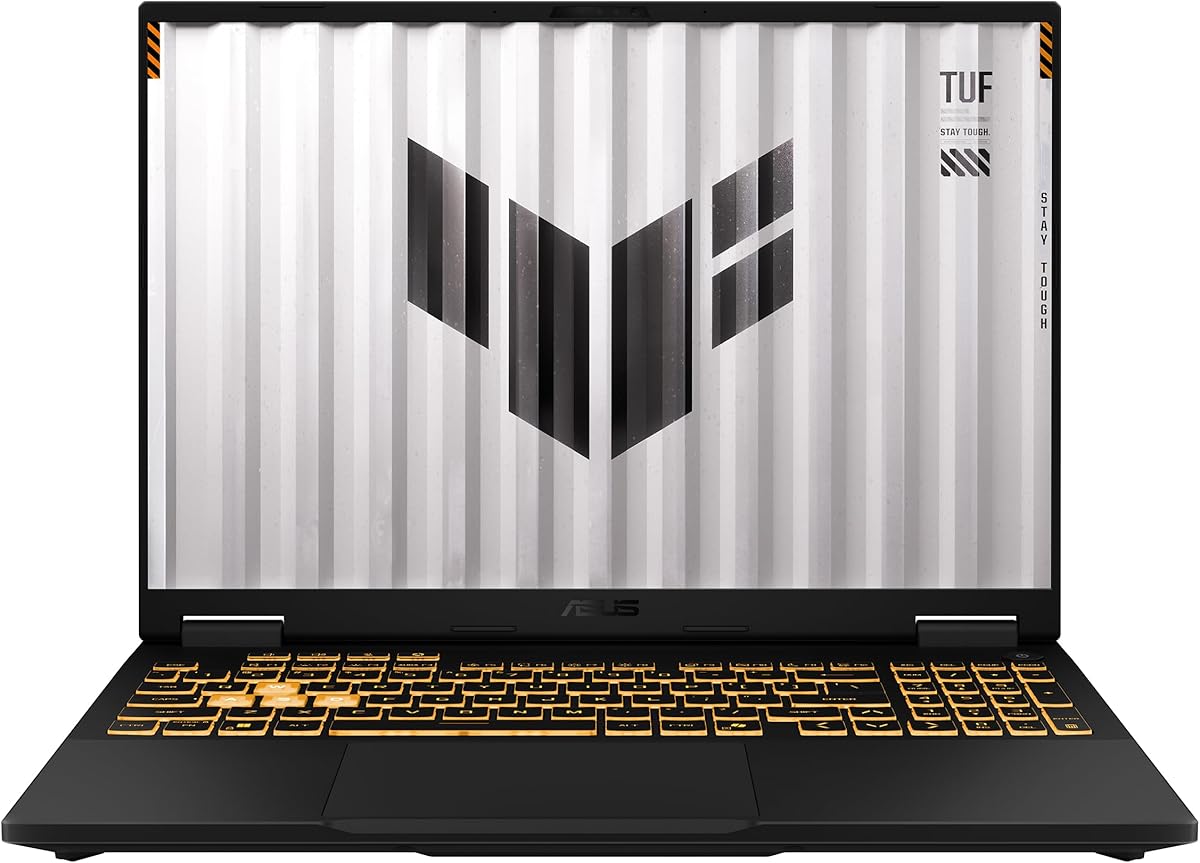
The ASUS TUF Gaming F16 is built to last with military grade durability ensuring it operates at peak performance even in harsh conditions.
We may earn a commission when you buy through this link, at no additional cost to you.
Its 2nd Gen Arc Flow Fans optimize cooling performance without extra noise keeping the experience comfortable during long gaming sessions.
While the styling is subtle and basic the functional benefits of durability and reliable thermal performance make it a great value.
Choose this for rough environments or heavy usage where a sturdy build is more important than flashy design elements.
Tested to meet Military Grade standards ensures the laptop can withstand drops shocks and vibrations during travel.
The 165Hz display with 100% sRGB draws you into the action with adaptive sync reducing lag and tearing.
We may earn a commission when you buy through this link, at no additional cost to you.
The Lenovo LOQ offers seamless AI experiences and G-Sync technology to eliminate screen tearing ensuring silky smooth frame rates.
We may earn a commission when you buy through this link, at no additional cost to you.
Its Hyperchamber Cooling keeps the system from overheating while AI Engine+ ensures consistent performance during intense gaming and workloads.
Although the display is standard Full HD the G-Sync support makes gameplay visually smoother for competitive shooters and racing games.
This model is great for gamers who prioritize frame rate stability and fast charging for on-the-go usage.
NVIDIA G-Sync technology eliminates screen tearing and stuttering ensuring smooth frame rates for competitive shooters.
Rapid Charge Pro powers you to 70% in under 30 minutes so you can game longer without waiting near a plug.
We may earn a commission when you buy through this link, at no additional cost to you.
The msi Katana 15 equips a powerful Intel Core i7 processor that handles smooth and responsive performance for demanding applications.
We may earn a commission when you buy through this link, at no additional cost to you.
With a 75Wh battery it aims for longer usage while maintaining fast refresh rates for fluid gameplay in modern titles.
The build feels average compared to premium models but the raw specs offer solid value for those prioritizing CPU performance.
Buy this if you need raw processing power and high refresh rates without paying for premium design or materials.
Equipped with an Intel Core i7-14650HX processor for smooth and responsive performance during heavy workloads.
Powered by a 75Wh Lithium-Polymer battery for extended usage sessions before needing to recharge.
We may earn a commission when you buy through this link, at no additional cost to you.
Choosing the right laptop with an RTX 5050 requires understanding key factors like display refresh rate cooling and build quality.
Look for displays with at least 144Hz refresh rates to ensure smooth gameplay in fast paced titles. Higher resolutions like WQXGA offer better detail but may impact frame rates.
Prioritize high refresh rates for competitive gaming and color accuracy for creative work.
Effective cooling systems are essential for maintaining peak performance during long gaming sessions. Models with advanced thermal designs like vapor chambers or dual fans prevent throttling.
Check for dual fan setups or specific thermal tech in reviews to ensure longevity.
The CPU handles multitasking and game physics so aim for at least 6 cores or high clock speeds. Newer generations often provide better power efficiency and AI support.
Choose a processor that matches your needs such as i7 for heavy multitasking or i5 for general gaming.
16GB of DDR5 memory is standard for smooth multitasking. SSDs should be PCIe Gen 4 for fast boot and load times.
Ensure your system has at least 512GB of storage for modern large game libraries.
Lighter laptops around 4 to 5 pounds are easier to carry to school or cafes. Military grade durability testing adds confidence against accidental drops.
Consider the weight and build materials based on how often you move your device.
Modern laptops should offer USB Type-C with Thunderbolt 4 and HDMI 2.1 for external displays. Tool free access allows easy RAM or storage upgrades.
Check port selection and upgrade options before buying to save future costs.
Gaming laptops typically have moderate battery life. Look for larger capacities like 75Wh for longer unplugged usage if needed.
Manage expectations as battery life will be shorter during gaming compared to light tasks.
Newer models include AI powered software like DLSS 4 or smart assistants that optimize performance. These can improve frame rates and ease management.
Evaluate if these features add value for your workflow or gaming style.
Keep your laptop on a hard flat surface to allow proper airflow. Using it on soft surfaces like beds can block vents and cause overheating.
Use the provided battery management tools to charge only when necessary. Frequent draining to zero can reduce overall battery health over time.
Clean the vents and keyboard regularly with compressed air to prevent dust buildup. Dust can insulate components and raise internal temperatures significantly.
Yes the RTX 5050 is designed for solid 1080p gaming. It supports DLSS 4 and ray tracing for high fidelity visuals in modern titles.
Aim for at least 144Hz for smooth gameplay. Higher rates like 165Hz or 180Hz are great for competitive shooters.
Yes the RTX 5050 features dedicated RT cores enabling real time ray tracing for enhanced lighting and reflections.
16GB is the recommended standard for modern gaming and multitasking. It ensures smooth performance without slowdowns.
Most models support upgrades but check for tool free access. Some allow swapping the drive without a screwdriver.
Expect moderate battery life. Large batteries help but gaming will drain power quickly compared to light tasks.
DLSS 4 uses AI to upscale images boost FPS and reduce latency. It enhances visuals without heavy GPU load.
Gaming laptops generate heat but good cooling keeps temps stable. Look for dual fan or vapor chamber designs.
The Acer Nitro V Gaming takes the top spot for its balance of high refresh rate display and powerful AI driven graphics.
Prioritize cooling and screen quality based on your use case whether it is competitive gaming or creative work.
Always check current prices on the product pages as deals change frequently.