
DIERYA T68SE
4.5Editor score
Tri mode wireless connectivity
Smooth red linear switches
Full anti ghosting keys
This guide compares the top 60 percent percent keyboard models for gaming and typing, evaluating build quality, switch types, and customization features to
Finding the right compact keyboard can transform your workspace and gaming setup. A 60 percent percent keyboard offers a minimal footprint while retaining essential keys for efficient typing and fast reactions during intense sessions.
We evaluated ten top-rated models based on switch quality, build materials, lighting options, and programmability. Each product brings unique strengths whether you prioritize quiet typing, vibrant aesthetics, or competitive performance.
Every pick highlights specific features and ideal use cases so you can choose confidently. Remember that availability and costs may shift over time so verify current details before making your final decision today.
4.5Editor score

4.5Editor score
4.6Editor score
This table compares the key specifications of all ten selected models so you can quickly identify which layout, switch type, and connectivity options match your specific needs and desk space.






This keyboard stands out for its gasket mount design which provides a plush typing feel rare at this price. With a 4.5 rating it balances quality and customization effectively for both gamers and typists.
We may earn a commission when you buy through this link, at no additional cost to you.
The cream linear switches offer a smooth and thocky experience enhanced by internal foam layers. Hot swappable PCB allows easy future upgrades while QMK VIA support opens deep key remapping possibilities.
Some users may find the software setup complex initially compared to plug and play boards. The knob is useful but might feel small for precise volume control during intense sessions.
If you want a compact board that sounds great and feels custom this is the top choice. It delivers a premium experience without needing to build a keyboard from scratch.
The five layer sound absorption ensures every keystroke sounds consistent and muted.
The dedicated knob lets you adjust audio quickly without leaving your game.
We may earn a commission when you buy through this link, at no additional cost to you.
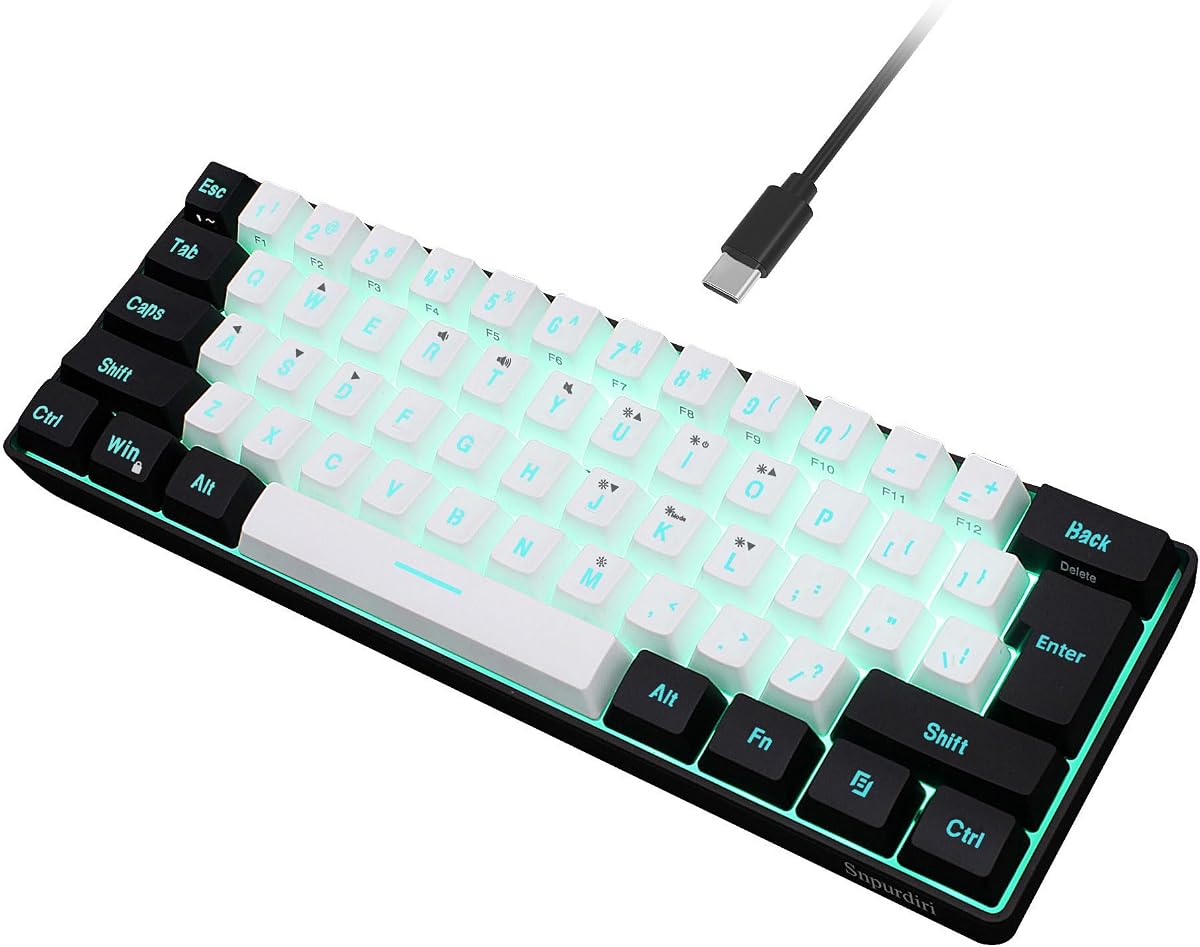
The T68SE offers tri mode connectivity which is rare for budget boards. Its 4.5 rating reflects solid performance for gamers and typists needing flexibility across devices like phones and tablets.
We may earn a commission when you buy through this link, at no additional cost to you.
Red switches provide quiet smooth input ideal for shared spaces or late night sessions. The white design and bright LED backlight add visual appeal without sacrificing functionality or portability.
Wireless modes may drain battery faster if RGB stays on constantly. Users should expect to charge regularly if using Bluetooth often alongside frequent typing sessions.
For those seeking wireless freedom without high costs this is the ideal pick. It bridges the gap between budget pricing and versatile modern connectivity needs effectively.
Switch between three devices easily using the dedicated function keys.
Anti ghosting ensures every command registers during fast paced multiplayer games.
We may earn a commission when you buy through this link, at no additional cost to you.
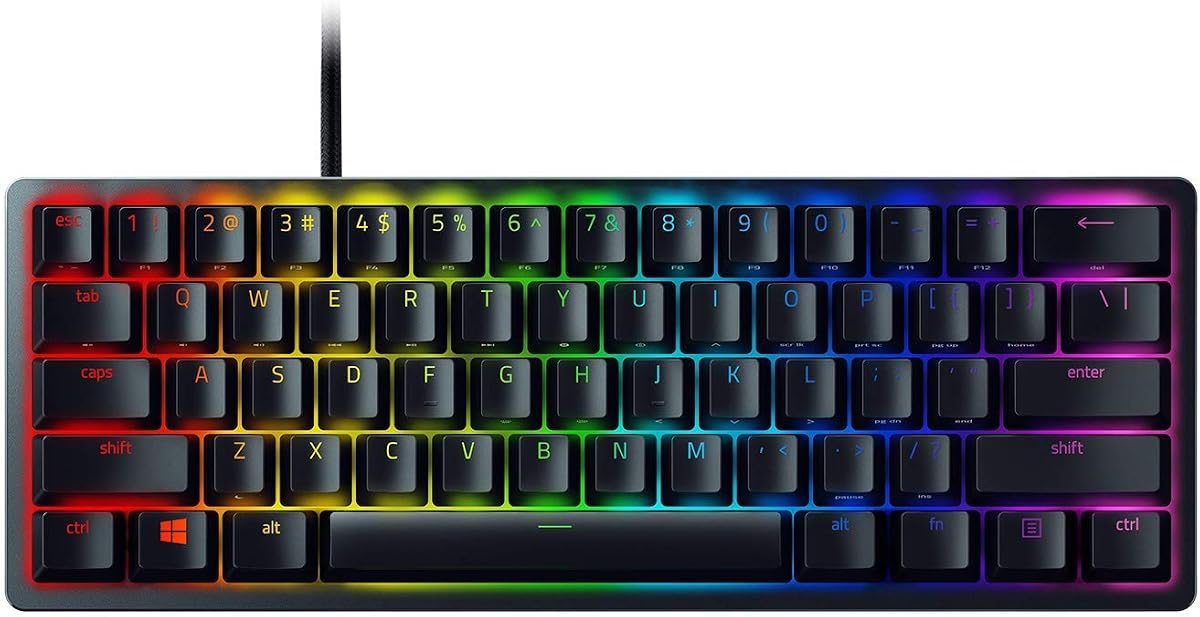
This keyboard is known for its optical switches which register faster than traditional mechanical ones. With a 4.6 rating it appeals to competitive gamers who need speed and precision in their setup.
We may earn a commission when you buy through this link, at no additional cost to you.
The PBT keycaps resist shine and wear better than standard ABS options. Chroma RGB integration allows deep customization across multiple devices which enhances the overall gaming immersion significantly.
Buying renewed models may mean cosmetic imperfections though function remains intact. Ensure you accept this trade off for savings on high end hardware like this one.
If speed and ecosystem integration are your priority this board delivers unmatched value. It remains a top choice for players who demand the fastest reaction times possible.
Optical triggers reduce latency for faster input response in competitive games.
Sync colors with games and lights for an immersive atmosphere.
We may earn a commission when you buy through this link, at no additional cost to you.
The K617 makes customization easy for beginners with its solder free hot swap design. It holds a 4.6 rating due to its reliable build and pleasant quiet typing experience straight out of the box.
We may earn a commission when you buy through this link, at no additional cost to you.
Stock red switches are smooth and quiet which is great for offices. The RGB modes provide enough variety to keep the board looking fresh without needing complex software tools.
Lacking advanced software features may limit macro customization compared to other brands. This might deter power users who want deep scripting capabilities built directly into the firmware.
For first time builders this is the perfect entry point. It combines affordability with modern features that let you upgrade switches without tools.
Swap switches instantly to experiment with different tactile feels.
Quiet switches prevent disturbing coworkers while maintaining mechanical quality.
We may earn a commission when you buy through this link, at no additional cost to you.
This model focuses on simplicity and portability for users who travel often. With a 4.6 rating it delivers a reliable typing experience without extra software or complex features to manage daily.
We may earn a commission when you buy through this link, at no additional cost to you.
Red linear switches offer smooth and responsive input ideal for both gaming and work. The detachable cable makes packing easier while the foldable feet adjust angle for comfort.
Advanced customization options are missing compared to more feature rich boards. Those seeking deep personalization might find it basic but sufficient for everyday tasks and quick wins.
If you want a no fuss keyboard that travels well this is it. It prioritizes function and portability over extra bells and whistles.
Compact size fits in backpacks without taking up too much room.
Setup takes seconds with drivers needed for immediate use.
We may earn a commission when you buy through this link, at no additional cost to you.
This keyboard stands out with its Kanagawa anime design and aluminum construction. With a 4.6 rating it blends artistic expression with functional durability for users who value style highly.
We may earn a commission when you buy through this link, at no additional cost to you.
Cherry profile PBT keycaps provide comfortable typing while hot swappable boards allow future customization. Sound dampening pads ensure a thocky satisfying sound that reduces noise pollution.
The specific theme might not suit everyone workspace aesthetic tastes. However if you love anime and custom boards this combination is truly unique and well executed.
For style conscious users who still want quality performance this is the pick. It offers a visual and tactile experience that most mass market keyboards lack.
The classic art theme transforms your desk into a creative display.
Internal foam optimizes sound for a pleasant thocky typing feel.
We may earn a commission when you buy through this link, at no additional cost to you.
This model features optical linear switches designed for speed and smoothness. With a 4.6 rating it appeals to gamers who want fast response without the loudness of clicky switches.
We may earn a commission when you buy through this link, at no additional cost to you.
Snap Tap allows prioritizing inputs for better movement control in competitive titles. PBT keycaps ensure durability and textured feel that resists wear and grease buildup.
New features like Snap Tap require enabling through software which may confuse some. Once set up however they provide distinct advantages over standard mechanical switches.
If speed and advanced features are your goal this board excels. It brings high end tech to a compact size for performance focused users.
Snap Tap gives instant direction changes for faster reflexes in games.
Matte aluminum top frame ensures long lasting structural integrity over time.
We may earn a commission when you buy through this link, at no additional cost to you.
This keyboard offers professional programming tools like QMK VIA at a budget price. With a 4.6 rating it serves both casual users and tinkerers who want to tweak layouts freely.
We may earn a commission when you buy through this link, at no additional cost to you.
Pre lubed red switches feel smooth and ready to use out of the box. Hot swap sockets let you replace keys later without soldering which adds great value.
Full RGB control requires installing software which may complicate quick setup. Without it only onboard presets are available which might limit visual customization options.
If you want to customize key layouts deeply this is the pick. It provides power user features in an accessible and affordable package.
QMK VIA support gives you full control over key functions.
Pre lubricated switches ensure smooth typing from the very first keystroke.
We may earn a commission when you buy through this link, at no additional cost to you.
This keyboard delivers the classic tactile clicky experience at an affordable price. With a 4.5 rating it suits typists who love audible feedback without breaking the bank.
We may earn a commission when you buy through this link, at no additional cost to you.
Blue switches provide strong tactile bumps and audible clicks for satisfying typing. Rainbow LED backlighting adds fun visual flair with adjustable brightness levels for any room.
The noise from blue switches might be too loud for shared offices. Consider this if you need a quiet keyboard for collaborative work environments or libraries.
If you enjoy the clicky sound and tactile bump this is ideal. It offers classic mechanical feel in a budget friendly compact design.
Strong bumps ensure you know exactly when each key registers.
Rainbow lights create a vibrant atmosphere for night gaming sessions.
We may earn a commission when you buy through this link, at no additional cost to you.
This keyboard mimics mechanical feel while remaining silent and budget friendly. With a 4.4 rating it serves users wanting mechanical aesthetics without the noise or cost.
We may earn a commission when you buy through this link, at no additional cost to you.
Imitation mechanical technology provides a tactile stroke without loud clacks. RGB effects offer decent customization options to personalize your look without high expenses.
True mechanical switches are not present which may disappoint enthusiasts. However the trade off is quiet operation and ease of use for general tasks.
If you need a quiet budget board for gaming or work this fits. It offers the visual and tactile style without noise or mechanical complexity.
Silent design ensures you do not disturb others during late use.
Get the mechanical look and RGB at a fraction of the price.
We may earn a commission when you buy through this link, at no additional cost to you.
Choosing the right compact keyboard requires weighing several factors from switches to connectivity. This guide helps you identify what matters most for your usage and budget.
Switches dictate typing feel and sound. Linear switches offer smooth quiet strokes while clicky ones provide tactile feedback. Choose based on noise tolerance and preference.
Match switch type to your environment and typing style for comfort.
Materials like aluminum improve durability and stability. Look for solid frames and stable keycaps to prevent wobble during long sessions.
A sturdy board lasts longer and feels more premium over time.
Wireless options like Bluetooth add flexibility but wired ensures lowest latency. Select based on whether you need mobility or pure gaming performance.
Prioritize stable connections for competitive gaming and convenience for travel.
Hot swappable boards allow changing switches without soldering. This is useful for future upgrades or fixing broken keys easily.
Invest in hot swap PCBs to extend keyboard life and customize feel.
Software enables macros and lighting customization. Boards with QMK VIA allow deep remapping while others rely on limited onboard controls.
Check for software availability if you need complex key functions.
PBT keycaps resist shine and wear better than ABS. Profile height affects comfort so choose based on your preferred typing feel.
High quality keycaps improve durability and long term typing satisfaction.
Prices vary widely so set a limit before shopping. High end boards offer more features but budget options deliver value for basic needs.
Balance desired features with affordable to maximize value for money.
Color and lighting match your setup style. RGB adds fun while monochrome keeps it professional. Ensure it fits your desk theme.
Visual appeal matters for long term satisfaction with your workspace.
Start by connecting the keyboard via USB or Bluetooth and installing necessary drivers for full functionality. Test keys to ensure all functions work correctly before heavy use.
Clean regularly with compressed air and gentle cloth to remove dust and crumbs. Avoid harsh chemicals to protect keycaps and switches from damage over time.
Store in a dry cool place when not in use to prevent moisture damage. Use protective covers during travel to avoid scratches on the surface and frame.
Yes it is excellent for programming due to space efficiency and programmable layers. You can map function keys to arrows and numpad using Fn combinations easily.
Most models support MacOS but layout may differ slightly. Check compatibility notes and adjust function mappings via software for best results.
Generally yes especially clicky switches. However linear switches are quiet while membrane can also be noisy depending on build quality and design.
No basic features work plug and play. Software unlocks advanced customization like macros and lighting but is not required for typing or gaming.
Refer to the manual for specific reset commands. Most reset by holding Fn keys for several seconds or removing batteries briefly.
Only hot swappable models allow this. Check product specs to confirm PCB support for tool free switch replacement if you plan to upgrade.
The top three picks offer unique advantages whether you want premium sound wireless flexibility or gaming speed. Each model brings distinct strengths to fit specific needs and budgets well.
Prioritize switches and build quality since they define comfort and longevity most. Match features like hot swap or software to your level of customization desire.
Check current availability and prices as these may change over time. Verify warranty terms to ensure long term support for your investment in gear.