
ASUS ProArt PA32QCV
3.9Editor score
Factory calibrated accuracy
MacBook color matching
Auto KVM switching
Finding the right display for professional work requires balancing resolution with color fidelity and connectivity options. A 32 inch 6K monitor offers immense screen real estate and pixel density for detailed creative tasks.
We evaluated ten leading models based on panel technology, refresh rates, and ergonomic features. Our analysis covers productivity tools, gaming capabilities, and seamless device integration for modern workflows.
Each pick highlights unique strengths to help you match a display to your specific needs. Prices and availability change frequently, so verify current listings before making your final purchase decision.
3.9Editor score

3.8Editor score

5.0Editor score
As an Amazon Associate we earn from qualifying purchases.
This side-by-side comparison evaluates every model across key technical specifications and user-facing features to help you decide which 6K display best fits your specific professional or gaming requirements.


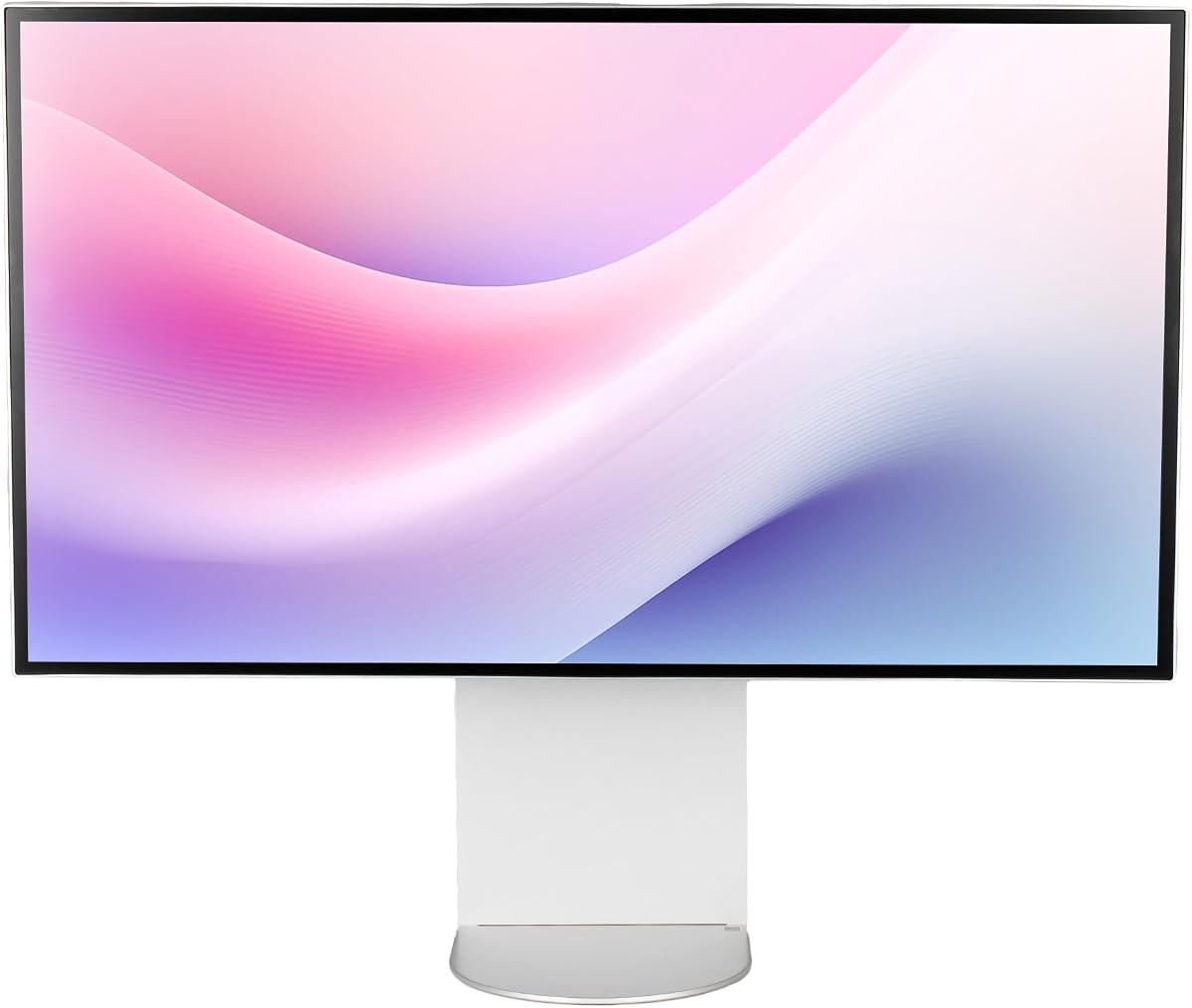
The LG 32U990A-S stands as the premier choice for professionals seeking cutting-edge display technology. With a 3.8 rating from early adopters, it delivers on its promise of future-ready workflows through Thunderbolt 5 integration.
We may earn a commission when you buy through this link, at no additional cost to you.
Its Nano IPS Black panel offers a remarkable 2000:1 contrast ratio, providing deeper blacks and richer shadows than traditional IPS displays. This visual fidelity is crucial for color grading and detailed photo retouching where subtle tonal differences matter most.
While the 60Hz refresh rate may not appeal to competitive gamers, it ensures stability for complex creative workflows. The high 224 PPI pixel density makes text incredibly sharp, reducing eye strain during long editing sessions.
Creative professionals who demand precision and speed will find this monitor unmatched in its class. The seamless compatibility with both Mac and Windows ecosystems ensures you can integrate it into any existing hardware setup without compatibility hurdles.
The combination of 6K resolution and Nano IPS Black technology ensures every detail is rendered with exceptional clarity and depth for professional work.
Thunderbolt 5 provides ultra-fast data transfer and high-speed charging, future-proofing your workstation against upcoming hardware advancements.
We may earn a commission when you buy through this link, at no additional cost to you.
The ASUS ProArt PA32QCV offers exceptional value for creatives needing reliable color accuracy without breaking the bank. With a 3.9 rating, it balances performance and affordability effectively for professional workflows.
We may earn a commission when you buy through this link, at no additional cost to you.
Its factory calibration ensures Delta E values under 2, guaranteeing that colors appear exactly as intended on screen. The specialized MacBook color matching preset simplifies workflows for users switching between devices.
While it lacks some of the premium connectivity of higher-end models, the dual Thunderbolt 4 ports and Auto KVM switch provide robust functionality for multitasking environments. The extended warranty adds significant peace of mind.
Budget-conscious professionals should consider this monitor for its reliable performance and strong color fidelity. The included software subscriptions further enhance its value proposition for creative teams.
Factory calibration ensures color precision out of the box, saving time and effort on manual adjustments.
Built-in KVM switching allows effortless control of multiple computers, streamlining your desk setup.
We may earn a commission when you buy through this link, at no additional cost to you.
The ALOGIC Clarity Touch represents the pinnacle of interactive display technology with its world-first 6K touchscreen capability. Its perfect 5.0 rating highlights its exceptional quality and unique functionality for artists.
We may earn a commission when you buy through this link, at no additional cost to you.
Touch interaction eliminates barriers between you and your creative ideas, allowing for intuitive navigation and drawing. The included active stylus provides 4096 levels of pressure sensitivity, transforming the screen into a massive digital drafting board.
While the premium price reflects its niche status, the fold stand design offers ergonomic flexibility that traditional monitors cannot match. It serves as both a high-res display and a low-angle tablet for varied work styles.
Artists and architects requiring direct digital interaction will find this monitor indispensable. The combination of high resolution and touch precision sets a new standard for professional creative hardware.
Touch controls and stylus support allow for natural interaction with digital content, enhancing the creative process.
The fold stand design enables seamless transitions between viewing and drawing modes without needing a second device.
We may earn a commission when you buy through this link, at no additional cost to you.
The Samsung Odyssey G8 redefines high-resolution gaming with its unique ability to switch between 6K and 3K modes. A 3.7 rating reflects its appeal to users prioritizing speed alongside visual fidelity.
We may earn a commission when you buy through this link, at no additional cost to you.
Its Fast IPS panel delivers vivid colors across the entire screen while maintaining rapid response times. The Dual Mode feature allows users to prioritize resolution for creative work or speed for competitive gaming.
While the 6K mode runs at 165Hz, switching to 3K unlocks 330Hz refresh rates for lightning-fast action. This flexibility makes it one of the few 6K capable displays suitable for serious gaming.
Gamers seeking a single display for both work and play will appreciate this dual-purpose design. The extensive connectivity and HDR10+ support ensure immersive experiences across various media types.
Switch between high-resolution work and ultra-fast gaming modes to suit different tasks throughout the day.
Advanced adaptive sync technologies eliminate screen tearing, ensuring smooth gameplay during intense sessions.
We may earn a commission when you buy through this link, at no additional cost to you.
The Dell UltraSharp U3224KB focuses on productivity by integrating essential office features into a high-resolution display. With a 3.2 rating, it serves well for corporate and office environments needing reliable performance.
We may earn a commission when you buy through this link, at no additional cost to you.
Its built-in webcam simplifies video conferencing setups by eliminating the need for external cameras. The USB-C connectivity allows for data transmission and laptop charging through a single cable.
While it lacks gaming-specific features, the focus on clarity and usability makes it ideal for multitasking. The 6K resolution provides ample space for multiple windows and detailed spreadsheets.
Office professionals will find this monitor enhances workflow efficiency significantly. The balance of resolution and connectivity features ensures a clutter-free and productive workspace.
Built-in webcam and USB hub reduce cable clutter and simplify video call setups.
Designed for text clarity and multi-window productivity, it excels in business applications.
We may earn a commission when you buy through this link, at no additional cost to you.
The LG UltraFine Bundle offers exceptional value by including essential accessories alongside a high-performance display. With a 4.5 rating, it stands out for its comprehensive package and reliable performance.
We may earn a commission when you buy through this link, at no additional cost to you.
Included items like cable ties and cleaning kits provide immediate utility upon unboxing. The monitor itself boasts Thunderbolt 5 and comprehensive color accuracy suitable for professional tasks.
While the refresh rate remains at 60Hz, the feature set is robust for creative workflows. The ergonomic stand and KVM functionality add significant convenience for multi-computer setups.
Professionals seeking an all-in-one solution should consider this bundle for its convenience. It ensures you have everything needed to start working efficiently without additional purchases.
Essential accessories included reduce the need for extra purchases and simplify initial setup.
High-resolution display and accurate color reproduction maintain productivity and quality standards.
We may earn a commission when you buy through this link, at no additional cost to you.
The G32X Minimalist delivers a clean, uncluttered design that blends seamlessly into modern workspaces. A perfect 5.0 rating highlights user satisfaction with its aesthetic and functional balance.
We may earn a commission when you buy through this link, at no additional cost to you.
Its 500-Nit brightness ensures excellent visibility even in well-lit environments. The 100W power delivery supports efficient laptop charging while streaming high-resolution content.
While the brand is less established, the build quality and eye care features such as anti-glare coating are notable. The universal mount compatibility offers flexibility for custom desk arrangements.
Design-conscious users will appreciate the premium build and sleek finish. It combines necessary performance features with a visually pleasing form factor for professional settings.
CNC-machined aluminum body provides durability and a sleek aesthetic that enhances office decor.
Anti-glare and flicker-free technologies minimize eye strain during extended work sessions.
We may earn a commission when you buy through this link, at no additional cost to you.
The G32P Honeycomb offers a premium glossy finish that enhances color vibrancy and contrast. With a 4.6 rating, it appeals to users prioritizing visual impact and build quality.
We may earn a commission when you buy through this link, at no additional cost to you.
Its honeycomb cooling system ensures optimal thermal performance during long usage periods. The CNC-machined aluminum body provides durability and a sophisticated look for professional environments.
While the glossy surface may attract fingerprints, the visual clarity it provides is exceptional. It is best suited for controlled lighting environments where reflections can be managed.
Design professionals and enthusiasts will value the high PPI and robust construction. The option to use custom stands allows for further ergonomic customization.
Glossy panel technology delivers deeper colors and sharper details for content creation tasks.
Honeycomb cooling design maintains stable performance during intensive use sessions.
We may earn a commission when you buy through this link, at no additional cost to you.
The Dell U3224KB Bundle provides peace of mind with an included extended protection plan. A 3.3 rating indicates solid performance for business users seeking long-term reliability.
We may earn a commission when you buy through this link, at no additional cost to you.
All necessary cables are included, simplifying setup for new deployments. The monitor delivers clear visuals and efficient connectivity options typical of Dell's UltraSharp line.
While it lacks high-end gaming features, the focus on stability makes it ideal for corporate offices. The extended warranty adds significant value for enterprise users managing hardware costs.
Business buyers will appreciate the comprehensive package and support options. It ensures consistent productivity without unexpected downtime or accessory purchases.
Included protection plans safeguard your investment and reduce potential downtime for critical tasks.
Pre-included cables minimize setup time and ensure a clutter-free desk from day one.
We may earn a commission when you buy through this link, at no additional cost to you.
The LG Ultrafine AEU focuses on reliable performance with a focus on energy efficiency. A 3.6 rating reflects its steady functionality for users needing a solid 6K option.
We may earn a commission when you buy through this link, at no additional cost to you.
Its anti-glare coating ensures comfort in bright offices by minimizing reflections. VESA 100 compatibility allows flexible mounting solutions for various desk setups.
While it offers standard response times and basic features, it meets essential professional needs effectively. The adjustable stand ensures ergonomic comfort for prolonged use.
Users seeking a no-frills reliable display will find this model practical. It delivers core functionality without unnecessary complications or power consumption.
Optimized power consumption helps reduce overall energy costs for business environments.
VESA compatibility allows for monitor arms and varied mounting positions for ergonomic customization.
We may earn a commission when you buy through this link, at no additional cost to you.
Selecting the right 6K monitor requires evaluating several technical factors that directly impact performance and workflow efficiency.
Resolution defines how much detail you can see on screen. With 6K monitors offering over 6,000 pixels horizontally, text and images appear incredibly sharp. Look for high PPI values around 220 to ensure that density delivers clarity without needing excessive scaling.
Higher resolution ensures better detail for creative work and productivity.
Panel type determines color accuracy and viewing angles. IPS panels are standard for 6K displays due to their consistent colors. Advanced variations like Nano IPS Black improve contrast for better shadow detail and visual depth.
Choose panels that balance color accuracy with contrast needs for your content.
Accurate colors are essential for professional workflows. Look for wide gamut coverage like 99% Adobe RGB or DCI-P3. Delta E values under 2 indicate minimal color deviation ensuring what you see is what you print.
Prioritize color accuracy metrics when selecting for professional use.
Modern workflows require robust connectivity. Thunderbolt 5 or 4 provides high-speed data and power over one cable. Ensure HDMI 2.1 and DisplayPort 2.1 support for maximum video throughput.
Confirm port types match your laptop and peripheral capabilities.
Refresh rate impacts smoothness. Most 6K models run at 60Hz suitable for productivity. Gaming models may offer higher rates up to 330Hz on reduced resolutions to ensure motion clarity.
Match refresh rates to your primary usage scenarios.
Adjustable stands prevent strain. Look for tilt, swivel, pivot, and height adjustment. VESA mount compatibility adds flexibility for custom arms if the stock stand is insufficient.
Physical comfort is key for long work sessions.
Brightness ensures visibility in varied lighting. 450 to 600 nits are common. HDR certification like DisplayHDR 600 guarantees better contrast and highlights in supported content.
Check brightness levels to suit your room lighting.
Reliable brands offer better support. A three to five-year warranty covers defects and dead pixels. Extended protection plans provide added security for expensive hardware.
Select brands with strong service reputations for longevity.
Connect your device using a high-quality cable like Thunderbolt to ensure maximum bandwidth. This guarantees the 6K resolution and high refresh rates function correctly without signal degradation.
Calibrate the display using included software or external tools for precise colors. Adjust brightness and contrast settings to match your working environment and reduce eye strain.
Clean the screen with a soft microfiber cloth and approved cleaning solution. Avoid spraying liquids directly on the panel and do not press hard on the glass surface.
A 6K monitor offers roughly 6,144 pixels horizontally compared to 3,840 on 4K displays. This provides significantly more screen real estate and sharper text details which is valuable for creative work.
Most 6K monitors support macOS through Thunderbolt or USB-C. Apple devices handle high pixel density natively ensuring sharp visuals without compatibility issues when using correct cabling.
Driving 6K at full resolution requires a robust graphics card or processor. Ensure your computer meets the recommended specs to avoid lag or performance drops during heavy tasks.
Yes but refresh rates vary. Some models prioritize speed allowing gaming at reduced resolutions. High refresh rates are essential for smooth gameplay compared to standard 60Hz productivity monitors.
Thunderbolt 5 offers faster data transfer and charging speeds than previous versions. It allows high bandwidth video and data over a single cable simplifying workstation setups significantly.
Use a microfiber cloth for dust and a small amount of specialized screen cleaner. Avoid household chemicals or excessive moisture which can damage the anti-glare coating on the panel.
Many models feature HDR certification like DisplayHDR 600. This ensures better brightness and contrast for viewing supported content but performance depends on the specific hardware capabilities.
KVM switches let you control multiple computers with one keyboard and mouse. This reduces cable clutter and improves workflow efficiency for users managing several systems.
The LG 32U990A-S stands out as the top pick for professionals demanding future-ready connectivity and visual precision. Its Thunderbolt 5 support and exceptional contrast provide unmatched value.
Budget-conscious buyers should consider the ASUS ProArt PA32QCV for reliable factory-calibrated accuracy. It offers strong performance with essential features without the premium price tag.
Prices change frequently so always check current listings before finalizing your decision. Verify that your system supports the required inputs to fully utilize these high-resolution displays.