
Brother HL-L2405W
4.1Editor score
Compact wireless design
30 ppm print speed
Mobile app support
Compare the top 10 Brother Laser Printer models for 2026 including speed, features, and performance to find the perfect device for your office needs.
Finding the right printer can transform your daily workflow and boost overall productivity significantly. A reliable Brother Laser Printer offers sharp text, fast output, and consistent performance for various professional needs.
We evaluated ten leading models based on print speed, connectivity options, paper handling, and overall value. Each product was analyzed to ensure it meets the demands of modern home and office environments effectively.
This guide highlights key strengths and potential limitations for every selection. Prices fluctuate frequently so check current listings before purchasing to secure the best available deal for your specific budget and requirements.
4.1Editor score

4.1Editor score

4.3Editor score
This side-by-side comparison outlines the core specifications and capabilities of each featured model to help you decide which device aligns best with your workflow requirements.



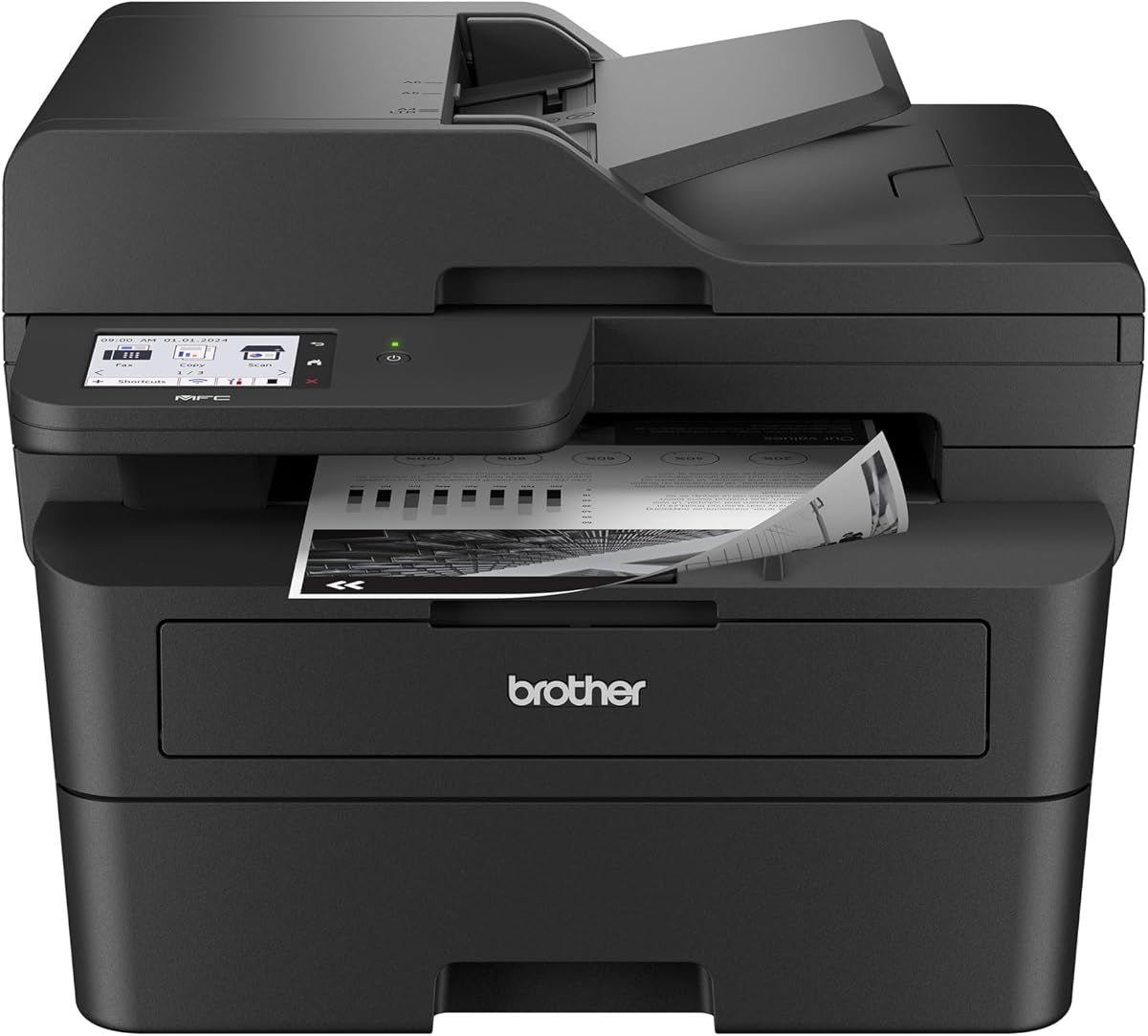


The Brother DCP-L2640DW stands out as a top choice for small businesses needing efficient multi-function capabilities. With a strong rating and consistent performance it delivers high-quality monochrome prints quickly.
We may earn a commission when you buy through this link, at no additional cost to you.
This model excels at productivity with print speeds up to 36 ppm and a 50-page auto document feeder for seamless copying. Dual-band wireless ensures stable connections across multiple devices without lag.
While it lacks fax capabilities and a large touchscreen the streamlined design keeps costs down. These trade-offs are acceptable for users focused primarily on printing and scanning tasks.
Ideal for home offices or small teams the DCP-L2640DW offers the best balance of speed and functionality. It is a reliable workhorse that handles daily document demands effectively.
Print speeds up to 36 ppm ensure documents are ready quickly keeping workflow uninterrupted during busy periods.
Dual-band wireless and Ethernet options provide flexible networking so every device connects securely and efficiently.
We may earn a commission when you buy through this link, at no additional cost to you.
For users needing basic printing without extra features the HL-L2405W delivers exceptional value. It produces sharp black and white outputs at a speed that suits most home office tasks.
We may earn a commission when you buy through this link, at no additional cost to you.
Its compact footprint fits easily on small desks while the 250-sheet tray reduces frequent refills. Alexa integration allows hands-free operation which adds convenience for quick print jobs.
The lack of scanning or duplex features means manual page flipping for double-sided documents. However for simple text documents this limitation rarely impacts overall usability or satisfaction.
This printer is perfect for individuals or students prioritizing affordability and simplicity. It provides a dependable entry point into Brother laser reliability without unnecessary complexity.
Works with Alexa to enable voice commands for printing tasks saving time and simplifying the workflow.
Low upfront pricing paired with efficient toner usage keeps total ownership costs low over time.
We may earn a commission when you buy through this link, at no additional cost to you.
The MFC-L2820DW combines advanced features with robust performance making it a top contender for demanding offices. Its touchscreen interface simplifies navigation for complex tasks like scanning to cloud services.
We may earn a commission when you buy through this link, at no additional cost to you.
Print speeds reach 36 ppm ensuring documents are produced quickly. The inclusion of fax capabilities alongside printing and scanning makes it a complete solution for businesses needing traditional communication tools.
While it costs more and takes up more space the feature set justifies the investment for professional environments. The touchscreen reduces errors and speeds up repetitive tasks significantly.
Choose this model if you need a full-featured device that handles every document type efficiently. It is designed for organizations that require versatility and connectivity without compromise.
The 2.7-inch touchscreen offers easy menu navigation and direct access to cloud apps like Google Drive.
Combining print scan copy and fax in one unit saves space and money compared to separate devices.
We may earn a commission when you buy through this link, at no additional cost to you.
The HL-L2460DW is designed for small teams requiring fast duplex capabilities without extra multi-function hardware. It maintains high speed while reducing paper waste automatically for eco-conscious users.
We may earn a commission when you buy through this link, at no additional cost to you.
With built-in dual-band wireless connecting multiple laptops and mobile devices is straightforward. The automatic duplex feature saves time on two-sided reports and presentations consistently.
Since it lacks scanning and copying the role is strictly printing. This specialization allows for a simpler mechanism that often results in fewer jams and better reliability.
This unit suits environments where printing volume is high but scanning needs are handled separately. It provides a dedicated high-speed printing solution that minimizes operational overhead.
Built-in duplex printing saves paper and time by handling double-sided documents without manual intervention.
Dual-band wireless ensures stable connections even in busy office networks with multiple connected devices.
We may earn a commission when you buy through this link, at no additional cost to you.
When color is essential for branding or visuals the HL-L3220CDW delivers crisp and vibrant results. It bridges the gap between home office needs and professional presentation standards effectively.
We may earn a commission when you buy through this link, at no additional cost to you.
Despite slower speeds compared to monochrome models it handles text and graphics with equal clarity. The duplex feature ensures professional double-sided outputs without manual paper management.
Color toner is more expensive and requires careful usage to avoid waste. However the ability to produce color documents on demand often outweighs the higher cost for small businesses.
Ideal for creative freelancers or marketing teams needing occasional color output. It provides a convenient all-in-one color solution without requiring a separate large machine.
Produces sharp graphics and vibrant text ideal for marketing materials and presentations needing visual impact.
Compact design allows full color capability without dominating the workspace footprint.
We may earn a commission when you buy through this link, at no additional cost to you.
With an impressive user rating the HL-L2480DW excels at balancing features and size. It handles print copy and scan tasks with a responsive touchscreen that simplifies daily use.
We may earn a commission when you buy through this link, at no additional cost to you.
Print speeds match the top monochrome models at 36 ppm ensuring efficiency is not compromised. The flatbed glass allows scanning of fragile documents or books that an ADF cannot handle.
While it lacks fax functions the core tasks are optimized for modern digital workflows. The compact build fits easily in confined spaces without sacrificing performance or quality.
This model is perfect for work-from-home users needing full functionality in a small package. It offers a seamless experience with minimal setup or maintenance required.
The touchscreen offers quick access to common tasks reducing time spent navigating complex menus.
Includes a flatbed scanner for original documents that require careful handling beyond automatic feeding.
We may earn a commission when you buy through this link, at no additional cost to you.
The MFC-L2900DW targets professionals needing speed and interface quality. Its 3.5-inch color touchscreen and single-pass scanning make document processing fast and user-friendly.
We may earn a commission when you buy through this link, at no additional cost to you.
Energy efficiency improvements reduce power consumption significantly compared to previous models. This aligns with corporate sustainability goals while maintaining high performance during busy periods.
The larger screen and faster scanning justify the higher price for dedicated office environments. It streamlines workflows by offering direct access to cloud storage and mobile apps.
Choose this for offices with high document volume and strict efficiency requirements. It delivers a premium experience with advanced tools for professional document management.
A 3.5-inch color display makes navigation easier and supports complex cloud app interactions effortlessly.
Two-sided scanning happens in one pass saving time and increasing overall document throughput speed.
We may earn a commission when you buy through this link, at no additional cost to you.
The HL-6210DW is built for high-volume environments needing speed. Its 50 ppm output ensures heavy print jobs are completed quickly reducing wait times for multiple users.
We may earn a commission when you buy through this link, at no additional cost to you.
Advanced security features protect sensitive documents during transmission making it suitable for corporate networks. Gigabit Ethernet ensures fast data transfer to the device without bottlenecks.
Capacity is maximized with large trays to minimize downtime for refills. However the machine is heavy and requires a dedicated sturdy surface to support its weight.
This model is ideal for businesses with constant high-volume printing requirements. It prioritizes speed and security over compactness or cost-efficiency in small setups.
Output speeds up to 50 ppm drastically reduce wait times for large batch document printing jobs.
Advanced security protocols ensure sensitive data is protected during transmission and printing processes.
We may earn a commission when you buy through this link, at no additional cost to you.
Combining color versatility with multi-function capabilities the MFC-L3720CDW serves diverse business needs. It handles printing scanning copying and faxing in one integrated color unit.
We may earn a commission when you buy through this link, at no additional cost to you.
The 3.5-inch color touchscreen allows easy access to cloud services and mobile management. This feature is vital for offices needing to print to and from various digital platforms.
While color printing is slower the comprehensive feature set ensures no tool is needed. The fax function remains useful for industries requiring traditional document confirmation channels.
Select this if you need full color capabilities along with fax and scanning. It offers a complete office solution for teams prioritizing visual impact and connectivity.
Produces high-quality color documents for marketing materials and reports requiring visual appeal.
Integrates seamlessly with cloud apps and mobile devices for modern workflow management.
We may earn a commission when you buy through this link, at no additional cost to you.
The Work Smart 1360 offers a budget-friendly alternative for casual users needing color. As an inkjet it provides versatility for photos and home projects at a low entry price.
We may earn a commission when you buy through this link, at no additional cost to you.
Despite slower speeds compared to laser it is adequate for low-volume home use. The compact design fits easily into small living spaces or dorm rooms.
While it costs significantly more per page for high volumes it is affordable for occasional needs. This makes it a practical choice for households with light printing demands.
Ideal for home users needing basic scanning and color printing on a budget. It provides simple functionality without the high upfront cost of laser technology.
Low purchase price makes color printing accessible for users on a tight budget.
Small design ensures it fits in tight corners or on small desks without clutter.
We may earn a commission when you buy through this link, at no additional cost to you.
Selecting the right model depends on your specific workflow volume and budget constraints. Understanding key factors ensures you invest in a device that lasts.
Speed is measured in pages per minute (ppm) and determines how quickly documents are produced. For busy offices high speed is crucial to avoid bottlenecks and improve staff productivity.
Prioritize models with 30 ppm or higher for efficient document processing.
Monochrome printers are generally faster and cheaper to operate making them ideal for text-heavy documents. Color printers offer visual versatility for marketing materials but cost more in toner.
Choose monochrome for pure text and color if graphics are a priority.
Basic models only print while multifunction units add scanning copying and faxing capabilities. Assess your daily needs to see if scanning originals or faxing is required.
Select a multifunction device if you handle physical document conversion daily.
Modern offices rely on network printing so dual-band Wi-Fi and Ethernet are standard. Mobile compatibility ensures you can print from smartphones without complex setups.
Ensure the model supports your existing network and mobile devices.
The paper tray capacity determines how often you need to refill paper. Higher capacity trays reduce interruptions during large print jobs.
Look for trays with at least 250 sheets for continuous printing.
Automatic duplex printing prints on both sides of the paper saving time and paper costs. This feature is vital for eco-friendly offices aiming to reduce waste.
Always choose a model with automatic duplex for efficiency.
While initial printer cost matters toner yield impacts long-term expenses. Genuine Brother toners offer better yield and reliability compared to third-party options.
Calculate cost per page to understand true long-term ownership costs.
Compact models are easier to place in home offices or shared workspaces. Larger units often have higher capacity but require dedicated floor space.
Measure your available space before buying to ensure a proper fit.
Always place the printer on a flat stable surface near a power outlet and Ethernet connection if possible. This ensures optimal performance and prevents internal mechanical issues over time.
Use genuine toner cartridges to avoid print defects and maintain warranty coverage. Regularly clean the exterior and paper trays with a soft dry cloth to remove dust.
Update firmware regularly through the Brother Mobile Connect app to access new features and security patches. This keeps your device secure and compatible with the latest operating systems.
Monochrome printers only use black toner which makes them faster and cheaper to run. Color printers use multiple cartridges to produce vibrant graphics but have higher maintenance and cost per page.
Yes most modern Brother models support mobile printing via the Mobile Connect app. This allows you to send documents directly from your phone or tablet wirelessly.
You can connect via USB for direct computer use without internet. However Wi-Fi features and cloud apps need an active network connection to work properly.
Replacement depends on print volume but high yield cartridges can last for thousands of pages. The printer display will notify you when levels are low so you can order in time.
Most mid-range models include automatic duplex printing. Basic budget units may require manual flipping for two-sided prints so check specs before buying.
It is a subscription service that delivers toner automatically when you run low. This ensures you never stop work due to empty cartridges and offers cost savings.
We reviewed ten exceptional models ranging from budget-friendly options to high-performance workhorses. Each device offers distinct advantages depending on your specific office requirements.
Prioritize speed and connectivity if you run a business but choose compact models for home use. The right choice depends on balancing your needs with your budget.
Prices change frequently so verify current deals before making a final decision. Your ideal Brother Laser Printer is available for every workflow style today.