
BlueFinger RGB Gaming Keyboard and Backlit Mouse Combo
4.4Editor score
Rainbow backlit keyboard design
Includes large mouse pad set
Affordable wired connectivity option
Discover the top-rated peripherals for your adventures. We compare ten reliable options designed to enhance your gaming experience and streamline complex
Finding the right peripherals for your favorite role-playing game can significantly impact your gameplay experience. A responsive keyboard and accurate mouse allow you to cast spells and manage inventory with ease.
We evaluated ten distinct combinations based on responsiveness, build quality, and user feedback. Each product offers unique features that cater to different play styles and budget constraints.
This guide details the strengths of each option so you can make an informed decision. Please note that product availability and pricing may change over time on retail platforms.
4.4Editor score

4.5Editor score
3.9Editor score
The following comparison highlights key specifications across all ten products to help you identify the best fit for your setup needs and preferences.


The Redragon S101-3 PRO stands out as a versatile combo that balances cost and functionality effectively. It receives high marks for its complete feature set that supports complex gaming needs without a high price tag.
We may earn a commission when you buy through this link, at no additional cost to you.
This package includes a full-size keyboard with programmable macro keys which are essential for managing inventory or spells in games like Baldurs Gate 3. The software allows users to record complex sequences easily enhancing your ability to perform multi-step actions quickly.
While the membrane keys may not feel as tactile as mechanical switches they remain responsive for most gaming scenarios. The anti-ghosting feature ensures that simultaneous key presses are registered accurately which is vital during intense combat sequences.
If you are looking for an all-in-one solution that offers significant customization options at an entry level price this set is highly recommended. It serves well for both casual gamers and those new to complex role-playing game interfaces.
The dedicated software allows users to map macros and adjust lighting effects directly to the hardware ensuring settings persist across restarts for a consistent experience.
Included ergonomic accessories like the wrist rest help reduce fatigue during long play sessions allowing you to focus on strategy rather than physical discomfort.
We may earn a commission when you buy through this link, at no additional cost to you.
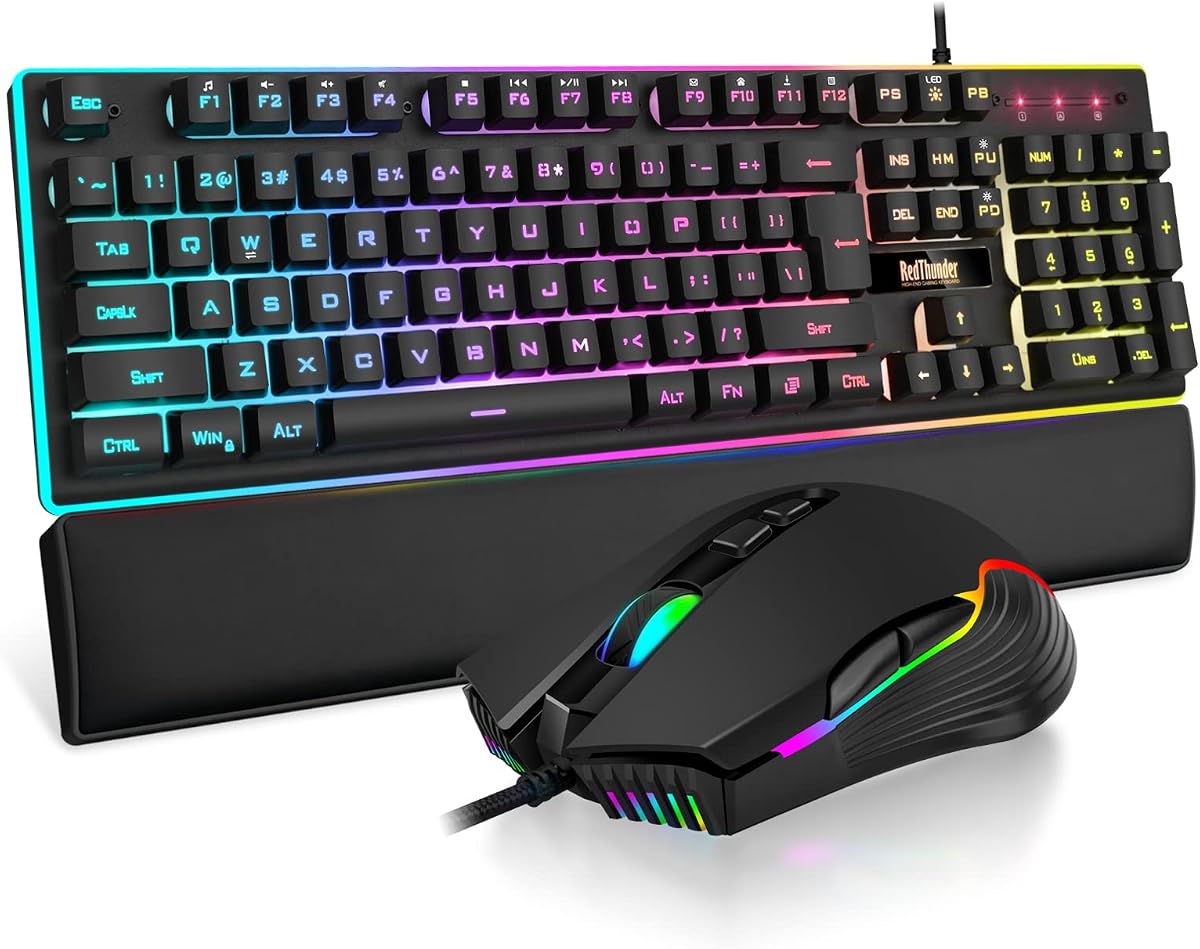
The RedThunder K10 Wired offers a robust build quality that appeals to gamers seeking durability in a budget-friendly package. Its high DPI mouse ensures precise cursor control which is beneficial for aiming or navigating detailed game maps.
We may earn a commission when you buy through this link, at no additional cost to you.
Key features include a steel plate base that provides stability during rapid typing and a soft leather wrist rest that adds comfort. The mechanical feel of the keys offers tactile feedback that many users prefer for quick command inputs in strategic games.
The RGB lighting adds visual appeal but is limited to fixed modes which restricts some customization. Users should also consider the weight of the wired peripherals as they may require more desk space for optimal movement.
This set is ideal for players who prioritize hardware durability and cursor precision over wireless convenience. It delivers a strong performance experience that supports intensive gaming sessions effectively.
The high DPI sensor allows for fine-tuned mouse control which is particularly useful when managing character stats or interacting with small UI elements.
The built-in steel plate prevents keyboard flex ensuring that keystrokes are registered accurately even during aggressive typing or rapid spell casting.
We may earn a commission when you buy through this link, at no additional cost to you.
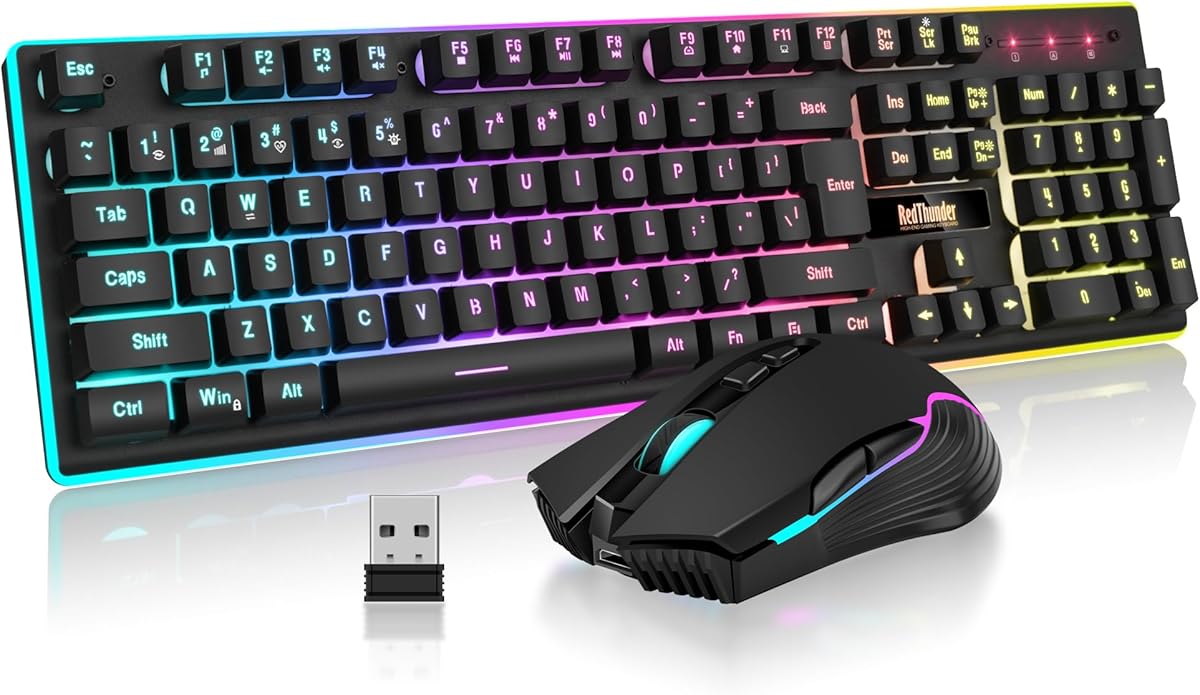
The RedThunder K10 Wireless provides the convenience of wireless connectivity without sacrificing the tactile feel of a wired keyboard. Its long battery life ensures that you can game for extended periods without interruption or frequent charging cycles.
We may earn a commission when you buy through this link, at no additional cost to you.
Key features include rechargeable batteries in both the keyboard and mouse which reduce waste and cost over time. The mechanical feel keys offer satisfying feedback that enhances the gaming experience and allows for rapid command entry.
Some users may find the battery capacity requires monitoring during very long sessions as the lighting effects consume power. However the reliable 2.4G wireless connection minimizes lag making it suitable for competitive and narrative gaming alike.
This set is perfect for gamers who want a clean desk setup and freedom from cables. It balances performance and convenience effectively making it a strong contender for those seeking wireless peripherals.
Large capacity batteries in both devices ensure weeks of usage between charges which is ideal for marathon gaming sessions or daily work use.
The 2.4G wireless technology provides a stable connection that reduces input lag ensuring your commands are executed instantly during gameplay.
We may earn a commission when you buy through this link, at no additional cost to you.
The Rii Gaming Keyboard and Mouse Set is designed for efficiency and ease of use making it a solid choice for users who value simplicity. Its compact form factor fits well in smaller spaces or on limited desk surfaces without sacrificing usability.
We may earn a commission when you buy through this link, at no additional cost to you.
Features include a 3-LED backlit design that offers visibility in low light conditions and laser carved characters that do not fade over time. The mechanical feel keys provide a responsive typing experience that helps with accurate inputs in games.
While the lighting options are limited compared to RGB sets the durability of the keys and the plug and play functionality are strong points. The mouse design is basic but functional for general navigation and gameplay tasks.
This set is recommended for users seeking a reliable and unobtrusive peripheral option. It works well for those who prefer straightforward hardware that requires minimal configuration.
No driver installation is required allowing you to start gaming or working immediately after connecting the USB device to your computer.
Laser carved characters ensure that the legends on the keys remain visible even after extensive use maintaining usability over the long term.
We may earn a commission when you buy through this link, at no additional cost to you.
The Gaming Keyboard K1 RGB offers a full-size layout that accommodates a variety of typing and gaming needs with ease. Its ergonomic design helps reduce hand strain which is beneficial during extended gaming or work sessions.
We may earn a commission when you buy through this link, at no additional cost to you.
The keyboard features 8 different light colors and adjustable brightness levels allowing you to customize the visual aesthetic of your setup. The waterproof USB cable and gold-plated interface ensure stable data transmission and longevity.
While the mouse included is basic the keyboard provides a solid foundation for gaming activities. The floating keycaps make cleaning easier and contribute to a modern look that fits many desk setups.
This product is suitable for users who want a standard layout with customizable lighting. It delivers reliable performance for general gaming and productivity tasks alike.
Adjustable brightness and multiple color options allow you to set the mood for your gaming environment or match your personal style.
The waterproof cable and anti-interference ring protect against spills and signal disruptions ensuring consistent performance over time.
We may earn a commission when you buy through this link, at no additional cost to you.
The Wired Large Print Combo is designed with accessibility in mind offering large high contrast keys that are easy to see. This feature makes it an excellent choice for users who may have vision difficulties or prefer larger typography.
We may earn a commission when you buy through this link, at no additional cost to you.
It includes a 7-color backlight that can be adjusted to suit your environment which helps reduce eye strain during nighttime use. The ergonomic design includes a foldable stand and wrist rest to maintain a comfortable typing angle.
While it lacks the high performance specs of dedicated gaming sets it provides a reliable input experience for general use. The silent keys ensure a quiet environment which is beneficial for shared spaces or office settings.
This set is ideal for those who prioritize visibility and comfort over high speed performance. It offers a practical solution for everyday computing tasks.
Large bold characters on the keys make identification easy reducing errors and improving typing speed for all users.
Adjustable feet and an included wrist rest support a natural hand position which reduces the risk of strain during long tasks.
We may earn a commission when you buy through this link, at no additional cost to you.
The BlueFinger RGB Combo is a comprehensive package that includes a keyboard, mouse, and a large mouse pad. This complete set ensures you have all the necessary components for a functional gaming setup right out of the box.
We may earn a commission when you buy through this link, at no additional cost to you.
The rainbow backlit keyboard provides visual flair and helps with key visibility in low light. The mouse offers adjustable DPI settings which allow for some customization in cursor sensitivity to suit different tasks.
While the DPI options are limited compared to higher end mice the braided cables add durability and a premium feel to the peripherals. The mouse pad provides ample space for mouse movement which is useful for gaming.
This option is recommended for users looking for an affordable complete bundle. It delivers essential features that support both work and casual gaming effectively.
Including a mouse pad saves you from buying separate accessories and ensures your desk setup is ready for immediate use.
Braided wires resist tangling and wear which extends the life of the peripherals compared to standard rubber coated cables.
We may earn a commission when you buy through this link, at no additional cost to you.
The USB Wired Large Print combines visibility with quiet operation making it suitable for shared environments. The oversized keys are printed 3 times larger than standard which helps users see what they are typing clearly.
We may earn a commission when you buy through this link, at no additional cost to you.
It features quiet low-profile keys that reduce typing noise allowing for concentration without distraction. The dynamic RGB lighting on the mouse adds a touch of style while the adjustable DPI allows for varied sensitivity.
While the build is standard for its price range the multimedia keys provide shortcuts for common tasks. The ergonomic design ensures comfort during extended use which is important for productivity.
This set is a great choice for those who value visibility and quiet performance. It works well for office work or light gaming tasks.
Low profile keys reduce noise significantly making this set ideal for libraries, shared offices, or late night gaming sessions.
Oversized keys prevent misprints and make typing easier for users who prefer larger targets for their fingers.
We may earn a commission when you buy through this link, at no additional cost to you.
The SABLUTE Wired Large Print features 4X larger characters which maximize visibility for users who need clear key identification. The integrated palm rest and foldable stand provide a comfortable typing angle that helps reduce fatigue.
We may earn a commission when you buy through this link, at no additional cost to you.
A 7-color backlight system offers enough options to personalize the look of your keyboard for different lighting conditions. The ergonomic mouse includes a built-in backlight which helps in locating it quickly in the dark.
This product is designed for everyday tasks and offers reliable performance without complex drivers. The plug and play connectivity ensures you can start using it immediately after connecting to your computer.
It is an excellent choice for students, seniors, or anyone who prioritizes visibility and comfort. It provides a solid foundation for daily computer use.
4X larger characters make key identification effortless which is particularly helpful for those with vision impairments or in low light.
The adjustable palm rest and stand ensure that hands remain in a natural position reducing the risk of strain over time.
We may earn a commission when you buy through this link, at no additional cost to you.
The VEILZOR Wireless Combo offers a modern approach to peripherals with a rechargeable design and wireless connectivity. The included phone holder is a unique feature that adds utility for users who want to access mobile content while typing.
We may earn a commission when you buy through this link, at no additional cost to you.
Silent keys ensure that you can work or play without disturbing others which is ideal for shared living spaces. The RGB lighting adds visual appeal and helps with visibility in darker environments.
While the battery life is decent it requires charging periodically which may interrupt workflow if not managed. However the 2.4G wireless connection provides a stable link to your computer with minimal latency.
This set is well suited for users who want a tidy desk and modern features. It balances aesthetics and functionality effectively for general use.
A reliable 2.4G connection allows you to position your keyboard and mouse anywhere within range without cable clutter.
Silent keys reduce noise significantly making this set perfect for late night sessions or quiet work environments.
We may earn a commission when you buy through this link, at no additional cost to you.
Choosing the right peripherals for Baldurs Gate 3 involves considering factors like input speed, comfort, and connectivity to enhance your gameplay.
The type of key switch affects how keys feel when pressed. Mechanical switches offer tactile feedback and durability while membrane switches are quieter and more affordable.
For RPGs where complex commands are common, mechanical switches can help ensure accuracy and reduce hand fatigue over long sessions.
DPI determines the sensitivity of your mouse. Higher DPI allows for faster movement which is useful for quick cursor placement in menus or during combat.
Choose a mouse with adjustable DPI so you can switch between precision and speed depending on the game situation.
Wired connections generally offer lower latency and do not require battery changes but wireless options provide freedom of movement and cleaner setups.
If you play long sessions without charging interruptions, a wired keyboard is a reliable choice for uninterrupted gameplay.
Look for ergonomic designs that include wrist rests or adjustable stands. These features help maintain a natural hand position and reduce strain.
Prioritize comfort to ensure you can play for hours without pain or discomfort affecting your focus.
Macro keys or software support allow you to automate complex sequences. This can be useful for spells or inventory management in RPGs.
Ensure the software is user-friendly and supports saving profiles directly to the hardware for consistent use.
A sturdy build ensures the peripherals last through extended use. Look for reinforced materials and high-quality cables to prevent wear.
Durable products save money in the long run by reducing the need for frequent replacements.
RGB lighting and customizable keys add personal flair to your setup. They also help identify key positions in low light.
Choose a model that allows you to save lighting and layout settings so you do not have to reconfigure every time.
Set a budget that balances cost with necessary features. Entry-level options often provide good performance without high prices.
Invest in features that directly impact your gameplay experience rather than paying for aesthetics alone.
Ensure that your peripherals are connected properly to the USB ports on your computer. If using wireless models, insert the receiver and ensure batteries are charged.
Install any necessary software for macros and lighting customization if provided by the manufacturer. This allows you to tailor settings to your specific game needs.
Clean your keyboard and mouse regularly with a soft cloth to remove dust and debris. Avoid using liquids directly on the keys to prevent internal damage.
Yes, membrane keyboards can be used for gaming and are often more affordable than mechanical ones. They provide a softer typing feel which may be quieter. However, they might not offer the same tactile feedback or durability as mechanical switches.
DPI is important as it determines how sensitive your mouse cursor is to movement. Higher DPI allows for faster movement which can be useful in fast-paced situations. Adjustable DPI helps you switch between precision and speed easily.
Modern wireless peripherals often use advanced technology like 2.4G to minimize lag. While some may still have slight latency compared to wired models, it is generally negligible for most gaming scenarios.
Use a soft brush or compressed air to remove dust between keys. Wipe the surface with a slightly damp cloth. Avoid liquids directly on the keyboard to prevent short circuits.
A macro is a recorded sequence of actions or keystrokes that can be executed with a single key press. Macros can automate repetitive tasks or complex commands to improve efficiency.
An ergonomic wrist rest helps maintain a natural hand position which can reduce strain and fatigue. It is especially useful during long gaming sessions or for users prone to wrist discomfort.
Most keyboards include function key combinations to cycle through lighting modes. Some require software installation for more detailed customization. Follow the manufacturer's guide for specific instructions.
Anti-ghosting ensures that multiple key presses are registered simultaneously. This is crucial for gaming where several commands must be entered at once without input lag.
Choosing the right keyboard and mouse can enhance your experience with Baldurs Gate 3 by providing better control and comfort. Our selection includes options that cater to various needs from budget to wireless flexibility.
Focus on features that improve your specific gameplay style such as macro support or ergonomic design. These elements help manage complex inputs and reduce physical strain during long sessions.
Always check current availability and pricing as these can change frequently. Selecting the right gear today ensures you have a reliable setup for future adventures.